Question 4: How did you use media technologies in the construction and research, planning and evaluation stages?
Construction
Digital Camera
I used a Sony Alpha 85 DSLR camera digital camera in the production of my video and ancillary products, I made use of it for my video by filming all aspects with it, within this I had to make use of the settings to ensure I got the best shots I could. I firstly used it to get test footage in the lighting I wanted to use in order to get the right settings before shooting properly. The main settings I used included aperture to control how much light I used in the shot and to make the foreground crisper, I also ensured I had the right white balance by testing it against a white background in the same light that i’d be filming in. ISO was also important to ensure my footage wasn’t to dark or over exposed. I used the camera to take photos of Hannah my actress to use in my digipak, the same settings applied.
Although I believe my use of the digital camera worked well for my footage I think it could have been approved as some of the darker shots looked grainy, this could have been combated by not filming in darkness, or increasing the ISO to make it higher and shooting at a lower f stop.
Final Cut Pro X
Final Cut Pro X or FCP X proved very useful as an editing platform as it enabled me to edit my music video with the edition of effects. For my AS coursework I also used FCP X however, I was only editing in a narrative and it didn’t include many effects, I was also working in a team compared to this year when I’m working on my own. My technical ability at the start was weak however final cut pro allowed me to learn fast and easily achieve my desired effect and grow my knowledge. The programs that I used most in FCP -aside from the blade and select tools to arrange the video- were keyframing so that I could make the effects I wanted appear at certain times so they would be on time to the music. I also used the effects bar a lot as it enabled me to pick out which effects I liked and allowed me to easily drop them over the footage, some of the effects I used included the mirror effect, negative effect, kaleidotile and kaleidoscope effect, and various colour tints. The main effect I used was the overlapping of two screens showing separate footage, this helped add another aspect to draw my audience in. I also used the transitions to fade out my centrer screen to make the ending less harsh.
Adobe Photoshop
I used adobe Photoshop in editing my images of Hannah my actress to include in my digipak, I found the curves tool helpful as you can visualise the shadows and highlights and adjust the image exactly how you would want it. It enhanced my work as the image looked better by using Photoshop than it would do without. I believe however my technical ability did limit me in some ways but as I didn’t use Photoshop for creating my digipak and poster it didn’t have a very big impact.
Adobe Illustrator
Prior to using illustrator I had no technical ability, however after doing a step by step practise digipak using photos online my knowledge increased greatly. One of the main things I had to learn in illustrator is how to create images into a vector so that I can scale them to any size and they would still be clear. I did this by selected the image trace under window and tracing the image with the noise levels down to ensure any small detail isn’t lost and for the 'Paths' level I put the slider nearly all the way to the right in order to hug the lines of my original sketch and to keep it the same style to ensure the genre conventions were in place.For the 'corners' slider I kept it mostly the same as it wouldn't have made a large difference to my curved image. I used the magic wand tool to select the aspects of my drawing I wanted coloured and filled them at the same time, this proves very effective as it saved time. I also used the text format to add lyrics to my digipak and within this adjusted the transparency and type of lettering to screen. I found Illustrator really effective in my production of poster and digipak as it had everything that I would have wanted to use and although difficult to use at first it proved helpful overall.
Research/planning
YouTube
YouTube was an important media technology as I used it to research music videos of a similar genre to mine and also look at videos from my chosen artist. I could easily upload these videos onto blogger which allowed me to add comments with the videos. I also created an account on YouTube used as a production account for my blog, in which I uploaded rough cuts and my final video. This platform was good as it allows you to add tags to your video so more people can view it easily and all my videos are on one accessible channel.

I chose to create a production account on instagram so that I can share production updates to anyone who was interested and my audience. I chose instagram as I knew my audience use this platform as young adults. It was also fairly easy to gain followers of my target audience because I followed a lot of other accounts such as fan accounts and actual artists’ accounts and from this they could follow me as they saw that I was associated with the same music and genre they liked. I found instagram good as it was effective in showing a journey of updates such as first filming days and then up to my produced media.

Apple Macs
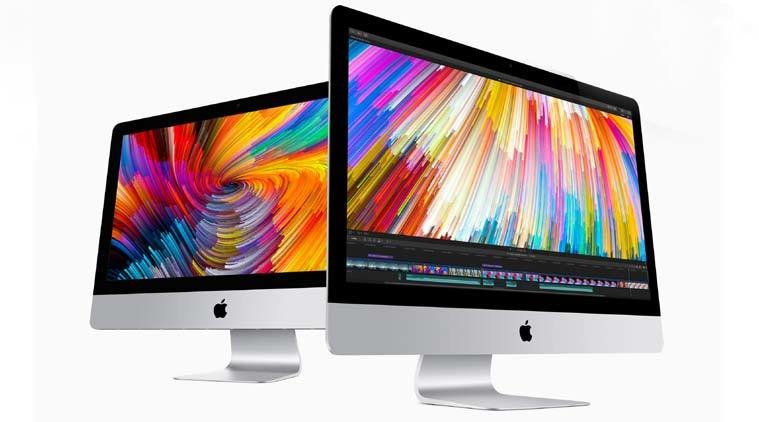
The work I did in school was done mainly on an Apple Mac, I found using a mac was effective in aiding me on all stages of my media as it contained all necessary applications such as FCP X, Illustrator and Photoshop. It also worked really well for uploading footage and downloading logos for my ancillary products as it was easy to find all my uploads and downloads and they could be kept on my desktop for easy access.
Blogger
I used blogger to show record my work including research, planning, video analysis, production updates, final products, and many more. Blogger worked well for this as everything was in one place and it shows a coherent journey. It also allows me to upload videos and photos easily, and presents my work in an aesthetically pleasing way.
The ability to navigate through a variety of websites, images and the access to technologies/software is a prominent feature that has helped me throughout my A2 coursework. In addition to this, Google contains google images which helped me to find examples of posters and digipaks in my genre.
Google slides
To gather information on my target audience I sent out a survey via google forms, I prefer google forms layout compared to other survey formats you can use as it is really easy to us and it displays different types of questions such as multiple choice very clearly. It also presents the responses well as it can give you the information as a pie chart and different types of graphs but you can also view the individual responses
Evaluation
Slides
In this evaluation stage I found that slides.com gave me a creative way to effectively display the information I want to put across, it also has a helpful grid that snaps your text and image so it’s never off. However I found it hard to portray it to the standard I would want to show as it’s difficult to make it look nicer.
Prezi
Prezi On the other hand i found more interesting in the design but not as effective in displaying my work clearly as people can find them distracting.

Conclusion
Through this production process although my knowledge and use of media technologies and stayed the same in some areas such as online platforms such as Google and Instagram it did grow greatly within many areas such as Final Cut Pro X and illustrator.