Beyond the UI
Web Applications in the Age of Agents
27 May 2026

Adrian Fâciu


Principal Engineer
Most of us have added AI features to our applications by now
It works, but it's not what's coming next
Recap
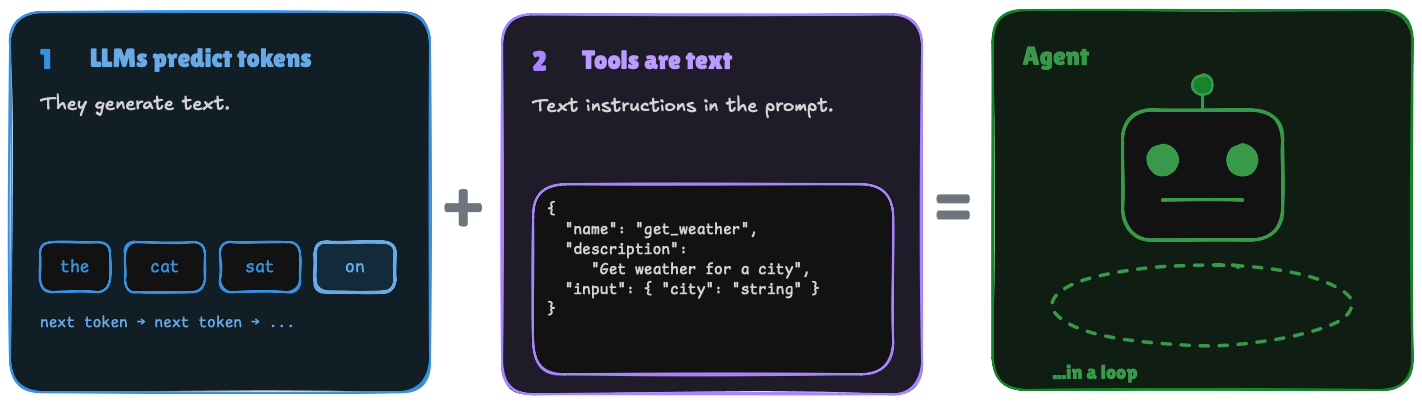
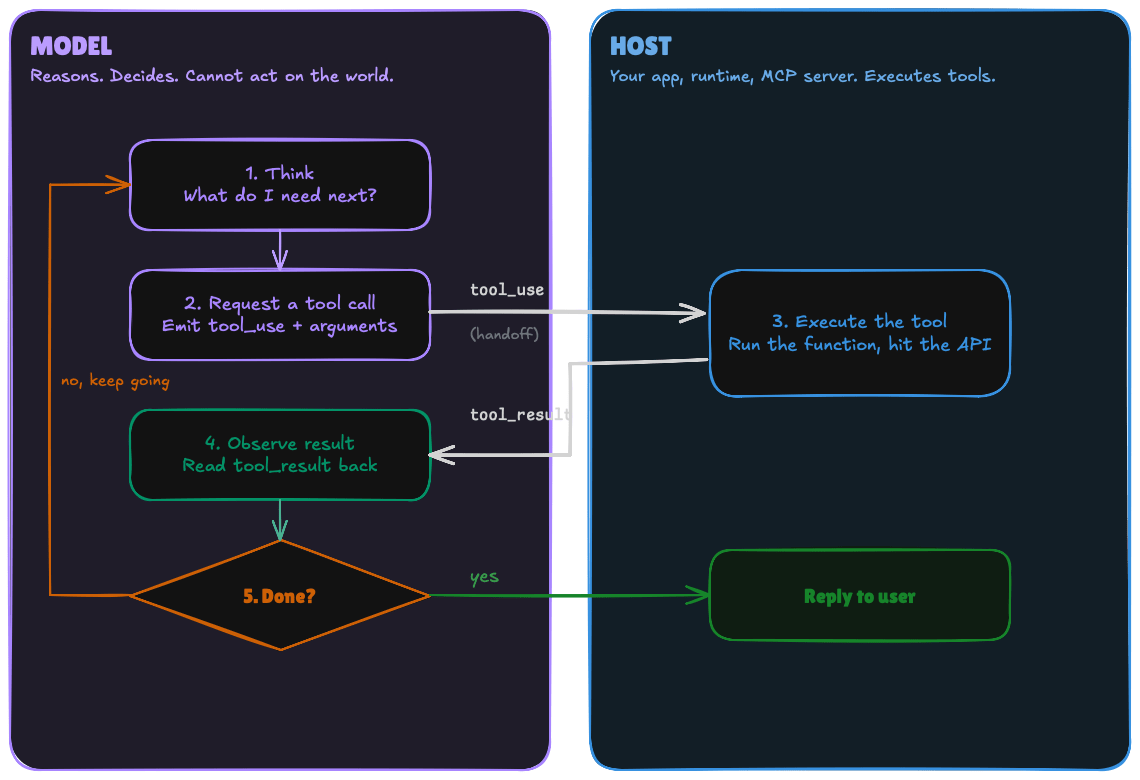
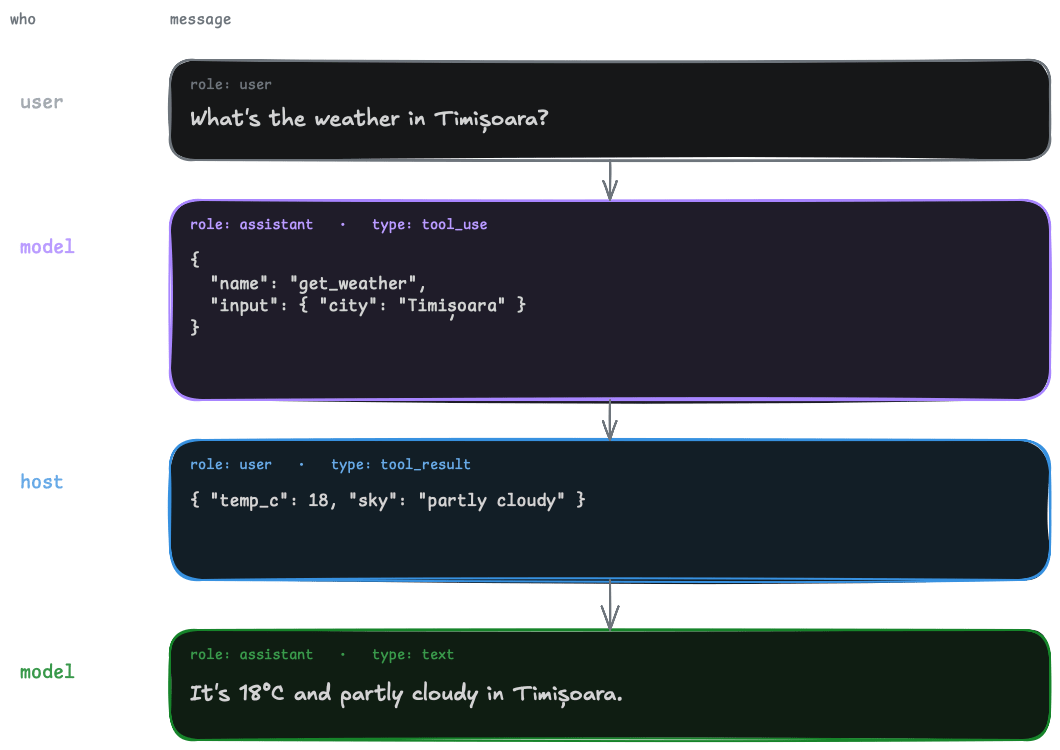
What is an Agent?
Current state of applications
-
Summarize this page
-
Meeting notes
-
Magic eraser
AI in Web Applications
-
Isolated
-
Not composable
-
No shared context
Limitations
Current state of browsers
-
Claude for Chrome
-
Gemini in Chrome
-
Atlas, Comet, Dia...
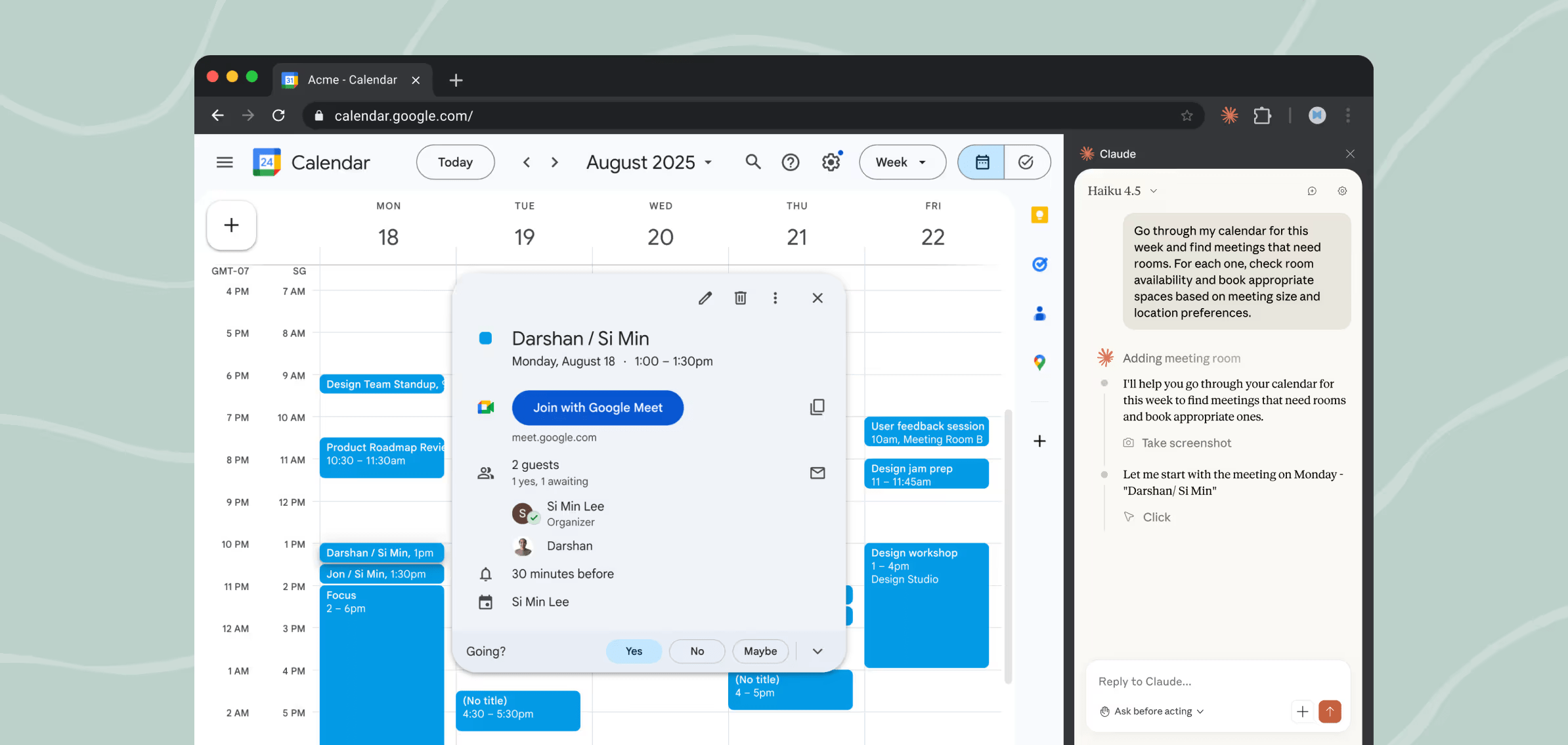
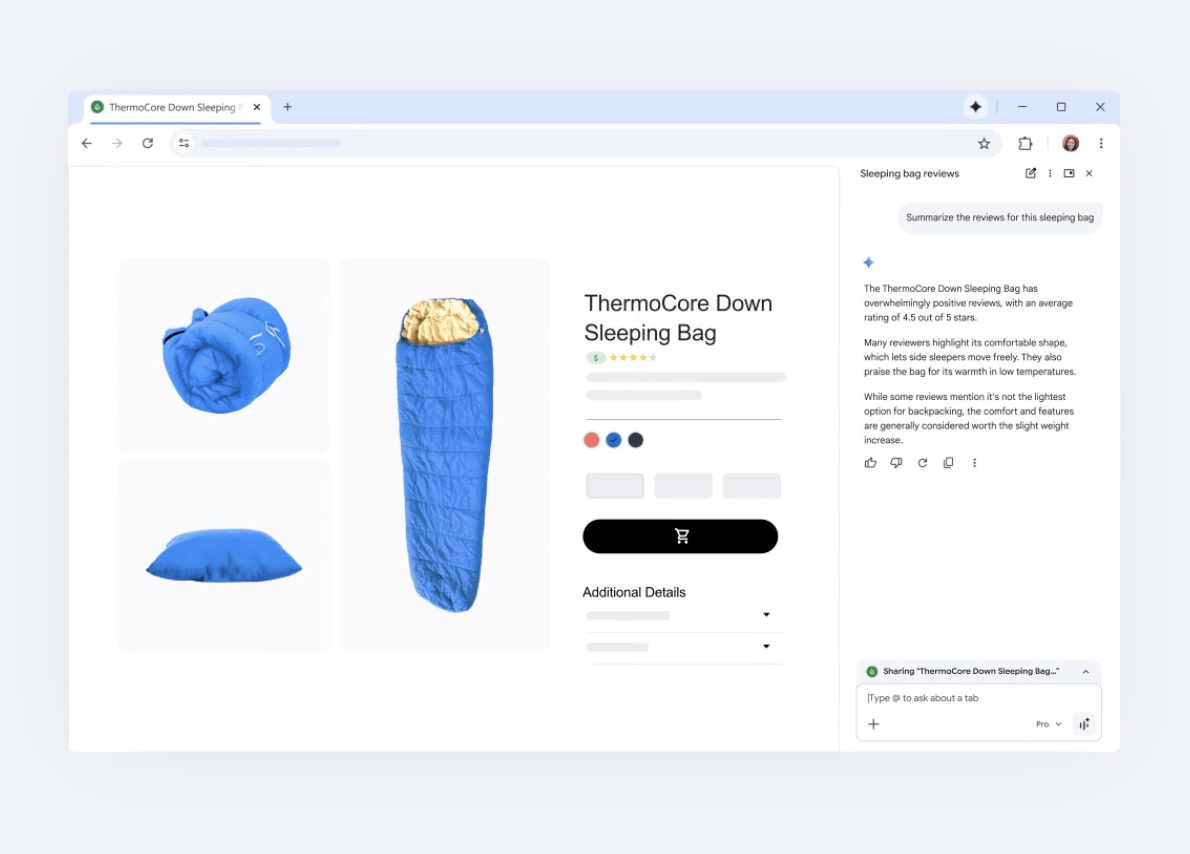
Do they work?
YES
but
-
slow
-
brittle
-
expensive
Limitations
-
they look at the DOM
-
take screenshots of the page
-
have no real instructions on how to do actions
Why
Our applications are not built for agents!
What if our applications were a set of tools, not just a UI?
Demo
Use WeVideo to create a new video project. Search for images of cats. Add the first 9 images to the timeline, each on a new layer, at the beginning. Arrange them in a 3 x 3 grid inside the canvas.
Is this better?
tools
+
context
-
no more guessing
-
local data/context
-
useful information
tools = functions
Tools
-
name
-
description
-
schema
{
  "name": "search_stock_videos",
  "description": "Search the stock video library. Opens the library panel on the Videos tab and populates the query so the user sees the same results. Returns a list of matching videos. Note: `duration` is in milliseconds.",
  "inputSchema": {
      "query": {
        "type": "string",
        "description": "What to search for, e.g. 'sunset over city'."
      }
  }
}
We already have these functions!
They are existing functionality inside our application
- create project
- search stock content
- add content to timeline
Best practices for creating tools
Expose user actions, not individual bits and pieces
Context dependent actions
Special tool => get_context
Descriptions are prompts
Execute synchronous
What you return matters
Token efficiency
Errors are prompts
Namespace
Experiment!
I have tools,
now what?
WebMCP
- proposed web standard
- allow web apps to register tools
- early preview
const addTodoTool = {
  name: "addTodo",
  description: "Add a new item to the to-do list",
  inputSchema: {
    type: "object",
    properties: { text: { type: "string" } },
  },
  execute: async ({ text }) => {
    // You should handle the persistence logic here (omitted for demo)
    return `Added to-do: ${text}`;
  }
};

navigator.modelContext.registerTool(addTodoTool);
<form
toolname="supportRequestTool"
tooldescription="Submit a request for support."
action="/submit">
<label for="firstName">First Name</label>
<input type=text name=firstName>
<label for="lastName">Last Name</label>
<input type=text name=lastName>
<select name="select" required
toolparamdescription="Determines what team this request is routed to.">
<option value="Customer happiness team">Return my purchase.</option>
<option value="Distribution team">Check where my package is.</option>
<option value="Website support team">Get help on the website.</option>
</select>
<button type=submit>Submit</button>
</form>
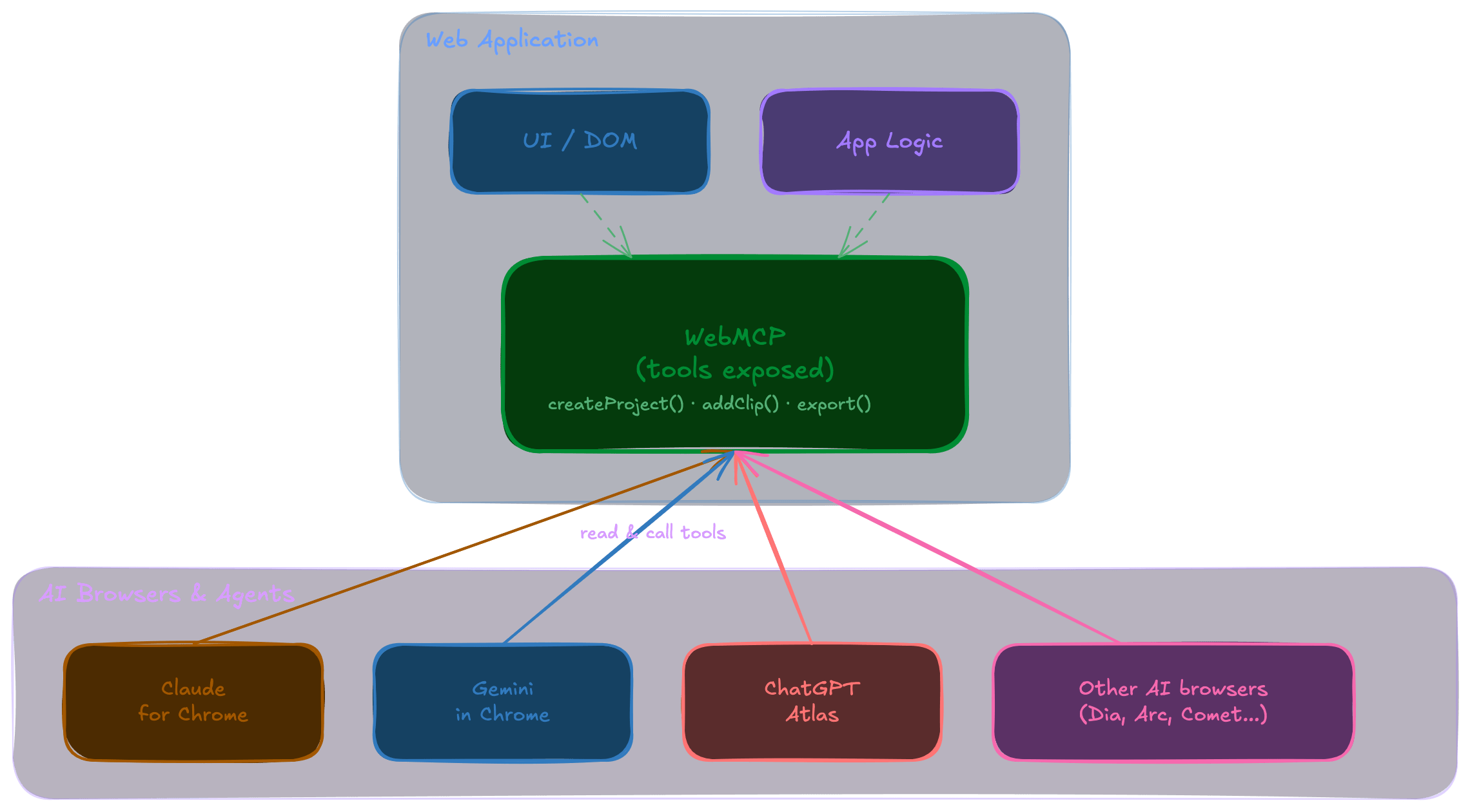
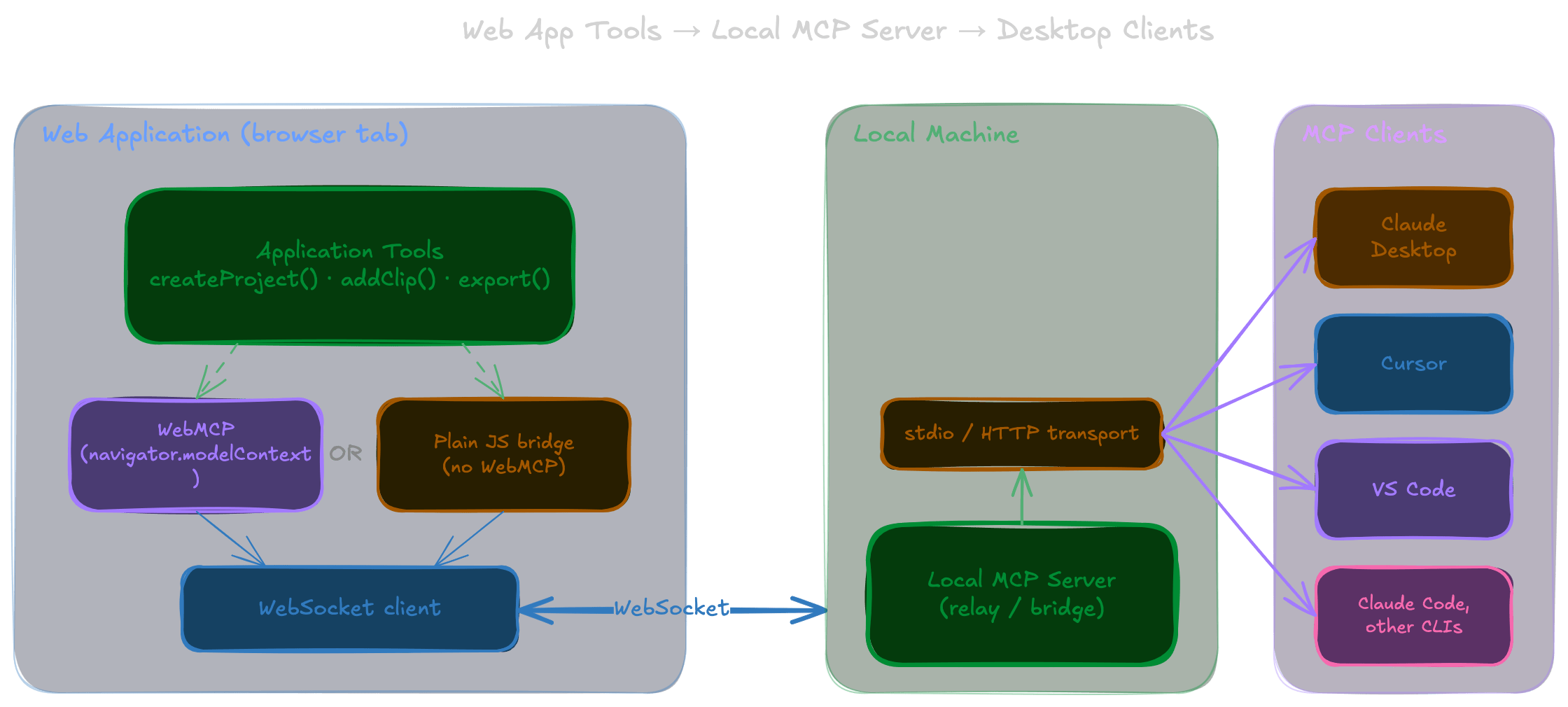
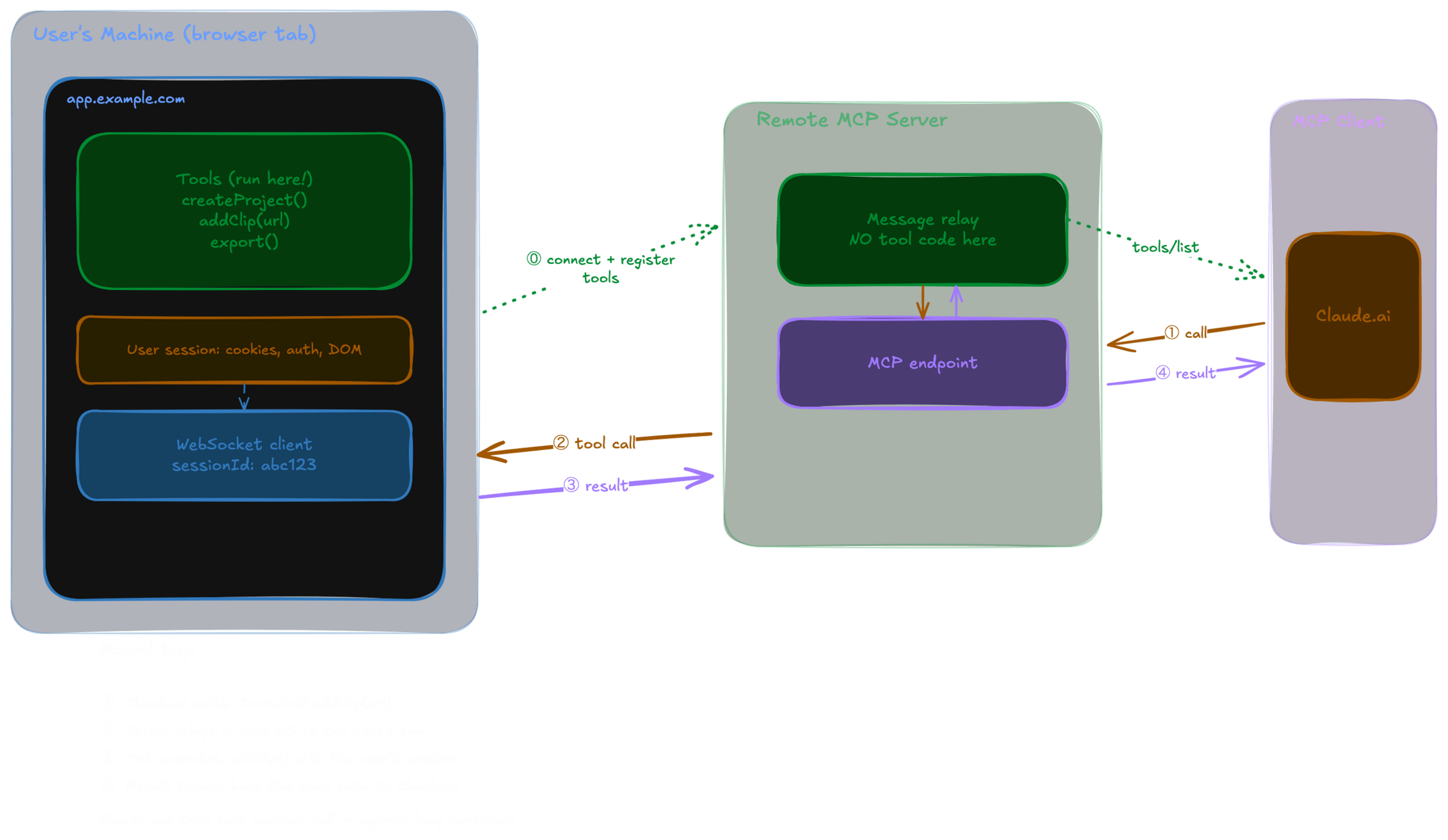
MCP
Local MCP Server
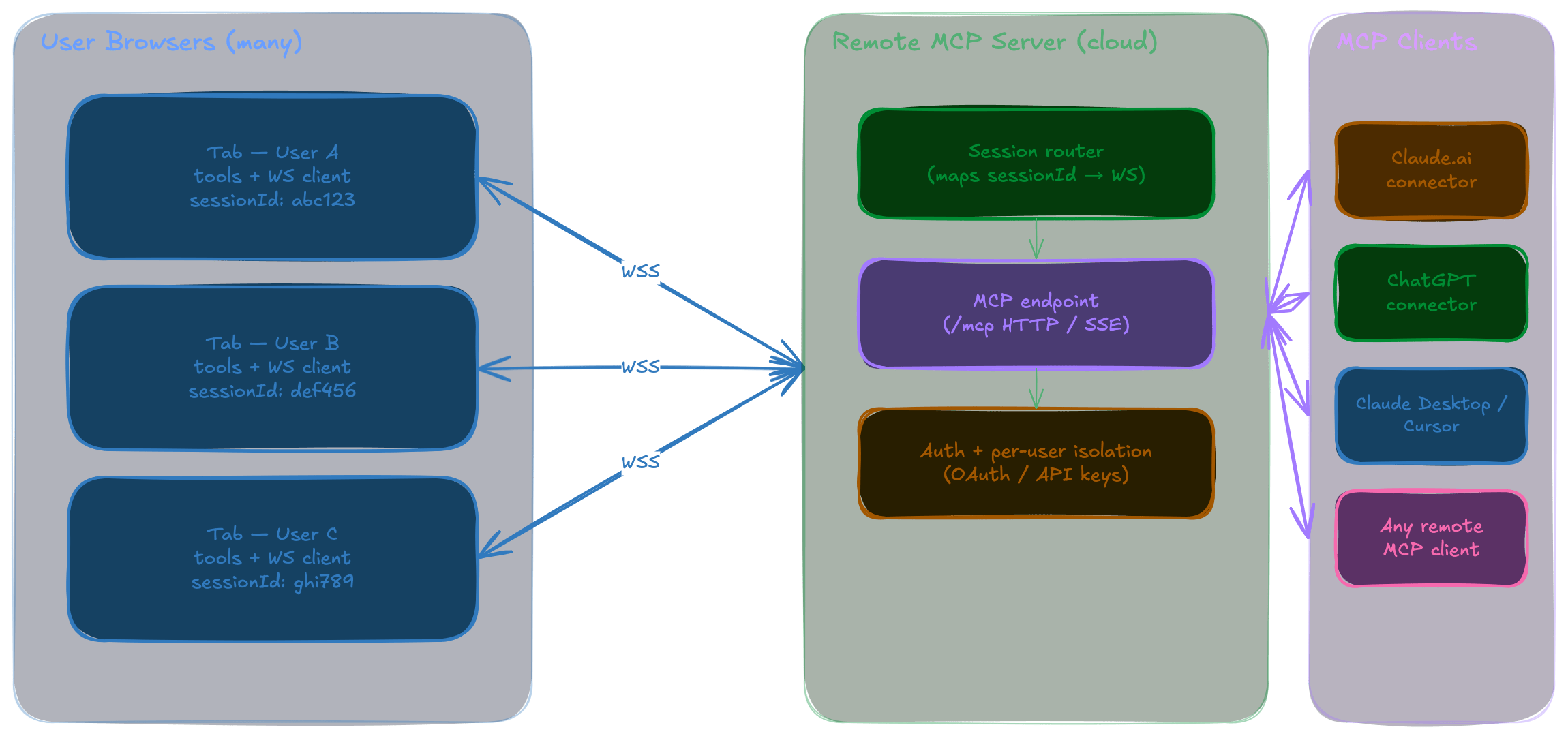
WebMCP + MCP-B
Remote MCP Server
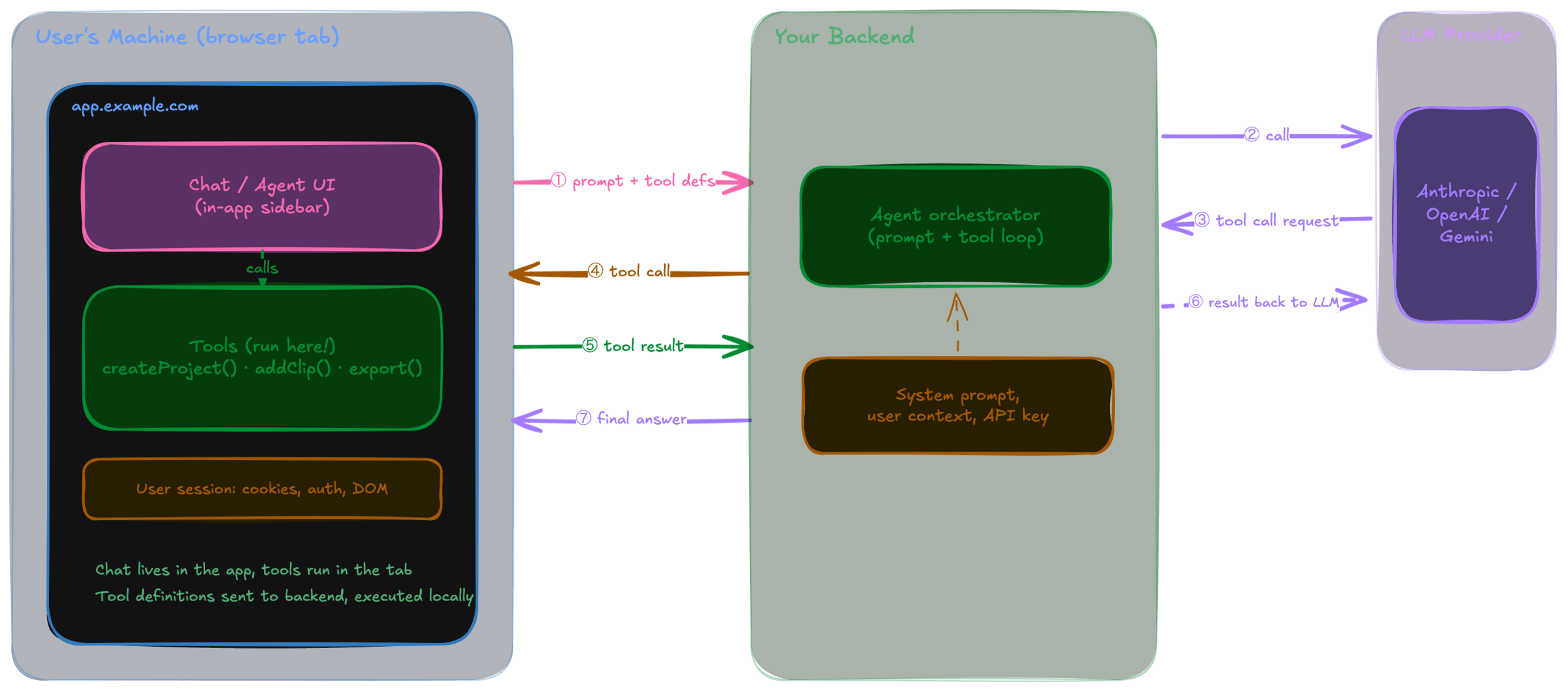
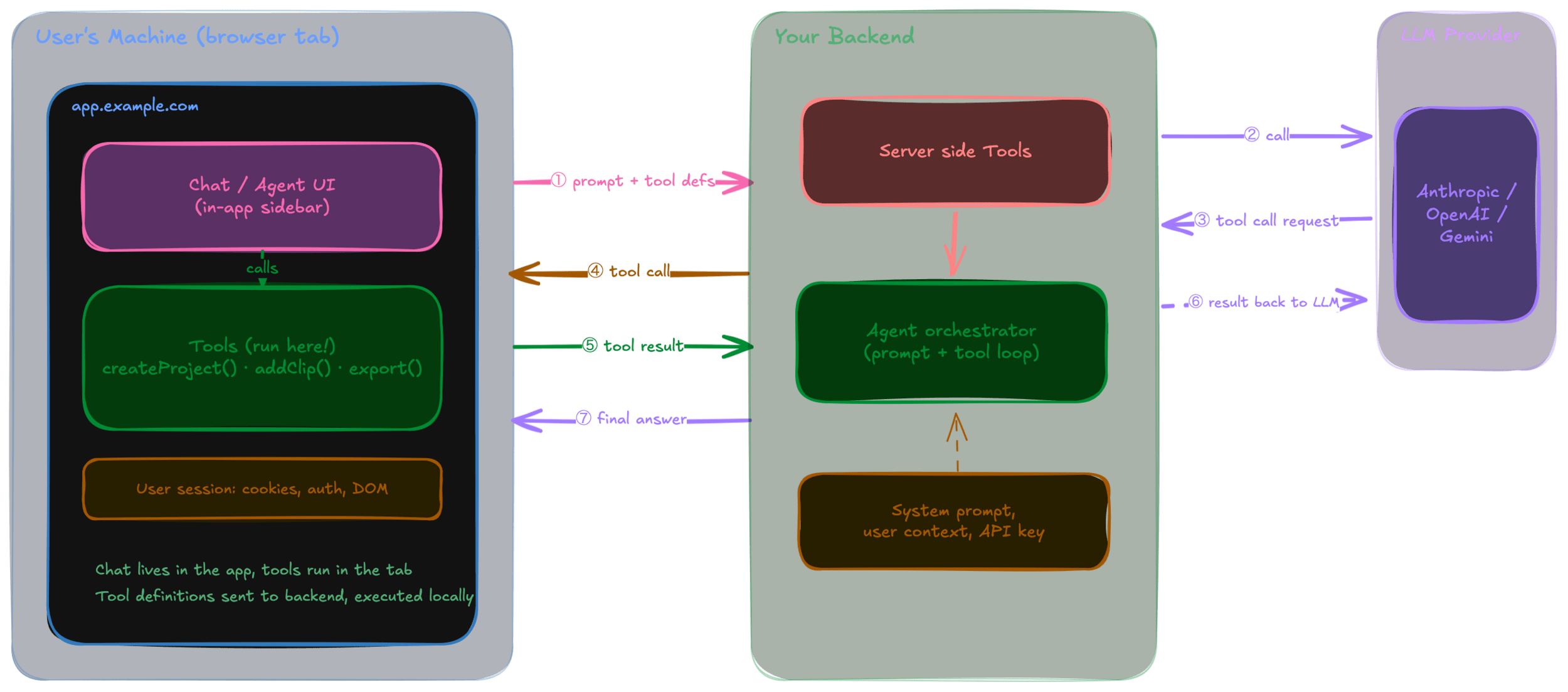
In App Agent
Chat + Tools
WebMCP
(local) MCP
In App Agents
Who pays for the tokens?
Security?
What if it can perform refunds?
What if it can delete everything?
You control WHAT is being executed and IF it is executed
- expose only available tools
- security level before executing
- call in a human in the loop, for manual approval
Accessibility
Collaborative Demo
Collaborative workflows
Human + Agent
In the end...
The apps that win won't be the ones with the most AI
They'll be those that agents, and people, can use!
Q & A
