What's new in Koha?
Alex Buckley
Agenda
- Collaboration and development
- Contributing to Koha
- What's new in Koha 22.05?
- What's new in Koha 22.11?
- Q&A
Collaboration and development
As an open source project, Koha depends on a community to maintain it.
Every six months the Koha community releases a new version of Koha with fixes, features and enhancements.
Catalyst is a regular contributor to the Koha community, in different ways.
Contributing to Koha
Test sites for today
https://demo.catalyst-koha.com.au/
https://demo-admin.catalyst-koha.com.au/
Username: staff Password: staff1
Koha 22.05
- 5 new features
- 231 enhancements
- 328 bug and security fixes
- Recalls
- Import and export of authority types
- Add option to make a public list editable by library staff
- Add option to trigger 'Welcome mail' manually
- Introduce password expiration to patron categories
- Show authority heading use in search results
Recalls [19532]
Recalls can be thought of as high-priority holds, with a few more conditions. Members can recall items or records that they need urgently, but are currently checked out or awaiting pickup. A recall will shorten the loan period for the member who currently has the item checked out. Recalls are prioritised over holds.
We at Catalyst are very proud of having written most of the recalls feature - the work was largely sponsored by Toi Ohomai Institute of Technology, Waikato Institute of Technology, and Auckland University of Technology.
Recalls
- When an item is recalled, the member who currently has the item checked out will be notified that their due date has been adjusted and they need to return their item.
- Once a recalled item is returned, the patron who placed the recall will be notified that their item is awaiting pickup at their chosen pickup location.
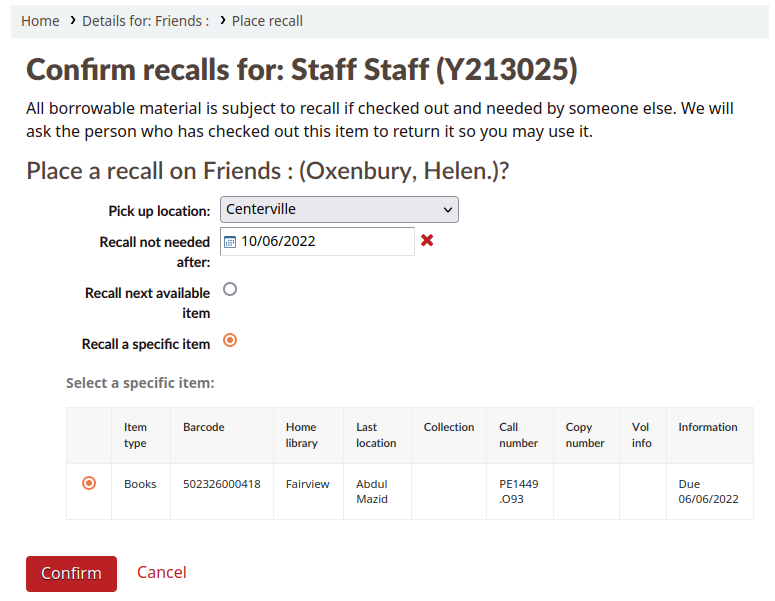
Recalls configuration
System preferences
- UseRecalls
- RecallsMaxPickUpDelay
- RecallsLog
User permissions
- manage_recalls
Cronjobs
- expire recalls
- overdue recalls
Circulation rules
- Recalls allowed
- Recalls per record
- On shelf recalls allowed
- Recall due date interval
- Recall overdue fine amount
- Recall pickup period
Notices
- RETURN_RECALLED_ITEM
- PICKUP_RECALLED_ITEM
- RECALL_REQUESTER_DET
Import and export of authority types [13952]
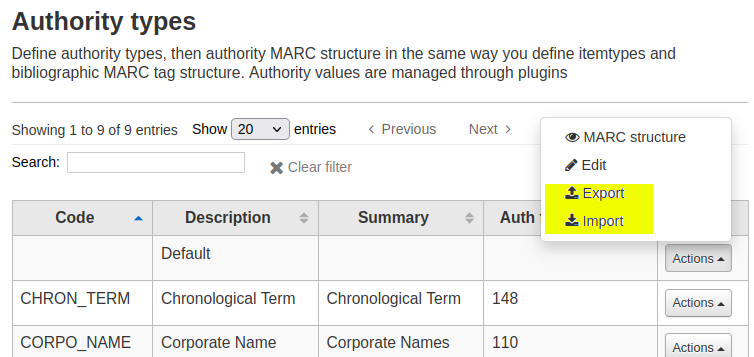
You can now import and export authority types like you can with bibliographic frameworks
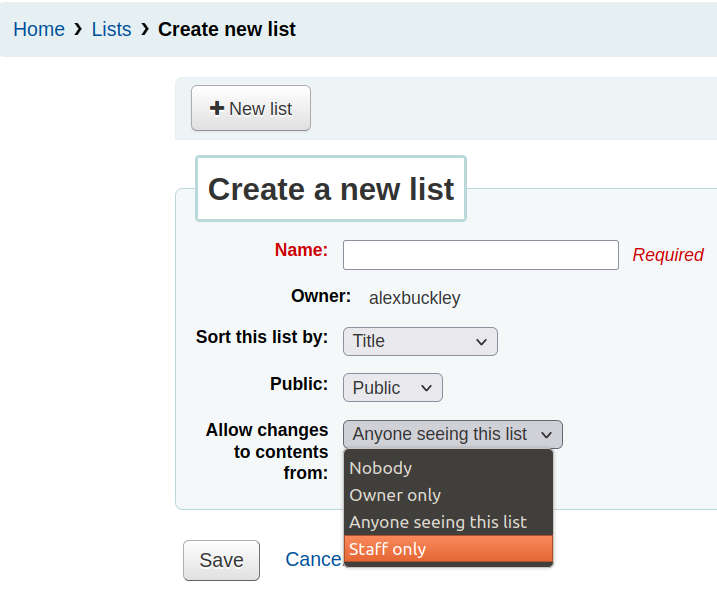
Add option to make a public list editable by library staff only [26346]
When creating new public lists
- Choose 'Staff only' in the 'Allow changes to contents from' input
What is a staff user?
Any Koha patron who can log into the staff client.
To log into the staff client a patron must have the 'catalogue' permission selected
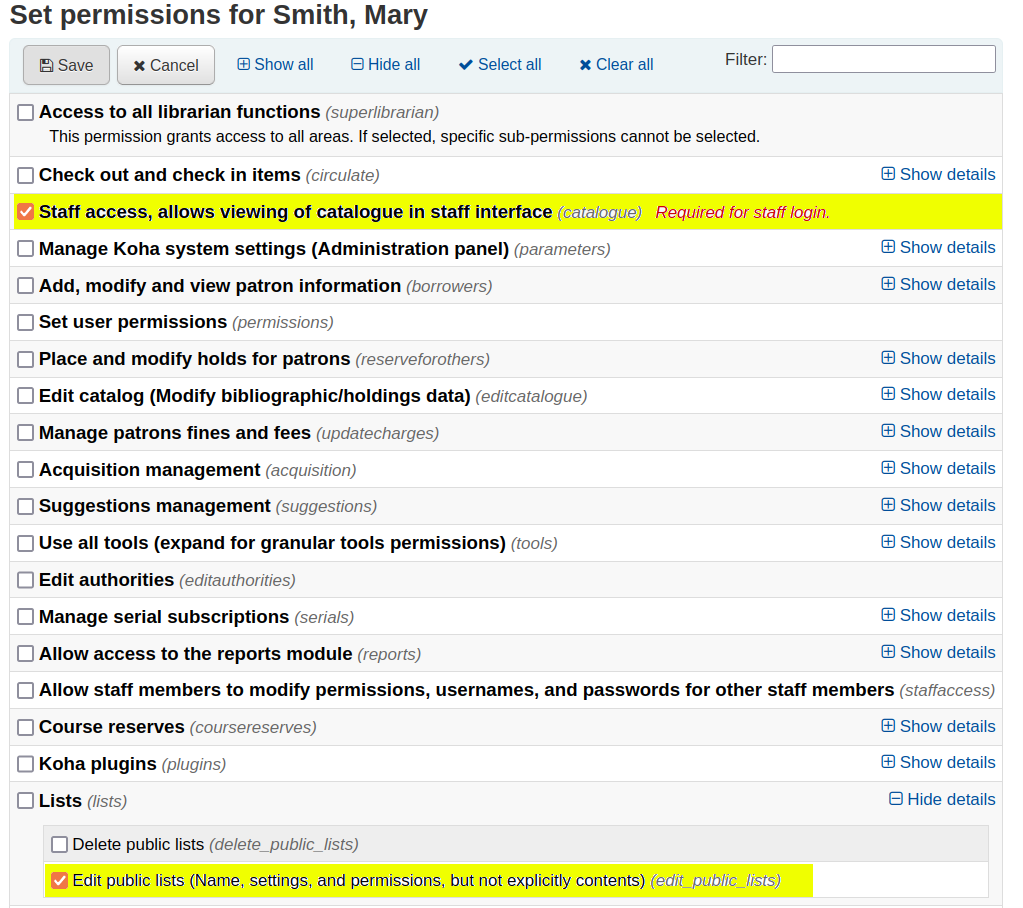
Make existing 'owner only' public lists editable by staff:
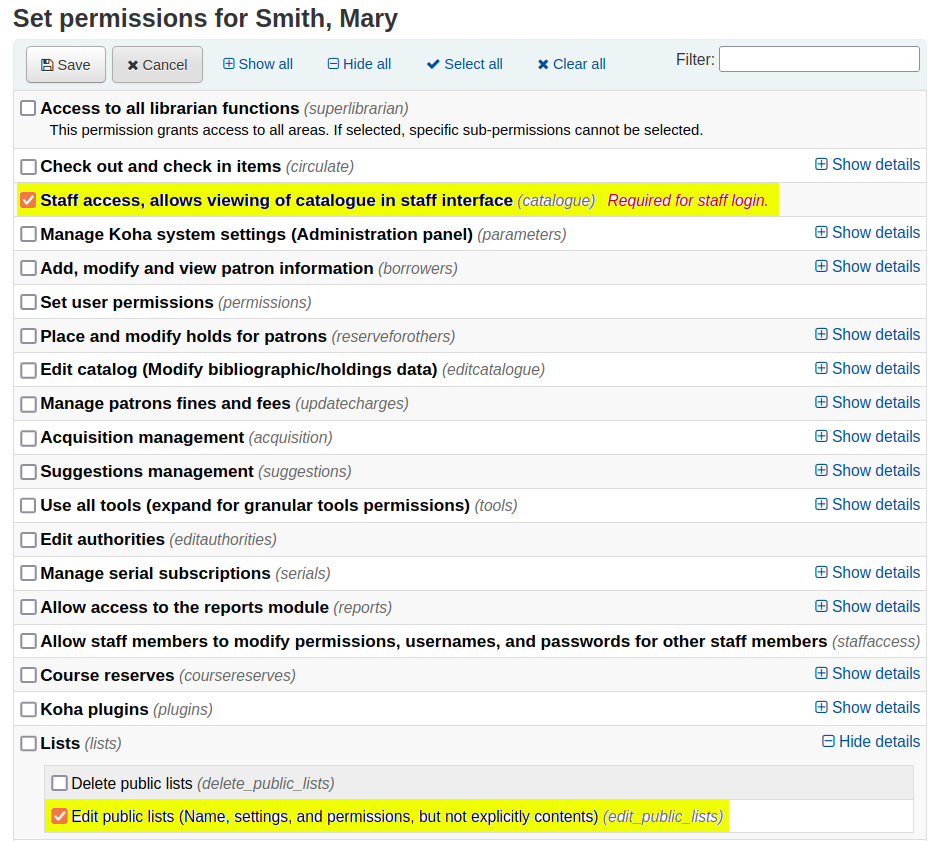
- Ask a superlibrarian patron or a staff patron with the 'edit_public_lists' sub-permission to edit the existing public list
- Set the 'Allow changes to contents from' input to 'Staff only'
Add option to trigger 'Welcome mail' manually [9097]
Customising the welcome email
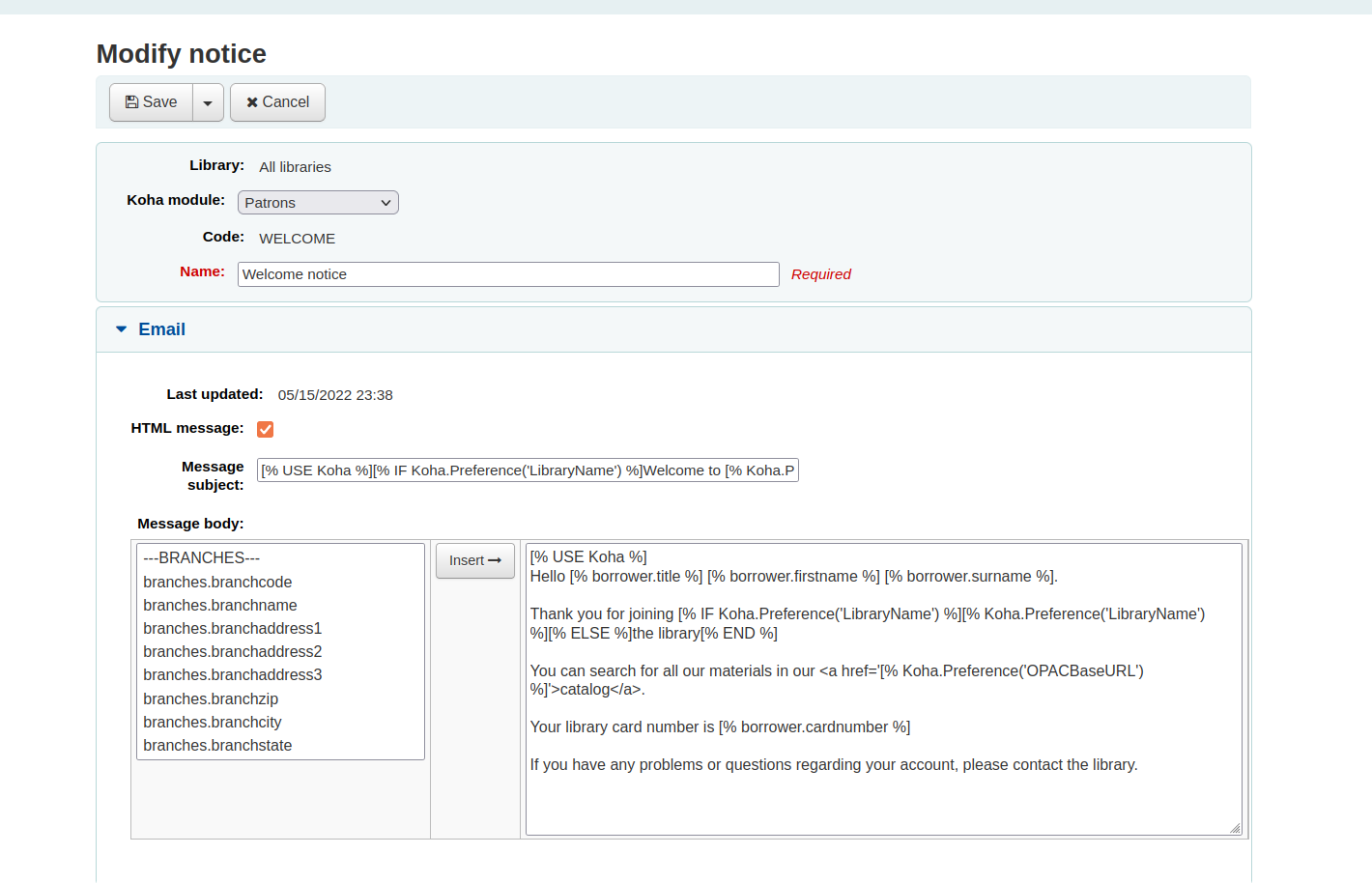
- Go to: 'Tools' > 'Notices & slips'
- Search for 'WELCOME'
- Click 'Edit' and change the default notice content
Send the welcome email
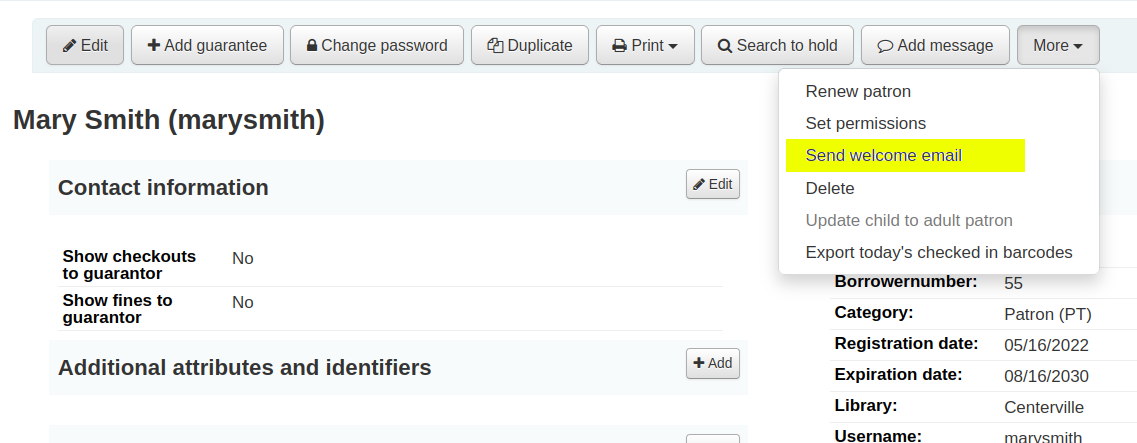
- Navigate to the patron's detail page
- Click 'More' > 'Send welcome email'
- This will queue an email to send to the patron
Introduce password expiration to patron categories [29924]
Add password expiration to patron categories
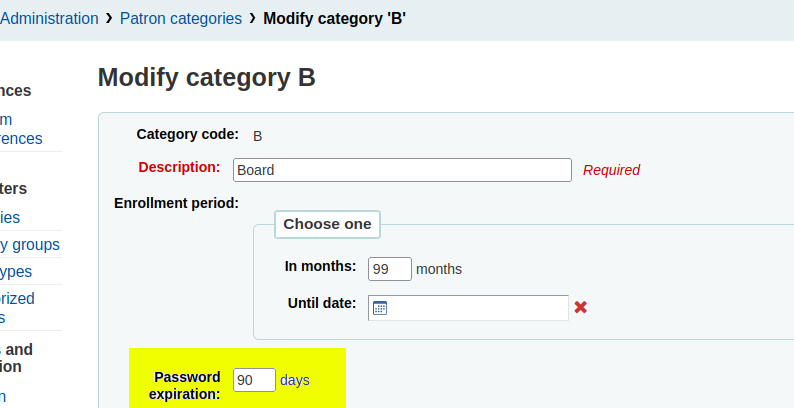
1. Go to: 'Administration' > 'Patron categories'
2. Edit a patron category
3. Set value in the 'Password expiration' input
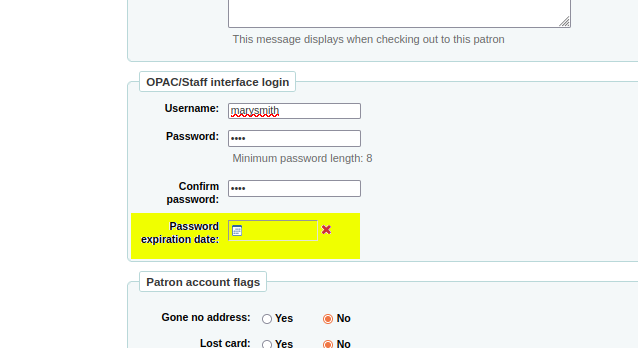
Setting a password expiry in a patron category does not affect existing patrons
You must edit existing patron accounts and set a date in the 'Password expiration date' input
By default what happens when a patron's password expires?
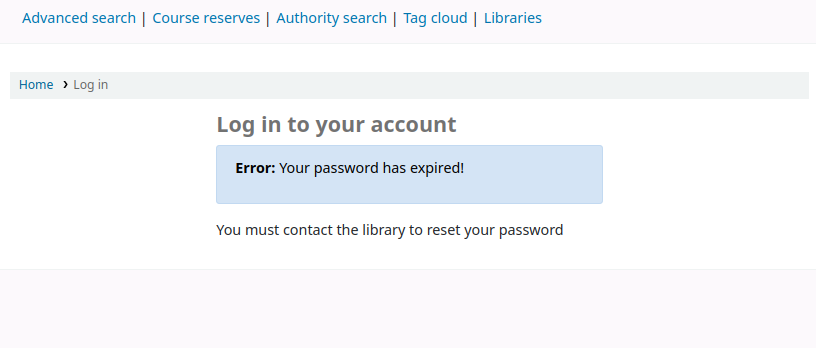
Upon attempting to log into the OPAC or staff client the patron will see a password expiry error
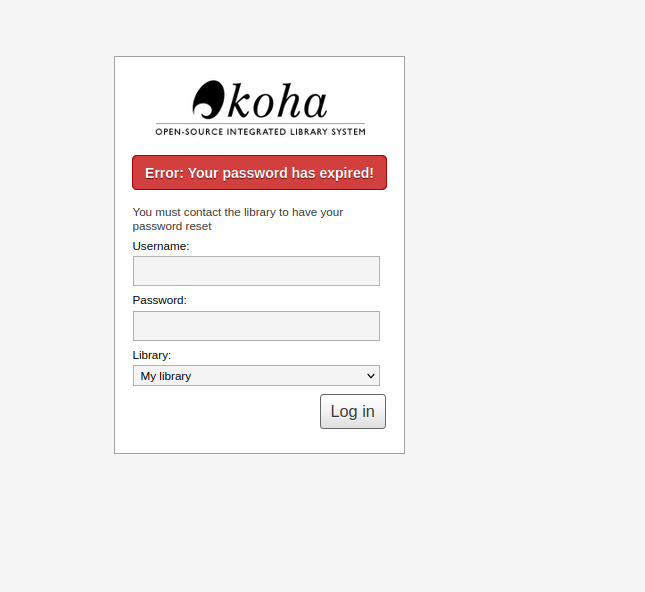
OPAC
Staff client
Let patron categories reset their own password in the OPAC
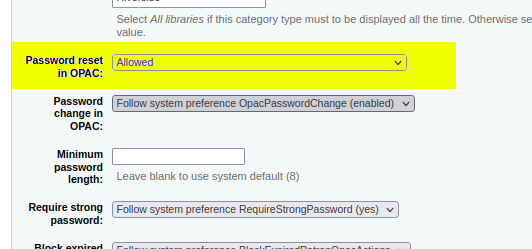
1. Go to: 'Administration' > 'Patron categories'
2. Edit a patron category
3. Set patron category 'Password reset in OPAC' input to 'Allowed'
Automatic item modifications by age: Add age dependency on other field(s) than dateaccessioned [22827]
- The "Automatic item modifications by age" tool enables libraries to modify items when they are X days beyond being added to the catalogue.
- Previously you could only automatically modify items based on their items.dateaccessioned (date they were added to Koha)
- You can now modify items based on other datetime fields
How to choose an age field for automatically modifying items
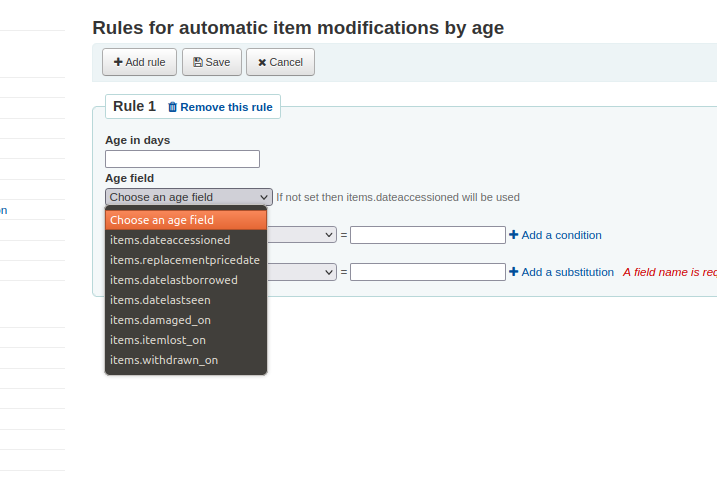
1. Go to: 'Tools' > 'Automatic item modifications by age' > 'Add rule'
2. Choose a item database field from the 'Age field' input
Show authority heading use in search results [29990]
In MARC authority records the 008/14-16 indicate what the authority record can be used for
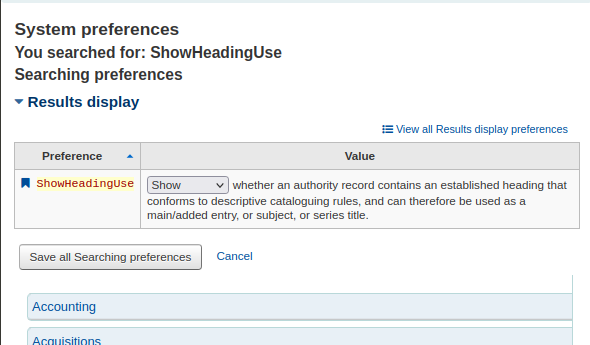
Now if you enable the 'ShowHeadingUse' system preference you can how an authority record can be used
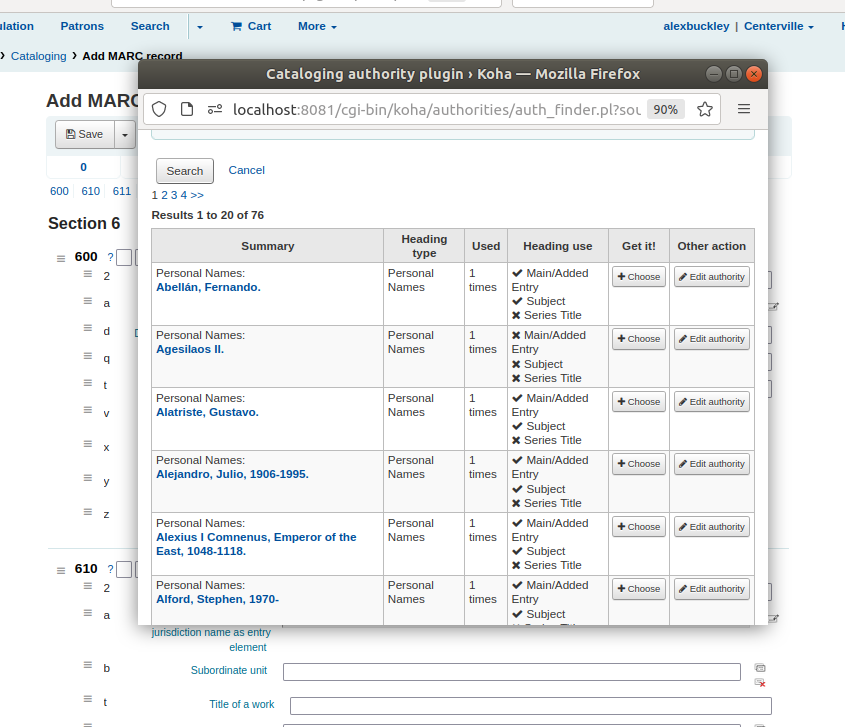
View how an authority record can be used
1. Edit a bibliographic record
2. Go to a biblio heading field (1XX, 6XX or 7XX)
3. Launch the authority finder plugin
4. Do an authority search
5. The 'Heading use' column lists how each authority record should be used
Koha 22.11 Rosalie
- 13 new features
- 351 enhancements
- 554 bug and security fixes
What's new in Koha 22.11?
- New design for staff interface
- Allow storing item values as a template for creating new items
- Add ability to group items for records/Add ability to place item group level holds
- Add a generic OAuth2/OIDC client implementation
- Add preferred pronoun field to patron record
- Electronic resource management (ERM)
- Add CMS feature
New design for staff interface [30952]
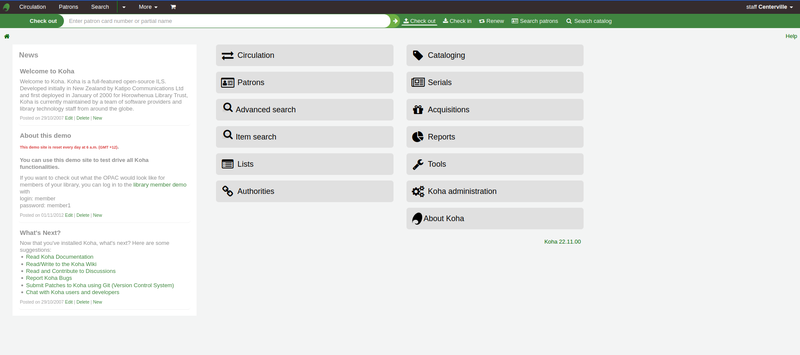
- Changed green/grey colour scheme
- Header more compact, stretches across page
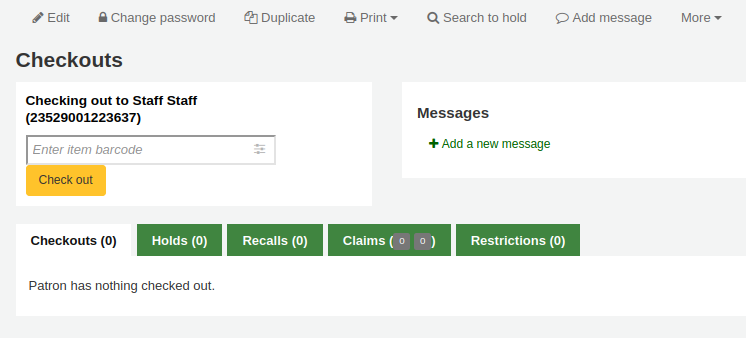
- Most important (call to action) button on pages is yellow
- All other buttons are green
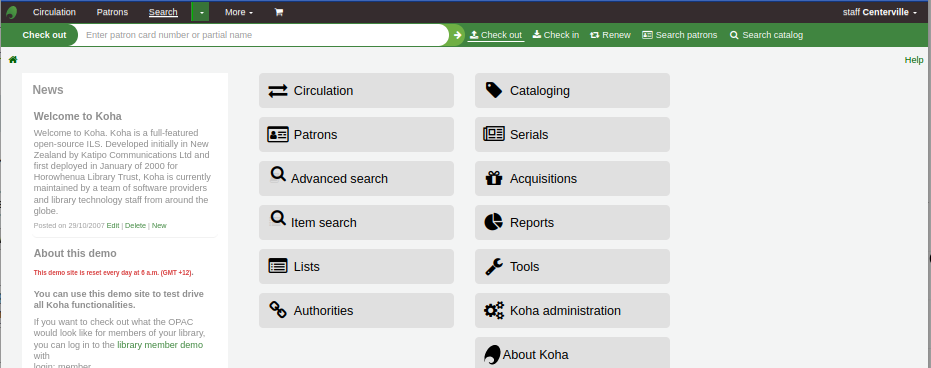
- Header searchbar no longer has tabs
- Instead it has links to the right of the searchbox - with icons and text labels for accessibility
- Your selected function is displayed on the left of the searchbox
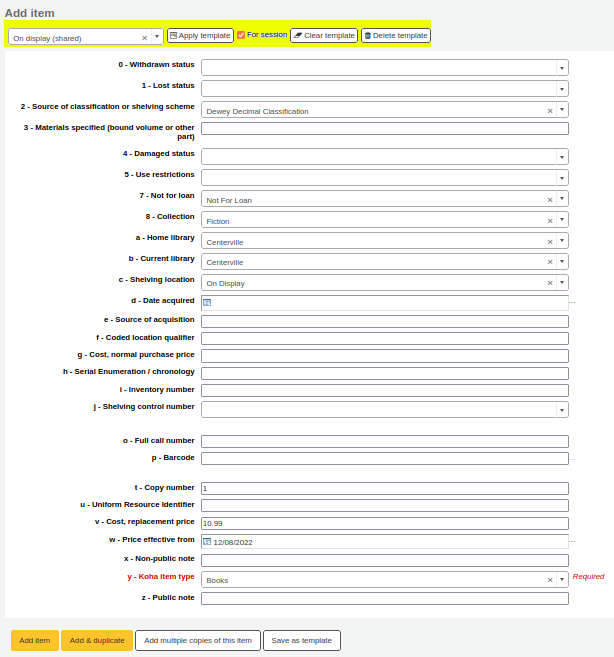
- When adding an item create a template of pre-set item values
- Think of it like a set of default values for item subfields
Allow storing item values as a template for creating new items [24606]
- Search for biblio
- Create a new item
- Set item template values in item editor
- Click 'Save as template'
- Save a template name and click 'Share template'
Create an item template
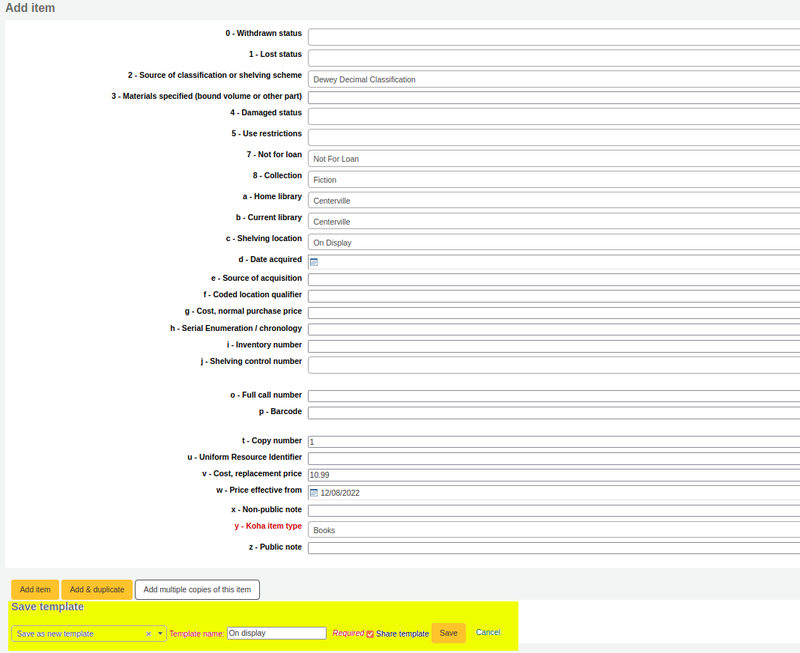
- Clicking 'Share template' will share the template in a read-only form
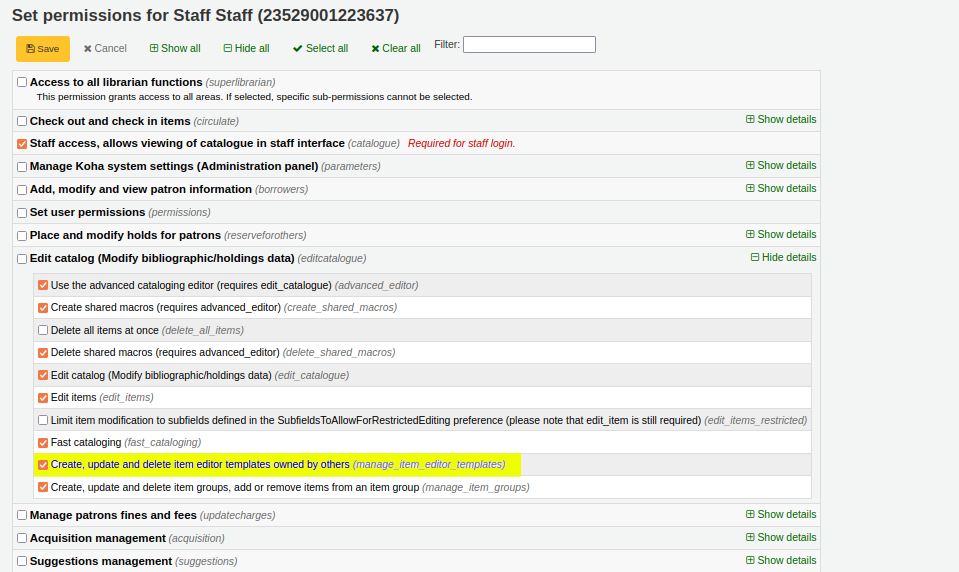
- To edit a shared template you need the 'manage_item_editor_templates' sub-permission
Sharing templates
- Search for biblio
- Create a new item
- Under 'Add item' heading select a template from the dropdown
- Click 'Apply template'
- Item fields will be populated with template values
Apply an item template
Related items can now be shifted into a group - e.g. all serial items for a particular year bound into one volume (group)
Add ability to group items for records [24857]
- Item-level hold: Patron wants one specific item
- Group-level hold: Patron wants available item in subset of items
- Biblio-level hold: Patron wants any available item attached to a bibliographic record
So now Koha has three types of holds (reserves) available:
- Patron places a hold on a group:
- A hold on just the items in the group
- The next available item in the group is allocated to the hold
How does a group level hold work?
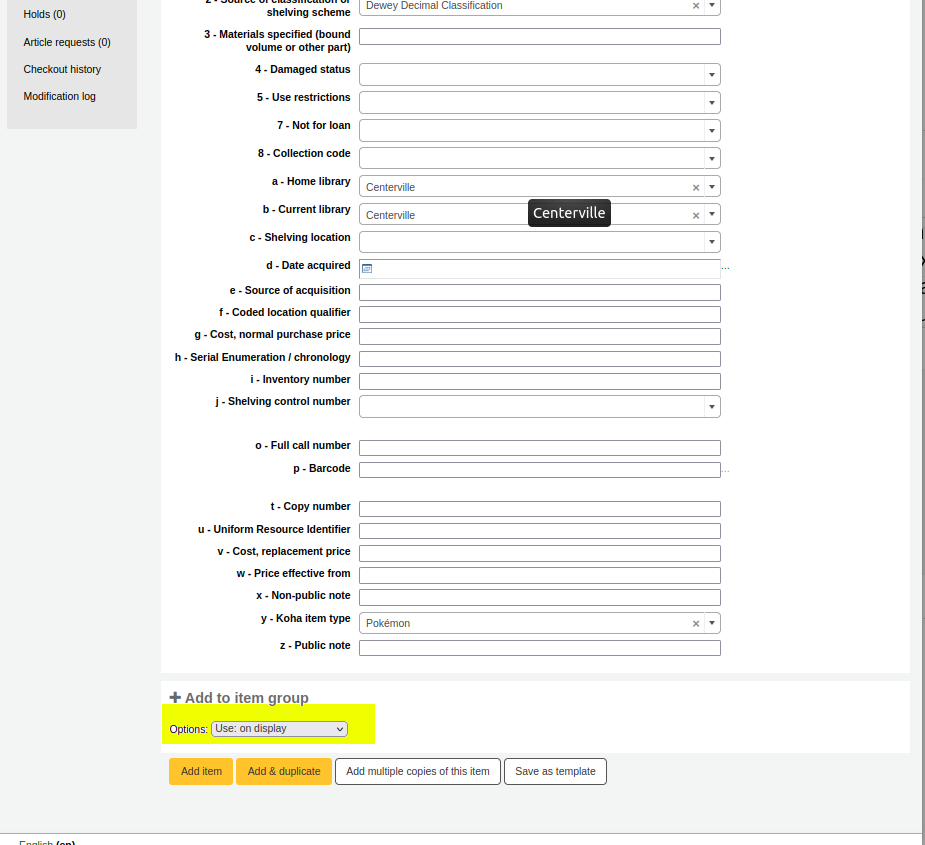
- When creating items use the 'Add to item group' dropdown under the item editor
Add new items to an item group
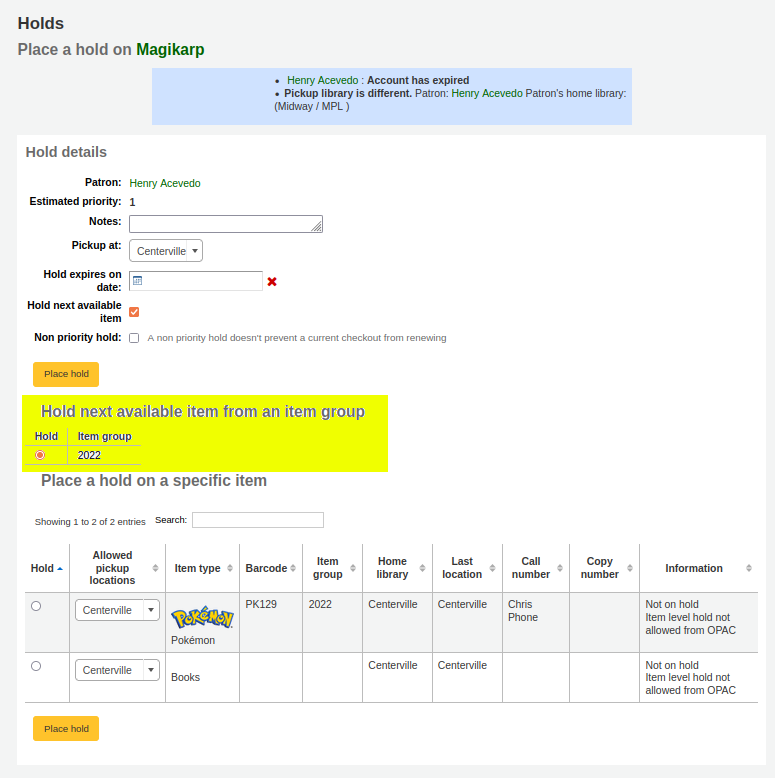
- You can choose a group to place a hold on under 'Hold next available item from an item group'
Place a group-level hold
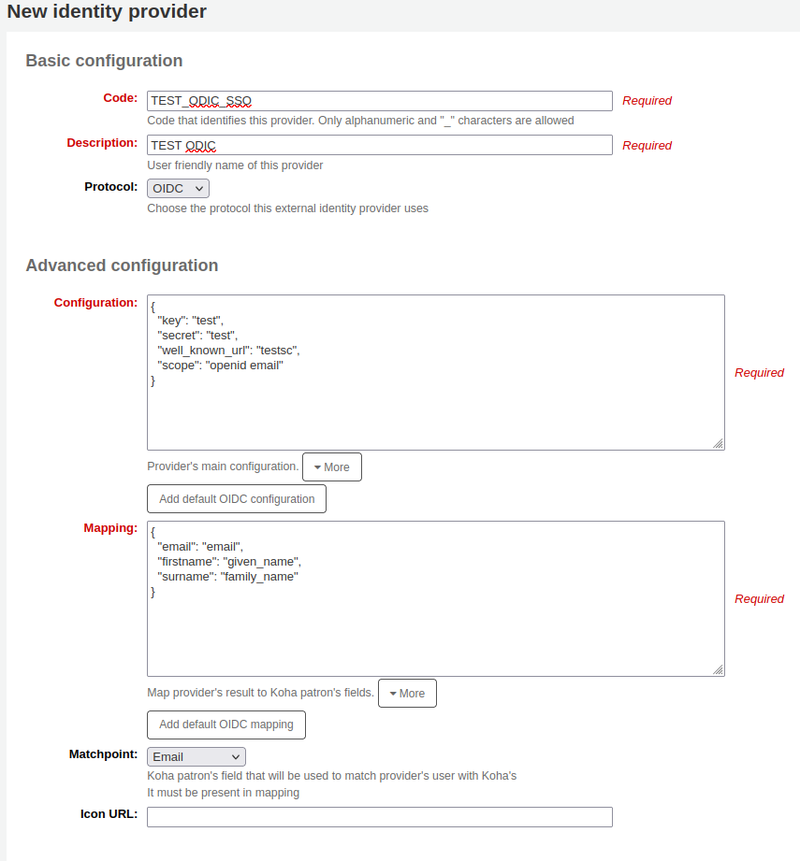
Add a generic OAuth2/OIDC client implementation [31378]
- If a library wants to implement SSO (Single Sign On) and their IT department use the OAuth or OIDC (OpenIDConnect) protocols then SSO configuration is now easier
- Koha is no longer tied to Google as the Identity Provider - it's now possible to integrate with multiple, other identity providers at a time
- There is a new 'Administration' > 'Identity providers' > ‘New identity provider’ staff client page
- Library IT departments can configure much of the SSO set-up themselves
- Once configured the Koha vendor must restart services
What does this mean?
Add preferred pronoun field to patron record [10950]
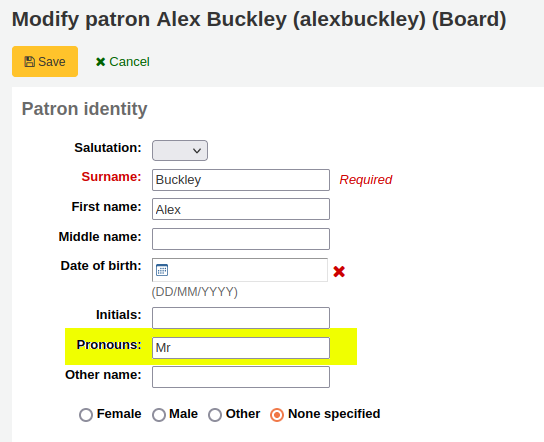
There is now a free-text field on the OPAC and staff client for patrons to enter their preferred pronoun
Preferred pronoun display prominently on patron account pages of staff client
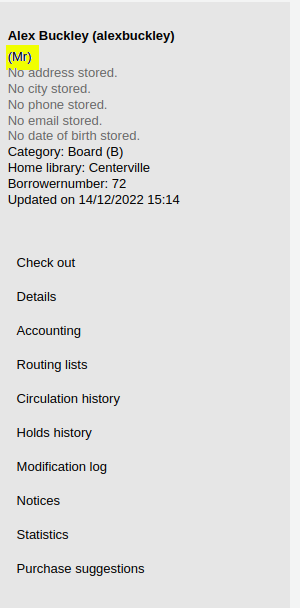
Allows for better in-person and on-phone patron interaction as library staff can use the patron's preferred pronouns
Electronic resource management (ERM) [32030]
Electronic resource management (ERM) [32030]
- Read our ERM blog
- New staff client module
- Enables libraries to track and manage their electronic resources including agreements, licenses, and eHoldings.
- No need for a spreadsheet or dedicated system to keep track of licenses and agreements
- More enhancements planned to link the ERM module to the acquisitions module
ERM sandbox
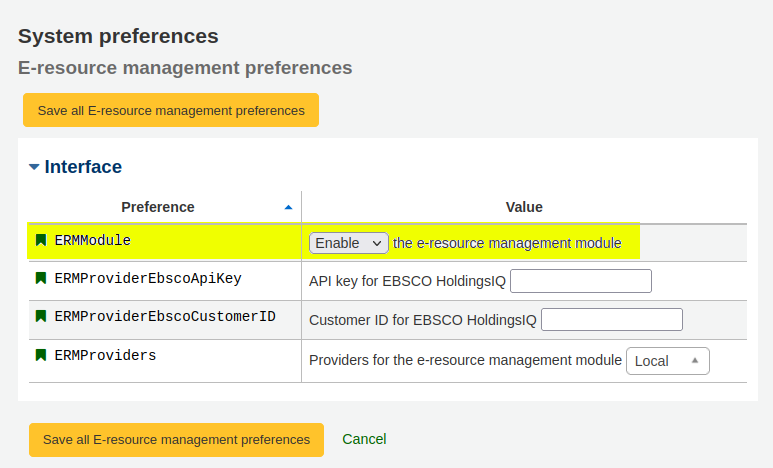
How to enable the ERM module: System preferences
Go to: Administration > Global system preferences > E-resource management.
Navigate to the ERM module
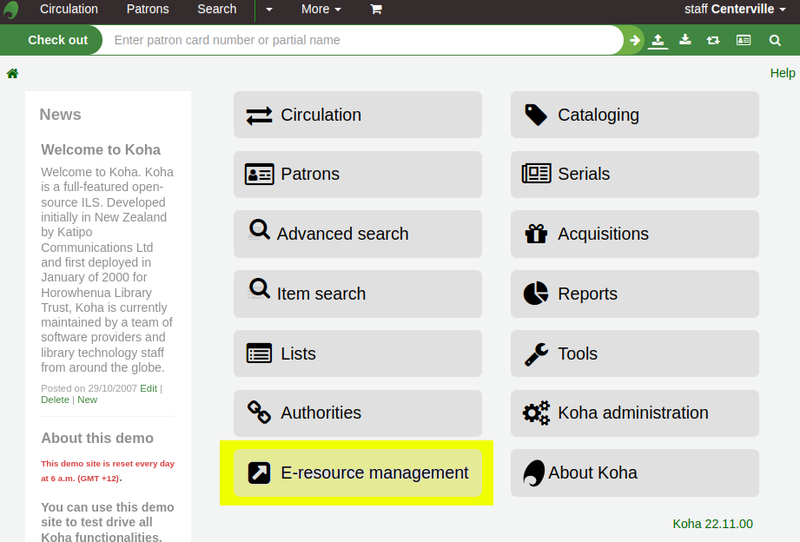
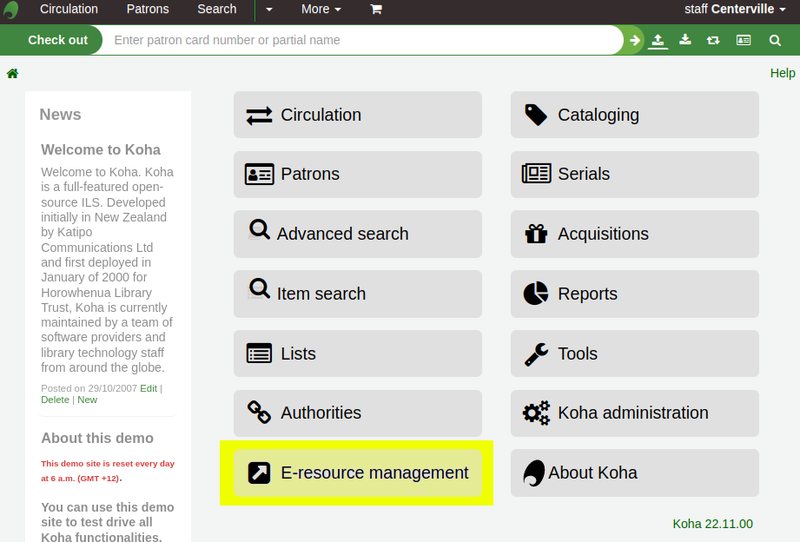
Permitted patrons with the 'erm' permission ticked will see an 'E-resource management' button on staff client home page
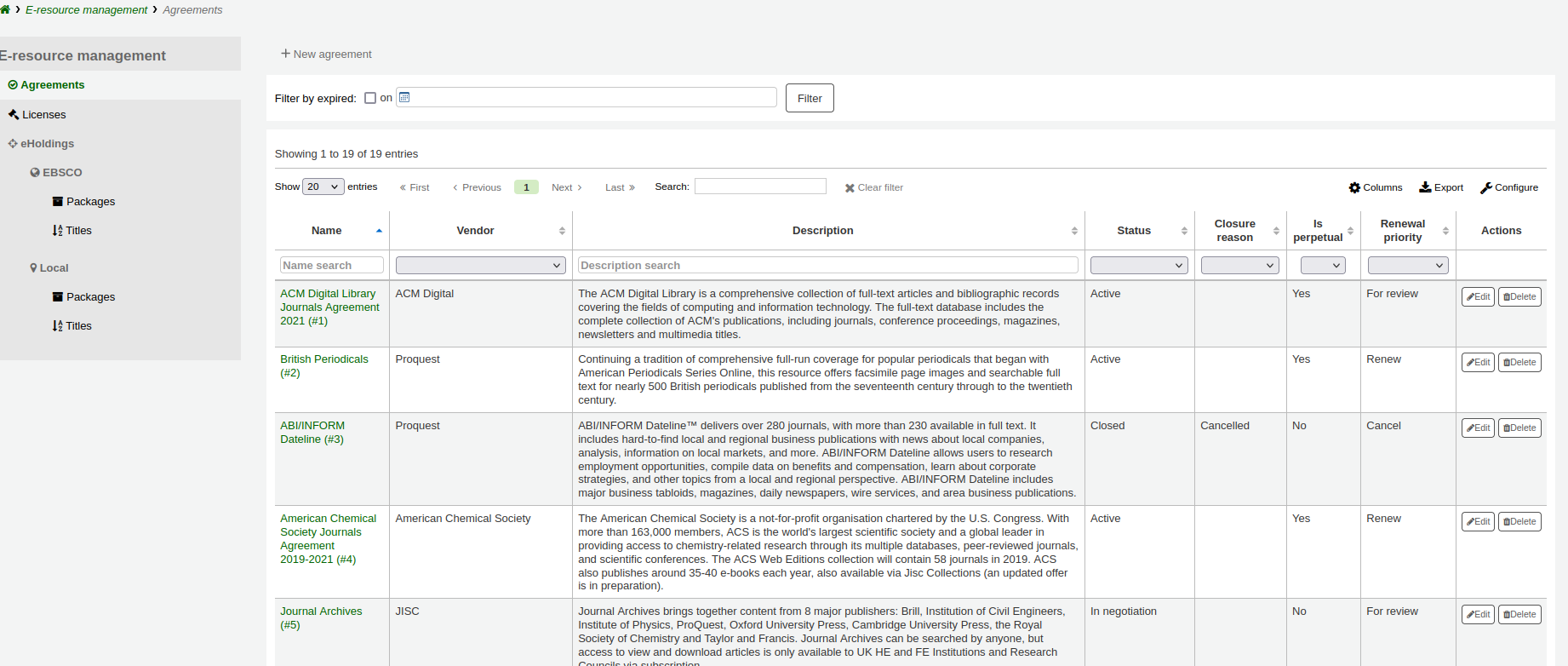
Agreements
An agreement outlines which electronic resources the library can access
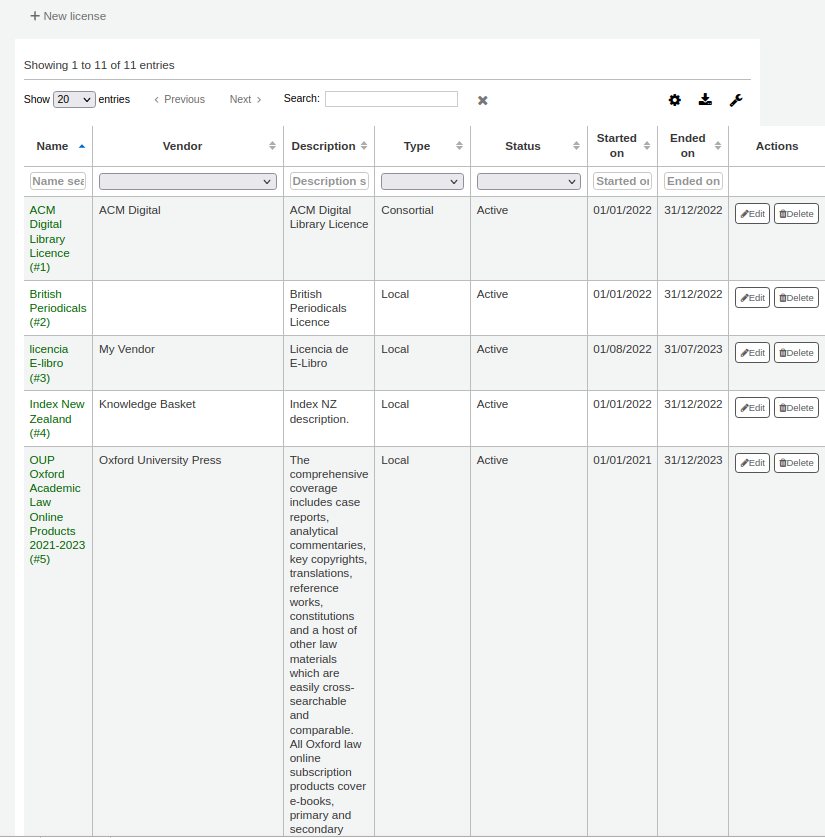
Licenses
-
A license outlines what the library can do with the electronic resources they can access.
-
Using the ERM module you can upload the license document to Koha
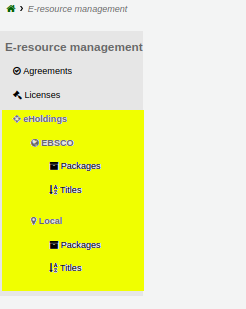
eHoldings
Track individual titles or packages (collections of titles) that your library subscribes to from a database provider (e.g. EBSCO) or stores locally.
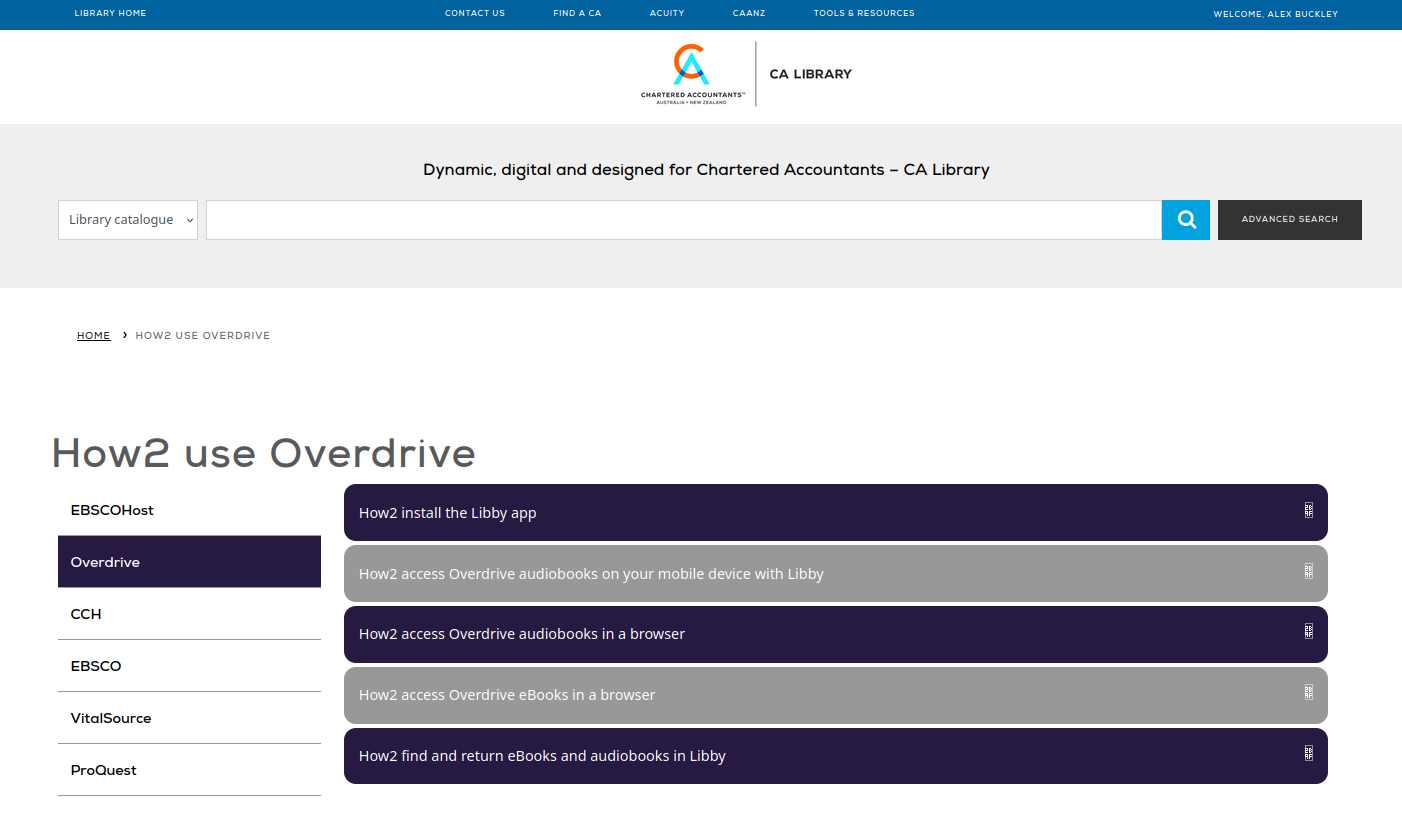
Add CMS feature [15326]
-
Read our CMS blog
-
Catalyst developed feature - with sponsorship from Region Halland, Horowhenua Libraries, and Chartered Accountants Australia and New Zealand (CAANZ)
-
Create content-manageable pages for the OPAC and staff client without any knowledge of HTML or CSS.
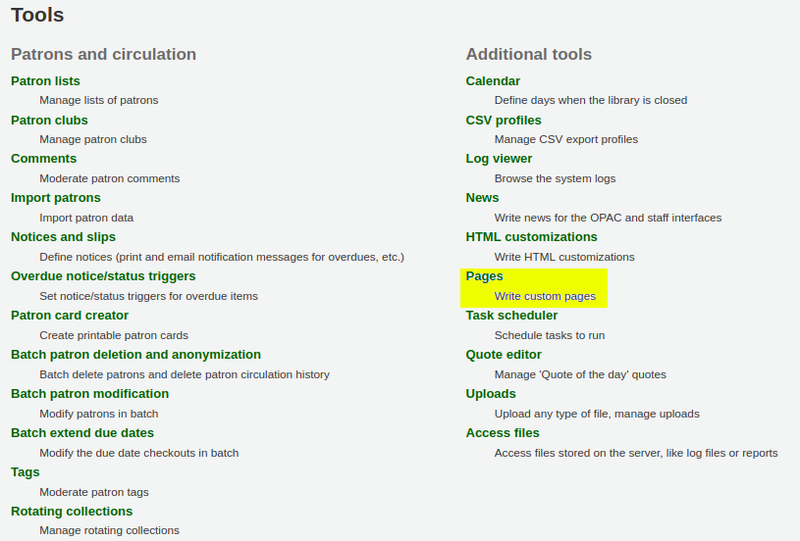
Create a content manageable page
WYSIWYG editor provided for adding text, images, links, tables, formatting.
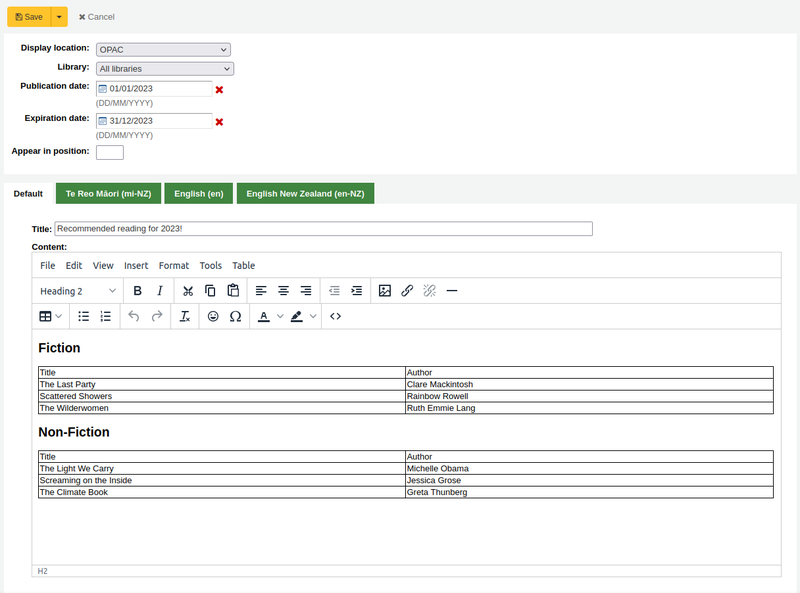
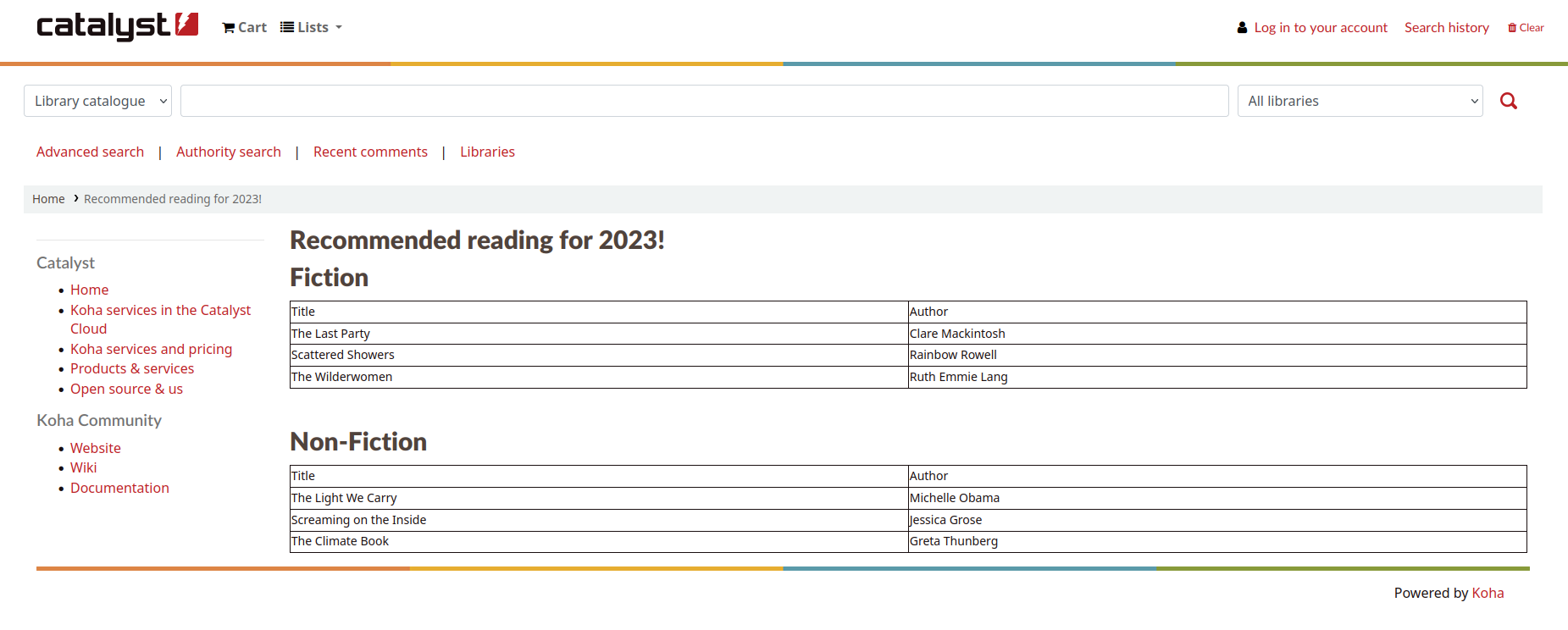
Content manageable page inherit appropriate styling, headers, footers and custom content for interface they are being viewed on
Real life examples
CAANZ: Contact us page
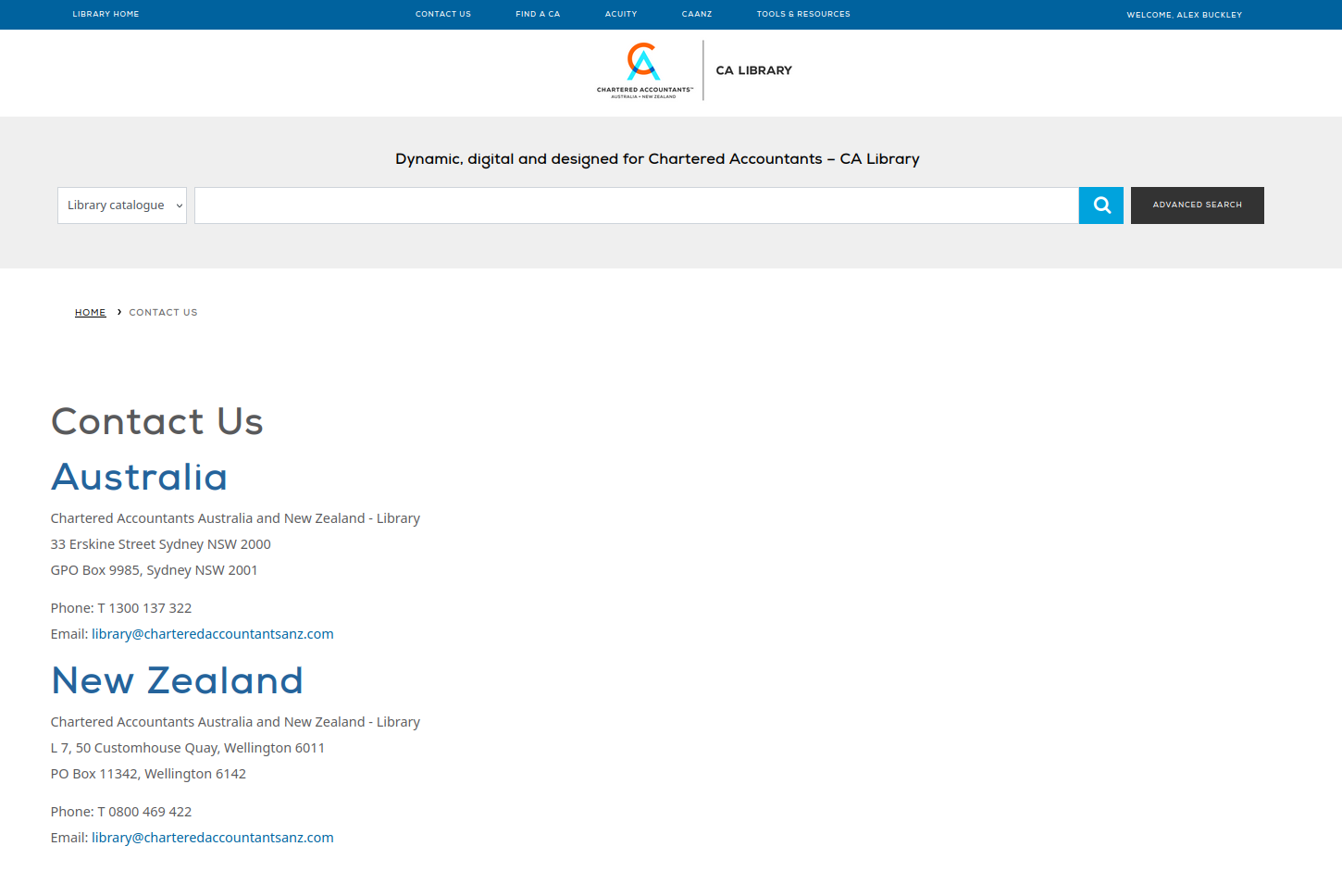
Real life examples
CAANZ: How2 use Overdrive page
Koha 22.11 Rosalie dedication
Koha 22.11 is dedicated to Rosalie Blake - an inspirational leader and innovator.
Rosalie was the Head Librarian at Horowhenua Library Trust when Koha was started, and without her Koha would not exist.
Published in memory of Rosalie: Remembering Rosalie Blake
Thank you for coming!
Contact us:
koha-support@catalyst-au.net
More about Koha with Catalyst:
https://www.catalyst.net.nz/koha