Learning Data Science
Lecture 1
Course Introduction
Welcome 🤗
Lecture 1
- Administrative Details
- Introductions
- Course Goals
=== - What is Data Science
- Intro to VS Code
- Markdown
- Bash and the terminal
- Version Control
Where and when?
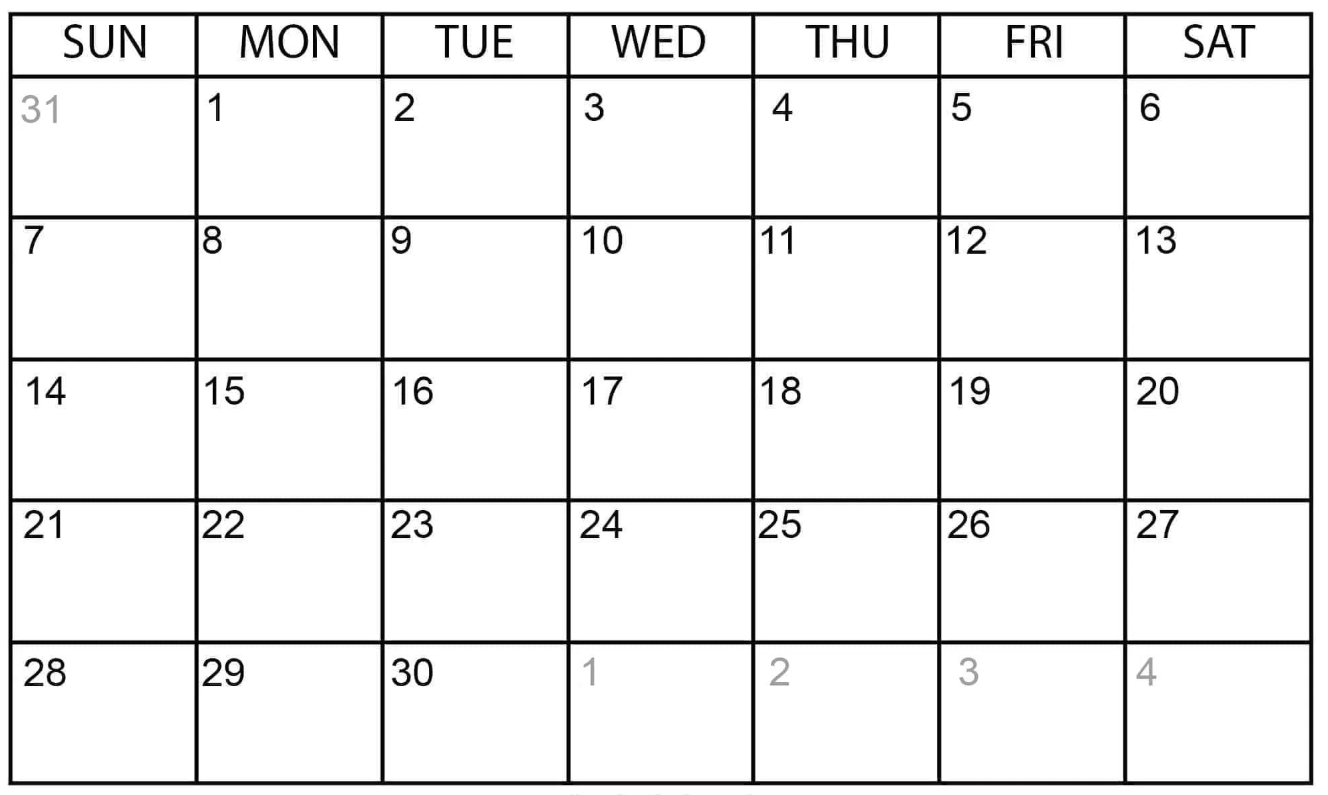
ORIGINS BASEMENT
MPP [ALPS]
Where and when?
🕘 Lectures
8:00 - 13:00
🕑 Tutorials
14:00 - 17:00
🕑 Lunch Break
13:00 - 14:00
Where and when?
🕘 Lectures
8:00 - 13:00
🕑 Tutorials
14:00 - 17:00
🕑 Lunch Break
13:00 - 14:00
- Listen and absorb
- Don't try to remember everything
- You can use the slides as a reference when doing the exercies
Where and when?
🕘 Lectures
8:00 - 13:00
🕑 Tutorials
14:00 - 17:00
🕑 Lunch Break
13:00 - 14:00
- Data Science is very much a skill-based topic
- The more you do, the more you learn
Slides
Will be made available on our GitHub before each lecture
Credits
For TUM students: 6 Credits
- Lectures: 4 Credits
- Tutorials: 2 Credits
For LMU students:
- I don't know (yet)
Exam
- Oral Exam (30-40 mins)
- Some questions about topics covered
- Mainly of a short demo from you on a data science project
- Topics are very broad, so we will not test you on everything!
- More details to come on dates and topics
Lecture 1
- Administrative Details
- Introductions
- Course Goals
=== - What is Data Science
- Intro to VS Code
- Markdown
- Bash and the terminal
- Version Control
Introductions
Lectures:
Jarred Green

Tutorials:
Nadine Bourriche

Advisor:
Lukas Heinrich

Who are you?
Introductions
Lecture 1
- Administrative Details
- Introductions
-
Course Goals
=== - What is Data Science
- Intro to VS Code
- Markdown
- Bash and the terminal
- Version Control
Goals
- We want to give you all the tools you need to do data science
- These tools are applicable to any STEM field or in industry
Goals
- Working on linux servers
- Coding in python
- Collaborating on code with Github
- Working with different data formats
- Visualizing and communicating data
- Intro to machine learning and AI
- Ethical data science
- Programming in the age of LLMs
A note on LLMs
- Large-Language Models like ChatGPT and Claude are very good at basic data science and coding
- We will not stop you from using them, but do try as much as possible on your own
- Best to attempt to figure it out yourself on the first try!
- Ask us first for hints/help, we are here for you!
Lecture 1
- Administrative Details
- Introductions
- Course Goals
=== - What is Data Science
- Intro to VS Code
- Markdown
- Bash and the terminal
- Version Control
Data Science is Everywhere
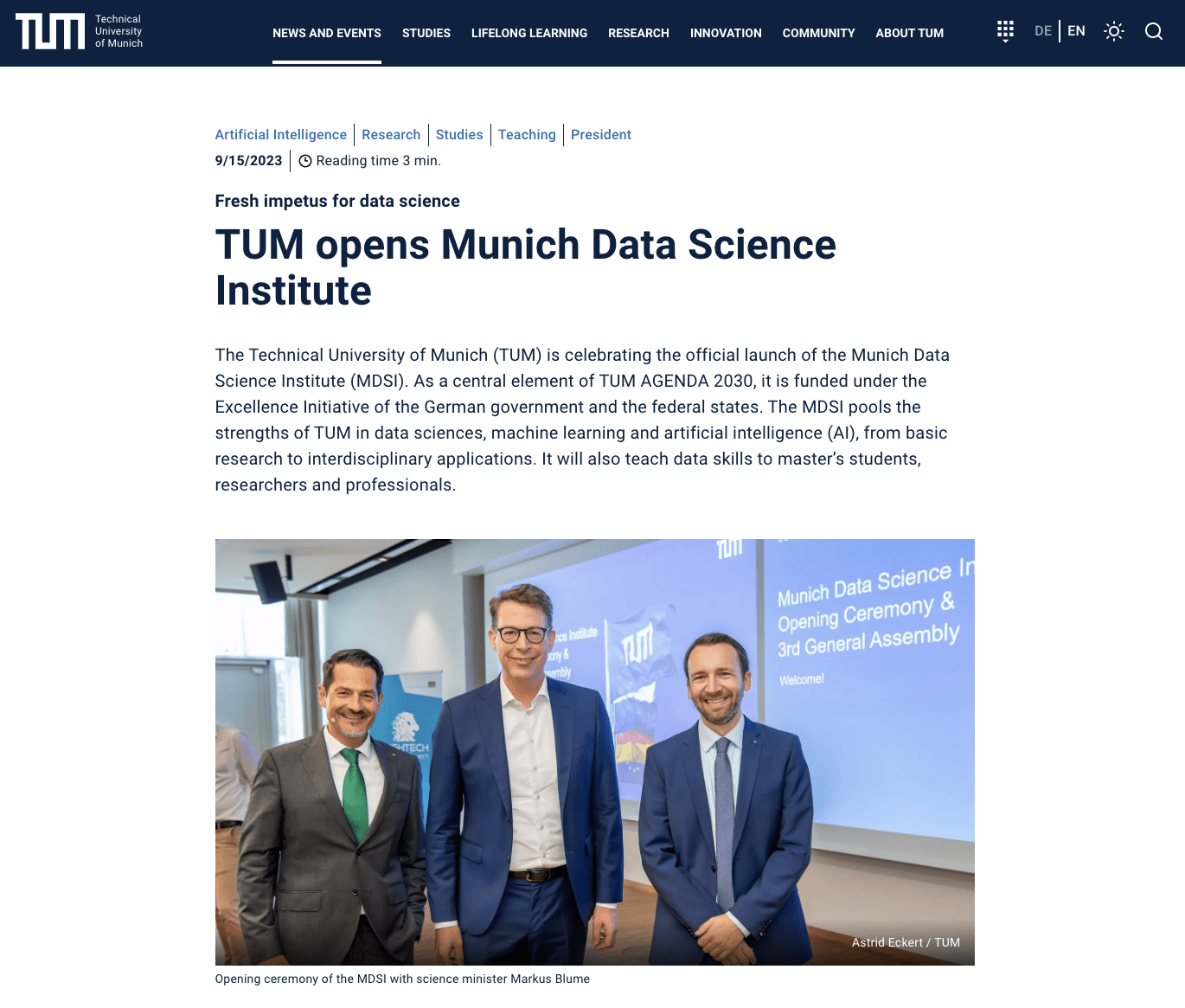
The Scientific Method
Hypothesis / Theory
Data / Experiment
Predict outcomes of experiments
Create new hypotheses
based on observations
The Scientific Method
Theory of Newtonian Gravity
Cavendish Experiment
Example
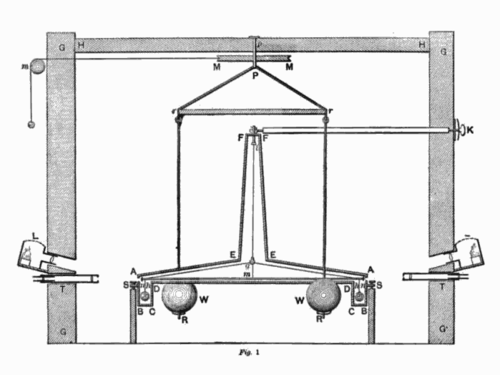
The Scientific Method
Theory of Newtonian Gravity
Cavendish Experiment
Example
Mercury Perihelion Precession
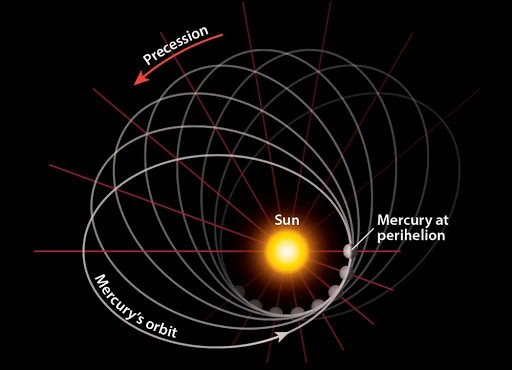
The Scientific Method
Theory of Newtonian Gravity
Cavendish Experiment
Example
Mercury Perihelion Precession
Theory of General Relativity
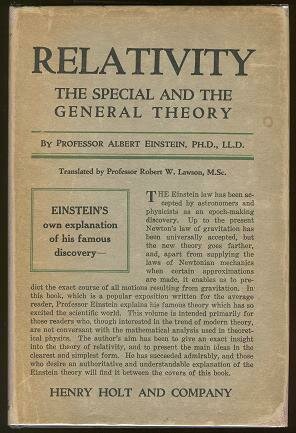
The Scientific Method
Theory of Newtonian Gravity
Cavendish Experiment
Example
Mercury Perihelion Precession
Theory of General Relativity
1919 Solar Eclipse
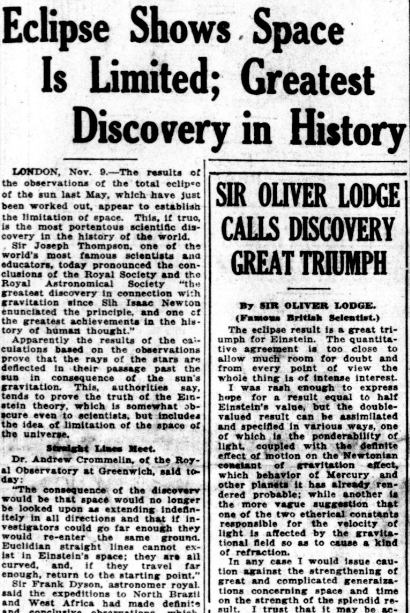
Tycho Brahe - Early Data Scientist
16th Century Astronomer


- Measured positions of stars and planets
- Created a 'database'

Kepler - Early Data Scientist
16th Century Astronomer
- Worked with Tycho's data
- Developed the laws of planetary motion!
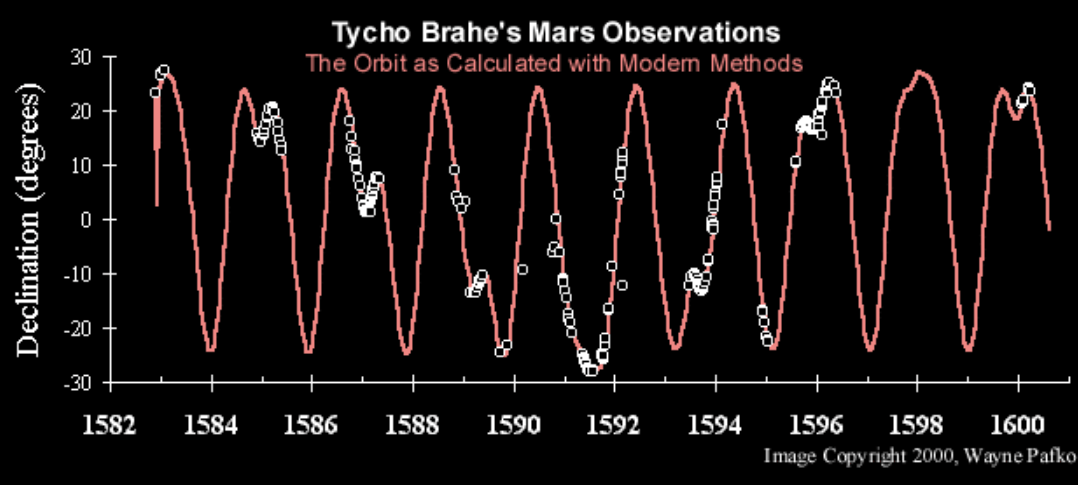
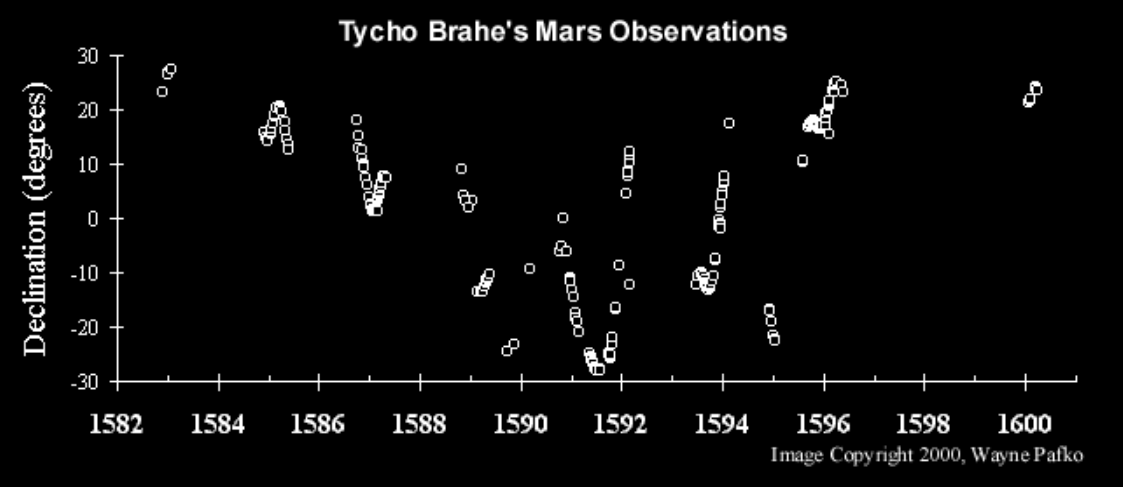
The experiment
and the theory
Theorist or Experimentalist?
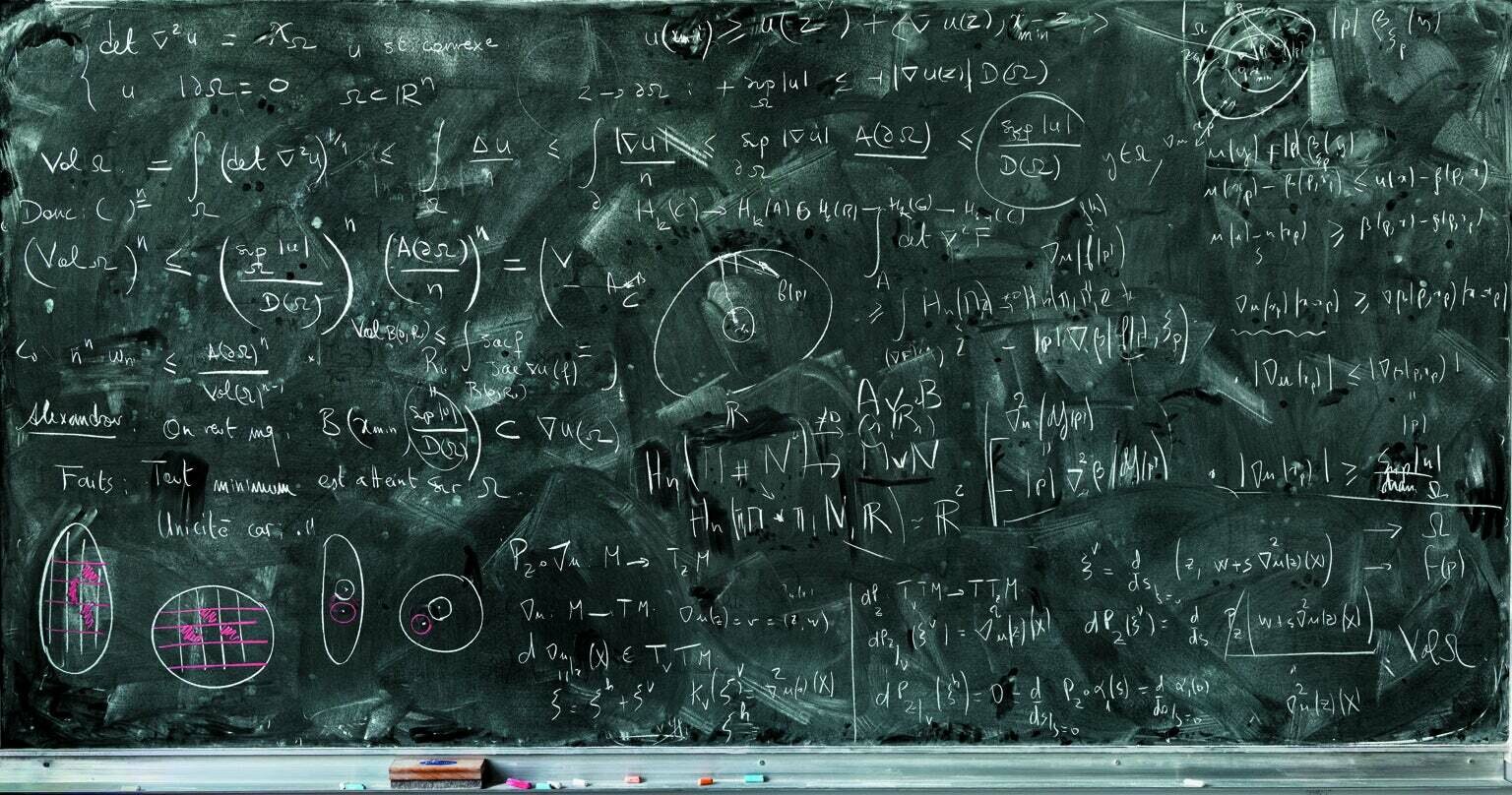
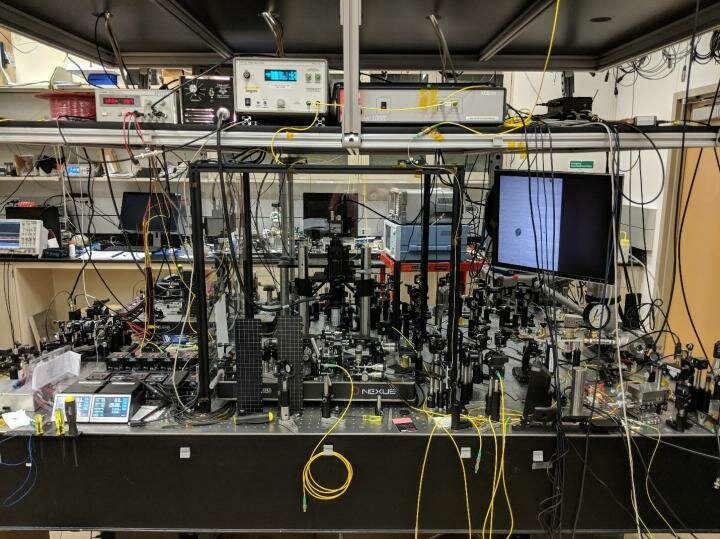
Things are getting harder!
e.g. the LHC
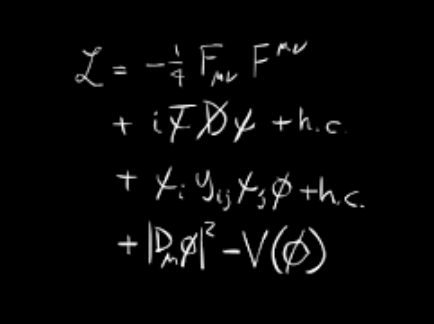
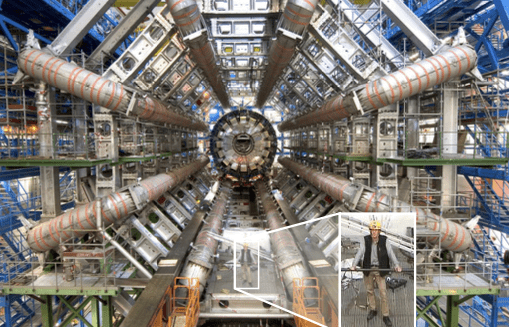
O(10) Parameters
100 Million Sensors
To probe fundamental physics, we measure more and more indirectly
Things are getting harder!
To probe fundamental physics, we measure more and more indirectly
To probe fundamental physics, we measure more and more indirectly
There are often no longer simple formulas we can write by hand
Are we ready to define data science?
Defining Data Science
Domain Expertise
Math and Statistics
Programming
Communication
}
Meaningful Insights
Experimental Data
Defining Data Science
A skill-based view
Communication
Experimental Data
Input
Output
Domain Expertise
Math and Statistics
Programming
Data
Science
Machine Learning
Traditional Research
Danger
Zone!
The Focus of this course
Communication
Experimental Data
Input
Output
Domain Expertise
Math and Statistics
Programming
Data
Science
Machine Learning
Traditional Research
Danger
Zone!
Your Toolbox
VS Code


Programming Languages
Core Tools






Software

Specialized Tools



Your Toolbox
VS Code
Programming Languages
Core Tools
Specialized Tools
All code here is "Open Source"
- If you google any of the tools here, you can freely read all of the code used to build them
- You can edit the code yourself and suggest improvements
- When doing science, it's always a good idea to work with open-source tools
Software
Plan for this course
Week 1
Programming Languages
Core Tools
- Getting everyone up to speed
- Learning all the core concepts needed for data science
Software

Plan for this course
Week 2
- Doing the data science
- Machine Learning
- Real-world best practices
Specialized Tools
Core Tools
Later Today:
Software
Programming Languages
Core Tools
Lectures 2 and 3: Python crash course
VS Code
Programming Languages
Core Tools
Software
Specialized Tools
Lecture 4: python development + math
VS Code
Core Tools
Software
Specialized Tools
Programming Languages
Lecture 5: data visualization and i/o
VS Code
Core Tools
Software
Specialized Tools
Programming Languages
Lecture 6: data manipulation
VS Code
Core Tools
Software
Specialized Tools
Programming Languages
Lecture 7: getting data and science tools
VS Code
Core Tools
Software
Specialized Tools
Programming Languages
Lecture 8: intro to machine learning
VS Code
Software
Programming Languages
Core Tools
Specialized Tools
Lecture 9: intro to deep learning
VS Code
Core Tools
Software
Specialized Tools
Programming Languages
Lecture 10: data science in the real world
- computing considerations
- high-performance computing
- testing in data science
- publishing your code
- ethics and privacy considerations
- responsible integration of AI tools
Lecture 1
- Administrative Details
- Introductions
- Course Goals
=== - What is Data Science
- Intro to VS Code
- Markdown
- Bash and the terminal
- Version Control
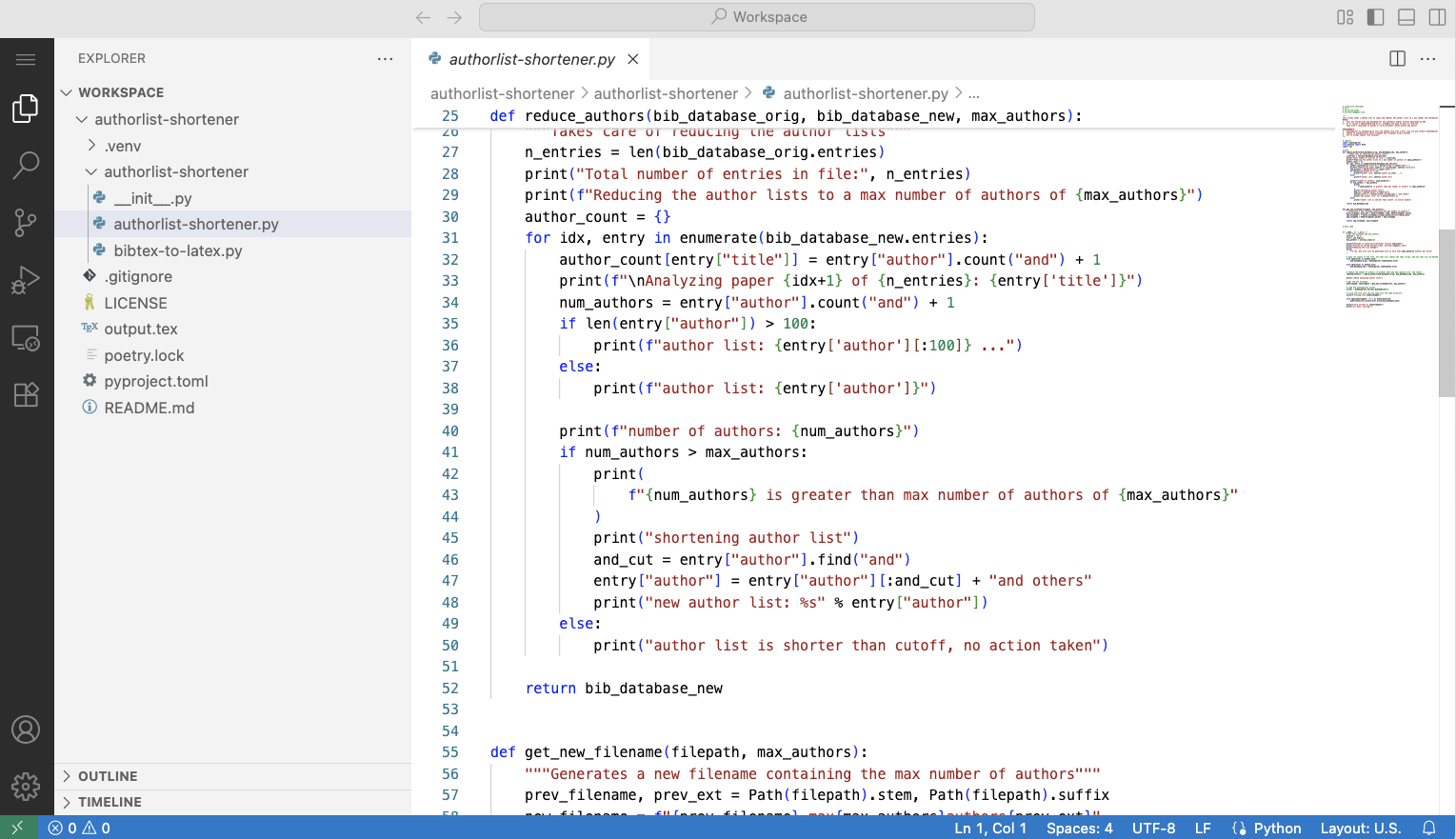
VS Code
Your IDE of choice?
Integrated Development Environment
- Write code
- View folders / file trees
- Debug code
- Format code
- Run code
- Document code
- Track changes
VS Code



VS Code
Integrated Development Environment
- Free software for code editing
- Open-source
- Extensible
- Built-in terminal
- Works on windows/mac/linux/browser
Our IDE of choice
VS Code
You have two options:
Download and
run locally
Run in the browser
- Can be more difficult on Windows
- Lets you edit files on your computer directly
- Possibly more setup needed
- Easier on iPad OS
- 90% of the features on desktop
- Certain files may not sync to cloud
Recommended for now!
VS Code
- Free offering from Harvard for students learning programming
- To backup files you must 'commit' them
We'll learn how to do that later!
- Make an account on github.com
- Visit cs50.dev
- Log in with your GitHub account
Do it!
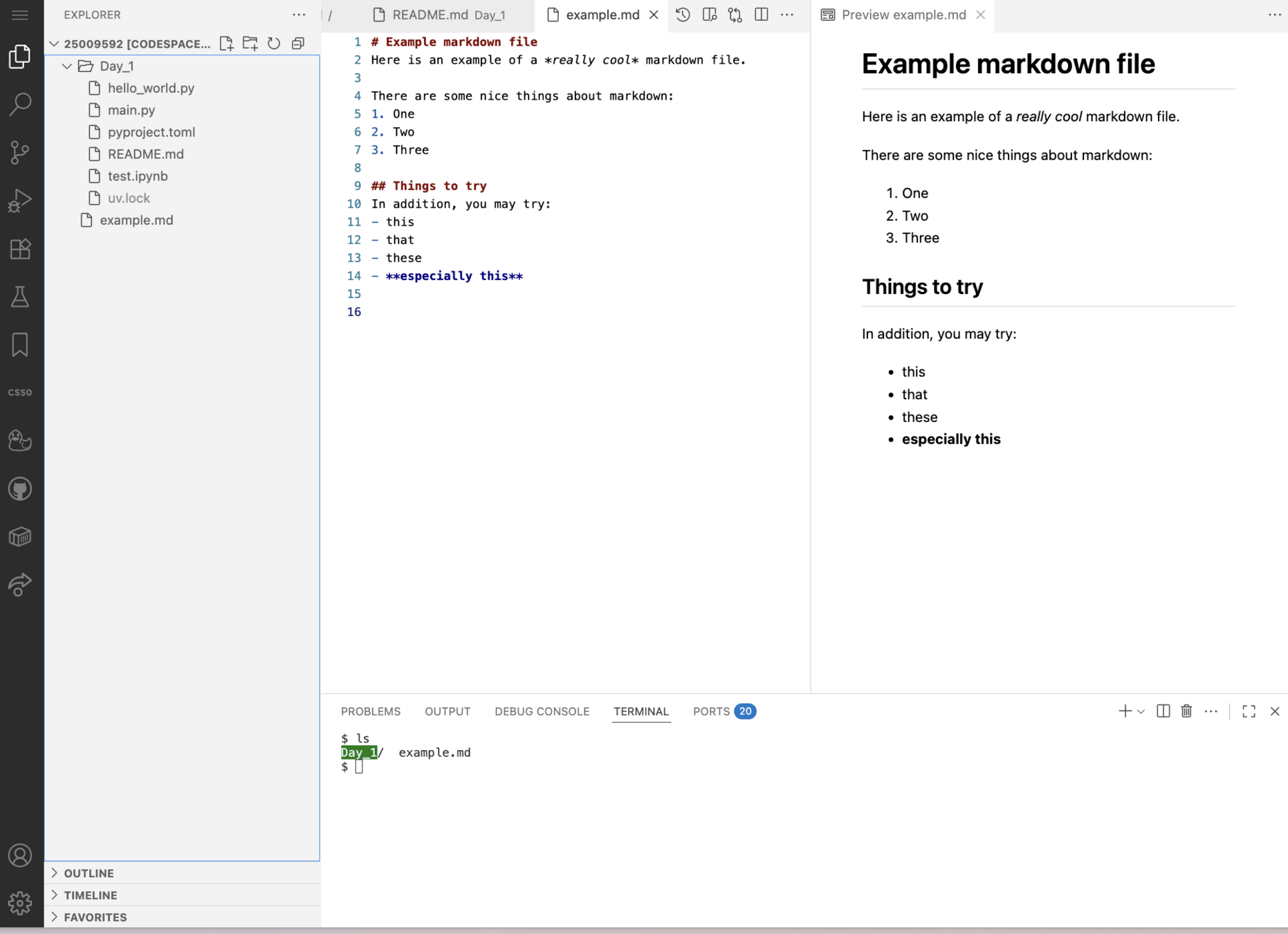
file browser
file editor
multiple tabs
terminal
Lecture 1
- Administrative Details
- Introductions
- Course Goals
=== - What is Data Science
- Intro to VS Code
- Markdown
- Bash and the terminal
- Version Control
Markdown
# Example markdown file
Here is an example of a *really cool* markdown file.

There are some nice things about markdown:
1. One
2. Two
3. Three

## Things to try
In addition, you may try:
- this
- that
- these
- **especially this**
What is Markdown?
- Just fancy text files
- With few specials symbols that help you with formatting
- Used for writing documentation and other important text to be included with your code
Markdown
# Example markdown file
Here is an example of a *really cool* markdown file.

There are some nice things about markdown:
1. One
2. Two
3. Three

## Things to try
In addition, you may try:
- this
- that
- these
- **especially this**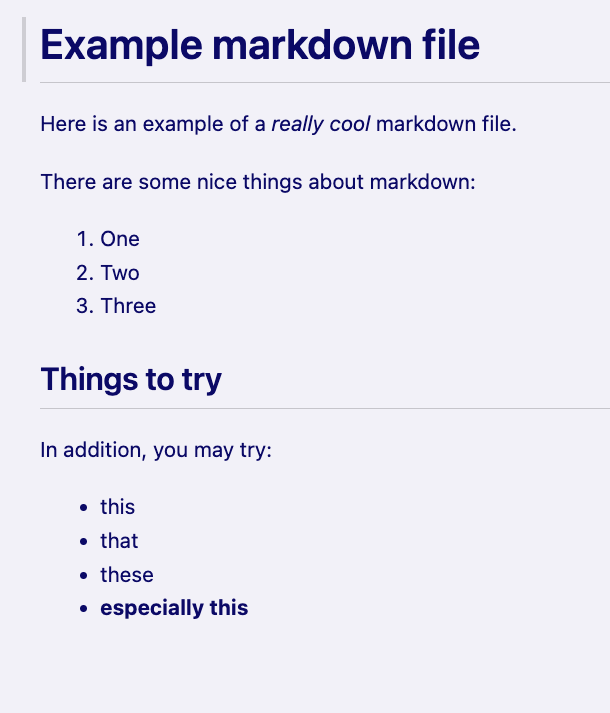
Lecture 1
- Administrative Details
- Introductions
- Course Goals
=== - What is Data Science
- Intro to VS Code
- Markdown
- Bash and the terminal
- Version Control
- Bourne Again SHell
- Control your computer with code
- One line of code can replace 50 clicks

- Bourne Again SHell
- Control your computer with code
- One line of code can replace 50 clicks
- Default on Linux and Mac
Shell:
Generic term for a computer program that interprets text commands
Bash:
The most popular shell program that is also a scripting language
+
find . -name '*.py' -printf '%k\n' \
  | sort -nr \
  | head -n5 \
  | paste -sd+ - \
  | bc \
  | xargs -I{} echo Total: {} kB

# Total: 176 kB
"Find the 5 longest python files in this folder and give me the total size in MB"
- Computers didn't always have GUIs
- Some computers you will work with do not have GUIs
Why?
Remote Servers
Your first command:
echo- prints stuff to the screen
echo "Hello, Garching!"Do it!
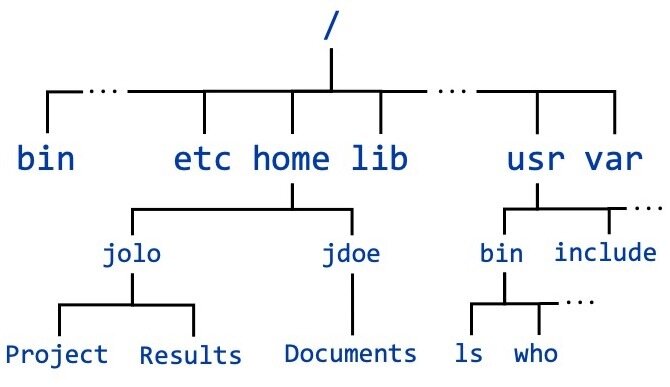
The filesystem
-
A big tree starting from /
-
Everything is a file
Navigating your filesystem
cd- changes directory to another one
ls- lists stuff in the current directory
pwd- prints the current working directory
Special Directory Nicknames
.- the current directory where you are now
~- your home directory
/- The root of the filesystem
..- the parent directory to where you are now
Do it!
- Check where you are now
- Check what files and folders are here
- Change to the parent directory
- Check what files and folders are there
- Change to your home directory
- What is the path of your home directory?
Paths
# Absolute Path

pwd
/home/jgreen/Documents/my_file.txt


# Relative path generally replaces the current directory with "."
./my_file.txt
Most commands have extra options e.g. ls
# 1. no extra options
ls
file.txt   subfolder/

# 2. show hidden files as well
ls -a
./                ../               .hidden-file.txt  file.txt          subfolder/

# 3. show extra details
ls -l
total 0
-rw-r--r--  1 jarred  staff   0 Aug 27 16:17 file.txt
drwxr-xr-x  2 jarred  staff  64 Aug 27 16:17 subfolder/

# 4. show file sizes in human-readable way
ls -alh
total 0
drwxr-xr-x   5 jarred  staff   160B Aug 27 16:18 ./
drwxr-xr-x  17 jarred  staff   544B Aug 27 16:17 ../
-rw-r--r--   1 jarred  staff     0B Aug 27 16:18 .hidden-file.txt
-rw-r--r--   1 jarred  staff     0B Aug 27 16:17 file.txt
drwxr-xr-x   2 jarred  staff    64B Aug 27 16:17 subfolder/
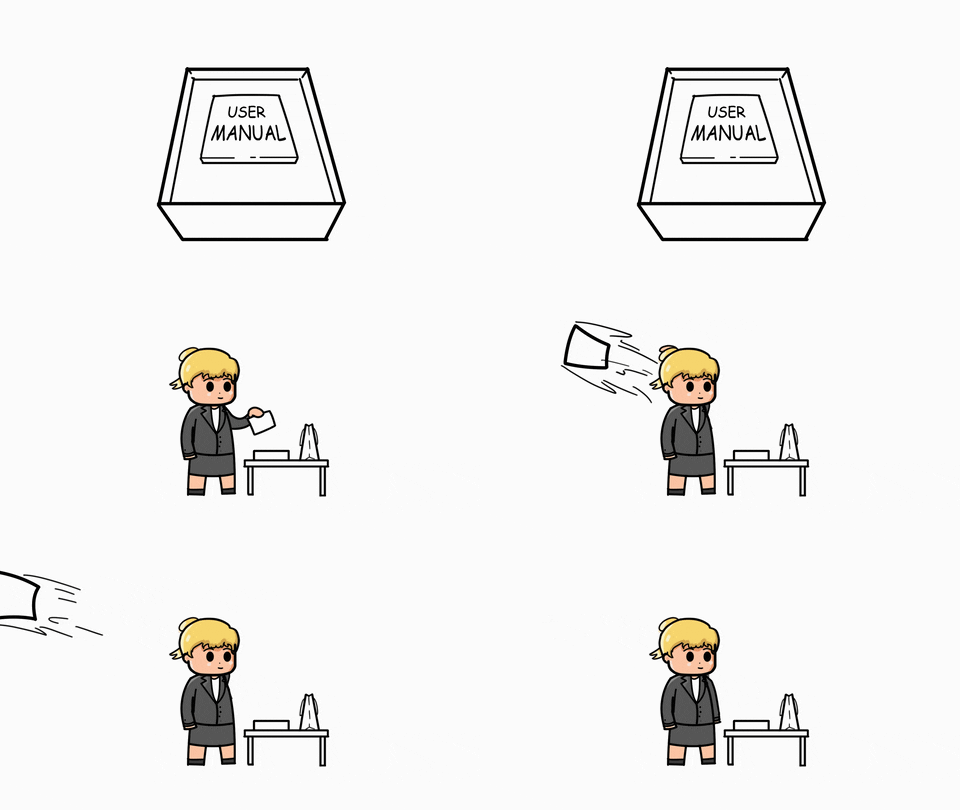
Can usually list all options with the `man` command
man ls- show the manual of the ls command
NOTES
- scroll with arrows
- quit with q
Review: moving around quickly
pwd- prints the current working directory
ls -alh- lists files with extra information
cd x- go into a folder named 'x'
- go home
cd ~cd -- go back
Making things
mkdir folder_name- Makes a new Directory
touch file_name- Creates a new, empty file
Moving things
cp file1 file2- Copy file1 with a new name
mv file1 file2- Rename file
mv ./folder/file1.txt ./other-folder/file1.txt- Move file to another folder
⚠️ Deleting things!
rm file1.txt- Remove a file permanently
rm -r directory_name- Remove a directory and all its files
🚨
There is no trash bin in bash
rm is forever
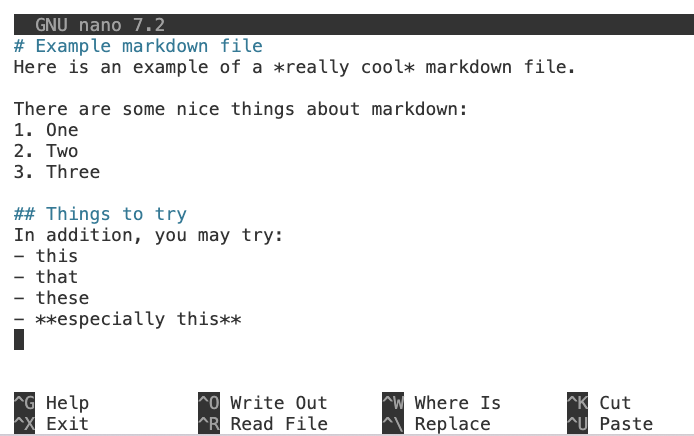
Editing files
nano file.txt- Opens the file in a text editor
Quickly reading files
cat file.txt- Print out the entire file contents
head -n 5 file.txt- Print the first 5 lines of a file
tail -n 5 file.txt- Print the last 5 lines of a file
Pro tips for speed
- Tab Completion
- Start typing a press tab to get a list of suggestion completions
- Scroll through history
- Use up/down arrows to see recently used commands
- Search command history
- Use ctrl+r to search history
- ctrl+r again to cycle through options

Wildcards
* represents any number of characters
ls -alh ./data*.txtLists all text files in the current folder which start with "data" and end with ".txt"
Wildcards
? represents a single character
ls -alh ./data-v?.txtLists all text files in the current folder which match "data-vX.txt"
Wildcards
[123] matches those exact characters
ls -alh ./data-v[123].txtLists exactly data-v1.txt, data-v2.txt, and data-v3.txt, if they exist
Advanced Bash: Pipes
Pipes send output of one command as input to the next command

ls -alh data*.txt | head -n 5Shows only the first 5 files that match the given patten
Advanced Bash: Variables
Store a value to reuse
FOLDER="/home/jgreen/files"
ls -alh $FOLDER
You must use the $ to recall the value of the variable and not just normal text
Advanced Bash: Output Redirection
Write the output of a command to a file
cat log.txt > newfile.txt
cat log.txt >> otherfile.txt
> overwrites existing files >> adds lines to the end of file
The last thing: scripts
You can save a list of commands to a file to reuse over and over!
#!/bin/bash
NAME="world"
echo "Hello $NAME!"
The first line, called Shebang tells the script which program to use to run itself

#!/bin/bash
NAME="world"
echo "Hello $NAME!"
Do it!
chmod +x helloworld.sh
./helloworld.sh- Create this file with nano
- Save it as helloworld.sh
- Run the following two commands:
pwd
ls
cd
man
mkdir
touch
mv
cp
rm
nano
cat
head
tail
A recap
Commands
Skills
.     current directory
..    parent directory
~     home directory
/     filesystem root
-     command options
#     comments
$     variables
|     pipes
*     wildcards
?     wildcards
>>    output redirection
#!    shebangs
.sh scriptsLecture 1
- Administrative Details
- Introductions
- Course Goals
=== - What is Data Science
- Intro to VS Code
- Markdown
- Bash and the terminal
- Version Control
The Problem
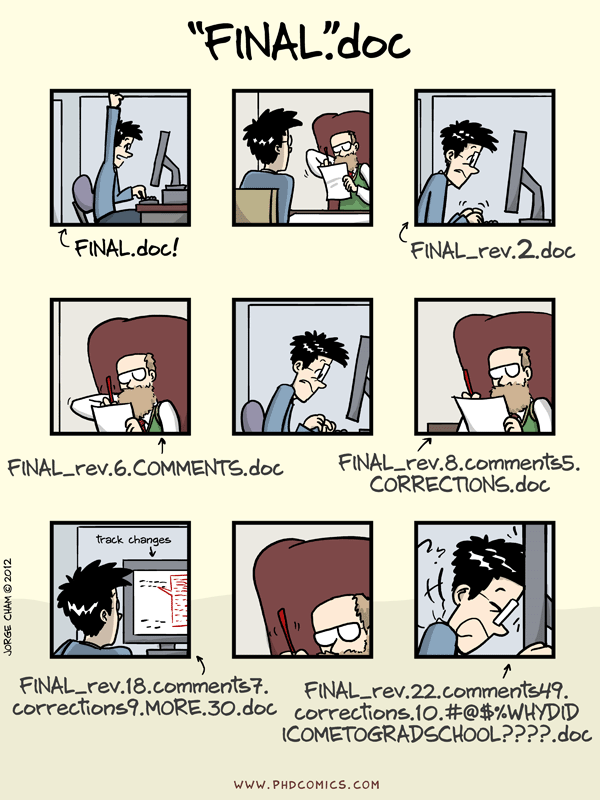
The Problem
- Hard to collaborate
- Hard to undo mistakes
- Hard to keep track of the order of changes
- Easy to overwrite stuff
What is version control?
Time travel and collaboration for code

- A tool to track changes over time
- Easily lets you revert changes
- Enables safe collaboration
Meet
By far the most widely-used version control tool











Meet
The Mental Model
main
💡 a new idea
Create a new branch of the code
idea1
Meet
The Mental Model
main
💡 a new idea
idea1
Edit your code
⚠️ Now the two branches are different
Meet
The Mental Model
main
💡 a new idea
idea1
Commit your code
💾This is the equivalent of saving your changes
Meet
The Mental Model
main
💡 a new idea
idea1
🤝 Now everyone can see your updates!
main
Merge your code into the main branch
Meet
The Mental Model
main
💡 a new idea
idea1
main
🤝 Merge your code into the main branch
🌳 Create a new branch of the code
💻 Edit your code
💾 Commit your code
Meet
Of course there are commands to do this
🤝 Merge your code into the main branch
💾 Commit your code
🌳 Create a new branch of the code
💻 Edit your code
git branch idea1
git checkout idea1
💻 Edit your code
git commit -m 'describe changes'
git add edited.md
git checkout main
git merge idea1
git branch -d idea1
Meet
The standard formula for making changes
git branch idea1
git checkout idea1
💻 Edit your code
git add edited.md
git commit -m 'describe changes'
git checkout main
git merge idea1
git branch -d idea1
Create a new branch named 'idea1'
Switch your code to that branch
Go ahead and change your code
Tell git which files you want to 'save' by adding them to the 'staging area'
'save' the changes to your history by committing them with a clear message
switch back to the original branch
merge the commits from 'idea1' branch into the (current) main branch
clean up-- delete the idea1 branch
Meet
Tips for committing
🌳 Create a new branch of the code
💻 Edit your code
git branch idea1
git checkout idea1
💻 Edit your code
- A commit is a snapshot in time of the added files
- Always try to explain why in the commit message, not just what
💾 Commit your code
git commit -m 'describe changes'
git add edited.md
⚠️ by default, git just backs up history locally

hello
- A free online service that backs up your changes to their website
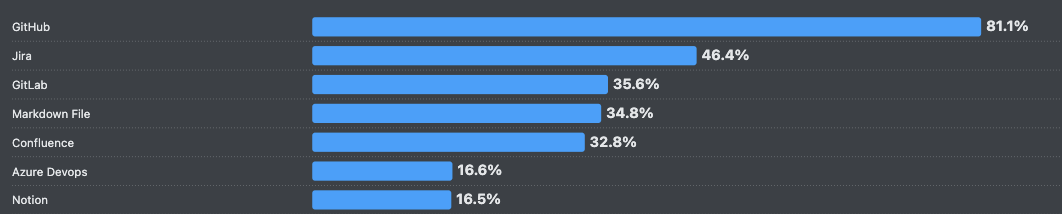

% developers using these code documentation and collaboration tools
❗️4/5 developers use GitHub

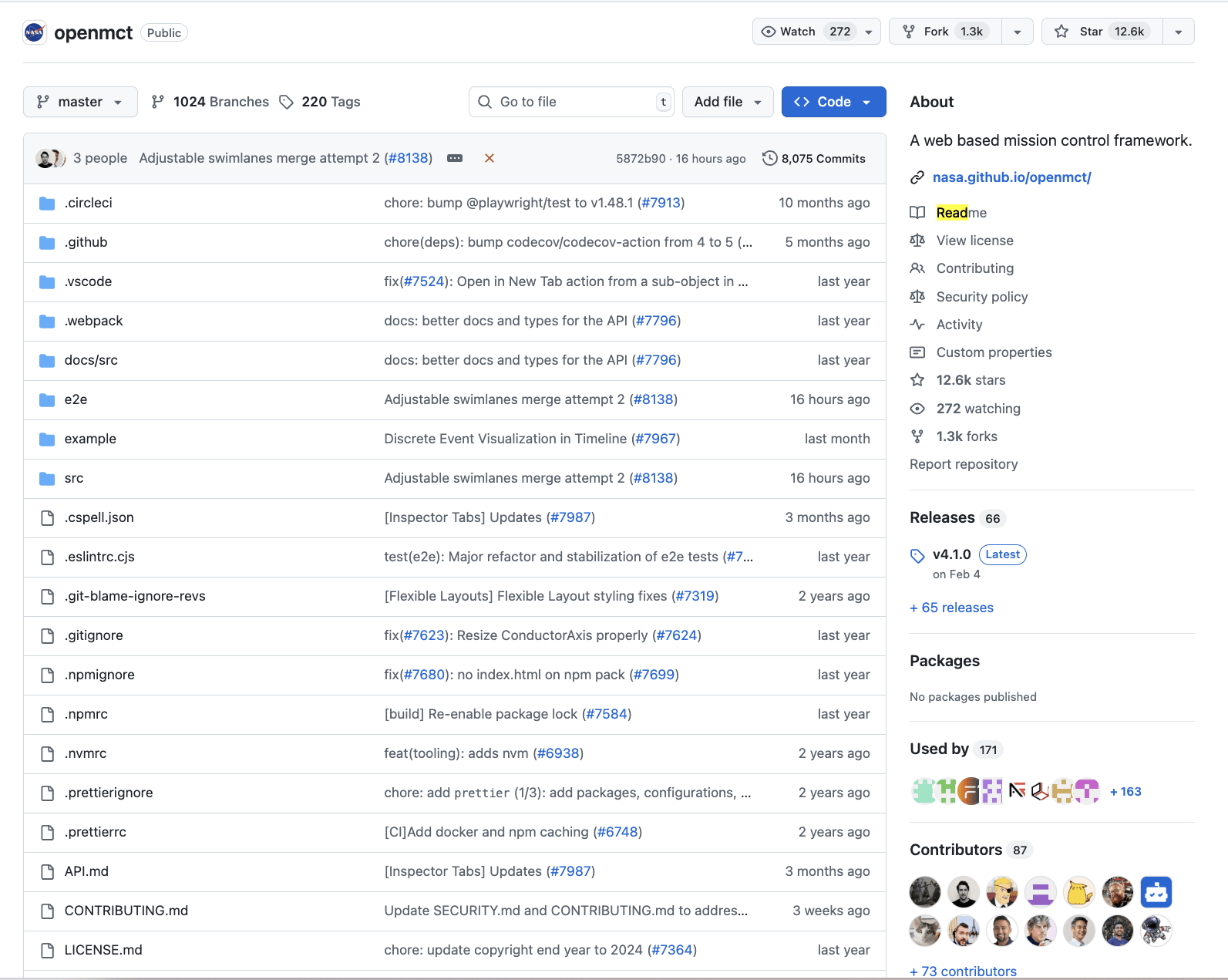
Downloading a entire repository
git clone https://github.com/user/project
How do we collaborate on it?
☁️ Download and sync new changes
git clone
Fork on GitHub site
⬆️ Upload your changes
git push
💾 Commit your code
git commit -m 'describe changes'
git add edited.md
💾 Commit your code
git commit -m 'describe changes'
git add edited.md
🌳 Create a new branch of the code
💻 Edit your code
git branch idea1
git checkout idea1
💻 Edit your code
🌳 Create a new branch of the code
💻 Edit your code
git branch idea1
git checkout idea1
💻 Edit your code
Let's update our standard formula
👀 Review your changes
Submit pull request (PR) on GitHub site
Lecture 1
- Administrative Details
- Introductions
- Course Goals
=== - What is Data Science
- Intro to VS Code
- Markdown
- Bash and the terminal
- Version Control
The End