Gleb Bahmutov, PhD
VP of Engineering, Cypress.io
Cypress: testing without Selenium

Part 2
(part 1 at https://slides.com/bahmutov/selenium-camp-part-1)
C / C++ / C# / Java / CoffeeScript / JavaScript / Node / Angular / Vue / Cycle.js / functional / testing
Contents: Part 2
-
Cypress architecture
-
Declarative test syntax
-
Code coverage updates
-
CircleCI Orbs
-
Component and API testing
When should I write an end-to-end test?
planning
coding
deploying
staging / QA
production
E2E
E2E
Users
planning
coding
deploying
staging / QA
production
💵
E2E
E2E
Users
💵
🐞$0
💵
💵
💰
💰
💰
💰
💰
💰
💰
💰
💰
💰
💰
💰
💰
💰
💰
💰
💰
💰
💵
💵
planning
coding
deploying
staging / QA
production
💵
E2E
E2E
Users
💵
🐞$0
💵
💰
💰
💰
💰
💰
💰
💰
💰
💰
💰
💰
💰
💰
💰
💰
💰
💰
💰
Answer: E2E
💵
💵
💵
Cypress Architecture:
Optimized for Developers to do End-to-end testing
Cypress Architecture
There are two iframes: one for the app, one for the specs
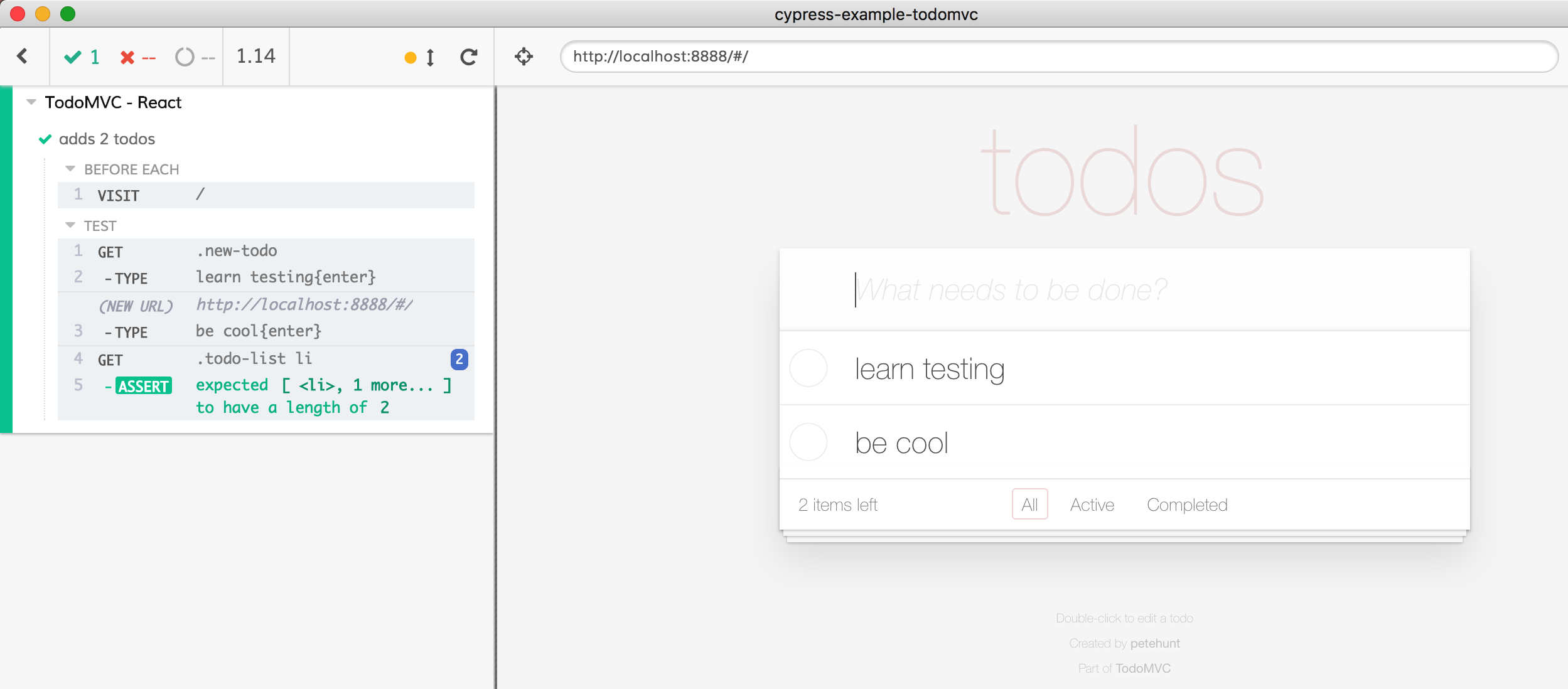
specs
app
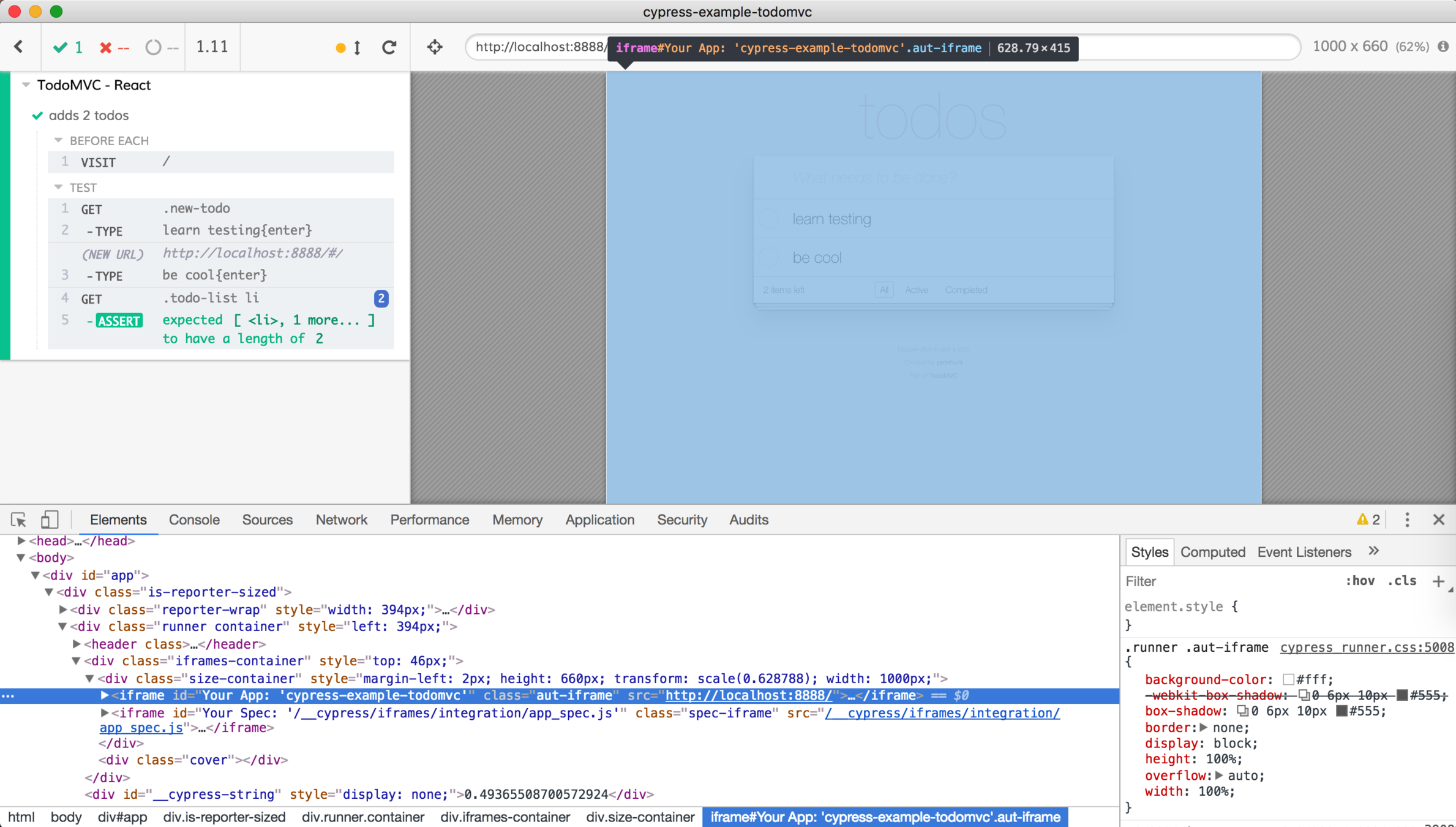
Cypress
App
Browser
launch browser
PROXY="Cypress App"
Cypress
App
Browser
launch browser
PROXY="Cypress App"
GET domain.com
Cypress
App
Browser
launch browser
PROXY="Cypress App"
GET domain.com
GET domain.com
Cypress
App
Browser
launch browser
PROXY="Cypress App"
GET domain.com
GET domain.com
Self-signed
Certificate for
domain.com
(problems with corporate proxies
see GH issues at cypress-io/cypress)
Cypress
App
Browser
launch browser
PROXY="Cypress App"
GET domain.com
Self-signed
Certificate for
domain.com
inject <script>document.domain = ...
DOM
storage
location
cookies
Cypress tests run in the same browser
specs
app
DOM
storage
location
cookies
Cypress acts as a proxy for your app
specs
app
iframes
logins
specs
app
But how is this different from tool X running outside the browser?
Hint: browsers are complicated

Node to Browser actions are hard
Node
Browser
Command visibility and actionability checks for
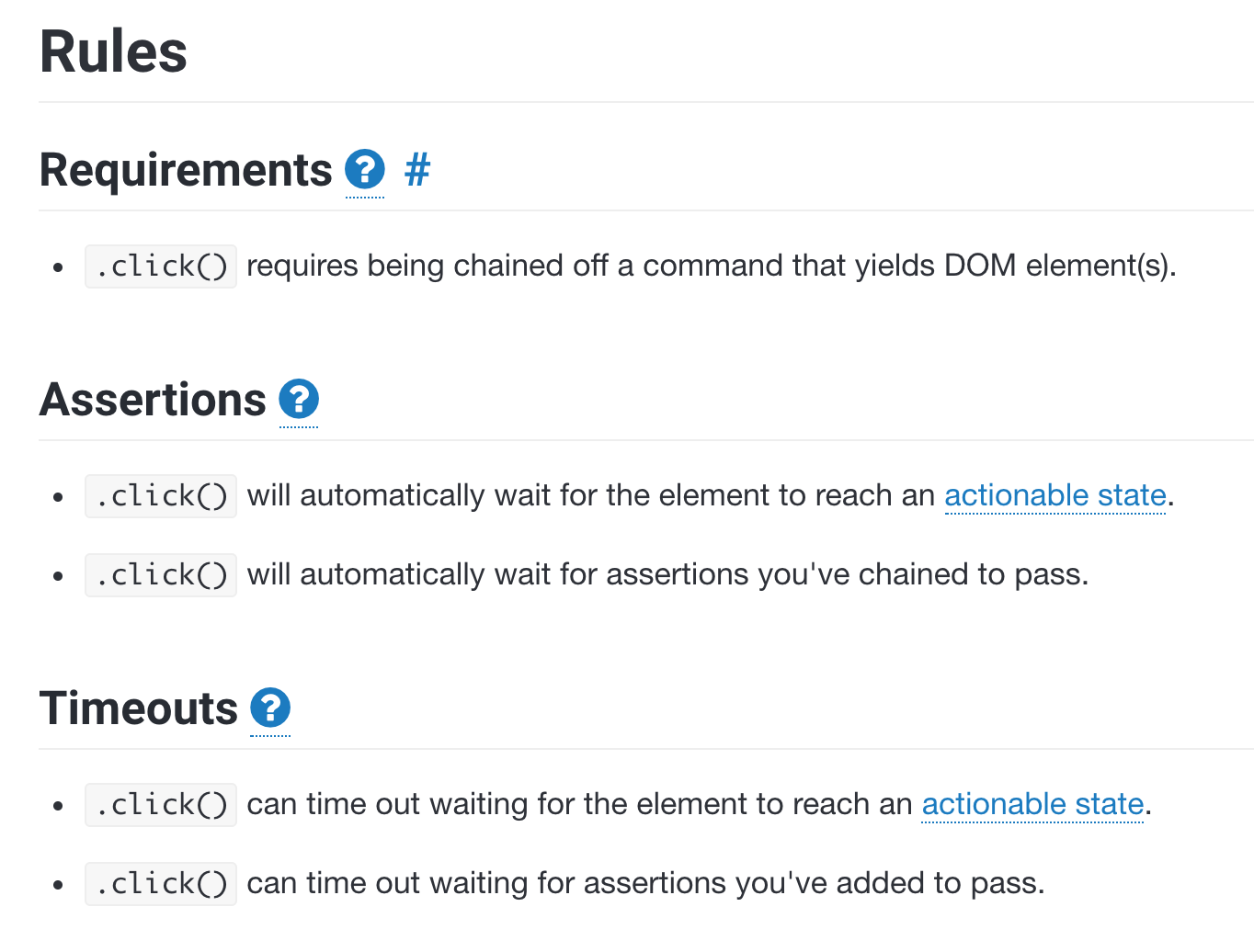
cy.click()
Visibility checks for
cy.click()
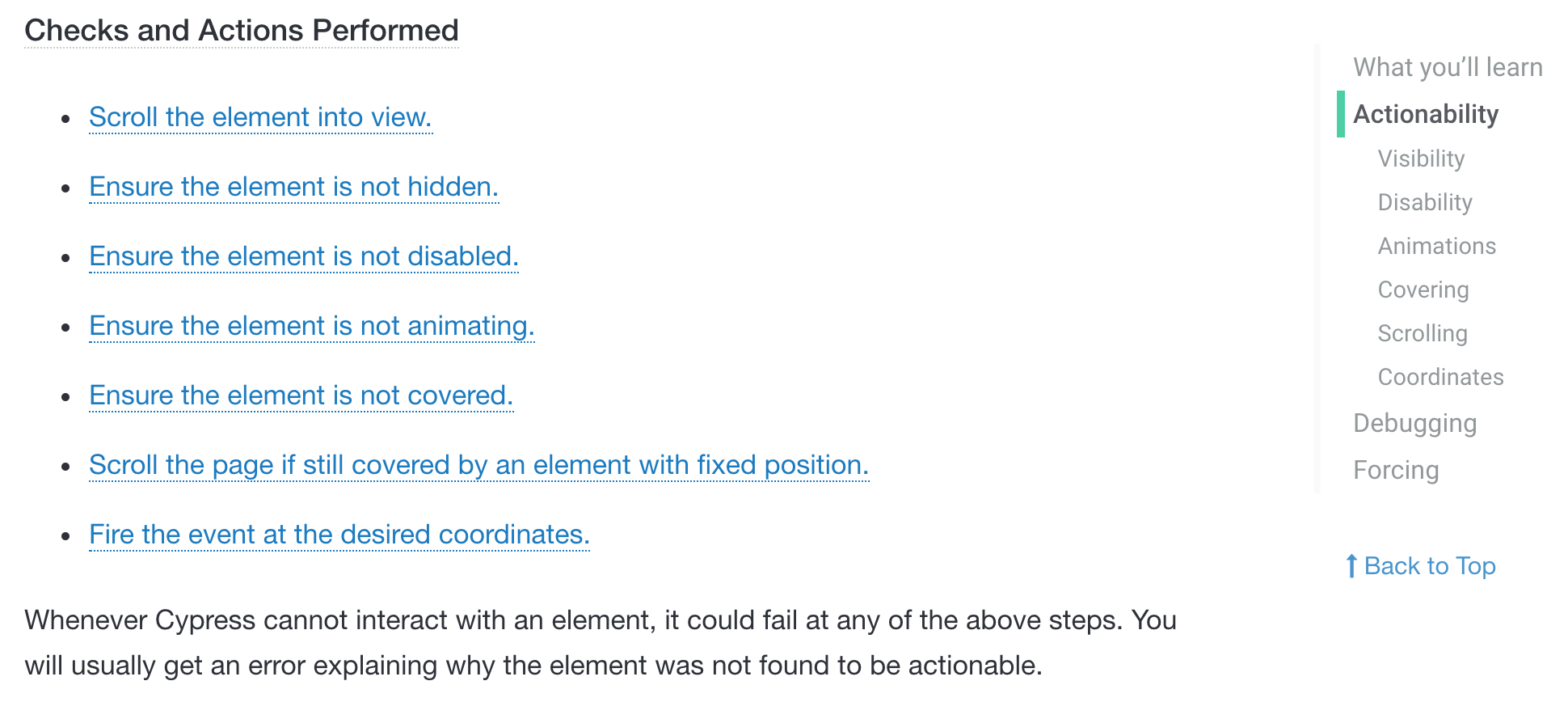

Node
Cy backend
cy.task(name, ...args)

on('task', {
  name: (...args) => ...
})
Browser to Node is easy
cy.task
cy.exec
cy.request
(and you only send data, not code)
Browser to Node is easy
cy.task
Browser to Node is easy
Run any Node code from your test
it('finds record in the database', () => {
  // random text to avoid confusion
  const id = Cypress._.random(1, 1e6)
  const title = `todo ${id}`
  cy.get('.new-todo').type(`${title}{enter}`)
  cy.task('hasSavedRecord', title).should('equal', true)
})
Observe Database Effect
runs in the browser
const hasRecordAsync = (title, ms) => {
  // use promise-retry or convergence
  ...
}

module.exports = (on, config) => {
  on('task', {
    hasSavedRecord (title, ms = 3000) {
      return hasRecordAsync(title, ms)
    }
  })
}
runs in Node in cypress/plugins/index.js
Observe Database Effect


task completes as soon as the server gets POST from the app and saves record to DB
task checks for wrong title and eventually times out
it('changes the URL when "awesome" is clicked', () => {
  cy.visit('/my/resource/path')

  cy.get('.awesome-selector')
    .click()

  cy.url()
    .should('include',
            '/my/resource/path#awesomeness')
})
Declarative Syntax
there are no async / awaits or promise chains
Tests should read naturally
const puppeteer = require('puppeteer');

(async () => {
  const browser = await puppeteer.launch();
  const page = await browser.newPage();
  await page.goto('https://example.com');
  await page.screenshot({path: 'example.png'});

  await browser.close();
})();
Puppeteer
test('My Test', async t => {
    await t
        .setNativeDialogHandler(() => true)
        .click('#populate')
        .click('#submit-button');

    const location = await t.eval(() => window.location);

    await t.expect(location.pathname)
        .eql('/testcafe/example/thank-you.html');
});
TestCafe
it('changes the URL when "awesome" is clicked', () => {
  const user = cy

  user.visit('/my/resource/path')

  user.get('.awesome-selector')
    .click()

  user.url()
    .should('include',
            '/my/resource/path#awesomeness')
})
Cypress is like a real user
Kent C Dodds https://testingjavascript.com/

Dear user,
- open url localhost:3000/my/resource/path
- click on button "foo"
- check if url includes /my/resource/path#awesomeness
more details: "End-to-end Testing Is Hard - But It Doesn't Have to Be" ReactiveConf 2018 https://www.youtube.com/watch?v=swpz0H0u13k
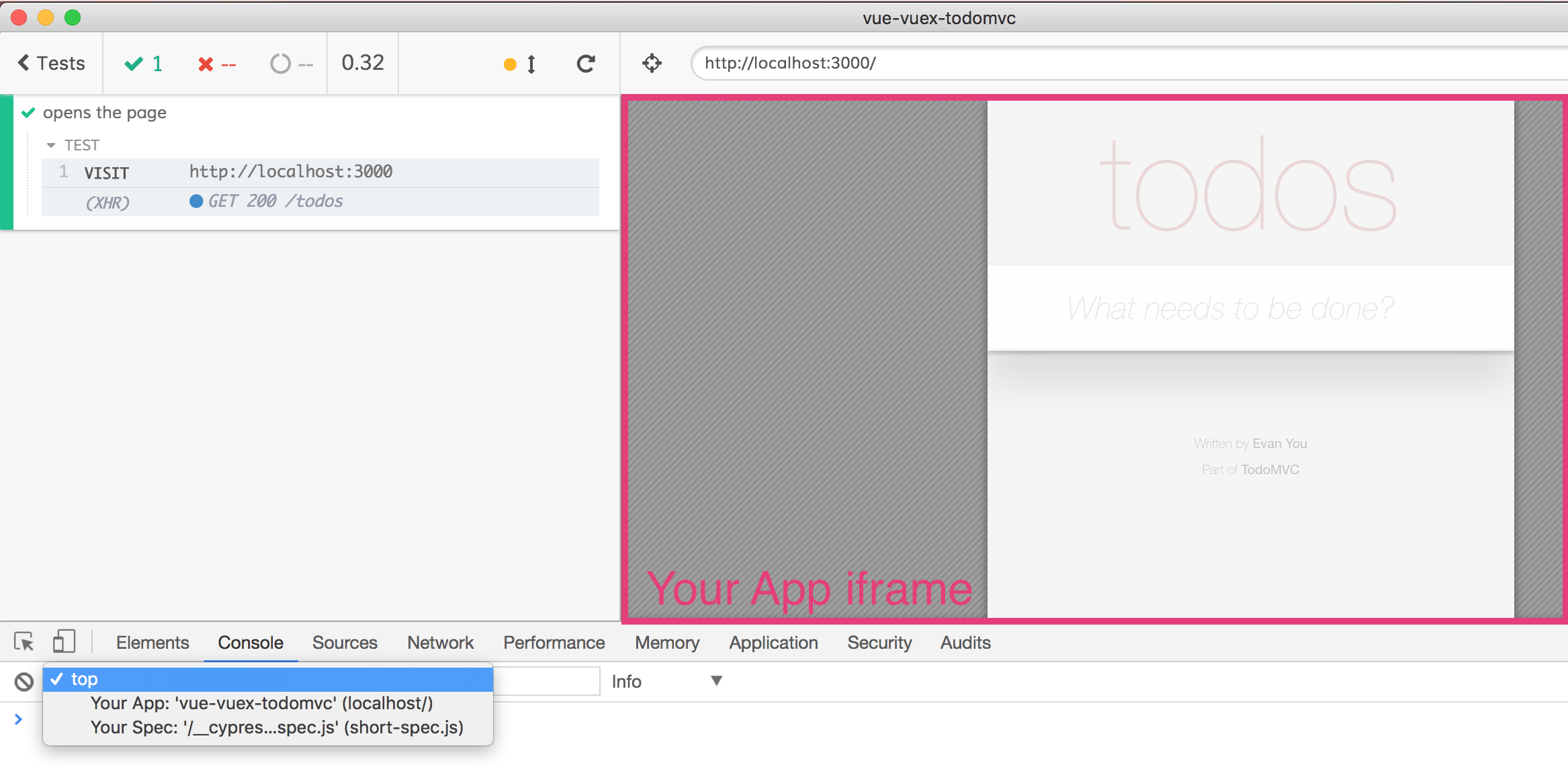
But how does it FEEL?
When I test with Cypress
DOM
Network
storage
DOM only ✅
End-to-end tests
Network stubs ✅
Application code stubs ✅
End-to-end tests
Local TDD : stub first
Mature app : remove stubs
Tests against production: stub or non-destructive tests only
Keep your test balance
unit / E2E tests for happy path
error handling
tests based on crashes
50%
20%
30%
Writing tests
Where should I put my end-to-end tests?
Start
-
Cypress tests in a separate repo
Evaluate Cypress and write first end-to-end tests in minutes
Mature
-
Cypress tests in same repo as the web application
- Write tests sooner
- Run tests on each commit
- Share code between app and tests
Organization
-
Use folder structure
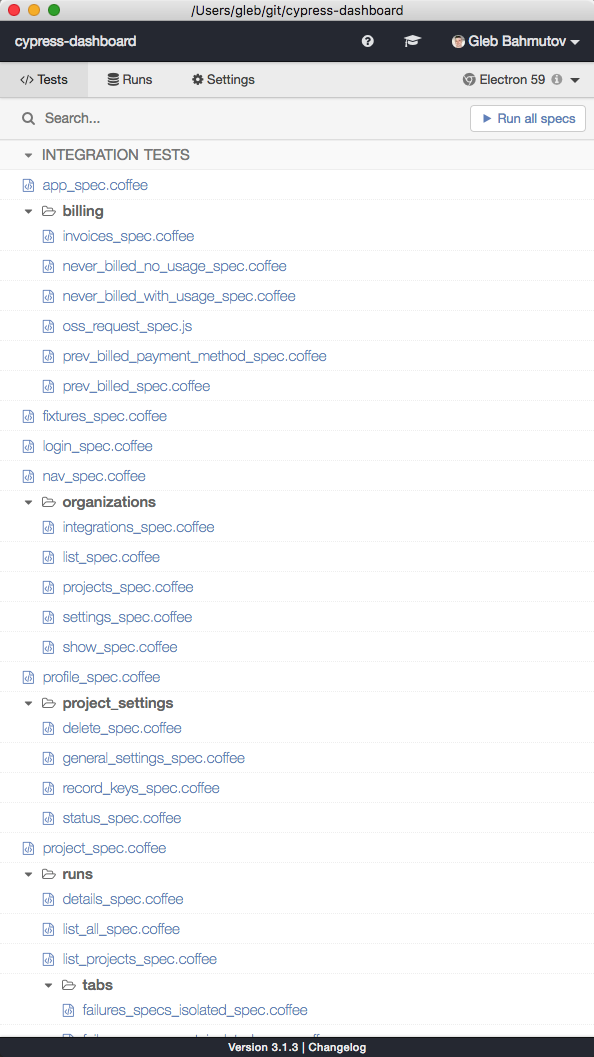
-
Run some specs
$ npx cypress run --spec 'cypress/integration/feature-a/*'If you can write E2E tests in a framework-agnostic way
You can replace framework X with Y
(without breaking things)
Code Coverage
-
Instrument the code
-
Run the tests
-
See if we reached every line of code
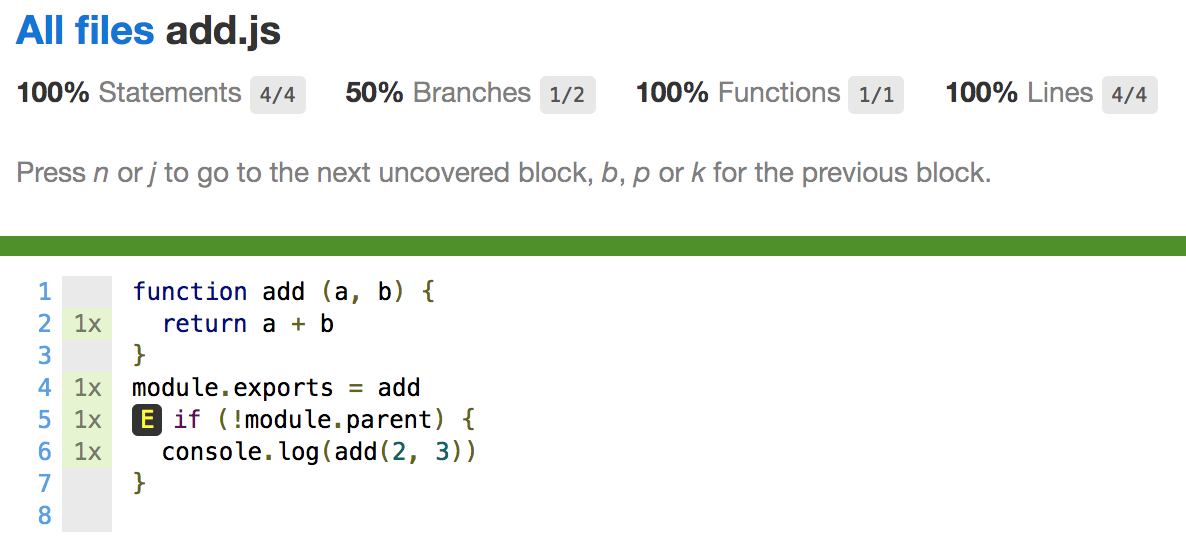
Coverage is hard
Code coverage
is tricky
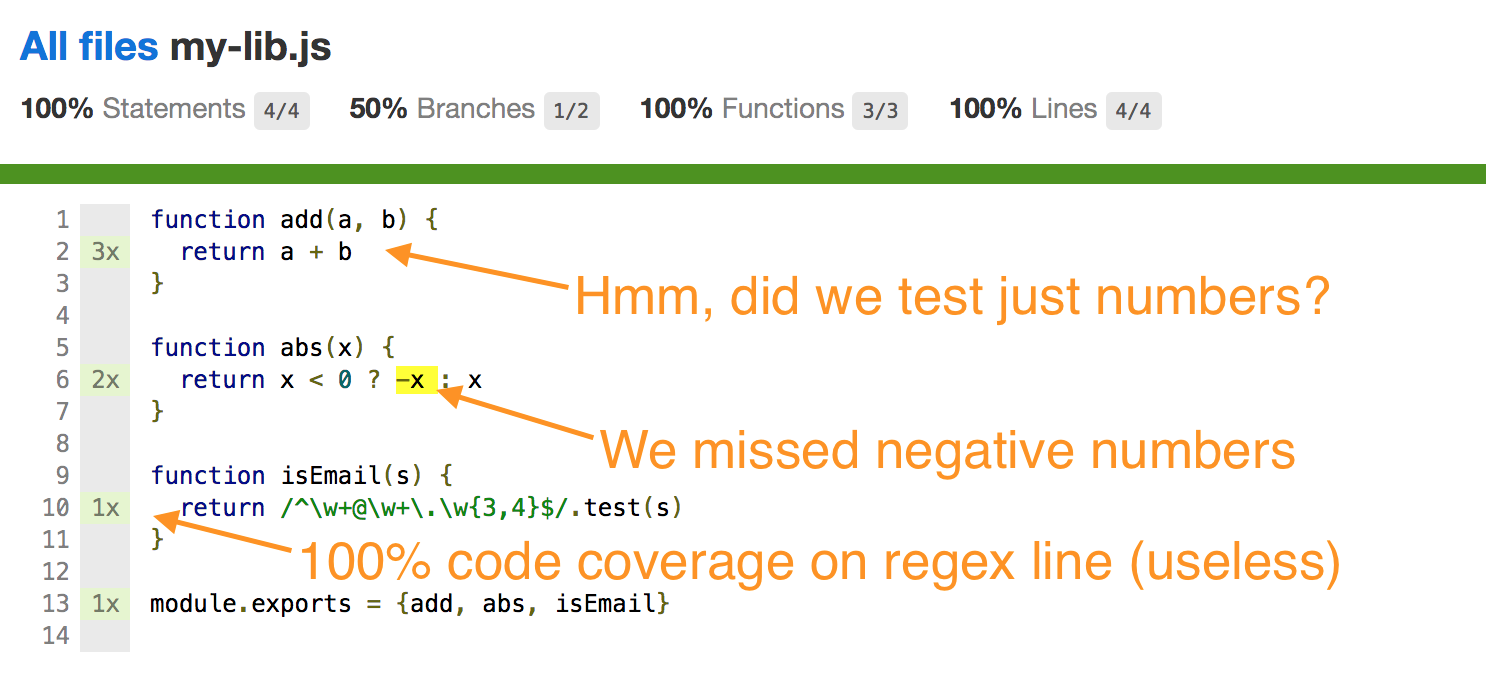
const isEmail = (s) =>
  /^\w+@\w+\.\w{3,4}$/.test(s)

// 1 test = 100% code coverage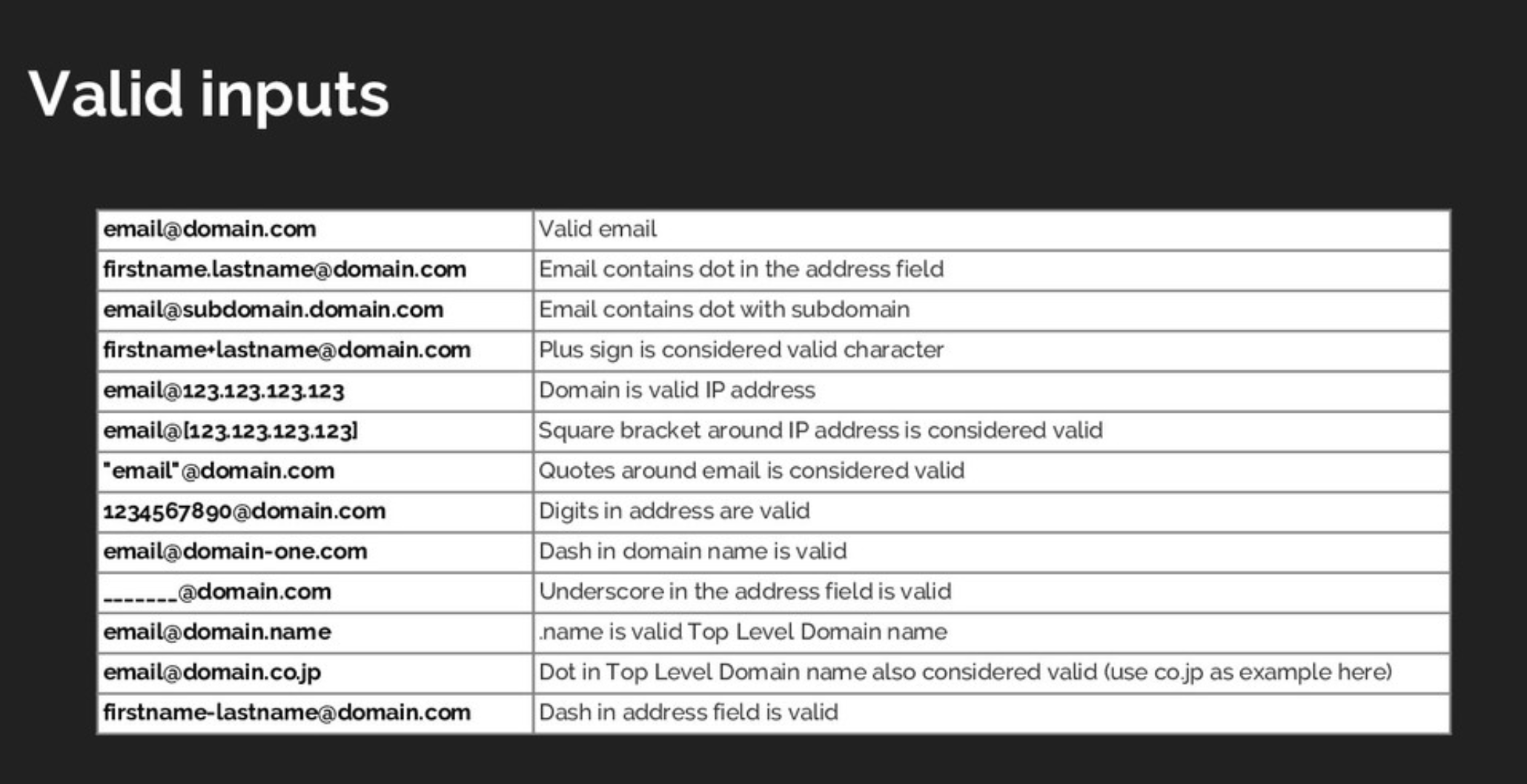
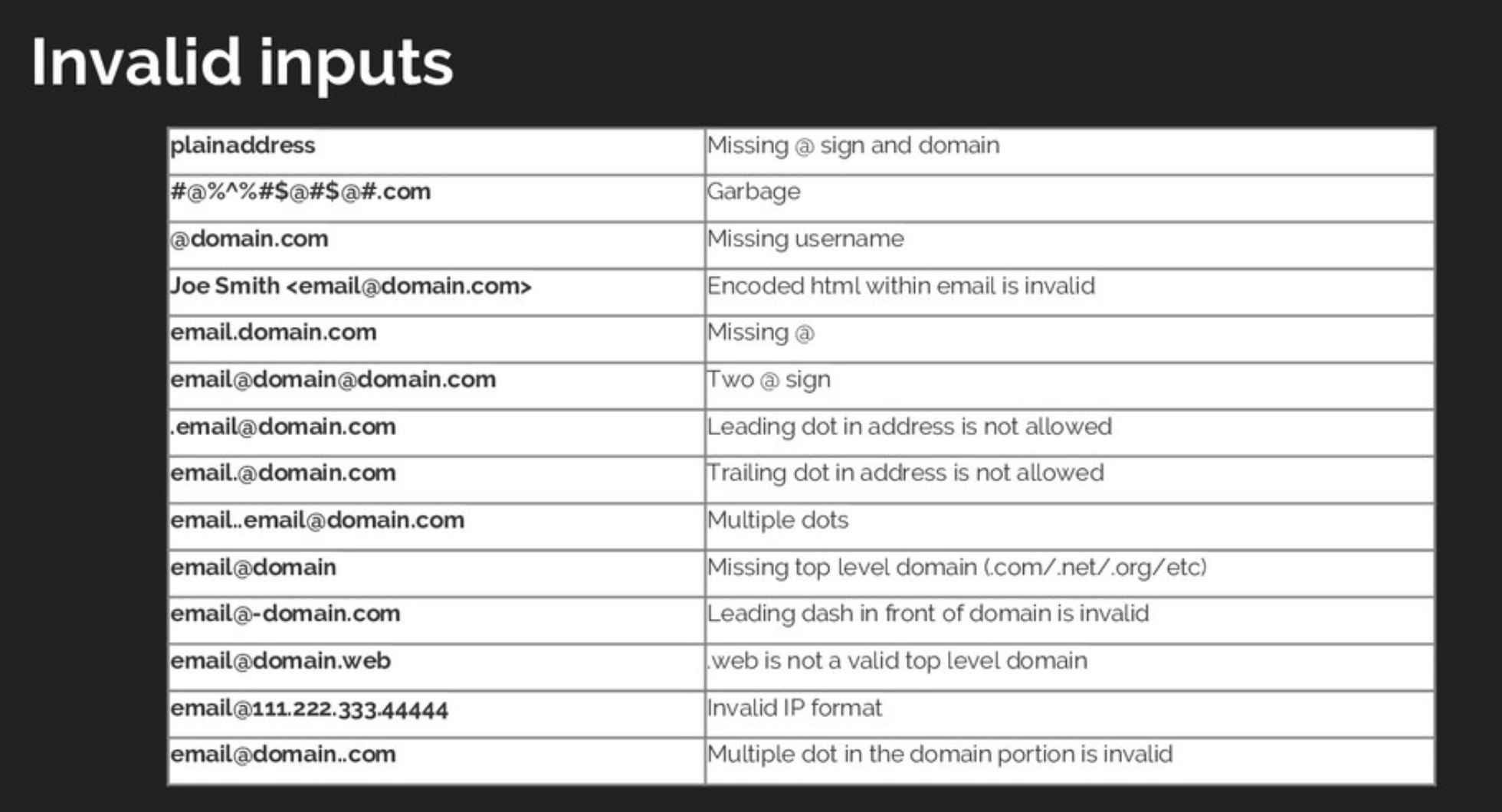
(?:[a-z0-9!#$%&'*+/=?^_`{|}~-]+(?:\.[a-z0-9!#$%&'*+/=?^_`{|}~-]+)*|"(?:[\x01-\x08\x0b\x0c\x0e-\x1f\x21\x23-\x5b\x5d-\x7f]|\\[\x01-\x09\x0b\x0c\x0e-\x7f])*")@(?:(?:[a-z0-9](?:[a-z0-9-]*[a-z0-9])?\.)+[a-z0-9](?:[a-z0-9-]*[a-z0-9])?|\[(?:(?:25[0-5]|2[0-4][0-9]|[01]?[0-9][0-9]?)\.){3}(?:25[0-5]|2[0-4][0-9]|[01]?[0-9][0-9]?|[a-z0-9-]*[a-z0-9]:(?:[\x01-\x08\x0b\x0c\x0e-\x1f\x21-\x5a\x53-\x7f]|\\[\x01-\x09\x0b\x0c\x0e-\x7f])+)\])
Code coverage
vs
Data coverage
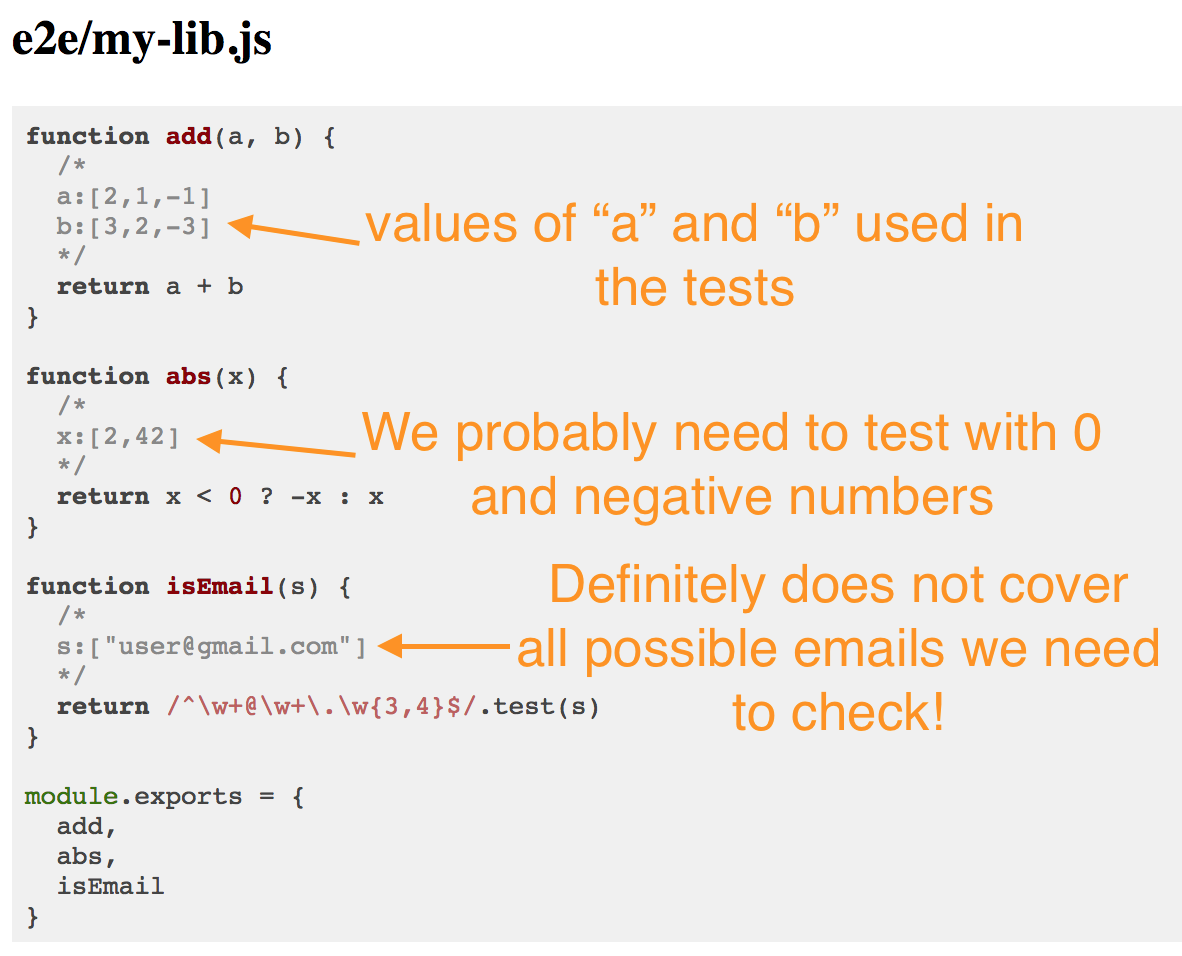
mocha -r data-cover spec.jsI don't think code coverage is useful for end-to-end tests
You cannot test every part of your car by driving around
user interface
application code
vendor code
polyfills
there is probably a lot of app code unreachable through the UI alone
beforeEach(() => {
  cy.visit('/')
})
it('works', function () {
  cy.get('.new-todo').type('first todo{enter}')
  cy.get('.new-todo').type('second todo{enter}')
  cy.get('.todo-list li').should('have.length', 2)
})
What does this test cover?
Cypress.Commands.overwrite('type',
  (type, $el, text, options) => {

  rememberSelector($el)

  return type($el, text, options)
})
Track "cy.type" elements
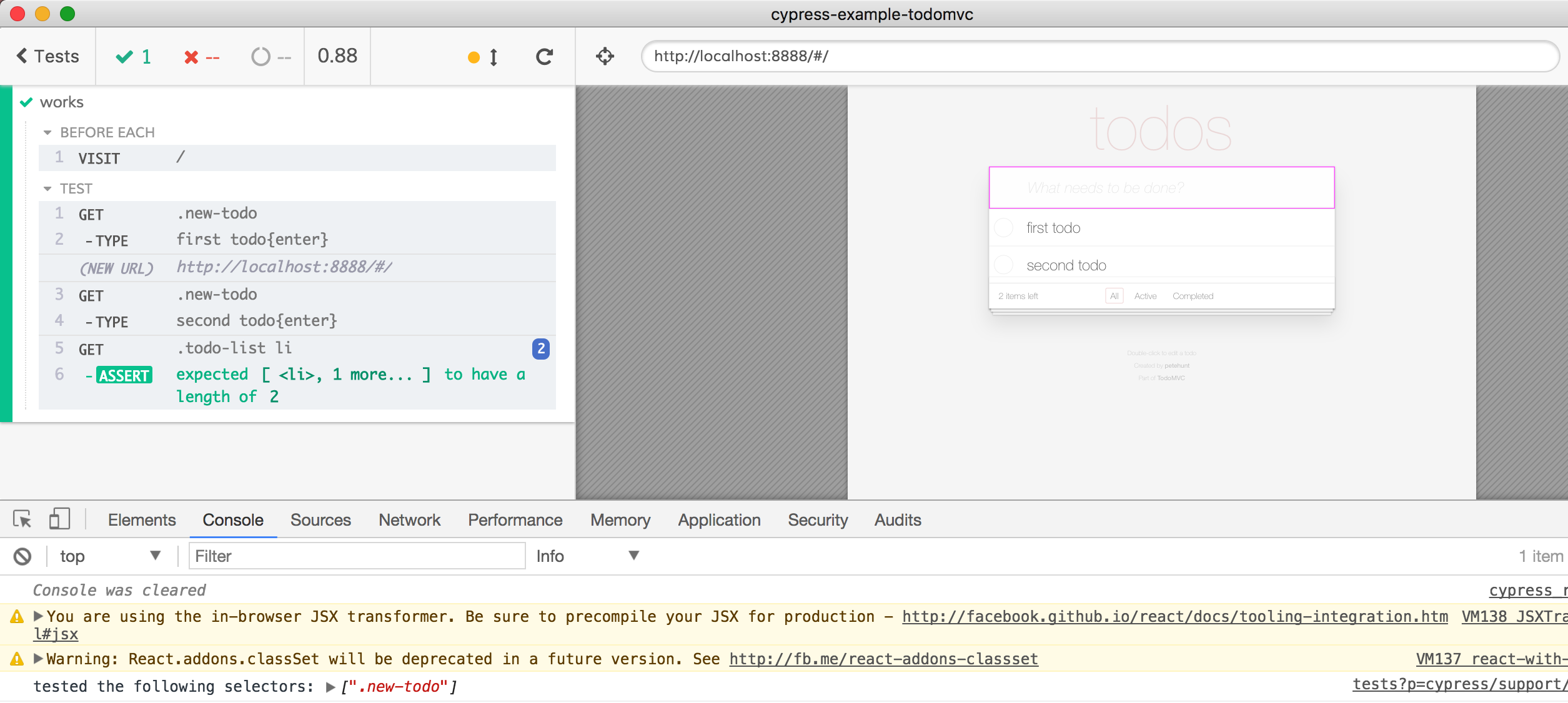
Highlight tested element
Elements NOT covered by the test
beforeEach(() => {
  cy.visit('/')
})
it('works', function () {
  cy.get('.new-todo').type('first todo{enter}')
  cy.get('.new-todo').type('second todo{enter}')
  cy.get('.todo-list li').should('have.length', 2)
    .first().find(':checkbox').check()

  cy.contains('.filters a', 'Active').click()
  cy.url().should('include', 'active')

  cy.contains('.filters a', 'Completed').click()
  cy.url().should('include', 'completed')

  cy.contains('.filters a', 'All').click()
  cy.url().should('include', '#/')
})
Extend test to cover more elements
The test did not cover "Clear completed" button
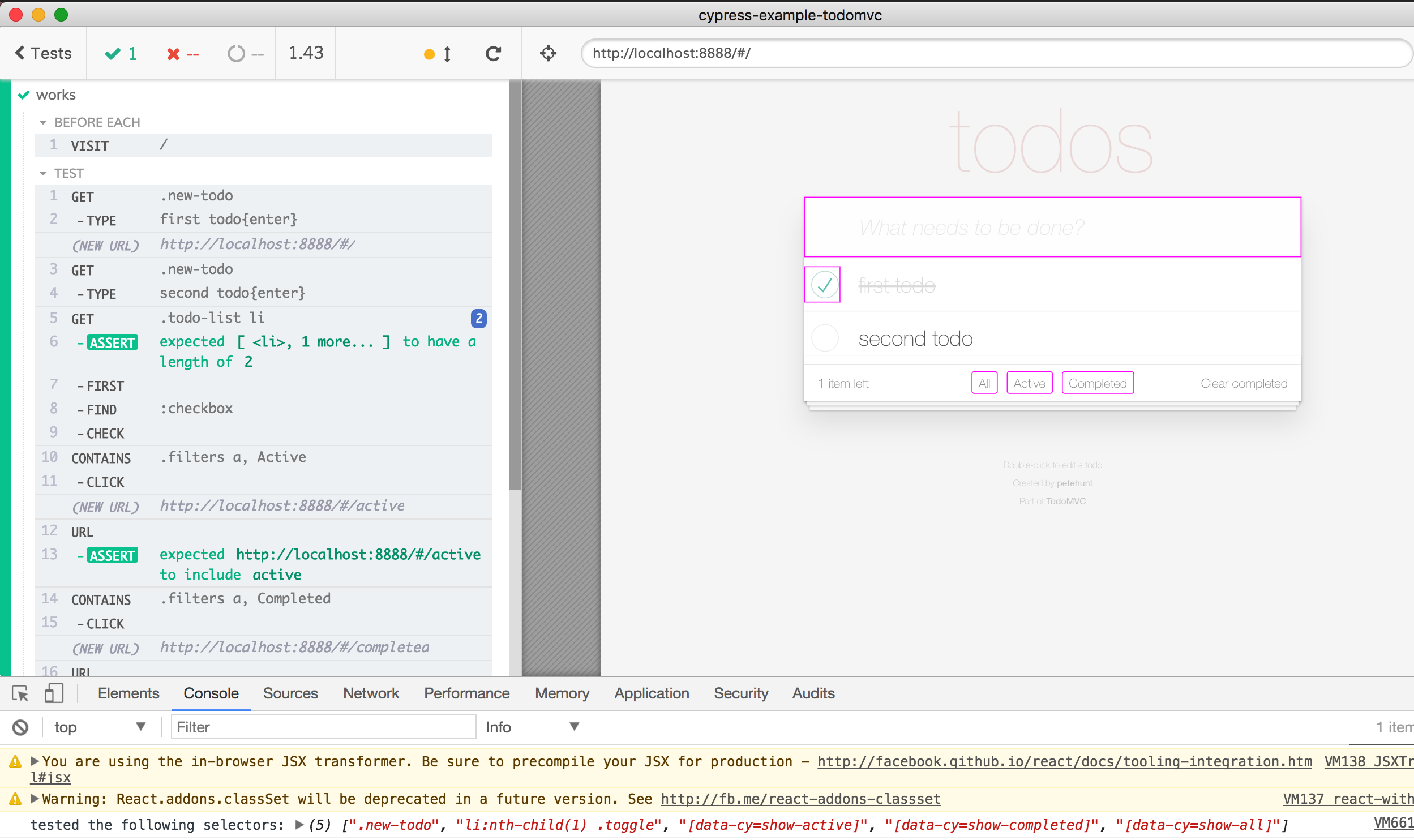
Problem: only "check" this box,
but not "uncheck"
Paid Features 💵
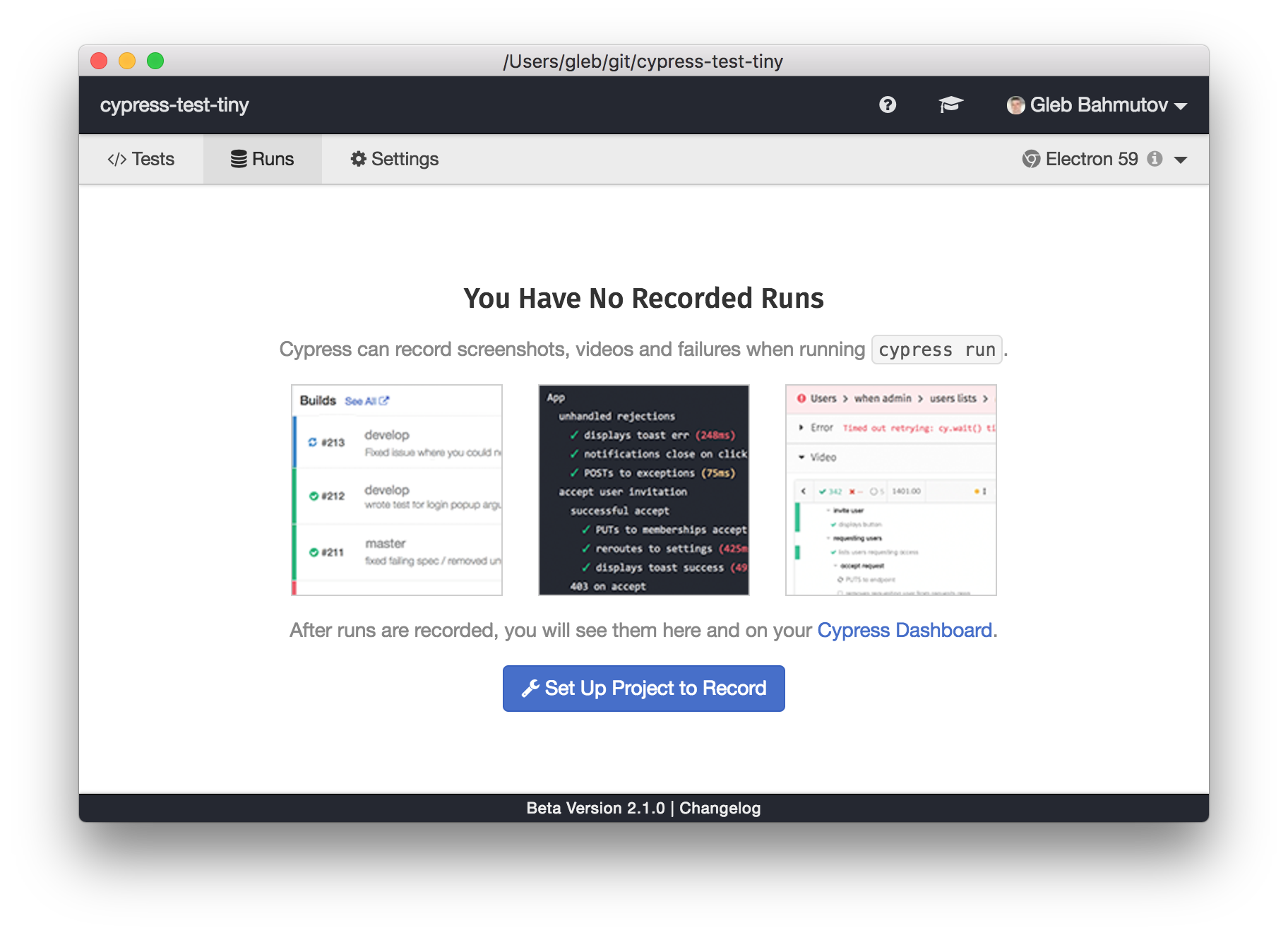
Paid Features 💵: artifacts
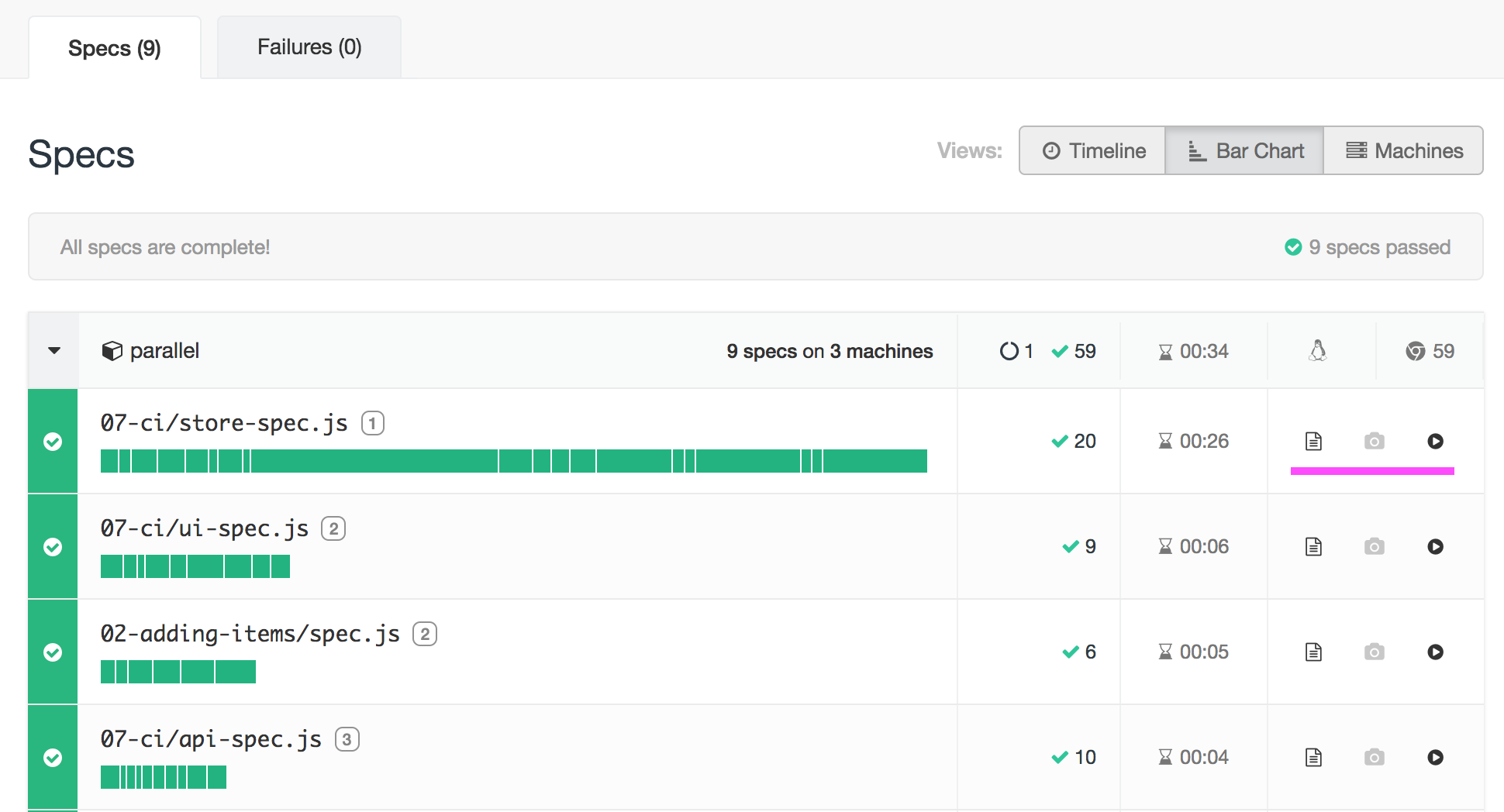
test output, video, screenshots
Cypress on CI
(continuous integration server like Jenkins)
-
"cypress open" - GUI interactive mode
-
"cypress run" - headless mode
Cypress CLI has 2 main commands
full video of the run, screenshots of every failure
-
Every CI should be good
-
Or use a Docker image we provide
Running E2E on CI
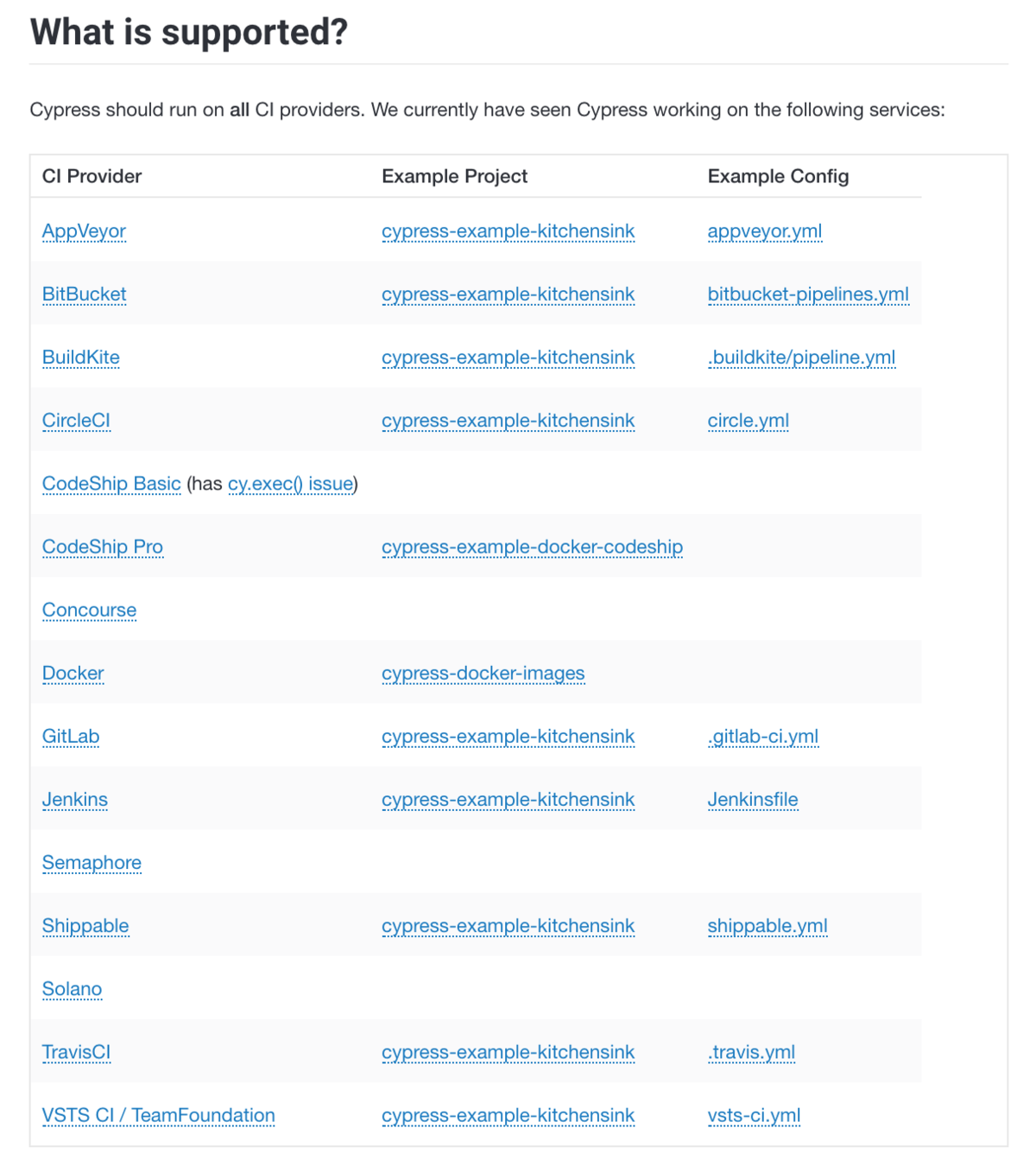
Making it easy for users is not easy
version: 2
jobs:
  test:
    docker:
      - image: cypress/base:10
    steps:
      - checkout
      # restore folders with npm dependencies and Cypress binary
      - restore_cache:
          keys:
            - cache-{{ checksum "package.json" }}
      # install npm dependencies and Cypress binary
      # if they were cached, this step is super quick
      - run:
          name: Install dependencies
          command: npm ci
      - run: npm run cy:verify
      # save npm dependencies and Cypress binary for future runs
      - save_cache:
          key: cache-{{ checksum "package.json" }}
          paths:
            - ~/.npm
            - ~/.cache
      # start server before starting tests
      - run:
          command: npm start
          background: true
      - run: npm run e2e:record

workflows:
  version: 2
  build:
    jobs:
      - test
Docker image
typical CI config file
version: 2
jobs:
  test:
    docker:
      - image: cypress/base:10
    steps:
      - checkout
      # restore folders with npm dependencies and Cypress binary
      - restore_cache:
          keys:
            - cache-{{ checksum "package.json" }}
      # install npm dependencies and Cypress binary
      # if they were cached, this step is super quick
      - run:
          name: Install dependencies
          command: npm ci
      - run: npm run cy:verify
      # save npm dependencies and Cypress binary for future runs
      - save_cache:
          key: cache-{{ checksum "package.json" }}
          paths:
            - ~/.npm
            - ~/.cache
      # start server before starting tests
      - run:
          command: npm start
          background: true
      - run: npm run e2e:record

workflows:
  version: 2
  build:
    jobs:
      - test
Docker image
Caching
Caching
typical CI config file
version: 2
jobs:
  test:
    docker:
      - image: cypress/base:10
    steps:
      - checkout
      # restore folders with npm dependencies and Cypress binary
      - restore_cache:
          keys:
            - cache-{{ checksum "package.json" }}
      # install npm dependencies and Cypress binary
      # if they were cached, this step is super quick
      - run:
          name: Install dependencies
          command: npm ci
      - run: npm run cy:verify
      # save npm dependencies and Cypress binary for future runs
      - save_cache:
          key: cache-{{ checksum "package.json" }}
          paths:
            - ~/.npm
            - ~/.cache
      # start server before starting tests
      - run:
          command: npm start
          background: true
      - run: npm run e2e:record

workflows:
  version: 2
  build:
    jobs:
      - test
Docker image
Caching
Caching
Install
typical CI config file
version: 2
jobs:
  test:
    docker:
      - image: cypress/base:10
    steps:
      - checkout
      # restore folders with npm dependencies and Cypress binary
      - restore_cache:
          keys:
            - cache-{{ checksum "package.json" }}
      # install npm dependencies and Cypress binary
      # if they were cached, this step is super quick
      - run:
          name: Install dependencies
          command: npm ci
      - run: npm run cy:verify
      # save npm dependencies and Cypress binary for future runs
      - save_cache:
          key: cache-{{ checksum "package.json" }}
          paths:
            - ~/.npm
            - ~/.cache
      # start server before starting tests
      - run:
          command: npm start
          background: true
      - run: npm run e2e:record

workflows:
  version: 2
  build:
    jobs:
      - test
Docker image
Caching
Caching
maybe start app
typical CI config file
Install
version: 2
jobs:
  test:
    docker:
      - image: cypress/base:10
    steps:
      - checkout
      # restore folders with npm dependencies and Cypress binary
      - restore_cache:
          keys:
            - cache-{{ checksum "package.json" }}
      # install npm dependencies and Cypress binary
      # if they were cached, this step is super quick
      - run:
          name: Install dependencies
          command: npm ci
      - run: npm run cy:verify
      # save npm dependencies and Cypress binary for future runs
      - save_cache:
          key: cache-{{ checksum "package.json" }}
          paths:
            - ~/.npm
            - ~/.cache
      # start server before starting tests
      - run:
          command: npm start
          background: true
      - run: npm run e2e:record

workflows:
  version: 2
  build:
    jobs:
      - test
Docker image
Caching
Caching
typical CI config file
Install
run tests
maybe start app
Copy / paste / tweak until CI passes 🙁
I have 100s of tests ...

$ npx cypress run --record --parallel
Cypress v3.1.0
Spin N CI machines and
defaults: &defaults
  working_directory: ~/app
  docker:
    - image: cypress/browsers:chrome67

version: 2
jobs:
  build:
    <<: *defaults
    steps:
      - checkout
      # find compatible cache from previous build,
      # it should have same dependencies installed from package.json checksum
      - restore_cache:
          keys:
            - cache-{{ .Branch }}-{{ checksum "package.json" }}
      - run:
          name: Install Dependencies
          command: npm ci
      # run verify and then save cache.
      # this ensures that the Cypress verified status is cached too
      - run: npm run cy:verify
      # save new cache folder if needed
      - save_cache:
          key: cache-{{ .Branch }}-{{ checksum "package.json" }}
          paths:
            - ~/.npm
            - ~/.cache
      - run: npm run types
      - run: npm run stop-only
      # all other test jobs will run AFTER this build job finishes
      # to avoid reinstalling dependencies, we persist the source folder "app"
      # and the Cypress binary to workspace, which is the fastest way
      # for Circle jobs to pass files
      - persist_to_workspace:
          root: ~/
          paths:
            - app
            - .cache/Cypress

  4x-electron:
    <<: *defaults
    # tell CircleCI to execute this job on 4 machines simultaneously
    parallelism: 4
    steps:
      - attach_workspace:
          at: ~/
      - run:
          command: npm start
          background: true
      # runs Cypress test in load balancing (parallel) mode
      # and groups them in Cypress Dashboard under name "4x-electron"
      - run: npm run e2e:record -- --parallel --group $CIRCLE_JOB

workflows:
  version: 2
  # this workflow has 4 jobs to show case Cypress --parallel and --group flags
  # "build" installs NPM dependencies so other jobs don't have to
  #   └ "1x-electron" runs all specs just like Cypress pre-3.1.0 runs them
  #   └ "4x-electron" job load balances all specs across 4 CI machines
  #   └ "2x-chrome" load balances all specs across 2 CI machines and uses Chrome browser
  build_and_test:
    jobs:
      - build
      # this group "4x-electron" will load balance all specs
      # across 4 CI machines
      - 4x-electron:
          requires:
            - build
Parallel config is ... more complicated
typical CI config file
- install + run jobs
- workspace
- parallel flags
# first, install Cypress, then run all tests (in parallel)
stages:
  - build
  - test

# to cache both npm modules and Cypress binary we use environment variables
# to point at the folders we can list as paths in "cache" job settings
variables:
  npm_config_cache: "$CI_PROJECT_DIR/.npm"
  CYPRESS_CACHE_FOLDER: "$CI_PROJECT_DIR/cache/Cypress"

# cache using branch name
# https://gitlab.com/help/ci/caching/index.md
cache:
  key: ${CI_COMMIT_REF_SLUG}
  paths:
    - .npm
    - cache/Cypress
    - node_modules

# this job installs NPM dependencies and Cypress
install:
  image: cypress/base:10
  stage: build

  script:
    - npm ci
    - $(npm bin)/print-env CI
    - npm run cy:verify

# all jobs that actually run tests can use the same definition
.job_template: &job
  image: cypress/base:10
  stage: test
  script:
    # print CI environment variables for reference
    - $(npm bin)/print-env CI
    # start the server in the background
    - npm run start:ci &
    # run Cypress test in load balancing mode, pass id to tie jobs together
    - npm run e2e:record -- --parallel --ci-build-id $CI_PIPELINE_ID --group electrons

# actual job definitions
# all steps are the same, they come from the template above
electrons-1:
  <<: *job
electrons-2:
  <<: *job
electrons-3:
  <<: *job
electrons-4:
  <<: *job
electrons-5:
  <<: *job
pipeline {
agent {
// this image provides everything needed to run Cypress
docker {
image 'cypress/base:10'
}
}
stages {
// first stage installs node dependencies and Cypress binary
stage('build') {
steps {
// there a few default environment variables on Jenkins
// on local Jenkins machine (assuming port 8080) see
// http://localhost:8080/pipeline-syntax/globals#env
echo "Running build ${env.BUILD_ID} on ${env.JENKINS_URL}"
sh 'npm ci'
sh 'npm run cy:verify'
}
}
stage('start local server') {
steps {
// start local server in the background
// we will shut it down in "post" command block
sh 'nohup npm start &'
}
}
// this tage runs end-to-end tests, and each agent uses the workspace
// from the previous stage
stage('cypress parallel tests') {
environment {
// we will be recordint test results and video on Cypress dashboard
// to record we need to set an environment variable
// we can load the record key variable from credentials store
// see https://jenkins.io/doc/book/using/using-credentials/
CYPRESS_RECORD_KEY = credentials('cypress-example-kitchensink-record-key')
// because parallel steps share the workspace they might race to delete
// screenshots and videos folders. Tell Cypress not to delete these folders
CYPRESS_trashAssetsBeforeRuns = 'false'
}
// https://jenkins.io/doc/book/pipeline/syntax/#parallel
parallel {
// start several test jobs in parallel, and they all
// will use Cypress Dashboard to load balance any found spec files
stage('tester A') {
steps {
echo "Running build ${env.BUILD_ID}"
sh "npm run e2e:record:parallel"
}
}
// second tester runs the same command
stage('tester B') {
steps {
echo "Running build ${env.BUILD_ID}"
sh "npm run e2e:record:parallel"
}
}
}
}
}
post {
// shutdown the server running in the background
always {
echo 'Stopping local server'
sh 'pkill -f http-server'
}
}
}language: node_js
node_js:
# Node 10.3+ includes npm@6 which has good "npm ci" command
- 10.8
cache:
# cache both npm modules and Cypress binary
directories:
- ~/.npm
- ~/.cache
override:
- npm ci
- npm run cy:verify
defaults: &defaults
script:
# ## print all Travis environment variables for debugging
- $(npm bin)/print-env TRAVIS
- npm start -- --silent &
- npm run cy:run -- --record --parallel --group $STAGE_NAME
# after all tests finish running we need
# to kill all background jobs (like "npm start &")
- kill $(jobs -p) || true
jobs:
include:
# we have multiple jobs to execute using just a single stage
# but we can pass group name via environment variable to Cypress test runner
- stage: test
env:
- STAGE_NAME=1x-electron
<<: *defaults
# run tests in parallel by including several test jobs with same name variable
- stage: test
env:
- STAGE_NAME=4x-electron
<<: *defaults
- stage: test
env:
- STAGE_NAME=4x-electron
<<: *defaults
- stage: test
env:
- STAGE_NAME=4x-electron
<<: *defaults
- stage: test
env:
- STAGE_NAME=4x-electron
<<: *defaultsDifferent CIs
Copy / paste / tweak until CI passes 😡
Good news about Continuous Integration: Orbs
CircleCI Orbs
Reusable CI configuration code
version: 2.1
orbs:
  cypress: cypress-io/cypress@1
workflows:
  build:
    jobs:
- cypress/runCircleCI Orbs
circle.yml
version: 2.1
orbs:
  cypress: cypress-io/cypress@1
workflows:
  build:
    jobs:
      - cypress/run:
record: truerecord tests on Cypress Dashboard
circle.yml
version: 2.1
orbs:
  cypress: cypress-io/cypress@1
workflows:
  build:
    jobs:
      - cypress/install
      - cypress/run:
          requires:
            - cypress/install
          record: true
          parallel: true
          parallelism: 10
Parallel run scenario
CircleCI Orbs
circle.yml
Orbs: best thing in CI since Docker
Orbs: Cypress team can help you run our tool on CircleCI
Cypress Orb Source
Cool Things You Can do With Cypress
HTTP API testing
Test components from frameworks
E2E
integration
unit
Cypress

$ npm install -D cypress cypress-vue-unit-testconst mountVue = require('cypress-vue-unit-test')
describe('My Vue', () => {
beforeEach(mountVue(/* my Vue code */, /* options */))
it('renders', () => {
// Any Cypress command
// Cypress.vue is the mounted component reference
})
})Vue component test demo with Cypress

Interact, inspect, use
Test components from these frameworks with ease
- network control
- method spy / stub
- GUI
E2E
integration
unit
Web Application
Jest
Cypress
E2E
integration
unit
Web Application
Jest
Cypress
API tests
const request = require('supertest')
const app = require(...)
request(app)
  .get('/user')
  .expect('Content-Type', /json/)
  .expect('Content-Length', '15')
  .expect(200, {
    name: 'Joe',
    age: 33
  })
Replace API tests
it('returns JSON', () => {
  cy.request('http://localhost:3000/todos')
    .its('headers')
    .its('content-type')
    .should('include', 'application/json')
})
With Cypress API tests
and gain test UI
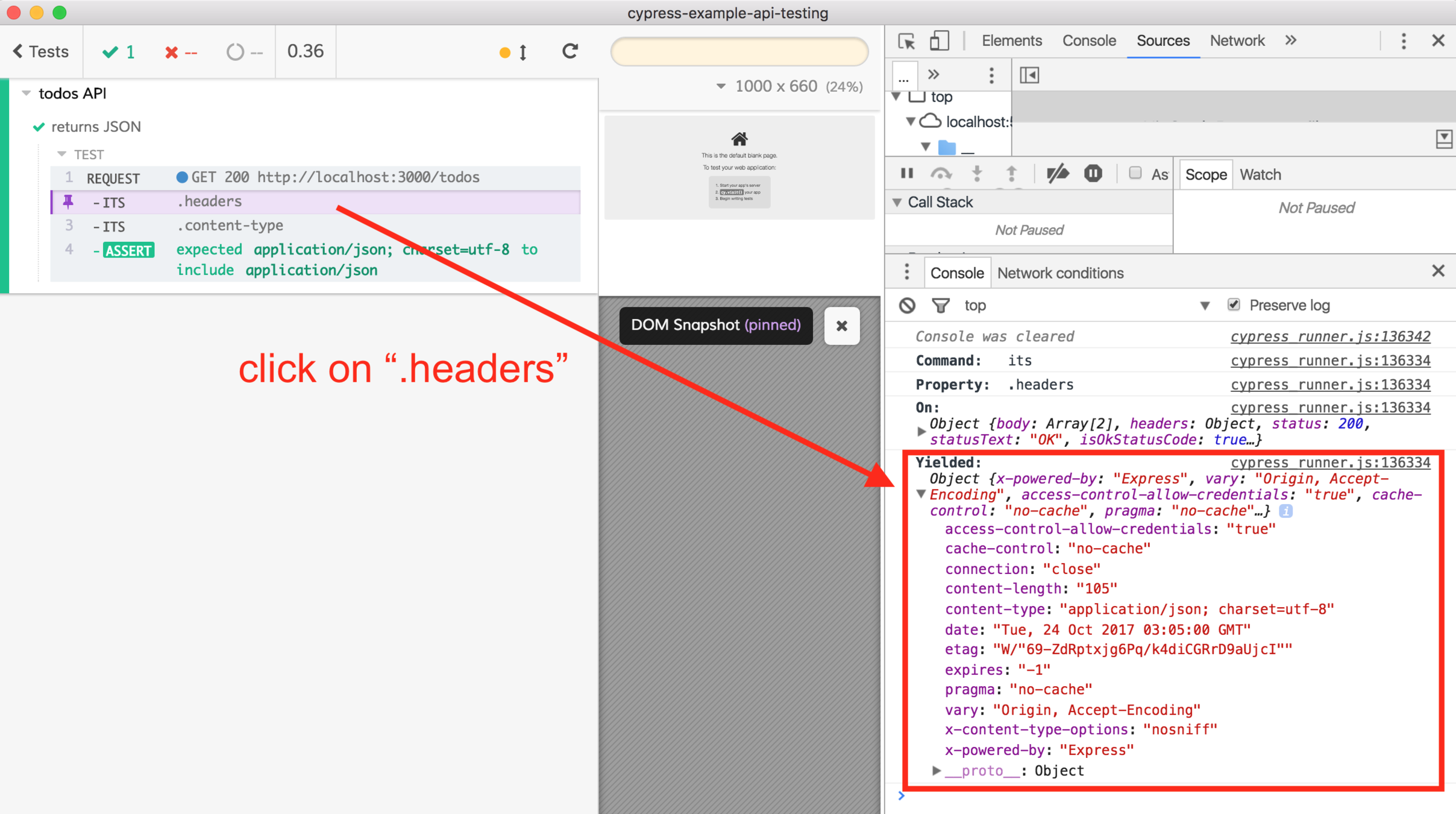
and gain:
-
fixtures
-
stubbing
-
custom commands
-
longer tests
-
mixed UI / API tests
Coming soon
-
Retries / flake factor
-
Cross-browser
-
Full network stubbing
-
so many more ideas ...
IE11
Thank you 👏