HealthAPI Authentication & Parameterization

Business Scenario
Welcome!
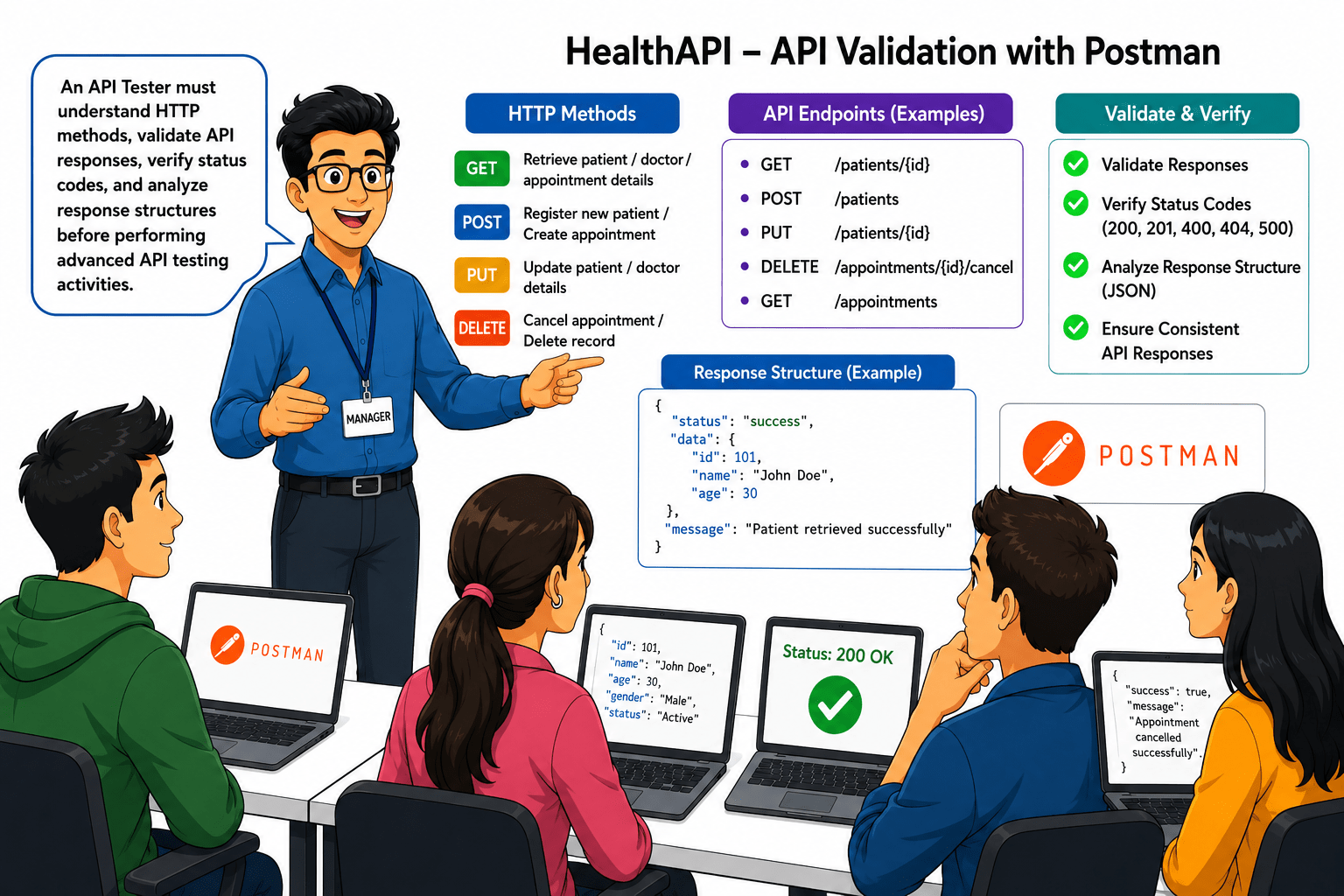
After learning Healthcare APIs, REST architecture, API endpoints, and Postman, your manager assigns you API validation tasks for the HealthAPI system, which manages patient, doctor, and appointment records. The application has reported issues such as incorrect patient data retrieval, intermittent patient registration, outdated patient information after updates, and appointment cancellation failures.

Pre-Lab Preparation
updates, and appointment cancellation failures.
Additionally, some API requests are returning incorrect HTTP status codes, and users are experiencing inconsistent API responses. Your task is to use Postman to perform API requests using different HTTP methods, validate API responses, verify status codes, and analyse the response structure.
git pull origin branchNameGit Pull

Topic: API Automation with Rest Assured
1)Setup and Configuration
2)Writing GET, POST, PUT, DELETE Tests 3)Validating Response Codes & Body
git pull origin branchNameGit Pull
Task 1: Perform GET, POST, PUT, DELETE & PATCH Requests
Real Life Example :
Consider a hospital management system where healthcare staff perform different activities every day.
-
A receptionist wants to view all patient records → GET Request
-
A new patient visits the hospital and completes registration → POST Request
-
A patient changes their address and personal information → PUT Request
-
A patient updates only their emergency contact number → PATCH Request
-
A scheduled appointment is cancelled by the patient → DELETE Request
Each operation performs a different action on the healthcare system. Therefore, different HTTP Methods are used to communicate these actions to the server.
API Testers must verify that each HTTP Method performs the intended operation and returns the correct response
Real Life Example
Consider a hospital management system where healthcare staff perform different activities every day.
-
A receptionist wants to view all patient records → GET Request
-
A new patient visits the hospital and completes registration → POST Request
-
A patient changes their address and personal information → PUT Request
-
A patient updates only their emergency contact number → PATCH Request
-
A scheduled appointment is cancelled by the patient → DELETE Request
Each operation performs a different action on the healthcare system. Therefore, different HTTP Methods are used to communicate these actions to the server.
API Testers must verify that each HTTP Method performs the intended operation and returns the correct response
Activity
-
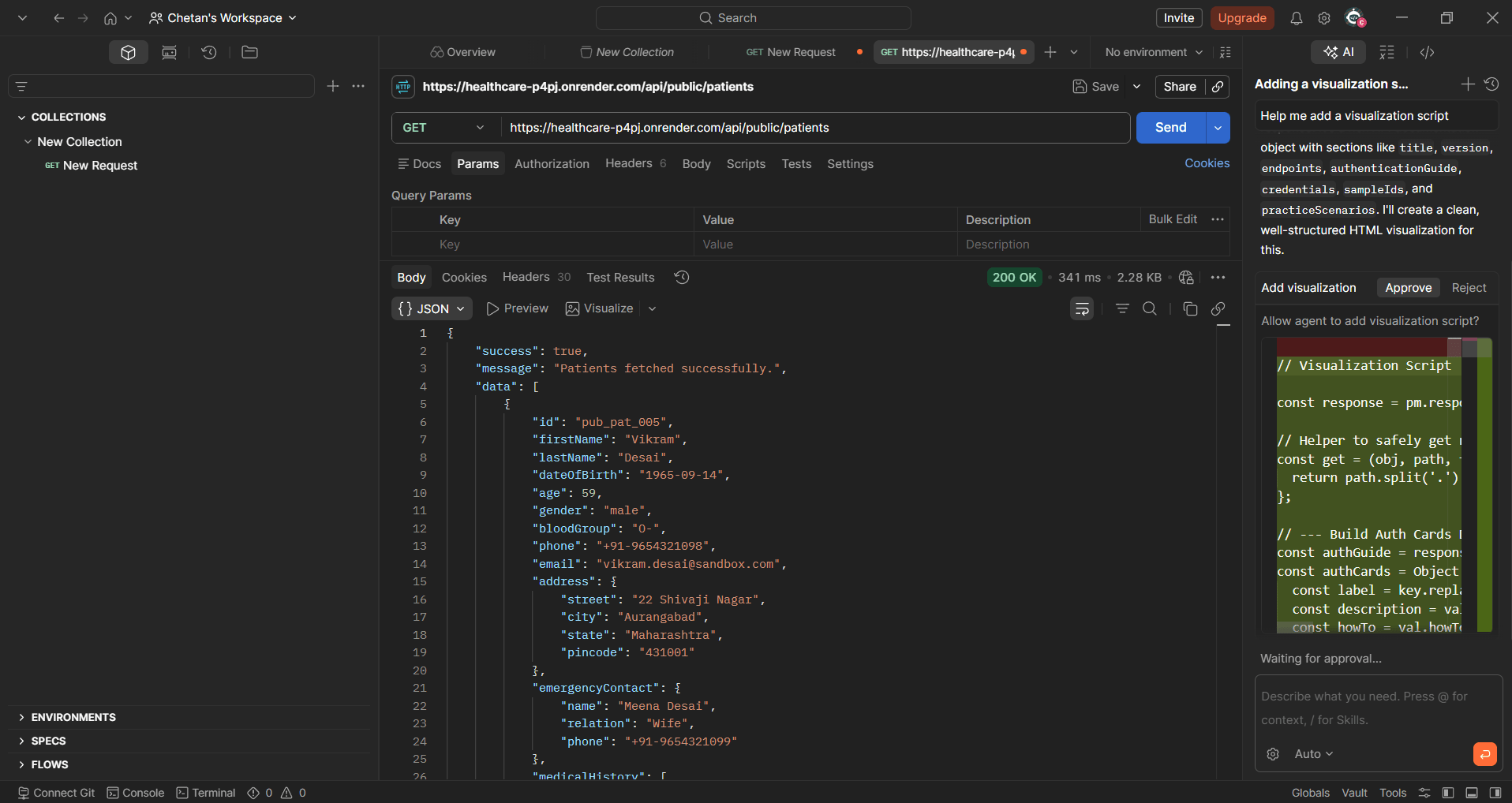
Execute a GET Request to Retrieve All Patient Records
GET /api/public/patients
-
Execute a GET Request to Retrieve All Appointment Records
GET /api/public/appointments
-
Execute a POST Request to Create a New Patient Record
POST /api/public/patients
-
Execute PUT Request to Update Complete Patient Information
PUT /api/public/patients/{patientID}
-
Execute PATCH Request to Update Patient Emergency Contact Information
PATCH /api/public/patients/{patientID}
-
Execute DELETE Request to Remove Patient Records
DELETE /api/public/patients/{patientID}
Activity
-
Execute a GET Request to Retrieve All Appointment Records
GET /api/public/appointments
-
Execute a POST Request to Create a New Patient Record
POST /api/public/patients
-
Execute PUT Request to Update Complete Patient Information
PUT /api/public/patients/{patientID}
-
Execute PATCH Request to Update Patient Emergency Contact Information
PATCH /api/public/patients/{patientID}
-
Execute DELETE Request to Remove Patient Records
DELETE /api/public/patients/{patientID}
Task 2: Validate API Responses
Real Life Example :
A receptionist searches for a patient named Rahul Sharma in the healthcare application.
The application sends a request to retrieve the patient's information.
The server returns details such as:-
-
Patient ID
-
Patient Name
-
Age
-
Gender
-
Contact Number
The API Tester must verify :-
-
The response is received successfully.
-
Correct patient information is returned
-
All required fields are present
-
The returned values are accurate
-
The response format is valid
If incorrect information is returned or mandatory fields are missing, the tester should report the issue for further investigation.
Real Life Example
A receptionist searches for a patient named Rahul Sharma in the healthcare application.
The application sends a request to retrieve the patient's information.
The server returns details such as :-
-
Patient ID
-
Patient Name
-
Age
-
Gender
-
Contact Number
The API Tester must verify :-
-
The response is received successfully.
-
Correct patient information is returned
-
All required fields are present
-
The returned values are accurate
-
The response format is valid
If incorrect information is returned or mandatory fields are missing, the tester should report the issue for further investigation.
Activity
-
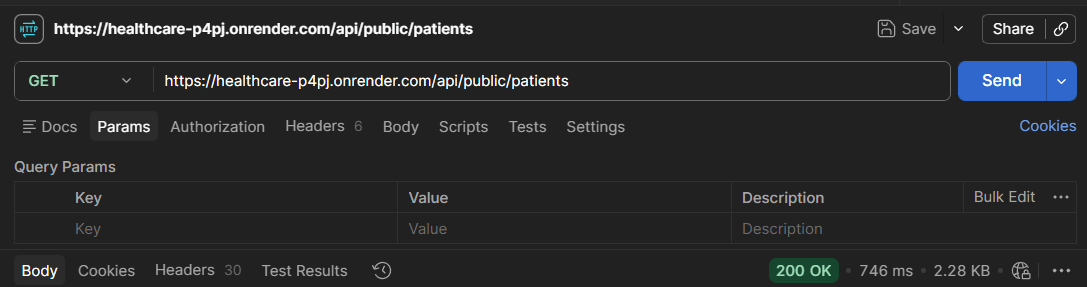
Validate API Response for Patient Information Retrieval
GET /api/public/patient
-
Verify that the API response is received successfully
-
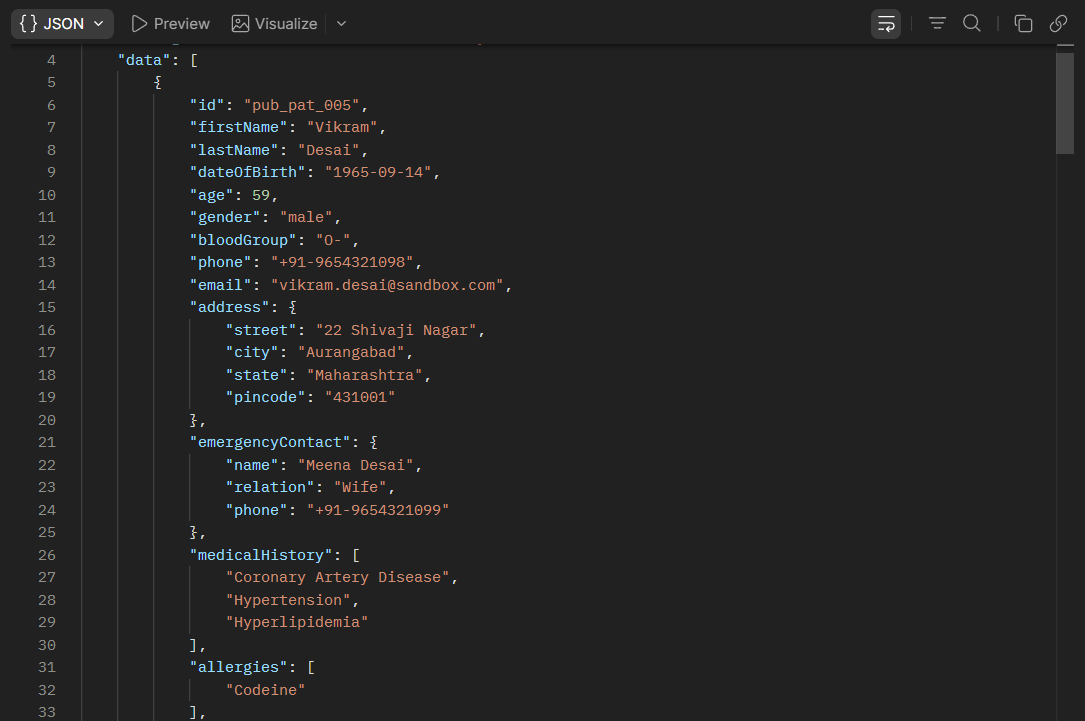
Verify the response body contains patient information
-
Verify mandatory fields are present in the response
-
Verify response data is returned in JSON format
-
Verify returned values match the requested information
Activity
-
Validate API Response for Appointment Information Retrieval
-
Verify mandatory fields are present.
-
Verify field values are accurate.
-
Verify response format is JSON.
-
Verify response data matches the request operation.
Task 3: Verify API Status Codes
Real Life Example :
A healthcare application sends requests to retrieve, create, update, or delete patient information.
Depending on the outcome of the request, the server returns different status codes.
For example:-
-
Successful patient retrieval → 200 OK
-
Successful patient creation → 201 Created
-
Invalid patient information → 400 Bad Request
API Testers must verify that the correct status code is returned for each scenario.
-
Unauthorized access → 401 Unauthorized
-
Patient not found → 404 Not Found
-
Server failure → 500 Internal Server Error
-
Real Life Example
A healthcare application sends requests to retrieve, create, update, or delete patient information.
Depending on the request outcome, the server returns different status codes.
For example :-
-
Successful patient retrieval → 200 OK
-
Successful patient creation → 201 Created
-
Invalid patient information → 400 Bad Request
API Testers must verify that the correct status code is returned for each scenario.
-
Unauthorized access → 401 Unauthorized
-
Patient not found → 404 Not Found
-
Server failure → 500 Internal Server Error
Activity
-
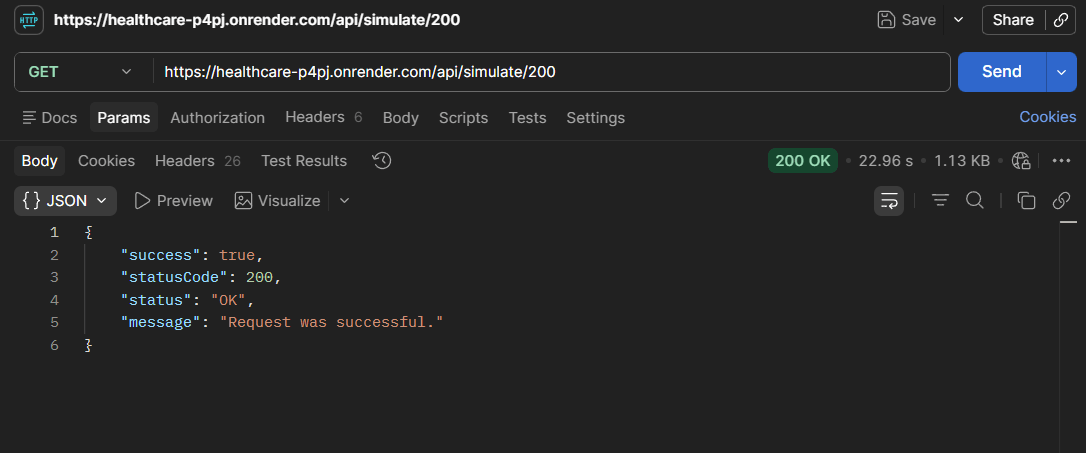
Verify 200 OK Status Code
GET /api/simulate/200
-
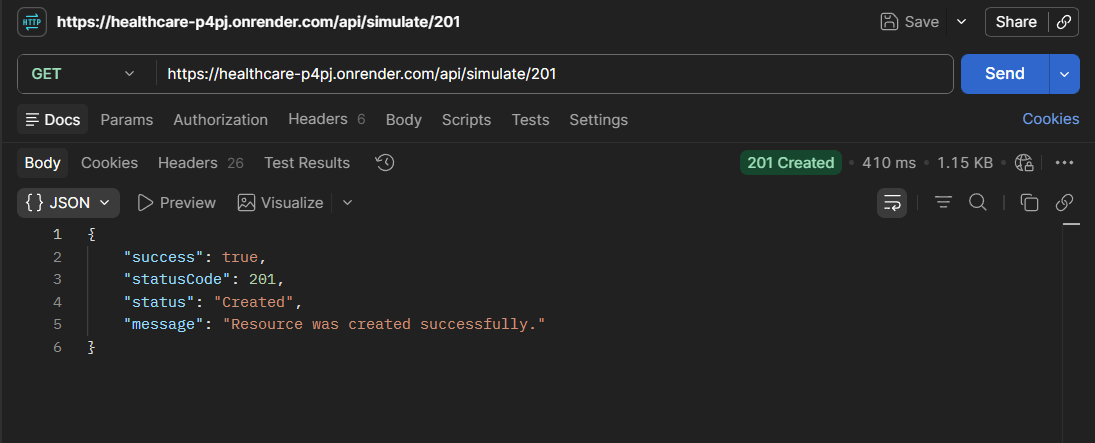
Verify 201 Created Status Code
GET /api/simulate/201
-
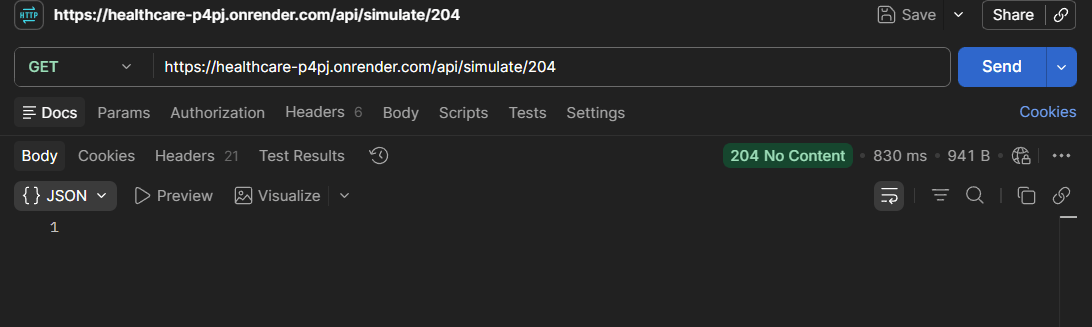
Verify 204 No Content Status Code
GET /api/simulate/204
-
Verify 400 Bad Request Status Code
GET /api/simulate/400
-
Verify 401 Unauthorized Status Code
GET /api/simulate/401
-
Verify 403 Forbidden Status Code
GET /api/simulate/403
-
Verify 404 Not Found Status Code
GET /api/simulate/404
-
Verify 429 Rate Limited Status Code
GET /api/simulate/429
-
Verify 500 Internal Server Error Status Code
GET /api/simulate/500
-
Verify 503 Service Unavailable Status Code
GET /api/simulate/503
Activity
-
Verify 400 Bad Request Status Code
GET /api/simulate/400
-
Verify 401 Unauthorized Status Code
GET /api/simulate/401
-
Verify 403 Forbidden Status Code
GET /api/simulate/403
-
Verify 404 Not Found Status Code
GET /api/simulate/404
-
Verify 429 Rate Limited Status Code
GET /api/simulate/429
-
Verify 500 Internal Server Error Status Code
GET /api/simulate/500
-
Verify 503 Service Unavailable Status Code
GET /api/simulate/503
Task 4: Analyze Response Time & Response Structure
Real Life Example :
A patient searches for available doctors in a healthcare application.
The application sends a request to the server.
If the response is returned within a few milliseconds, the application feels fast and responsive.
If the response takes several seconds, users may experience delays and poor application performance.
API Testers must verify that APIs respond within acceptable time limits.
Understand Response Time
1
1
Real Life Example :
A receptionist searches for patient information in the healthcare application.
The application sends a request to retrieve patient details.
The server returns the following information :-
{
"id": 101,
"firstName": "Rahul",
"lastName": "Sharma",
"gender": "Male",
"phone": "9876543210",
"email": "rahul@gmail.com"
}
The API Tester must verify :-
-
Patient ID is returned.
-
First Name and Last Name are displayed correctly.
-
Gender information is available.
-
Contact details are returned successfully.
-
Response format is valid JSON.
-
Required fields are present in the response.
If mandatory fields are missing or incorrect information is returned, the tester should report the issue as an API defect.
Understand Response Structure
1
2
Real Life Example :
A receptionist searches for patient information in the healthcare application.
The application sends a request to retrieve patient details.
The server returns the following information :-
{
"id": 101,
"firstName": "Rahul",
"lastName": "Sharma",
"gender": "Male",
"phone": "9876543210",
"email": "rahul@gmail.com"
}
The API Tester must verify :-
-
Patient ID is returned.
-
First Name and Last Name are displayed correctly.
-
Gender information is available.
-
Contact details are returned successfully.
-
Response format is valid JSON.
-
Required fields are present in the response.
If mandatory fields are missing or incorrect information is returned, the tester should report the issue as an API defect.
Real Life Example :
A receptionist searches for patient information in the healthcare application.
The application sends a request to retrieve patient details.
The server returns the following information :-
{
"id": 101,
"firstName": "Rahul",
"lastName": "Sharma",
"gender": "Male",
"phone": "9876543210",
"email": "rahul@gmail.com"
}
The API Tester must verify :-
-
Patient ID is returned.
-
First Name and Last Name are displayed correctly.
-
Gender information is available.
-
Contact details are returned successfully.
-
Response format is valid JSON.
-
Required fields are present in the response.
If mandatory fields are missing or incorrect information is returned, the tester should report the issue as an API defect.
Activity
-
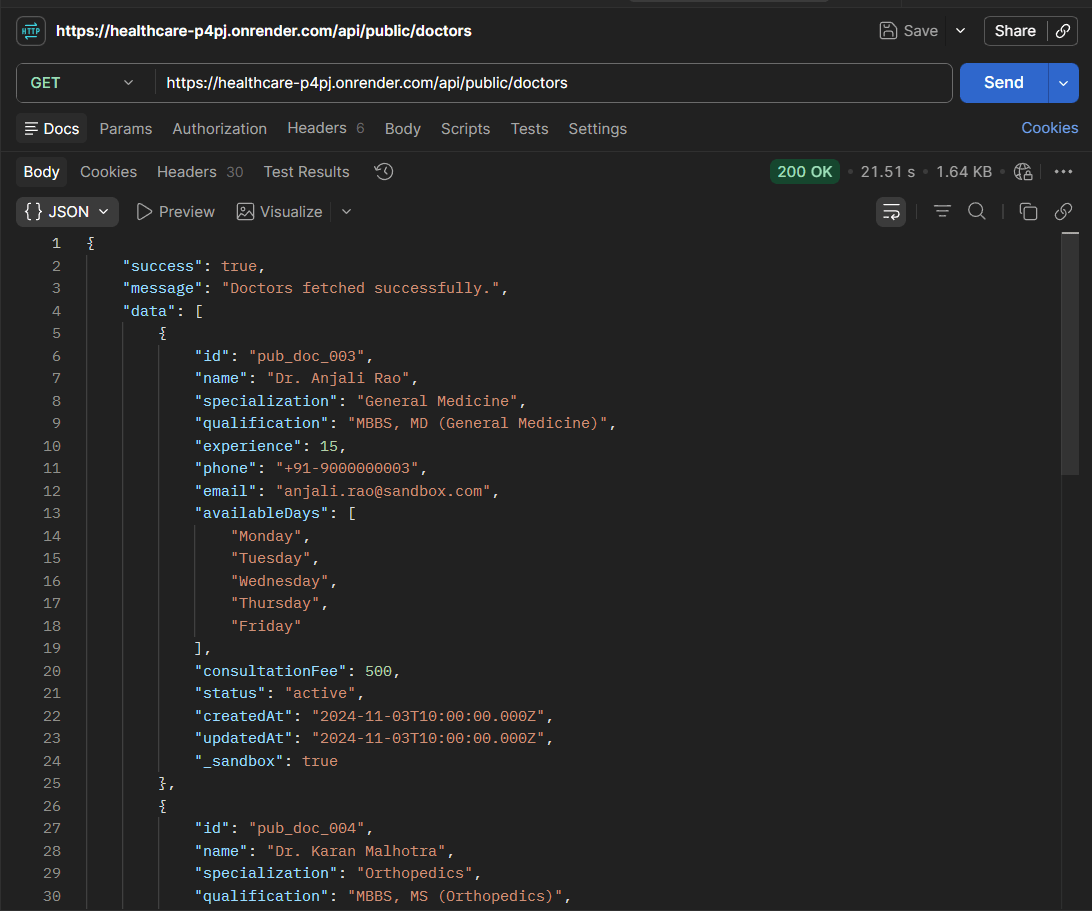
Analyse API Response Time for Doctor Information Retrieval
GET /api/public/doctors
Activity
-
Analyse Delayed API Response
GET /api/simulate/delay?ms=2000
-
Verify JSON Response Structure for Doctor Records
GET /api/public/doctors
Great job!
In this lab, API testing was performed using Postman by executing GET, POST, PUT, PATCH, and DELETE HTTP requests and validating the server's responses. HTTP status codes were verified, response time was analysed, JSON response structures were validated, and the response was checked to ensure it contained the required fields and accurate data. This lab provided a clear understanding of the purpose of different HTTP methods, how APIs communicate with servers, and how to validate API behaviour effectively. Overall, it strengthened the fundamental API testing skills required to test healthcare applications and other RESTful API-based systems.
Checkpoint
Next-Lab Preparation
Git Push
git push origin branchNameTopic: API Automation with Rest Assured
1)Setup and Configuration
2)Writing GET, POST, PUT, DELETE Tests 3)Validating Response Codes & Body