ChaloChale Application Deployment

Business Scenario
After completing the UI development of the ChaloChale Travel App, the next important step is to publish the project online so that users can access it from anywhere.
In real-world companies, developers store their code in GitHub repositories for:
1) Version control
2) Team collaboration
3) Backup and maintenance

Pre-Lab Preparation
After pushing the code to GitHub, the project can be deployed using GitHub Pages, which allows you to host your website for free and share the live URL with users and stakeholders.
In this lab, you will create a GitHub repository, push your project code, and deploy the ChaloChale application using GitHub Pages.
Topic : Before starting this lab, revise the following topics
1) Basic knowledge of GitHub and repositories
2) GitHub account login and repository creation
3) Git commands (git init, git add, git commit, git push)
4) GitHub Pages deployment process
5) Basic knowledge of VS Code terminal / Git Bash
git pull origin branchName
Git Pull
Task 1: Create GitHub Repository for ChaloChale
Login to GitHub
1
1
1
1
1
1
1
1
1
1
1
1
1
1
1
1
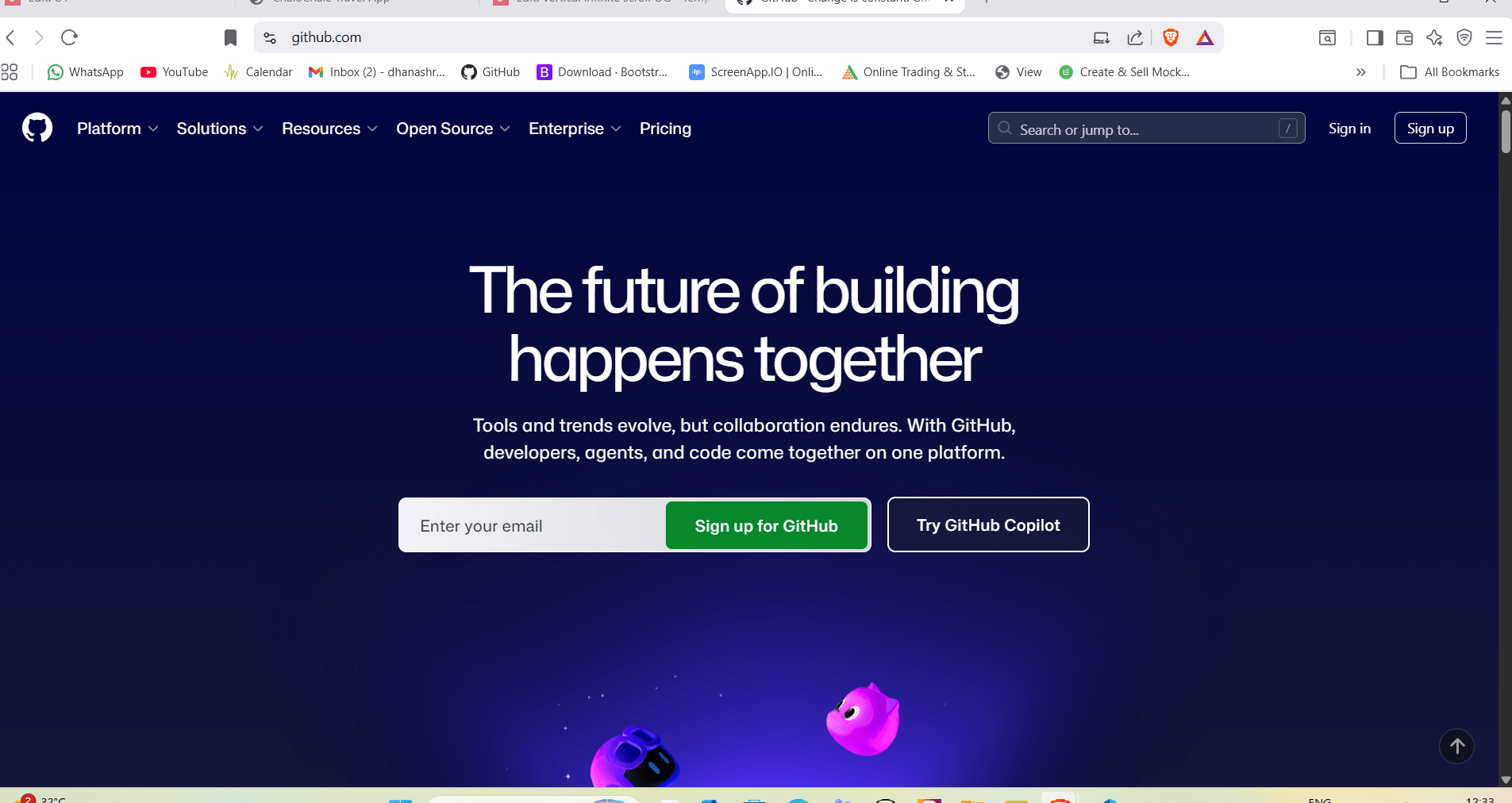
Link - https://github.com
Open browser and click on link
a
Login using your GitHub account
b
2
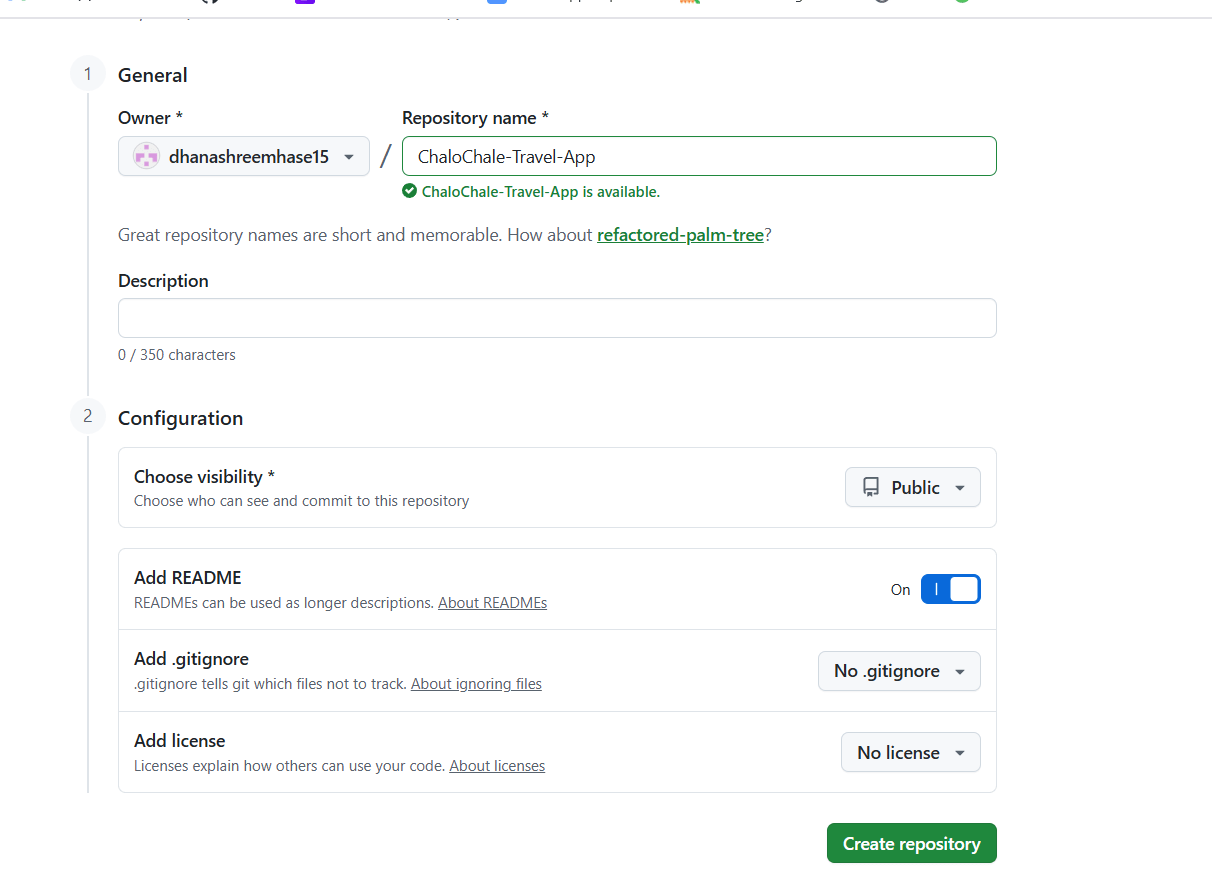
Create New Repository
Enter repository name as: - ChaloChale-Travel-App
b
b
Select Public and Check Add README file (optional)
c
Click Create Repository
d
Click on + (New Repository)
a
1
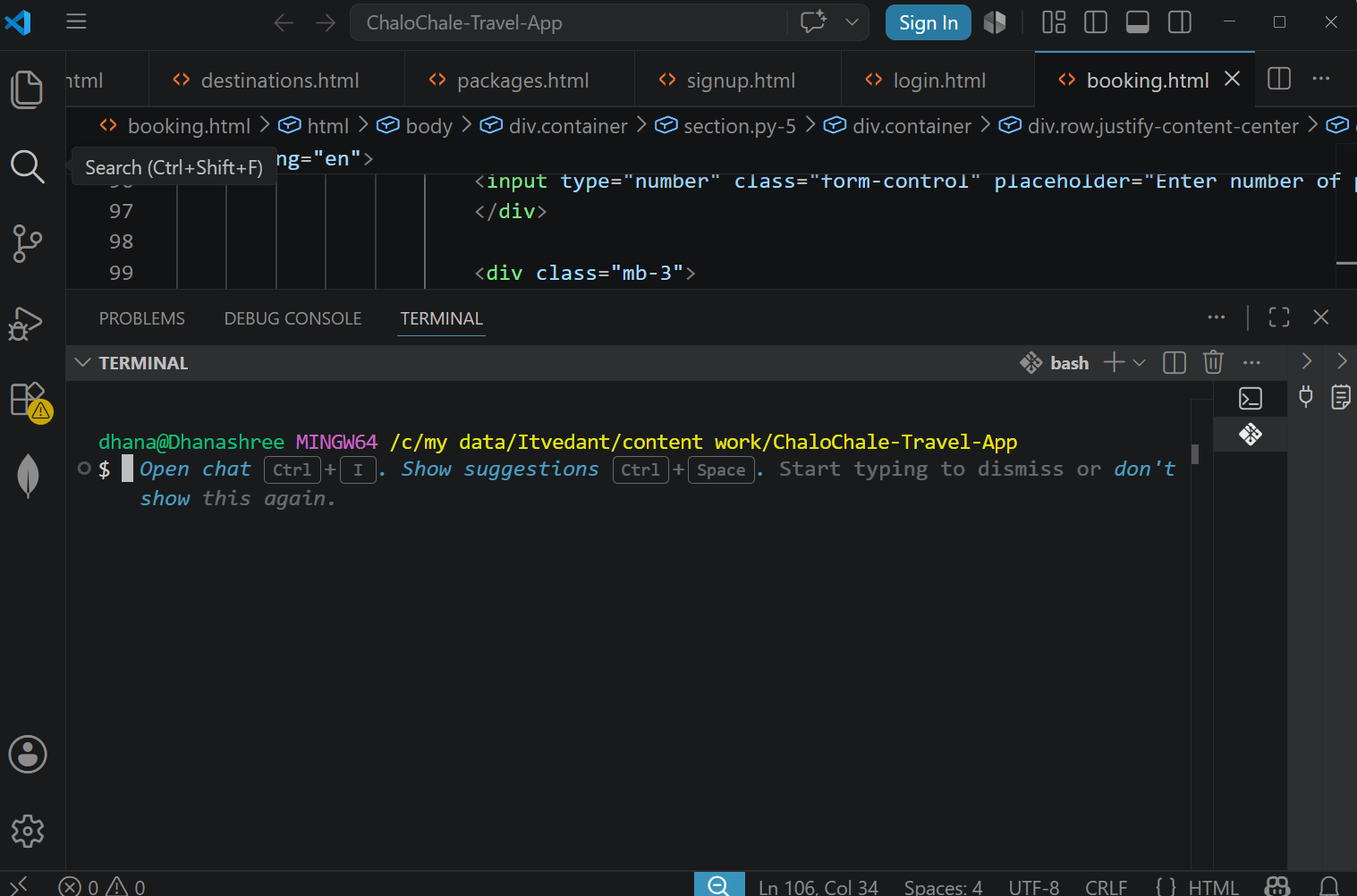
Open Project Folder in VS Code
Task 2: Push Project Code to GitHub Repository
Open Terminal in VS Code
2
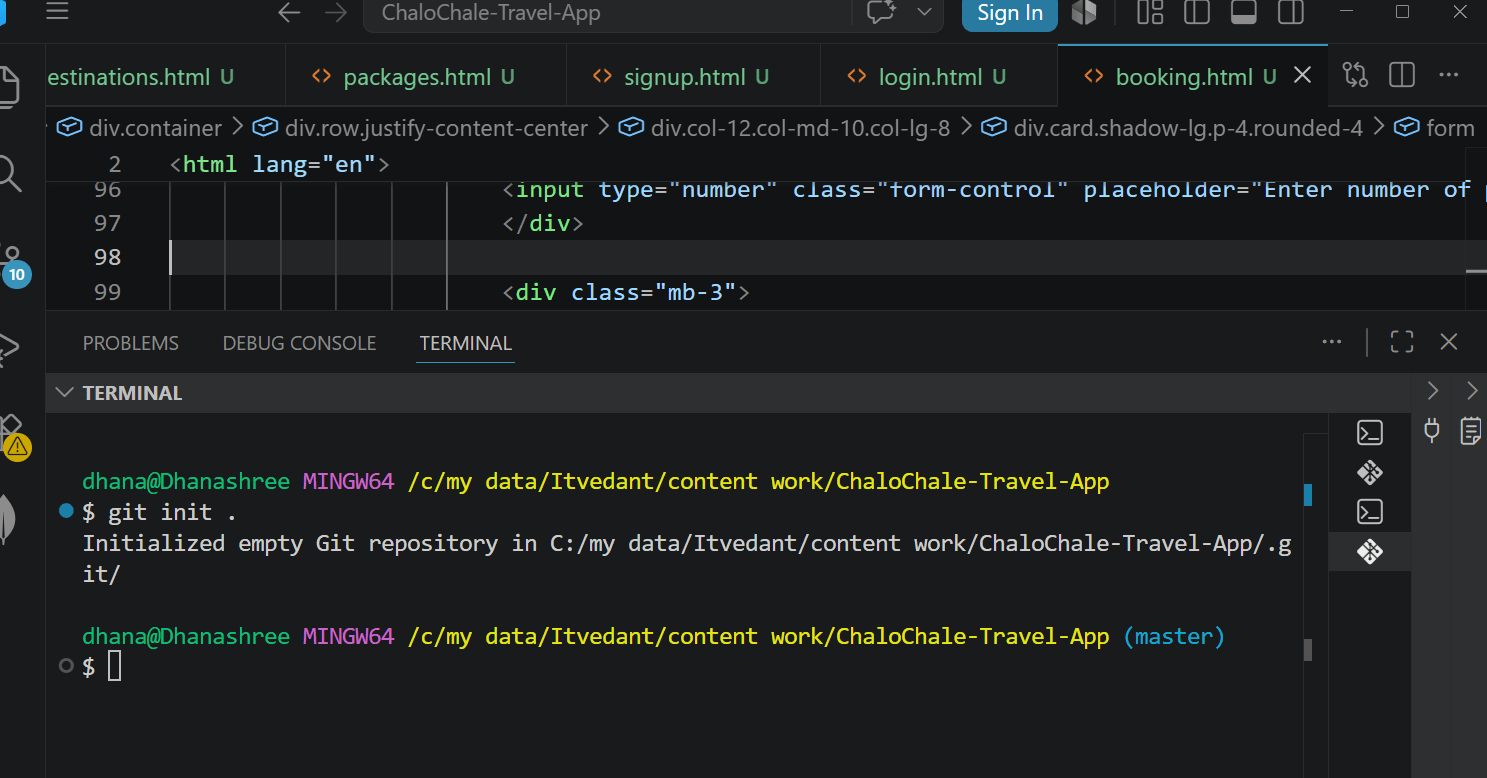
Add All Files to Git
3
Commit Your Code
4
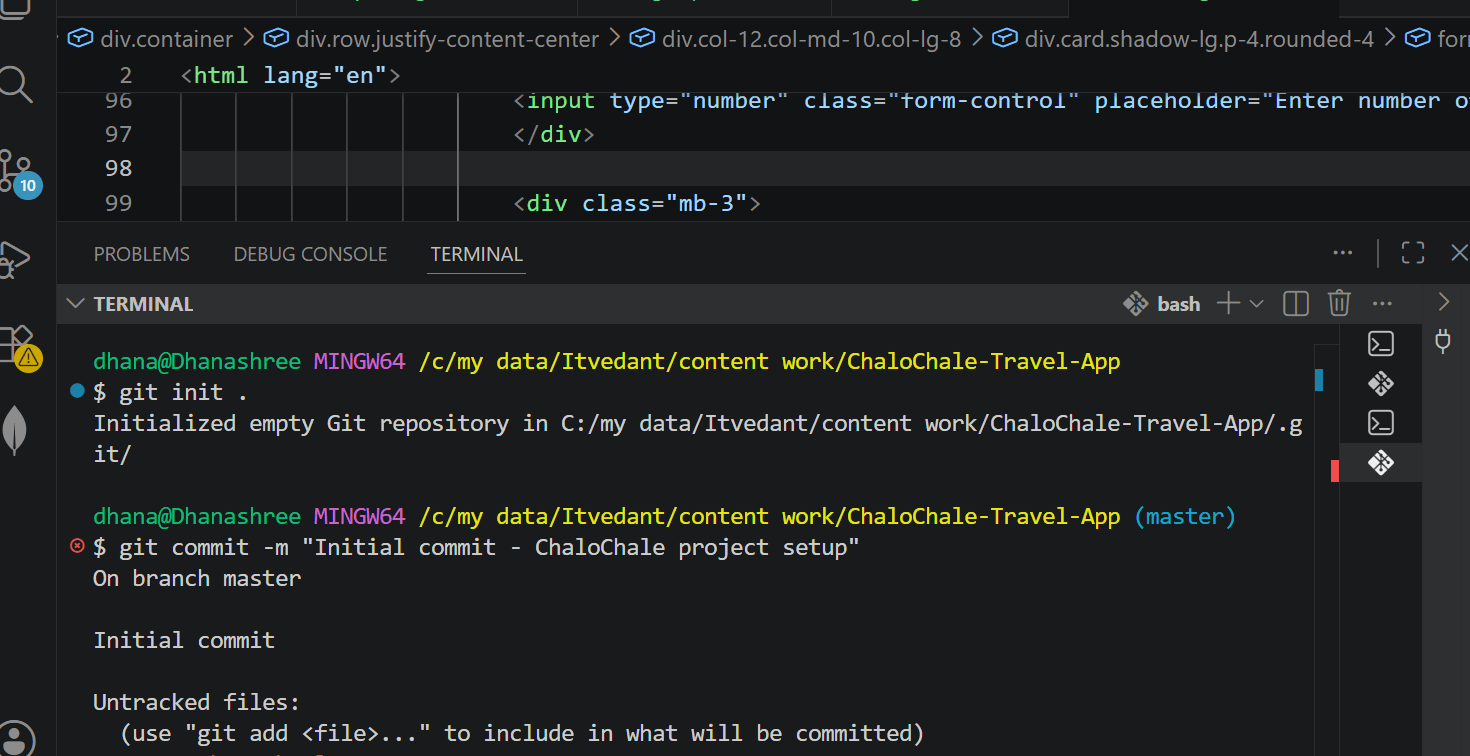
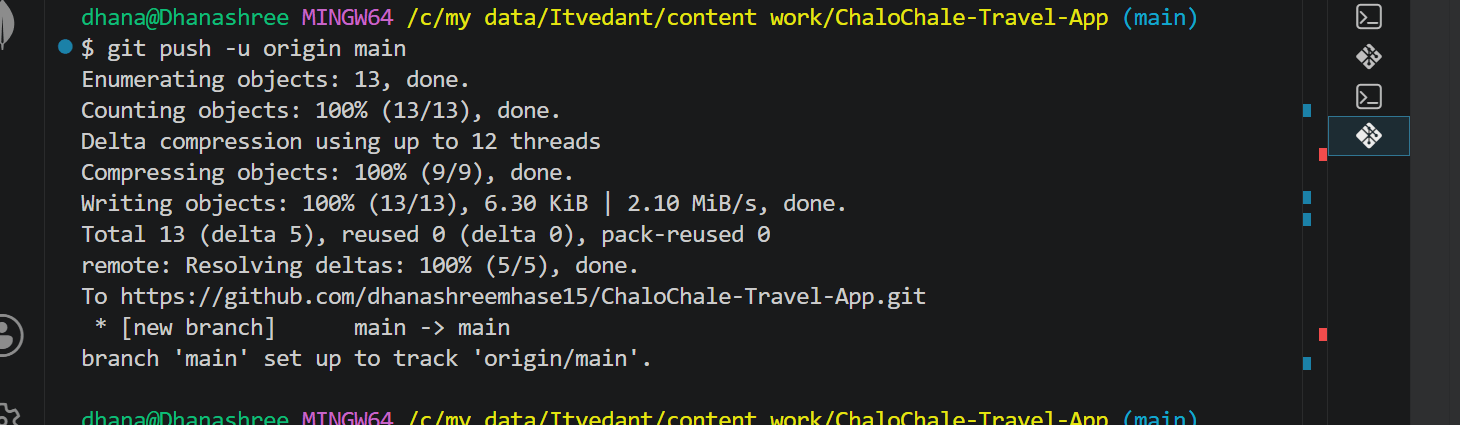
Push Code to GitHub
6
Connect Project to GitHub Repository
5
git remote add origin https://github.com/username/ChaloChale-Travel-App.git
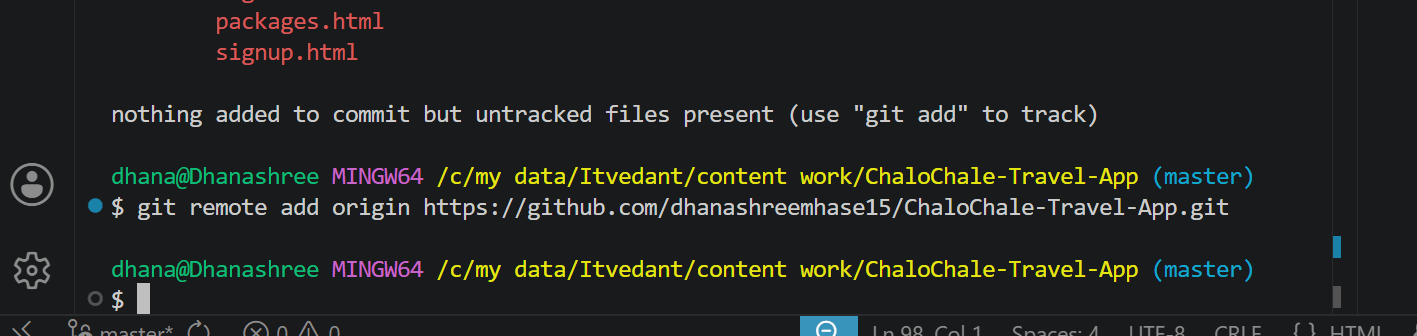
git branch -M main
git push -u origin main

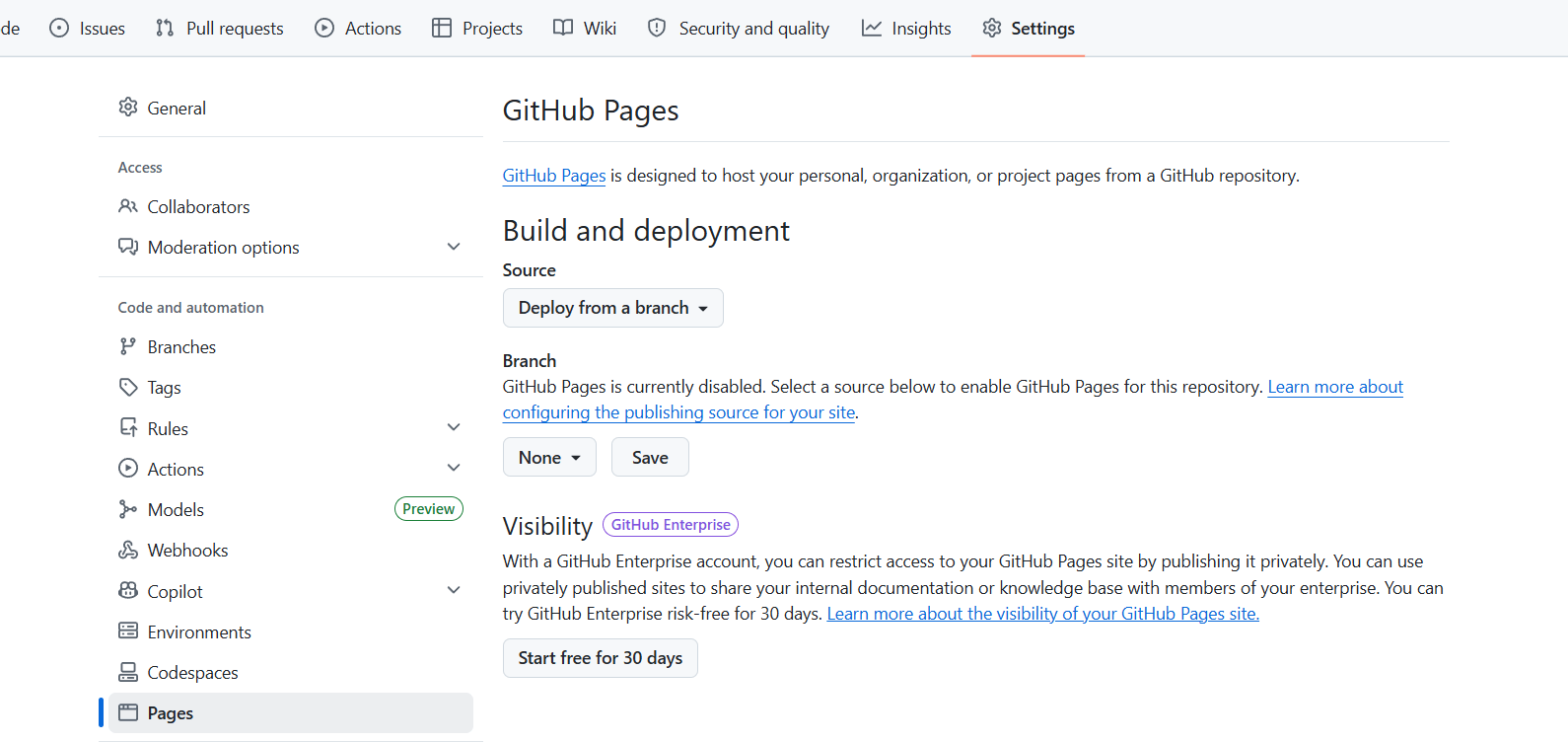
Open GitHub Pages Section
2
Task 3: Deploy ChaloChale Application using GitHub Pages
Open Repository Settings
1
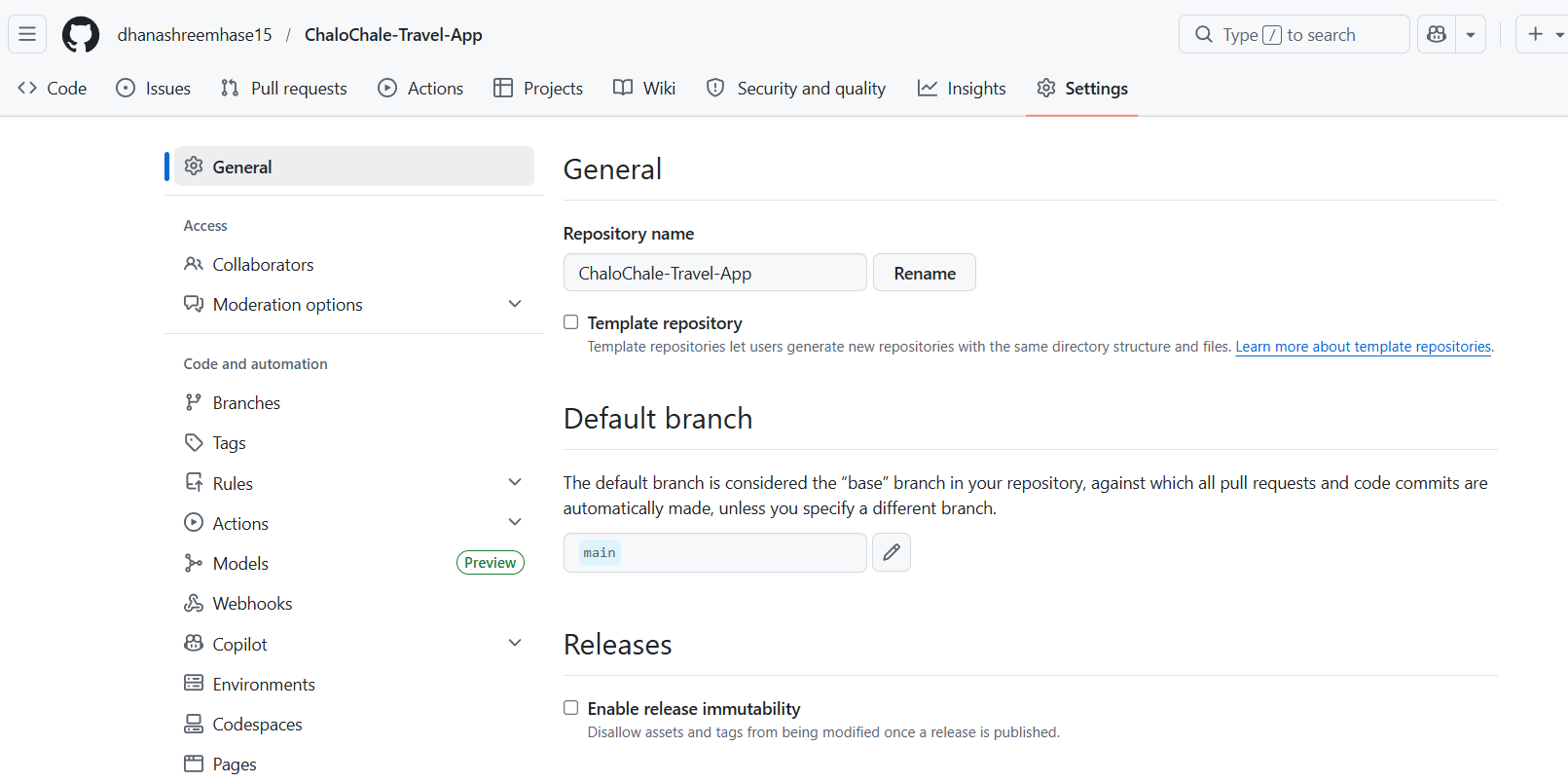
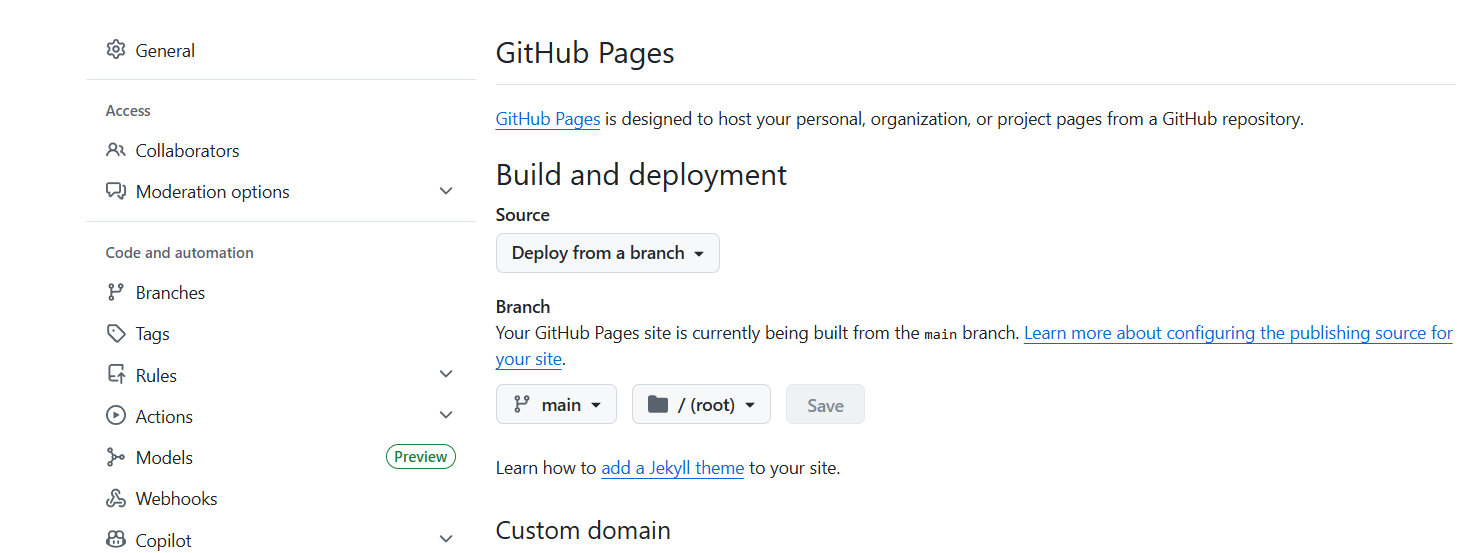
Select Branch and Folder
3
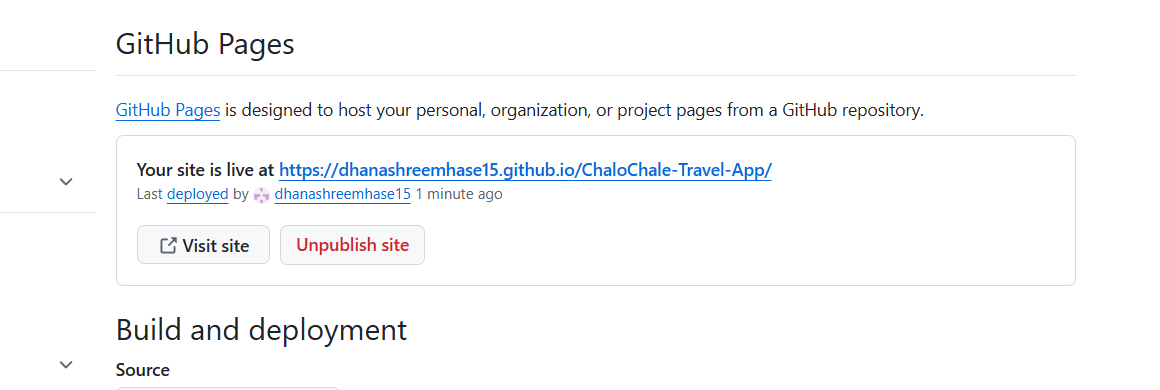
Copy Deployment Link
4
Test Live Website
5
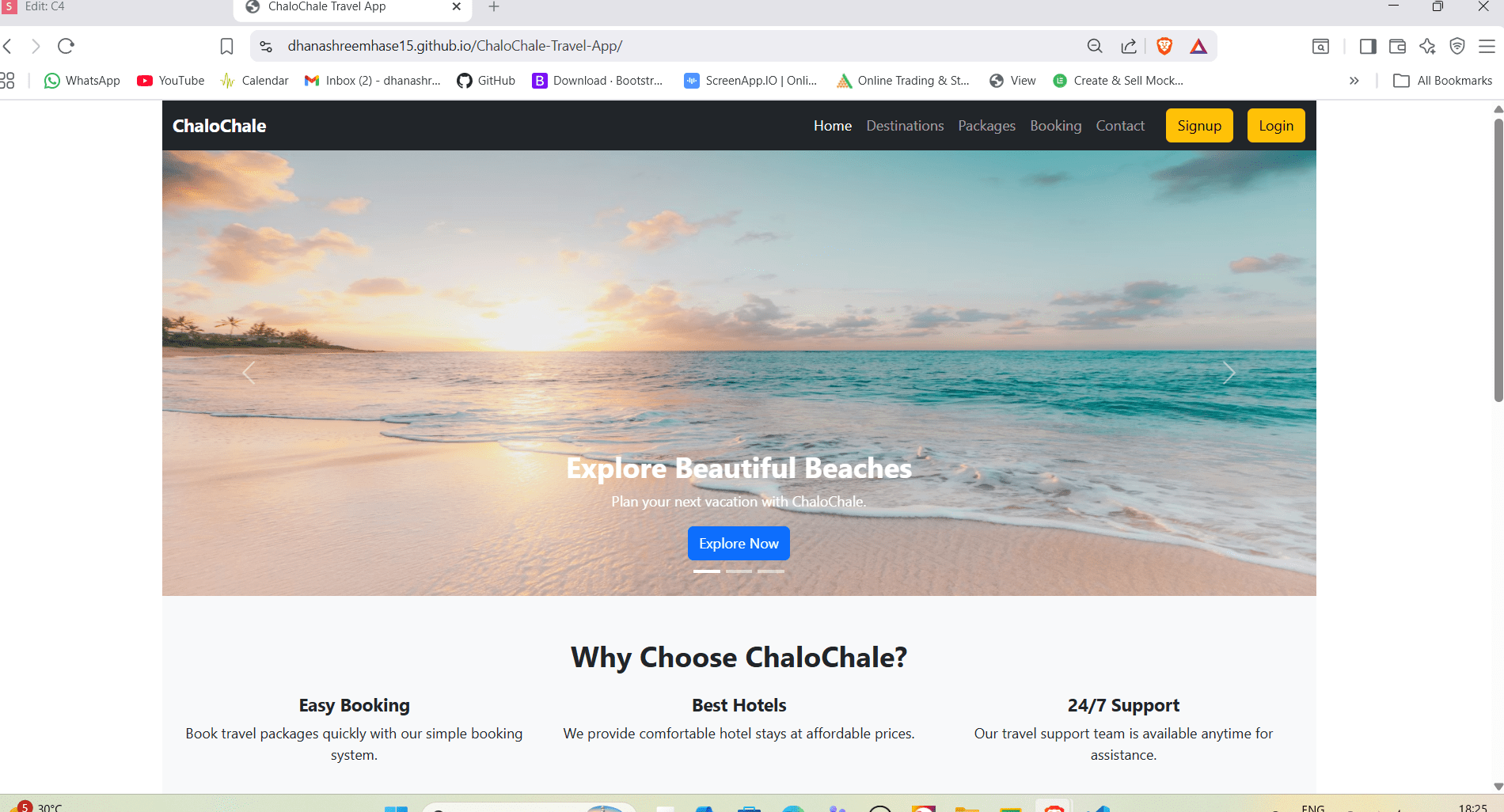
Great job!
You have successfully deployed the ChaloChale Travel App online using GitHub.
In this lab, you have:
1) Created a GitHub repository for the project
2) Initialized Git and committed project files
3) Pushed your complete project code to GitHub repository
4) Enabled GitHub Pages deployment from main branch
5) Generated a live hosted website link for ChaloChale Travel App
You can now share your project URL with others and use it for portfolio and real-world project showcase.
Checkpoint
Git Push
git push origin branchName