Direct Connectivity in Power BI

Connecting to On-premises SQL Server Database Using Gateway


Learning Outcome
6
Apply basic security best practices
5
Connect Power BI Desktop reports using the gateway
4
Register SQL Server as a data source in Power BI Service
3
Install and configure an on-premises data gateway
2
Understand the end-to-end connection flow
1
Explain why a gateway is required for on-premises SQL Server
What an on-premises data gateway


What an on-premises data gateway
scheduled refresh happens in Power BI Service
How Power BI Service works
Difference between Import and DirectQuery
Students already know:
Imagine Your SQL Server sits inside the company.
- Behind firewalls.
- Behind security policies.
- Behind locked doors.
Power BI Service is outside.
In the cloud.
Far away.
The cloud asks for data.
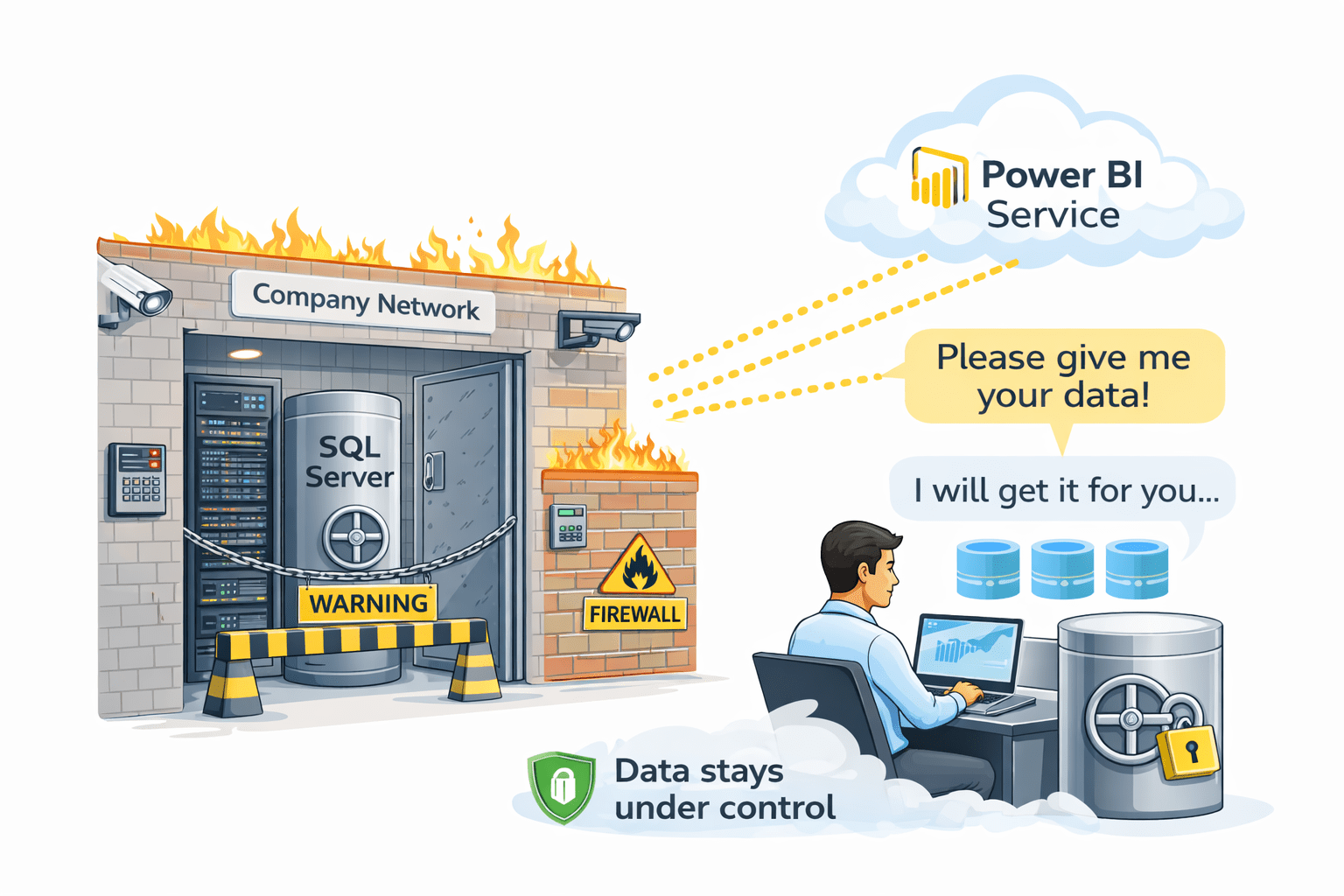

The database refuses.
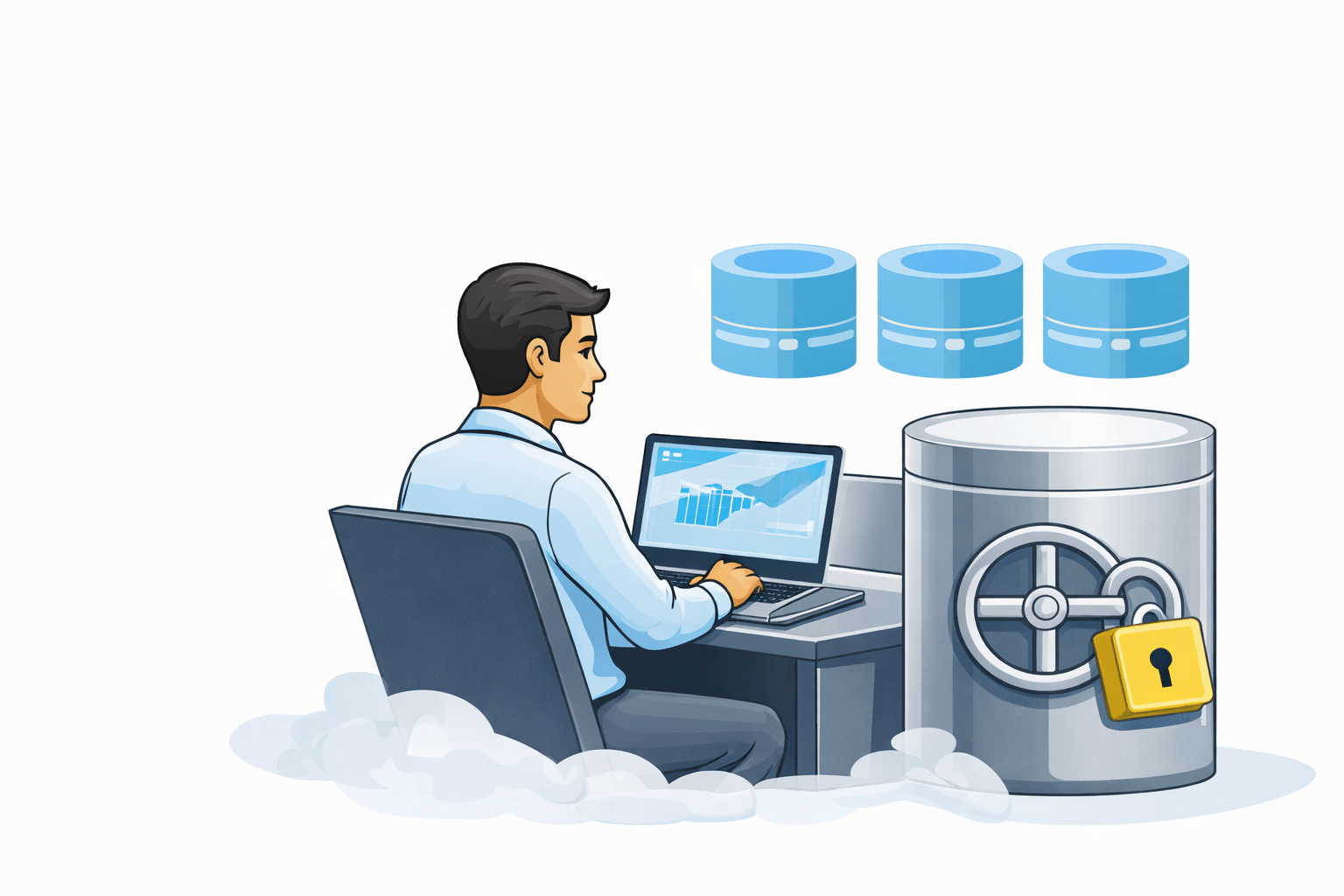
Now imagine a trusted employee.
They stay inside the building.
- They hear requests from the cloud.
- They fetch the data themselves.
Power BI Service is outside.
In the cloud.
Far away.
The door never opens.
The data never leaves control.
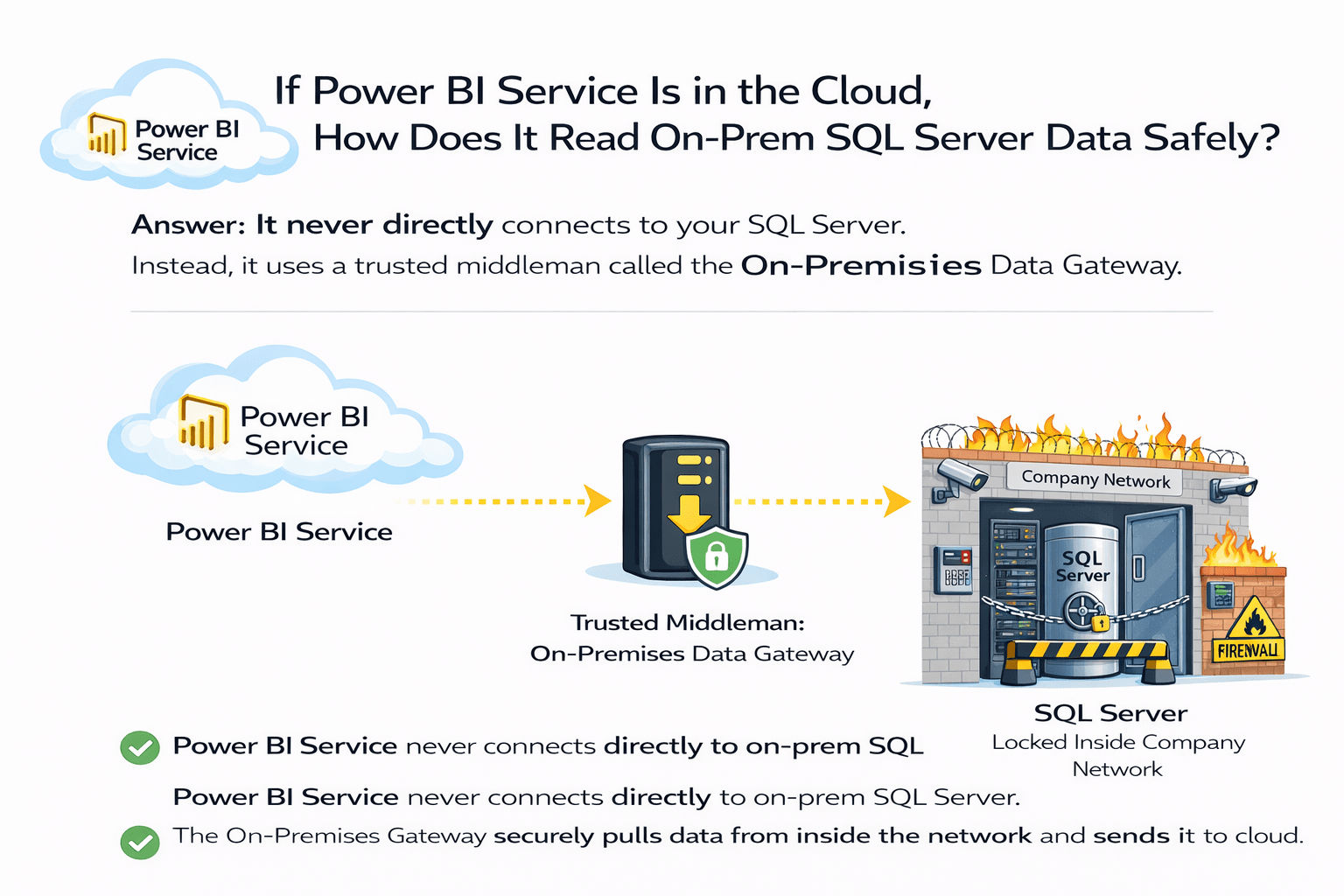
If Power BI Service lives in the cloud:
How can it safely read data
from a SQL Server that must stay on-premises?

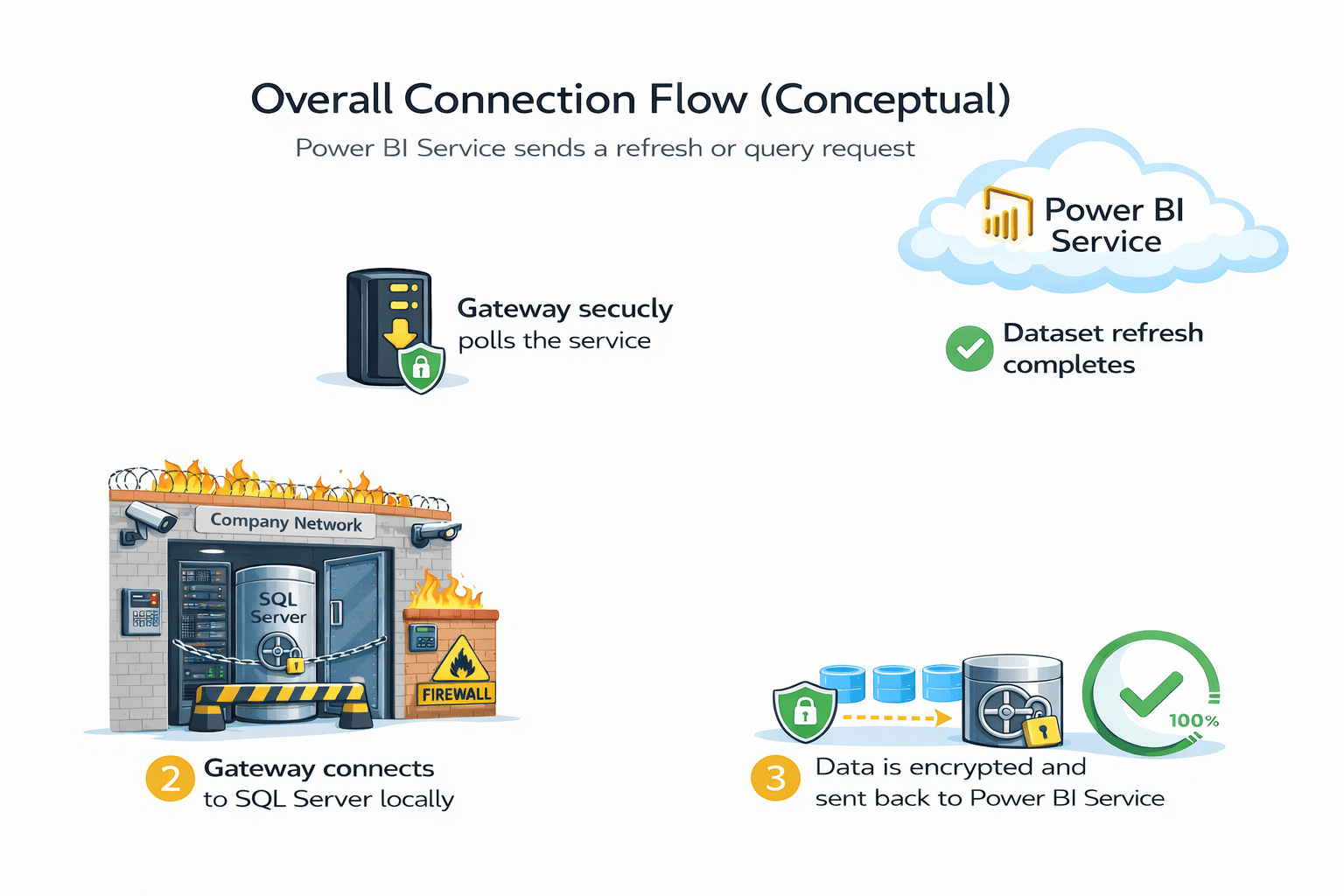
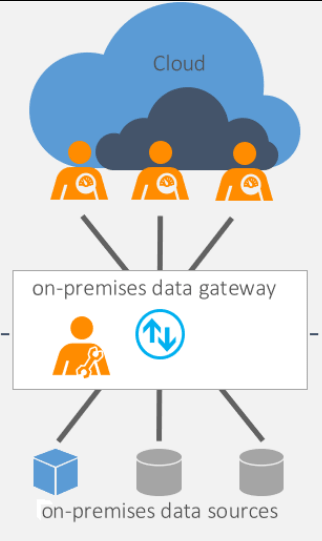
Power BI Service never directly connects to your SQL Server.
Instead, it uses a trusted middleman called the On-Premises Data Gateway.
It then sends the data to Power BI Service using encrypted outbound connections.
This way, the firewall stays closed, and the database remains under full company control.
Why a Gateway Is Required for SQL Server
-
SQL Server is hosted:
-
On a local server
-
Inside a private network
-
-
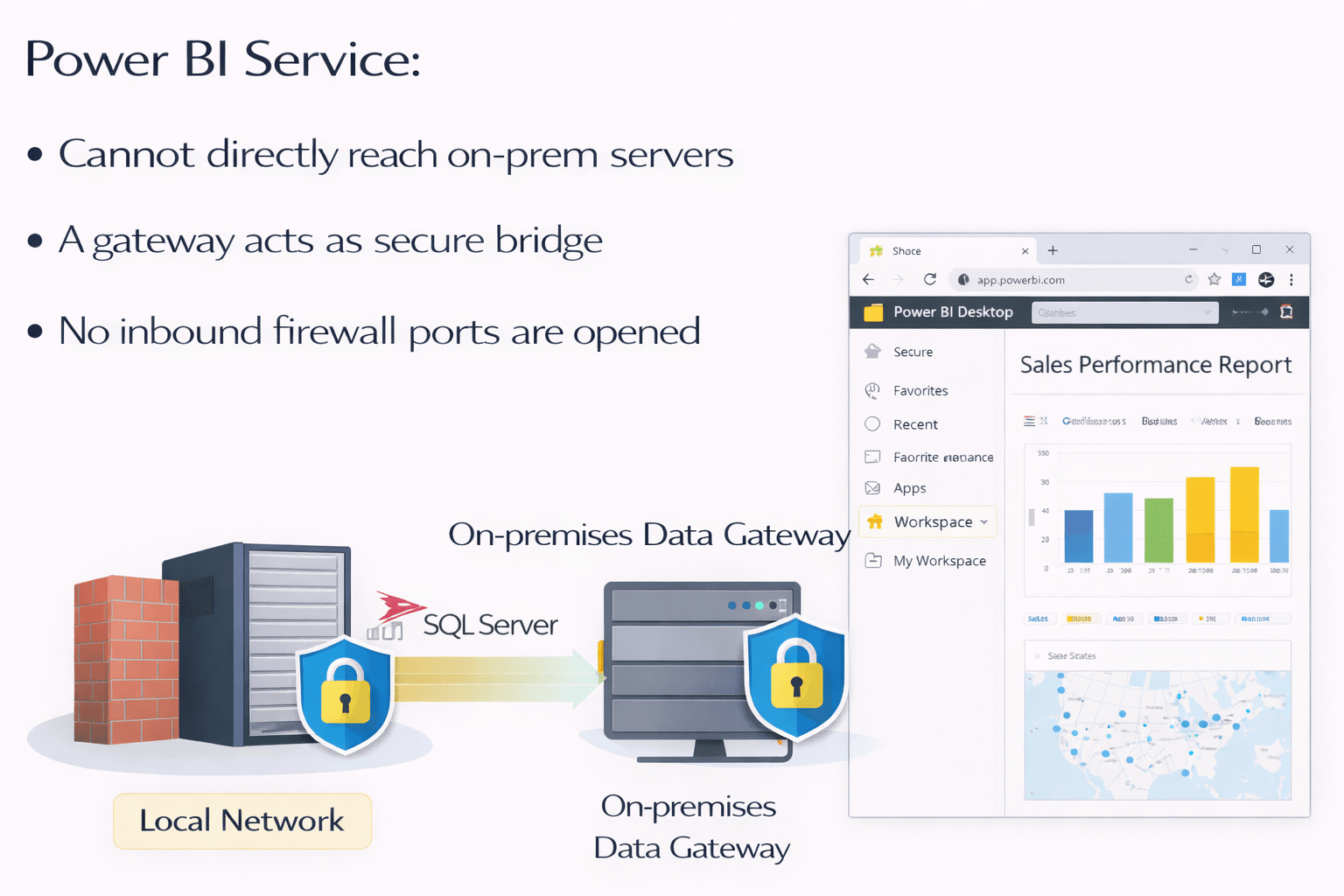
Power BI Service:
Cannot directly reach on-prem servers
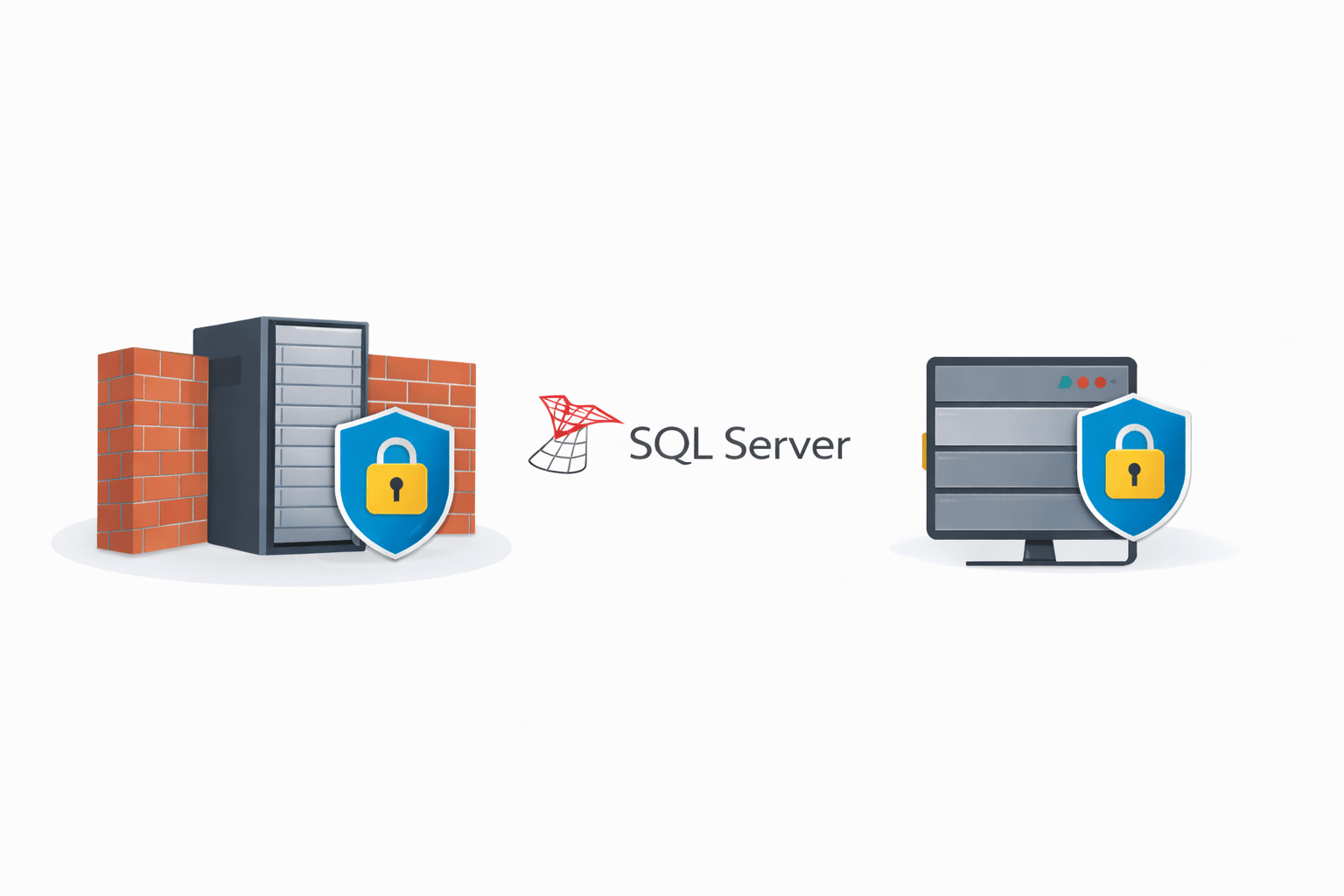
- A gateway acts as a secure bridge
- No inbound firewall ports are opened

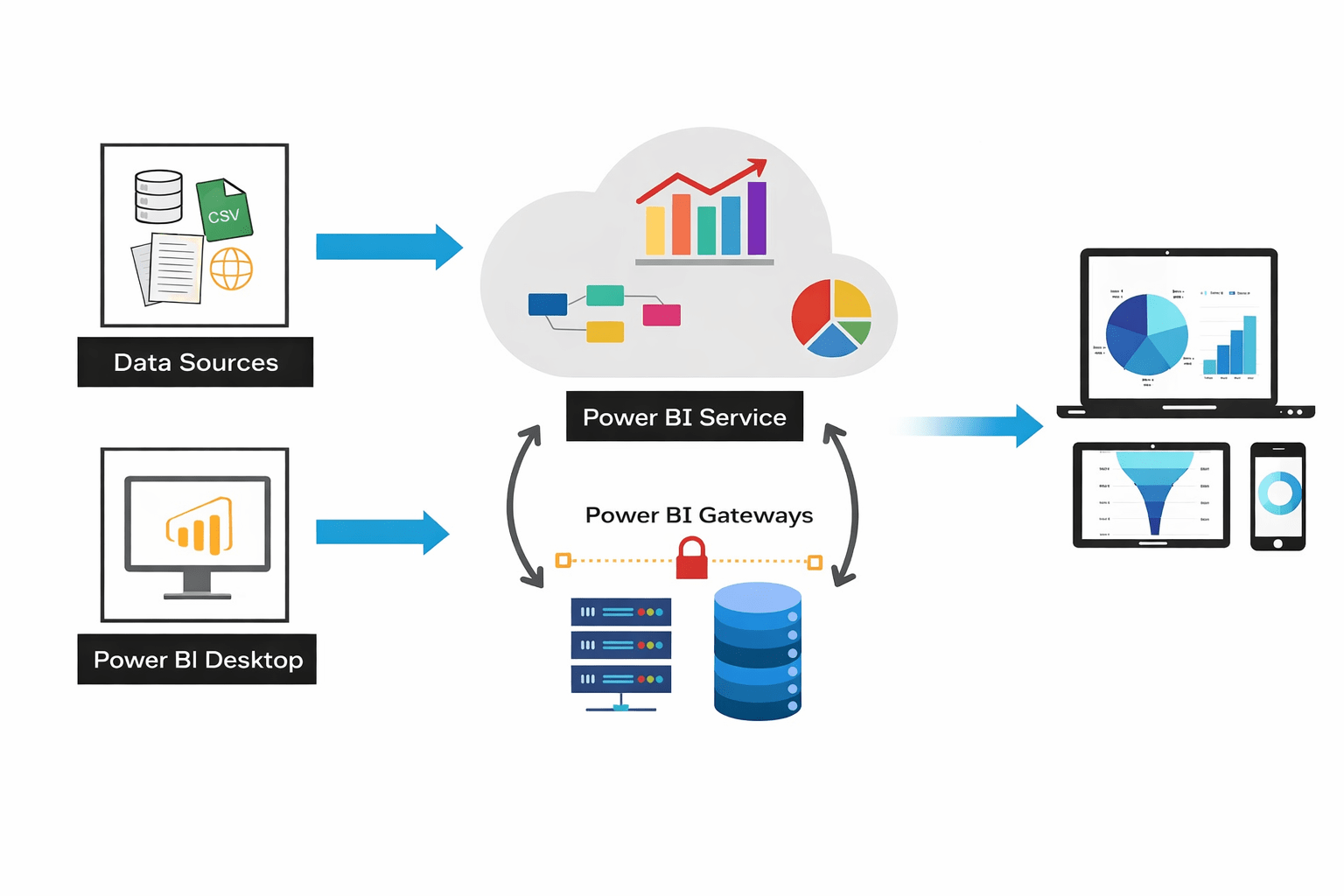
Power BI Service sends a refresh or query request
Gateway securely polls the service
Gateway connects to SQL Server locally
Data is encrypted and sent back to Power BI Service
Dataset refresh completes
Connection Flow
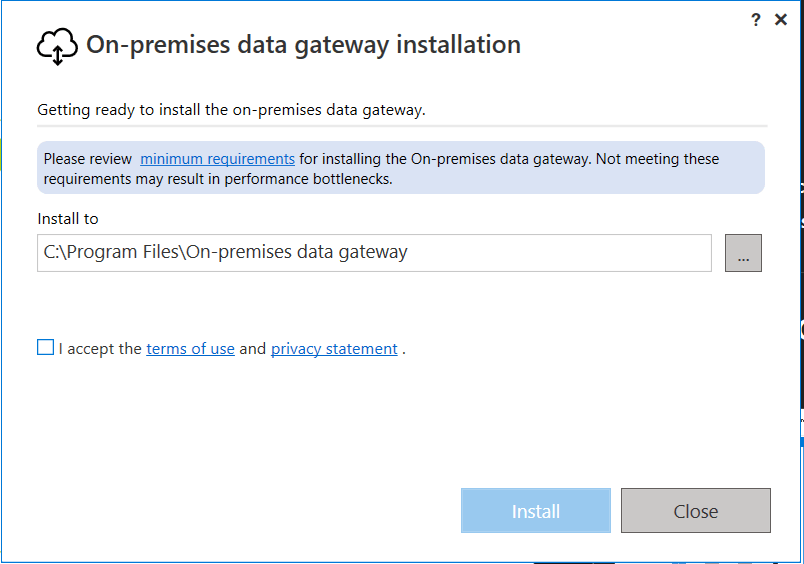
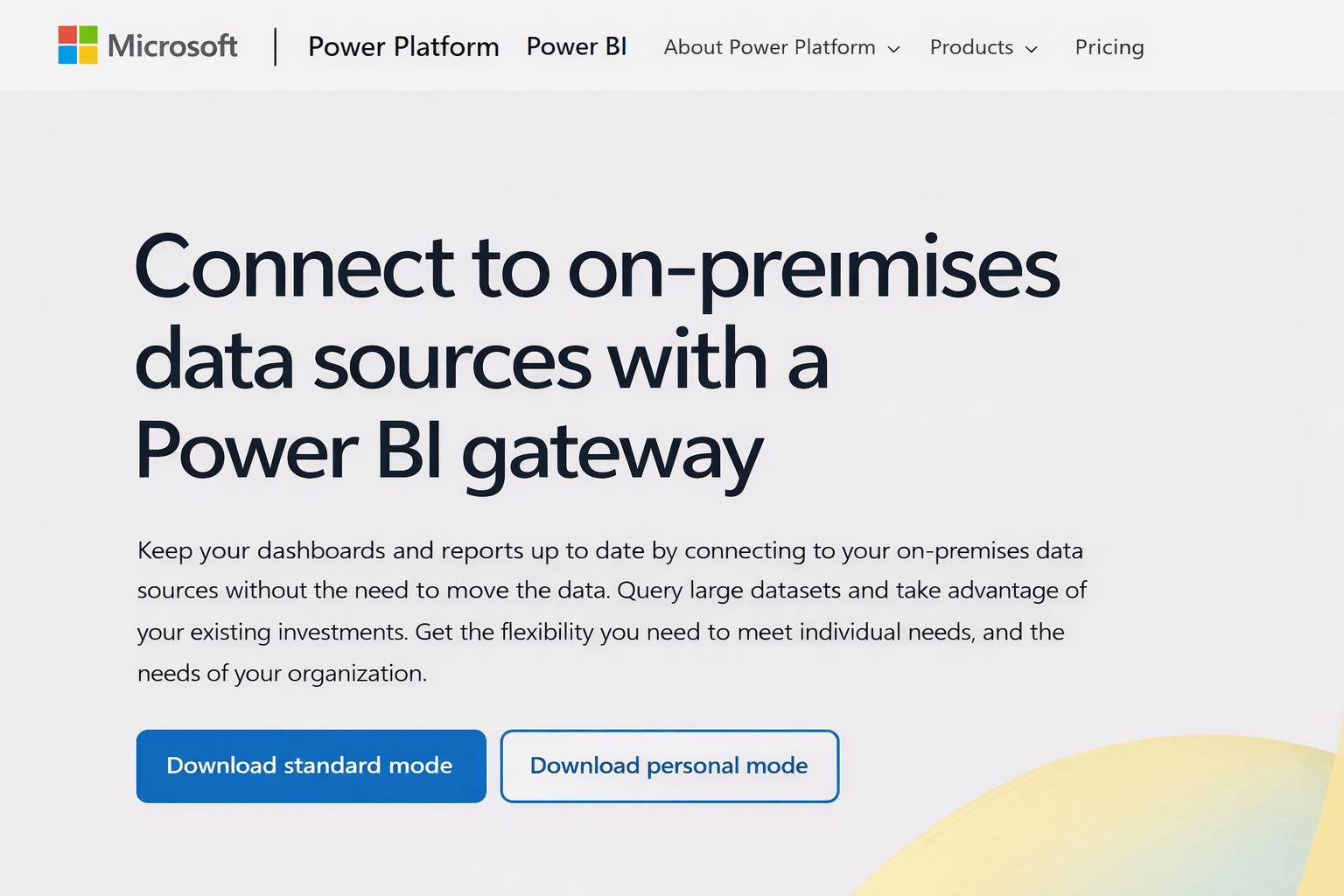
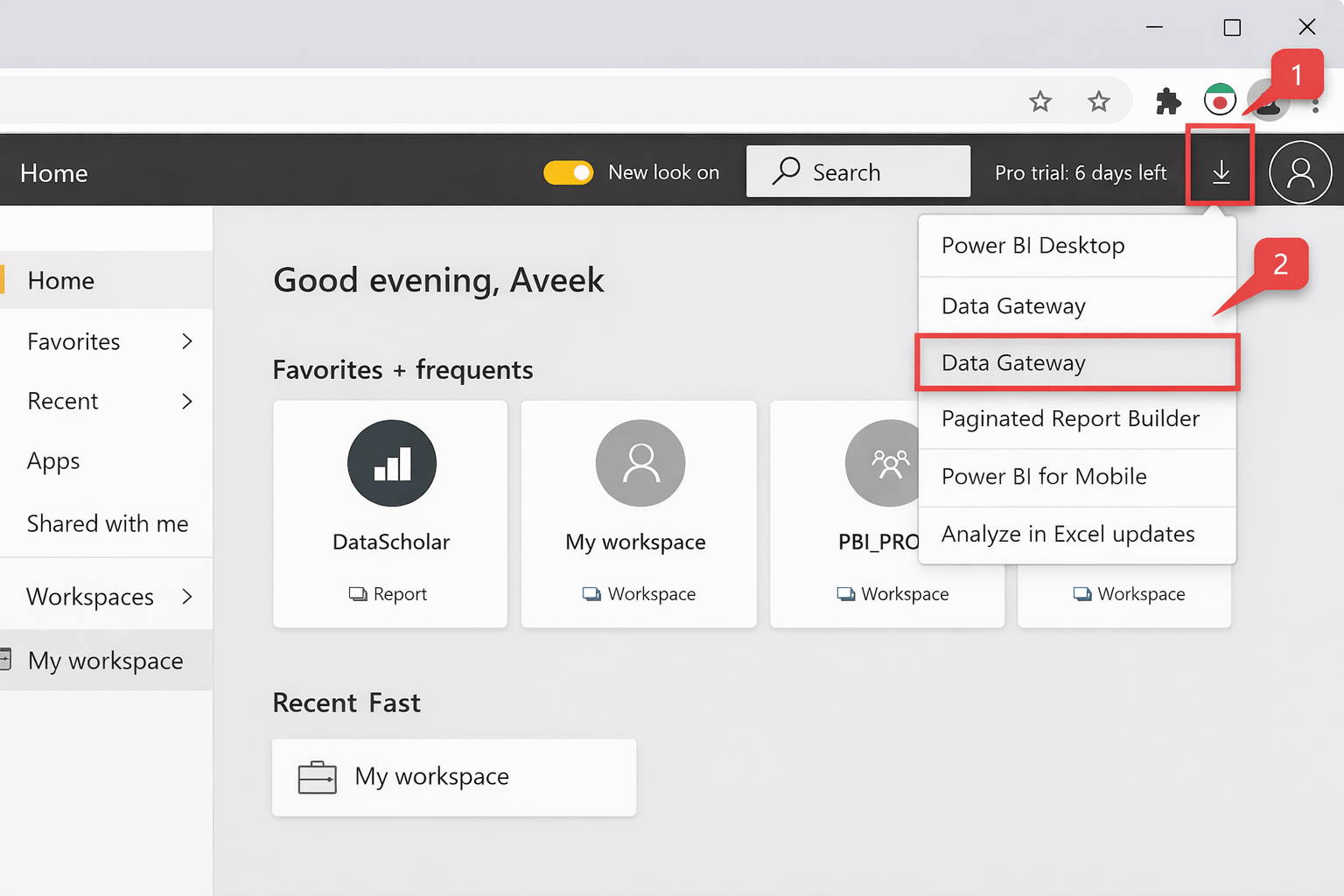
Installing the On-Premises Data Gateway
Steps
-
Go to Power BI Service
-
Download On-Premises Data Gateway
-
Install on:
-
A server or machine with access to SQL Server
-
-
Sign in using Power BI account
- Choose Standard Mode (recommended for teams)
Install on a machine that:
- Is always on
- Has stable network connectivity
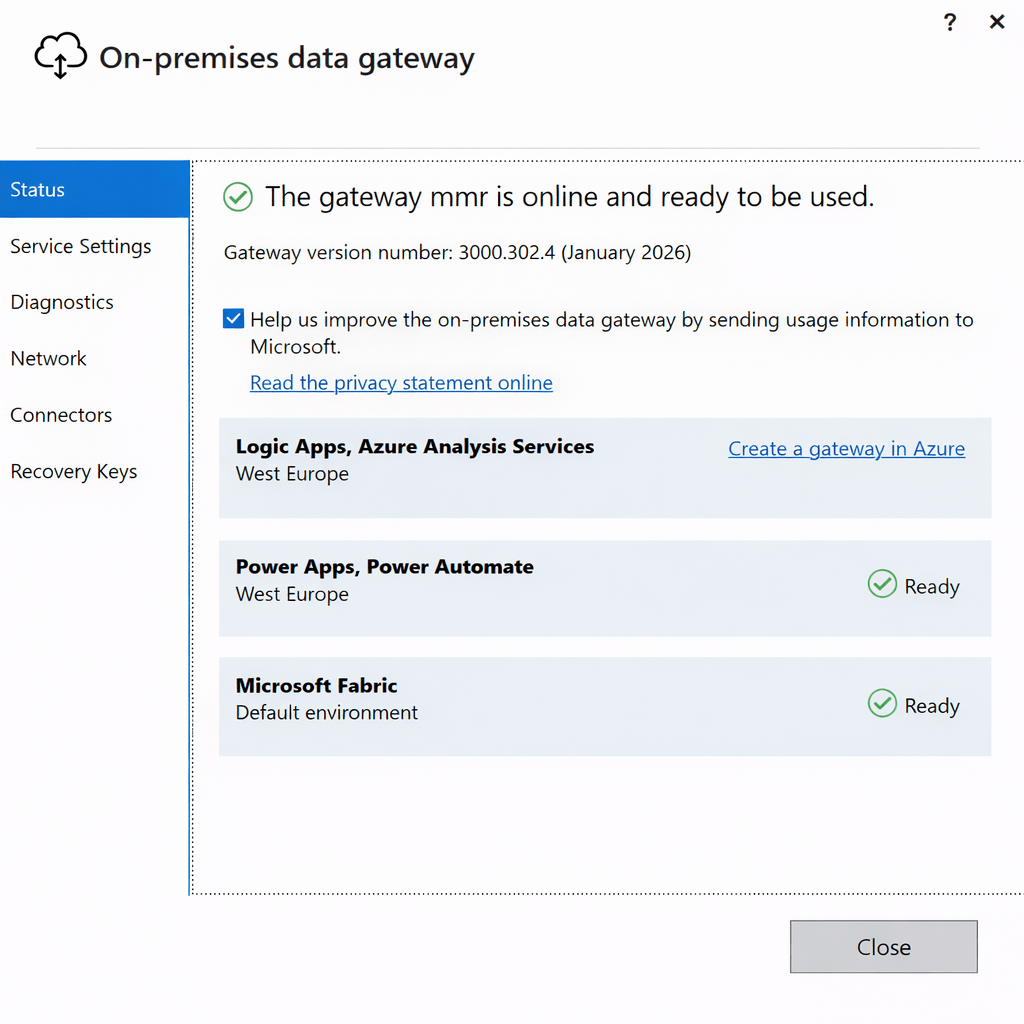
Registering and Verifying the Gateway
Steps
- Open Power BI Service
- Go to Settings → Manage Gateways
- Confirm gateway status is Online
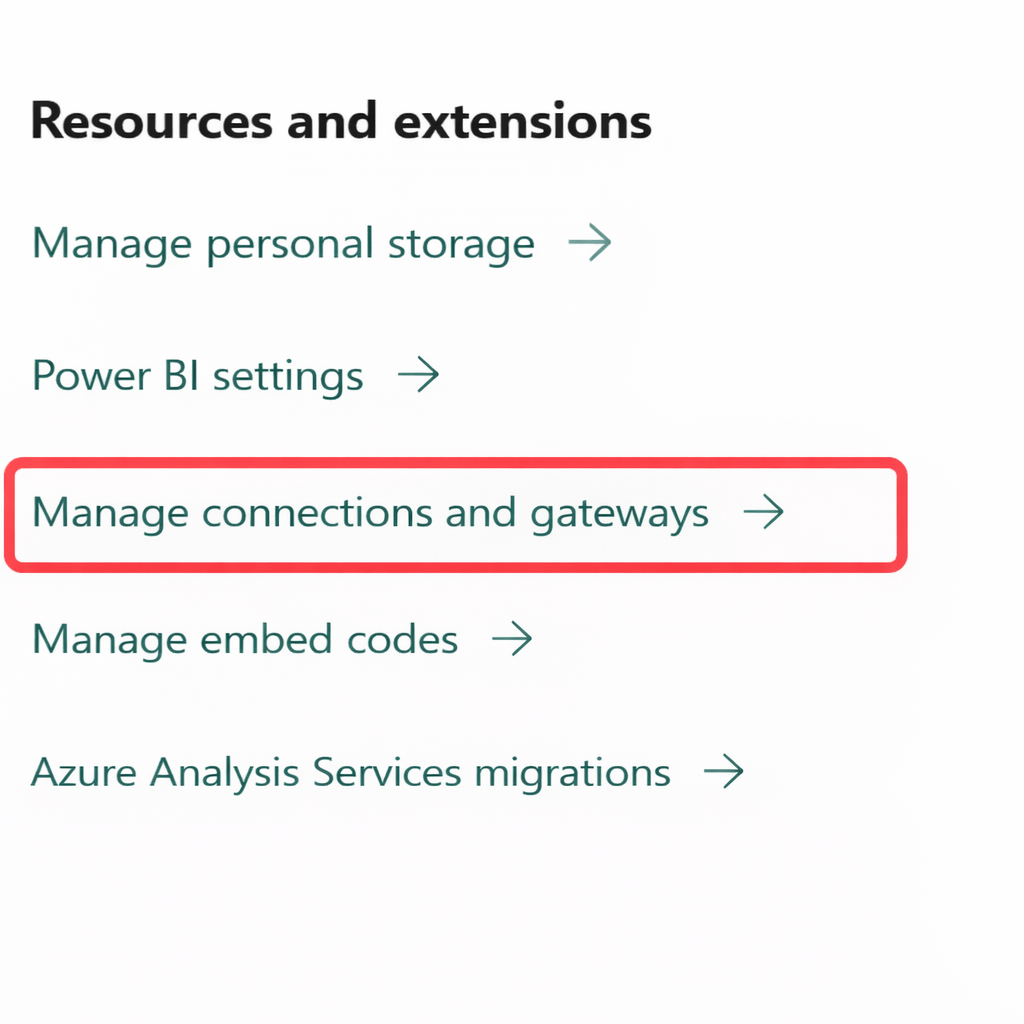
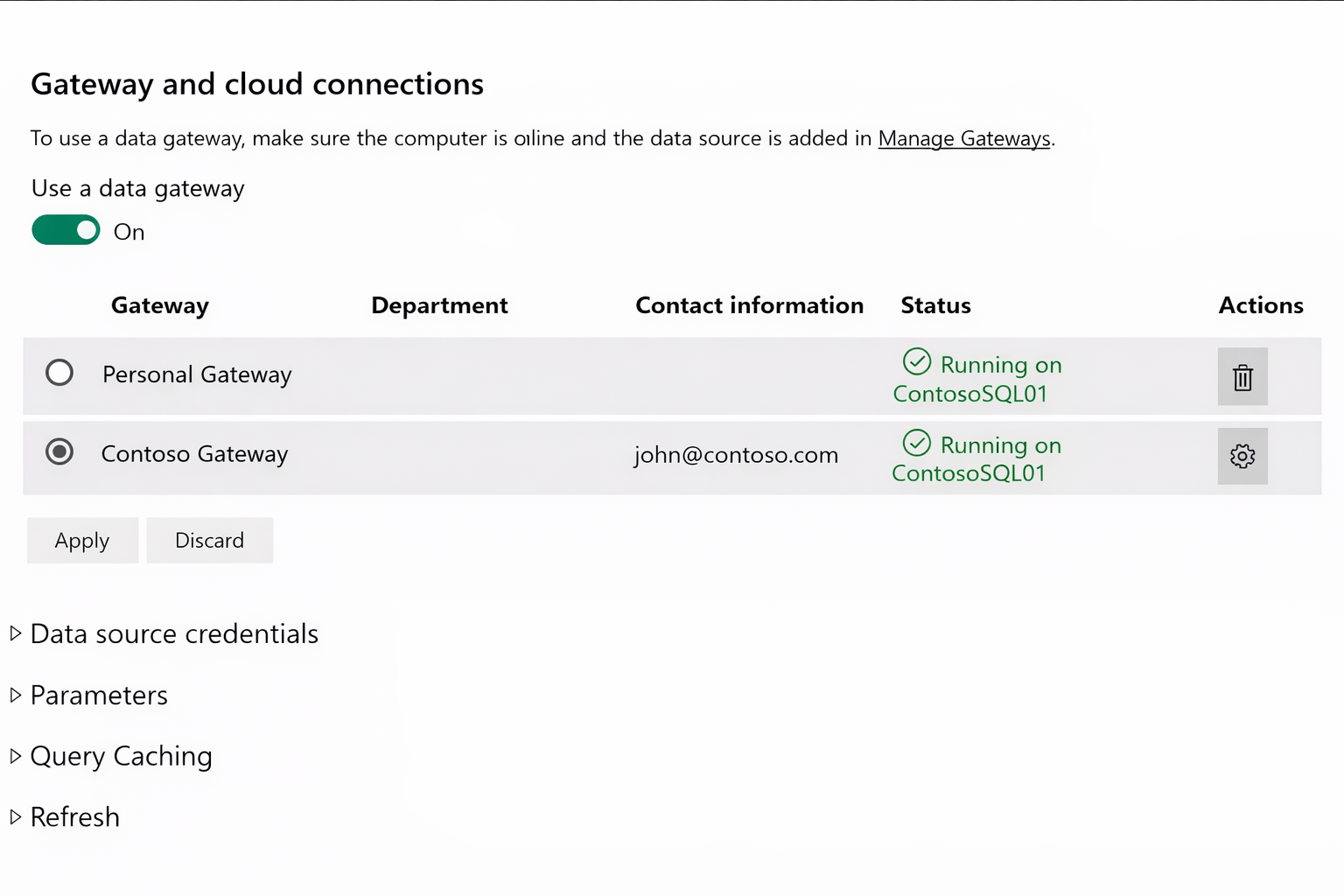
The gateway must be registered with Power BI Service
It should appear as Online
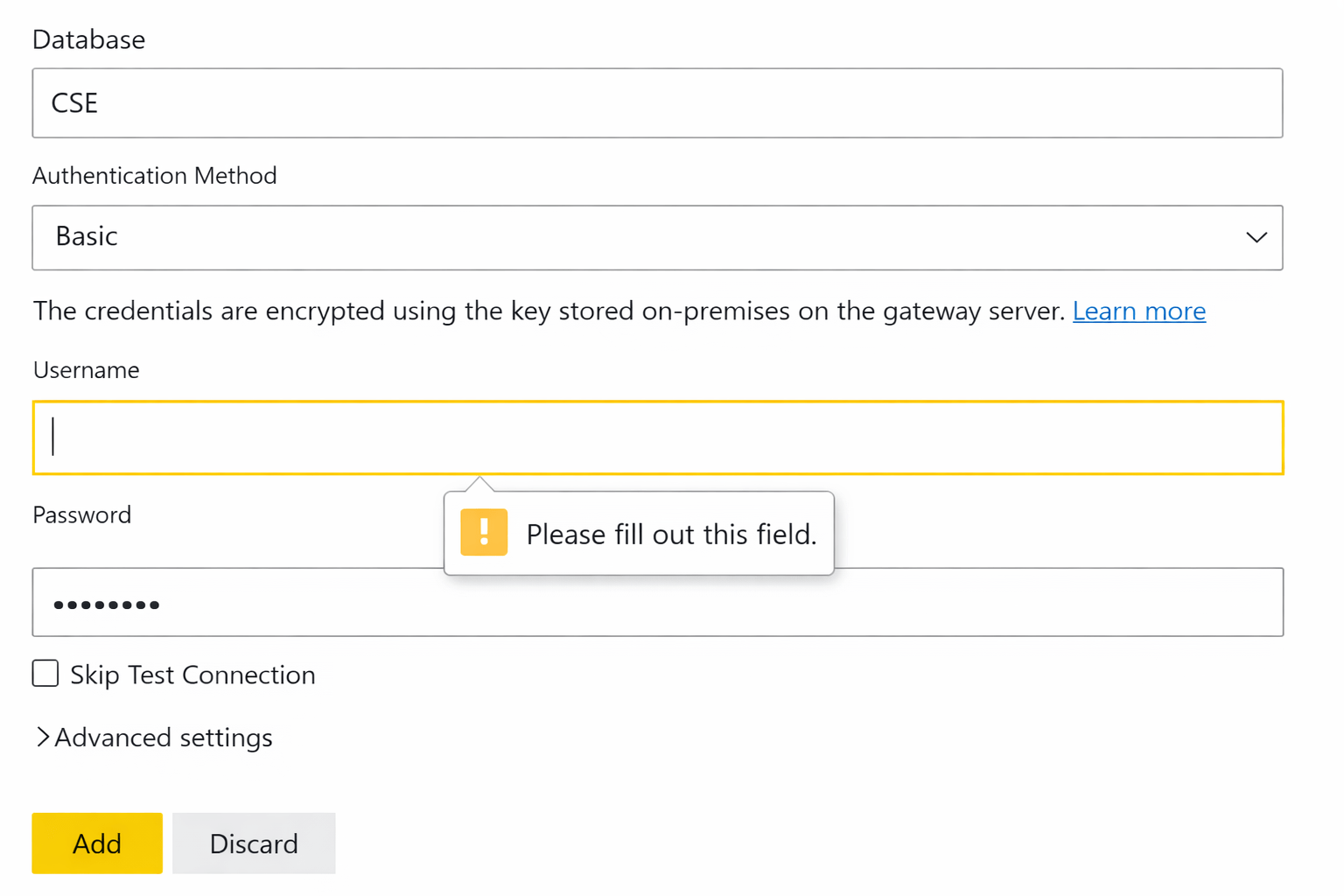
Creating a SQL Server Data Source in Gateway
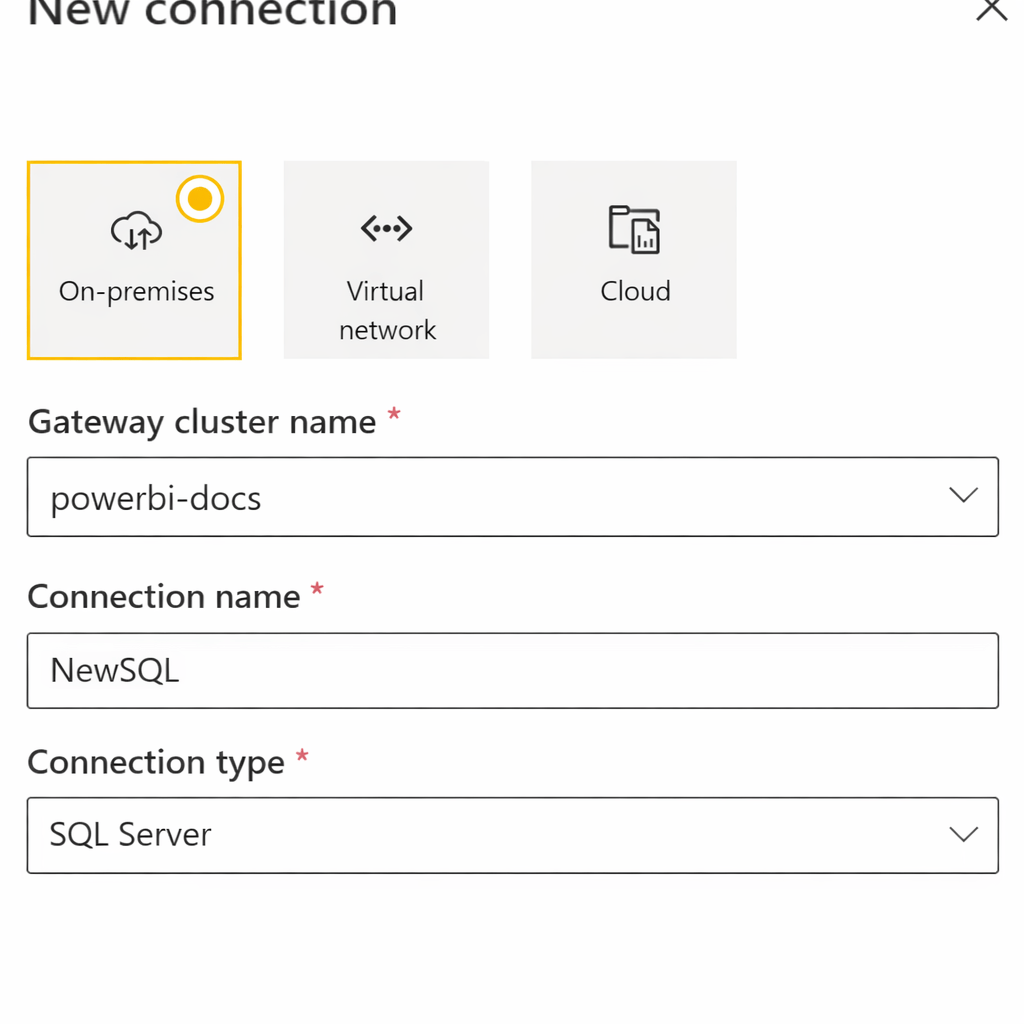
Steps
- Go to Manage Gateways
- Select the installed gateway
Click Add data source
Choose:
- Data source type: SQL Server
- Enter:
- Server name
- Database name
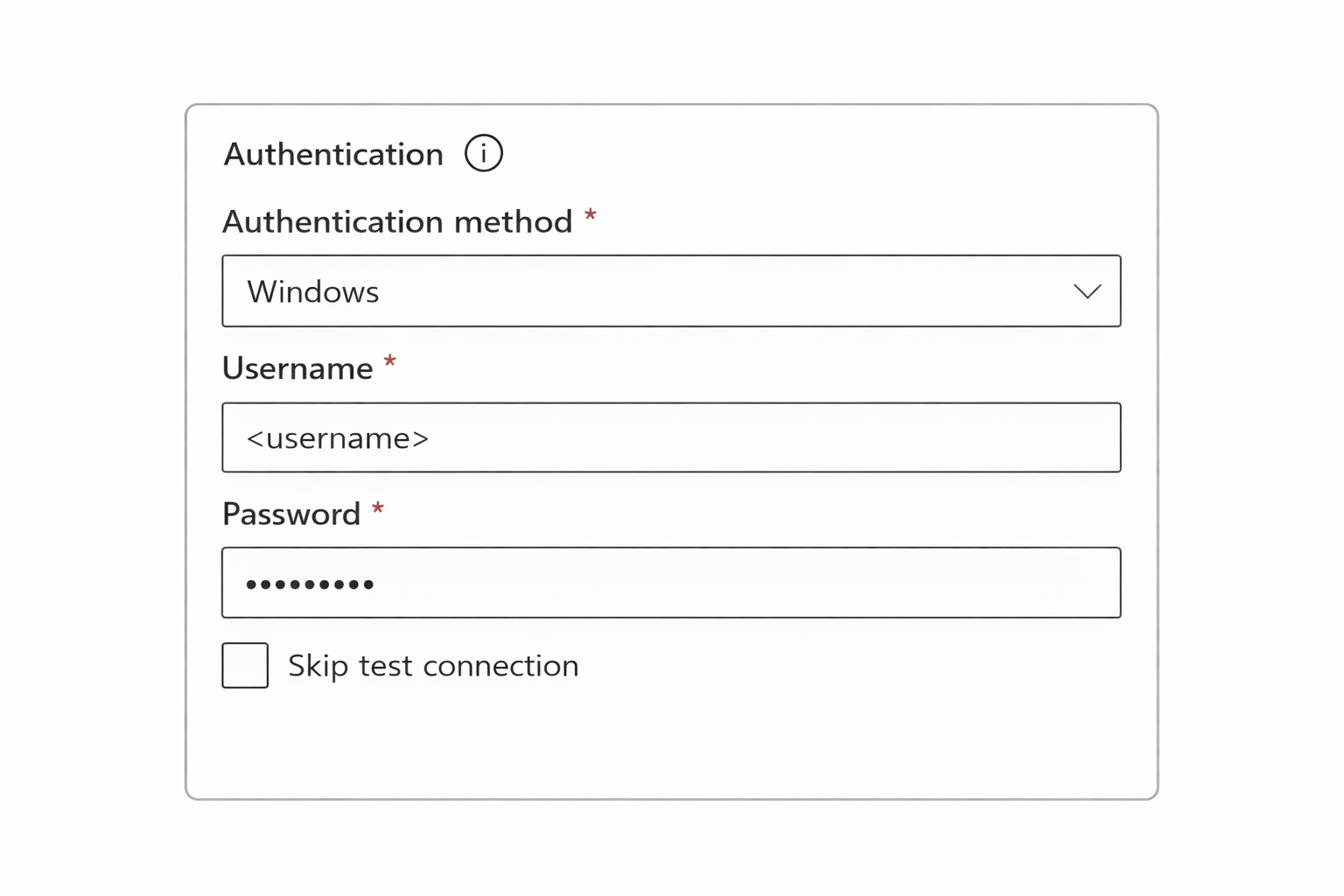
Choose authentication:
- Windows Authentication
- SQL Authentication
- Test connection
- Save
Connecting Power BI Desktop to SQL Server
Steps
- Open Power BI Desktop
- Click Get Data → SQL Server
- Enter server and database name
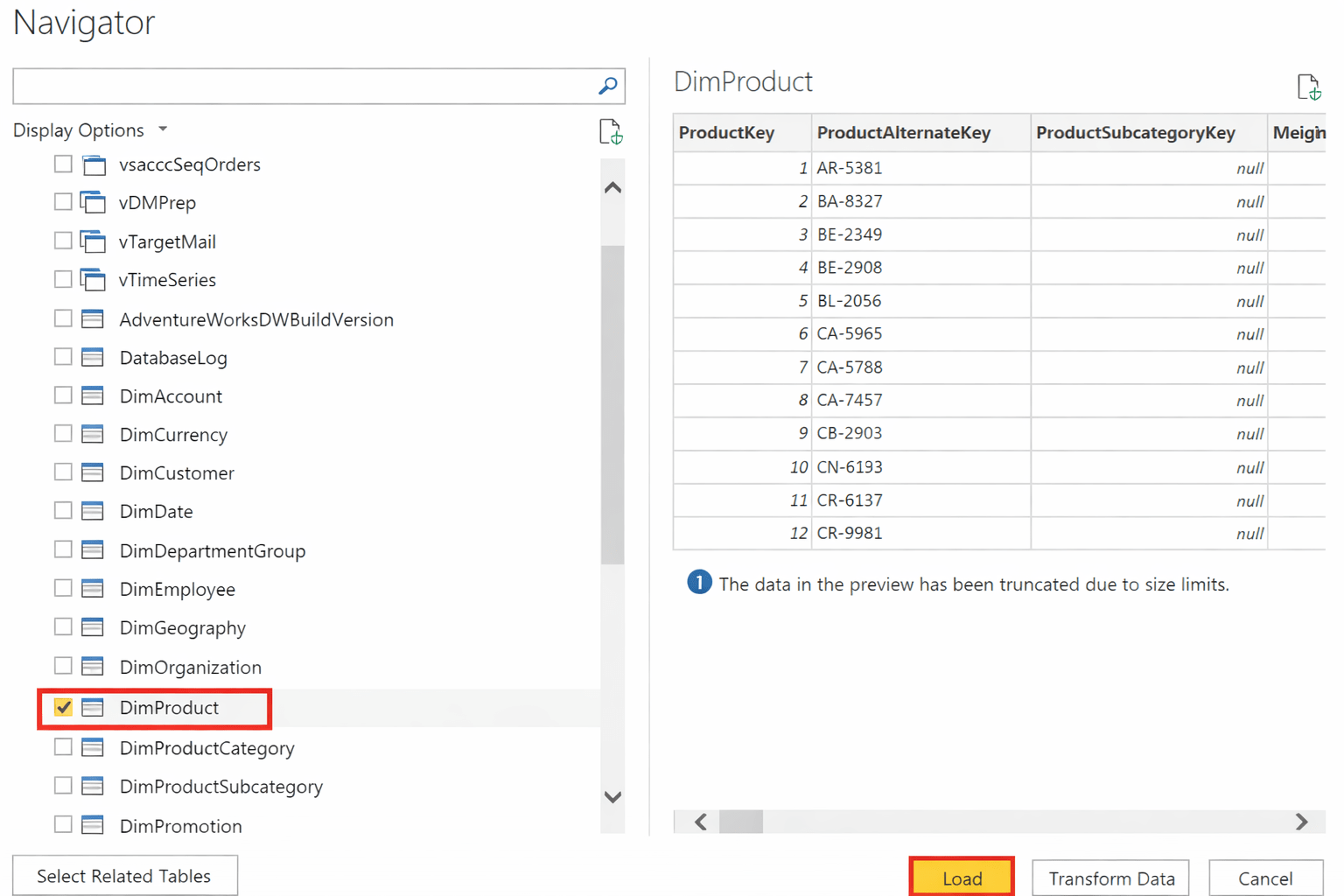
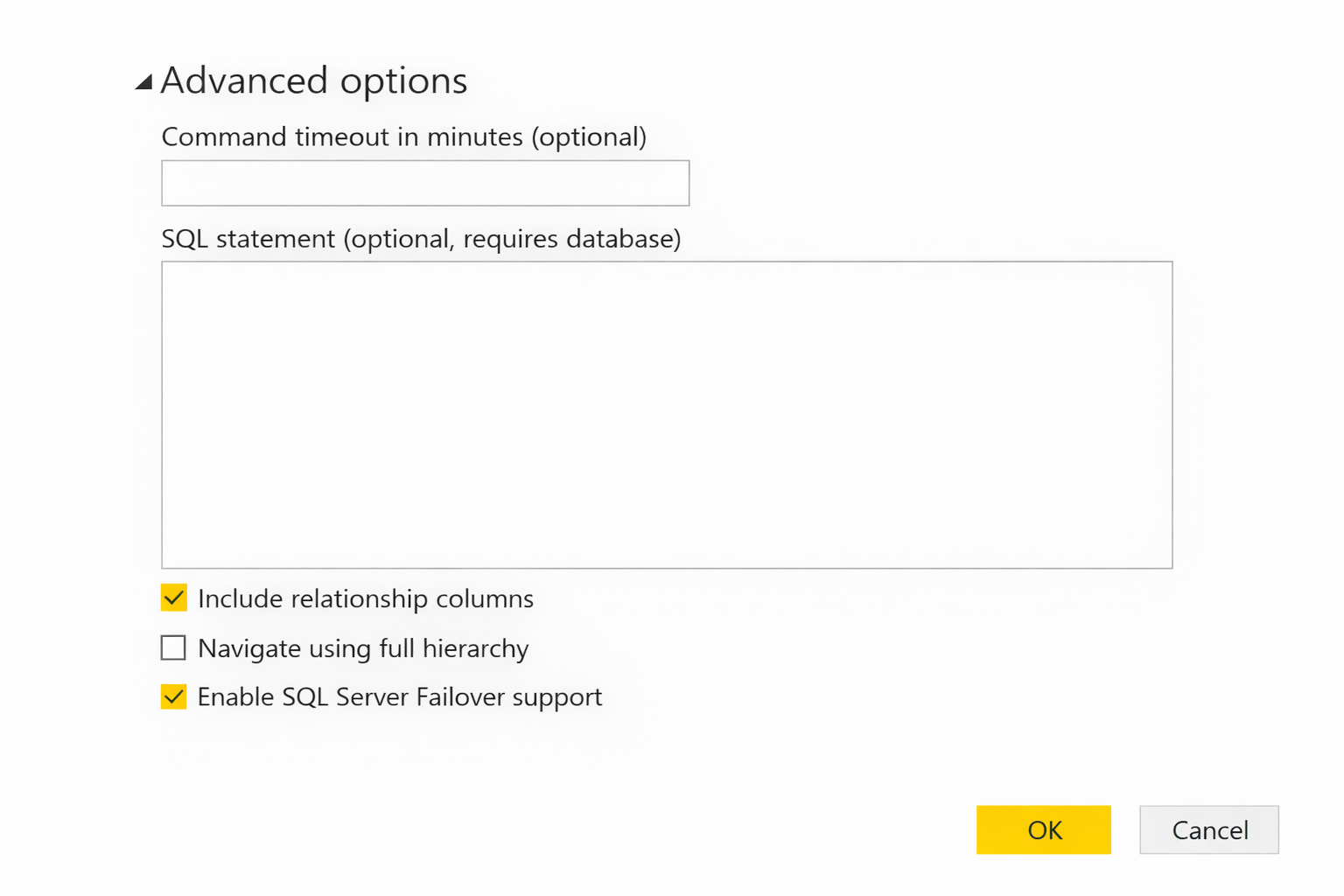
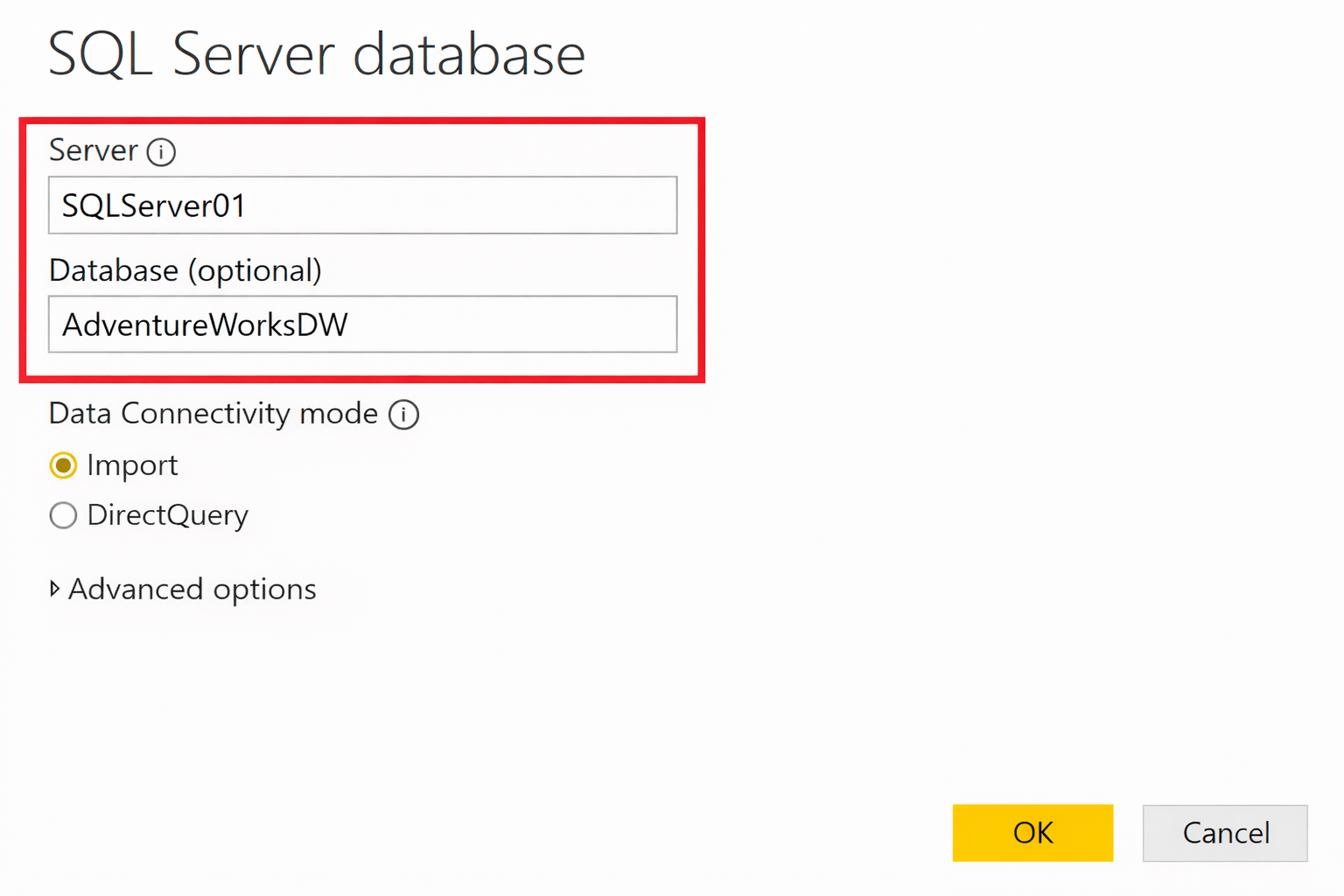
Choose:
- Import
- DirectQuery
- Load data and build report
Publishing and Mapping to the Gateway
Steps
- Publish report to Power BI Service
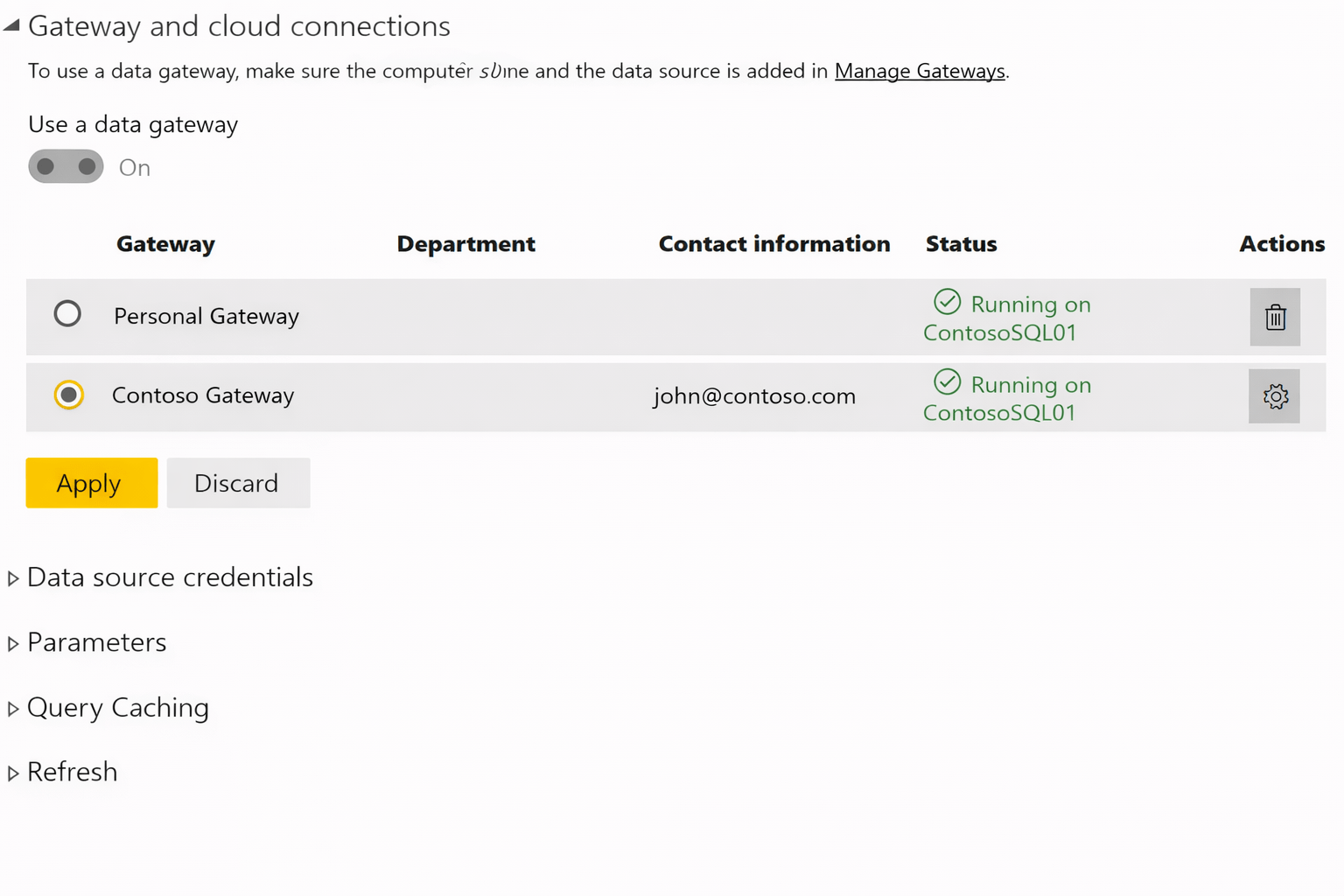
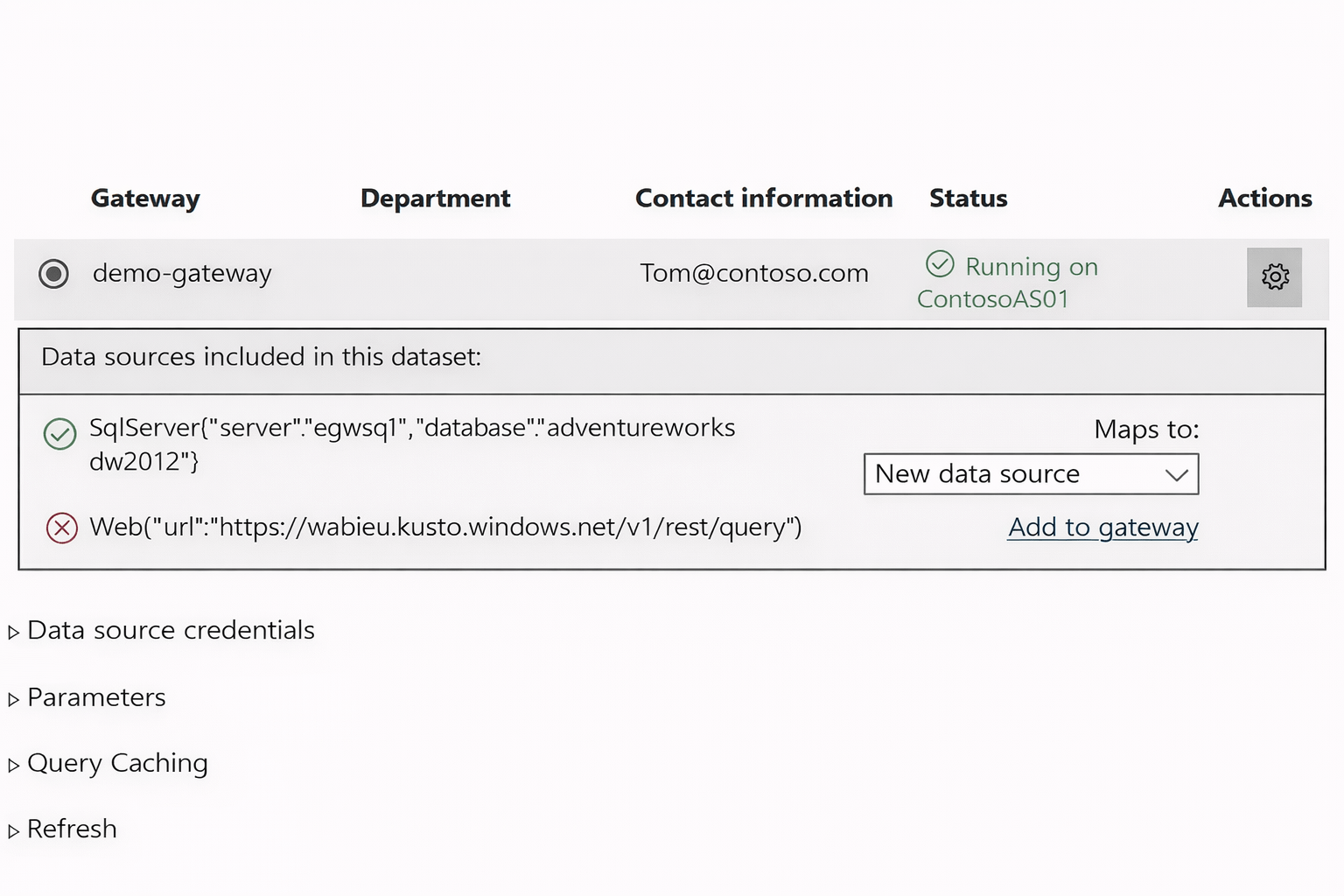
- Go to Dataset → Settings
- Under Gateway connection, map dataset to:
SQL Server data source
- Confirm connection is valid
Enabling Scheduled Refresh
Steps
- Open dataset settings
- Enable Scheduled refresh
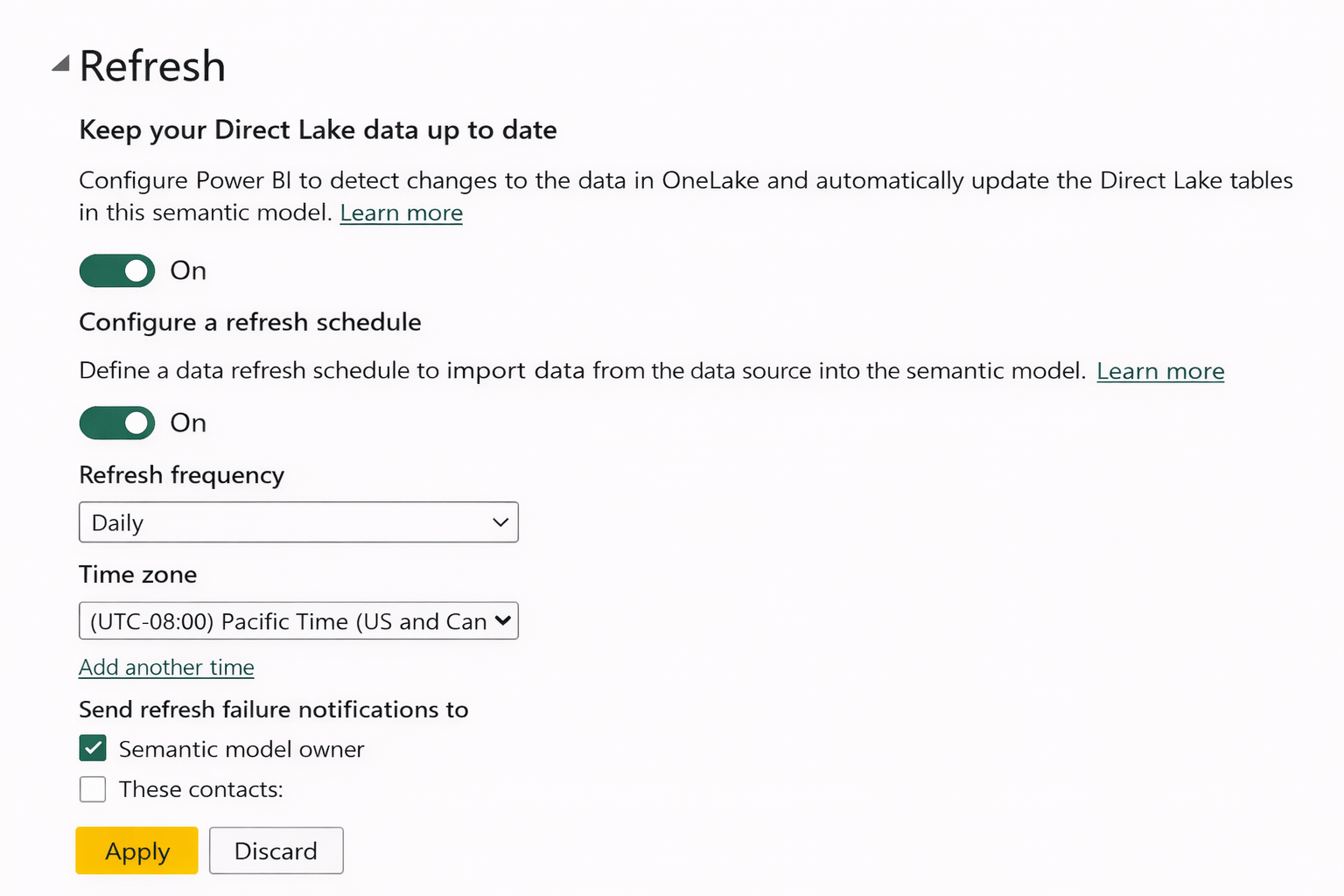
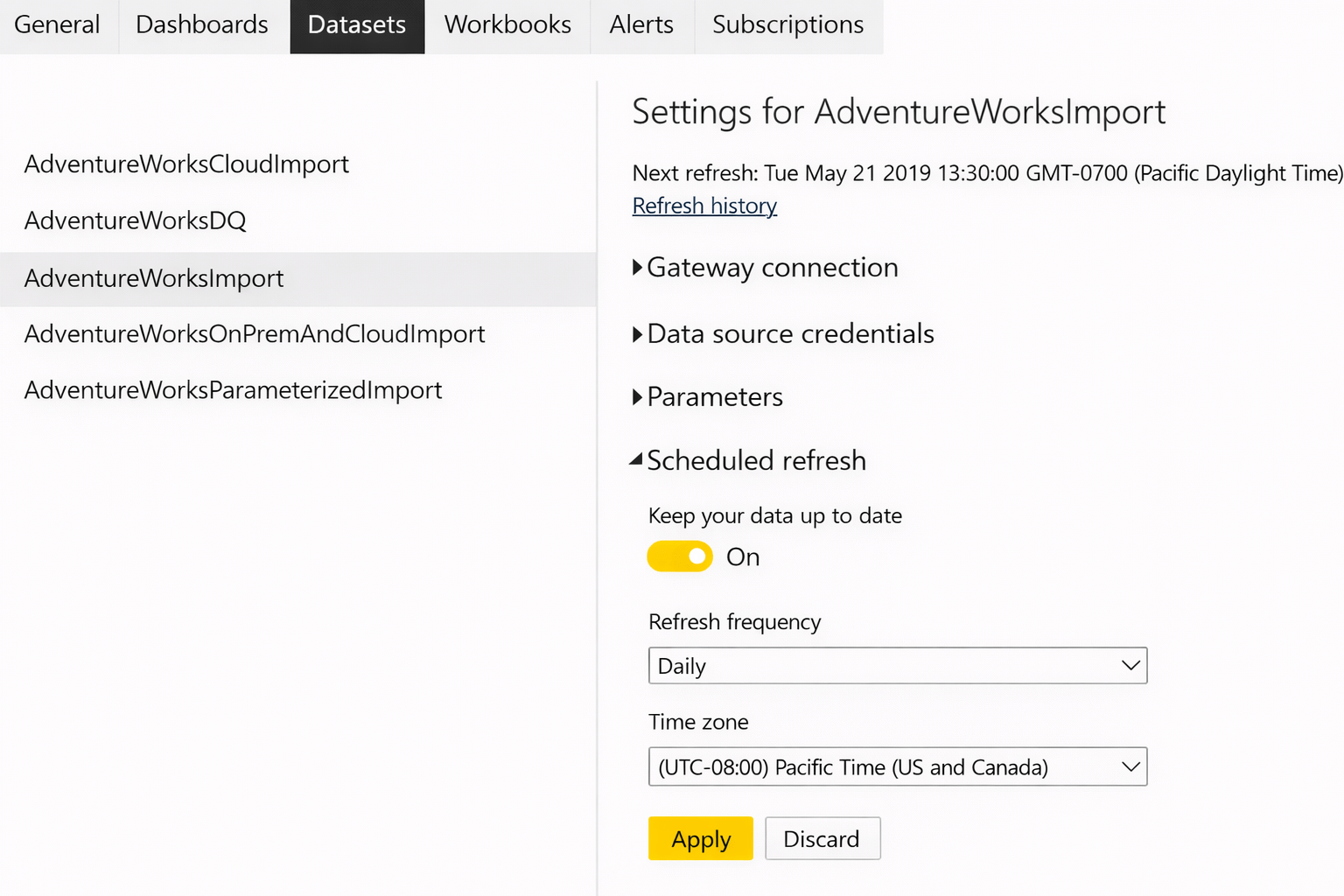
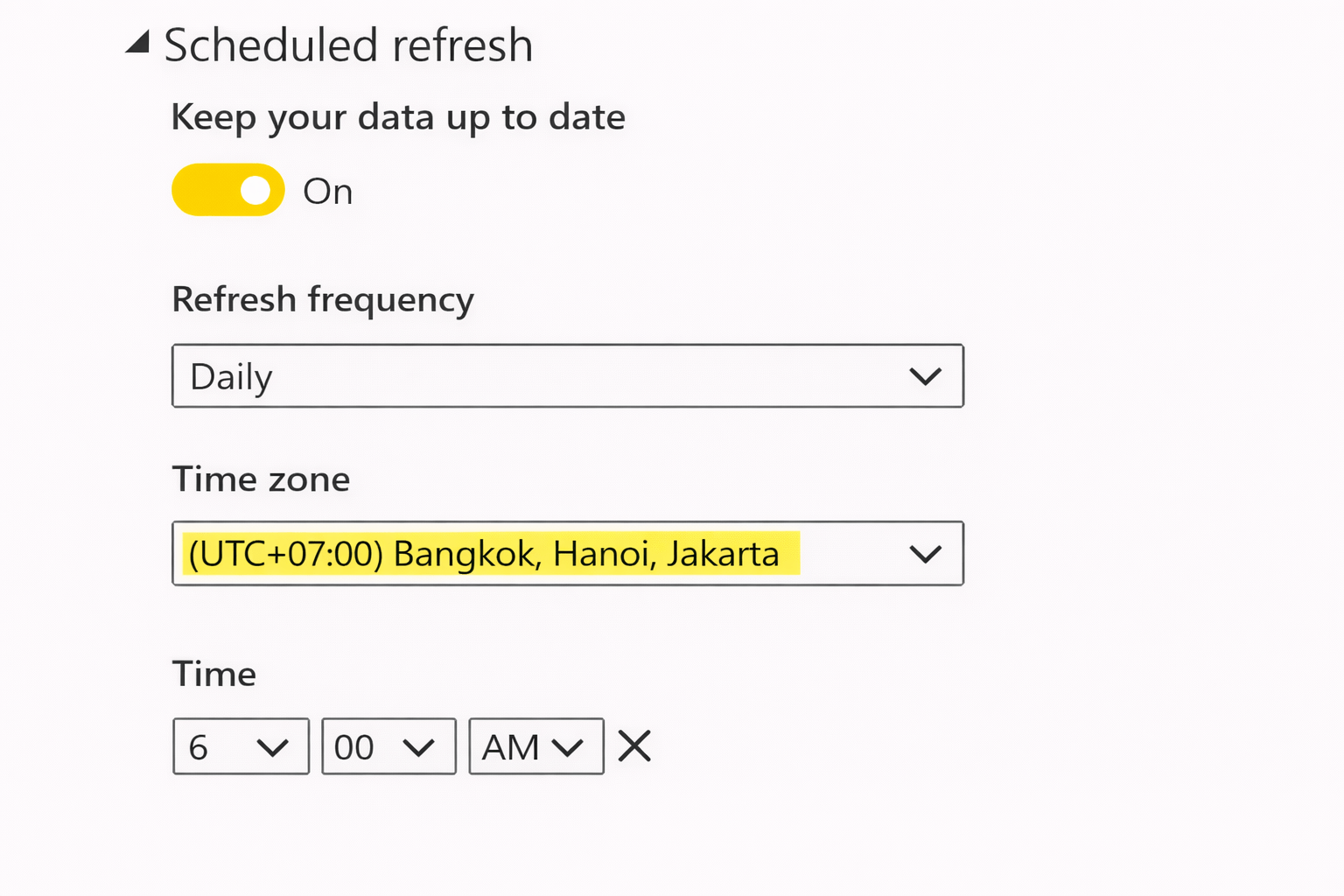
Set:
- Frequency
- Time zone
Save settings
Security Best Practices
Use Windows Authentication when possible

Restrict gateway access to authorized users only
Store credentials securely

Use encryption (SSL/TLS) for data in transit


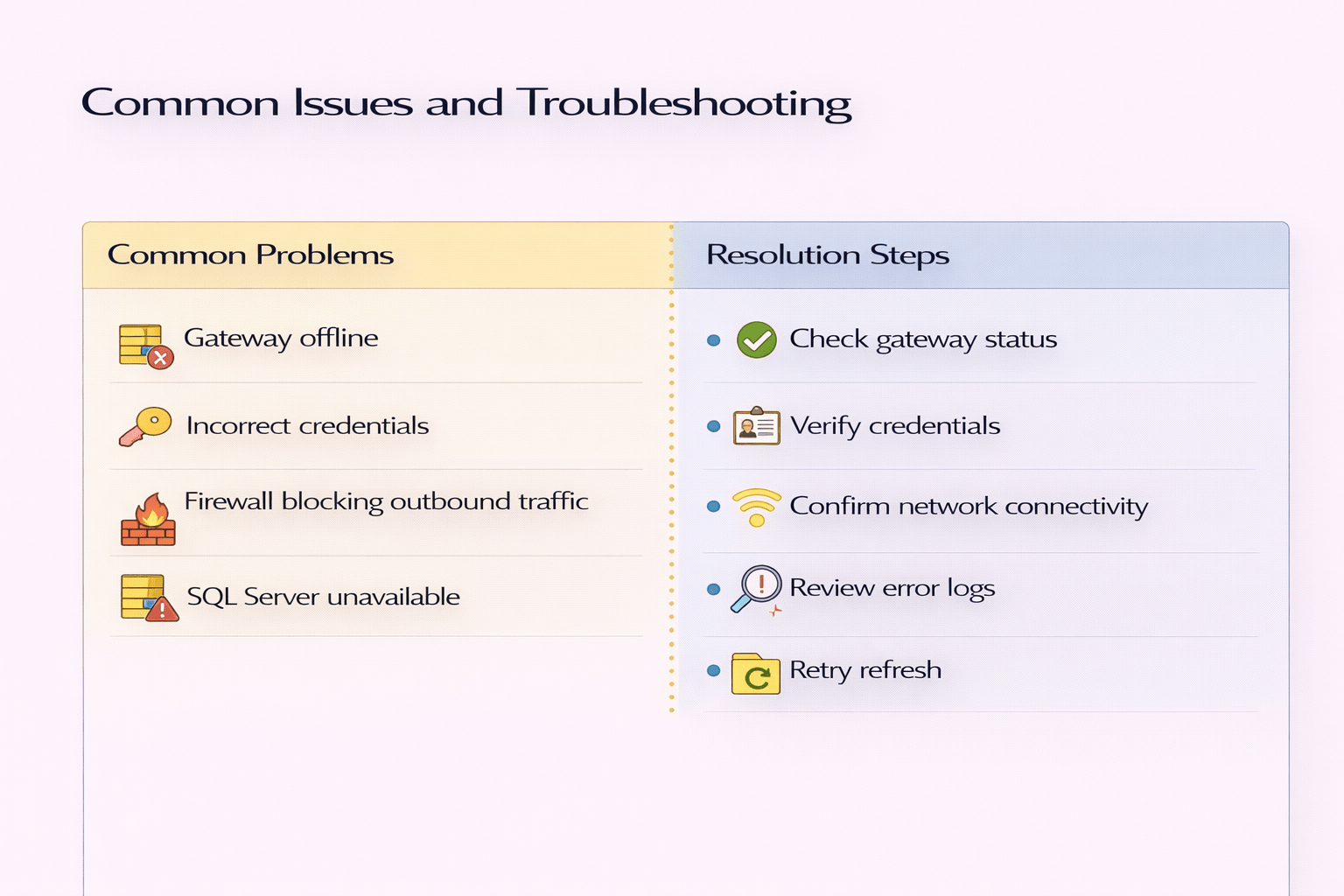
Common Issues and Troubleshooting
Summary
5
Proper security is essential
4
Power BI Service handles refresh and sharing
3
SQL Server is registered as a gateway data source
2
Gateway enables secure cloud-to-local communication
1
On-premises SQL Server requires a gateway
Quiz
Why is a gateway required for on-premises SQL Server?
A. To store SQL Server data in Power BI Desktop
B. To allow Power BI Service to access on-premises data
C. To increase SQL Server performance
D. To replace DirectQuery mode

Why is a gateway required for on-premises SQL Server?
A. To store SQL Server data in Power BI Desktop
B. To allow Power BI Service to access on-premises data
C. To increase SQL Server performance
D. To replace DirectQuery mode
Quiz-Answer
