

DNS FUNDAMENTALS
Networking Fundamentals

Learning Outcome
5
Relate DNS to real-world internet usage (like browsing websites)
4
Identify common DNS record types and their purpose
3
Describe how domain names map to IP addresses
2
Describe how domain names map to IP addresses
1
Explain why DNS is needed despite IP addressing
Let's Recall
-
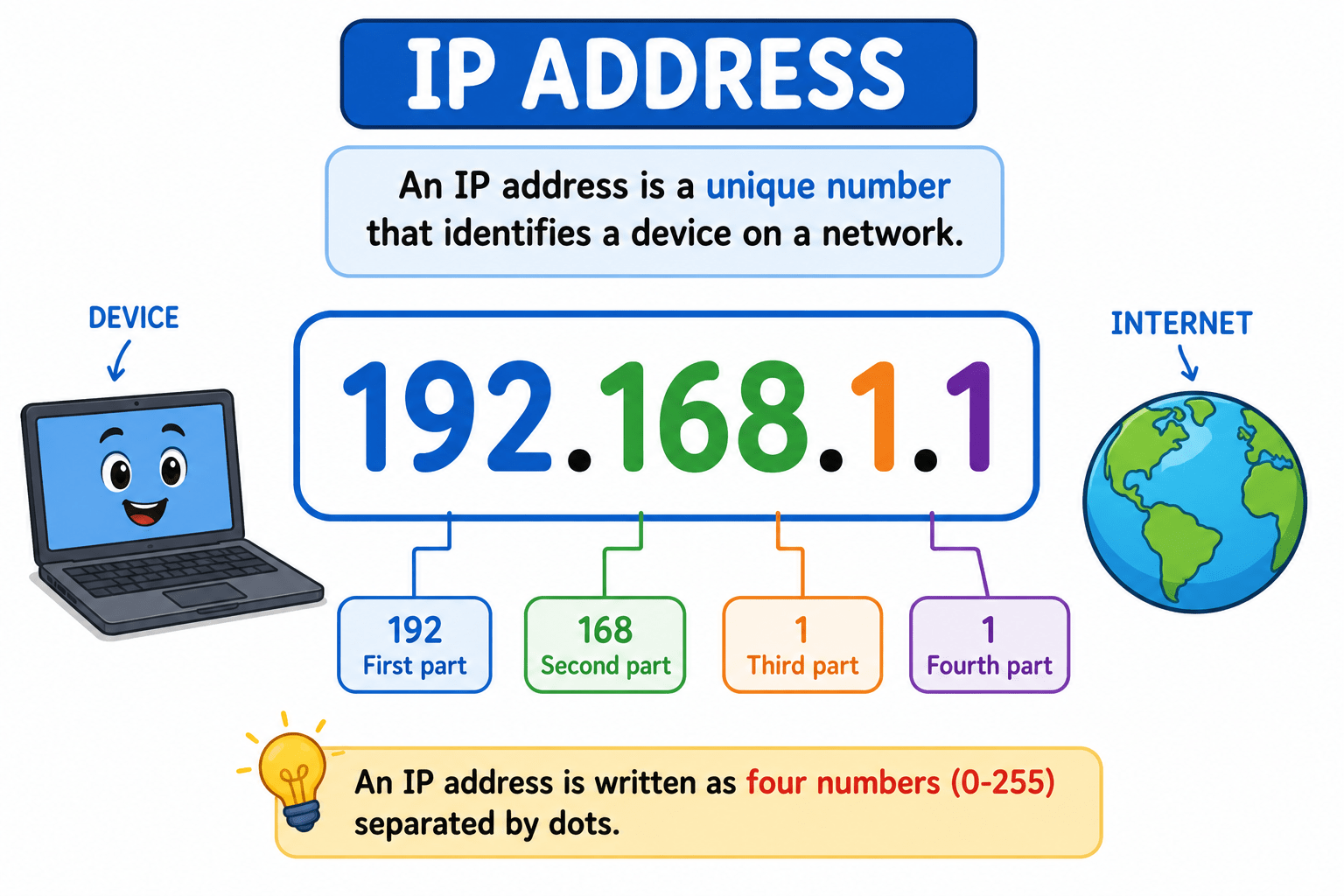
Every device on the internet has a unique IP address (e.g., 192.168.1.1)
-
IP addresses help computers identify and communicate with each other
-
They act as a digital identity for devices
-
Data always includes a source IP (sender) and destination IP (receiver)
-
Devices use IPs to locate and deliver data accurately
-
Without IP addresses, communication wouldn’t be possible
-
But IP addresses are hard for humans to remember, especially at scale
The Story of Timmy and the Internet Phonebook

Once upon a time, there was a curious boy named Timmy.who loved using the internet
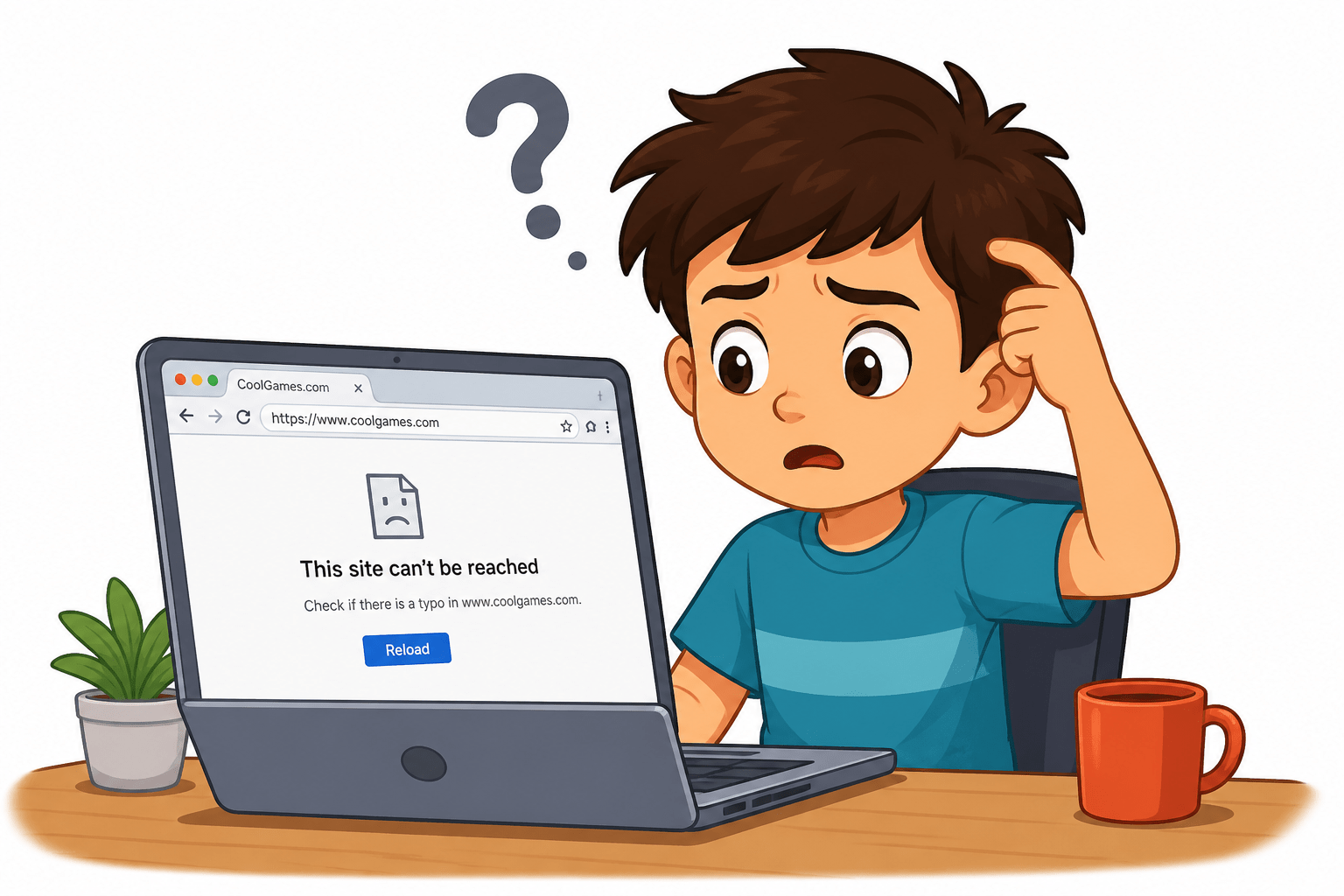
One day, Timmy wanted to visit his favorite website:
“CoolGames.com” So he typed it into his computer and pressed ENTER.

But inside the computer... something funny happened!
The computer said:
“Umm… I don’t understand names . I only understand numbers!” Timmy was confused.
“Numbers? What numbers?!
Just then, a magical helper appeared — Dina the DNS Fairy
Don’t worry, Timmy! I have a special book called the Internet Phonebook!” Timmy asked,
“What does it do?

Dina opened her glowing book and explained:
“This book helps computers find websites!”

She showed him:
CoolGames.com → 123.45.67.89
“See?” she said.
“This number is the real address!”

In a flash, Dina told the computer the number.
The computer said:
“Ohhh! Now I understand!”
And BOOM!!!
The website opened instantly

Timmy was amazed!
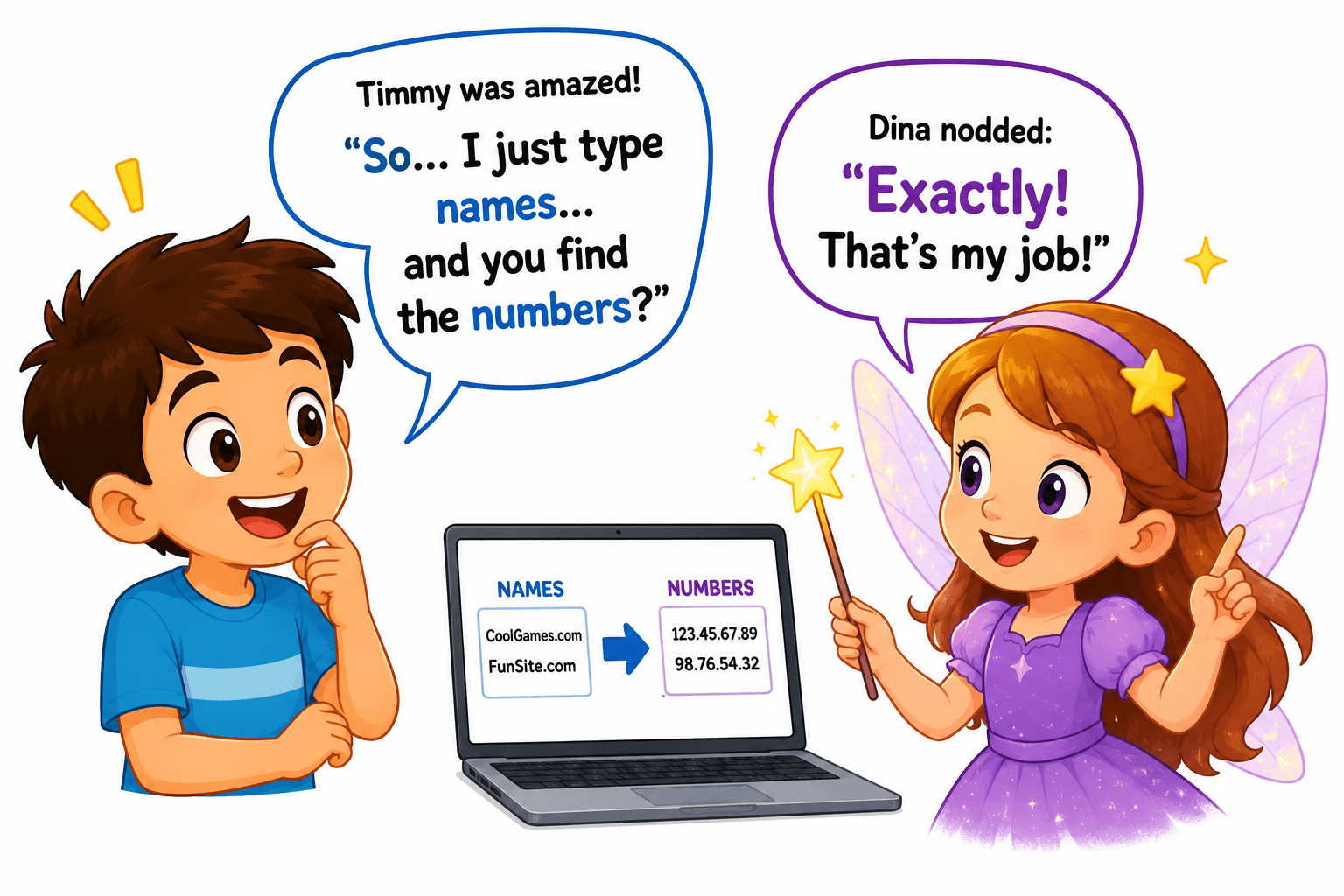
“So… I just type names… and you find the numbers?”
Dina nodded:
“Exactly! That’s my job!
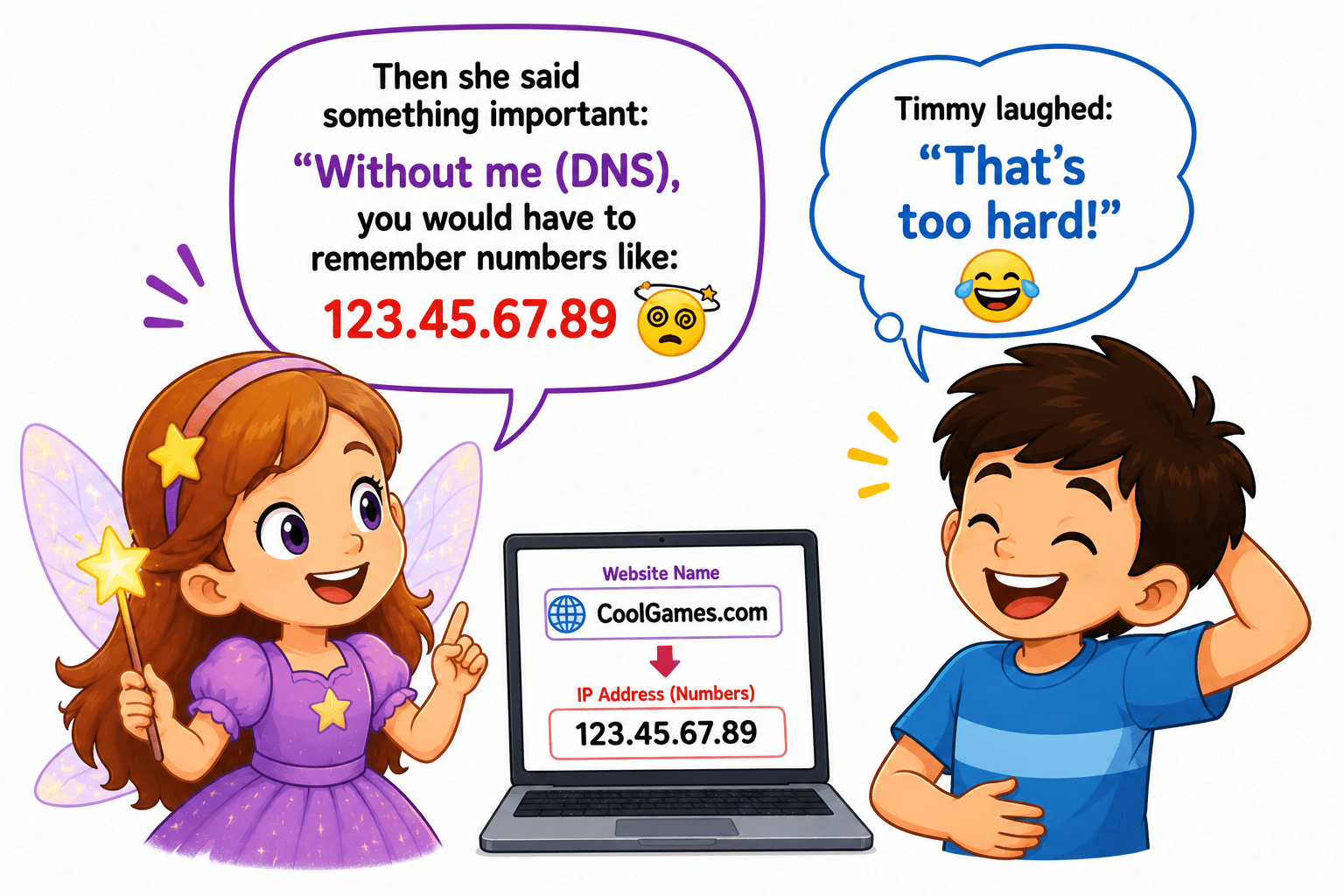
Then she said something important:
“Without me (DNS), you would have to remember numbers like:
123.45.67.89 ”
Timmy laughed:
“That’s too hard!”
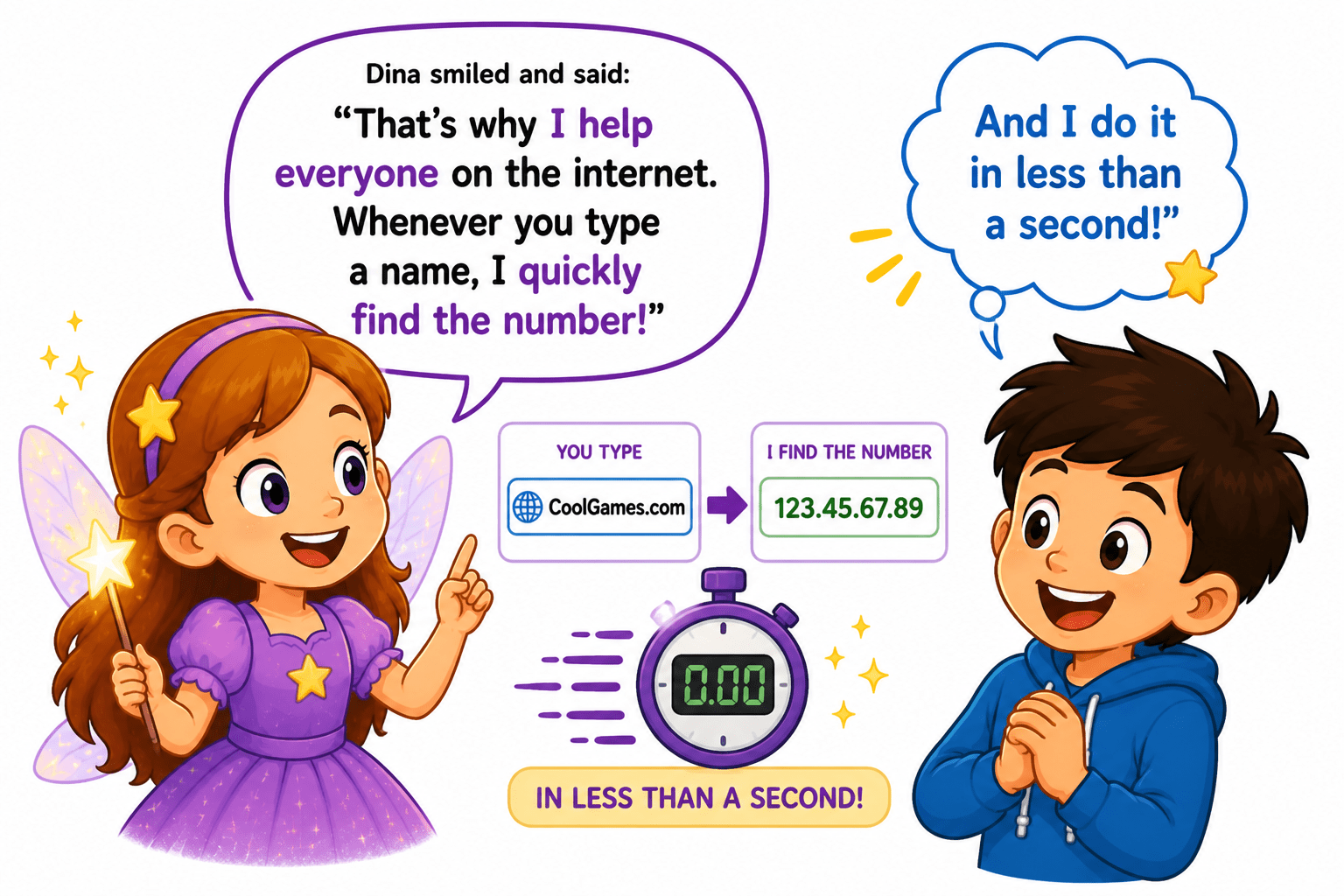
Dina smiled and said:
“That’s why I help everyone on the internet.
Whenever you type a name, I quickly find the number!”
“And I do it in less than a second!
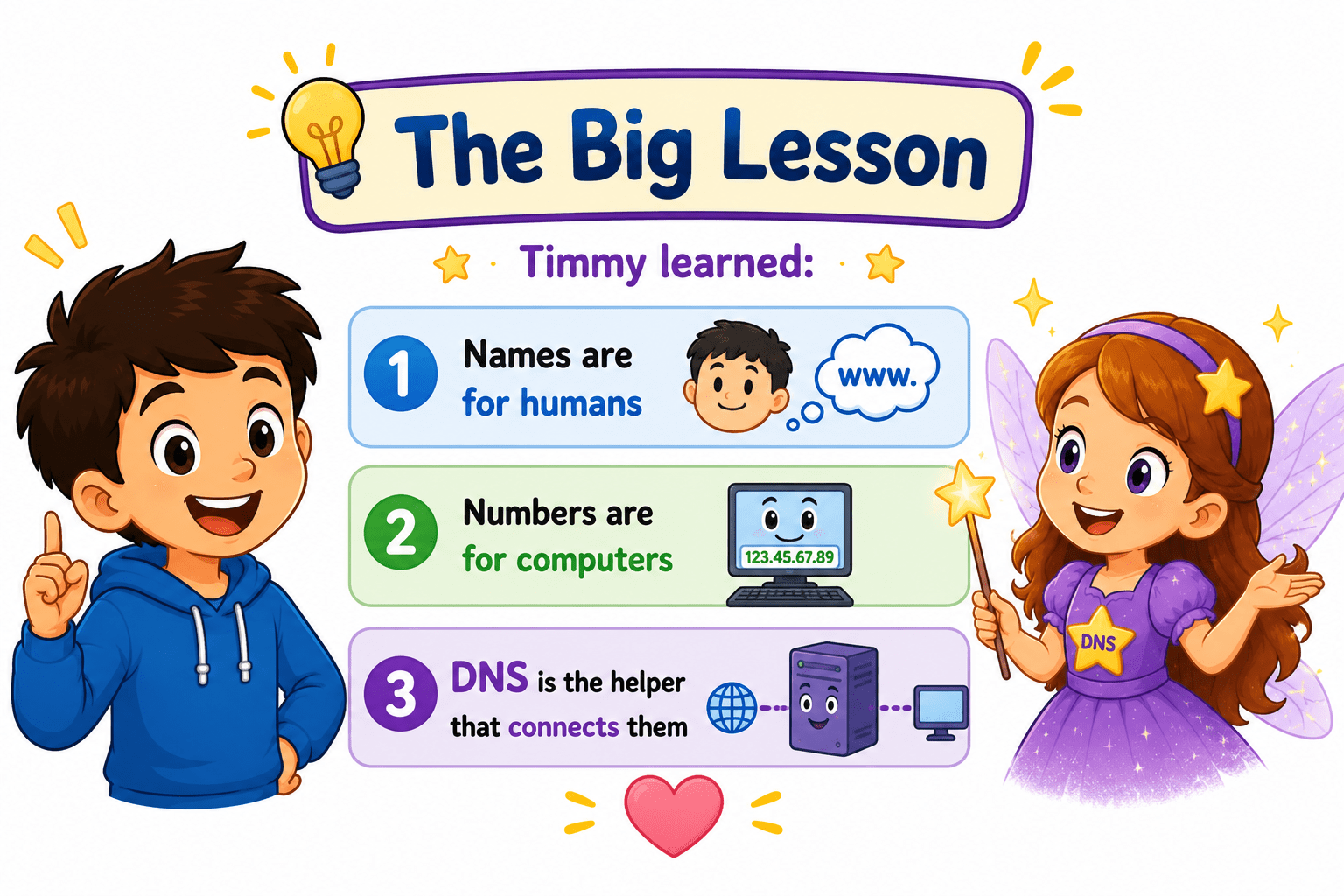
Transition from Analogy to Technical Concept(Slide 5)
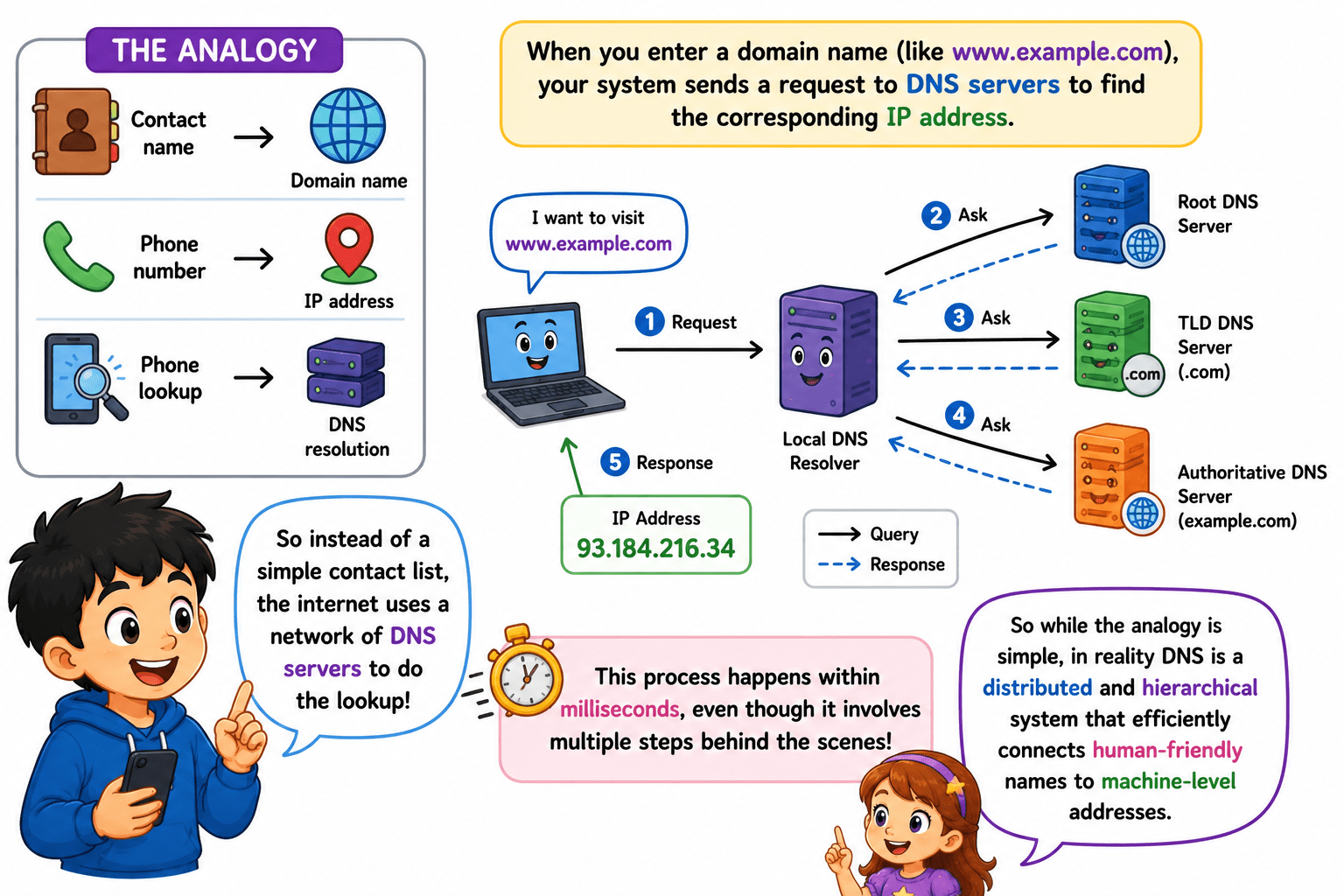
In the analogy:
- Contact name → Domain name
- Phone number → IP address
- Phone lookup → DNS resolution
Now, instead of a simple contact list in your phone, the internet uses a network of DNS servers to perform this lookup. When you enter a domain name, your system sends a request to these servers to find the corresponding IP address. This process happens within milliseconds, even though it involves multiple steps behind the scenes.
So while the analogy is simple, in reality DNS is a distributed and hierarchical system that efficiently connects human-friendly names to machine-level addresses.
Introduction to DNS
What is DNS?
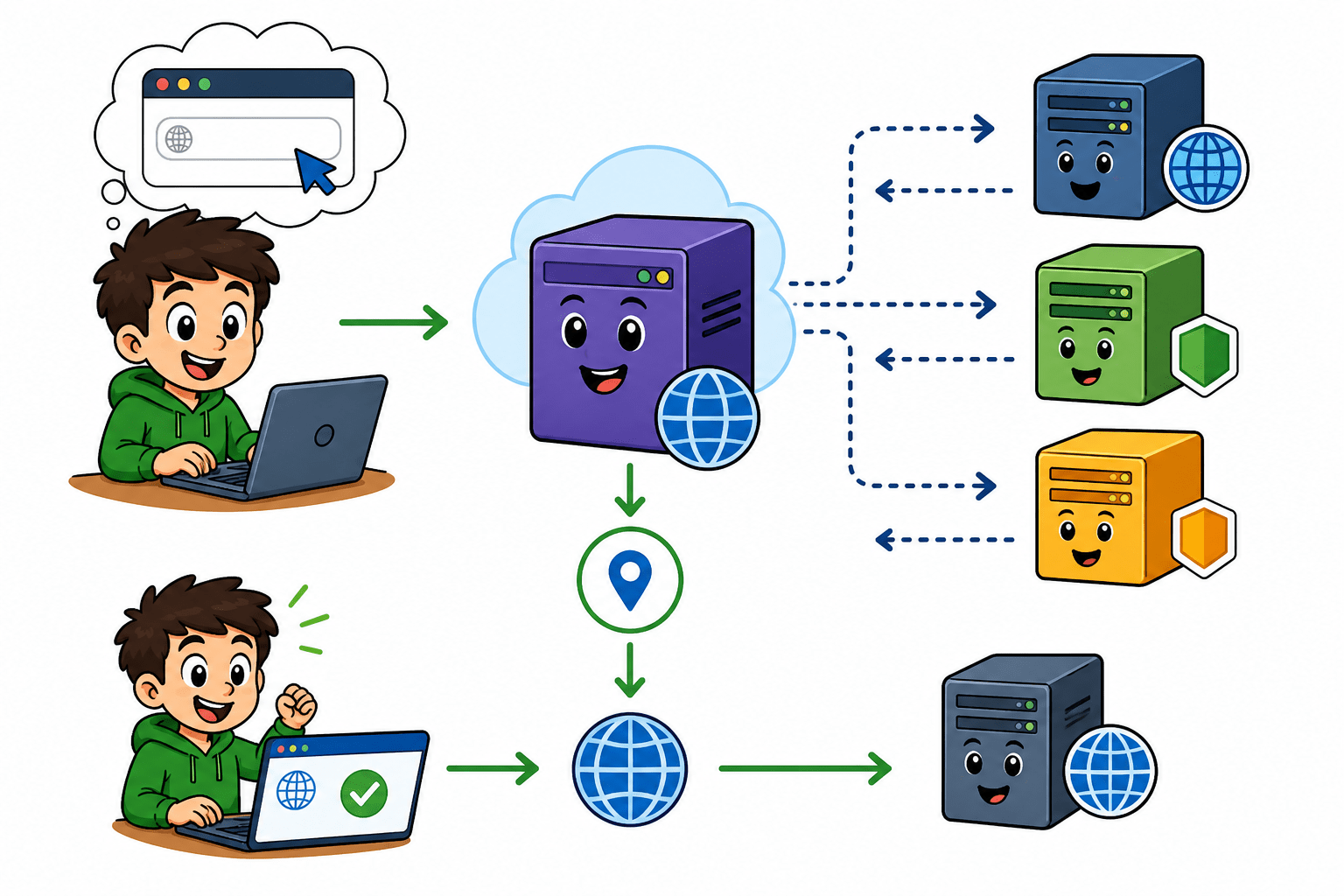
DNS (Domain Name System) is the internet's phonebook. Computers communicate using IP addresses (numbers), but humans prefer names like google.com. DNS automatically translates domain names into IP addresses so your browser can find the right server. DNS (Domain Name System) is the system that converts human-friendly names (like google.com) into machine-friendly IP addresses (like 142.250.183.14).
How DNS Works (Domain → IP Resolution)
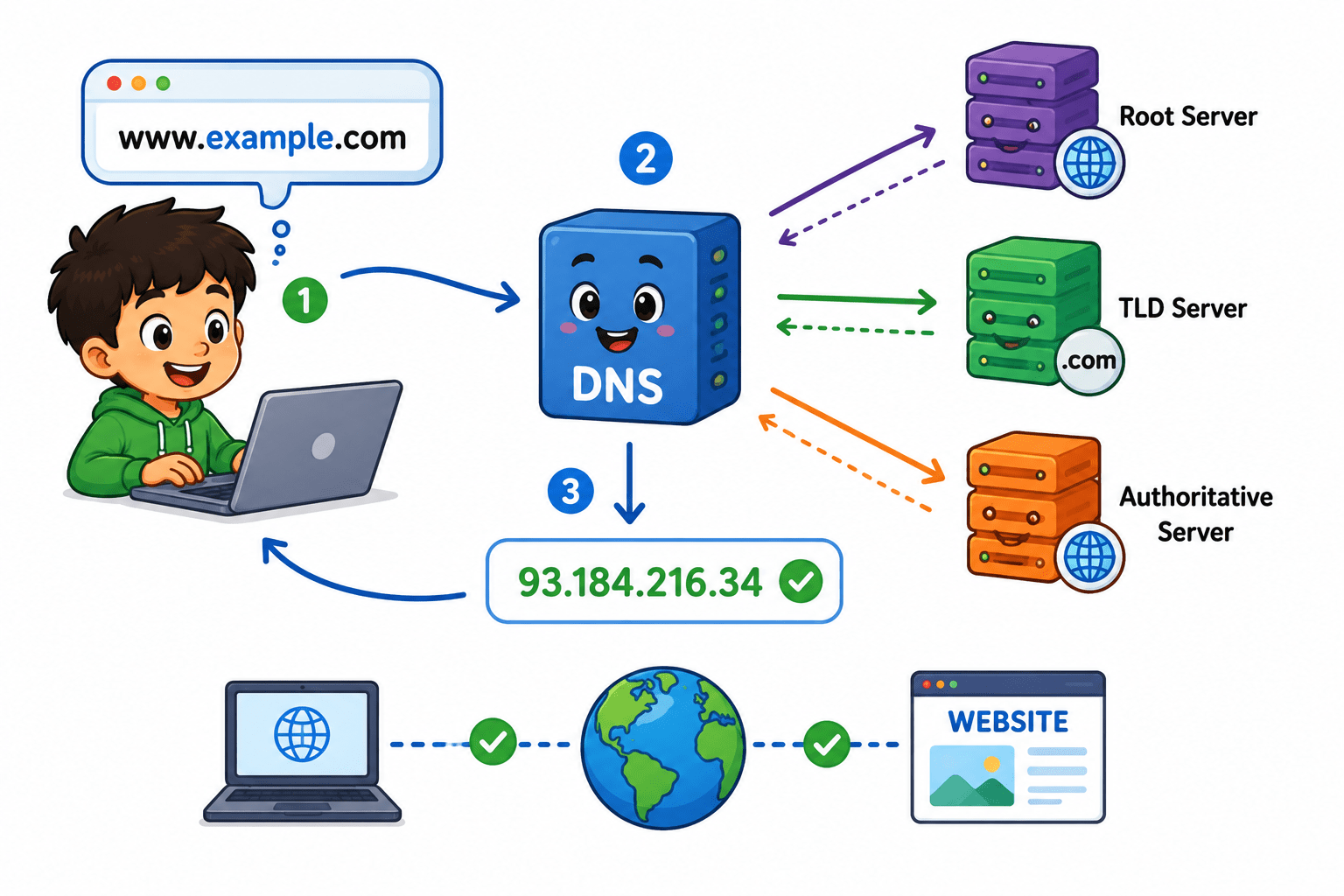
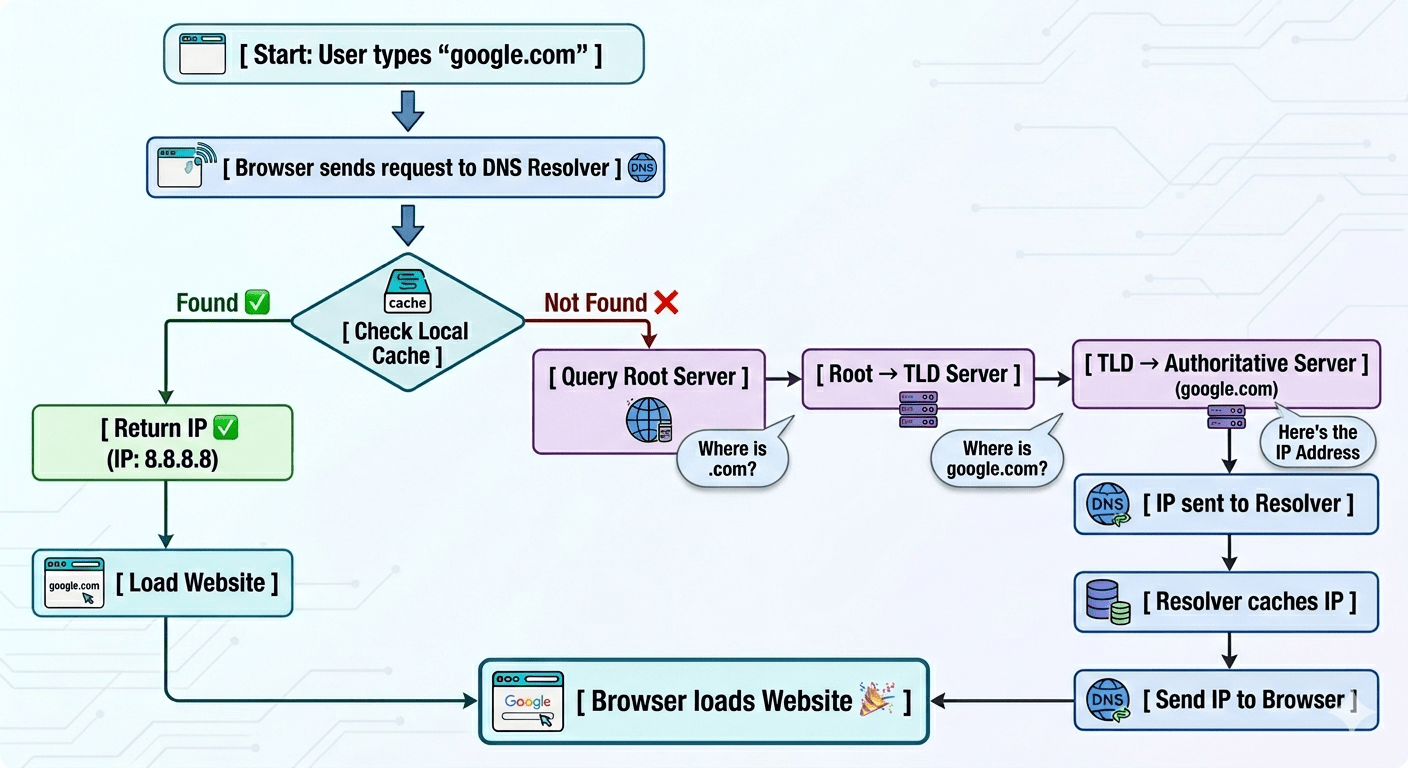
Here’s what happens when you type a URL:
-
You type google.com in browser
-
Your system asks a DNS Resolver:
“Hey, what’s the IP for this?”
-
Resolver checks cache (if already known)
Introduction to DNS
-
If not found, it goes on a journey:
-
Root Server → “Where is .com?”
-
TLD Server → “Where is google.com?”
-
Authoritative Server → “Here’s the IP”
-
-
IP comes back → browser loads the website
Introduction to DNS
DNS Components
-
DNS Components
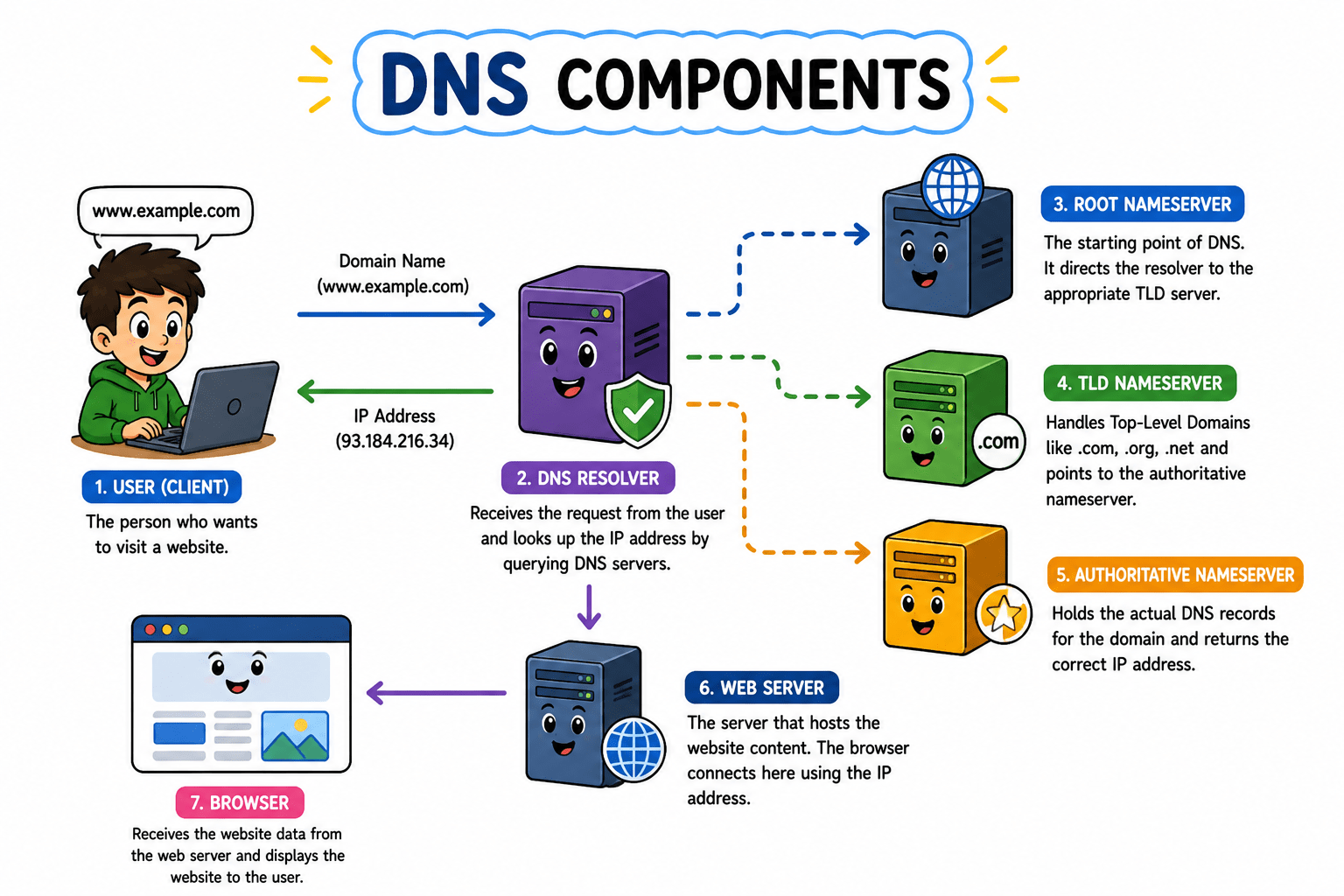
DNS components work together to convert a domain name (like
google.com) into an IP address that computers understand. -
Resolver (Your Assistant)
-
First point of contact when you enter a domain name
-
Checks its cache for a saved IP address
-
If not found, it queries other DNS servers
-
Root Server (Top Level)
-
Highest level in the DNS system
-
Directs the request to the correct TLD server
-
Doesn’t store IP addresses, but knows where to find them
Introduction to DNS
-
TLD Server (.com, .org, etc.)
-
Manages domain extensions like .com, .org, .net
-
Points to the correct authoritative server
-
Helps narrow down the search
-
Authoritative Server (Final Authority)
-
Stores the actual DNS records of a domain
-
Provides the correct IP address
-
Gives the final answer to the resolver
-
The only server that returns exact information to connect to a website
Your Device → Resolver → Root Server → TLD Server → Authoritative Server → IP Address
Introduction to DNS
Common DNS Record Types
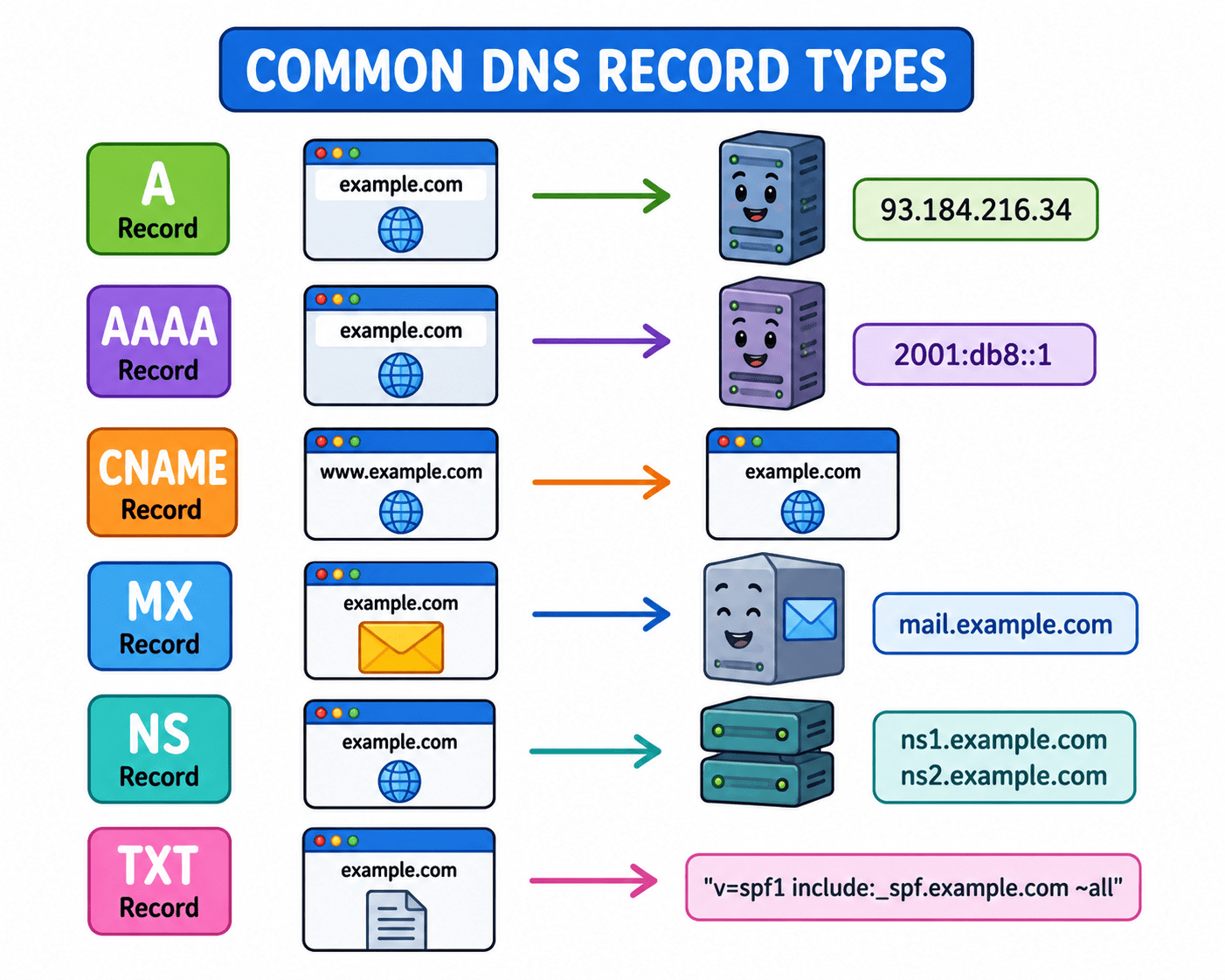
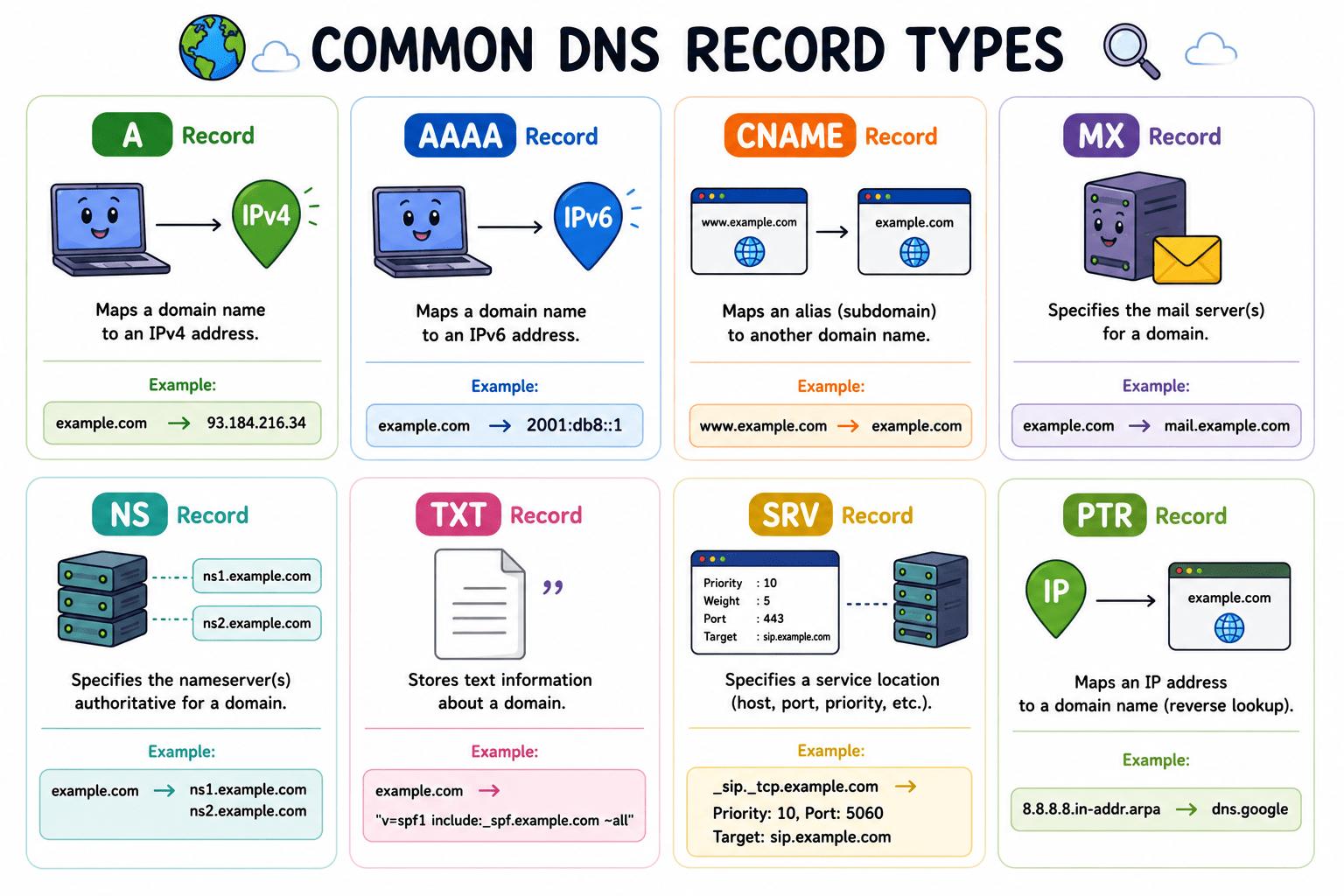
DNS records are instructions stored on the authoritative server. Each record type answers a different question about the domain — where is the website, where do emails go, what is the IPv6 address, etc. The Common records are as follows:-
A Record
An A (Address) Record maps a domain name to its IPv4 address, allowing browsers to locate the correct server. It is the most basic and commonly used DNS record. Without it, your domain wouldn’t know where to point.
AAAA Record:An AAAA Record maps a domain name to an IPv6 address, which is the newer version of IP addressing. It performs the same function as an A record but supports a much larger address space. It is essential for modern internet infrastructure.
Introduction to DNS
CNAME Record:A CNAME (Canonical Name) Record is used to create an alias for a domain, pointing it to another domain instead of an IP address. This helps manage multiple domain names easily without duplicating records. It’s commonly used for subdomains like www.
MX Record:An MX (Mail Exchange) Record specifies the mail servers responsible for receiving emails for a domain. It ensures emails are routed to the correct server instead of getting lost in the void. Without MX records, email communication wouldn’t work properly.
Example :-
- A record — the main door number of a building. "google.com lives at number 142."
- AAAA record — same door, but the longer new address format used in newer buildings (IPv6 streets).
Introduction to DNS
Example :-
- CNAME record — a nickname or alias. "Ask for 'The Smith Place' and staff will redirect you to 42 Baker Street." One address, many names.
- MX record — the mailbox address. Even if the office is at 42 Baker Street, all letters go to the post room at 10 Sorting Lane.
Introduction to URL
What is a URL?
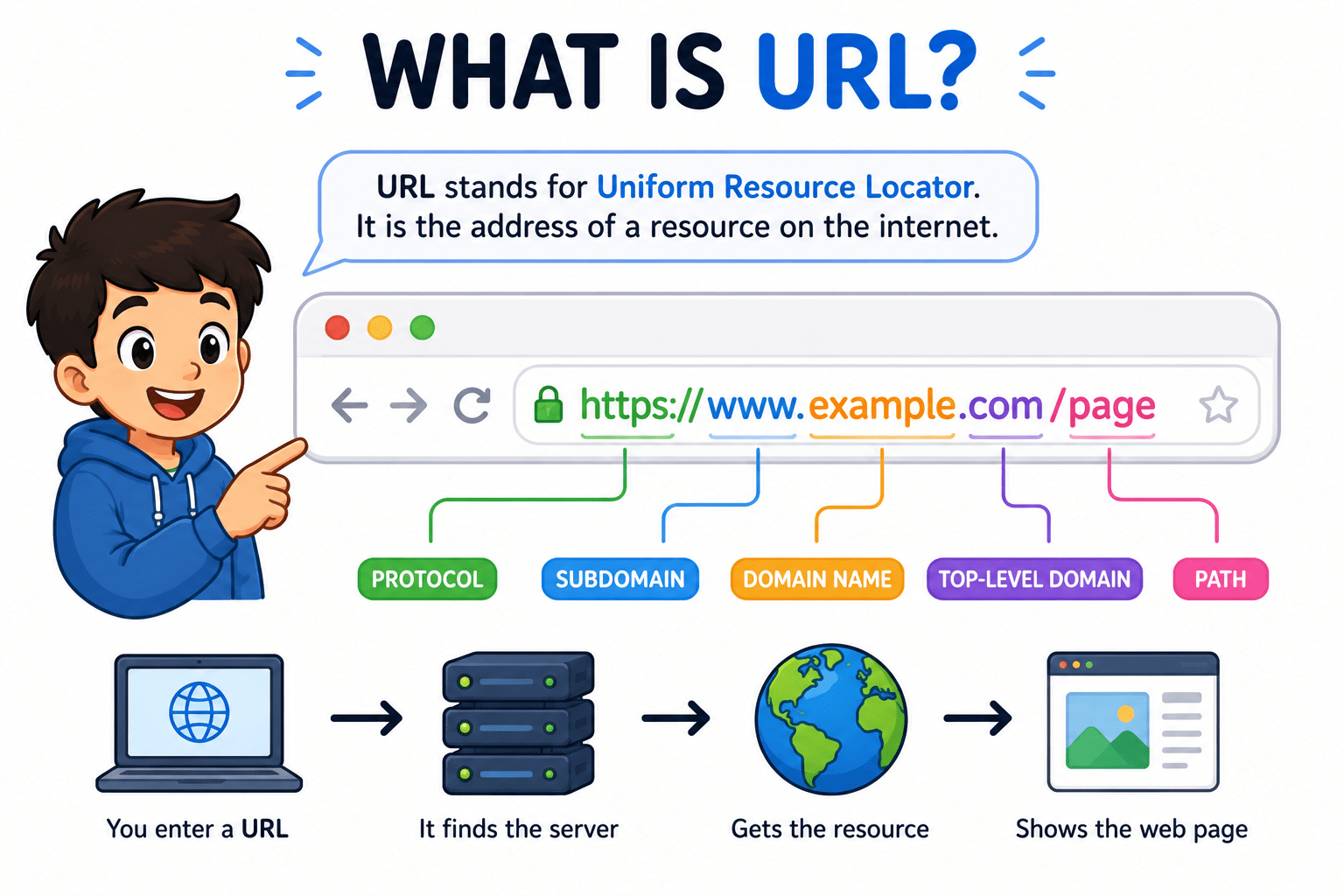
Definition:- A URL (Uniform Resource Locator) is the complete address used to access resources on the internet, such as websites, images, or files, and it tells the browser both where to go and how to retrieve the data.
A resource can be:
-
A website
-
An image
-
A video
-
A file
Example :- Imagine you want to visit your friend’s house 🏠, but you don’t know where they live. So you ask them for their address. They tell you something like: “House No. 12, Street A, Mumbai.” That address helps you reach the exact place you want without guessing or wandering around like a lost tourist.
Introduction to URL
A URL works the same way, but for the internet. It is the “address” of a place inside a computer network. When you type something like www.google.com, you’re basically telling your device, “Take me to this exact place.” Your device then uses that address to find the right computer somewhere in the world and shows you what’s there, like a website.
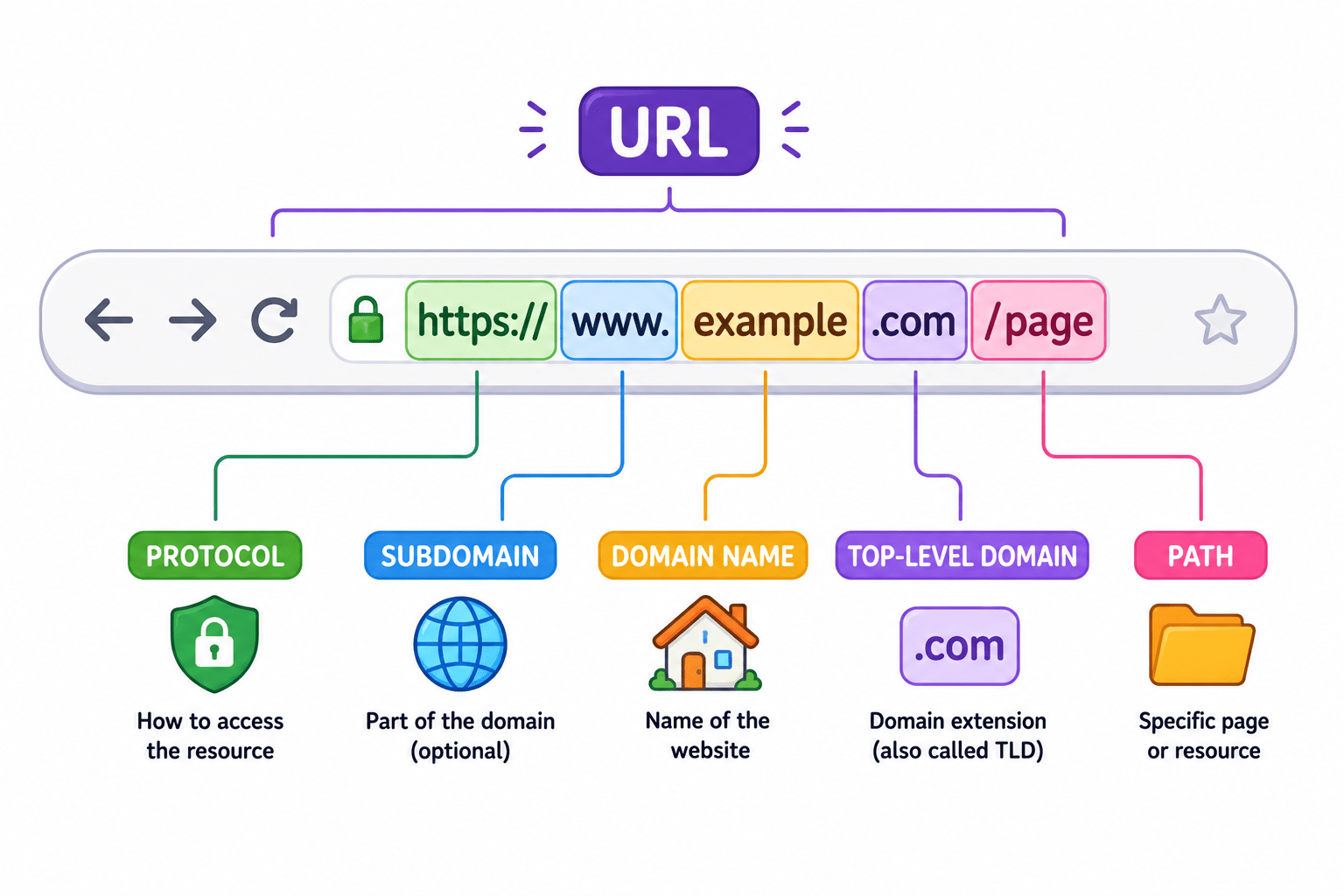
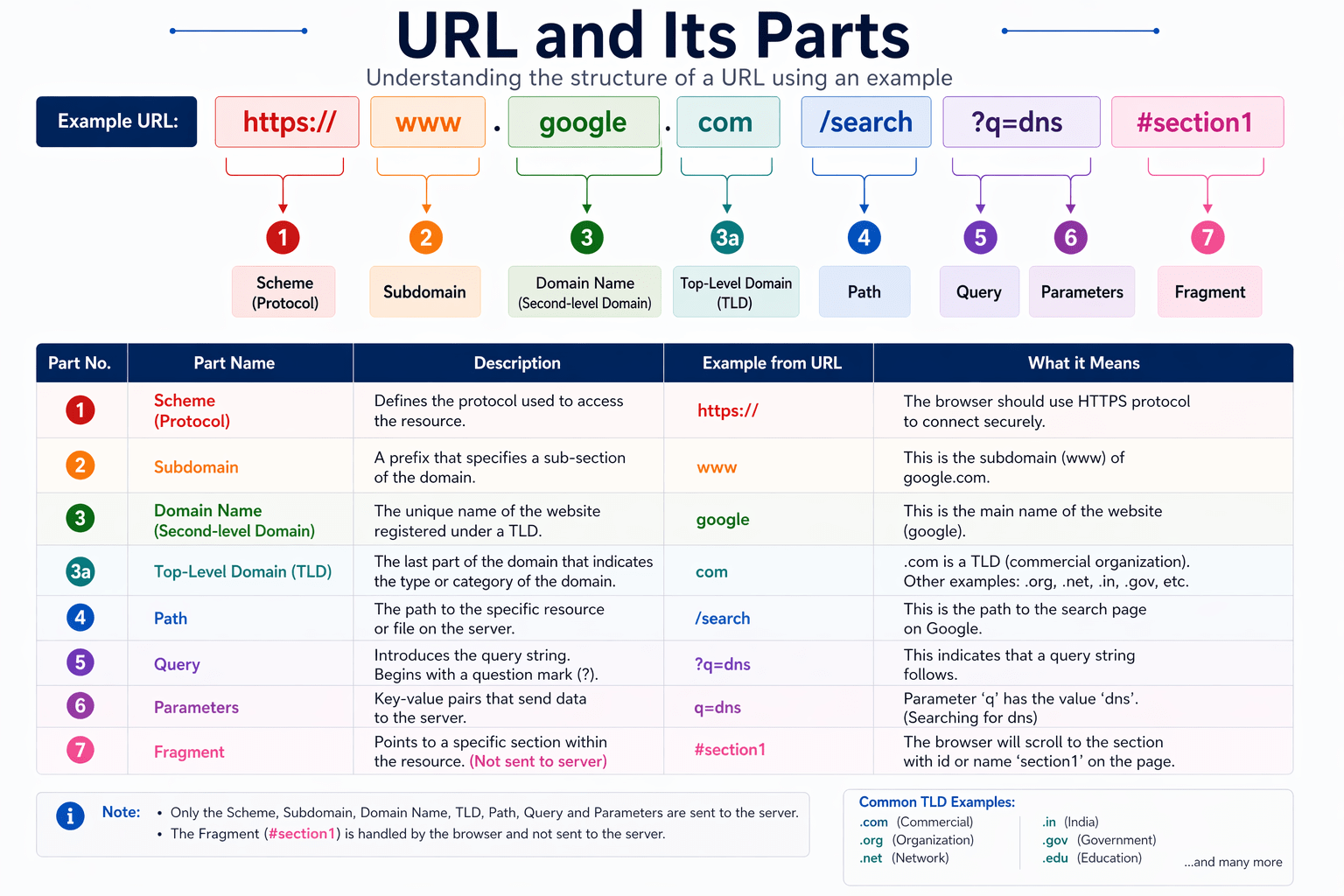
Parts of a URL :-
https://www.google.com/search?q=dns#section1
Protocol (https://)
-
Defines how data is transferred
Subdomain (www)
-
A subdomain is an extension added before the main domain name to organize or separate different parts of a website.
-
Different subdomains = different services
Introduction to URL
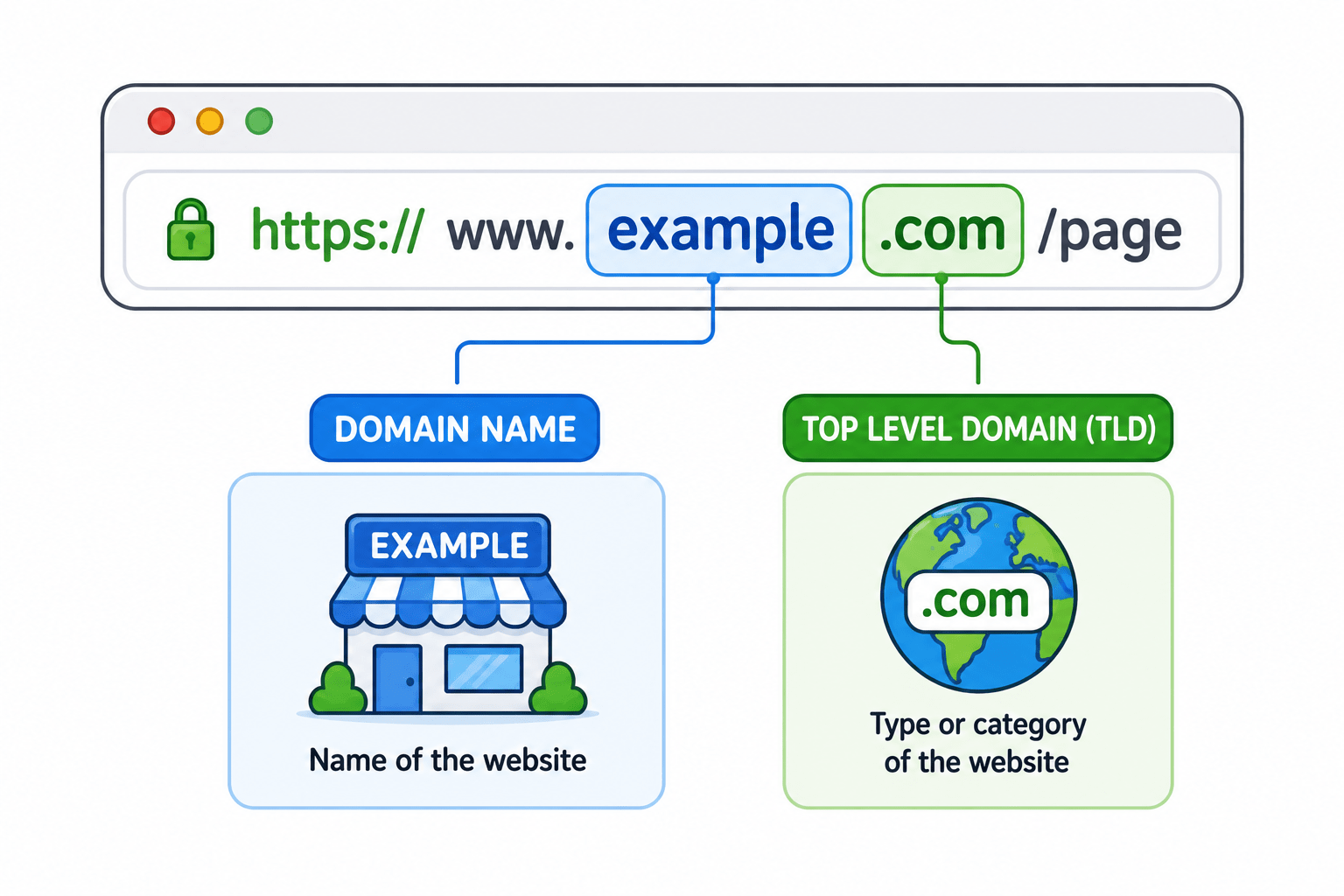
Domain Name (google.com)
-
The human-readable name of the website
- google → name
Top-Level Domain (.com)
-
A Top-Level Domain (TLD) is the last part of a domain name, the bit that comes after the final dot.
-
In www.google.com → .com is the TLD
-
The TLD tells you the category, purpose, or country of a website.
-
Common Types of TLDs are :-
-
Generic TLDs (gTLD)
-
Country Code TLDs (ccTLD)
-
Country Code TLDs (ccTLD)
-
Introduction to URL
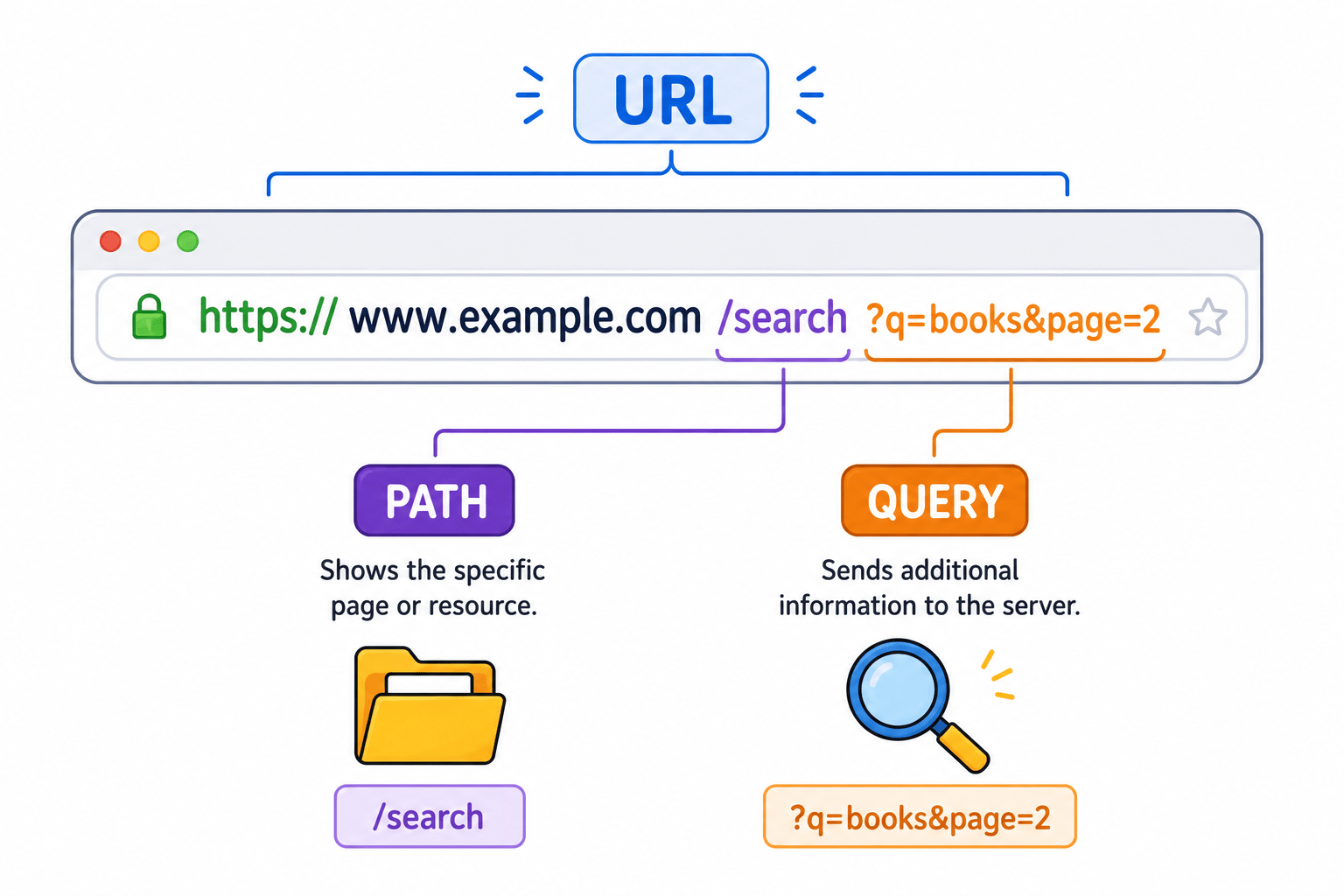
Path (/search)
-
A path is the part of a URL that comes after the domain and tells the server which specific page or resource you want.
-
So here: /search = Google search page
-
Examples:
-
/login
-
/products
-
/search
-
Query (?q=dns)
-
A query is the part of a URL used to send extra information or requests to the server. It usually starts after a question mark ? in the URL.
-
Structure: domain.com/path?key=value
-
Starts with ?
-
Used to send data to the server
Introduction to URL
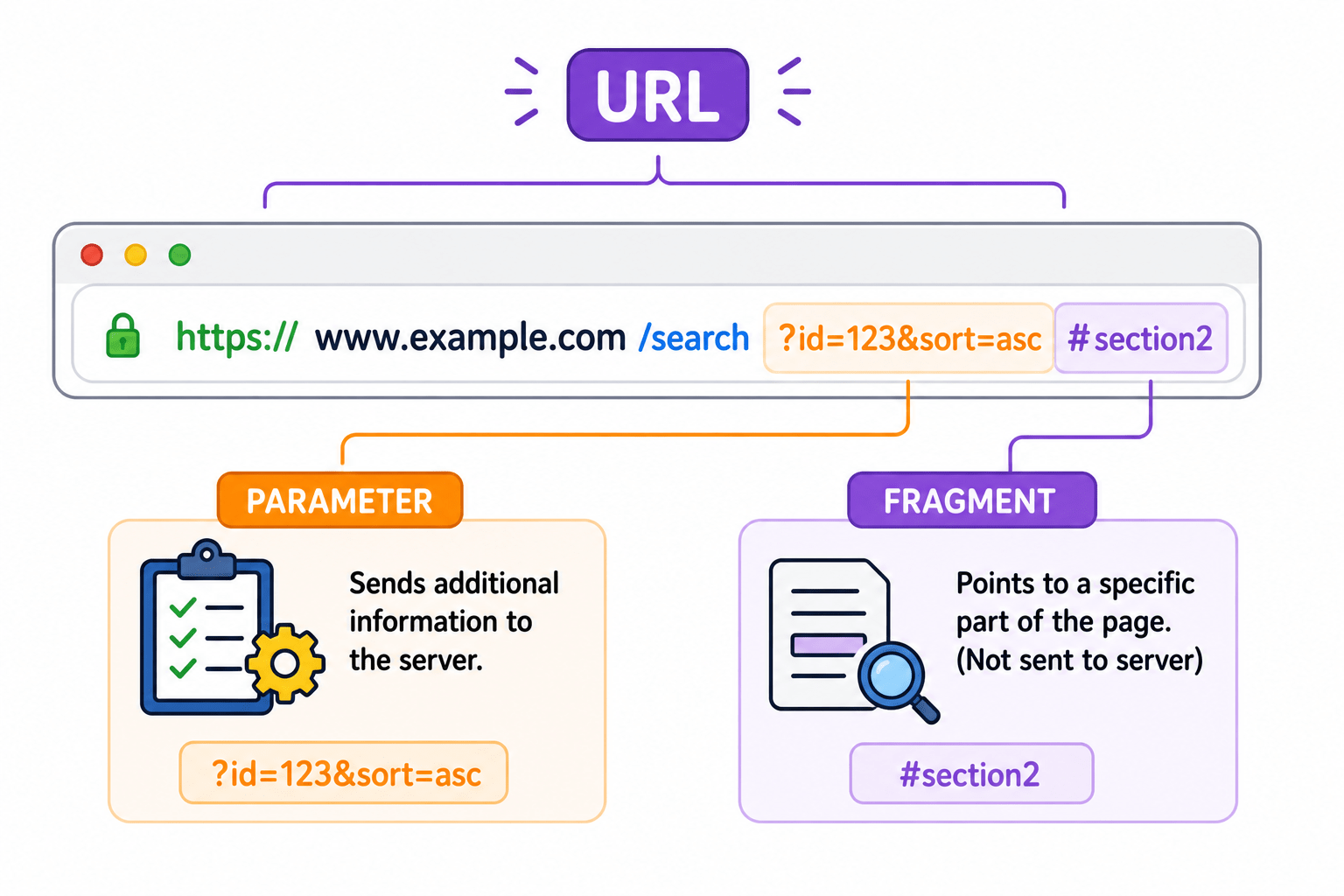
Parameters (q=dns)
-
Parameters are the actual pieces of data sent inside a URL query that tell the server exactly what you want.
-
They are written in key-value pairs.
-
q → parameter name
-
dns → value
Fragment (#section1)
-
A fragment is the part of a URL that comes after the hash symbol # and is used to navigate to a specific section within a webpage.
-
Structure: https://example.com/page#section1
-
#section1
-
Used to jump to a specific part of a page
-
Not sent to server (browser handles it)
-
Introduction to URL
FAQs
- What happens to emails if an MX record is missing ?
-> Without an MX (Mail Exchanger) record, no mail server knows where to deliver emails sent to @yourdomain.com. Emails would fail to route and get lost. MX records are essential for any domain that needs to send or receive email.
- What would Happen if DNS did not exist ?
-> Without DNS, you would need to memorize a different numeric IP address for every website you visit. DNS makes the internet usable by letting humans use names while machines continue to use IP addresses behind the scenes.
- In what order do DNS servers get contacted during a full resolution?
-> Root Server → TLD Server → Authoritative Server. The Root Server answers 'who handles .com?', the TLD Server answers 'who handles google.com?', and the Authoritative Server gives the actual IP address.
Summary
5
DNS records define how domains behave (web, mail, etc.)
4
DNS queries go through a structured hierarchy:
3
It works like a global phonebook system
2
DNS solves this by mapping names → IPs
1
IP addresses identify devices, but they’re hard to remember
Quiz
Which DNS server is the FIRST to receive your query when you type a domain name?
A. Root Server
B. TLD Server
C. Authoritative Server
D. Recursive Resolver

Quiz-Answer
Which DNS server is the FIRST to receive your query when you type a domain name?
A. Root Server
B. TLD Server

C. Authoritative Server
D. Recursive Resolver
Quiz
If you visit the same website twice, why is the second DNS lookup faster?
A. The root server remembers you
B. The resolver uses its cache
C. The TLD server stores your IP
D. The authoritative server sends a faster response
Quiz-Answer
If you visit the same website twice, why is the second DNS lookup faster?
A. The root server remembers you
D. The authoritative server sends a faster response
C. The TLD server stores your IP
B. The resolver uses its cache
Quiz
Which part of a URL defines how data is transferred?
A. Domain name
B. Path
C. Protocol
D. Query string
Quiz-Answer
Which part of a URL defines how data is transferred?
A. Domain name
B. Path
D. Query string
C. Protocol