File Handling and Exception Handling


File Handling Foundations and Opening Modes

Learning Outcome
5
Connect every file task to open → operate → close.
4
Apply the right mode to real scenarios.
3
Recognize why closing a file is essential.
2
Identify the four core opening modes and modifiers.
1
Understand what file handling is and why it matters.
The Whiteboard vs the Notebook

A library notebook keeps everything;
that’s a file.
A teacher’s whiteboard is wiped after class;
that’s program memory.
Before handing it over,
the librarian asks: read it, start fresh, or add at the end?
temporary memory → permanent storage, and your declared intent decides what you’re allowed to do.
Transition to Technical Concept:

A student portal stores marks in a Python list.
The program closes and restarts.
Is the data on the whiteboard or in the notebook?
The whiteboard. Data in variables, lists, and dictionaries disappears once the program ends.
Exactly! So how does a program write into the notebook and read it back later?
What is File Handling ?

- The process of creating, opening, reading, writing, and closing files from within a program, so data persists beyond a single run.
- Every file operation follows one lifecycle: Open (state intent) → Perform operations (read/write) → Close (save and release).
- Text files (.txt, .csv, .py) store human-readable characters. Binary files (images, audio, PDFs, .exe) store raw bytes that only specific software understands.
Student portals, banking apps, and website logs all depend on data that survives after the program ends.
Opening a File: The open() Function
-
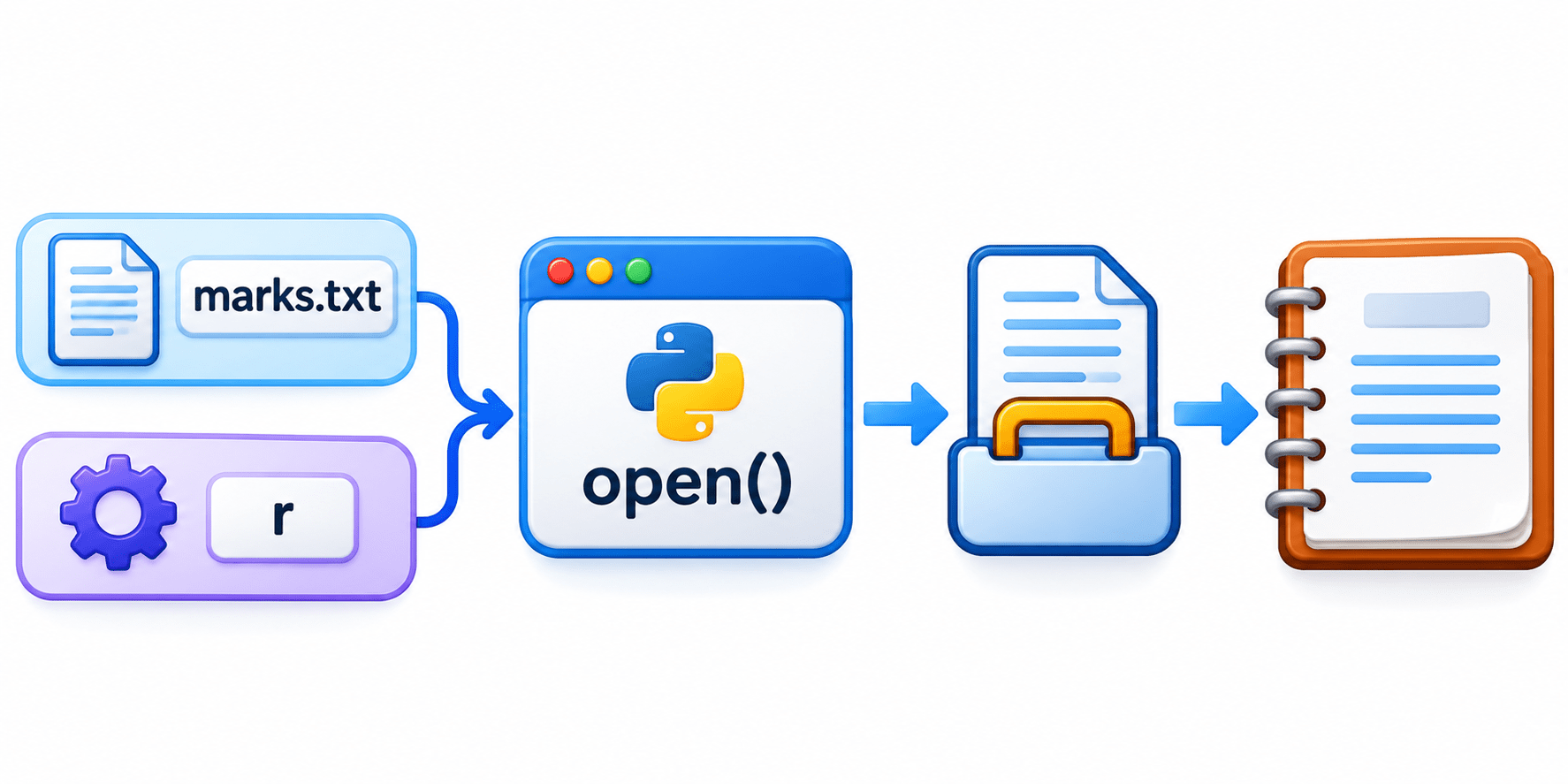
open() takes two inputs:
-
-
File name or path: "marks.txt” for the same folder, or a full path like “C:/data/marks.txt”.
-
Mode: a short string stating intent (“r”, “w”, ...).
-
-
It returns a file project, the program’s handle to the file. Every later read or write goes through it.
-
If no mode is given, Python defaults to read mode in text (“rt”).
Code: open("marks.txt", "r")
The Four Core Modes
Every mode answers the librarian’s three questions: Must the file exist? Is old content kept? Where do you start?
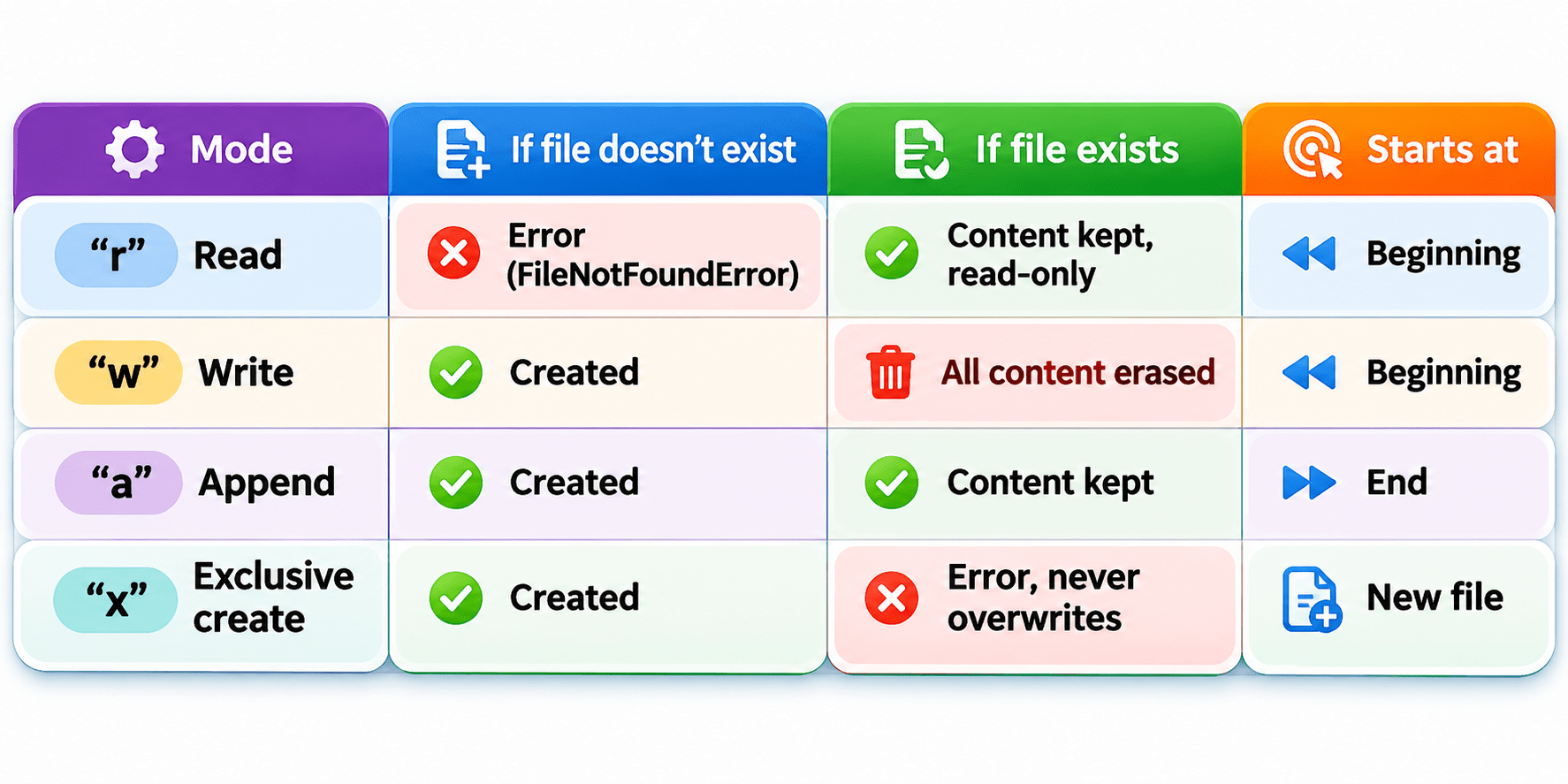
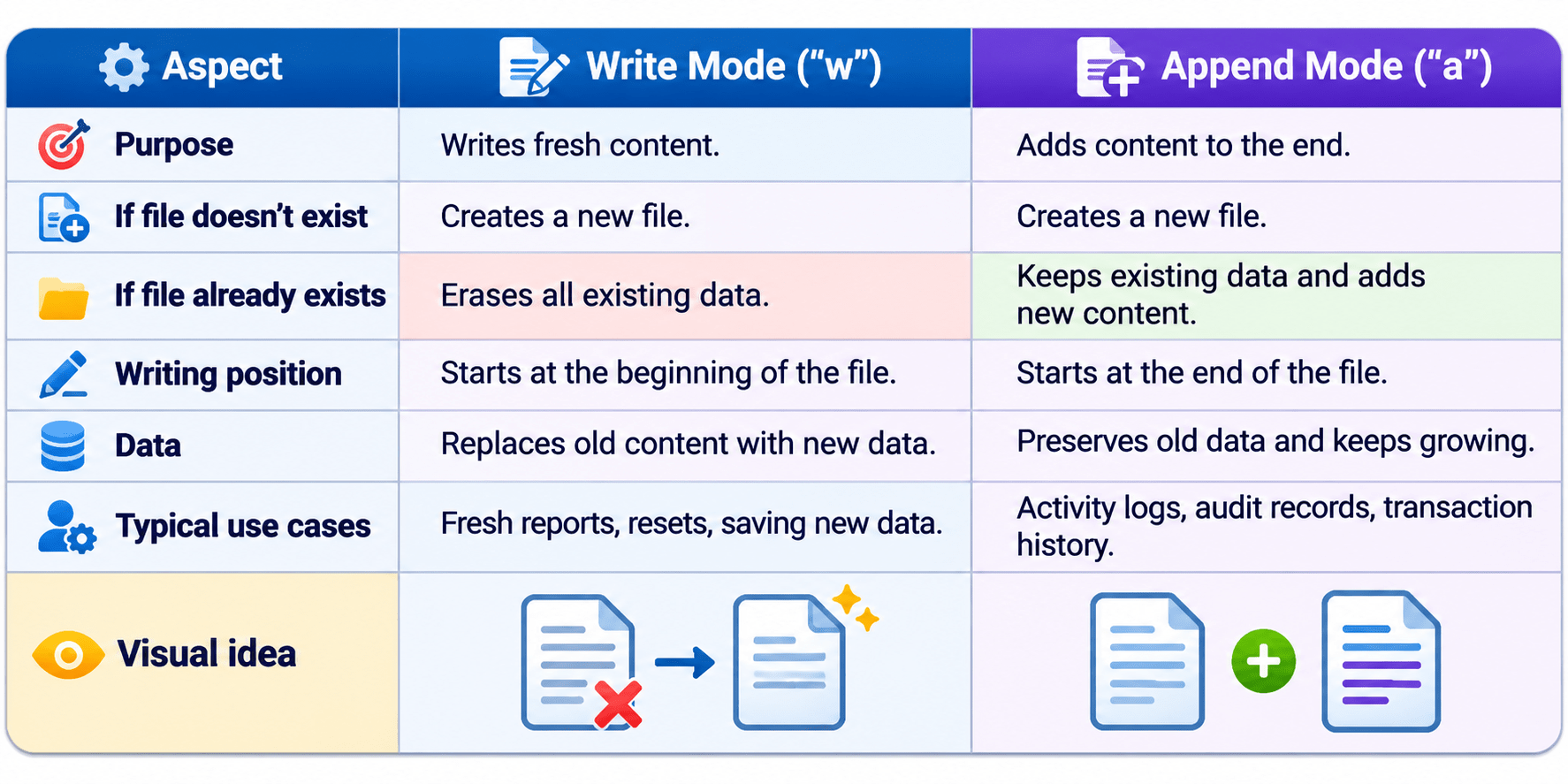
Key Point: “w” is the only core mode that silently destroys existing data.
Modifiers: Extending the Core Modes
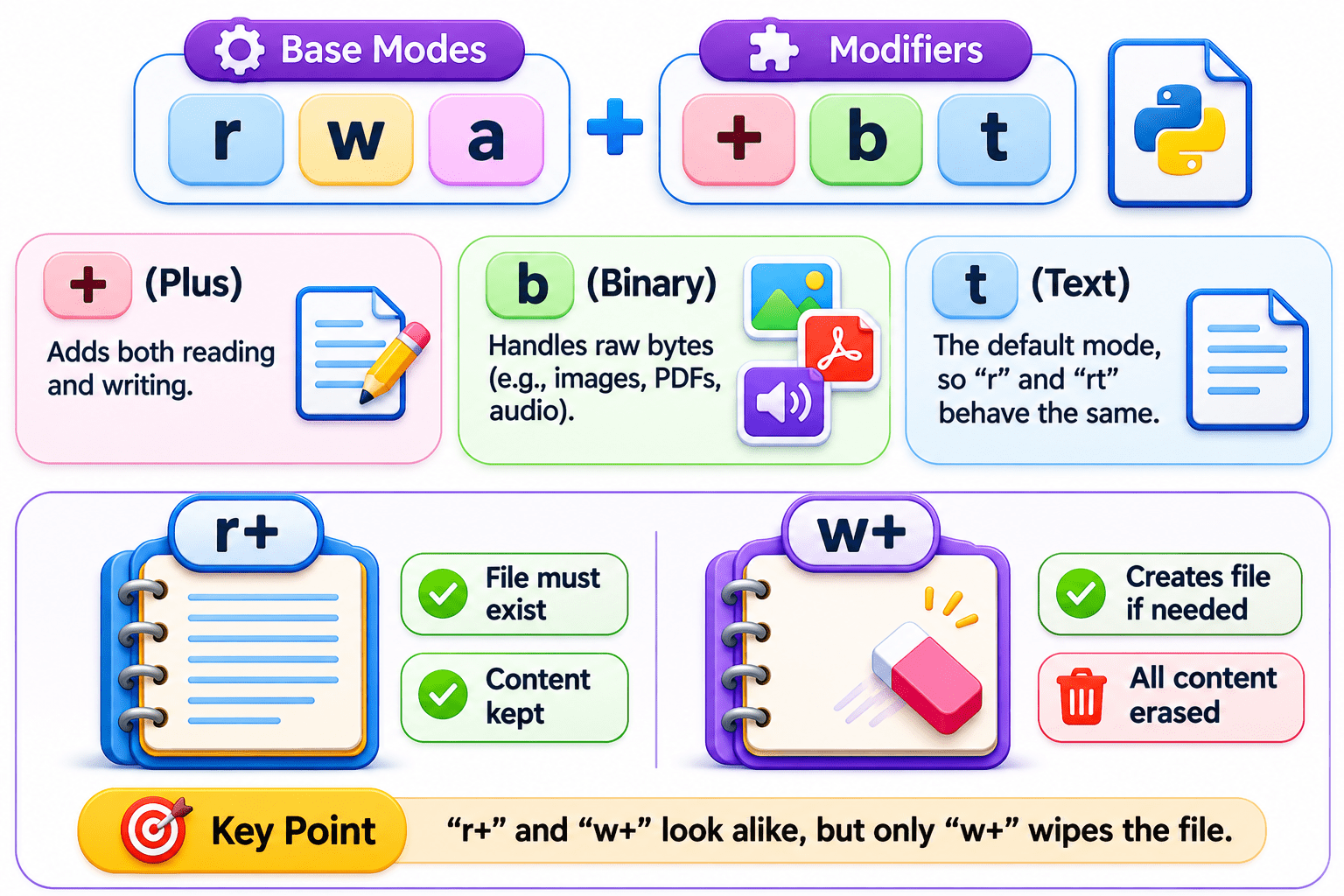
- “+” (Plus) adds both reading and writing:
- “r+”: file must exist, content kept.
- “w+”: creates the file if needed, erases content.
- “b” (Binary) handles raw bytes for images, PDFs, and audio, e.g. “wb” to save a photo.
- “t” (Text) is the default, so “r” and “rt” behave the same.
Key Point: “r+” and “w+” look alike, but only “w+” wipes the file.
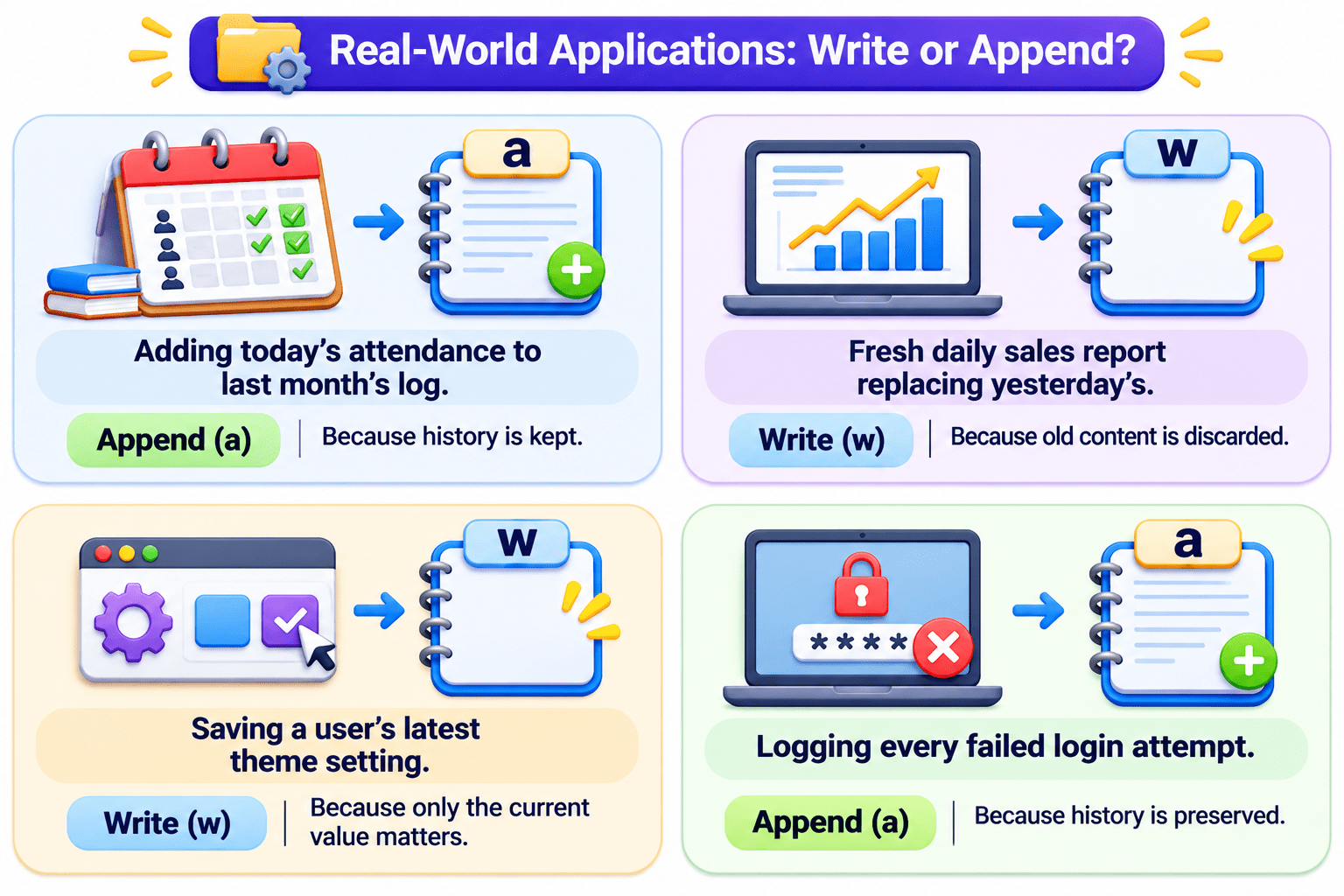
Write Mode vs Append Mode (Comparison)
A Simple Way to Remember
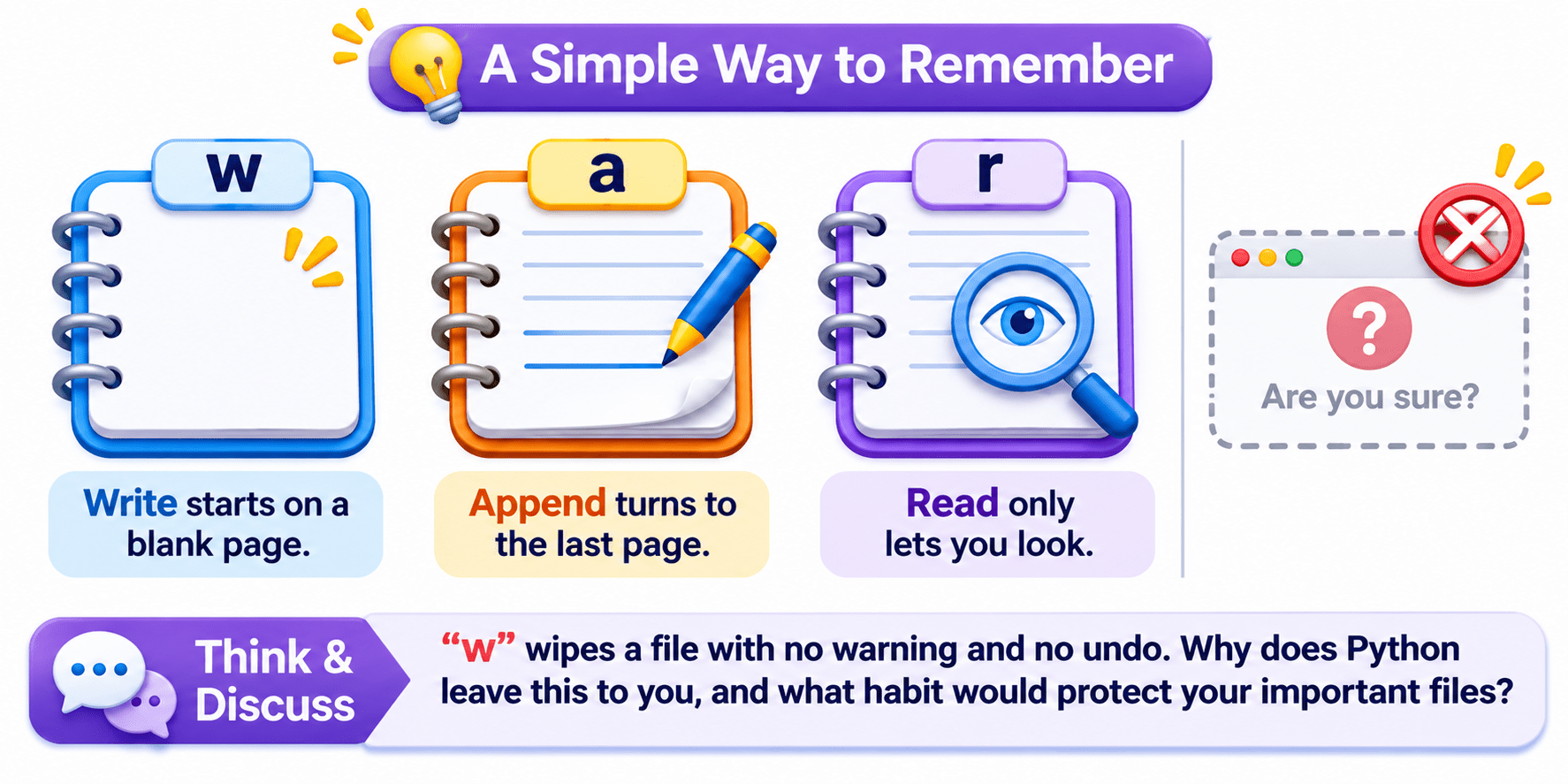
Write starts on a blank page. Append turns to the last page. Read only lets you look.
Think & Discuss: “w” wipes a file with no warning and no undo. Why does Python leave this to you, and what habit would protect your important files?
Why Does Closing a File Matter
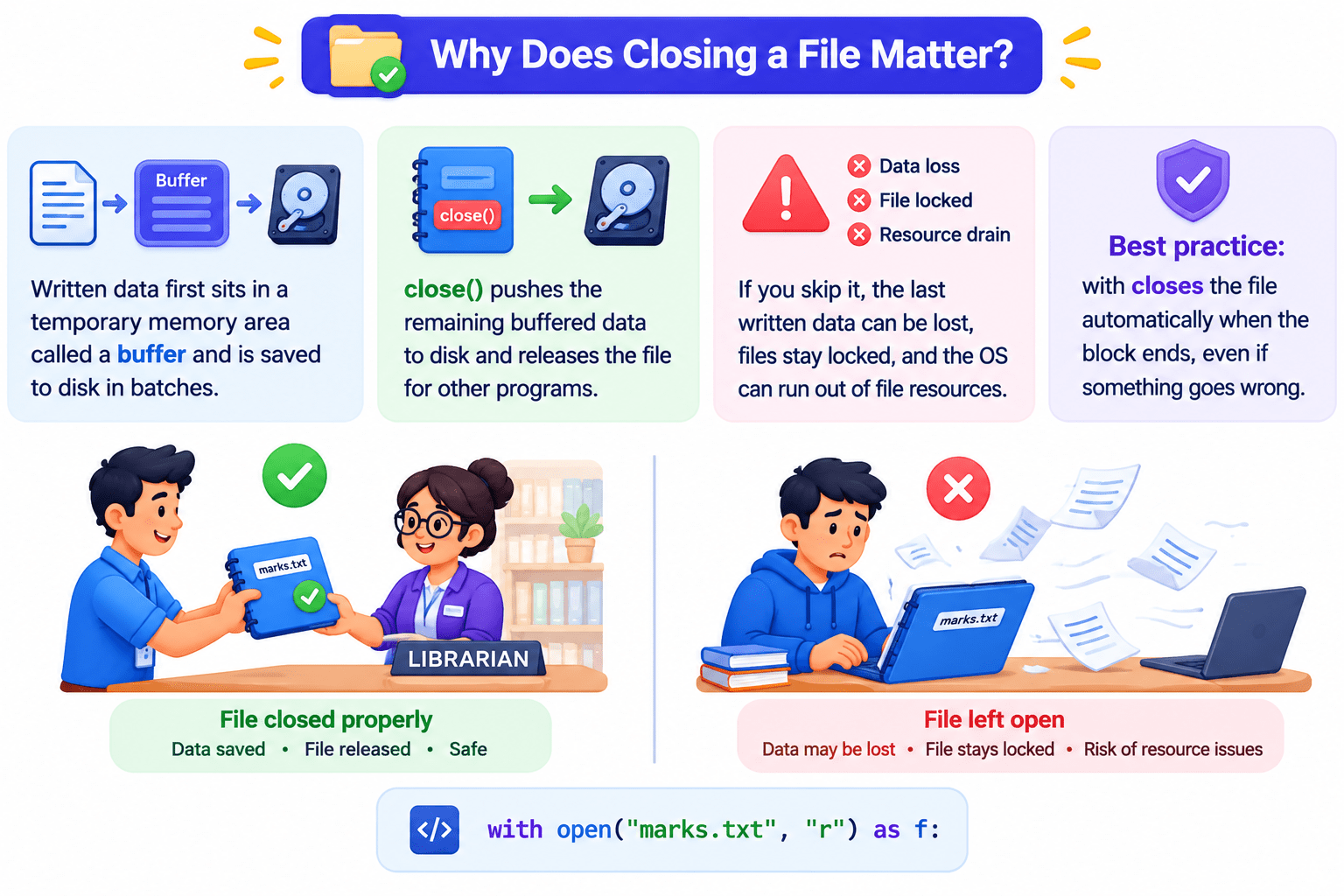
Why Does Closing a File Matter
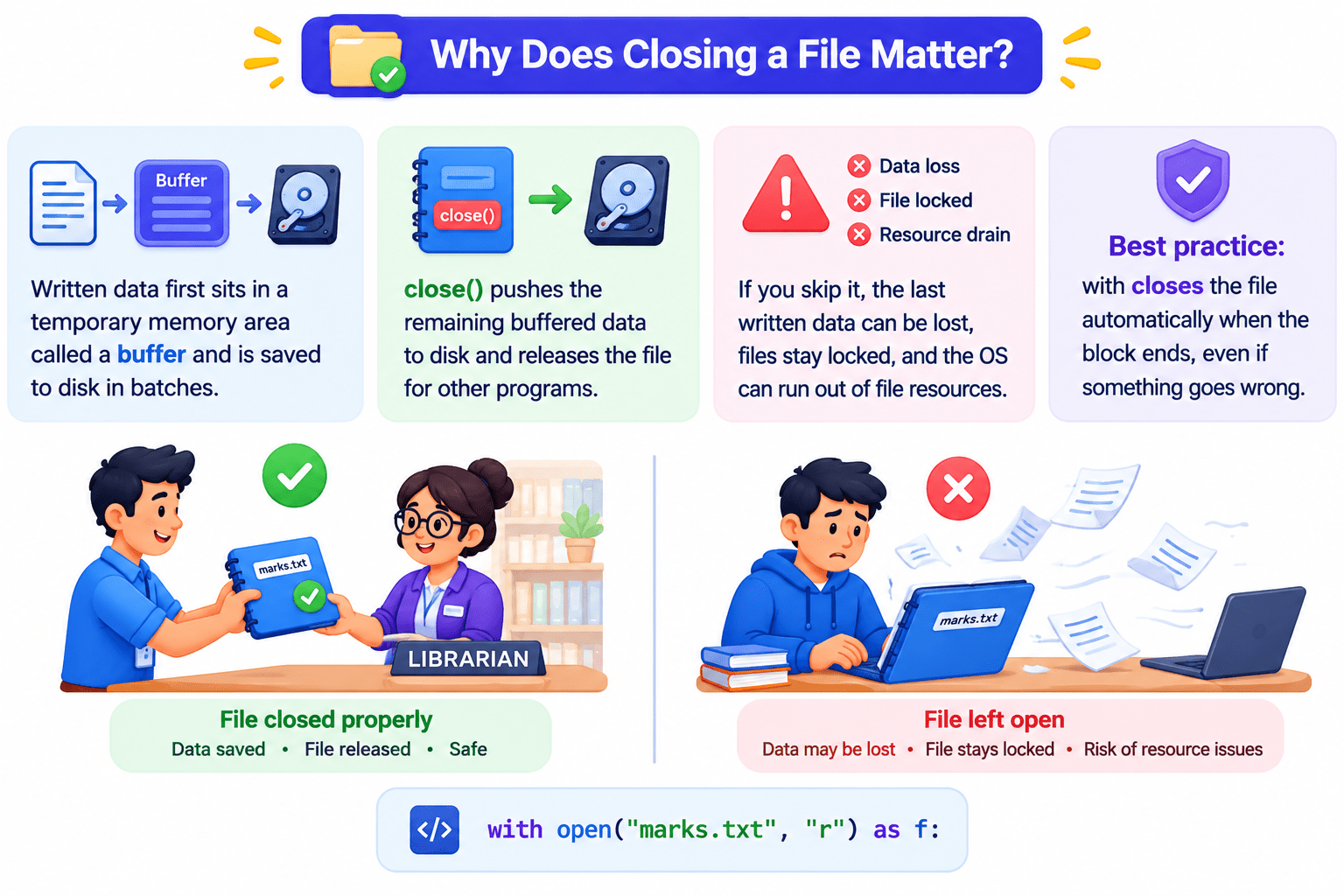
Code: with open("marks.txt", "r") as f:
Why Does Closing a File Matter
Summary
5
Every file task follows open → operate → close.
4
Use “w” for fresh data, “a” to keep history.
3
Always close files; with does it automatically.
2
Core modes r, w, a, x; modifiers +, b, t extend them.
1
File handling saves data beyond a program’s run.
Quiz
Which mode creates a file but never overwrites an existing one?
A. “w”
B. “a”
C. “x”
D. “r+”

Quiz-Answer
Which mode creates a file but never overwrites an existing one?
A. “w”
B. “a”
C. “x”
D. “r+”