Fundamentals

Types of Batches


Types of Batches
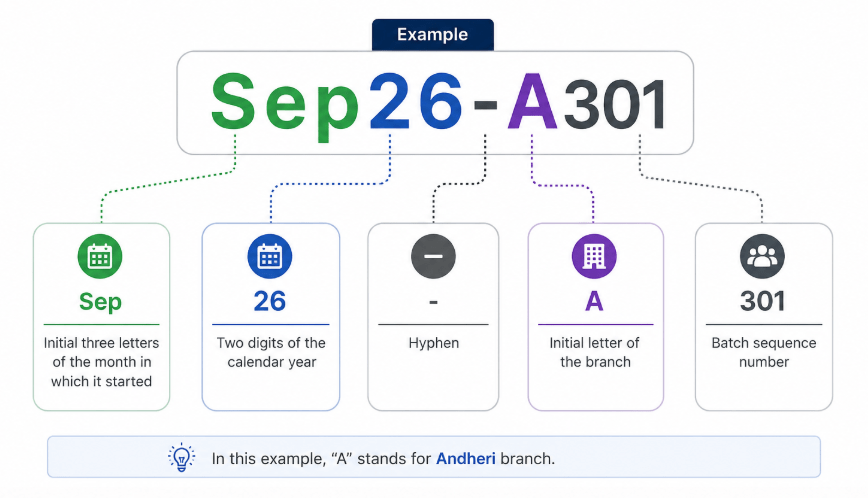
A Master Batch is the primary batch where all learner enrollments are recorded. It follows a standardized naming convention for easy identification and tracking.
Eg. Sep26-A301
- Which means Initial three letters of the month in which it started in “Sep”
- Two digits of the calendar year “26”
- Hyphen “-”
-
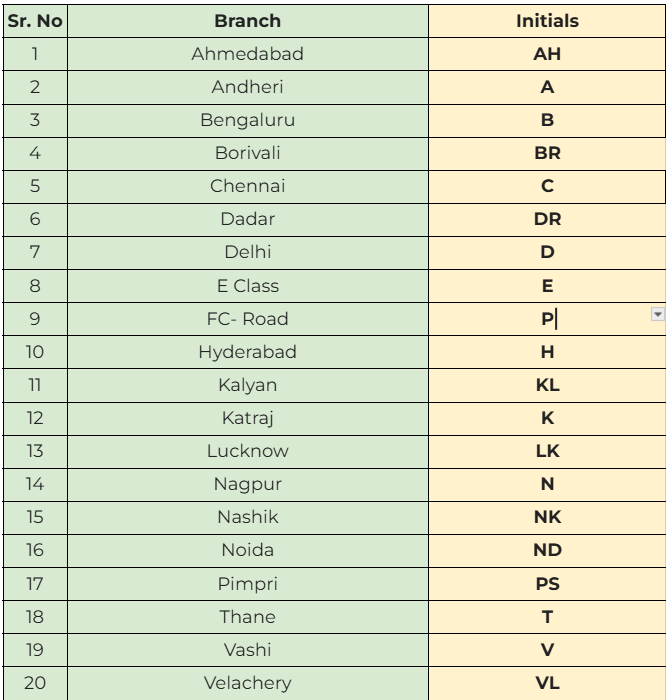
Initial letter of the branch “A” which stands for Andheri
Types of Batches
Course wise Series:
| Course | Series |
|---|---|
| Cyber Security with AI | 101 |
| Full stack Builder | 201 |
| Data Science | 301 |
| Executive Program in DevOps with AWS | 525 |
| Digital Marketing | 601 |
| Software Testing | 701 |
| Investment Banking with AI | 801 |
Types of Batches
Branch and their Initials:
Following are the type of batches and their stages:
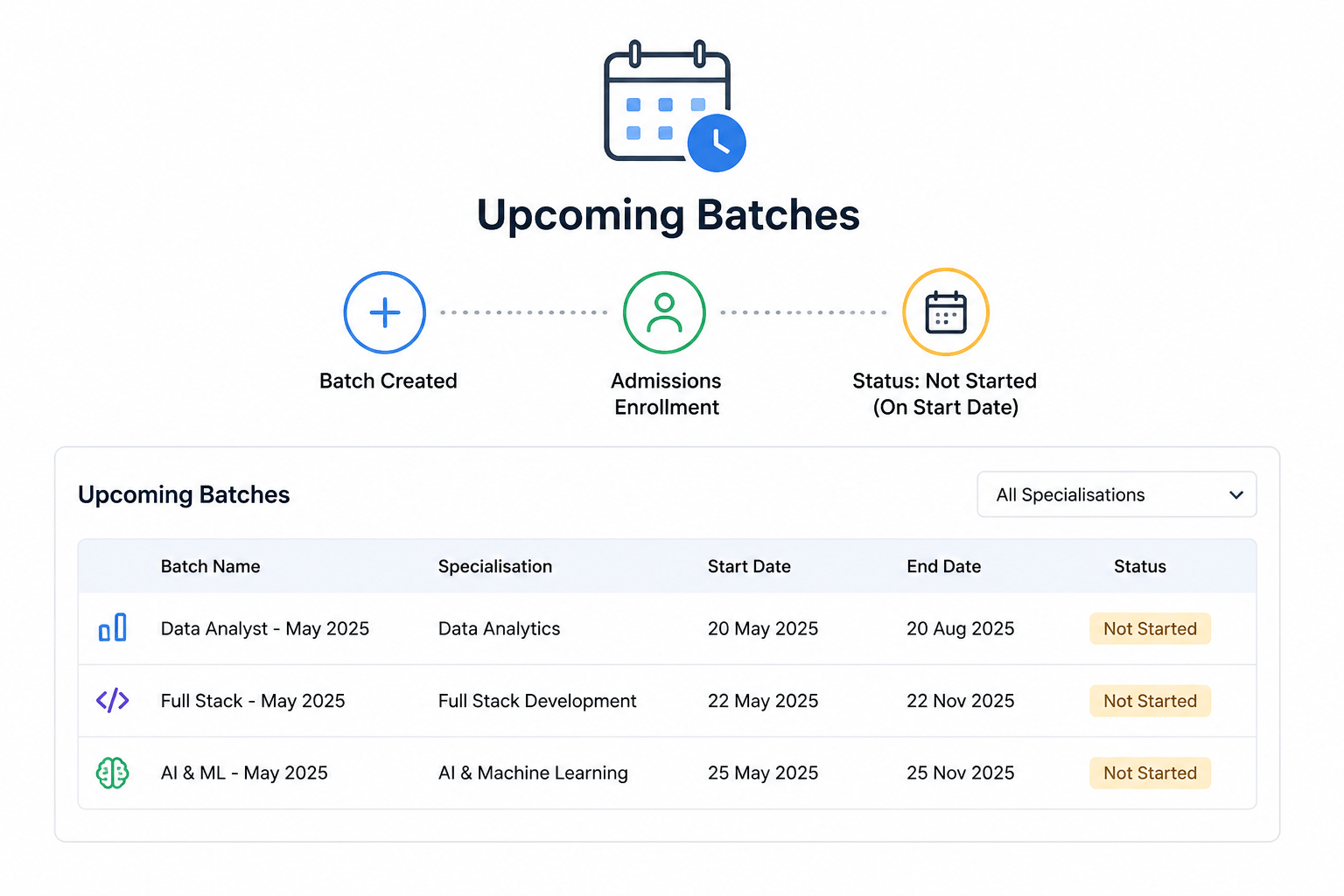
Upcoming Batches:
Upcoming batches are created with basic details and enrollment is managed by the Admissions Team. On the start date, the status automatically changes to “Not Started.” Specialisation-wise batches are also visible for your branch.
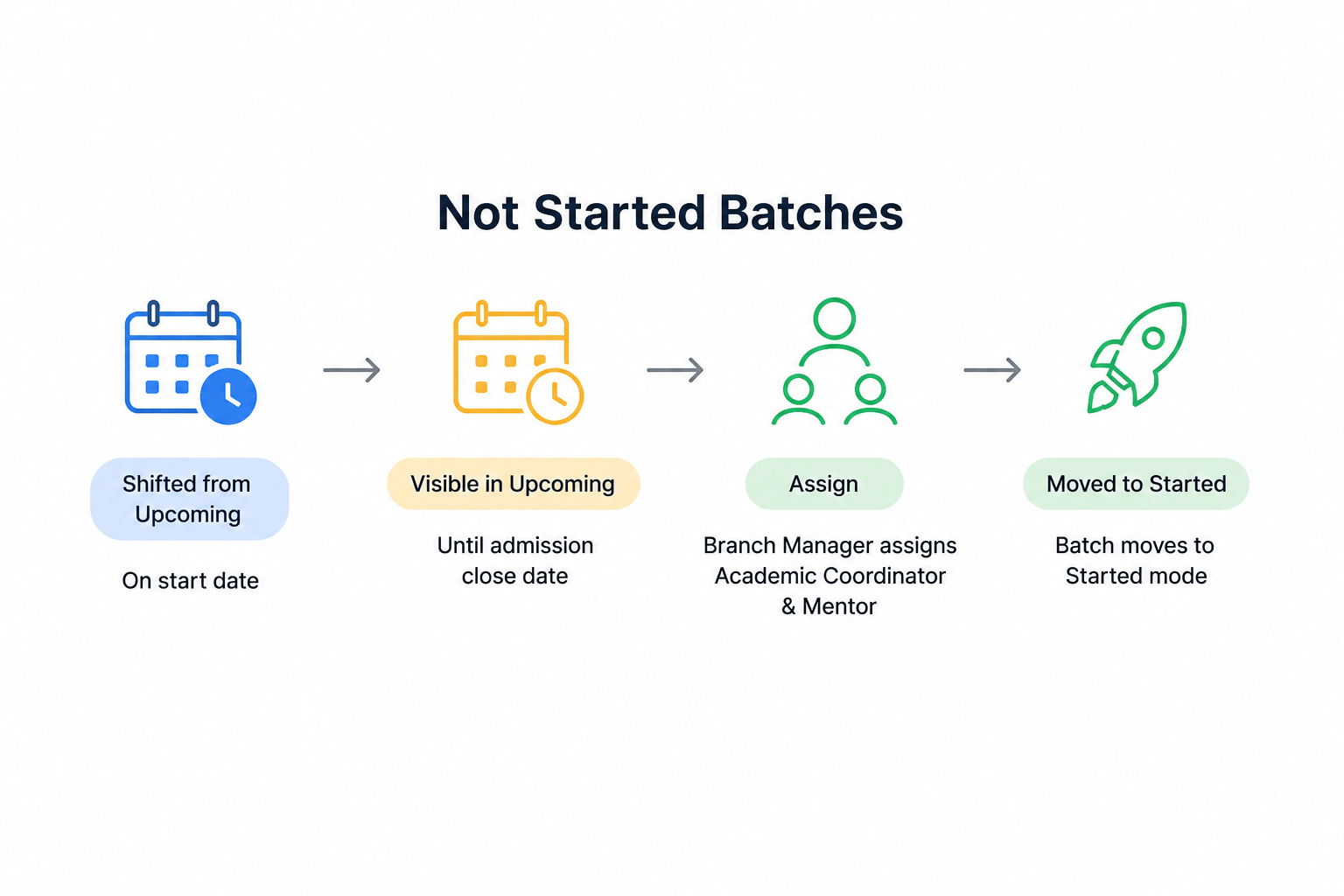
Not Started Batches:
Batches automatically move from Upcoming to Not Started on the start date. They remain visible in Upcoming until admissions close. After the Branch Manager assigns the Academic Coordinator and Mentor, the batch moves to Started.
Following are the type of batches and their stages:
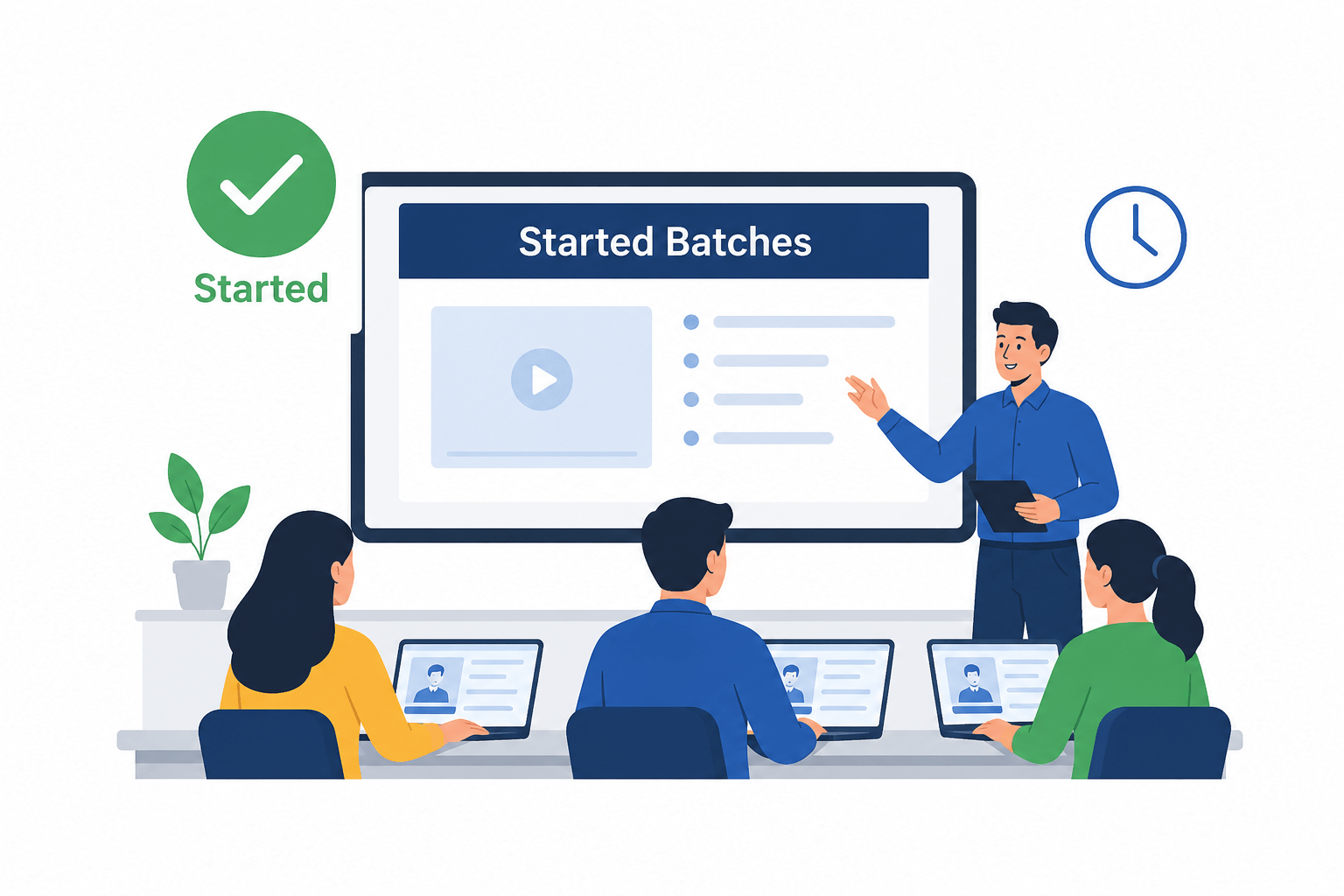
Started Batches-
These batches have commenced training/lectures. Learners are actively attending sessions and progressing through the course curriculum as per the planned schedule.
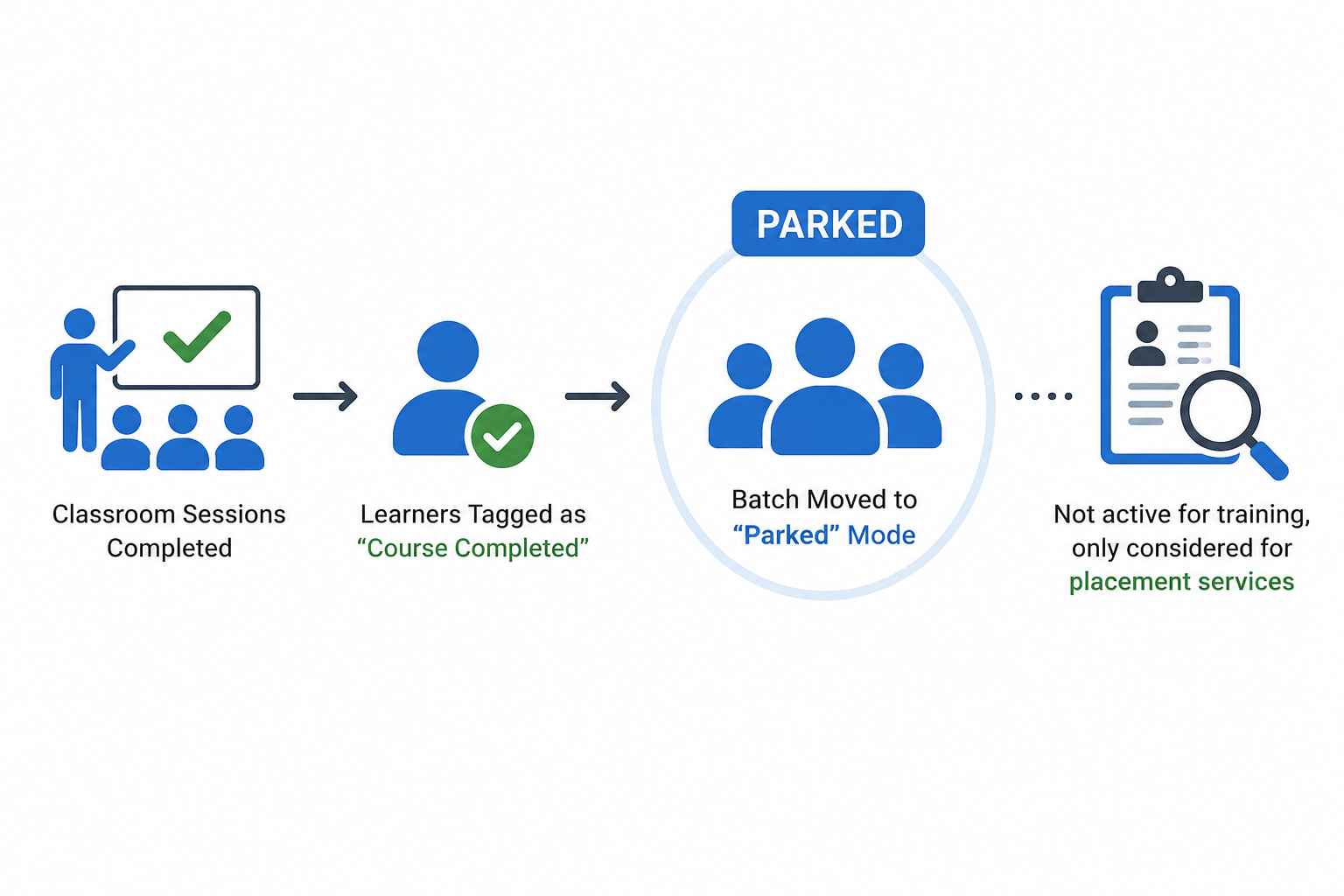
Parked Batches –
Once all learners complete their classroom training and are tagged “Course Completed,” the batch moves to “Parked” mode. It is no longer active for training and is considered only for placement services.
Following are the type of batches and their stages:
Completed Batches –
When all learners are placed, self-placed, or marked as Alumni, the batch moves to “Completed” status and no longer requires institute services.
Hook/Story/Analogy(Slide 4)
Transition from Analogy to Technical Concept(Slide 5)
Inside the Concept
Core Concepts (Slide 7)
Core Concepts (.....Slide N-3)
Summary
5
Build strong branding
4
Use different marketing channels
3
Target the right audience
2
Create and communicate value
1
Understand customer needs
Choose cool, soft colors instead of vibrant colors
Max 5 Points for Summary & Min 2
Quiz
Which platform is mainly used for professional networking and B2B marketing ?
A. Facebook
B. Instagram
C. LinkedIn
D. Snapchat

Quiz-Answer
Which platform is mainly used for professional networking and B2B marketing ?
A. Facebook
B. Instagram
C. LinkedIn
D. Snapchat
