Filtering Doctors by Specialization using React and Spring Boot

Business Scenario
The objective of this lab is to implement a doctor filtering feature in the Medicare Management System. Students will integrate React with Spring Boot REST APIs to retrieve doctors based on their specialization. The feature allows users to search doctors efficiently without manually browsing the complete list.

Pre-Lab Preparation
-
Integrate React with Spring Boot Filter APIs.
-
Implement filtering using Axios.
-
Use React useState and useEffect hooks.
-
Display filtered data dynamically.
-
Improve user experience using dropdown-based searching.
-
Build reusable frontend components.
1
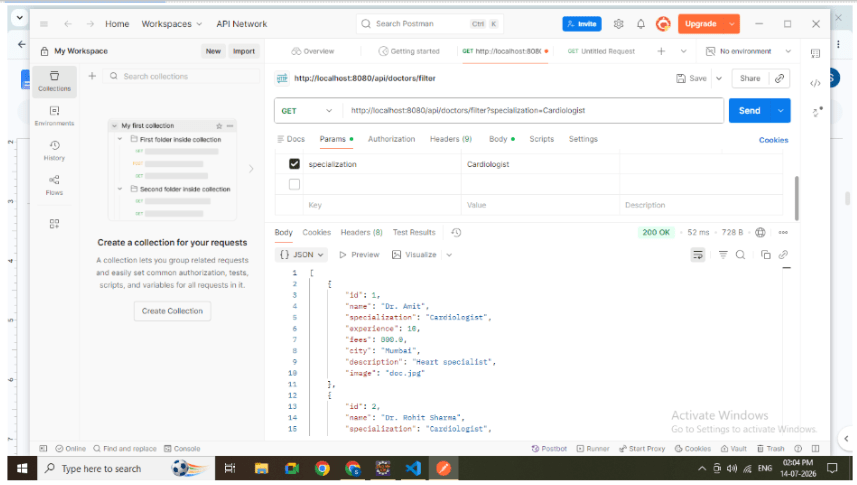
Create Filter API in Spring Boot
Create a GET API that accepts specialization as a request parameter.
Example API:
GET http://localhost:8080/api/doctors/filterspecialization=Cardiologist
The backend filters doctor records based on the selected specialization and returns the matching results.
2
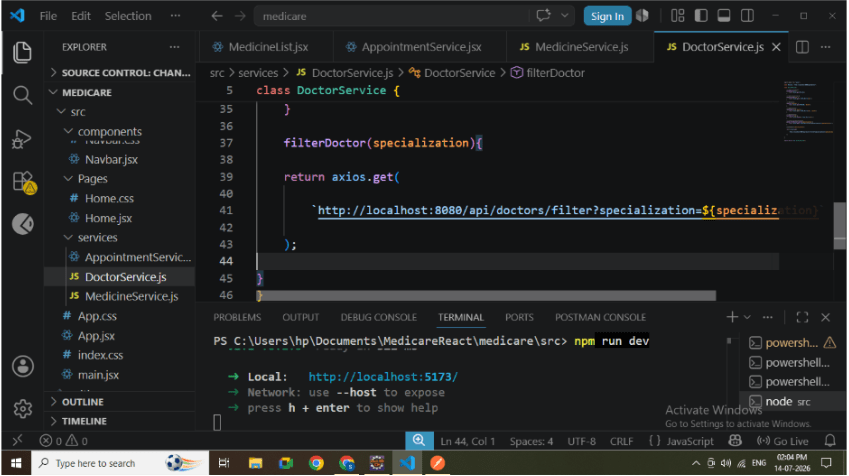
Add Filter Method in DoctorService
Create a reusable service method to call the backend filter API using Axios.
Responsibilities:
-
Send specialization value.
-
Receive filtered doctors.
-
Return the response to React.
3
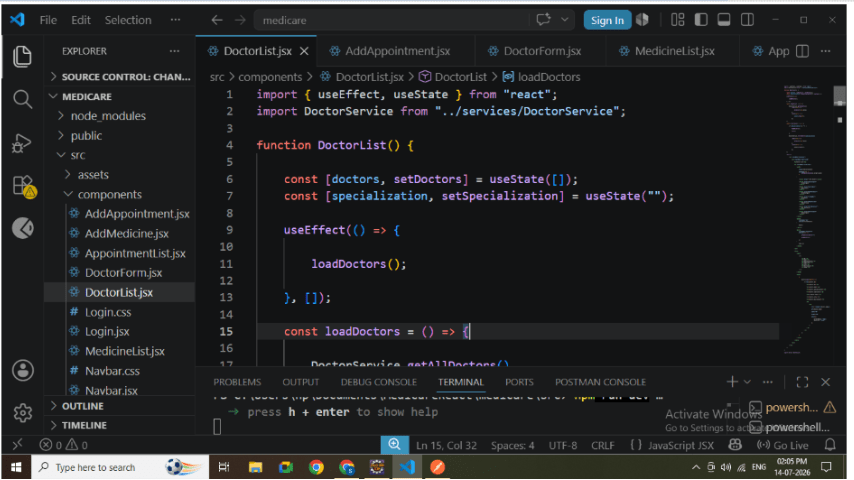
Create State Variables
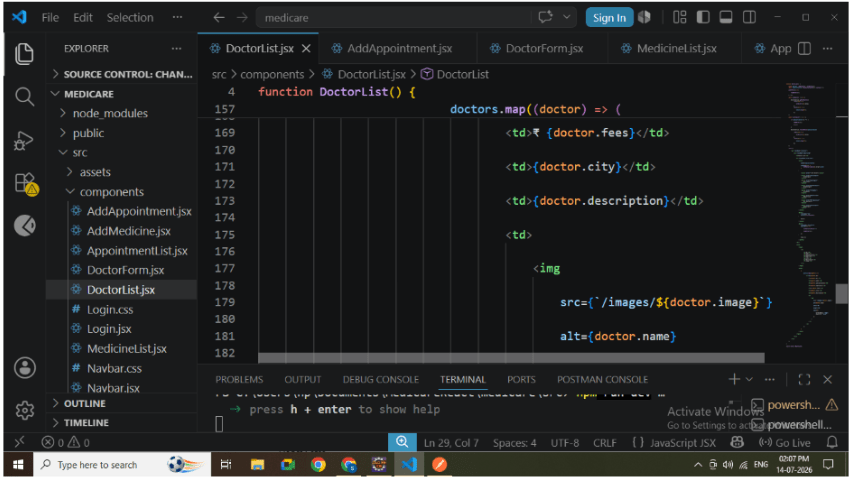
Inside DoctorList.jsx create the following state variables:
-
Doctor List
-
Selected Specialization
These variables manage the doctor data and the currently selected specialization.
5
4
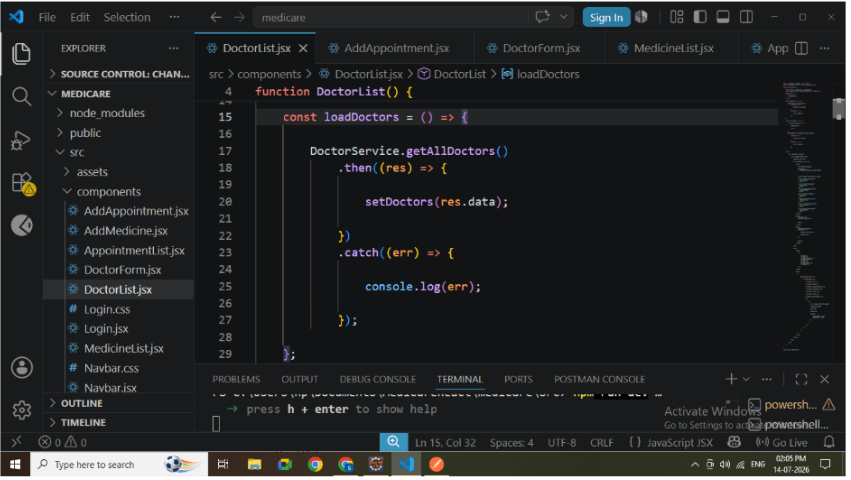
Load All Doctors
Use useEffect to automatically load all doctors when the component loads.
Responsibilities:
-
Call Fetch All API.
-
Store response using useState.
-
Display complete doctor list.
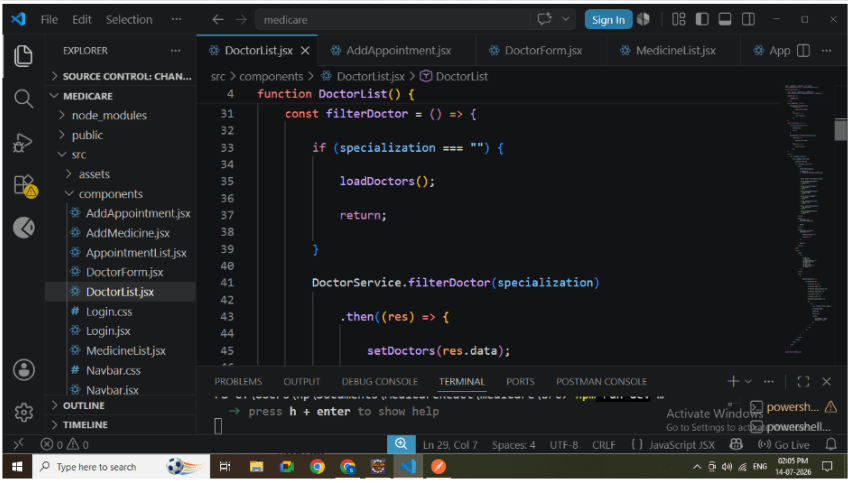
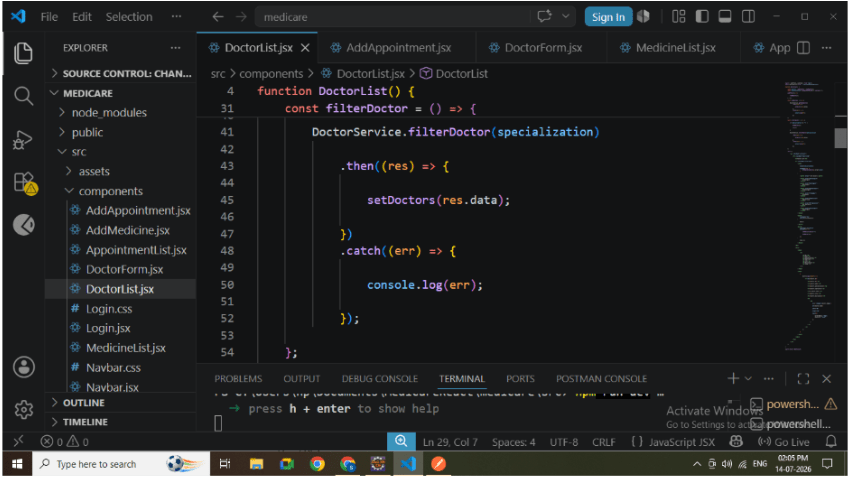
Create Filter Function
Create a function that:
-
Reads specialization from the dropdown.
-
Calls the Filter API.
-
Updates the doctor list.
6
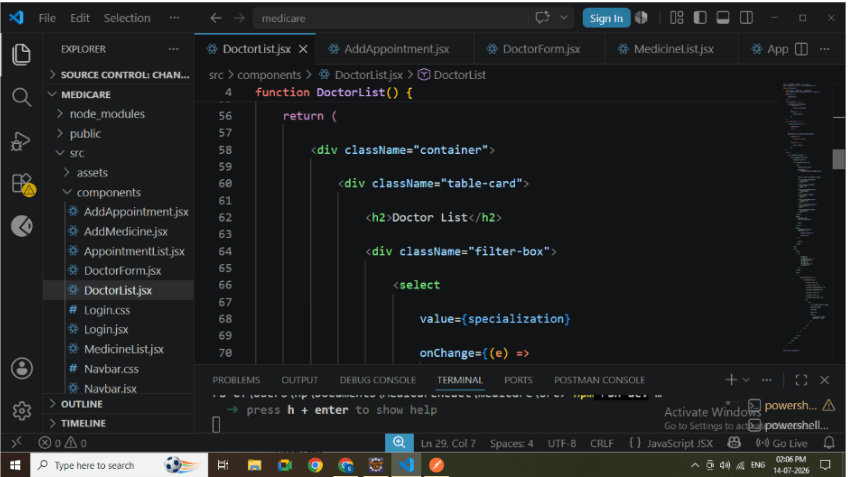
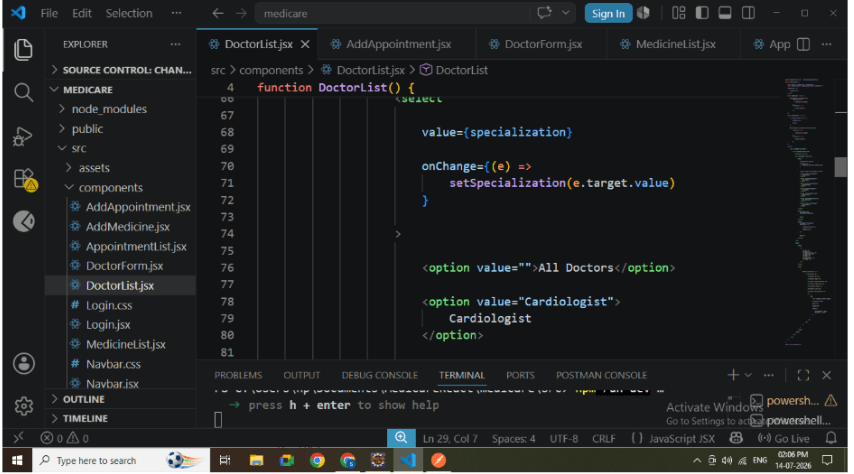
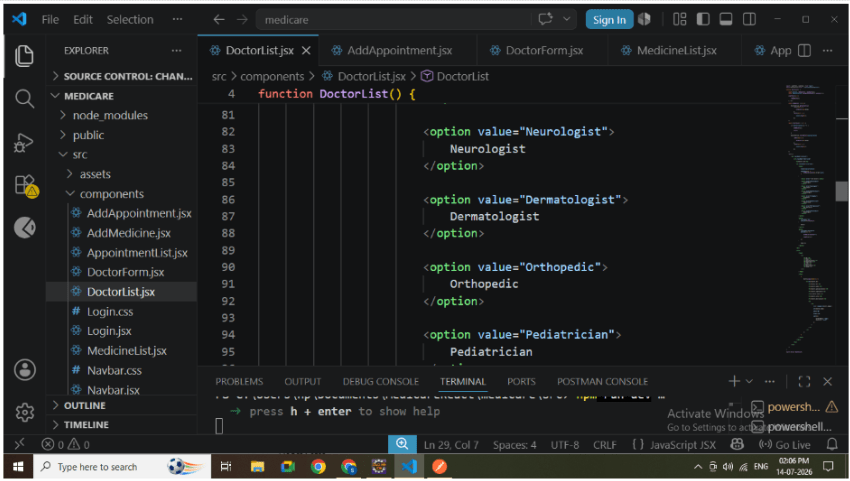
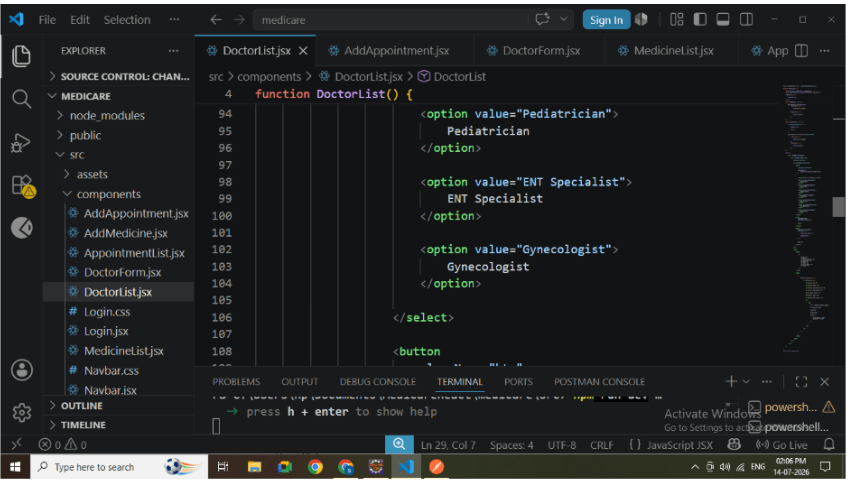
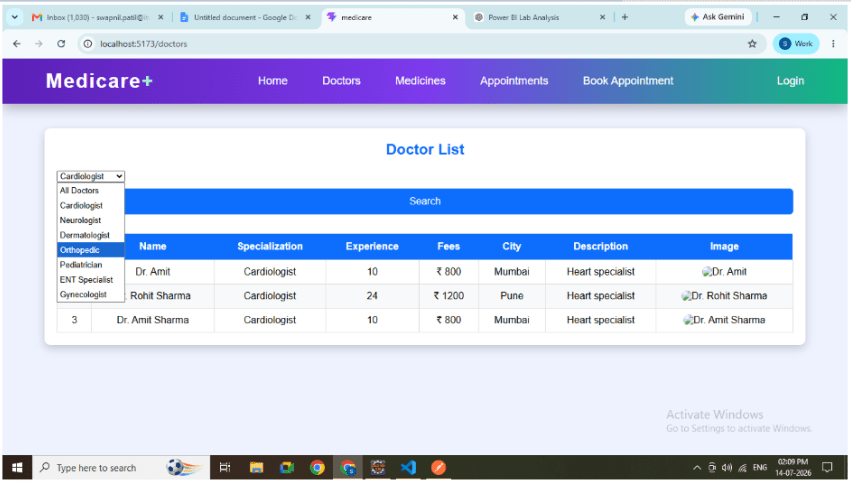
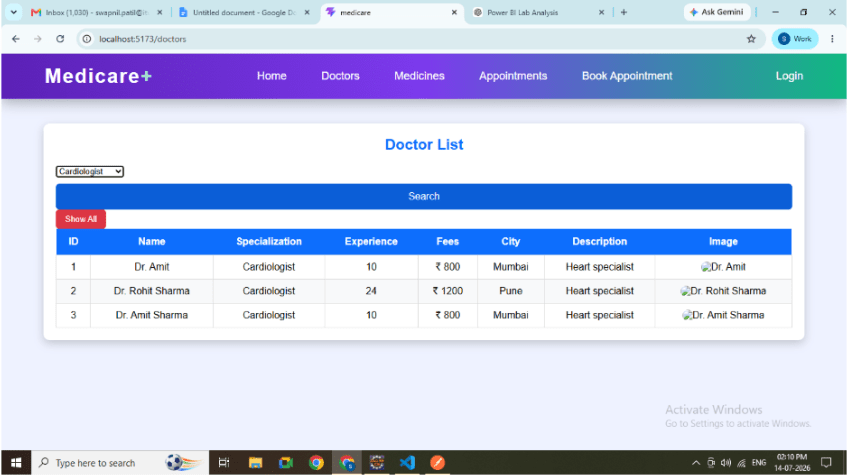
Create Dropdown
Create a specialization dropdown.
Sample Options:
-
Cardiologist
-
Neurologist
-
Dermatologist
-
Orthopedic
-
Pediatrician
-
ENT Specialist
-
Gynecologist
This allows users to select a specialization instead of typing manually.
7
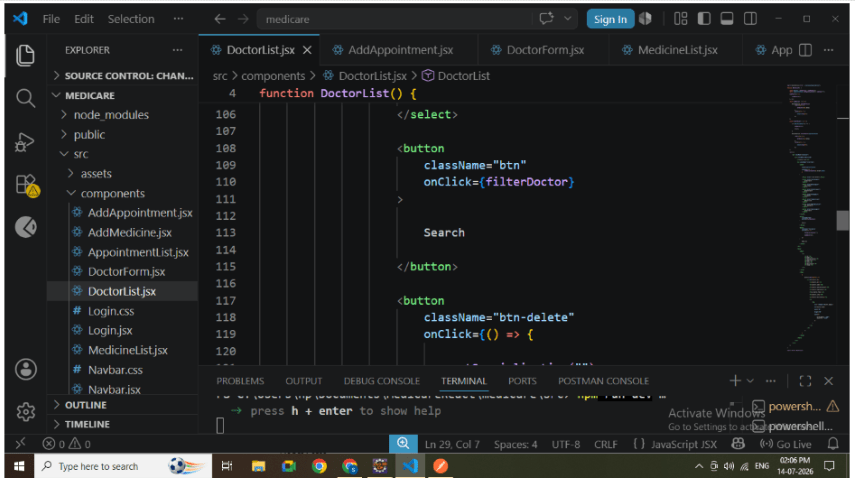
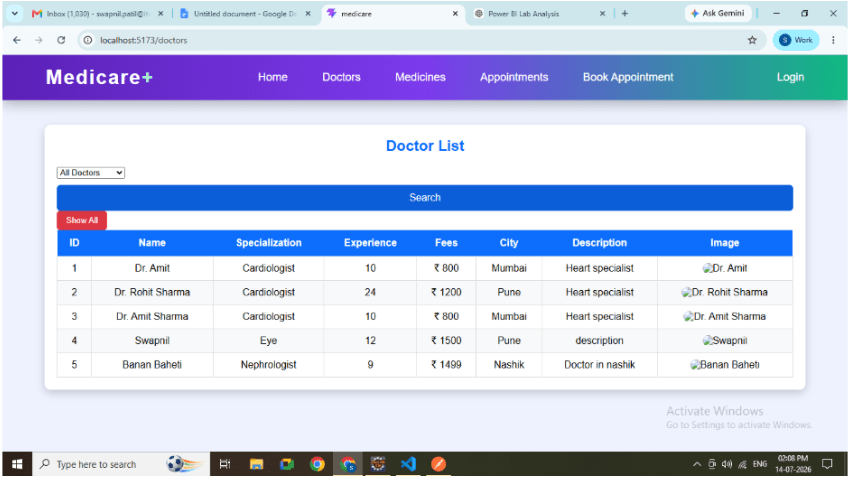
Add Search and Show All Buttons
Create two buttons.
Search
-
Calls the Filter API.
-
Displays filtered doctors.
Show All
-
Clears the selected specialization.
-
Calls Fetch All API.
-
Displays all doctors again.
-
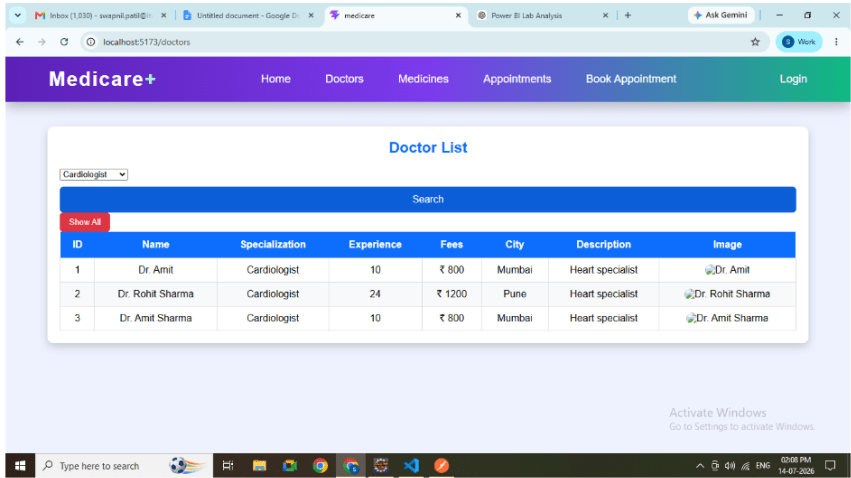
Search Buttons
8
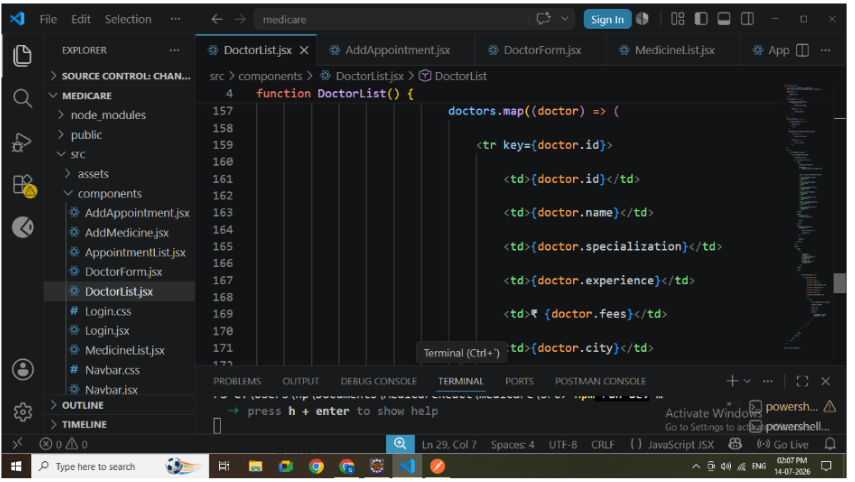
Display Doctor List
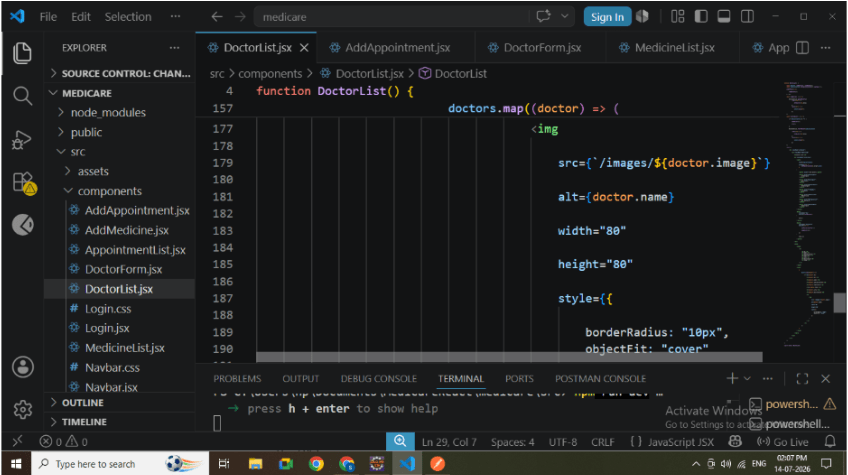
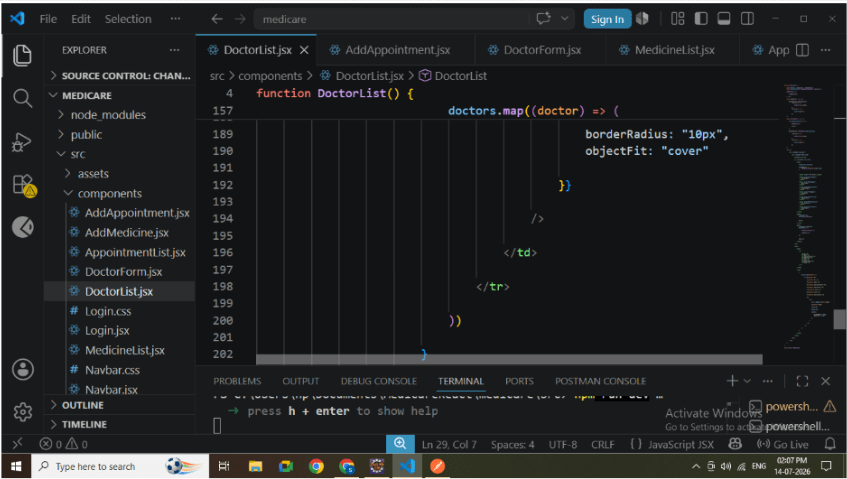
Display doctor details inside a table.
Include:
-
Doctor ID
-
Name
-
Specialization
-
Experience
-
Fees
-
City
-
Description
-
Doctor Image
Verify that only filtered doctors appear after searching.
-
Doctor Table
9
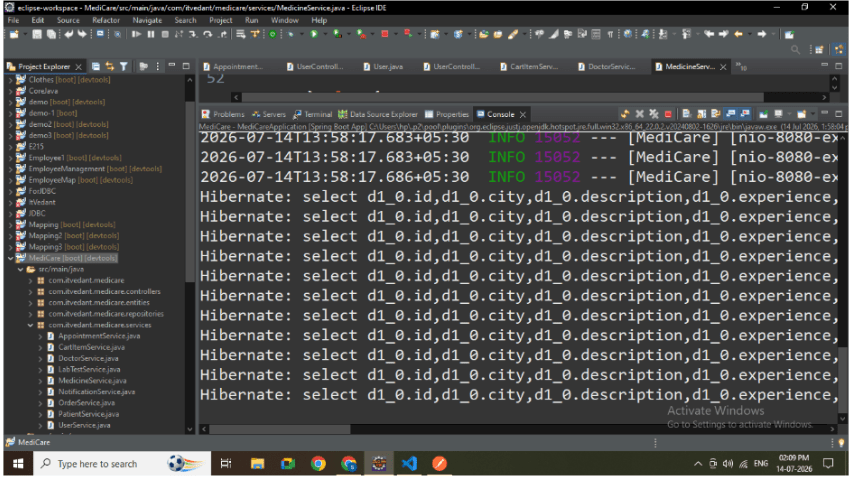
Run Backend
Start the Spring Boot application.
Verify:
-
Backend starts successfully.
-
Filter API is accessible.
-
MySQL connection is established.
10
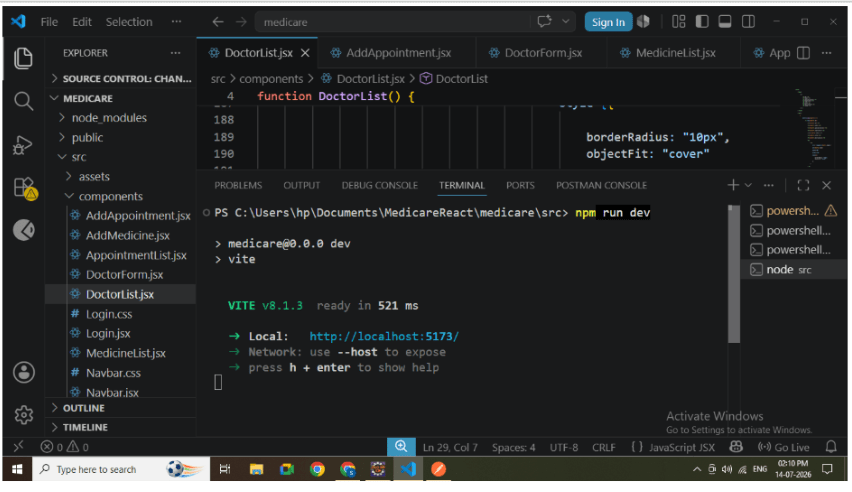
Run React Application
Start the React project
npm run dev
11
Test Filter
Select:
Cardiologist
Click Search.
Verify:
-
Only Cardiologists are displayed.
Click Show All.
Verify:
-
Complete doctor list is displayed again.
API Used
Fetch All Doctors
GET http://localhost:8080/api/doctors
Filter Doctors
GET http://localhost:8080/api/doctors/filter?specialization=Cardiologist
Great job!
-
Improves user experience.
-
Reduces unnecessary data display.
-
Provides faster doctor search.
-
Demonstrates frontend-backend integration.
-
Implements dynamic filtering using REST APIs.
-
Simulates real-world hospital management functionality.
Checkpoint