Introduction to API Automation with Rest Assured


Setup and Configuration


Learning Outcome
4
Set up a Rest Assured project with Java
3
2
1
Understand API automation in modern testing
Learn Rest Assured basics and usage
See how it simplifies API testing
What is API Testing?

API Testing is a type of software testing that verifies whether Application Programming Interfaces (APIs) are working correctly.
It focuses on validating the requests, responses, data accuracy, and business logic between different software systems without interacting with the user interface.
In simple terms, API testing checks whether systems communicate with each other properly and return the expected results.

Package Delivery Service



A request is sent to the warehouse
The warehouse processes the request
The package is delivered to you
In API communication
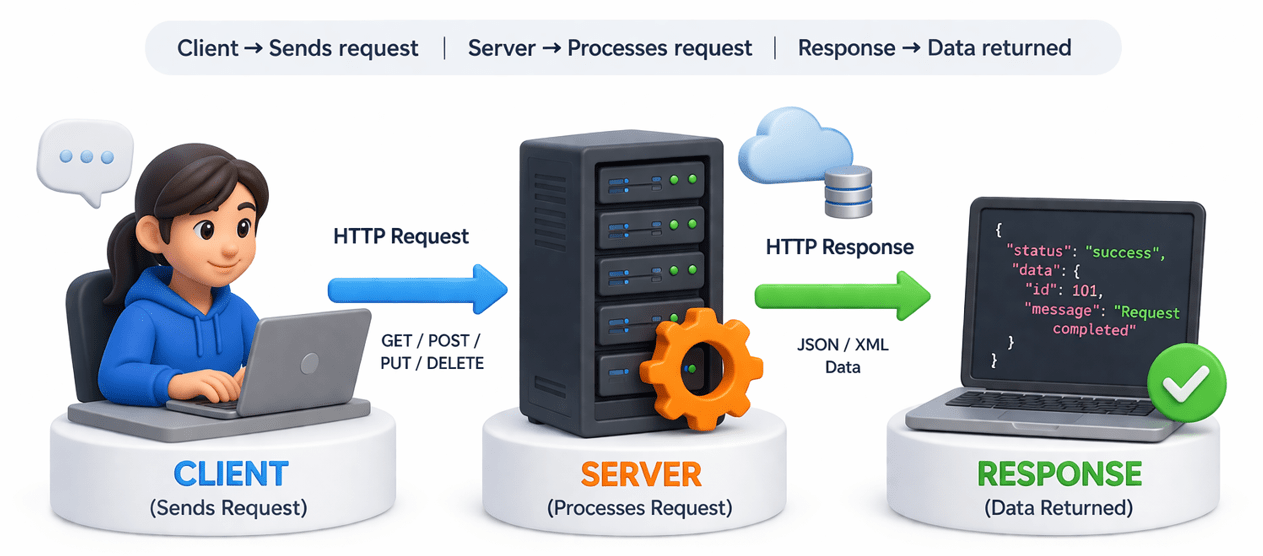
In Software Testing





Why API Automation is Important
Automating API tests helps teams validate backend functionality quickly and efficiently.
Since APIs operate behind the UI, testing them early helps identify issues before they affect the user interface.
Benefits of API automation include:
-
Faster execution compared to manual testing
-
Early detection of defects in the backend layer
-
Easy integration with CI/CD pipelines
-
Ability to test large numbers of API scenarios repeatedly

In the previous section, we understood what API testing is and why it is important.
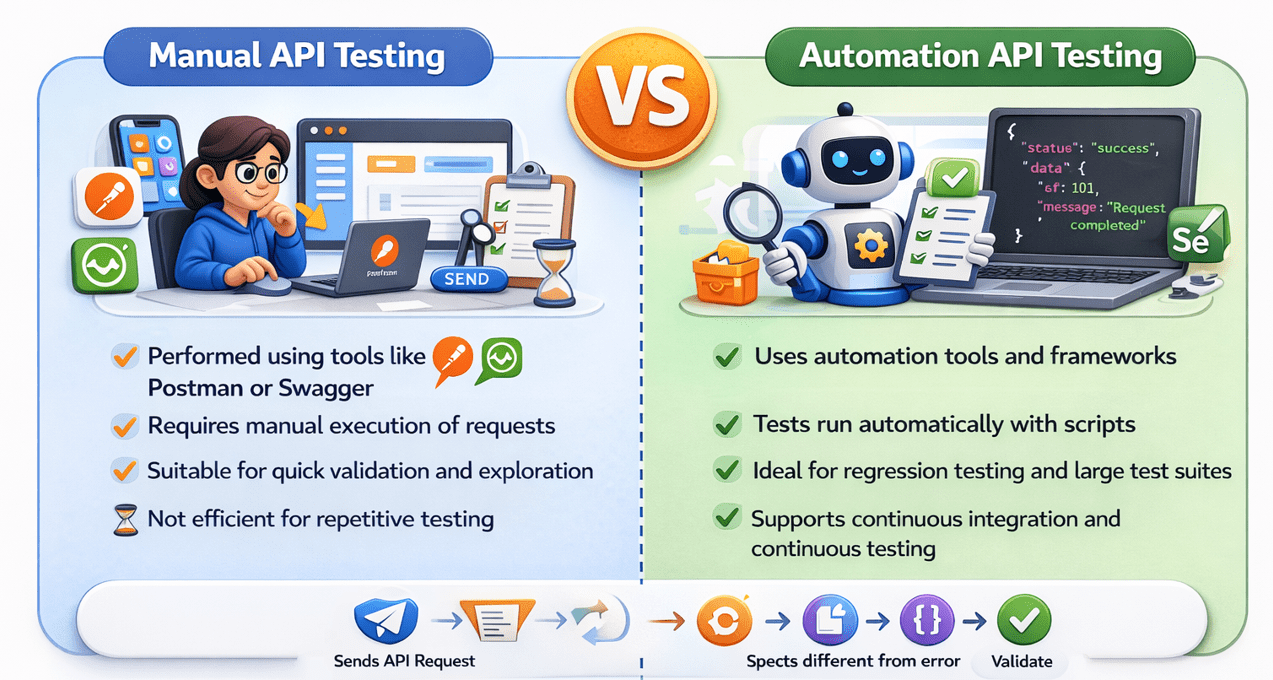
While tools like Postman or Swagger help us manually send requests and validate responses, manual testing can become time-consuming and repetitive when the number of APIs and test scenarios increases.
In real-world projects, APIs need to be tested frequently, repeatedly, and often as part of automated pipelines.
This is where API automation tools become essential.

This is where API automation tools become essential
One of the most widely used tools for automating REST API testing in Java is Rest Assured.
Manual vs Automation API Testing
Setup and Configuration for REST Assured
(Public API)

What is REST Assured ??
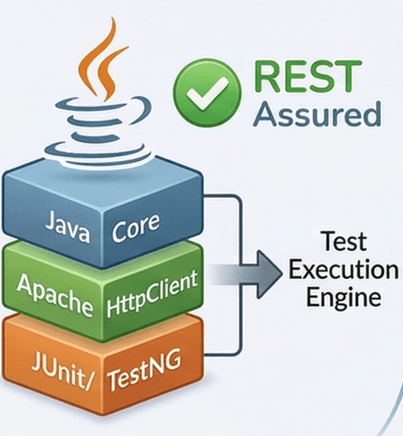
REST Assured is a Java-based API automation testing framework designed specifically for testing RESTful APIs
Built on top of Java HTTP clients like Apache HttpClient, it integrates with popular testing frameworks.

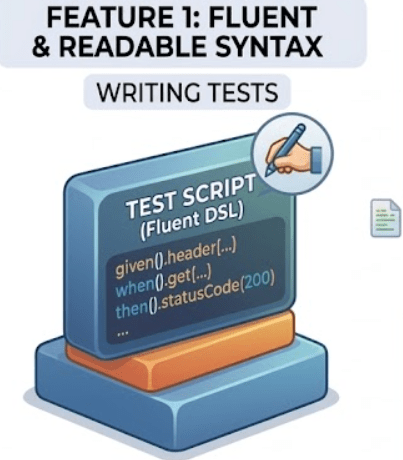
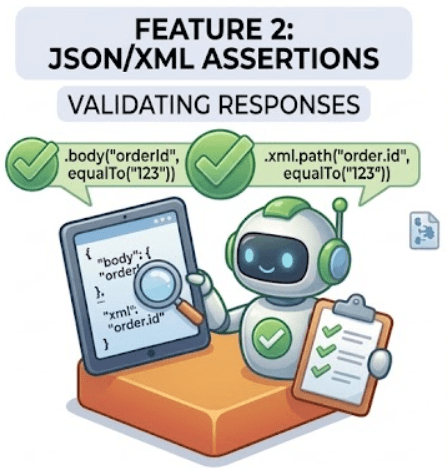
Write tests that are easy to understand and maintain.
Validate response data in various formats with ease
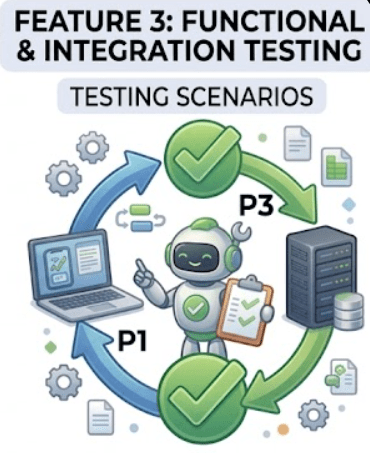
Versatile framework for multiple testing scenarios

Why Use REST Assured?




Java Developer Friendly
BDD-Style Syntax
Method Chaining
CI/CD Integration
Easy to learn with a familiar syntax for Java developers.
Write tests that read like natural language specifications
Create readable test flows with intuitive method chains
Seamlessly works with continuous integration pipelines

Maven Project Setup
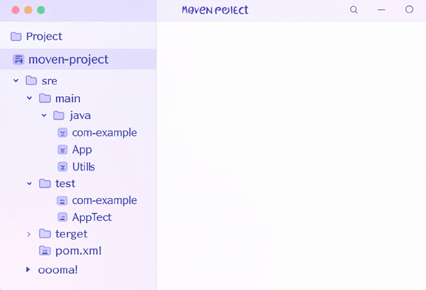
Prepare Tools
Install Java JDK 8+, Eclipse/IntelliJ IDEA, and Apache Maven
Create Project
Open IDE and create a new Maven project.
Configure Details
Set Group ID and Artifact ID for your project.
Structure Folders
Organize with src/main/java and src/test/java folders
Add Dependencies in pom.xml

Add these dependencies to your pom.xml file inside the dependencies block. Always use the latest stable versions from Maven Central.
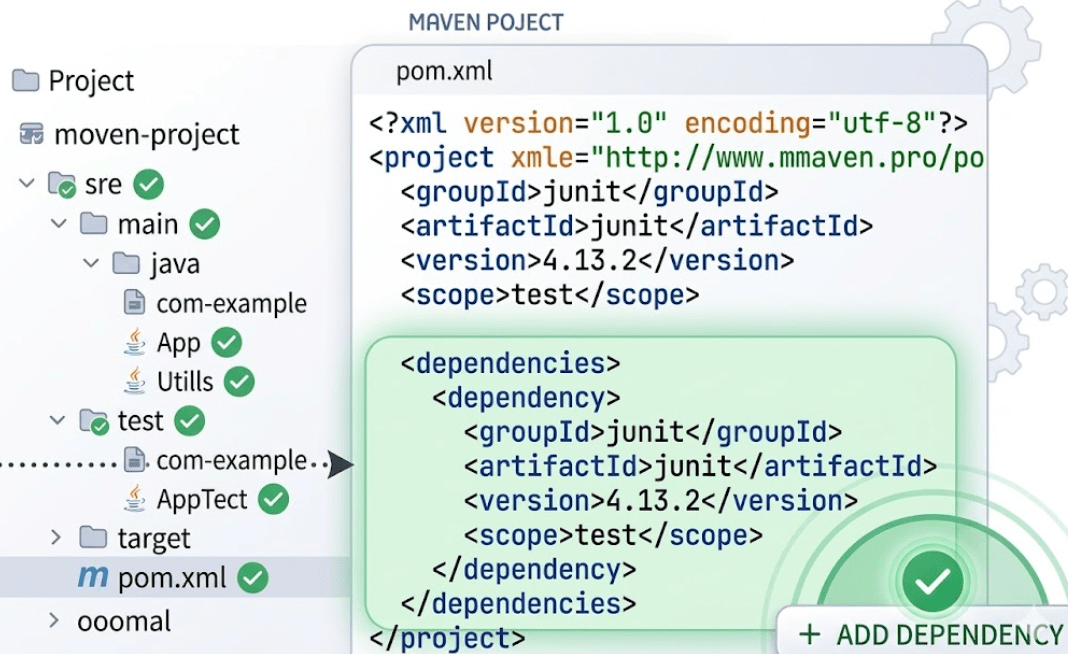
Setup and Configuration for REST Assured
Build and Validate Project


Save pom.xml
Verify Libraries
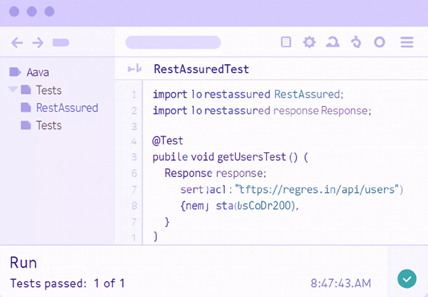
Run Sample Test
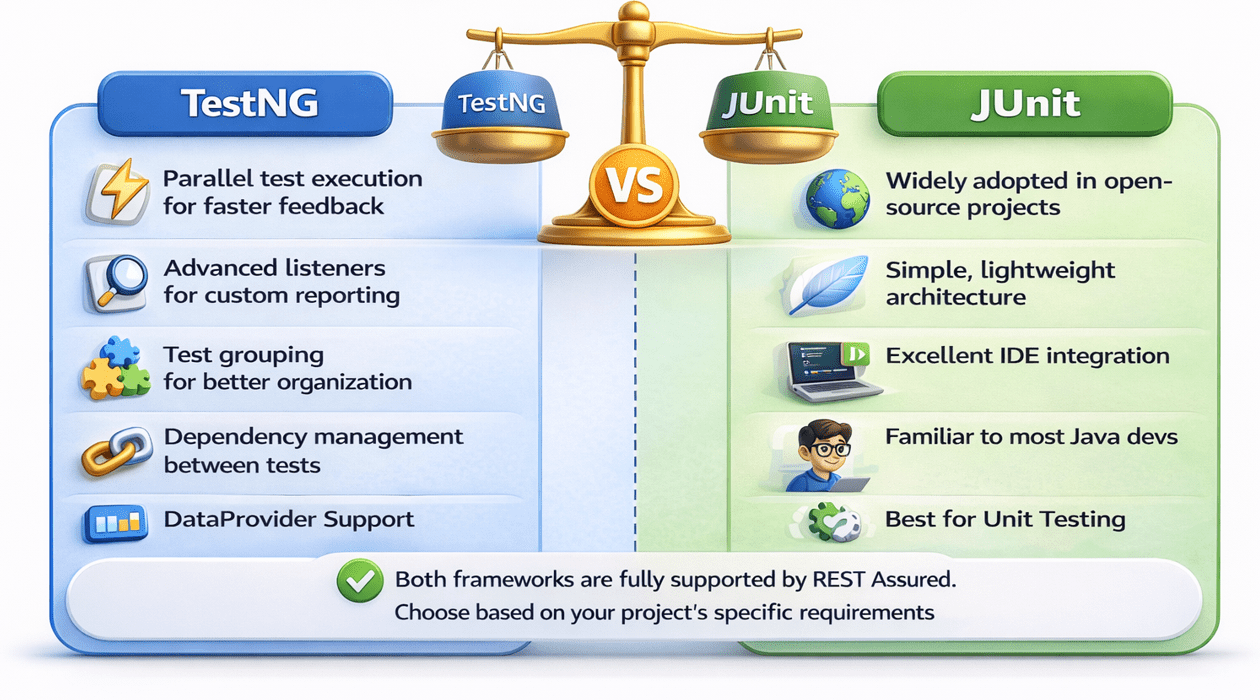
Choosing Between TestNG and JUnit
Recommended Project Structure
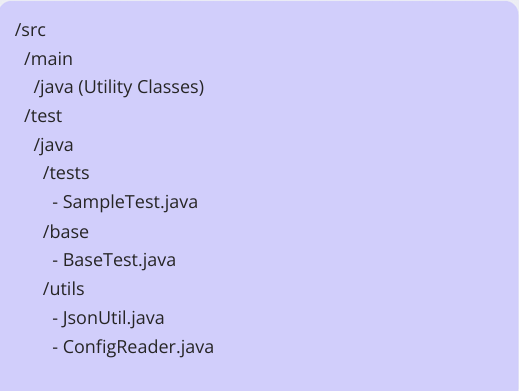


Tests
Contains actual test classes with API verifications.
Base
Shared setup and configuration classes.
Utils
Helper classes for JSON parsing and token generation.
Best Practices for Setup
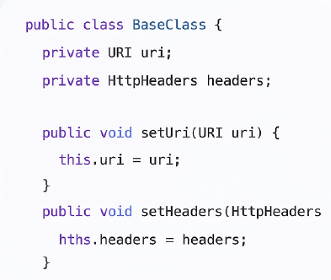
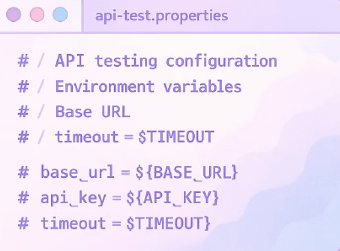
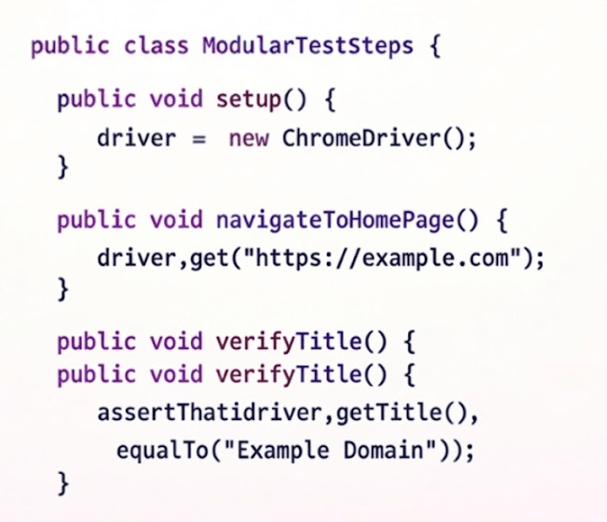
Base Configuration
Environment Properties
Modular Design
Summary
4
Manual testing is useful for quick checks,automation suits large-scale testing
3
Tools like Rest Assured simplify and enhance API test automation
2
API Automation ensures faster and reliable testing
1
API testing validates system communication and data accuracy
Quiz
Which of the following is a benefit of API automation?
A. Slower execution
B. Requires more manual effort
C. Faster and repeatable testing
D. Only used for UI testing

Quiz-Answer
Which of the following is a benefit of API automation?
A. Slower execution
B. Requires more manual effort
D. Only used for UI testing

C. Faster and repeatable testing