Implementing Place Order Module using React & Spring Boot

Business Scenario
The objective of this lab is to integrate the React frontend with the Spring Boot backend to implement the Place Order functionality. Users can review medicines added to the cart, place an order, save order details in the database, and navigate to the Order Success page.

Pre-Lab Preparation
-
Integrate React with Spring Boot REST APIs.
-
Send HTTP POST requests using Axios.
-
Create Order objects dynamically.
-
Calculate total order amount.
-
Store order details in the database.
-
Redirect users after successful order placement.
-
Handle success and failure responses.
Project Structure
src
│
├── components
│ Cart.jsx
│ OrderSuccess.jsx
├── App.jsx
│
└── App.css
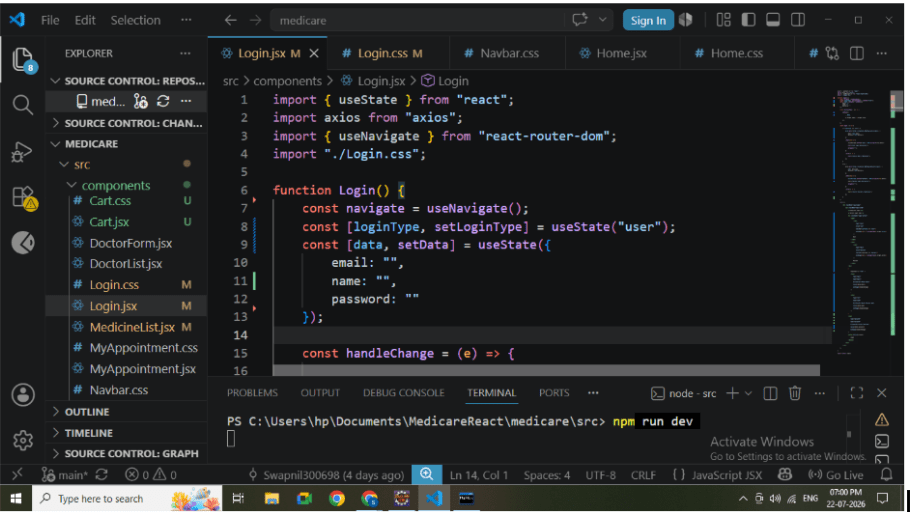
System Workflow
Medicine List
│
Add To Cart
│
Cart Page
│
Calculate Total
│
Click Place Order
│
Axios POST Request
│
Spring Boot API
│
Save Order in Database
│
Navigate to Order Success Page
1
Create Order Service
Create OrderService.js.
Responsibilities:
-
Connect React with Spring Boot.
-
Send POST request.
-
Receive backend response.
API Used: POST
/api/orders/place
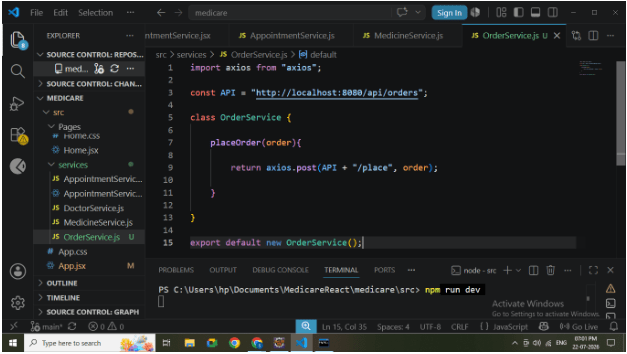
2
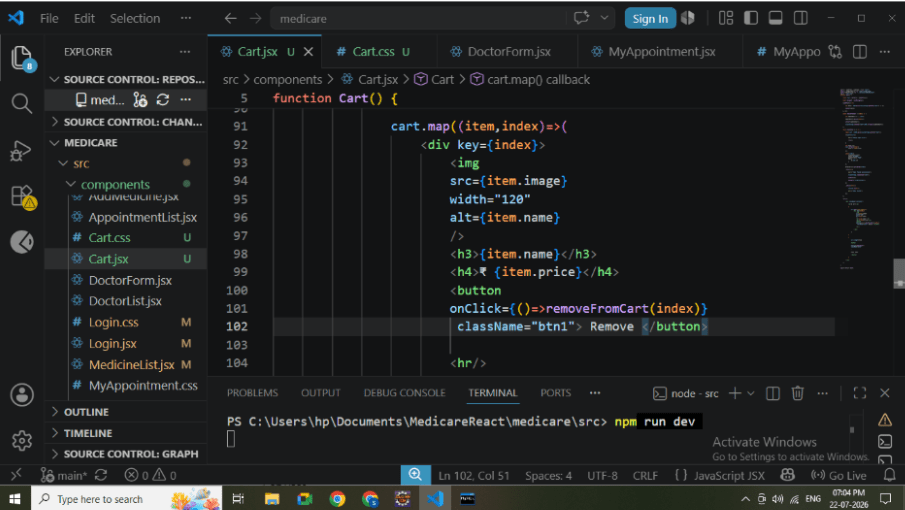
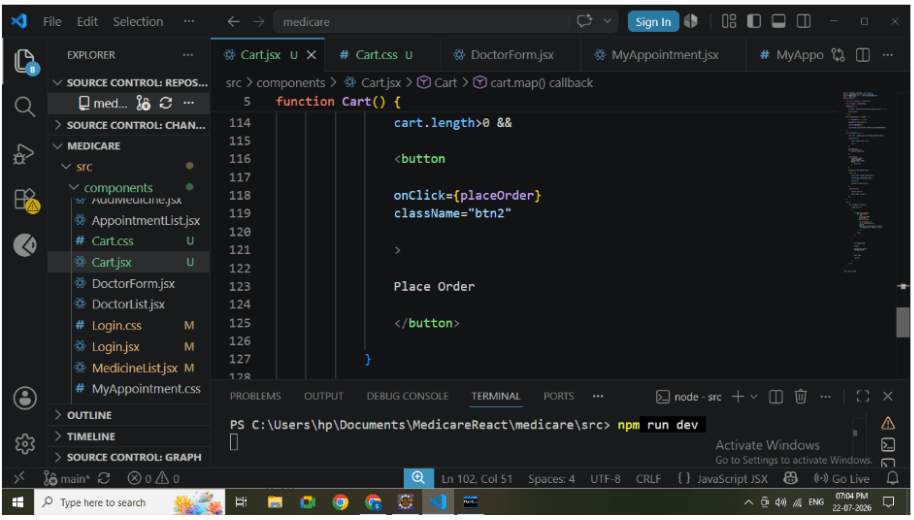
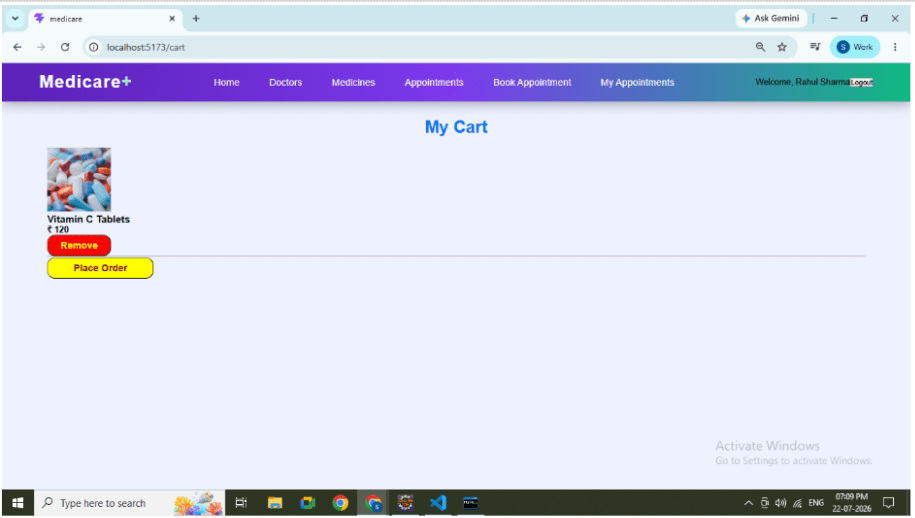
Create Cart page.
Responsibilities:
-
Display selected medicines.
-
Display medicine image.
-
Display price.
-
Display Remove button.
-
Display Place Order button.
Design Cart Page
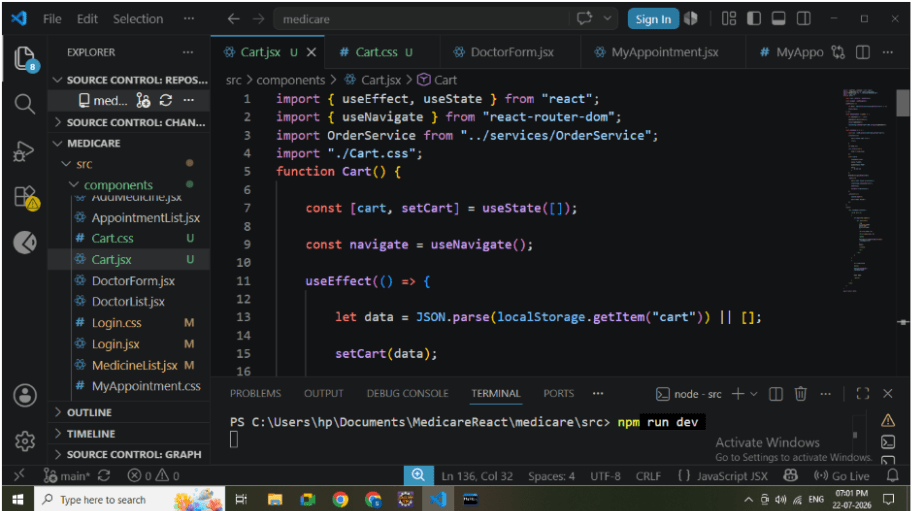
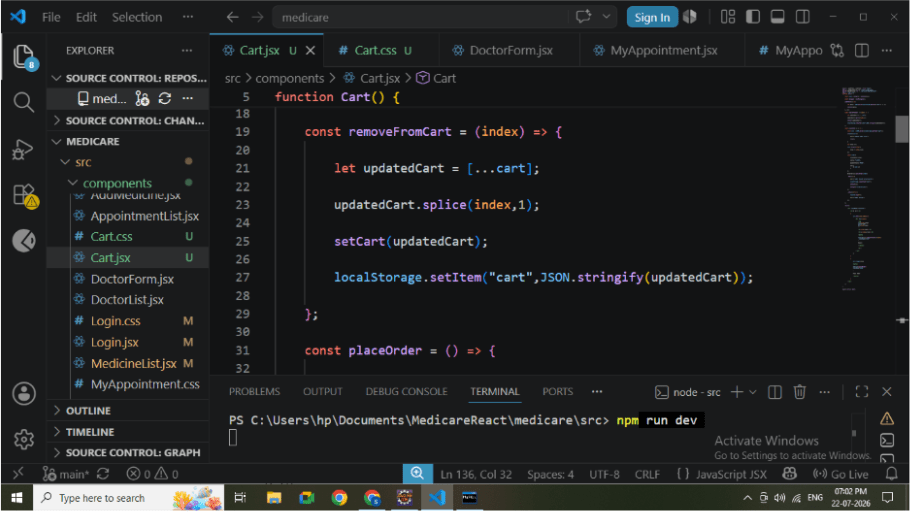
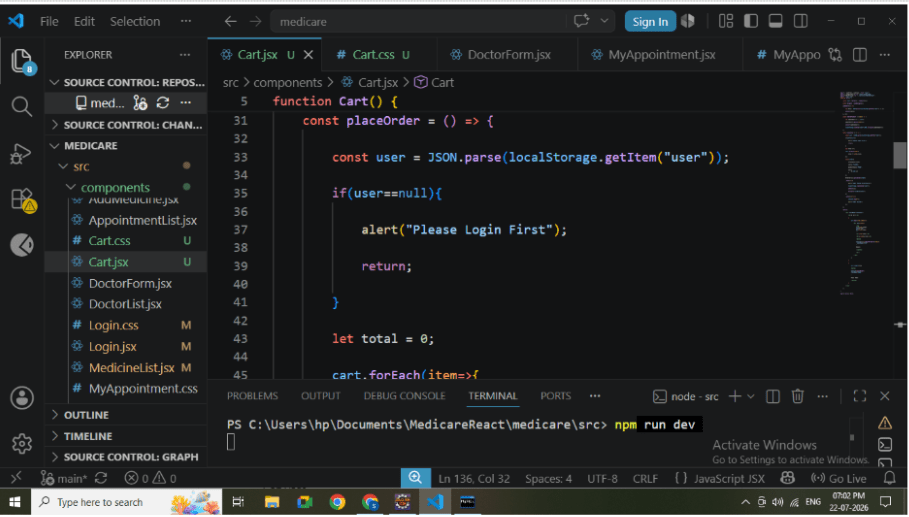
3
Calculate Total Amount
Before placing the order:
-
Read all medicines from Cart.
-
Calculate total price.
-
Display total amount.
Formula
Total Amount = Sum of all Medicine Prices
4
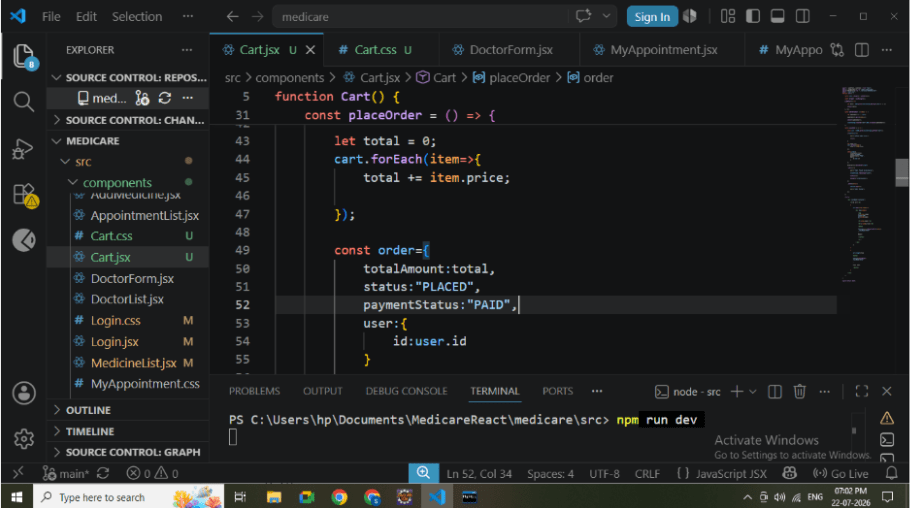
Create Order Object
Create Order JSON before sending it to backend.
Required fields:
-
User ID
-
Total Amount
-
Status
-
Payment Status
Example:
{
  "totalAmount": 1250,
  "status": "PLACED",
  "paymentStatus": "PAID",
  "user": {
    "id": 1
  }
}
5
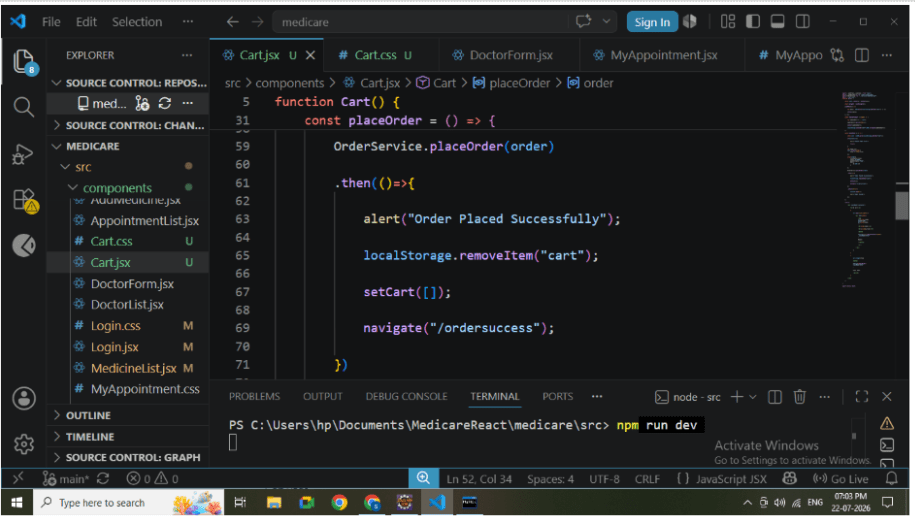
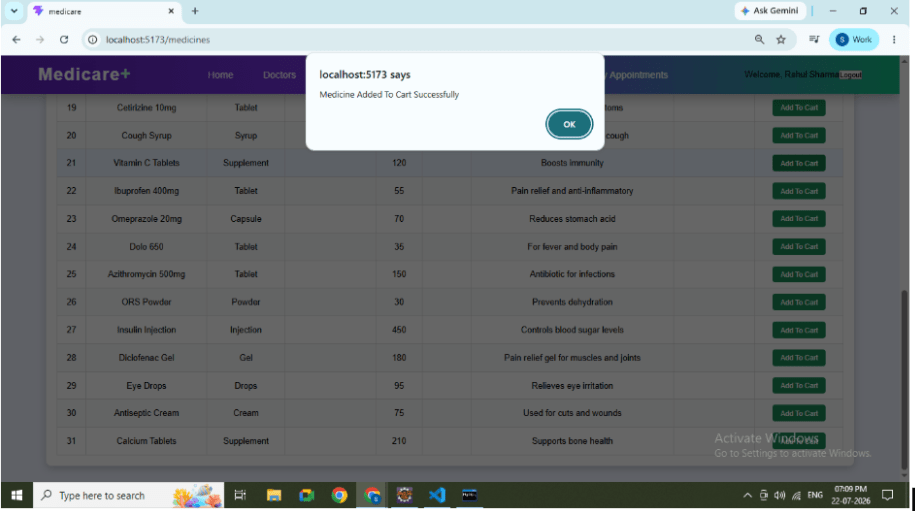
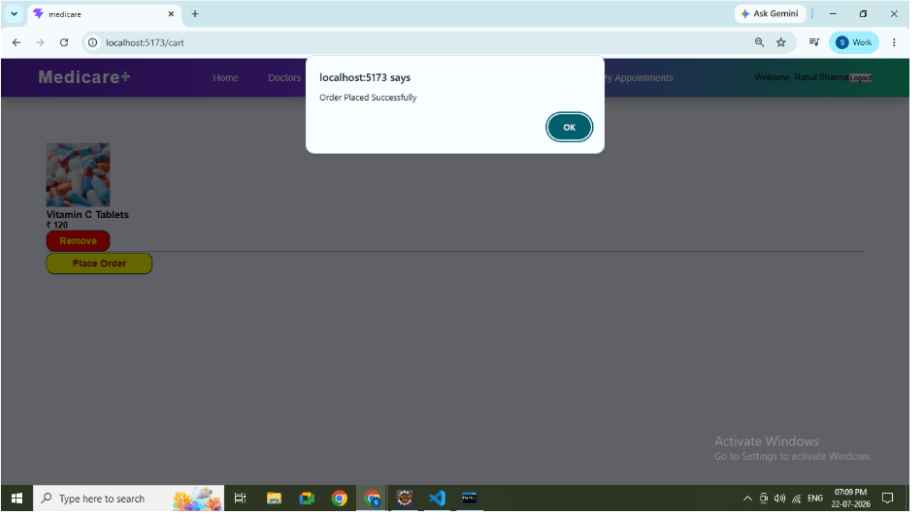
Send POST Request
Use Axios to send order details.
Process:
-
Create Order object.
-
Call OrderService.
-
Send request.
-
Wait for response.
6
Backend Processing
Spring Boot receives the request.
Responsibilities:
-
Validate request.
-
Apply default order status.
-
Save order.
-
Return saved order.
Backend Console
7
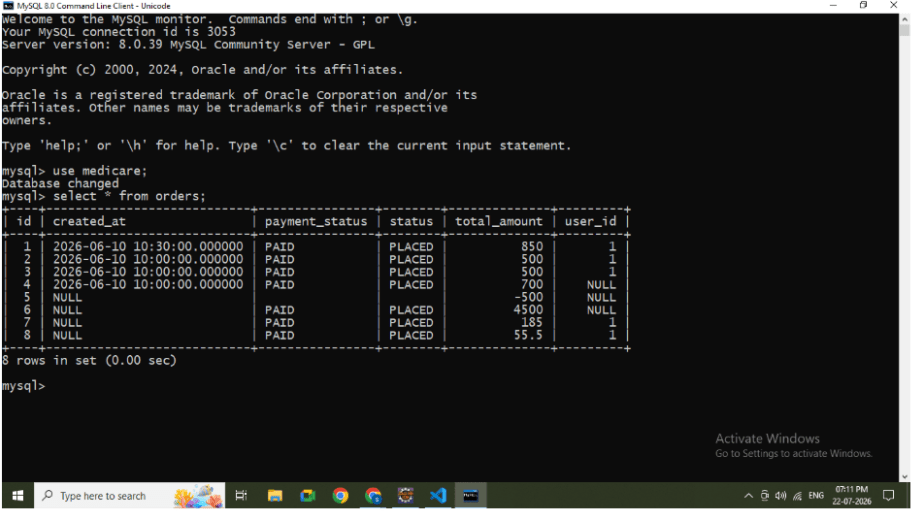
Store Order in Database
After successful API execution:
Verify:
-
Order ID
-
User ID
-
Total Amount
-
Order Status
-
Payment Status
Table: MySQL Database Output
8
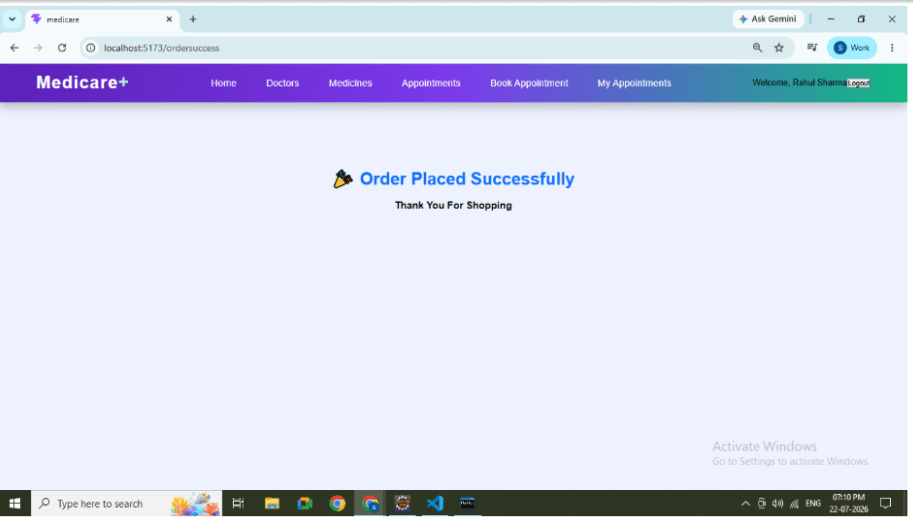
Order Success Page
After successful order placement:
Navigate to : /ordersuccess
9
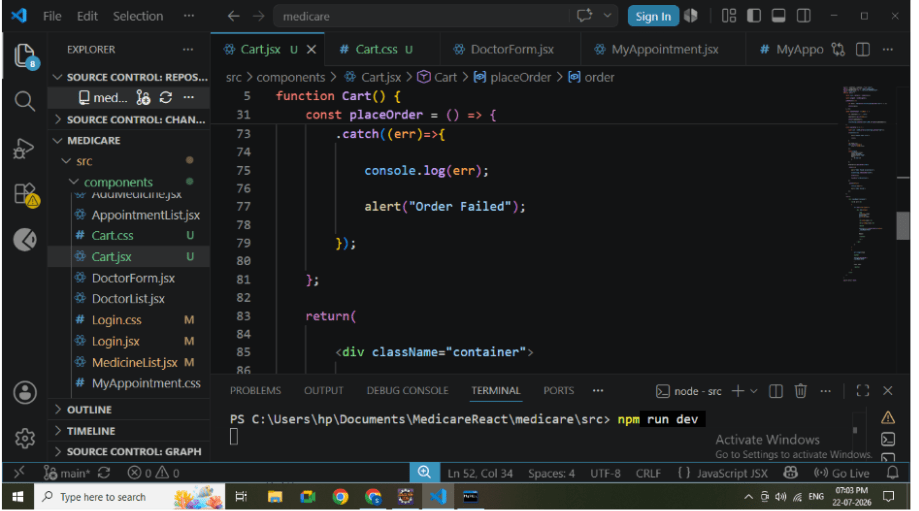
Error Handling
Handle possible exceptions:
-
User not logged in.
-
API failure.
-
Server unavailable.
-
Invalid request.
Display proper alert messages.
Error Alert
10
Test Complete Flow
Perform the following steps:
Login to the application.
Open Medicine List.
Add medicines to Cart.
Open Cart page.
Verify selected medicines.
Verify total amount.
Click Place Order.
Verify success message.
Open database.
Great job!
- Users add medicines to the cart, review items, and place orders through a React interface.
- Spring Boot REST APIs process and store order details in the database.
- Users are redirected to the Order Success page, demonstrating React routing and Axios API integration.
Checkpoint