Learn and exploit common OWASP vulnerabilities in a safe environment

Business Scenario
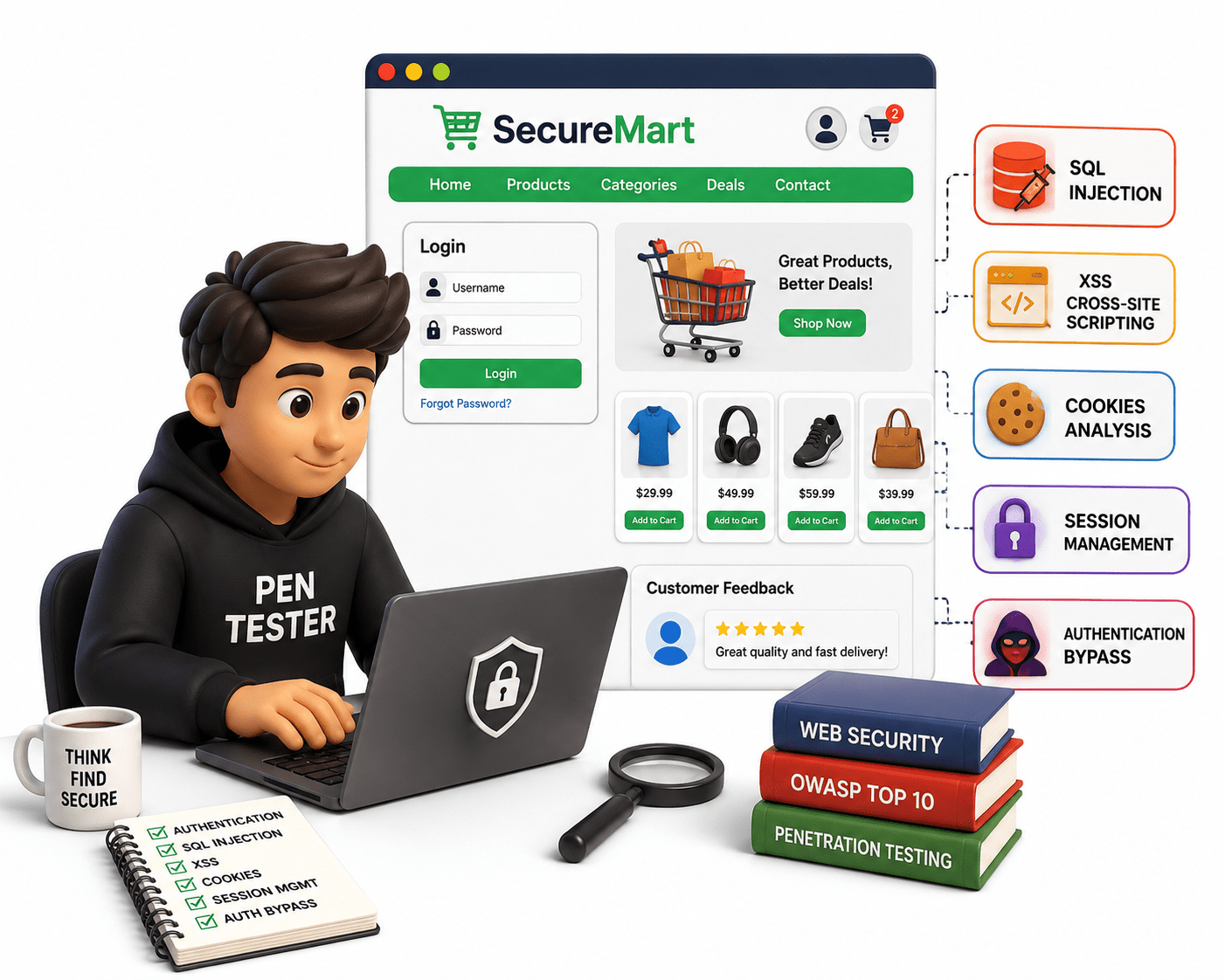
Welcome! SecureMart is a fictional online shopping application with login, user accounts, product pages, and customer feedback features. During a controlled security assessment, students act as junior penetration testers to identify weaknesses in authentication, SQL Injection, XSS, cookies, and session management, and determine whether authentication can be bypassed. Testing must be performed only against the intentionally vulnerable lab application.

Pre-Lab Preparation
Topic : Web Application Security Fundamentals
1) Introduction to Web Application Security
2) Overview of OWASP Top 10 vulnerabilities
Task 1: Detect Common Web Vulnerabilities
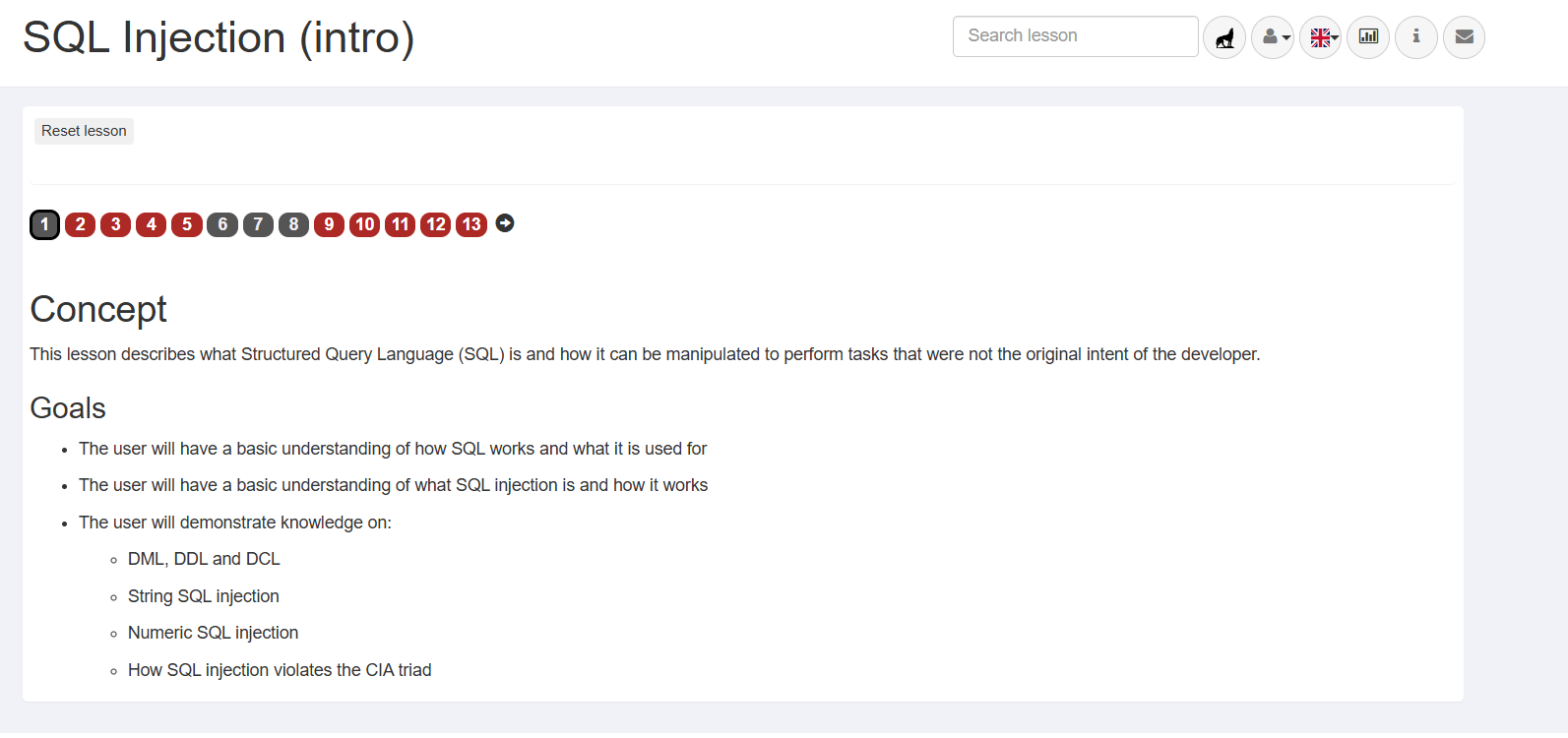
Action: Review the core goals for the SQL Injection (intro) module.
a
Next Step: Click page 2 on the navigation bar.
b
Lesson Overview
1
Action: Review the basic definition of SQL and examine the employees table structure.
a
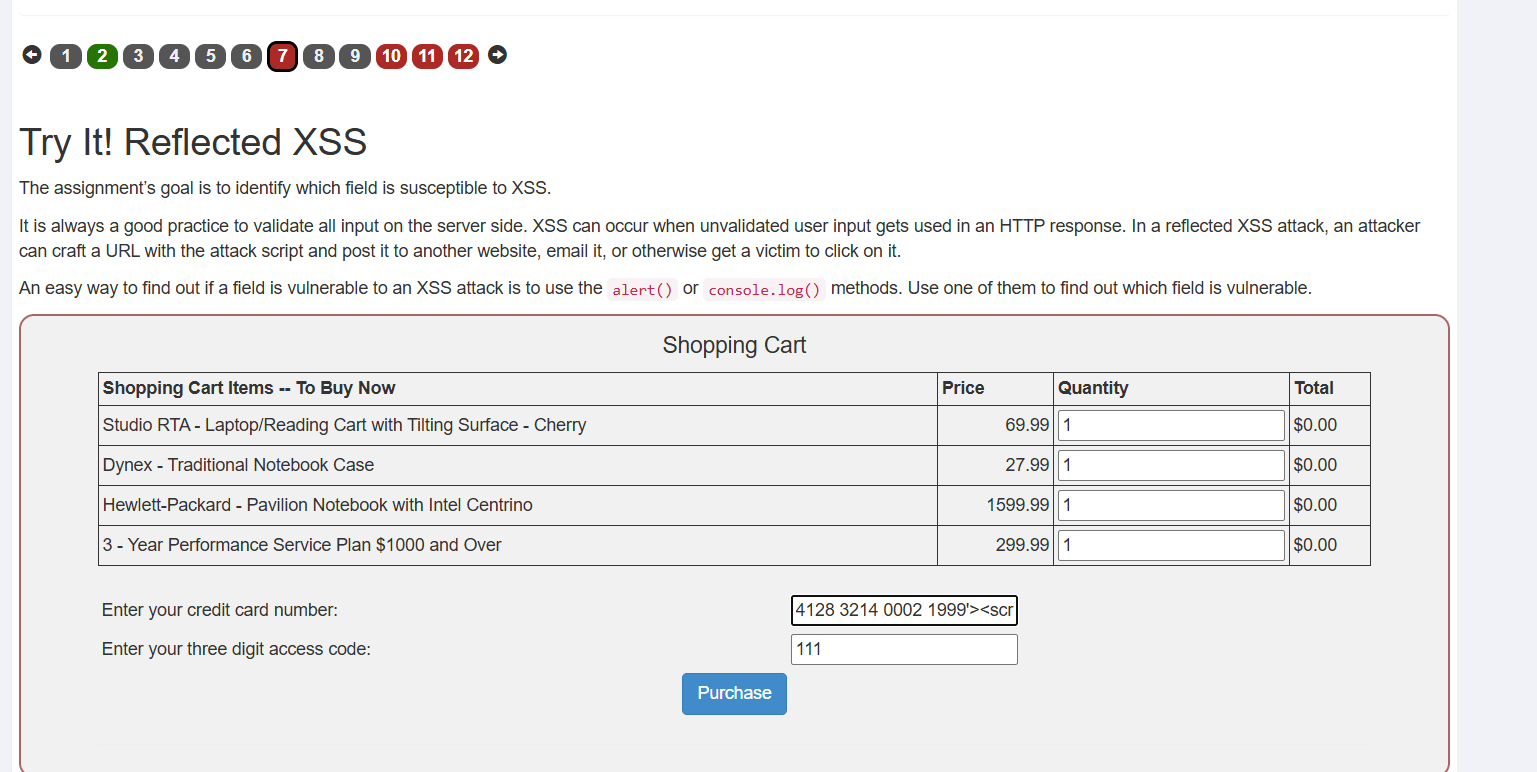
Next Step: Scroll down to view the query prompt.
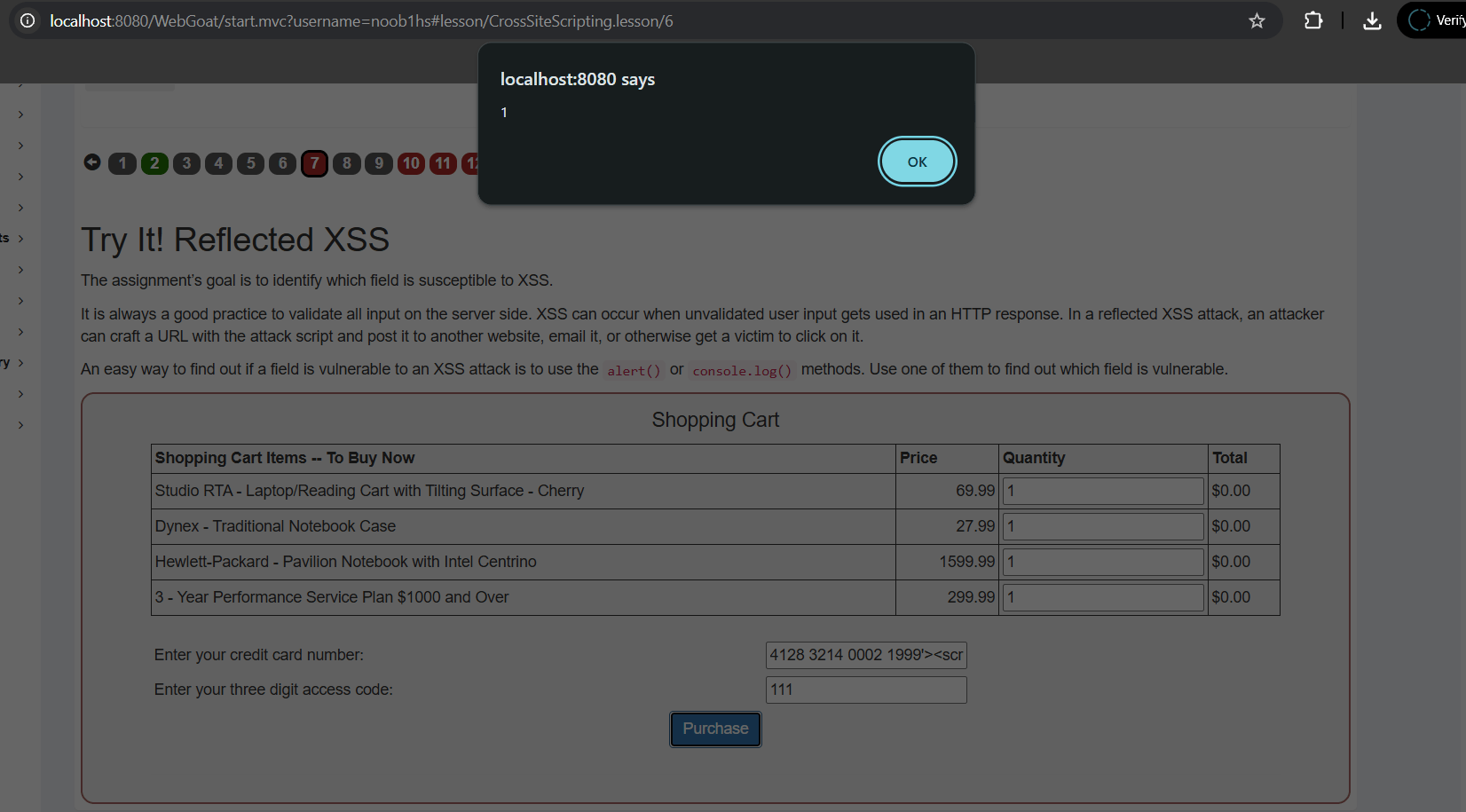
b
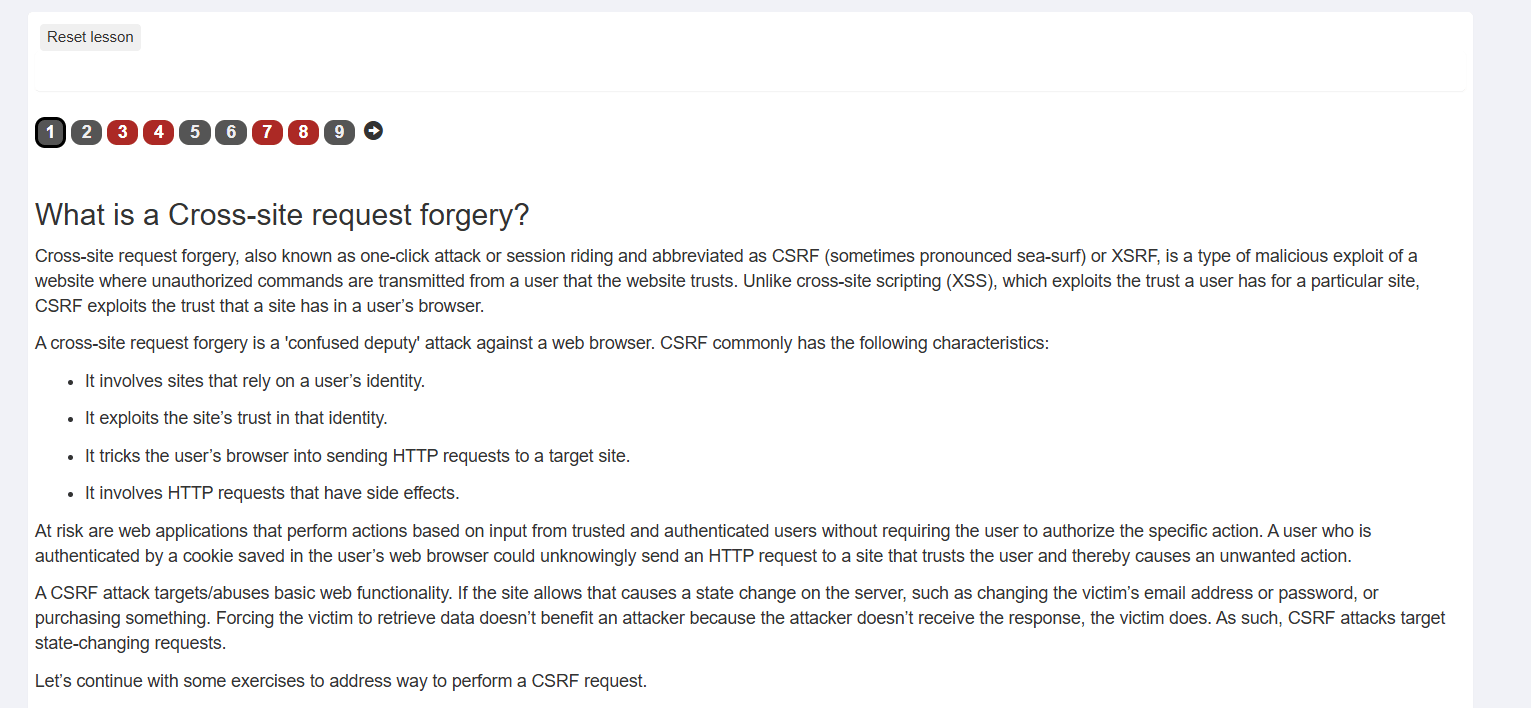
SQL Concepts & Data Table
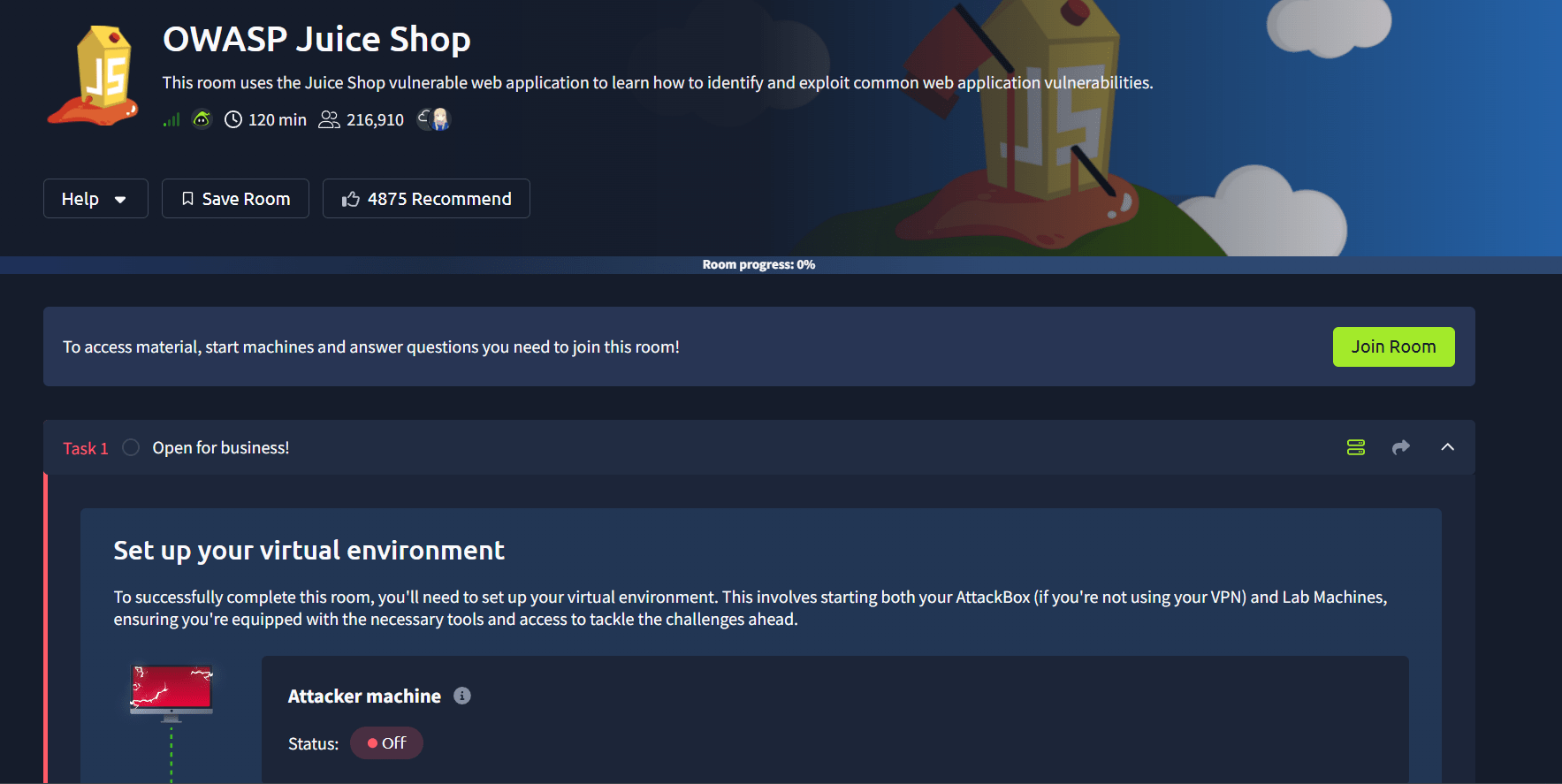
2
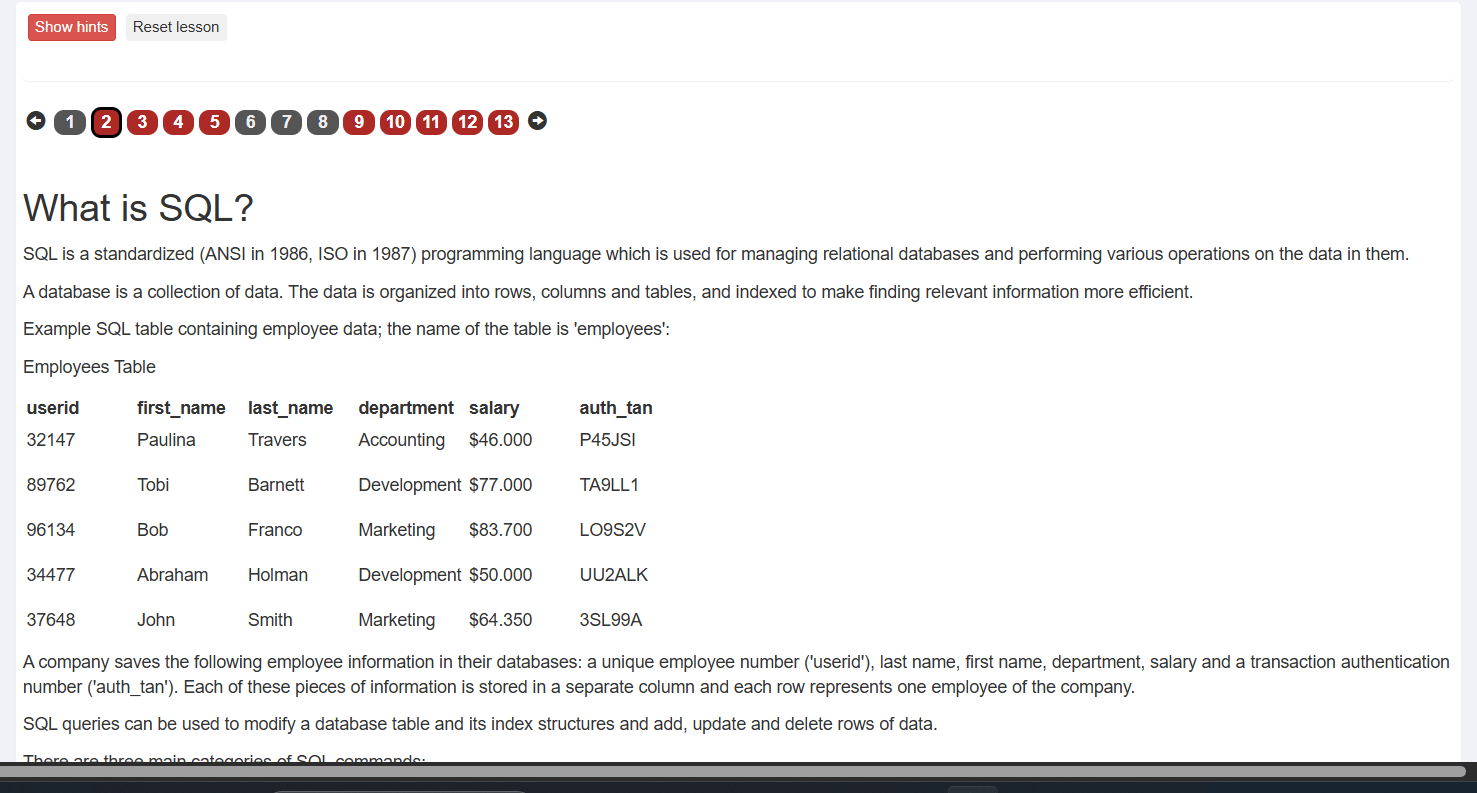
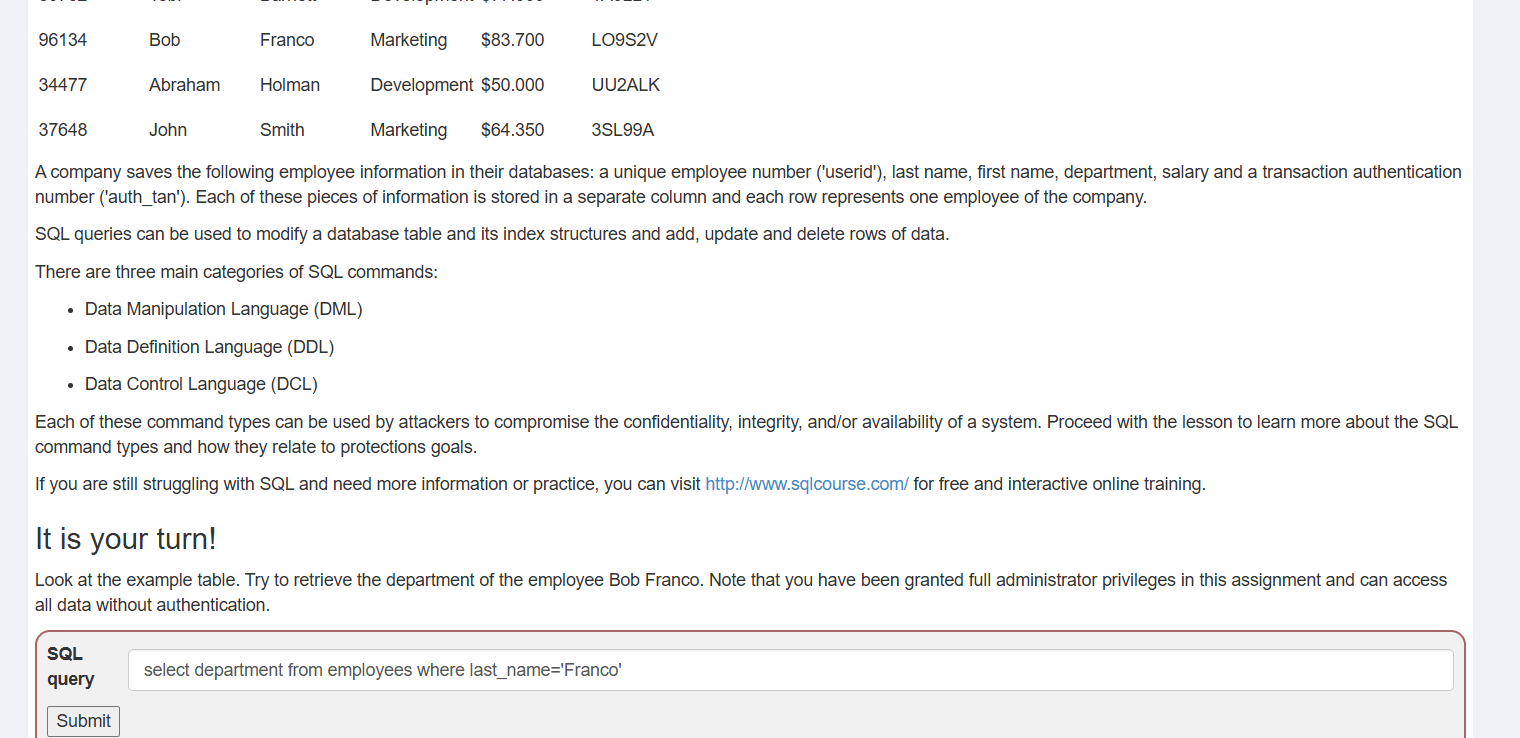
Action: Read the task requirement: retrieve the department for the employee Bob Franco.
a
Next Step: Type the SQL command into the input box:
b
Query Prompt (Bob Franco)
3
SQL
c
select department from employees where last_name='Franco'
Action: Enter select department from employees where last_name='Franco' into the SQL query field.
a
Entering the Retrieval Query
4
Action: Enter select department from employees where last_name='Franco' into the SQL query field.
a
Next Step: Click Submit.
b
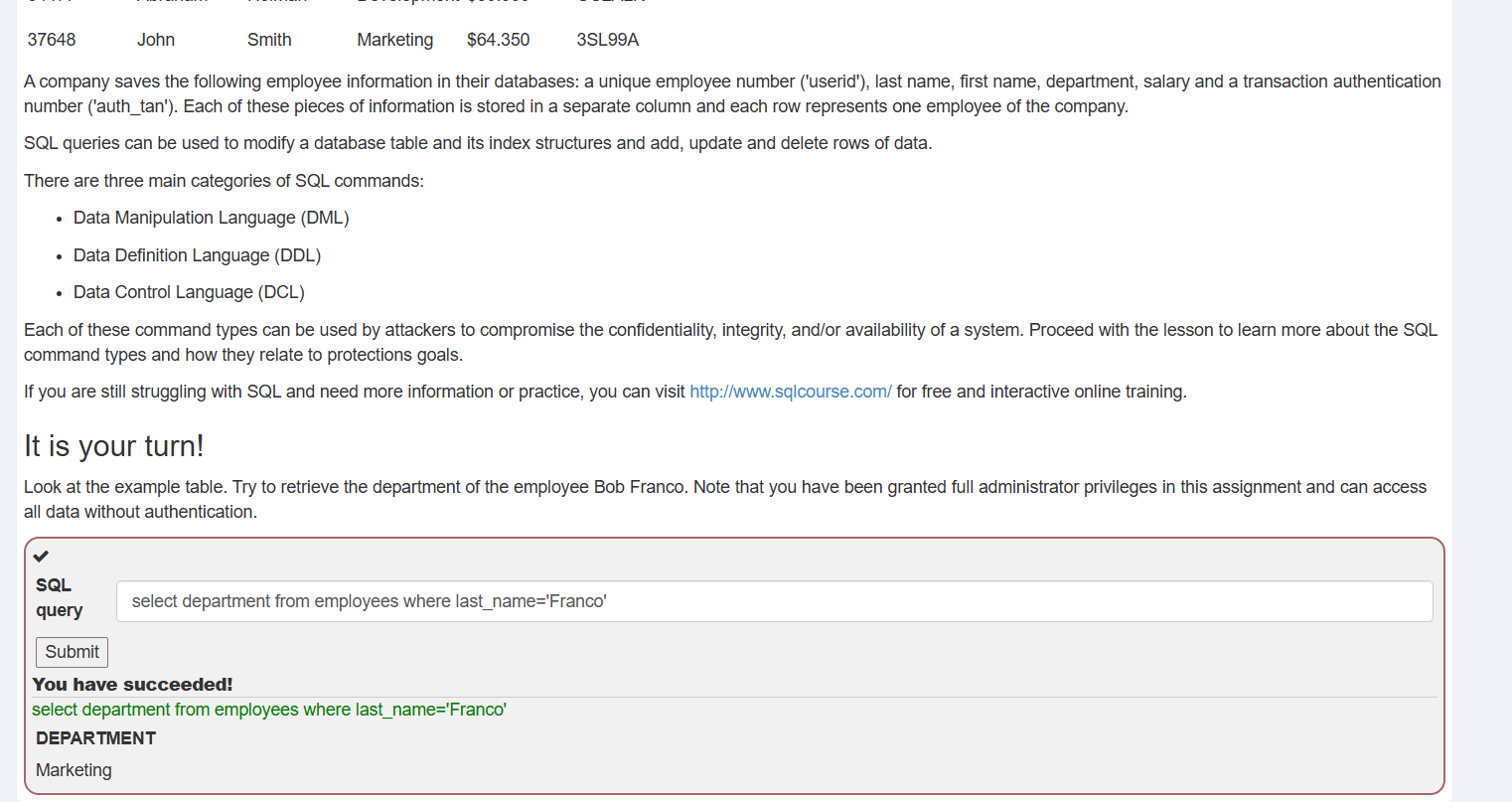
Successful Retrieval Output
5
Action: Verify the success message and output (DEPARTMENT: Marketing).
a
Next Step: Click page 3 on the navigation bar.
b
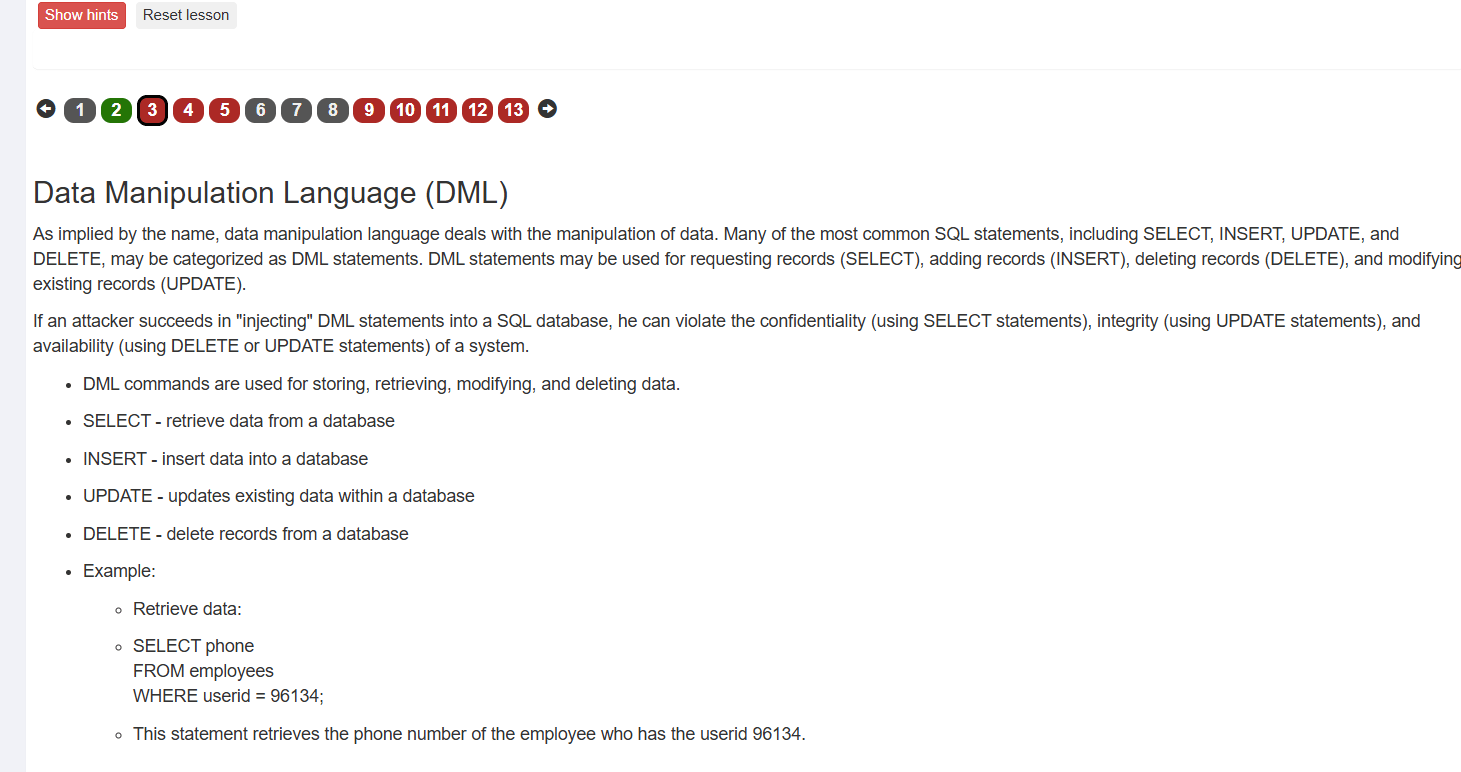
Action: Read the overview on DML commands (SELECT, INSERT, UPDATE, DELETE).
a
Next Step: Scroll down to the interactive prompt.
b
Data Manipulation Language (DML) Intro
6
Action: Read the task requirement: update Tobi Barnett's department to 'Sales'
a
Next Step: Type the update statement into the input field:
b
Query Prompt (Tobi Barnett)
7
SQL
c
UPDATE employees SET department='Sales' WHERE last_name='Barnett'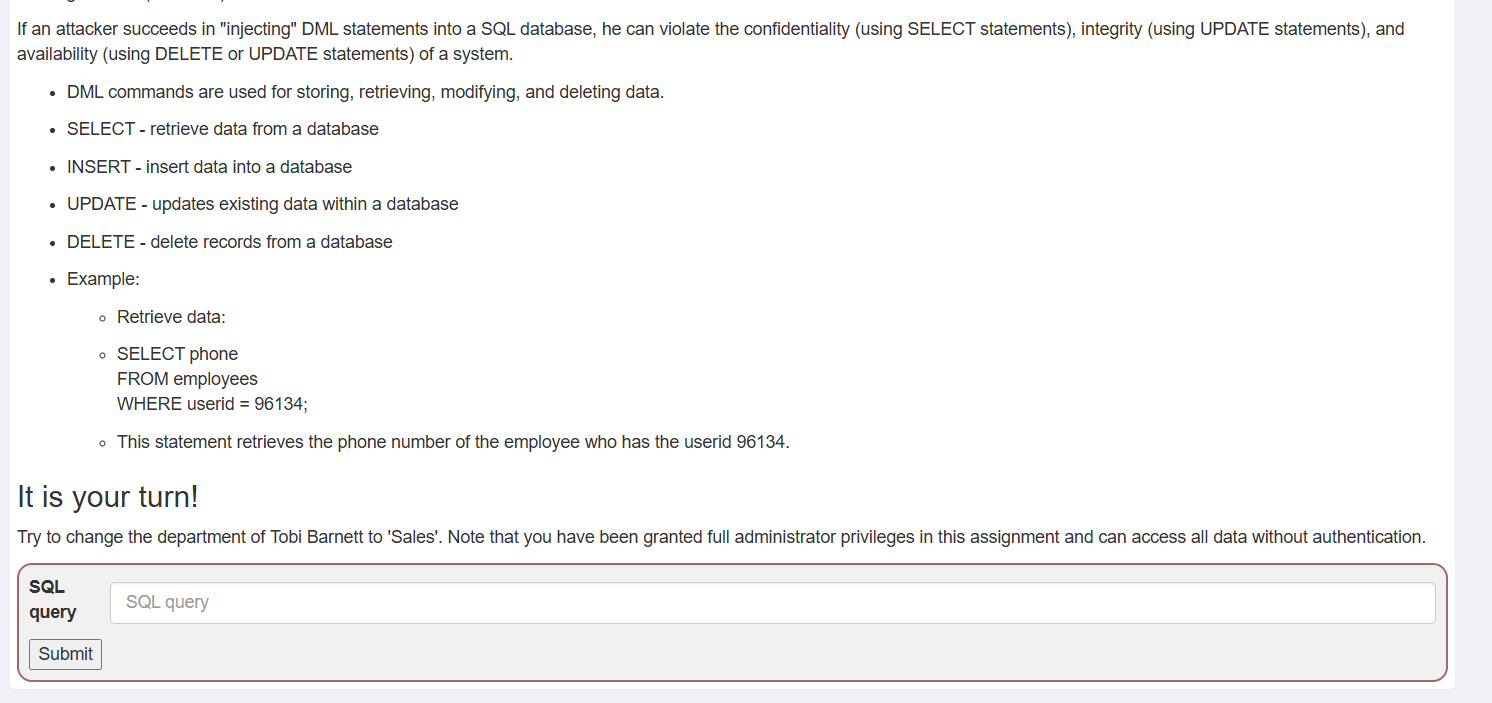
Action: Enter UPDATE employees SET department='Sales' WHERE last_name='Barnett' into the SQL query field.
a
Next Step: Click Submit.
b
Entering the Update Query
8
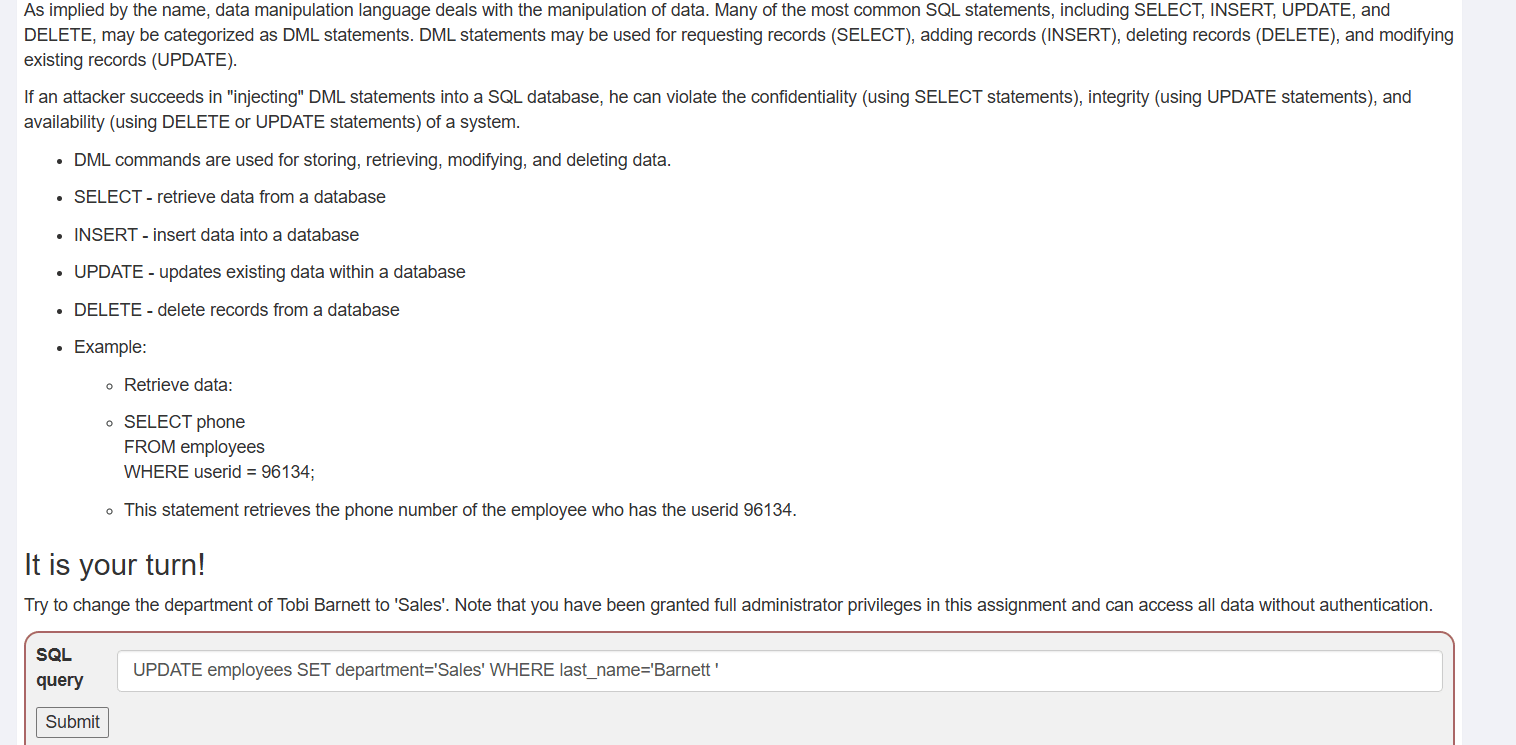
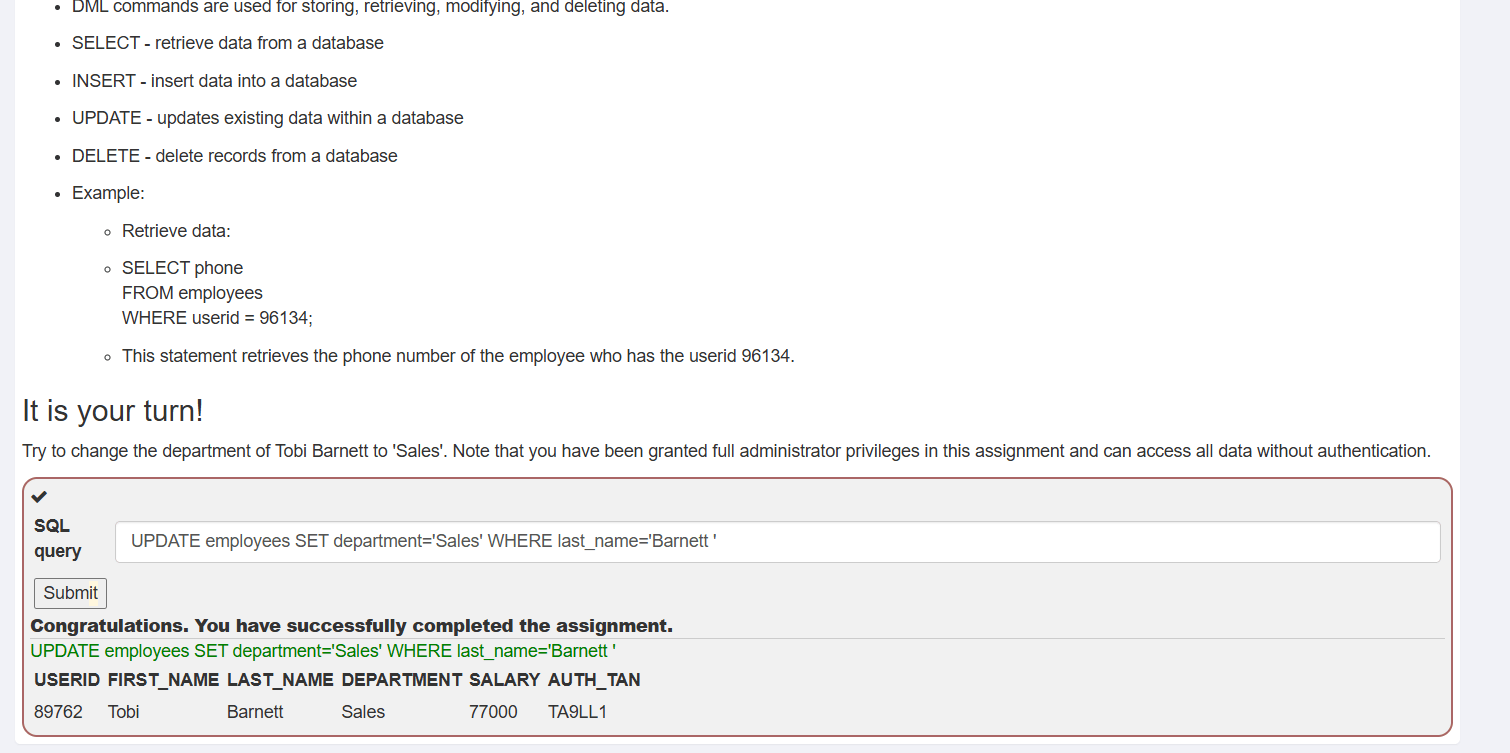
Action: Confirm the success message showing Tobi Barnett's updated department as Sales.
a
Next Step: Navigate to the next module (Cross Site Scripting).
b
Successful Update Output
9
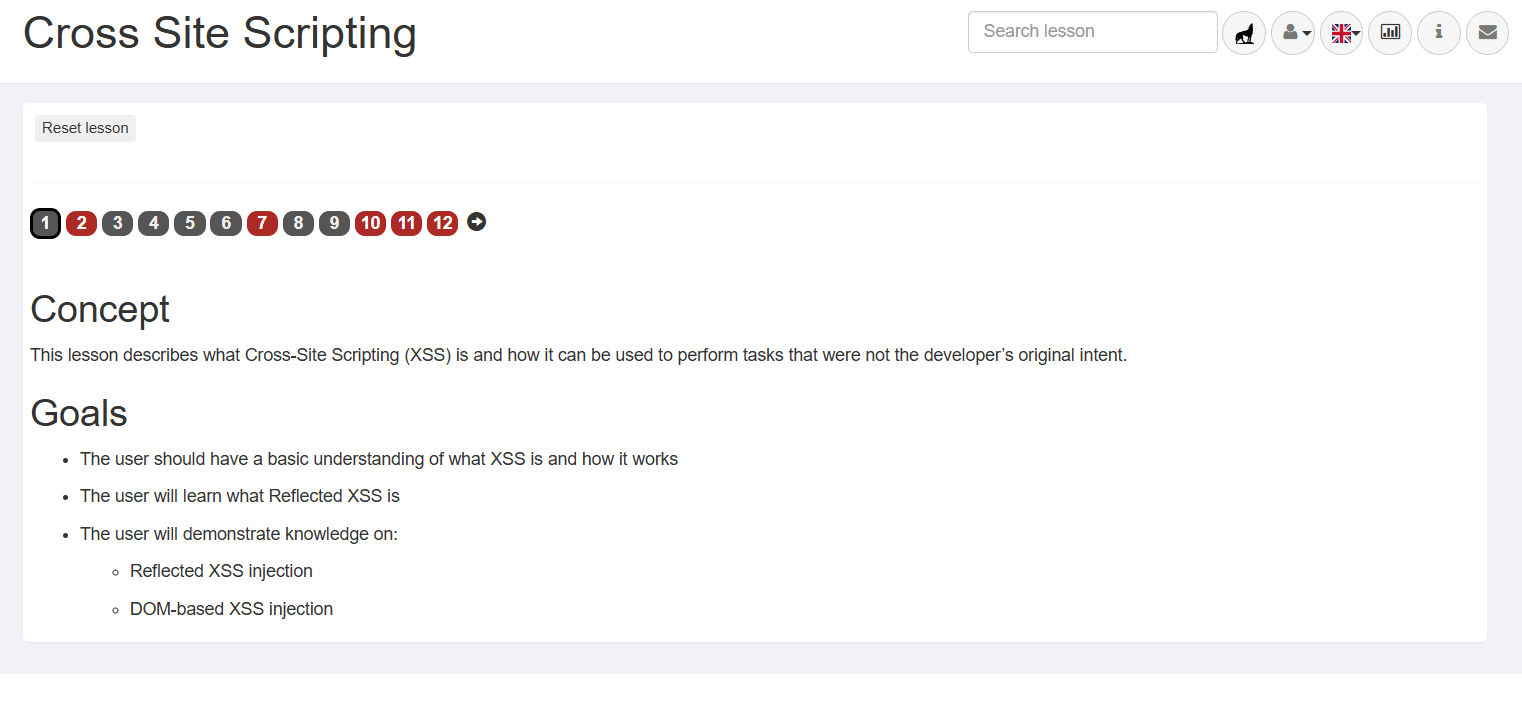
Action: Review the goals for the Cross Site Scripting module, focusing on Reflected and DOM-based XSS.
a
Next Step: Click page 2 to start the XSS exercises.
b
Cross-Site Scripting Overview
10
Action: Read the overview explaining Cross-Site Scripting (XSS) concepts and risks.
a
Next Step: Scroll down to the interactive task.
b
XSS Intro Concepts
11
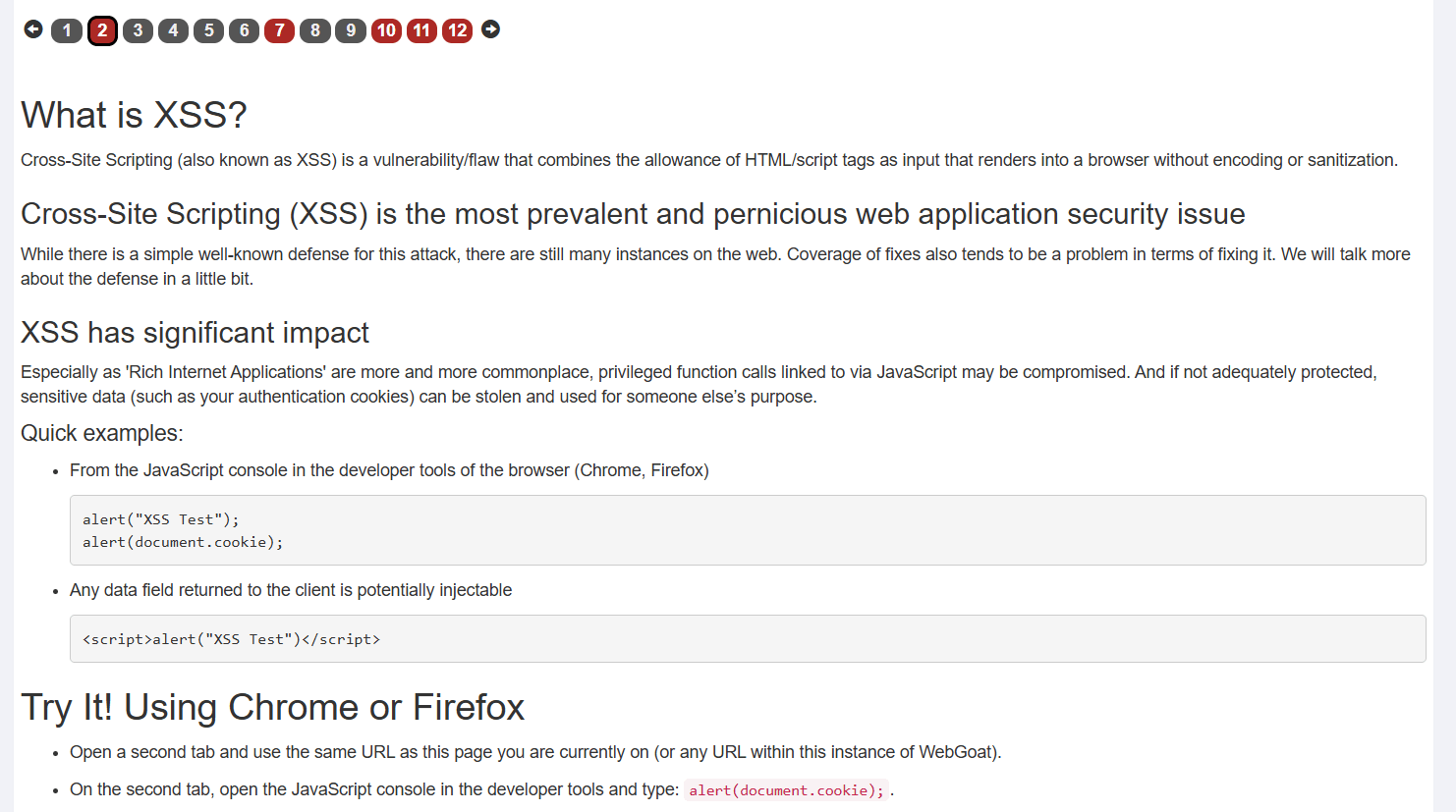
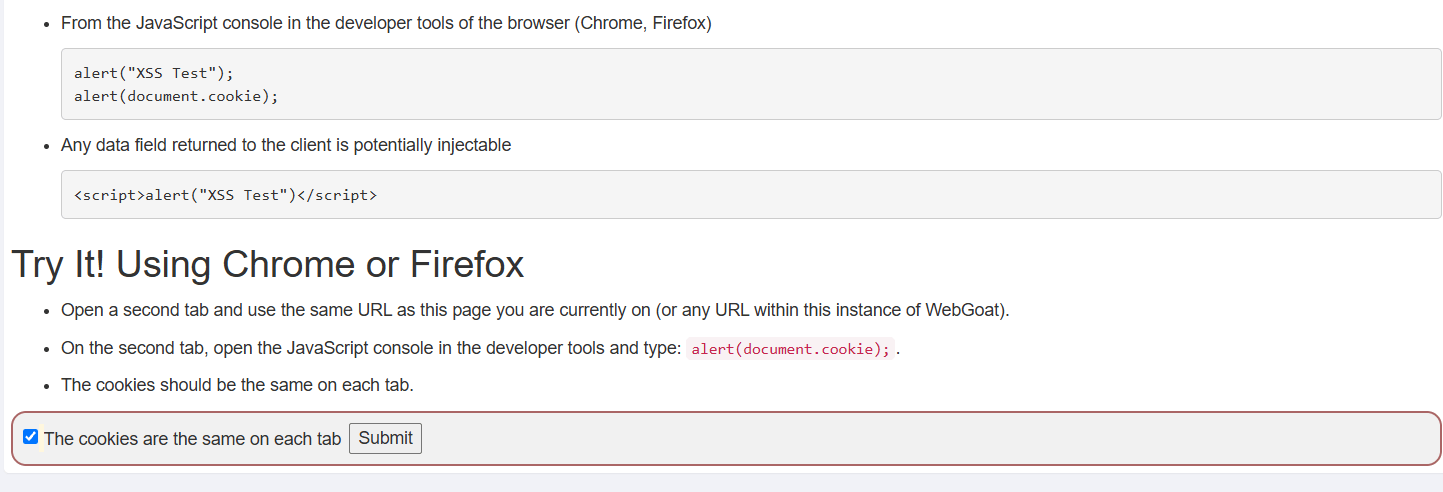
Action: Open a second browser tab with the same WebGoat URL, run alert(document.cookie); in the DevTools console, and verify the cookies match.
a
Next Step: Check the box "The cookies are the same on each tab" and click Submit.
b
Cookie Verification Task
12
Action: Review the Reflected XSS task objective to find which field is vulnerable to XSS.
a
Next Step: Identify the input fields (Quantities, Credit Card Number, Access Code) to begin testing
b
Reflected XSS Shopping Cart Form
13
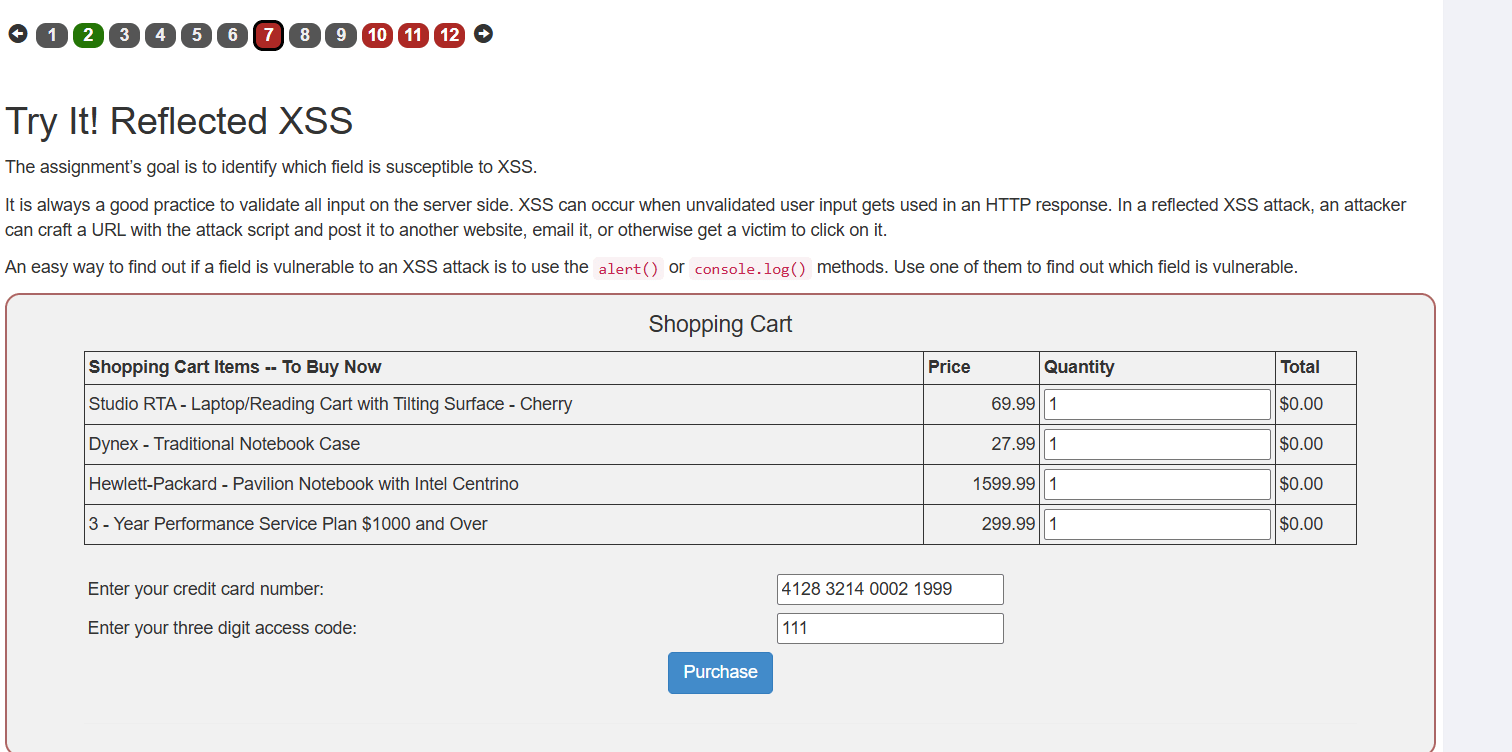
Action: Click Purchase with normal values to see how input is reflected in the page response.
a
Next Step: Observe that input is displayed back under the purchase summary.
b
Standard Submission Test
14
Action: Click Purchase with normal values to see how input is reflected in the page response.
a
Next Step: Observe that input is displayed back under the purchase summary.
b
Standard Submission Test
15
Next Step: Observe that input is displayed back under the purchase summary.
b
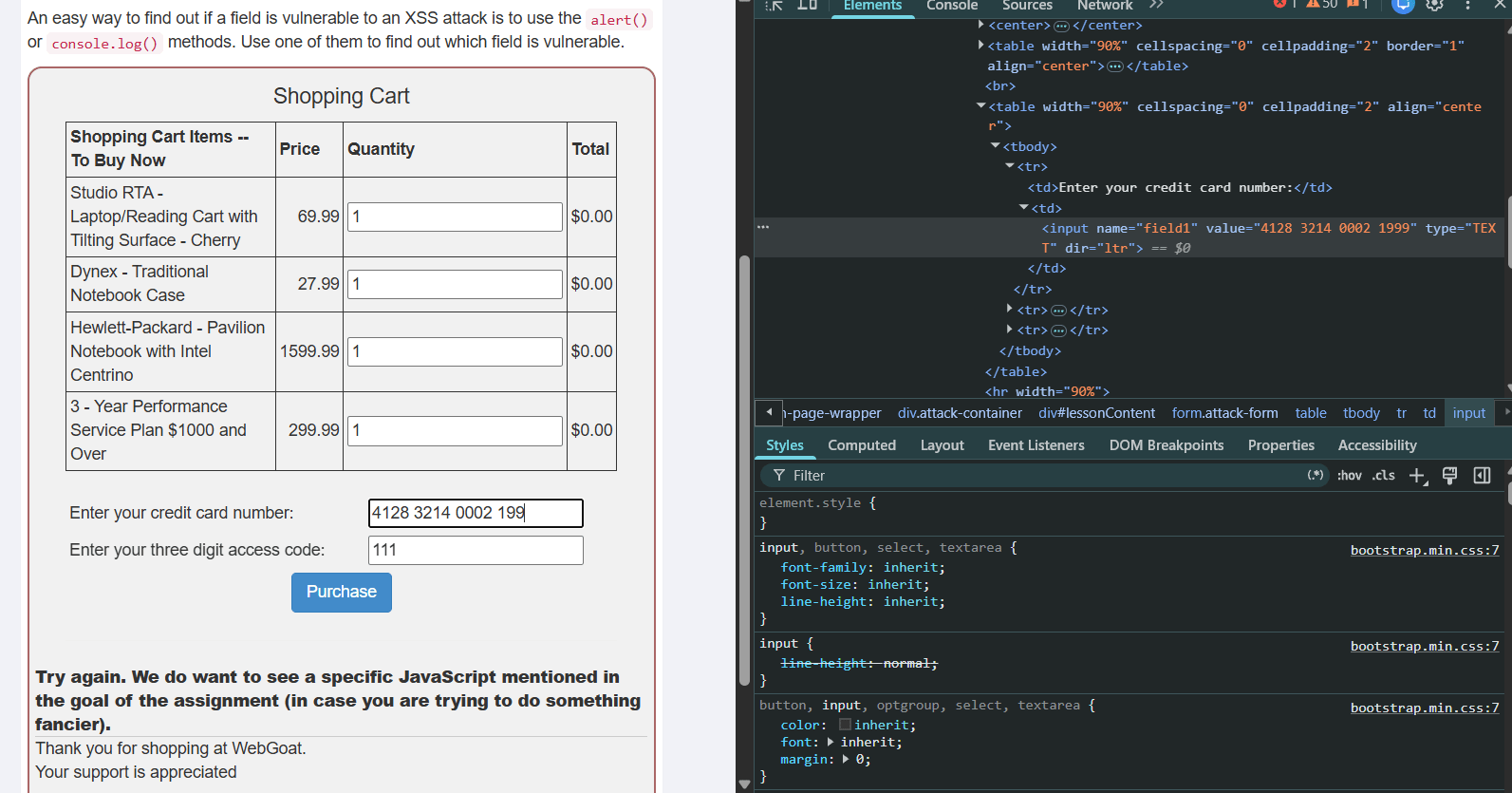
Standard Submission Test
16
Action: Enter an XSS payload into the target field (e.g., credit card field) to break out of the HTML attribute context.
a
Payload: HTML
b
4128 3214 0002 1999'><script>alert(1)</script>Next Step: Click Purchase.
c
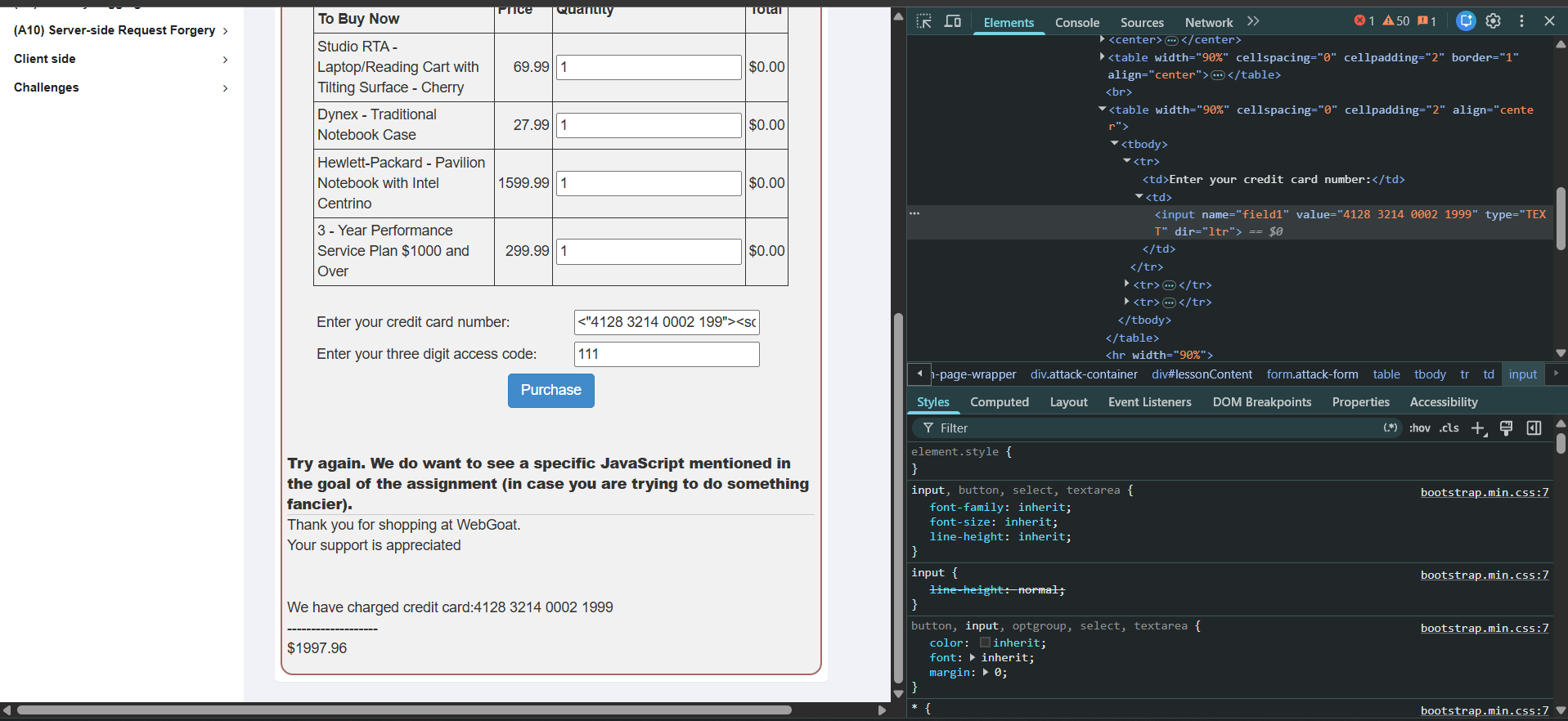
Action: Verify that the full script payload is typed inside the input box.
a
Next Step: Click Purchase to trigger execution.
b
Submitting Payload
17
Action: Confirm that the browser displays an alert pop-up box displaying 1.
a
Next Step: Click OK on the alert pop-up and navigate to the next module.
b
Successful XSS Execution
18
Action: Read the introductory concept page covering CSRF vulnerabilities and characteristics.
a
Next Step: Click page 2 to start the CSRF lab exercises.
b
Cross-Site Request Forgery (CSRF) Intro
19
Task 2: Identify common web vulnerabilities in a controlled lab.
Open the OWASP Juice Shop room on TryHackMe.
a
Start the AttackBox or connect your Kali Linux machine.
c
Click Join Room.
b
Join and Start the Lab
1
Start the Juice Shop Lab Machine.
d
Note the target IP address provided by TryHackMe.
e
Access and Explore Juice Shop
1
Open Firefox in the AttackBox.
a
Explore the homepage and product listings.
c
Enter the Juice Shop target IP in the browser.
b
Check features such as:
d
- Product search
- Login
- Registration
- Shopping basket
- Product reviews
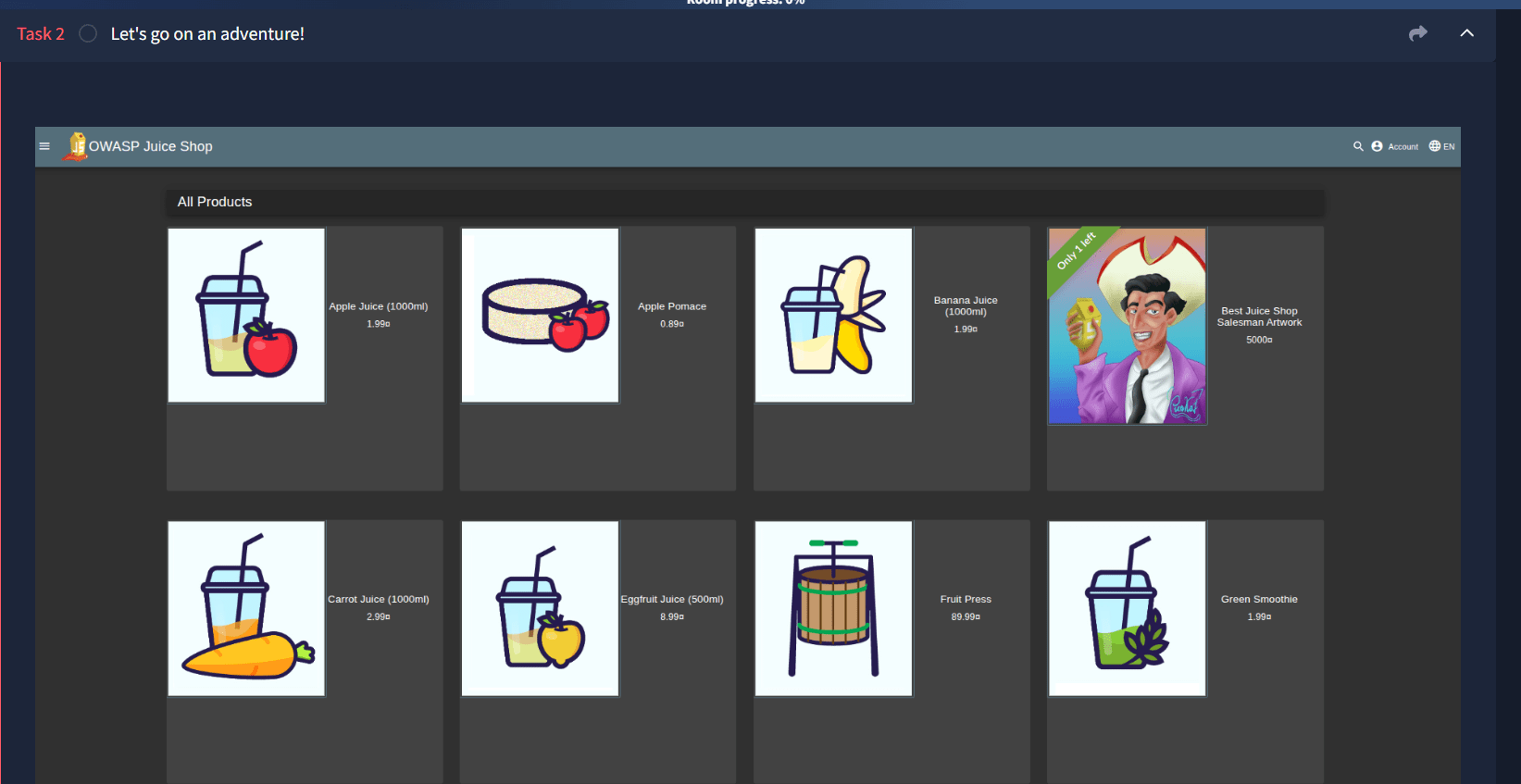
Identify Vulnerabilities
3
Use the Juice Shop functionality to identify potential security weaknesses.
a
Use Burp Suite to intercept and inspect requests if required.
c
Examine input fields such as search, login, and reviews.
b
Identify vulnerabilities related to XSS, injection, authentication, and access control.
d
Record the vulnerability, affected functionality, impact, and recommended mitigation.
e
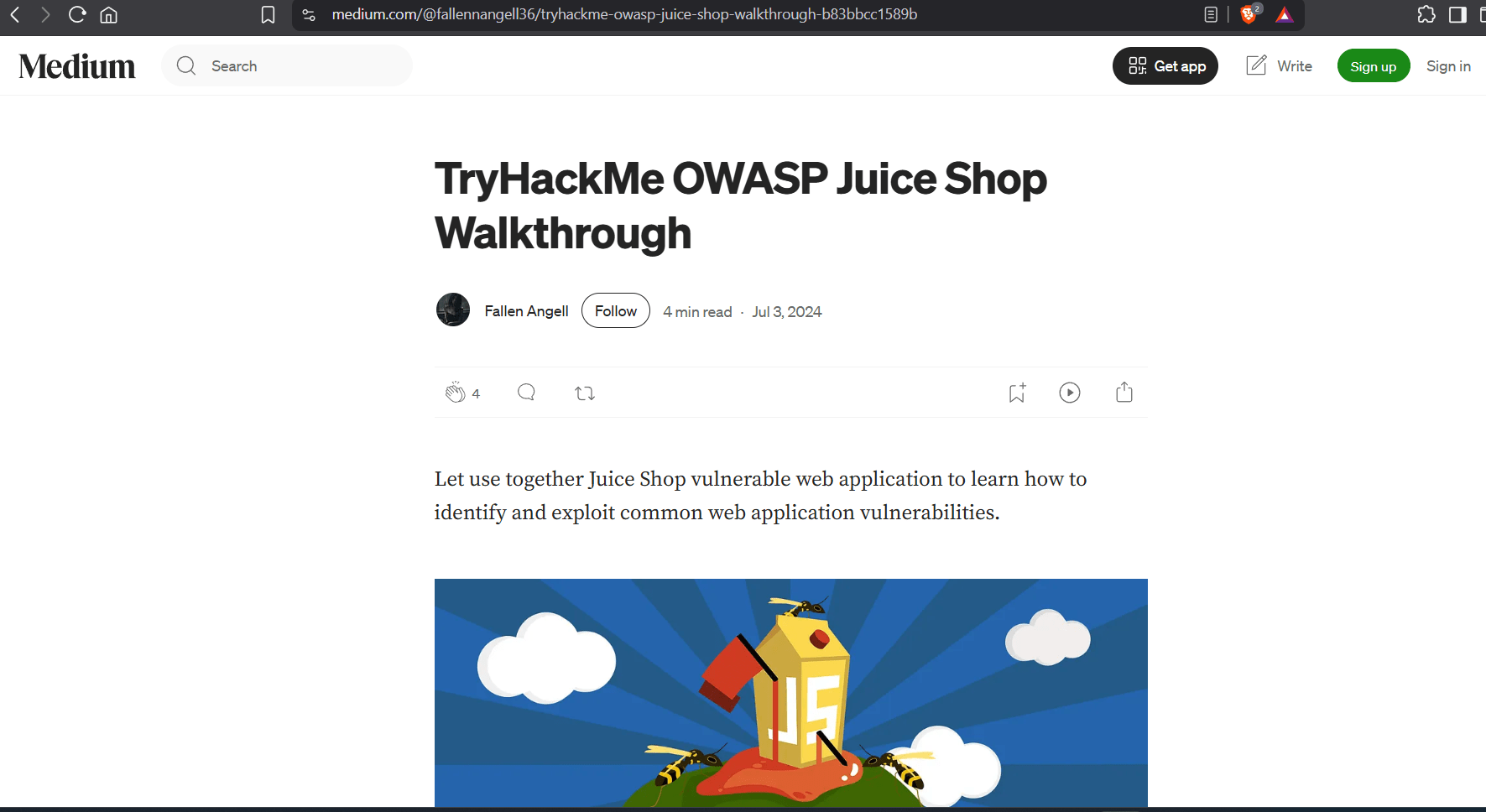
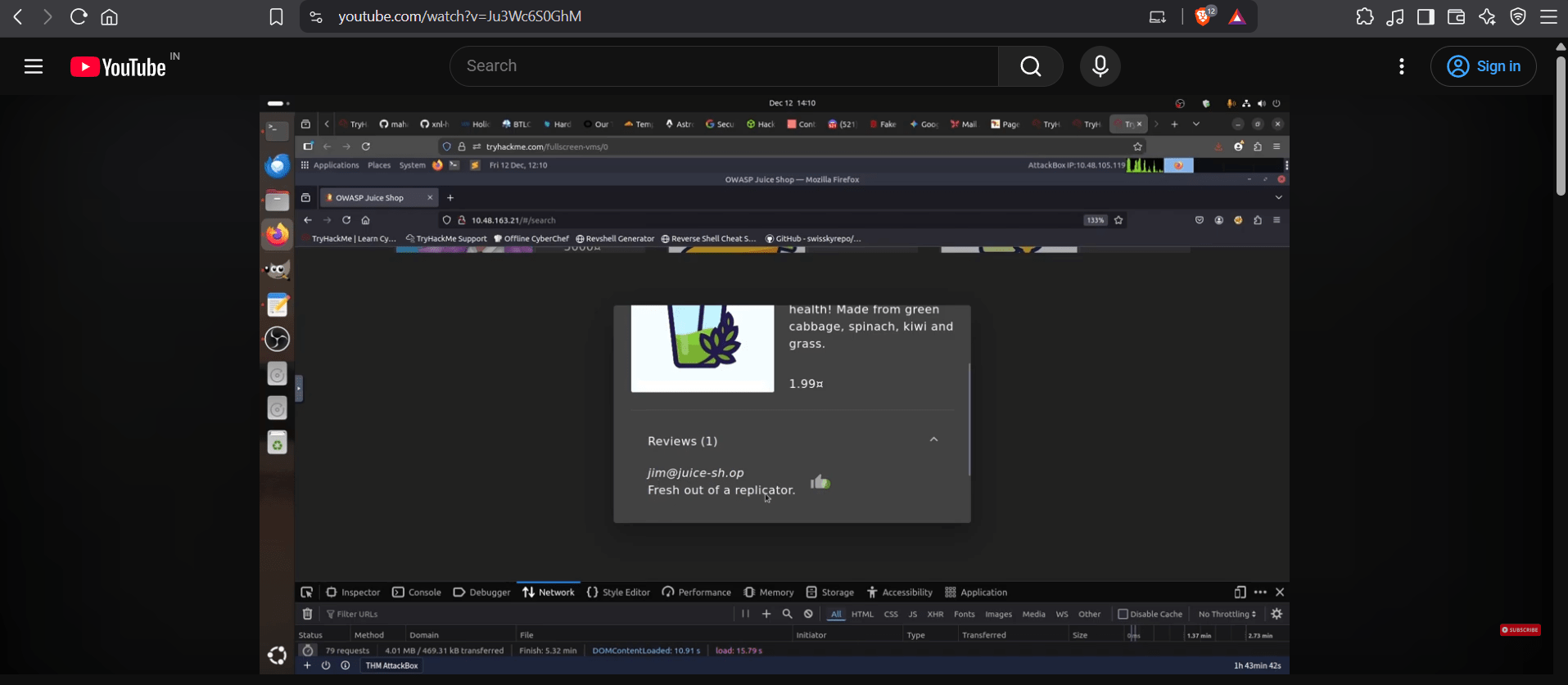
Solution for Try hack me :
Great job!
You have successfully completed your lab on SecureMart Web Application Security Assessment.
In this lab, you have: Examined the application's authentication mechanism, Identified and tested SQL Injection vulnerabilities, Tested basic XSS behavior, Analyzed cookies and session identifiers, Determined whether authentication can be bypassed, and Performed the assessment in a controlled, intentionally vulnerable lab environment.
You are now ready to move to the next stage of web application security testing.
Checkpoint
Great job!
You have successfully completed your first lab on SecureMart Web Application Security Assessment.
In this lab, you have: Examined the application's authentication mechanism, Identified and tested SQL Injection vulnerabilities, Tested basic XSS behavior, Analyzed cookies and session identifiers, Determined whether authentication can be bypassed, and Performed the assessment in a controlled, intentionally vulnerable lab environment.
You are now ready to move to the next stage of web application security testing.
Checkpoint
Next-Lab Preparation
Topic : Web Application Security Fundamentals
1) Introduction to Web Application Security
2) Overview of OWASP Top 10 vulnerabilities