Locators and Element Interaction


Locators Types(ID,Text,CSS,XPath, Role)



Learning Outcome
5
Write stable and maintainable automation scripts
4
Choose the best locator for different scenarios
3
Compare ID, Text, CSS, XPath, and Role locators
2
Understand when to use each locator
1
Explain different Locator Types in Playwright
Recall
-
What is a Locator in Playwright?
-
Why are Locators required before performing actions like click() or fill()?
-
Can a single Locator strategy identify every web element?
-
What happens if Playwright cannot uniquely identify an element?
Hook/Story/Analogy(Slide 4)
Imagine you need to meet your friend in a large city

There are different ways to identify the same person:
Mobile Number (Unique)
Name
Home Address



GPS Location
Job Role
If one method is unavailable, you can use another


For example:
If you know the mobile number, finding the person is easy
If you only know the name, you may need additional information


If you know the address, you can still locate them

Transition from Analogy to Technical Concept
Just as there are multiple ways to identify a person in a city, Playwright provides multiple locator strategies to identify web elements. The best locator depends on the HTML structure and accessibility of the application
What are Locator Types?
Locator Types are different strategies used to identify and locate web elements on a webpage
Playwright provides multiple locator types because every web application has a different HTML structure. Using the correct locator improves stability, readability, maintainability, and reduces test failures



What is an ID Locator?
An ID Locator identifies an element using its unique HTML id attribute


page.locator("#username");Best Used When
The element has a stable and unique id attribute

Advantages
Fastest locator
Usually unique
Easy to read
Easy to maintain


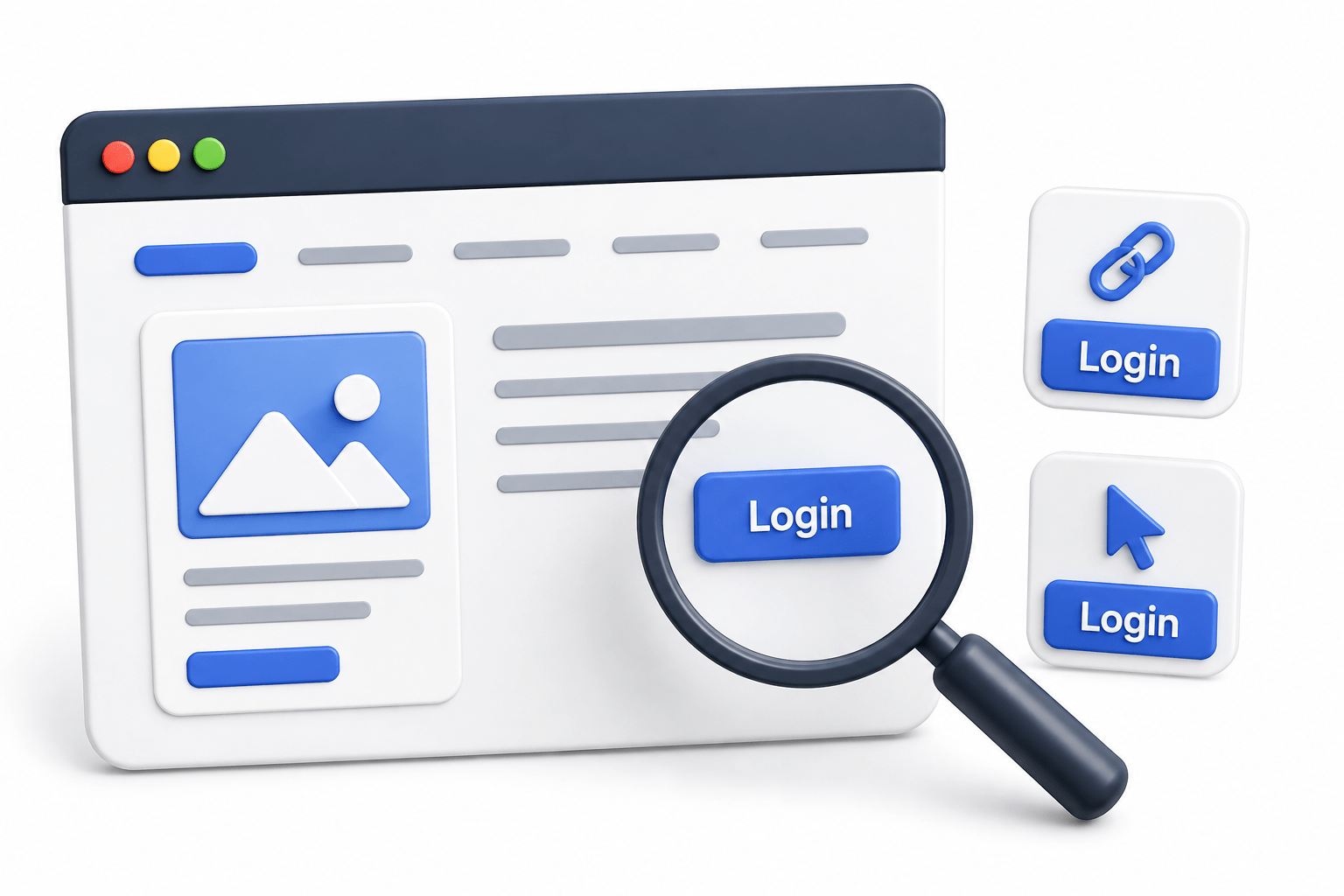
What is a Text Locator?
A Text Locator identifies elements using their visible text

page.getByText("Login");Best Used When
The visible text is unique

Advantages
Human-readable
Easy to understand
Ideal for buttons and links

What is a CSS Locator?
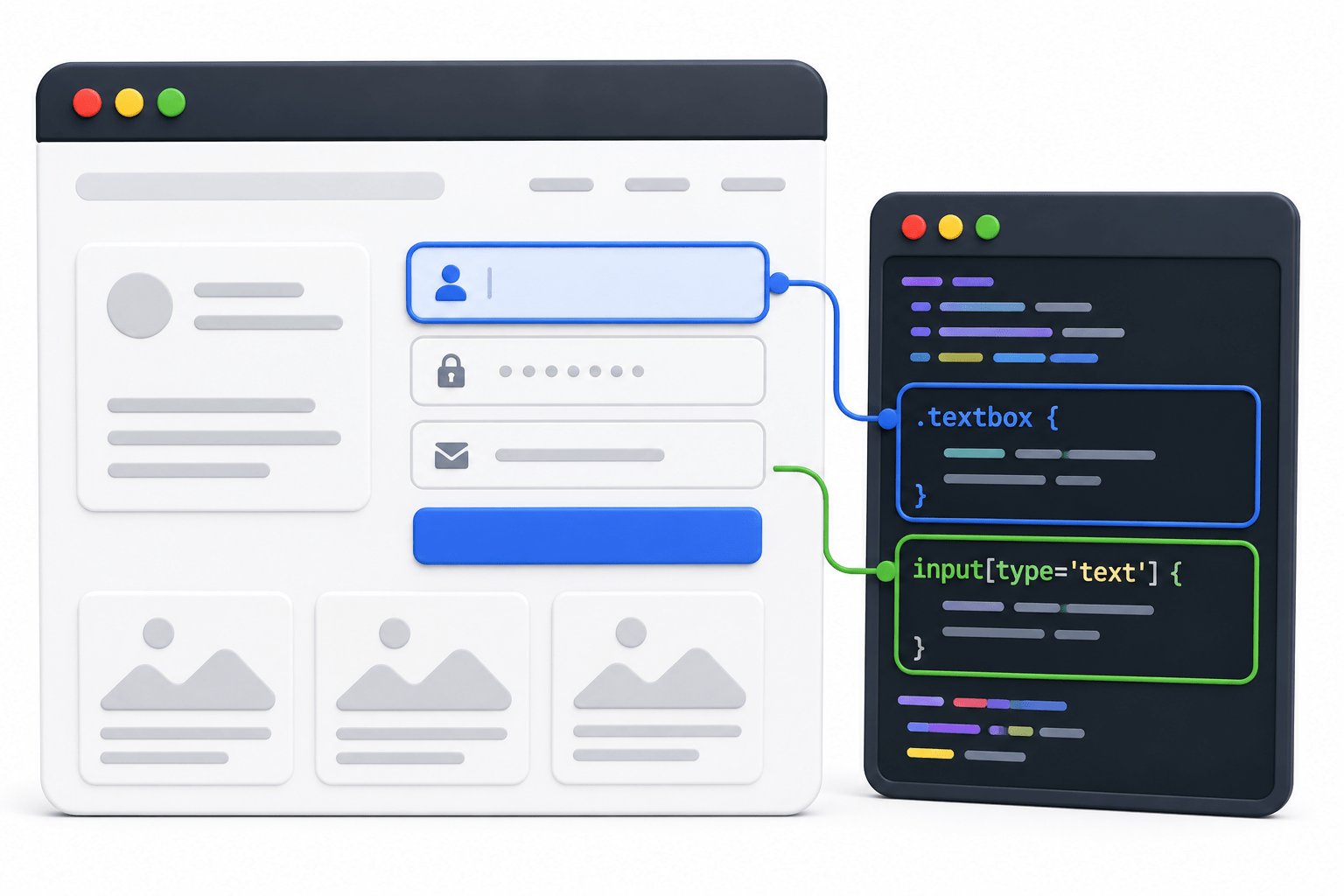
A CSS Locator uses CSS selector syntax to locate elements


page.locator(".textbox");
page.locator("input[type='text']");
Best Used When
IDs are unavailable
Class names or attributes are available


Advantages
Fast
Flexible
Supports complex element selection
Preferred over XPath in most cases

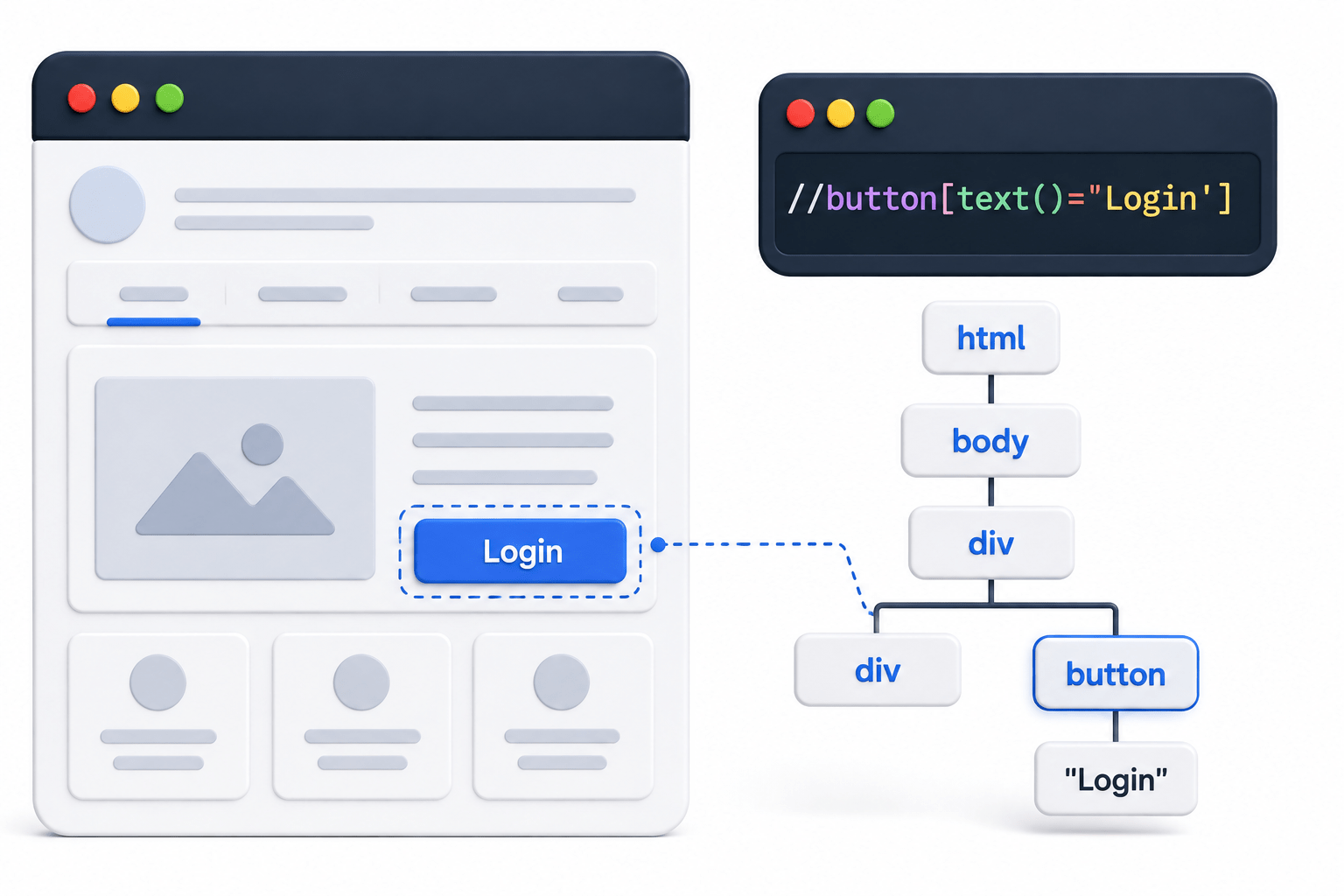
What is an XPath Locator?
XPath is a language used to navigate through the HTML DOM hierarchy

page.locator("//button[text()='Login']");Best Used When
Other locator strategies are not available

Advantages
Can handle complex structures
Supports parent-child navigation
Disadvantages
Complex syntax
Slower than CSS
Harder to maintain
More prone to failures


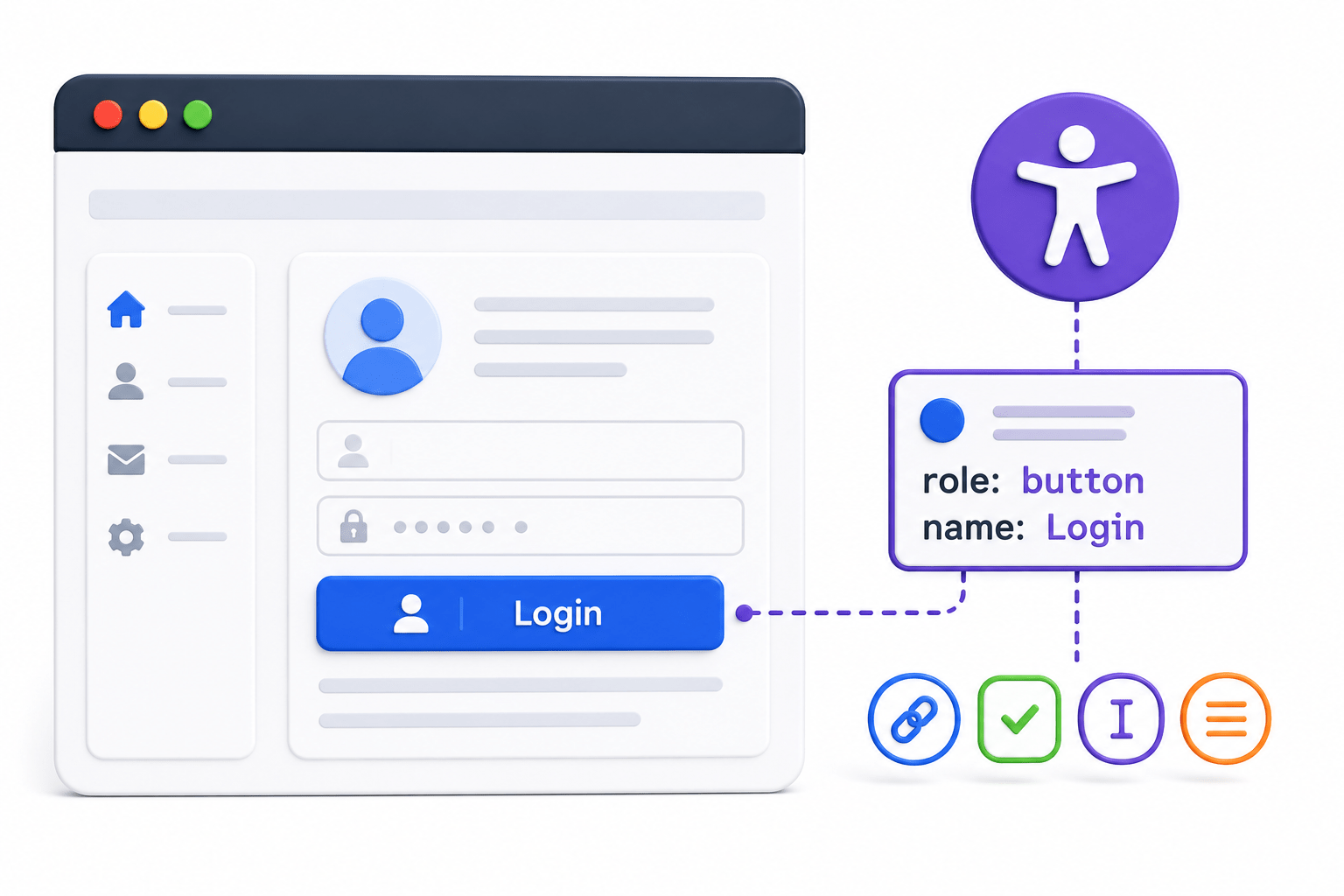
What is a Role Locator?
A Role Locator identifies elements based on their accessibility role and accessible name


page.getByRole(
    AriaRole.BUTTON,
    new Page.GetByRoleOptions().setName("Login")
);
Best Used When
Working with accessible web applications

Buttons, links, textboxes, checkboxes, and other semantic elements

Advantages
Recommended by Playwright
Mimics real user interaction
Stable and readable
Accessibility-friendly

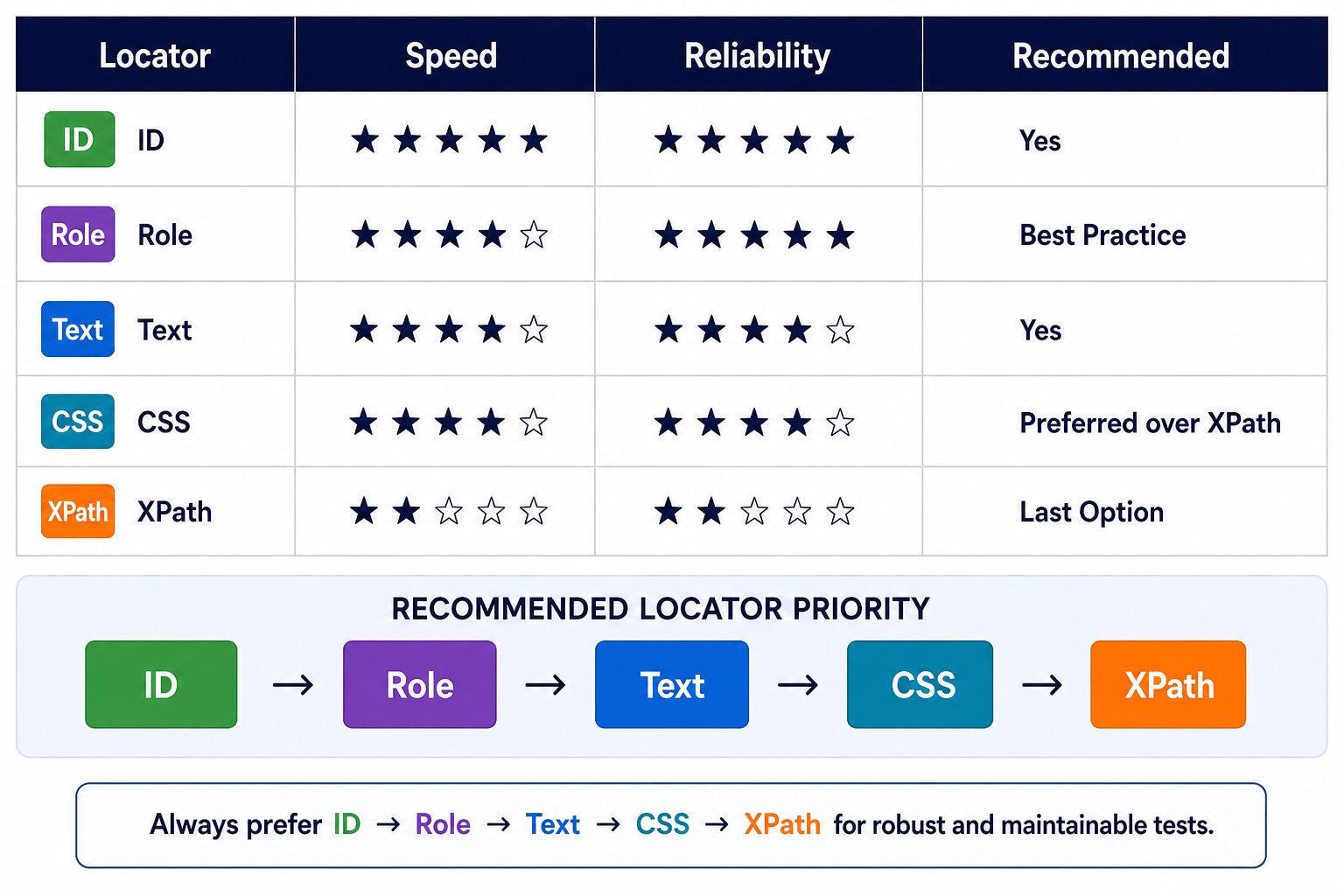
Locator Comparison
Best Practices
Use these guidelines when choosing locators:
Prefer getByRole() whenever possible
Use ID Locator if the ID is unique and stable
Use Text Locator for buttons and links with unique text
Prefer CSS Locator over XPath
Use XPath only when other locator strategies cannot identify the element

Summary
4
Preferred order: Role → ID → Text → CSS → XPath (last resort)
3
Choose the most stable and maintainable locator.
2
Each locator is suitable for different HTML structures
1
Playwright provides multiple Locator Types
Quiz
Which locator is recommended by Playwright?
A. XPath
B. CSS
C. Role Locator
D. Class Locator

Quiz-Answer
Which locator is recommended by Playwright?
A. XPath
B. CSS
C. Role Locator
D. Class Locator
