System Management Commands


Networking Commands in Linux


Learning Outcome
5
Learn secure remote communication using ssh and scp.
4
Understand network monitoring and troubleshooting commands.
3
Identify IP addresses and network interfaces using ip and ifconfig.
2
Learn how to test network connectivity using commands like ping.
1
Understand the purpose of networking commands in Linux.
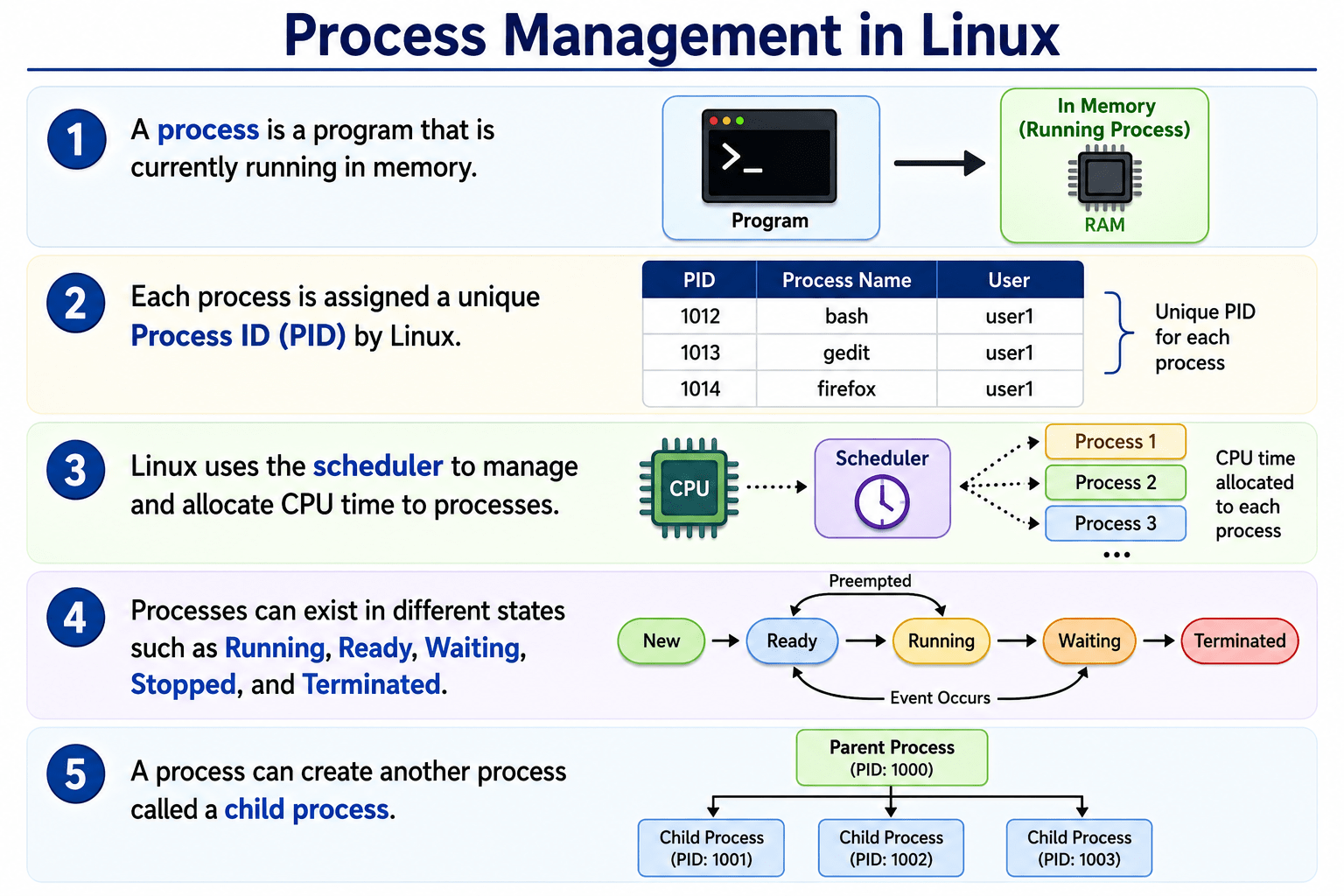
Let's Recall Process management in Linux
Let's imagine Sending a parcel through a courier service


You check whether the address exists.

You track the delivery route.
You verify the receiver’s location.
You securely send and receive packages.
Networking commands work similarly by helping computers communicate and exchange data.


Why It Is Used
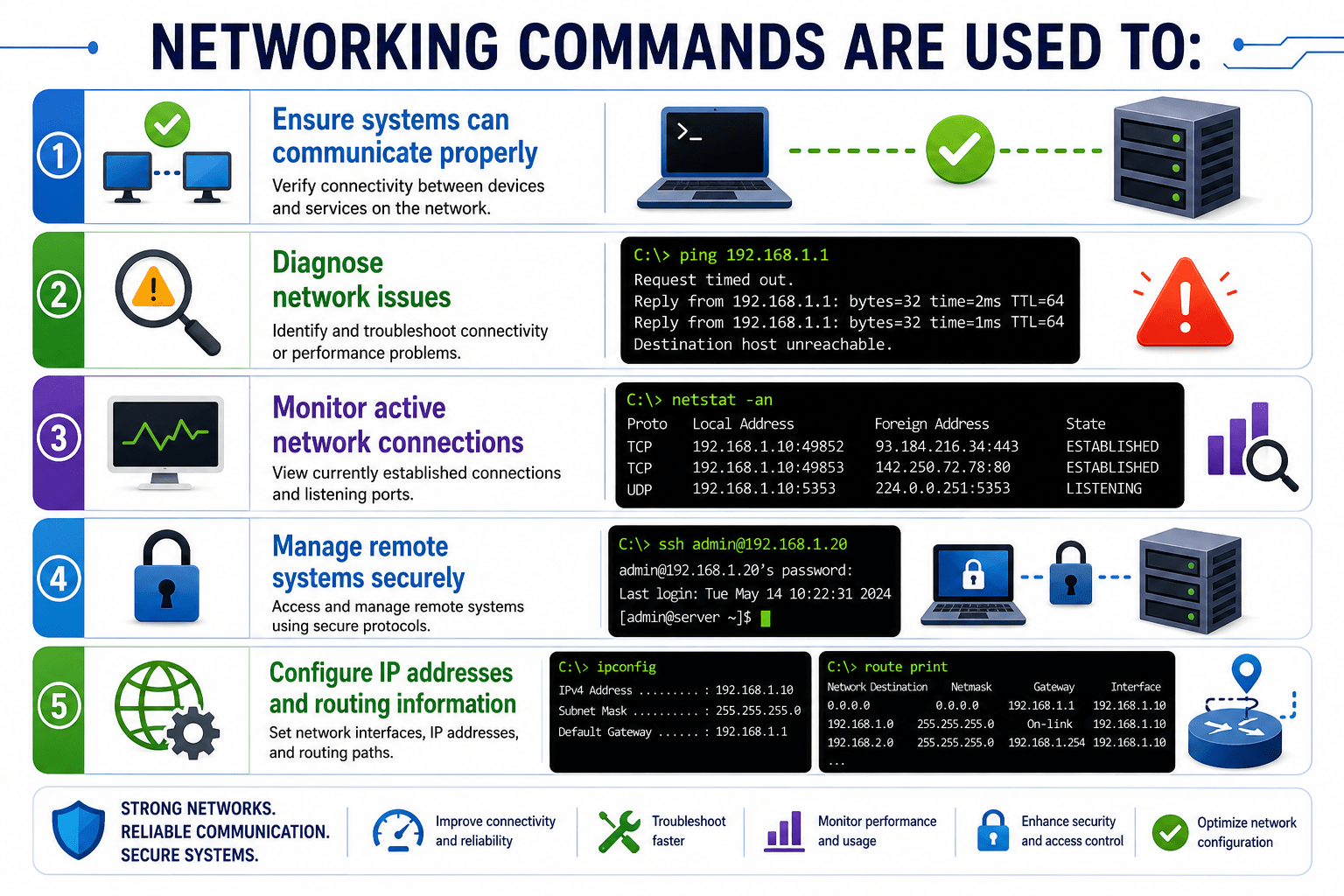
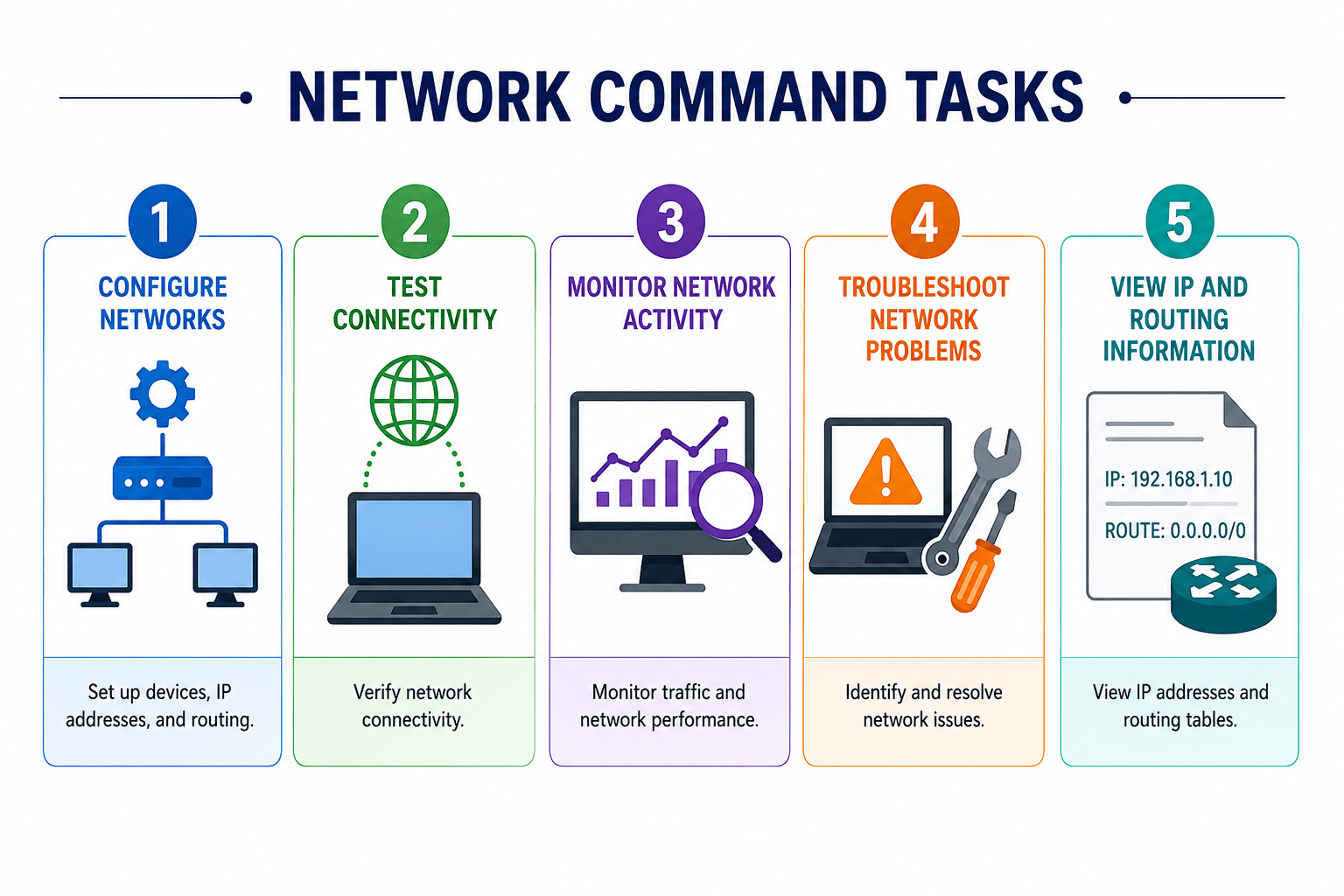
Networking commands in Linux are used to:
These commands help administrators and users communicate with other systems over a network.
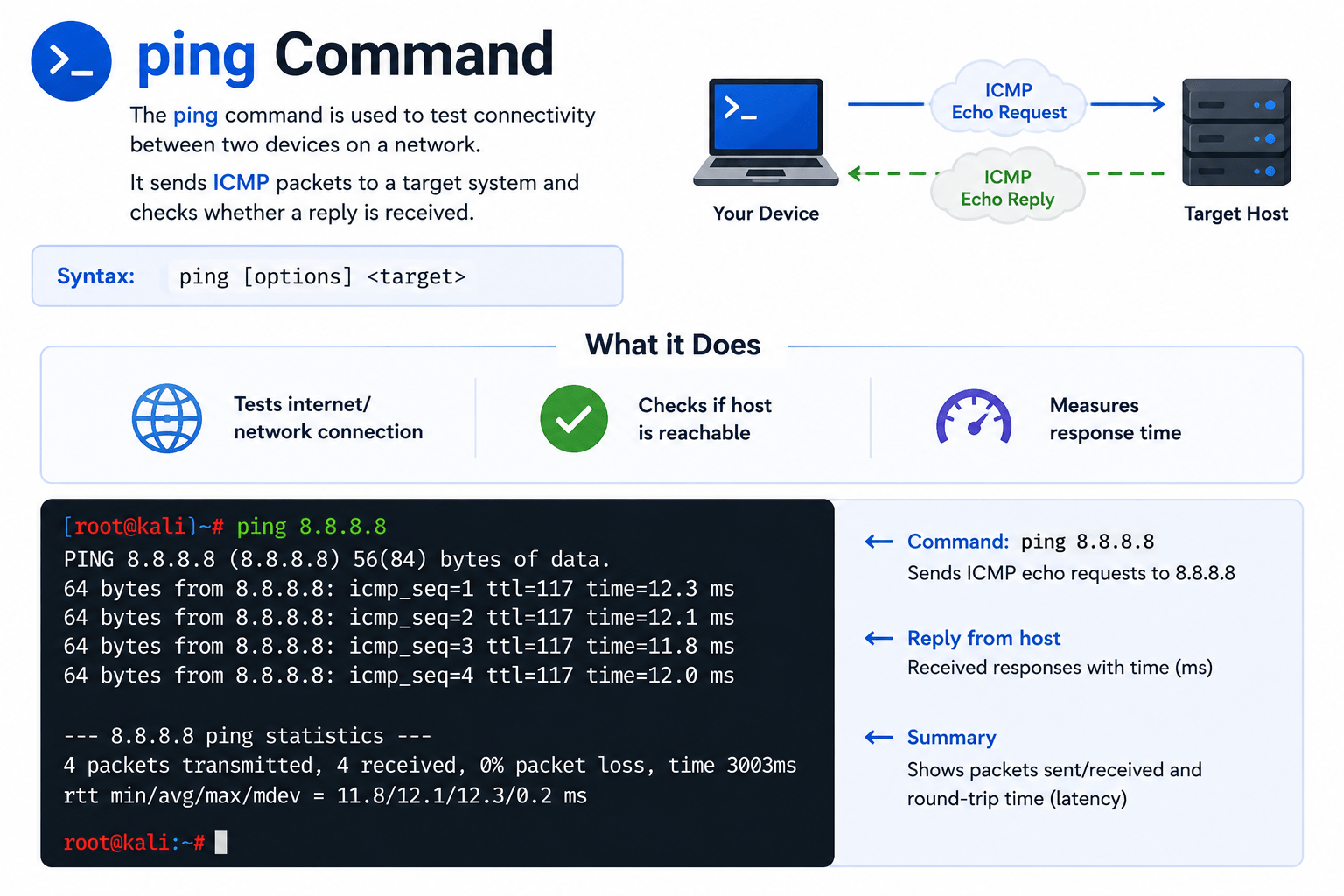
ping Command
The ping command is used to test connectivity between two devices on a network.
It sends ICMP packets to a target system and checks whether a reply is received.
What it Does?
-
Tests internet/network connection
-
Checks if host is reachable
-
Measures response time

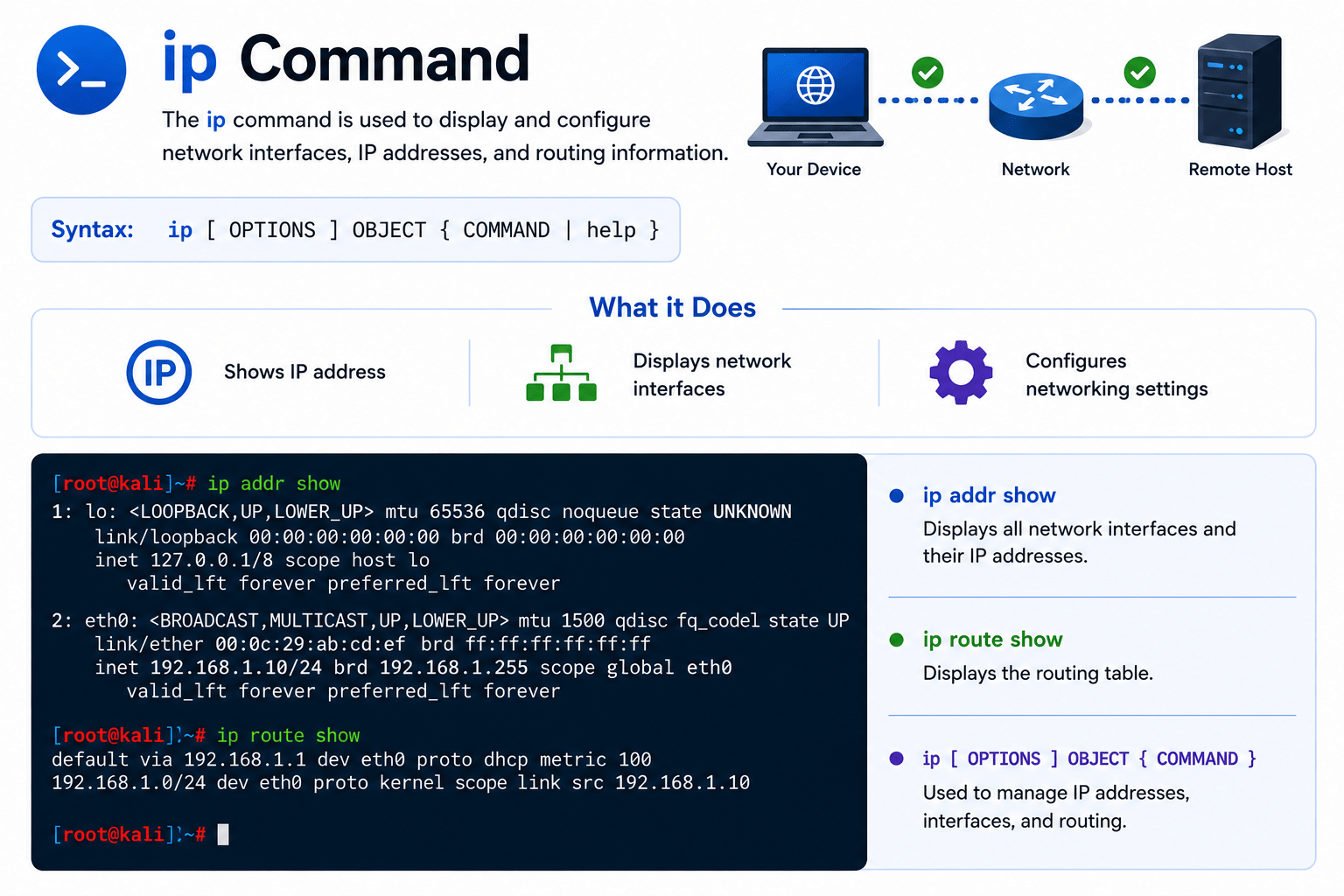
ip Command
The ip command is used to display and configure network interfaces, IP addresses, and routing information.
What it Does?
-
Shows IP address
-
Displays network interfaces
-
Configures networking settings

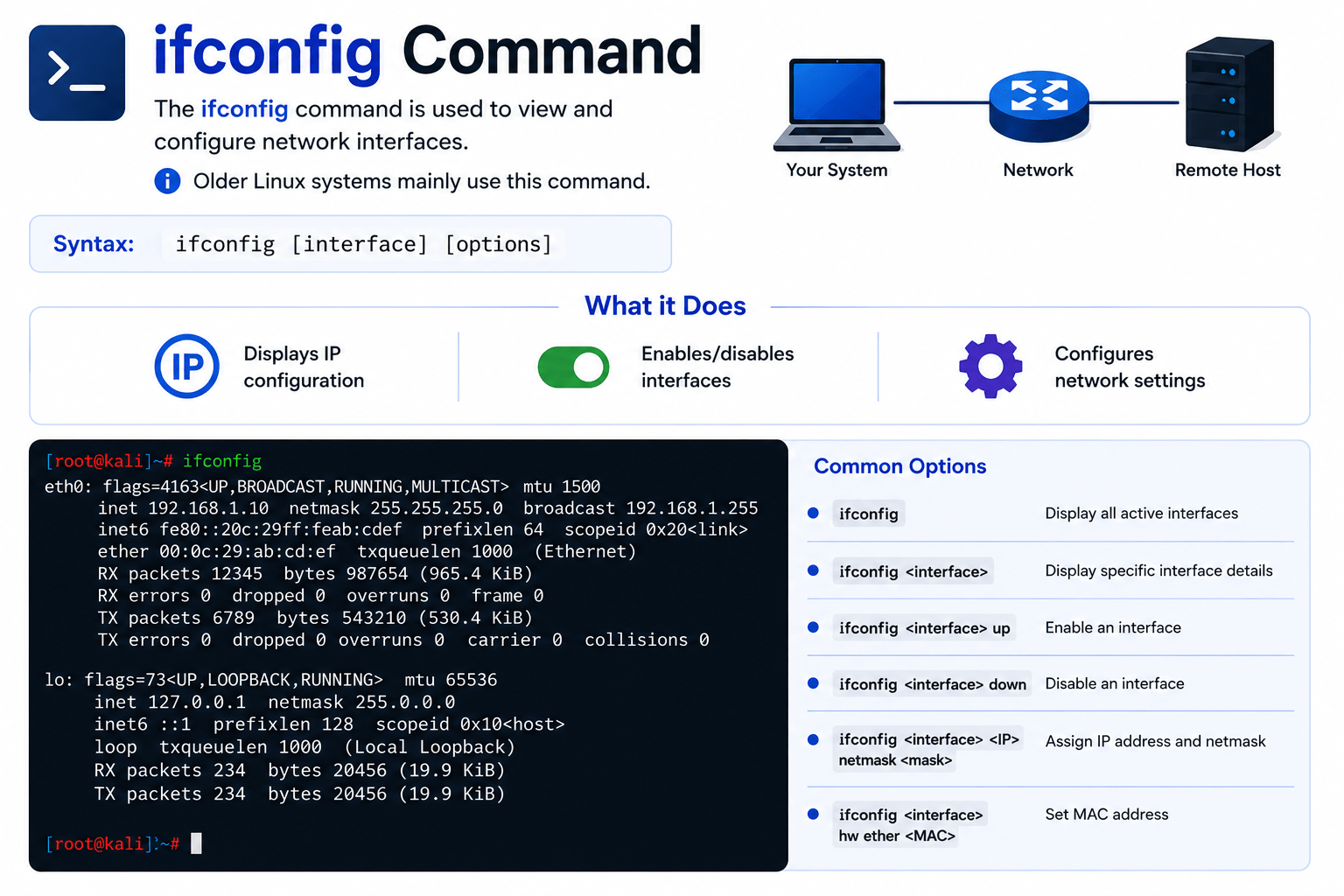
ifconfig Command
The ifconfig command is used to view and configure network interfaces.
Older Linux systems mainly use this command.
What it Does?
-
Displays IP configuration
-
Enables/disables interfaces
-
Configures network settings

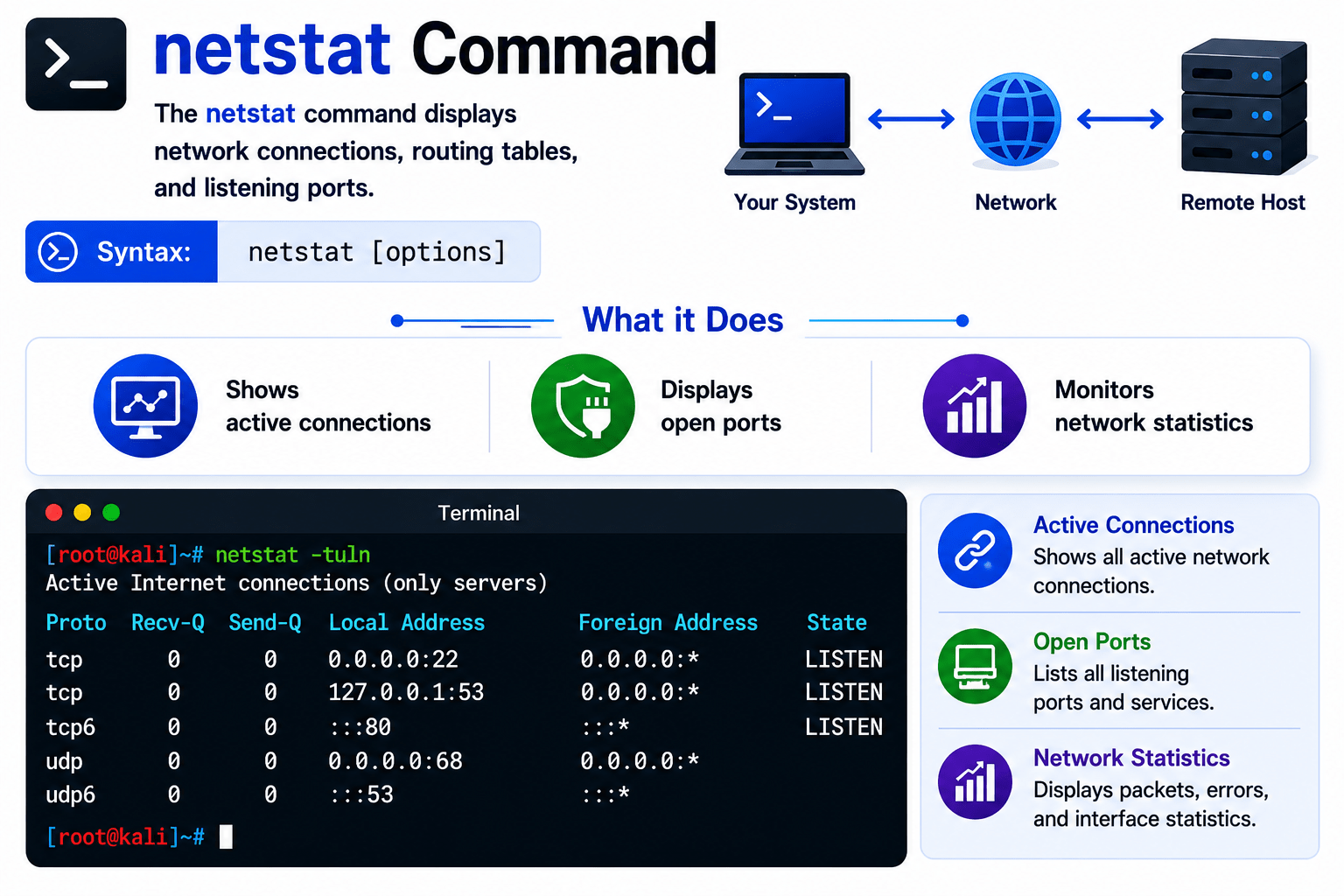
netstat Command
The netstat command displays network connections, routing tables, and listening ports.
What it Does?
-
Shows active connections
-
Displays open ports
-
Monitors network statistics

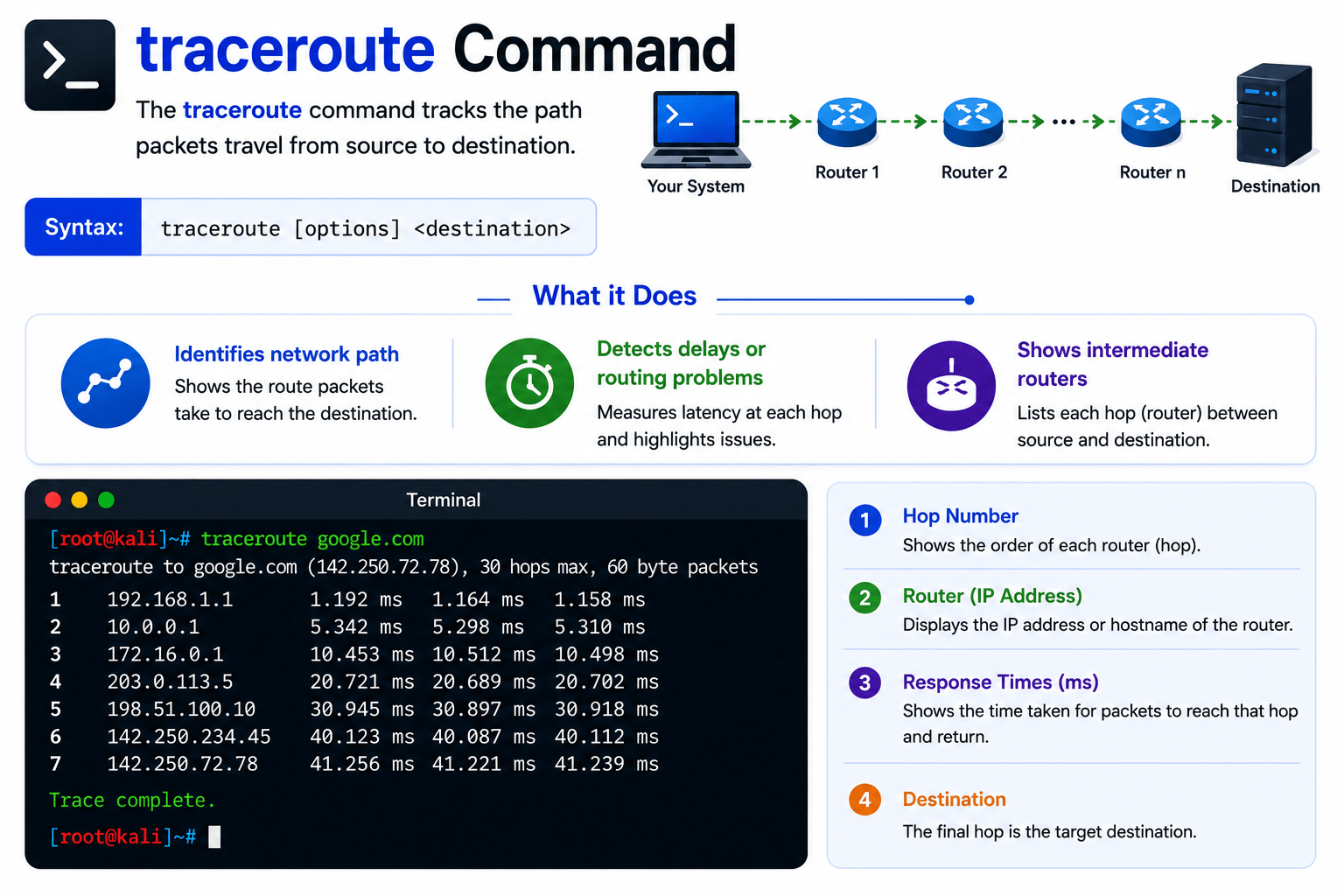
traceroute Command
The traceroute command tracks the path packets travel from source to destination.
What it Does?
-
Identifies network path
-
Detects delays or routing problems
-
Shows intermediate routers

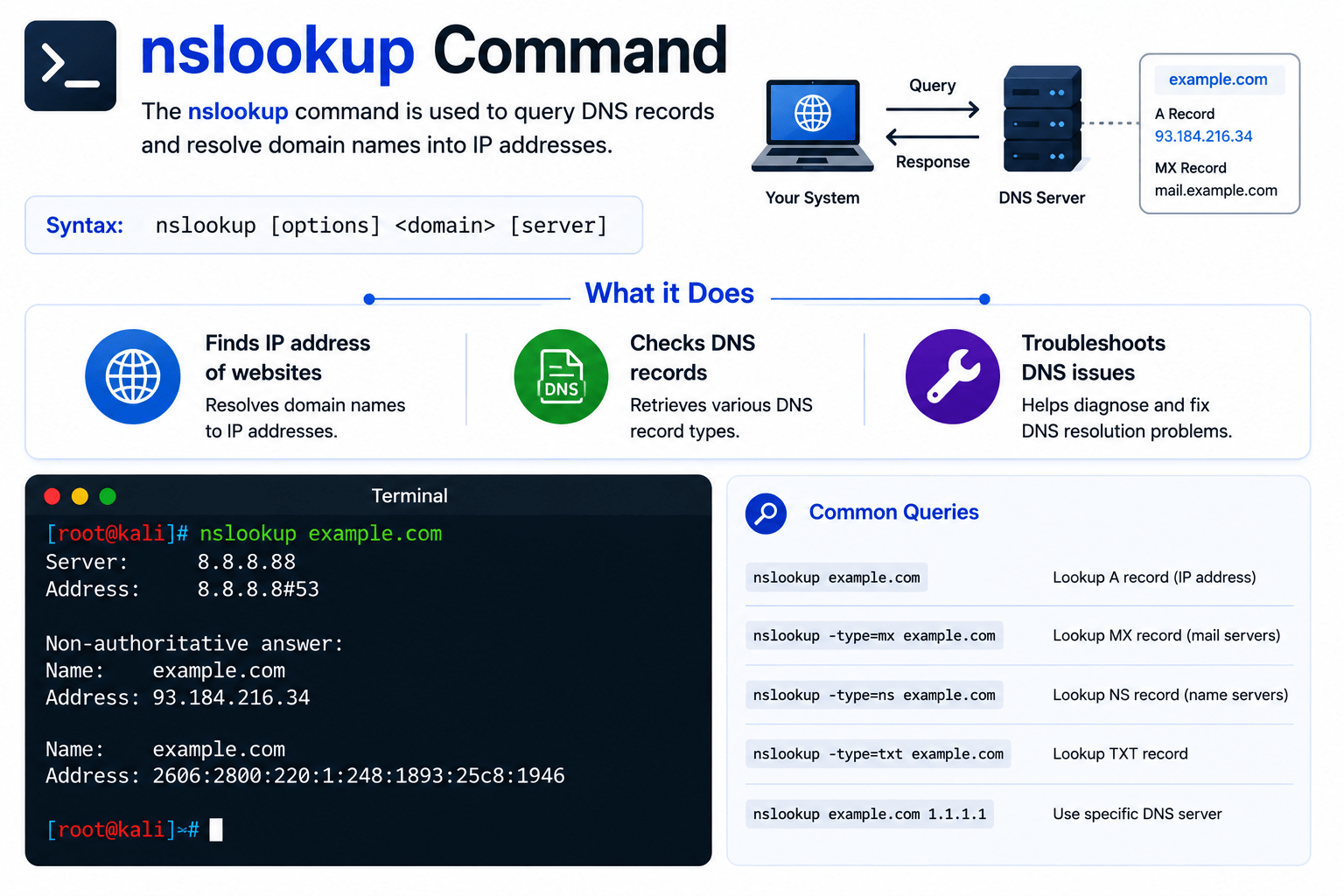
nslookup Command
The nslookup command is used to query DNS records and resolve domain names into IP addresses.
What it Does?
-
Finds IP address of websites
-
Checks DNS records
-
Troubleshoots DNS issues

dig Command
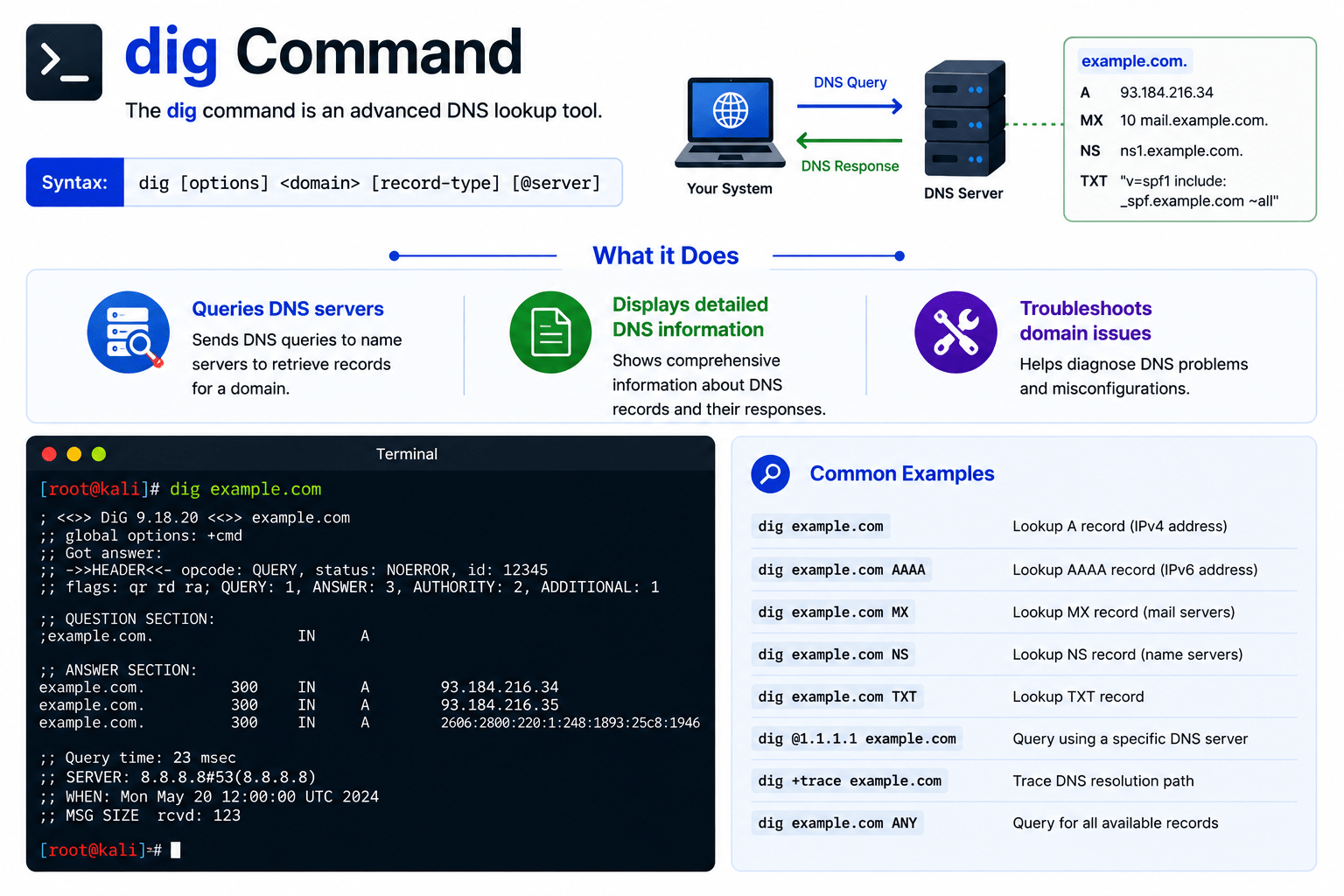
The dig command is an advanced DNS lookup tool.
What it Does?
-
Queries DNS servers
-
Displays detailed DNS information
-
Troubleshoots domain issues

host Command
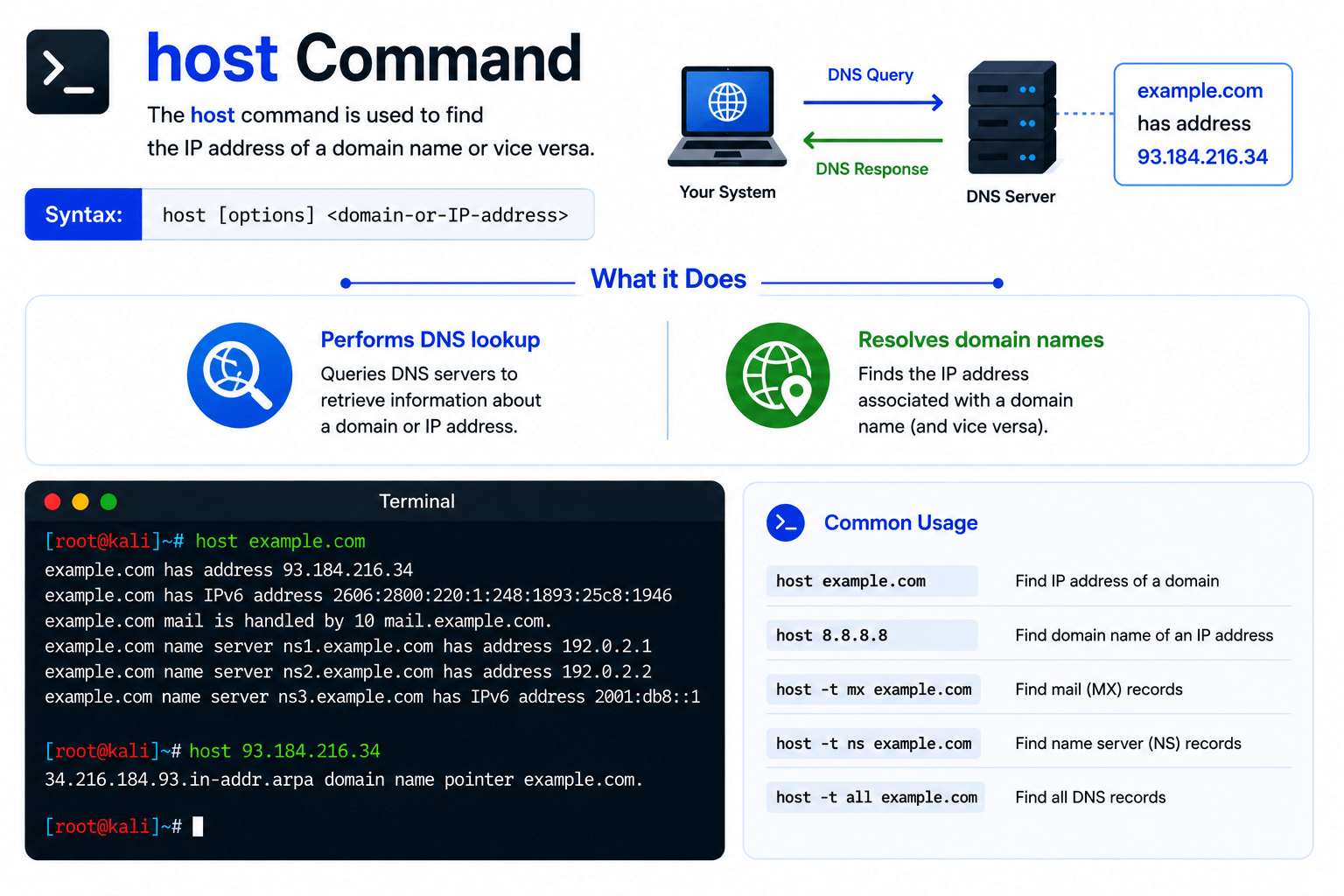
The host command is used to find the IP address of a domain name or vice versa.
What it Does?
-
Performs DNS lookup
-
Resolves domain names

ssh Command
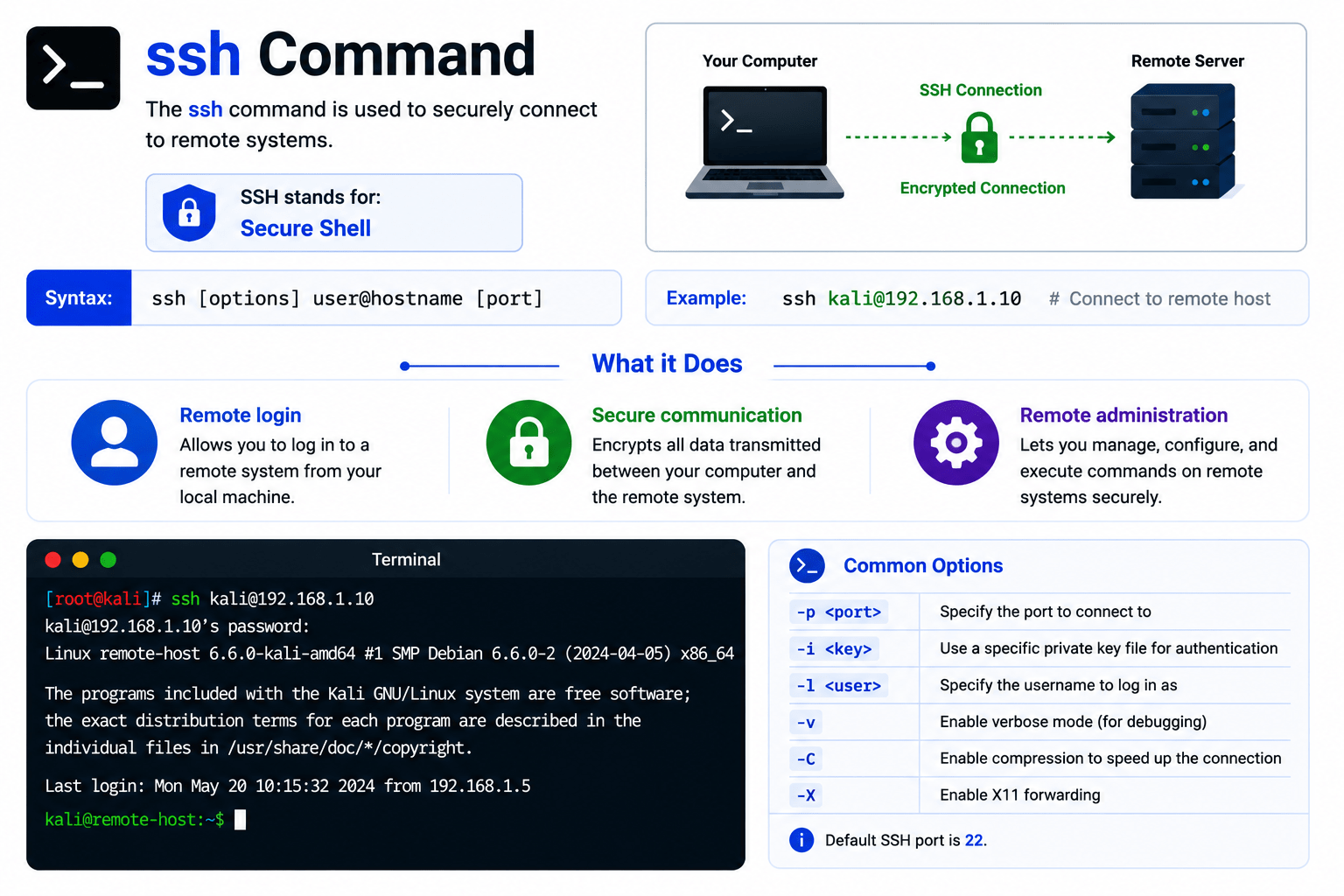
The ssh command is used to securely connect to remote systems.
SSH stands for:
Secure Shell
What it Does?
-
Remote login
-
Secure communication
-
Remote administration

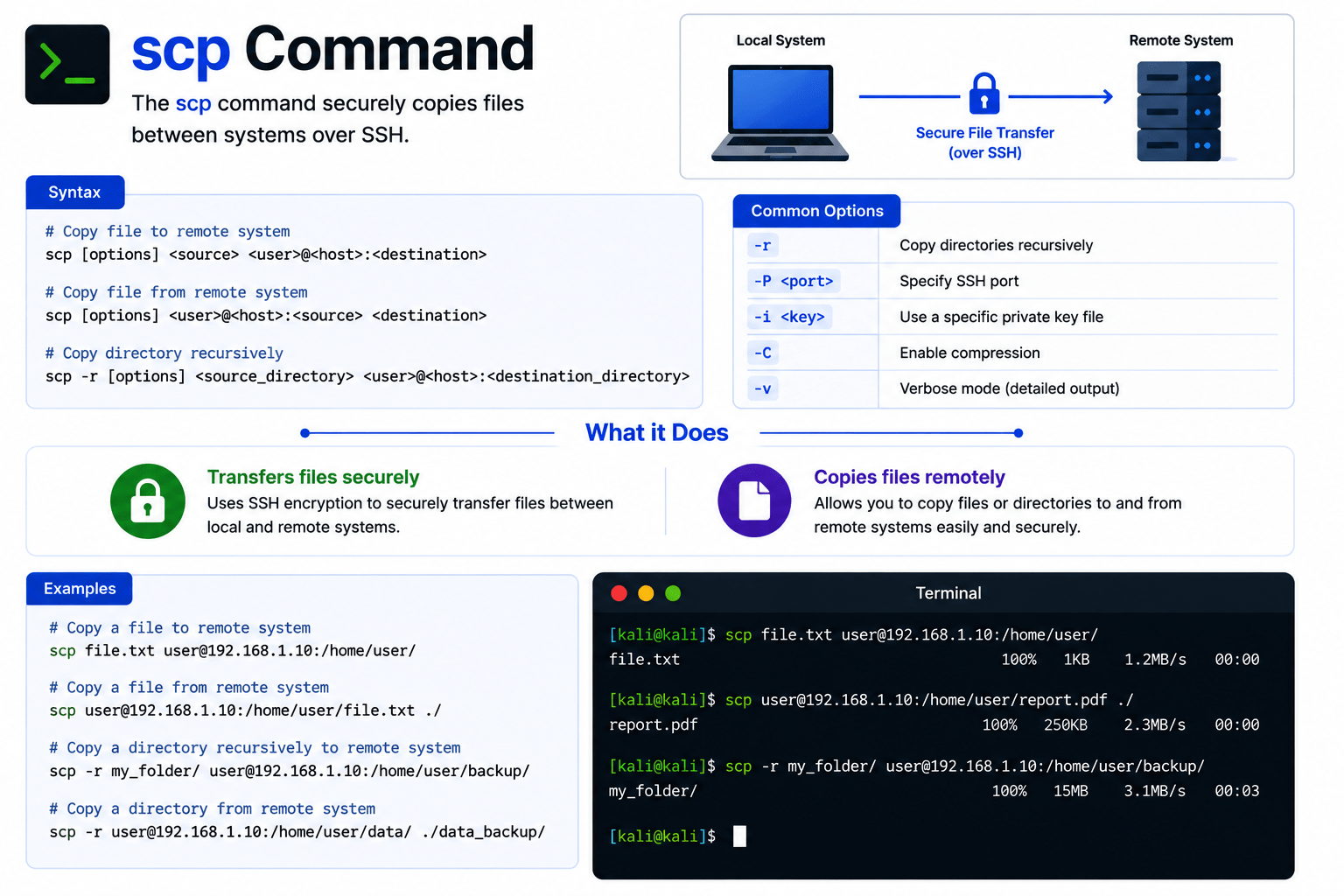
scp Command
The scp command securely copies files between systems over SSH.
What it Does?
-
Transfers files securely
-
Copies files remotely

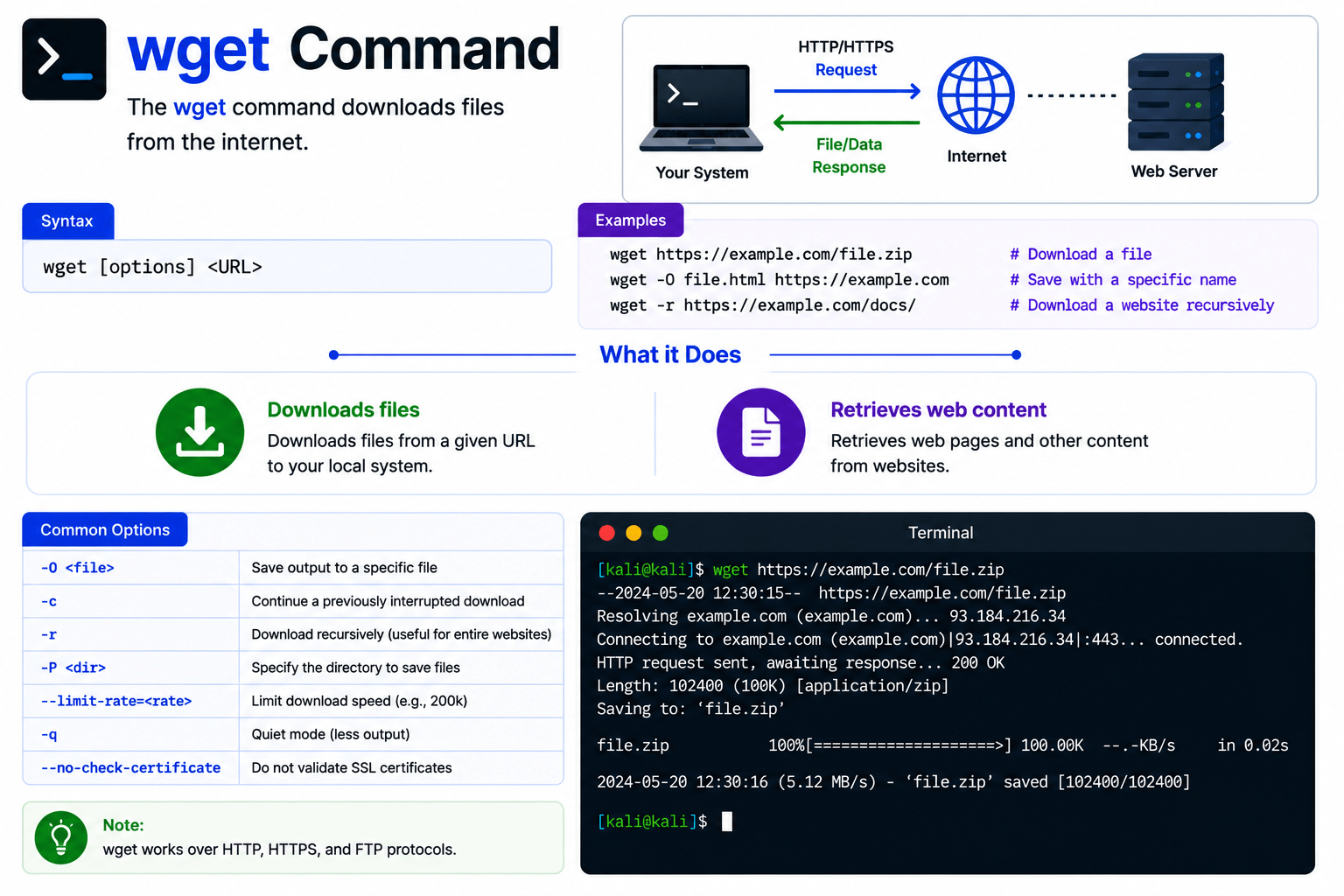
wget Command
The wget command downloads files from the internet.
What it Does?
-
Downloads files
-
Retrieves web content

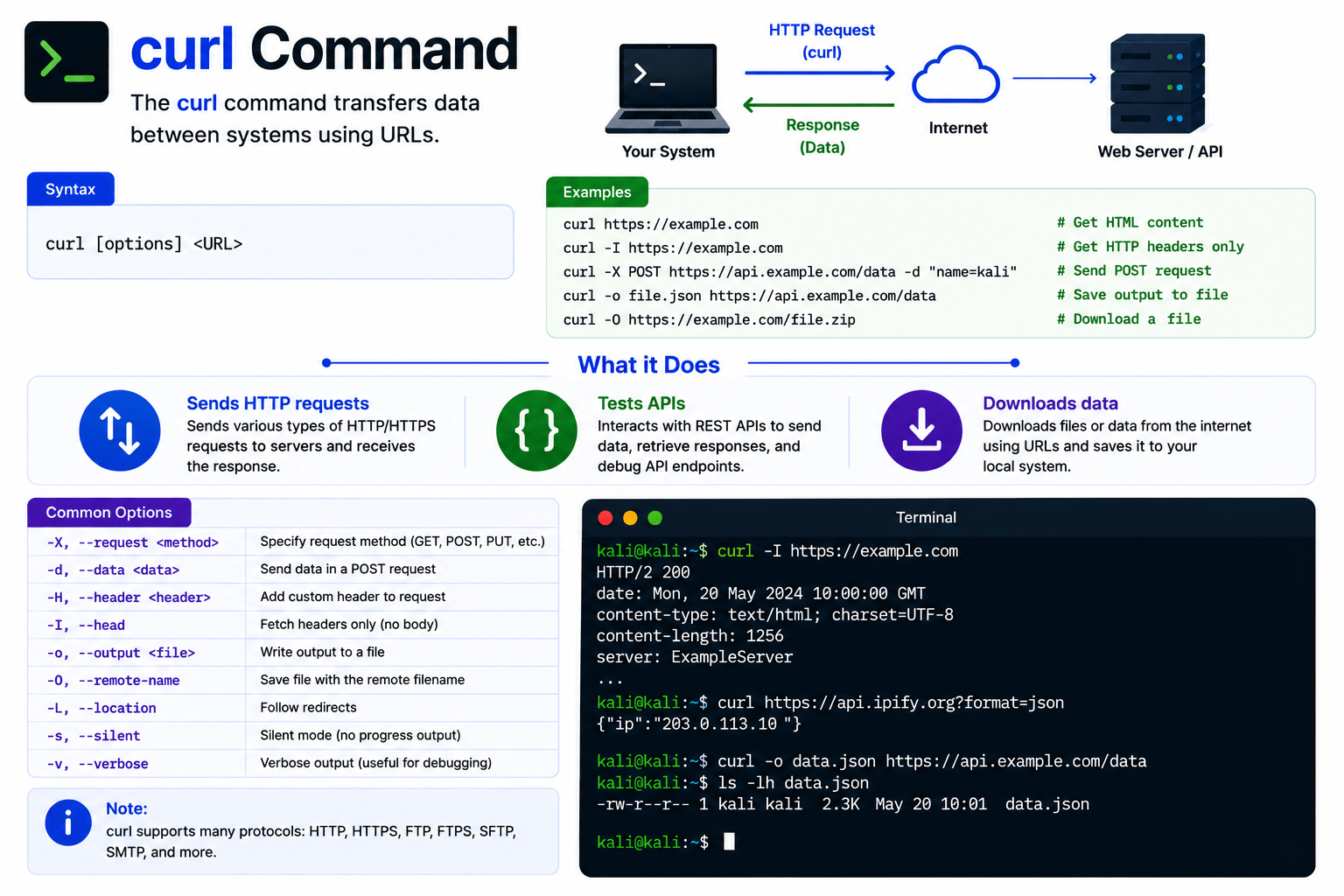
curl Command
The curl command transfers data between systems using URLs.
What it Does?
-
Sends HTTP requests
-
Tests APIs
-
Downloads data

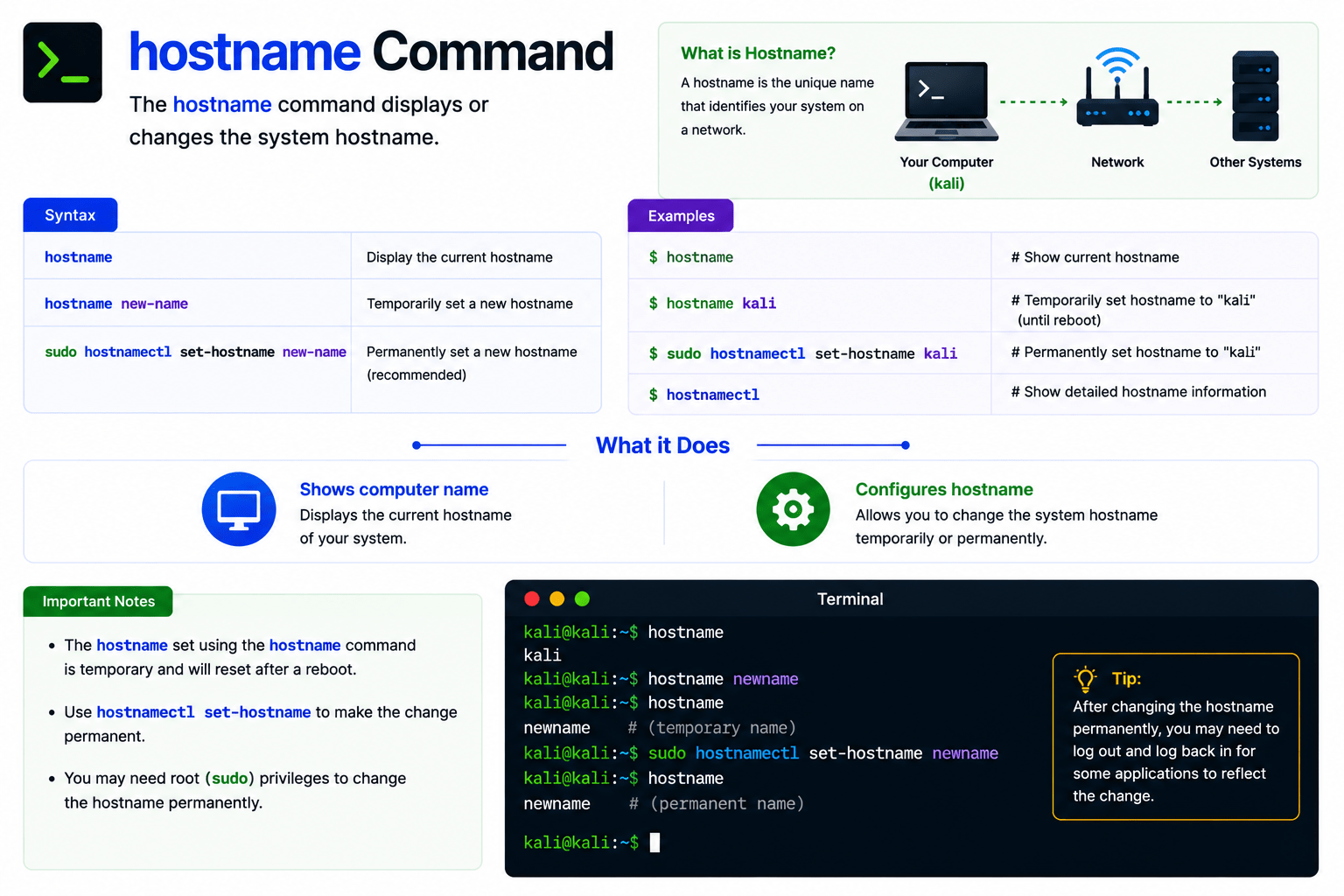
hostname Command
The hostname command displays or changes the system hostname.
What it Does?
-
Shows computer name
-
Configures hostname

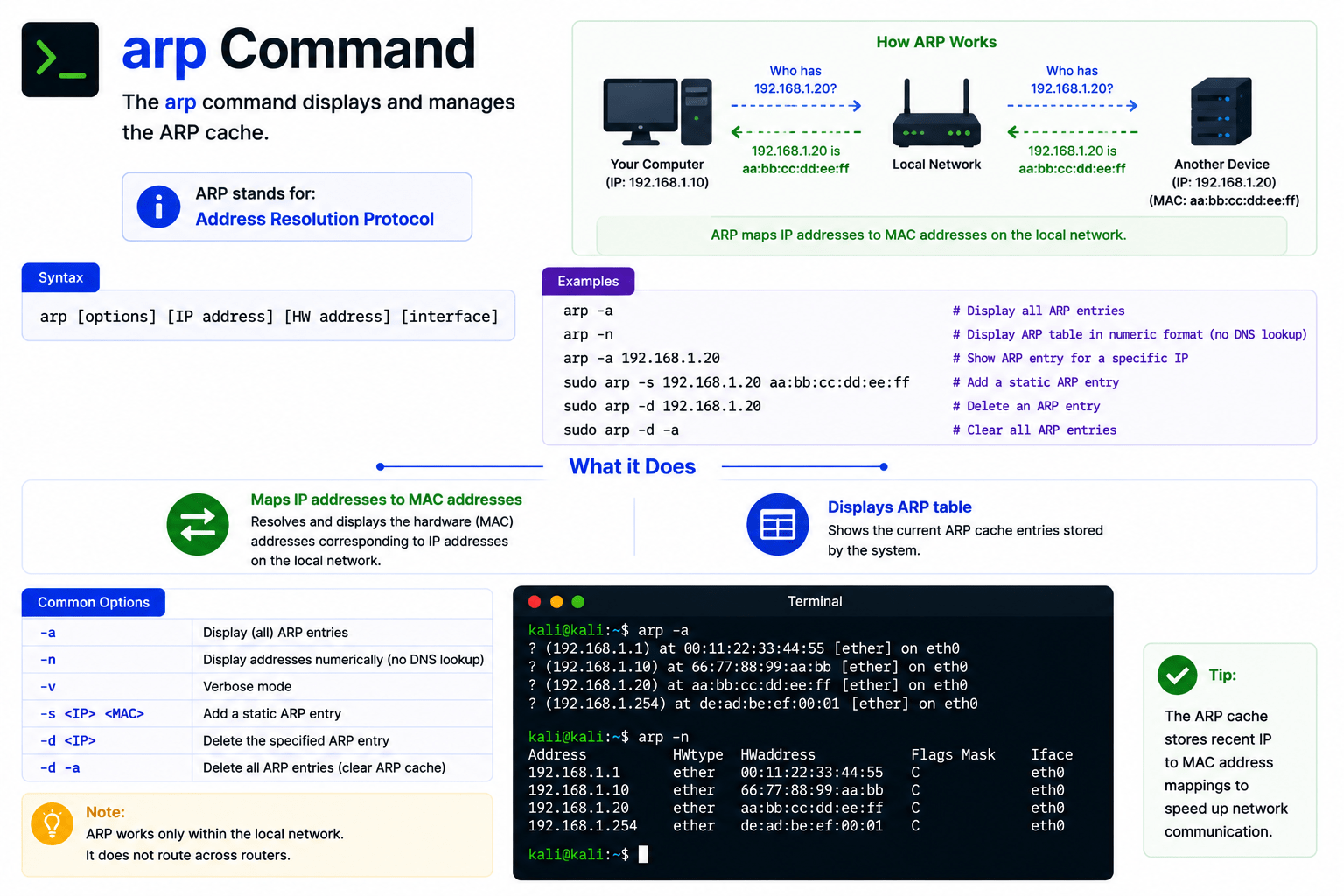
arp Command
The arp command displays and manages the ARP cache.
ARP stands for: Address Resolution Protocol
What it Does?
-
Maps IP addresses to MAC addresses
-
Displays ARP table

Summary
4
ssh and scp provide secure remote access and file transfer.
3
netstat and traceroute monitor network activity and routes.
2
ip and ifconfig display network configurations.
1
ping checks connectivity between systems.
Quiz
Which command displays network interfaces and IP addresses?
A. dig
B. scp
C. ip
D. wget

Quiz-Answer
Which command displays network interfaces and IP addresses?
C. ip

A. dig
B. scp
D. wget