Consuming APIs, JSON & Data Retrieval


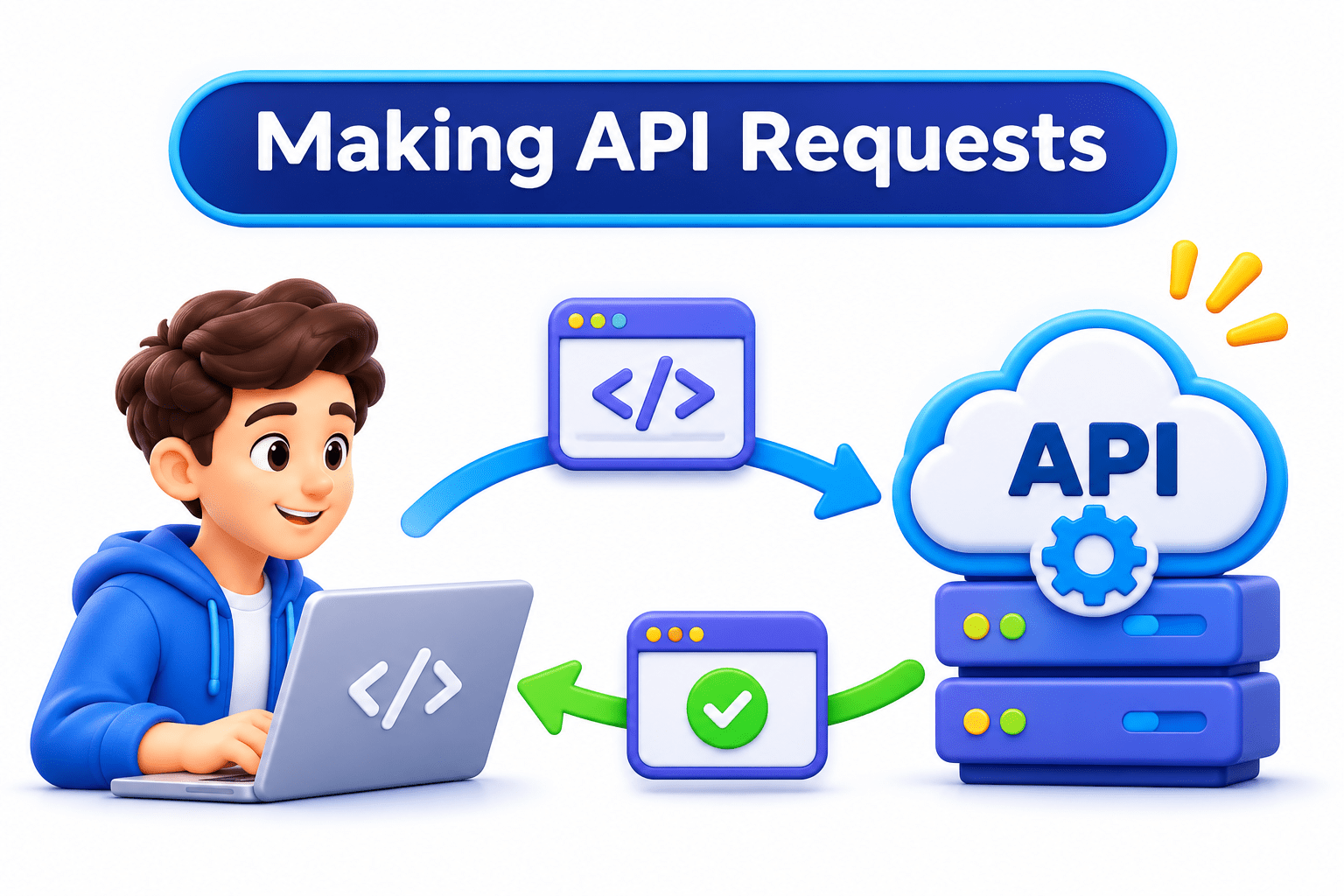
Making API Requests

Learning Outcome
5
Connect POST requests to GenAI prompts
4
Apply error handling to API requests
3
Recognize when to use GET vs POST.
2
Identify the parts of a Response object.
1
Understand what the requests library does
Imagine you are sending a registered post.

Prepare the Registered Post
The address = URL, extra details = parameters, sender ID = headers, and contents = body.
Receive the Delivery Slip
“Delivered,” “Returned,” or “Refused” works like an HTTP status code, showing what happened to the request.


Set a Waiting Deadline
Instead of waiting forever for delivery, you set a deadline, just like a timeout in an API request.


Your script calls a slow API and sets no deadline. What happens?

It waits forever and freezes, like someone standing by the letterbox for weeks.

Let’s send requests the right way, with Python’s requests library
Hook/Story/Analogy(Slide 4)
What is Requests Library
A third-party library that makes HTTP calls simple
It builds URLs, encodes parameters, and manages connections for you.
Install it once, then import it.
Built-in urllib exists, but it’s far more verbose




Code
pip install requests → import requests
A full API call fits in a few lines. You can test APIs first in a browser, in Postman, or with JSONPlaceholder.
Hook/Story/Analogy(Slide 4)
Making a GET Request
Import
headers
params
URL
send with timeout
check, then read
Code
params = {"city": "Mumbai", "days": 3}
headers = {"Authorization": f"Bearer {os.getenv('WEATHER_API_KEY')}"}
response = requests.get(url, params=params, headers=headers, timeout=10)
if response.status_code == 200:
    data = response.json()

params= encodes special characters safely. Building “R&D” into the URL by hand breaks it
Hook/Story/Analogy(Slide 4)
Understanding The Response Object
|
Status Code |
|
OK |
|
Json() |
|
Text |
|
Header |
|
200,400,401 |
|
True if code is below 400 |
|
Body as Like Python Dict Or List |
|
Raw Body String ,for Debugging |
|
E.g : Content-Type |
Attribute
Gives Youu
|
URL |
|
Final URL with encoded params |
Hook/Story/Analogy(Slide 4)
Sending Data With POST Request
Data goes in the body, not the URL.
json= converts the dict and sets Content-Type automatically.
Success is 200 or 201 Created; check the docs to see which.



Code
requests.post(url, json=payload, headers=headers, timeout=30)
Almost every GenAI API uses POST. The prompt, model, and settings all travel in the body.
Hook/Story/Analogy(Slide 4)
Handelling Errors In API Requests
Exception
When it happens
Timeout
no reply within time
HTTP Error
Connection Error
Raise for the status()
No Internet
Request Exception
Parent safety net

requests does not raise errors for 401/404 by itself. Call raise_for_status() before response.json().
Hook/Story/Analogy(Slide 4)
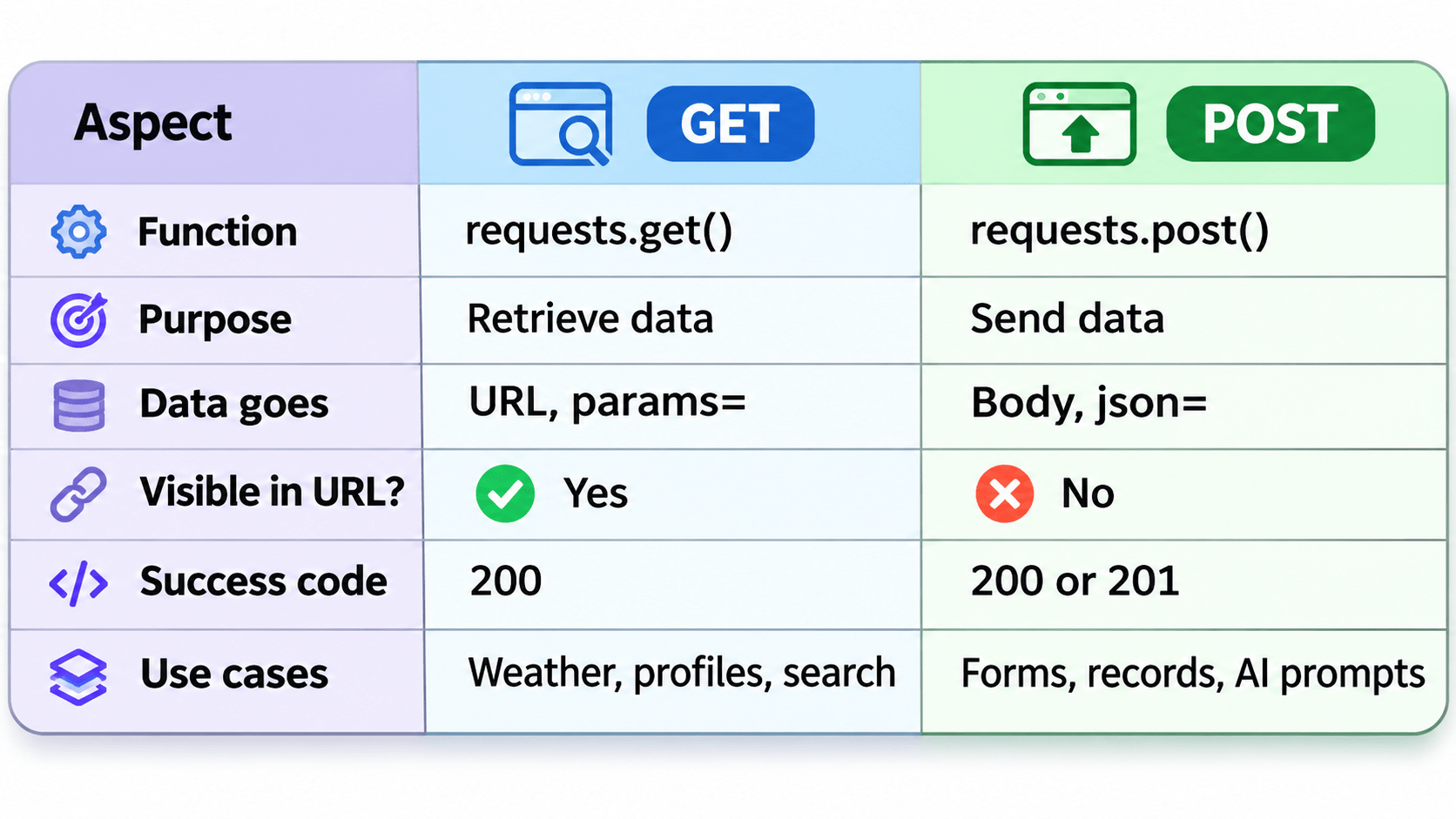
GET Vs POST In Python
Hook/Story/Analogy(Slide 4)
A Simple Way To Remember
params= fetches via the URL. json= sends via the body. Always pass headers, set a timeout, and check the status.

A GenAI answer can take over a minute, while a weather API takes seconds. Why is picking a timeout trickier for GenAI?
Hook/Story/Analogy(Slide 4)
Real World Application GET or POST
02.
03.
04.
01.
Today’s INR–USD exchange rate → GET
Sending a question to an LLM → POST
Submitting a student enquiry to a CRM → POST
Latest 10 tech headlines → GET




Summary
5
GenAI prompts are sent with POST
4
Always set a timeout and call raise_for_status().
3
GET uses params=; POST uses json= in the body
2
Response gives status, JSON, text, headers, and URL
1
requests turns API calls into a few lines.
Quiz
A script freezes forever when the API is slow. What is the fix?
A. Add raise_for_status()
B. Add timeout=
C. Use json=
D. Use response.text

A script freezes forever when the API is slow. What is the fix?
A. Add raise_for_status()
B. Add timeout=
C. Use json=
D. Use response.text
Quiz-Answer