

Entity Relationships & Advanced JPA Features
Advance Spring data JPA and production ready Rest APi

Learning Outcome
5
Optimize performance using fetch and cascade strategies
4
Implement pagination and sorting using Spring Data
3
Differentiate derived and custom query methods
2
Apply relationship annotations in real applications
1
Understand different types of JPA relationships

Imagine a customer ordering from an e-commerce app...
Customer searches for products, adds them to cart, then places an order.

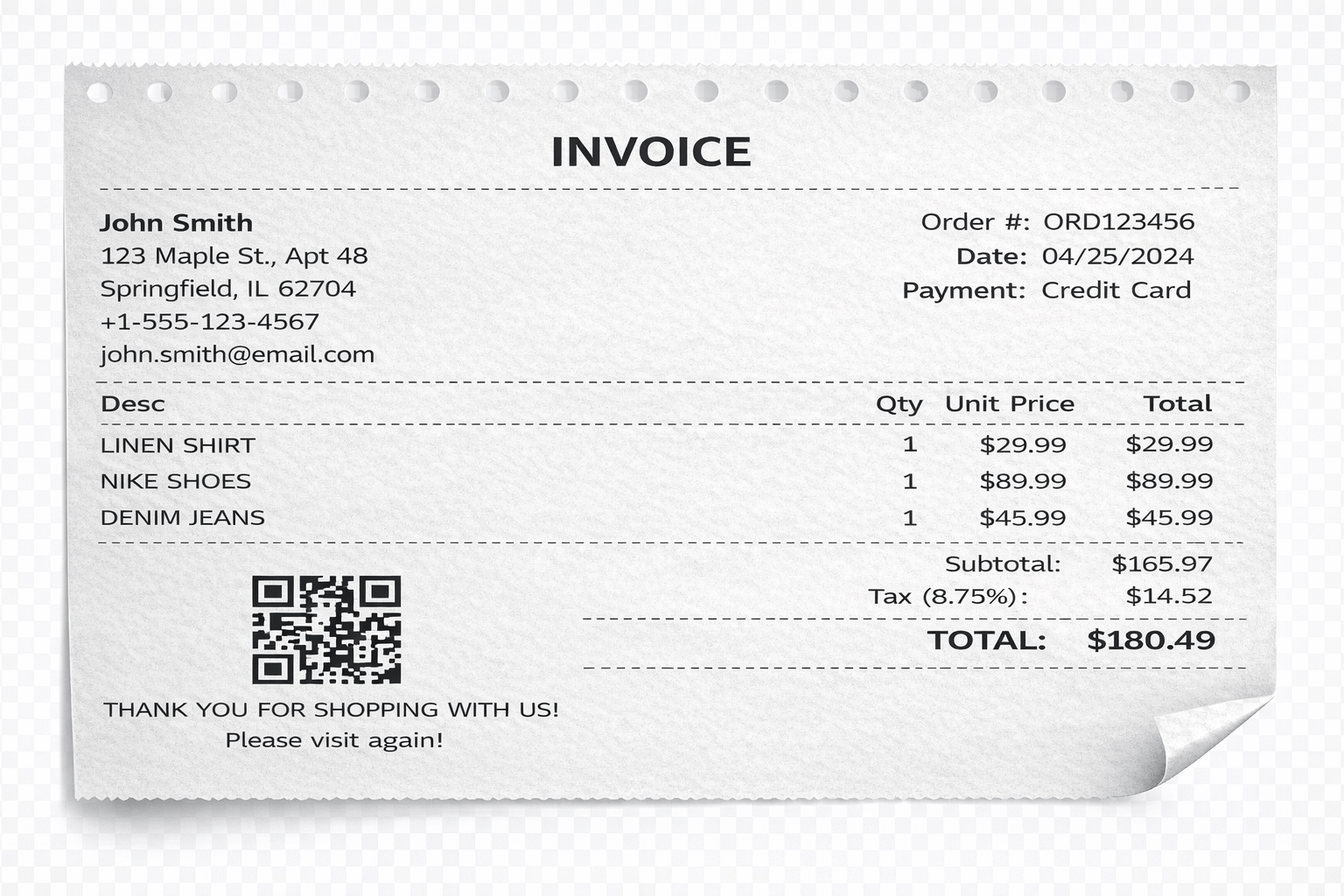
After placing the order, a bill or invoice is generated containing customer details, product details, and order details


But think for a minute...
The data used to generate the invoice is stored in different tables
Customer_Details
cust_name
Address
Customer_Details
cust_name
Address
Order_Details
order_id
order_date
Order_Details
order_id
order_date
Product_Details
prod_id
prod_name
Then how are they connected and shown together in one bill?

This is done through relationship mapping...

It connects different entities (tables)
Allows data to be linked and retrieved together
Helps represent real-world relationships in databases
What is Relationship Mapping?
Relationship Mapping in Spring Boot (using JPA/Hibernate) defines how entities (Java classes) are connected to each other in the database.
Why Do We Need It?

Represents real-world data relationships clearly

Avoids data duplication in database tables
Enables easy data retrieval using object references

Maintains data consistency and integrity automatically


Example
Teacher teaches Student
"teaches" is the relationship between entities
One-to-One Relationship
Such a relationship exists when each record of one table is related to only one record of the other table.
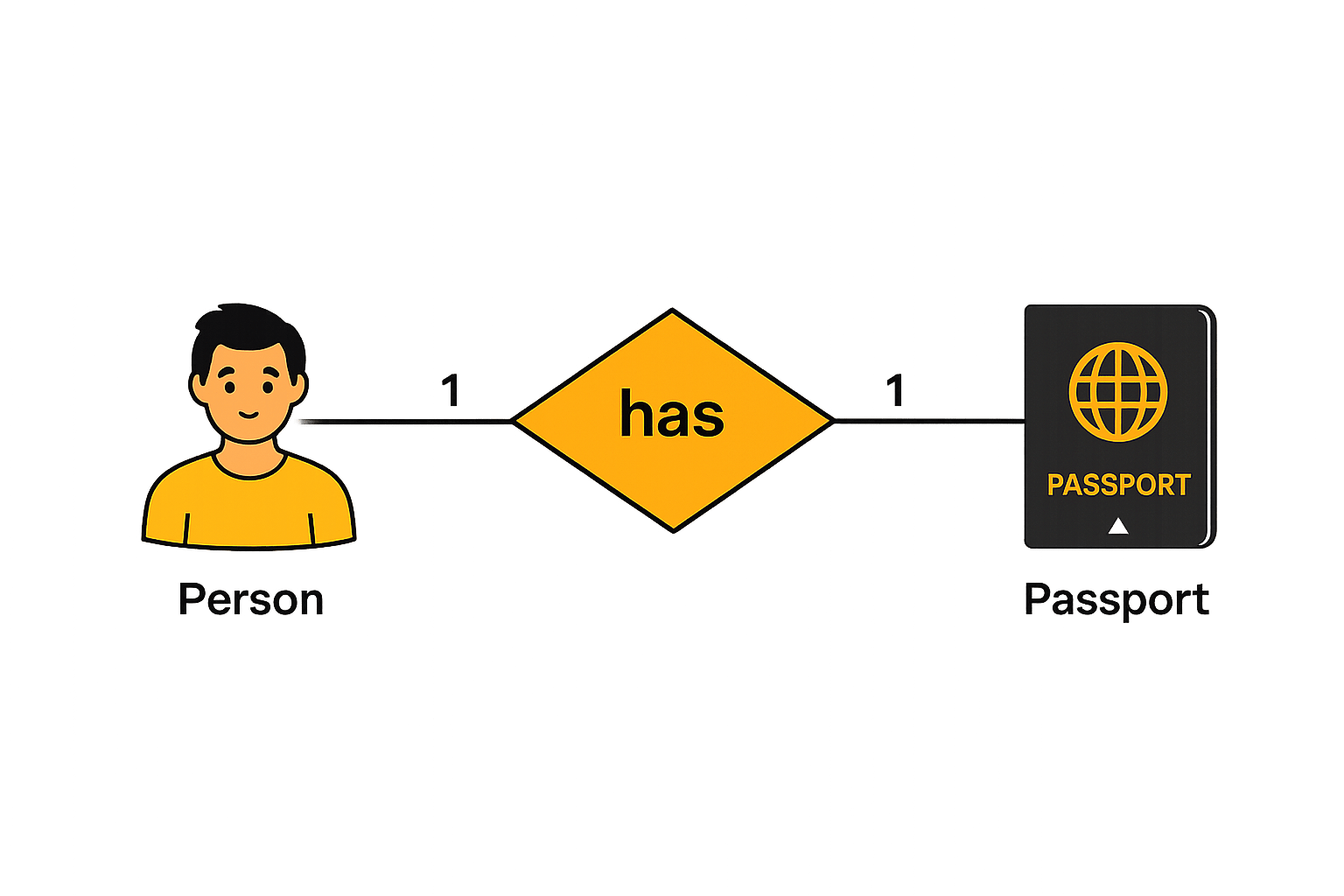
For example, If there are two entities ‘Person’ (Id, Name, Age, Address)and ‘Passport’(Passport_id, Passport_no). So, each person can have only one passport and each passport belongs to only one person.
One-to-Many or Many-to-One Relationship
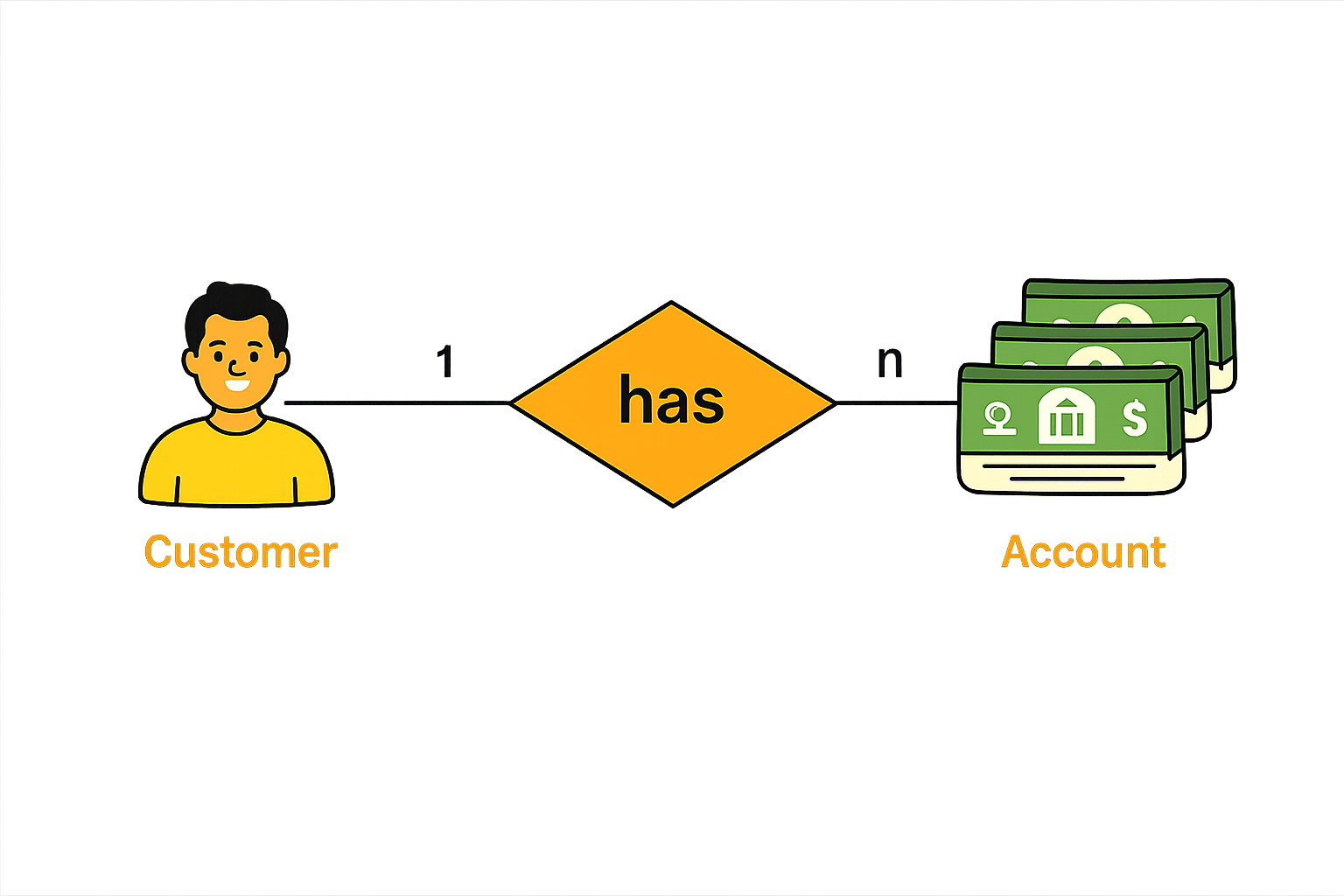
Such a relationship exists when each record of one table can be related to one or more than one record of the other table.
For example, If there are two entity type ‘Customer’ and ‘Account’ then each ‘Customer’ can have more than one ‘Account’ but each ‘Account’ is held by only one ‘Customer’.
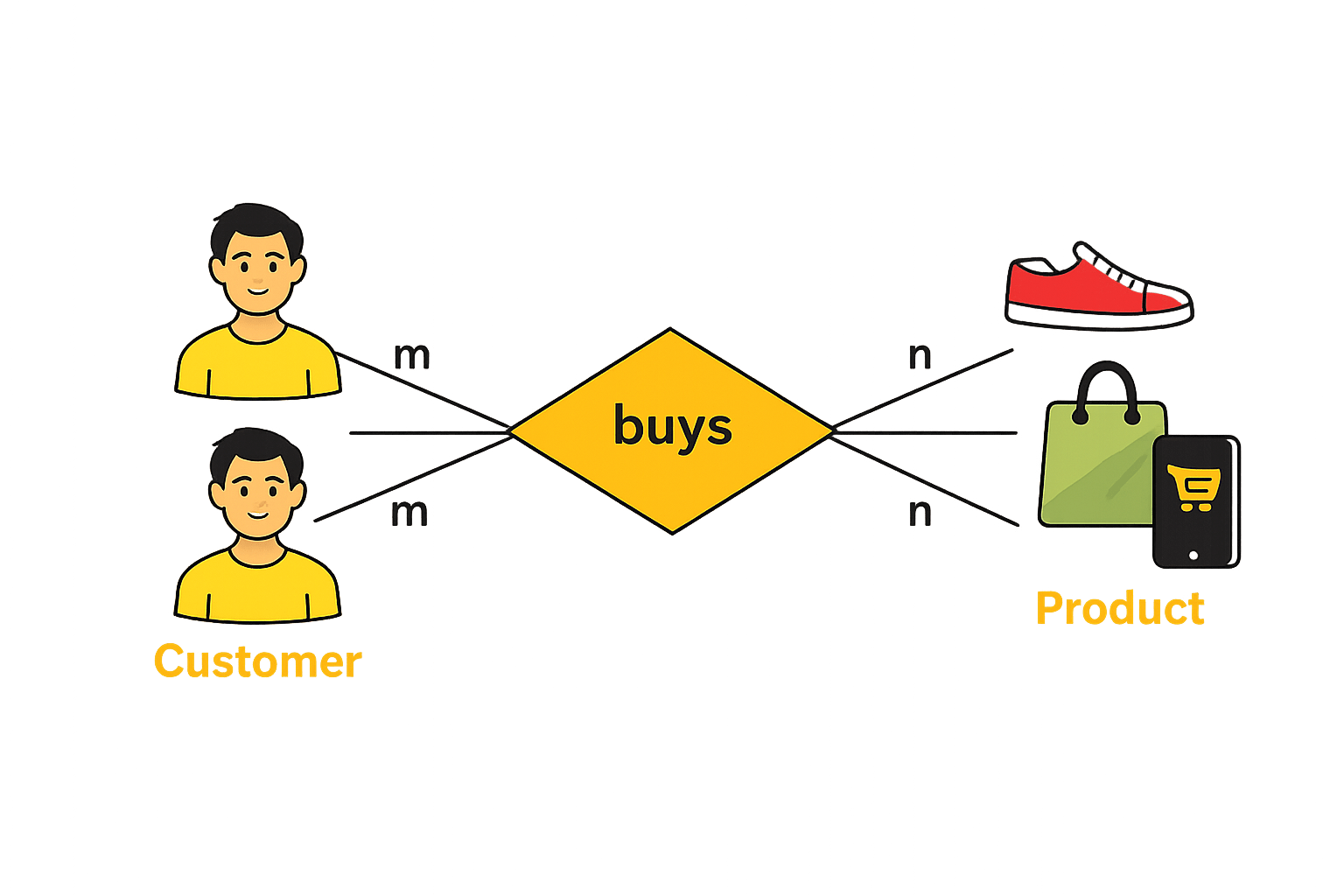
Many-to-Many Relationship
This relationship exists when each record in the first table relates to multiple records in the second table, and vice versa.
For example, If there are two entity type ‘Customer’ and ‘Product’ then each customer can buy more than one product and a product can be bought by many different customers.
Major Relationship Annotations
@OneToOne
One entity is related to only one other entity
@OneToMany
One entity is related to multiple entities
@ManyToOne
Many entities are related to one entity
@ManyToMany
Many entities are related to many entities
Major Relationship Annotations
Defines a separate table that links two entities using foreign keys
@JoinTable
Defines the foreign key column that connects two related tables
@JoinColumn
Important Attributes
Points to primary key of another table
referencedColumnName
Defines foreign key in join table
joinColumns
Defines the non-owning side of relationship
mappedBy
Example :
import jakarta.persistence.*;
import java.util.List;

@Entity
public class User {

    @Id
    @GeneratedValue
    private Long id;
    private String name;

    @OneToMany(mappedBy = "user")
    private List<Order> orders;
}
import jakarta.persistence.*;
import java.util.Set;
@Entity
public class Order{
@Id
@GeneratedValue
private Long id;
@ManyToOne
@JoinColumn(name="user_id")
private User user;
@ManyToMany
@JoinTable(name="order_product",
joinColumns=@JoinColumn(name="order_id"),
inverseJoinColumns=@JoinColumn(name="product_id"))
private Set<Product> products;
}
User.java
Order.java
Example :
import jakarta.persistence.*;
import java.util.Set;

@Entity
public class Product {

    @Id
    @GeneratedValue
    private Long id;
    private String name;

    // Many products can belong to many orders
    @ManyToMany(mappedBy = "products")
    private Set<Order> orders;
}
Product.java
Understanding Unidirectional relationship
A unidirectional relationship is a relationship where only one entity knows or references the other entity.
Simple Example


Order

Customer
Get User from Order

Possible

Get Orders from User

Not Possible

Understanding Bidirectional relationship
Simple Example
Order
Customer
Get User from Order
Possible
Get Orders from User
Possible
A bidirectional relationship is when both entities know each other and can access data in both directions.
Fetch Strategies in JPA
Fetch is a strategy that defines when related (associated) data is loaded from the database.
It decides whether data is loaded immediately or only when needed
EAGER Fetch
LAZY Fetch
Loads data only when needed
Loads related data immediately
@ManyToMany(fetch = FetchType.EAGER)
private Set<Product> products;
@ManyToMany(fetch = FetchType.LAZY)
private Set<Product> products;
- When you fetch an Order
-
Products are also loaded immediately
- Products are NOT loaded immediately
- They load only when accessed
Cascade Operations in JPA
Cascade is a feature that automatically applies operations from a parent entity to its related child entities.


When you perform action on parent, same action applies to child
Applies all operations (persist, remove, merge, etc.)
CascadeType.ALL
CascadeType.PERSIST
Saves parent + child together
CascadeType.REMOVE
Deletes child when parent is deleted
CascadeType.MERGE
Updates child when parent is updated
Common Cascade Types
Introduction to Query Methods
In Spring Data JPA, query methods are abstract methods declared in a repository interface used to retrieve or modify data in a database
Query Methods
Spring Data JPA automatically generates the underlying query implementation at runtime based on the method signature, eliminating the need to write boilerplate code
Derived query method
Custom query method
Derived Query Methods
Derived query methods are query methods where the query is derived from the method name itself.
Here,
-
Method name = Query logic
-
Spring parses method name and builds query
import org.springframework.data.jpa.repository.JpaRepository;
import java.util.List;
public interface UserRepository extends JpaRepository<User, Long> {
    List<User> findByName(String name);
    List<User> findByAgeGreaterThan(int age);
    List<User> findByNameAndAge(String name, int age);
}
Example
Structure of Derived Query Methods
Query Prefix
Your method name must start with one of these keywords, defining the primary action:
findByreadBygetBycountByexistsBydeleteBy
Example: findBy
Property Expressions
After the prefix, chain the names of your entity's properties you want to query by.
Each property name should start with an uppercase letter.
Example: findByUsername
Condition Keywords
Refine your queries by adding logical operators or comparison keywords between properties. These allow for complex conditions.
And,OrBetween,LessThan,GreaterThanLike,Containing,In- ...and many more!
Example: findByUsernameAndEmail
Like
Custom Query Method
A custom query method is a repository method where the query is written manually using the @Query annotation.
import org.springframework.data.jpa.repository.*;
import org.springframework.data.repository.query.Param;
import java.util.List;
public interface UserRepository extends JpaRepository<User, Long> {
    @Query("SELECT u FROM User u WHERE u.age > :age")
    List<User> getUsersAboveAge(@Param("age") int age);
}
Example:
When to Use
-
Complex queries
-
Joins between entities
-
Aggregations (COUNT, SUM)
-
When method names become too long
Simple Meaning
Instead of relying on method names,
we write our own query (JPQL or SQL)
Custom Query Method
import org.springframework.data.jpa.repository.*;
import org.springframework.data.repository.query.Param;
import java.util.List;
public interface UserRepository extends JpaRepository<User, Long> {
    @Query("SELECT u FROM User u WHERE u.age > :age")
    List<User> getUsersAboveAge(@Param("age") int age);
}
Used to manually write the query that should be executed by Spring Data JPA.
:age is a named parameter placeholder inside the query.
@Param is used to bind the method parameter to the named parameter in the query.
Common Query Keywords
And / Or
Combine multiple conditions
findByNameAndAge(String name, int age);
Between
Fetch values in a range
findByAgeBetween(int start, int end);
Like
Pattern matching (partial search)
findByNameLike(String name);
In
Match values from a list
findByNameIn(List<String> names);
OrderBy
Sort results
findByNameOrderByAgeAsc(String name);
Querying Using Nested Properties
Querying using nested properties means fetching data using fields of a related entity.
Key Advantages


Important Points
- No need to write SQL or joins
- Easy to understand and use
- Works automatically with relationships
- Reduces boilerplate code
-
Property names must match entity fields exactly
- Works only when relationship is defined properly
- Method names can become long if deeply nested
It allows accessing related object properties directly in method names without writing joins.
Example :
@Entity
public class User {
    private String name;

    @ManyToOne
    private Address address;
}
@Entity
public class Address {
private String city;
}User.java
Address.java
List<User> findByAddressCity(String city);
Query Method
This means:
- Fetch users where address.city = ?

Pagination & Sorting with Spring Data JPA
What is Pagination ?
Pagination is used to divide large data into smaller, manageable pages while fetching from the database.

1
3
2

Pagination basics
Pageable Interface
An interface used to pass pagination and sorting information (page number, page size, sort order) to the data layer.
PageRequest
A concrete implementation of the Pageable interface, created using static factory methods like PageRequest.of().
Page<T>
An interface that represents a specific sublist of data and provides essential metadata like total pages, total elements, and the current page number.
PagingAndSortingRepository
Repository interfaces in Spring Data that extend capabilities for pagination and sorting.
Example: Paginating Through Books
import org.springframework.beans.factory.annotation.Autowired;
import org.springframework.data.domain.Page;
import org.springframework.data.domain.Pageable;
import org.springframework.data.domain.PageRequest;
import org.springframework.stereotype.Service;
import java.util.List;

@Service
public class BookService {
    @Autowired
    private BookRepository bookRepository;

    public void getPaginatedBooks(int page, int size) {

        Pageable pageable = PageRequest.of(page, size);

        Page<Book> bookPage = bookRepository.findAll(pageable);

        List<Book> books = bookPage.getContent();  // Get books for current page
        int totalPages = bookPage.getTotalPages(); // Total pages
        long totalElements = bookPage.getTotalElements(); // Total records

        System.out.println("Total Pages: " + totalPages);
        System.out.println("Total Elements: " + totalElements);
        books.forEach(System.out::println);
    }
}
Sorting with Sort Interface
The Sort interface is used to define sorting criteria for query results. You can sort by one or more fields in ascending or descending order.
import org.springframework.beans.factory.annotation.Autowired;
import org.springframework.data.domain.Sort;
import org.springframework.stereotype.Service;
import java.util.List;

@Service
public class BookService {
    @Autowired
    private BookRepository bookRepository;
    public void getSortedBooks() {
        List<Book> books = bookRepository.findAll(Sort.by("title").ascending());
        books.forEach(System.out::println);
    }
}
A
A
A
A
C
D
B
A
B
C
D
Example: Sorting Books by Title
Combining Pagination and Sorting
You can combine pagination and sorting by passing both a Pageable object that contains sorting information.
import org.springframework.beans.factory.annotation.Autowired;
import org.springframework.data.domain.Page;
import org.springframework.data.domain.Pageable;
import org.springframework.data.domain.PageRequest;
import org.springframework.data.domain.Sort;
import org.springframework.stereotype.Service;
import java.util.List;

@Service
public class BookService {
    @Autowired
    private BookRepository bookRepository;
    public void getPaginatedAndSortedBooks(int page, int size) {
        Pageable pageable = PageRequest.of(page, size, Sort.by("title").ascending());
        Page<Book> bookPage = bookRepository.findAll(pageable);
        List<Book> books = bookPage.getContent();
        books.forEach(System.out::println);
    }
}
Summary
5
Pagination and sorting manage large datasets efficiently
4
Query methods retrieve data using method names
3
Fetch strategies control when data is loaded
2
JPA annotations define entity relationships clearly
1
Relationship mapping connects entities in database
Quiz
Which annotation defines foreign key column?
A. @JoinTable
B. @JoinColumn
C. @ManyToMany
D. @Entity

Which annotation defines foreign key column?
A. @JoinTable
B. @JoinColumn
C. @ManyToMany
D. @Entity
Quiz-Answer
