Module Name

Subtopic Name(subtopic name)


Use this slide if there is no Heading
Note - Create Content inside Red Layout
[Delete Red Outline After creating slide]
Learning Outcome(Slide2)
5
Decide which method to use & when
4
Use Array Destructuring for clean code
3
Apply Rest & Spread operators confidently
2
Use map(), filter(), reduce() effectively
1
Perform CRUD operations on arrays
Topic Name-Recall(Slide3)
Hook/Story/Analogy(Slide 4)
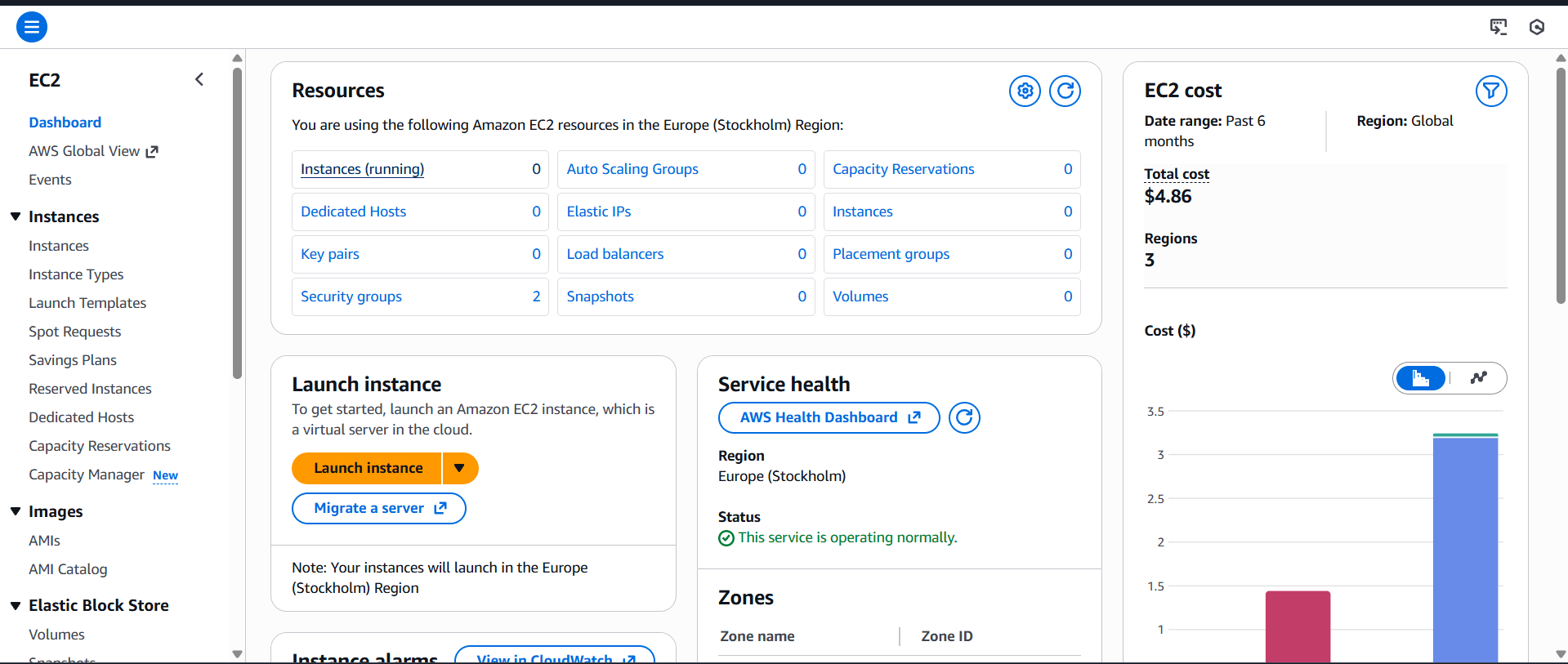
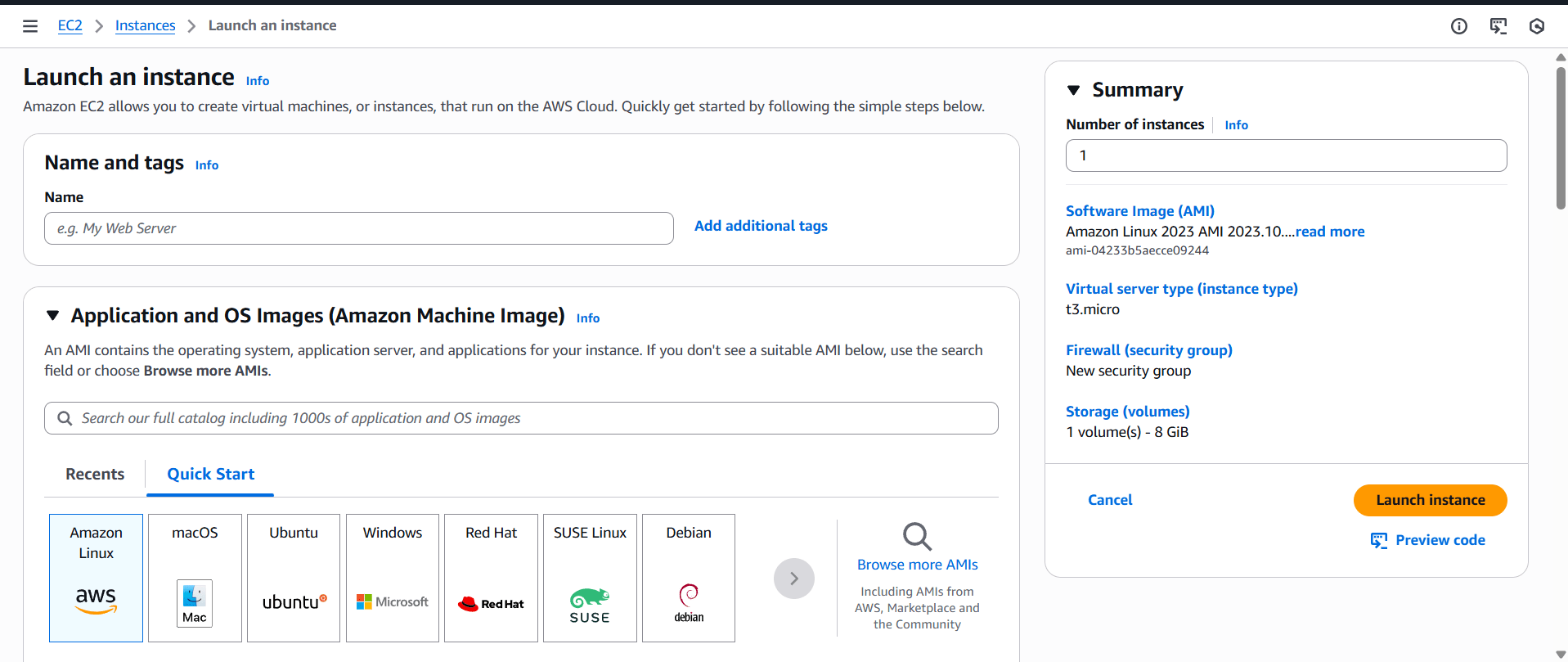
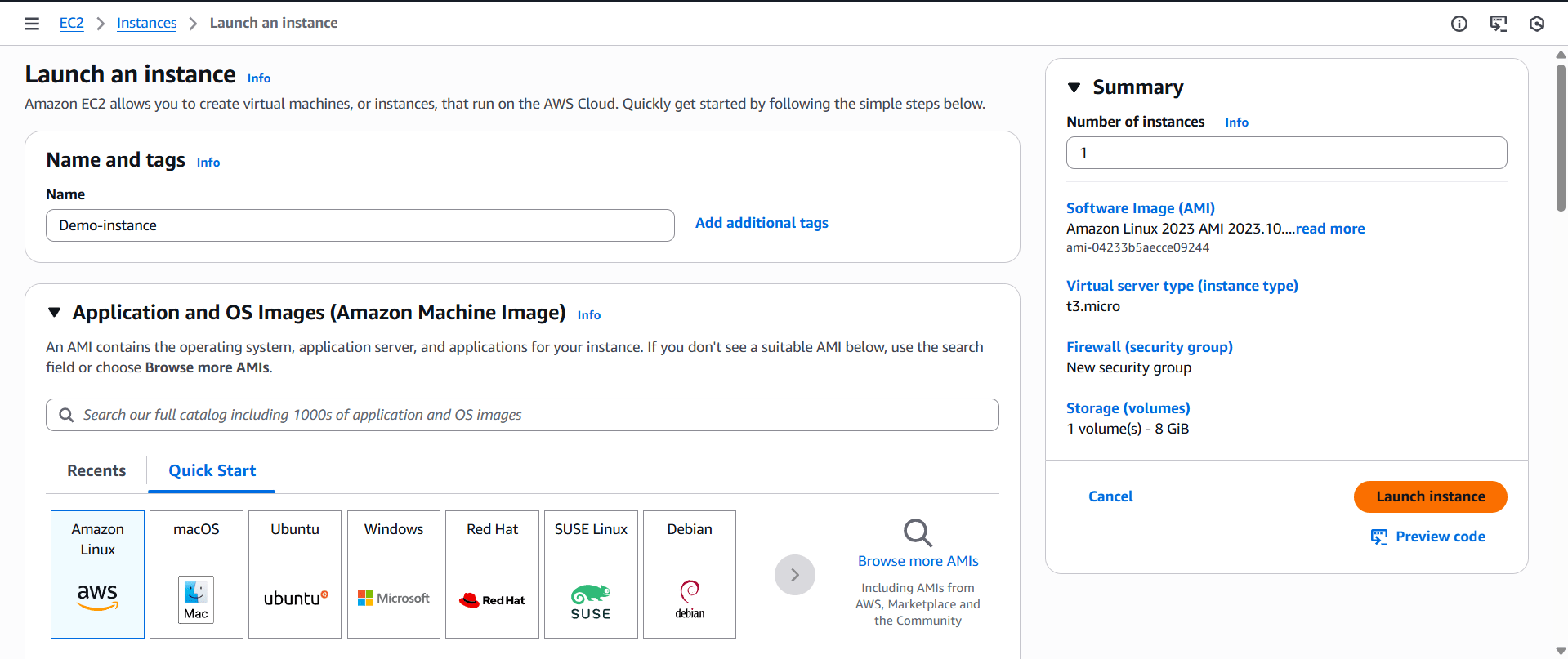
Launch an EC2 Instance
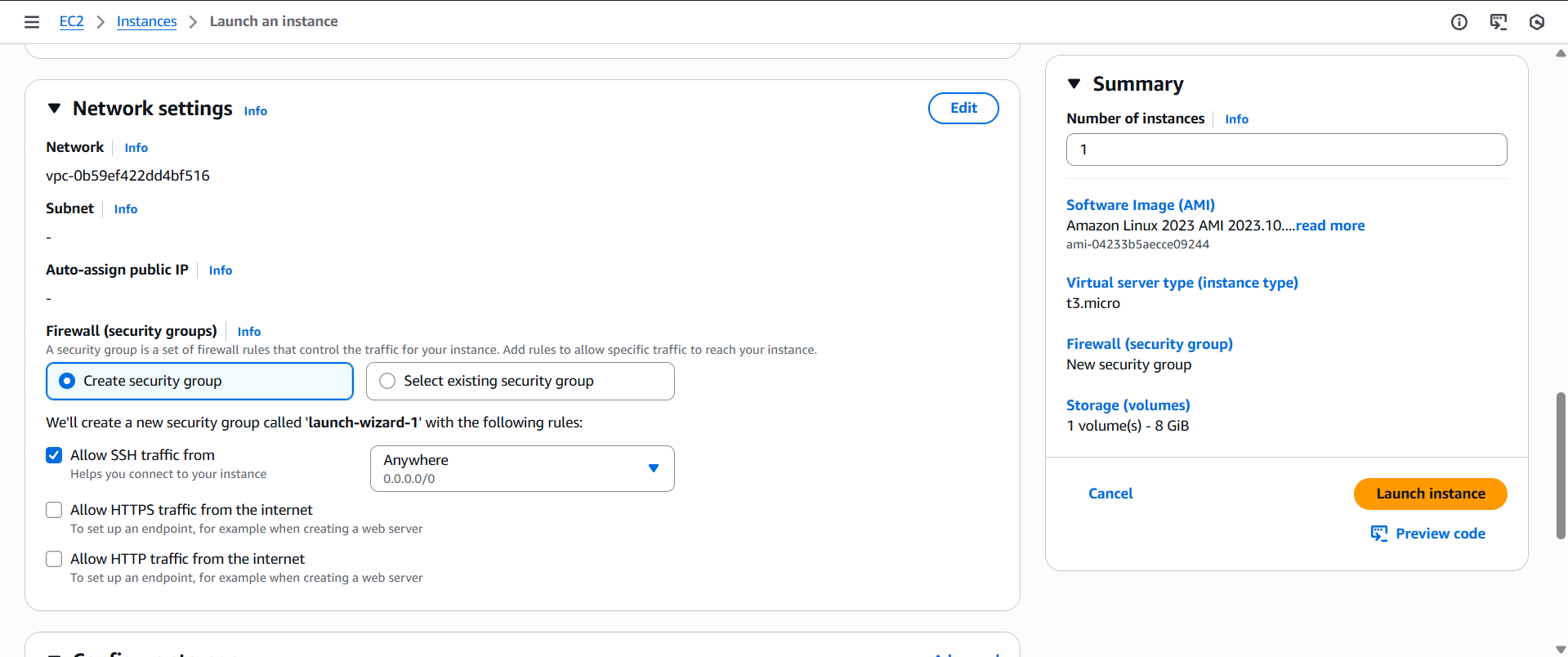
Allow SSH (port 22)
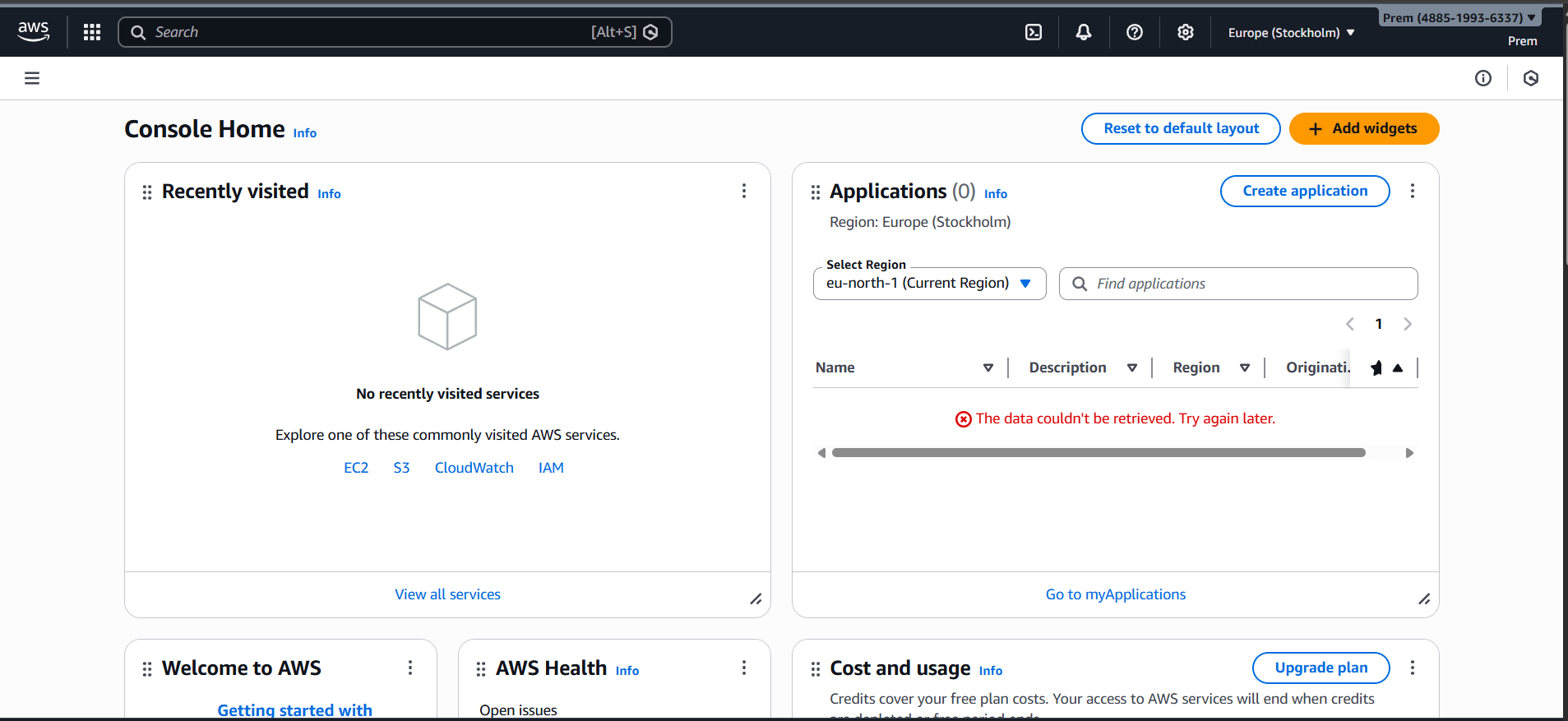
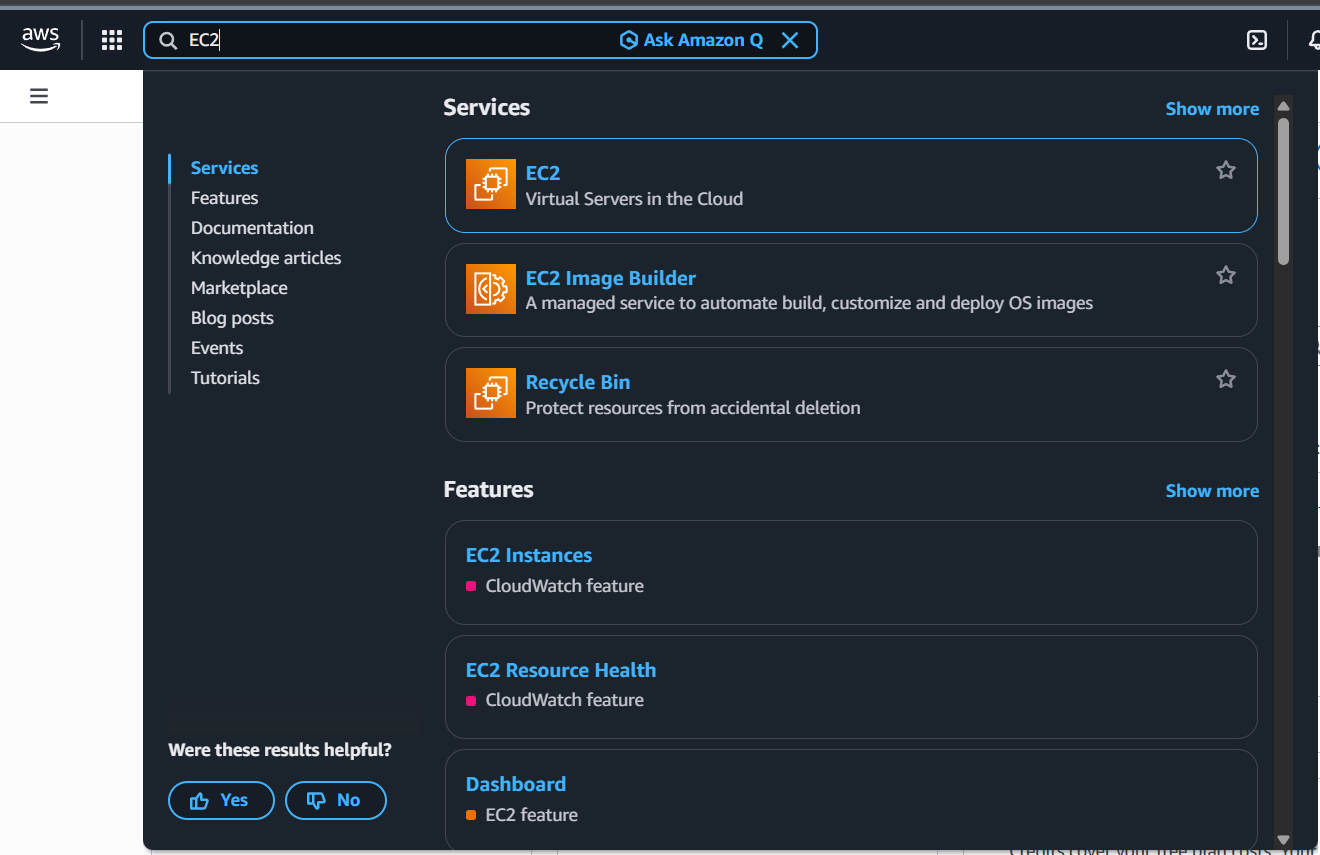
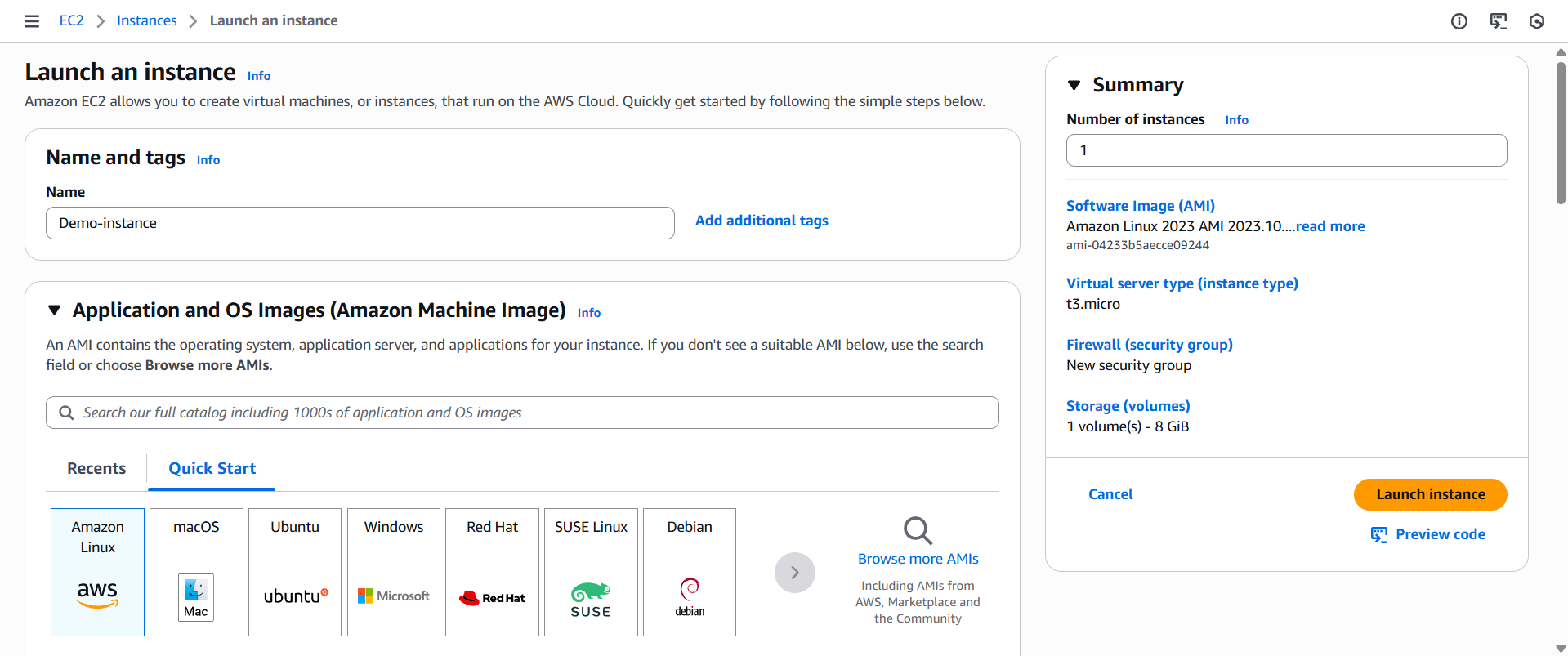
Open AWS Management Console
Search EC2 & Click to Launch Instance
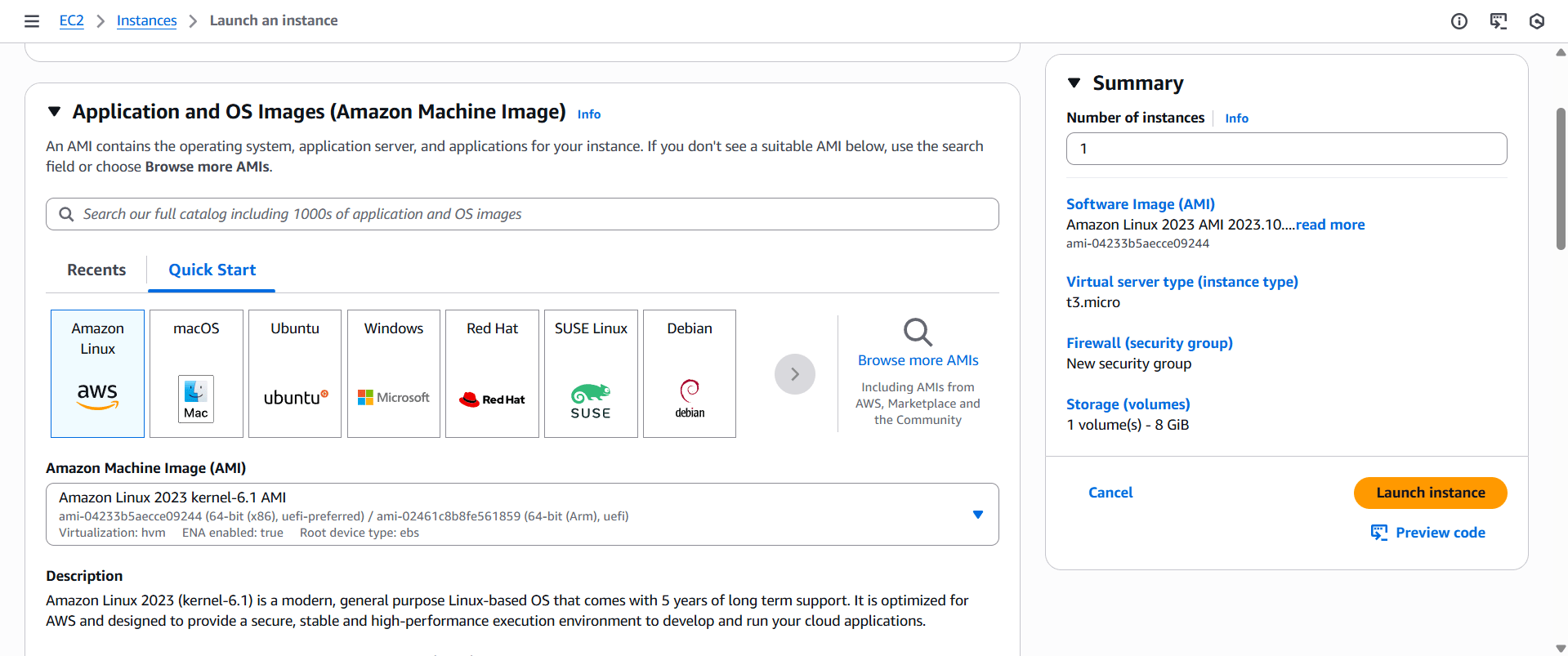
Choose AMI (Amazon Linux)
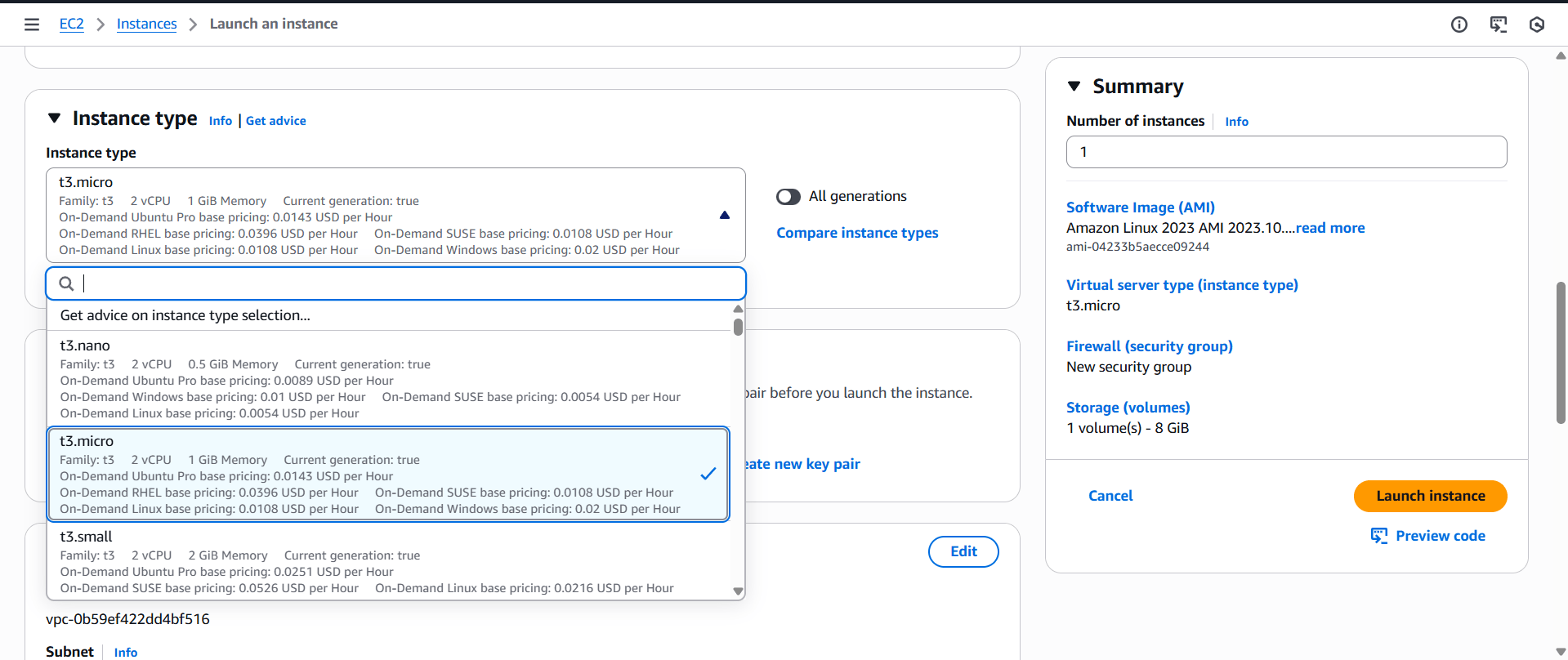
Choose instance type (t2.micro)
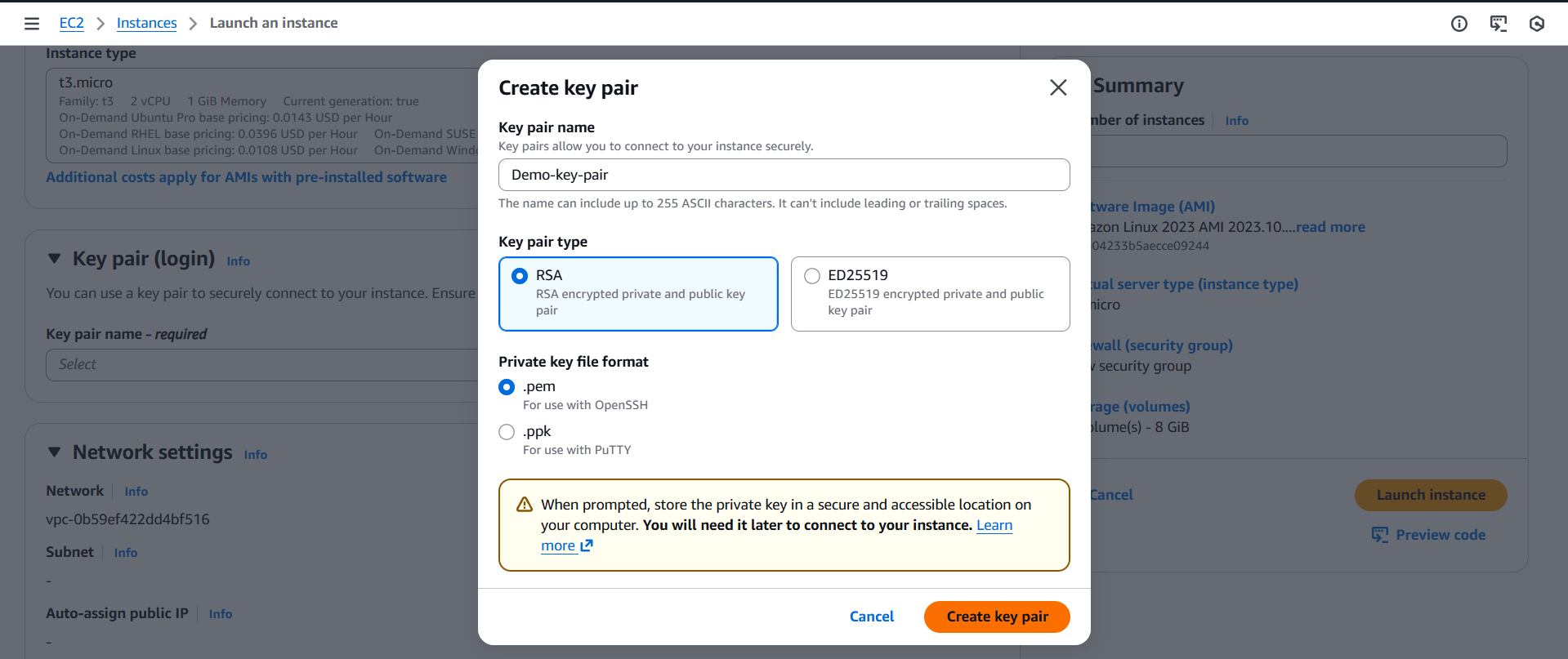
Create/download key pair
Connect to EC2
Linux (SSH)
ssh -i key.pem ec2-user@<public-ip>
- Open AWS Management Console
- Search EC2 → Click Launch Instance
- Choose Amazon Linux AMI
- Select instance type (t2.micro)
- Allow SSH (Port 22)
- Click Launch Instance
Give Name to the instance
Transition from Analogy to Technical Concept(Slide 5)
Hands-On: Amazon S3 Practical
Click Create bucket
Bucket is now created.
Create an S3 Bucket
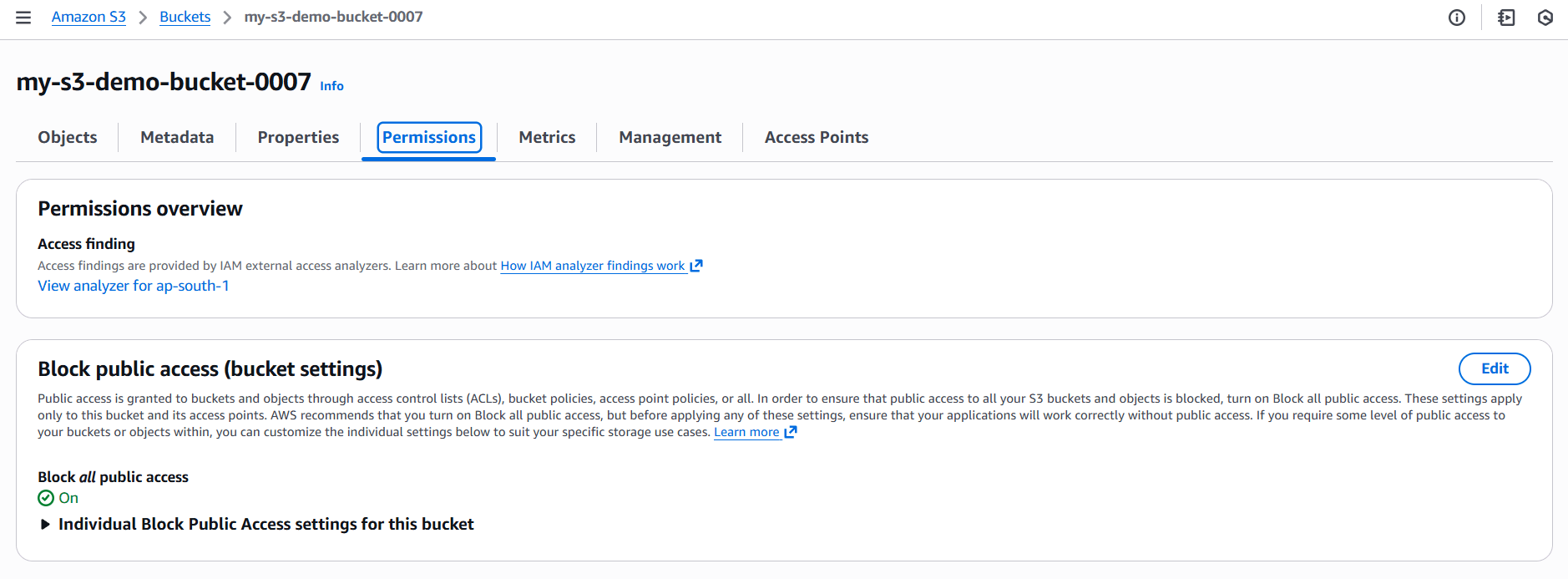
Login to AWS Management Console
Search for S3
Fill details:
Bucket name: my-s3-demo-bucket-123 (must be globally unique)
Region: Choose nearest region (e.g., Mumbai)
Object Ownership: Keep default
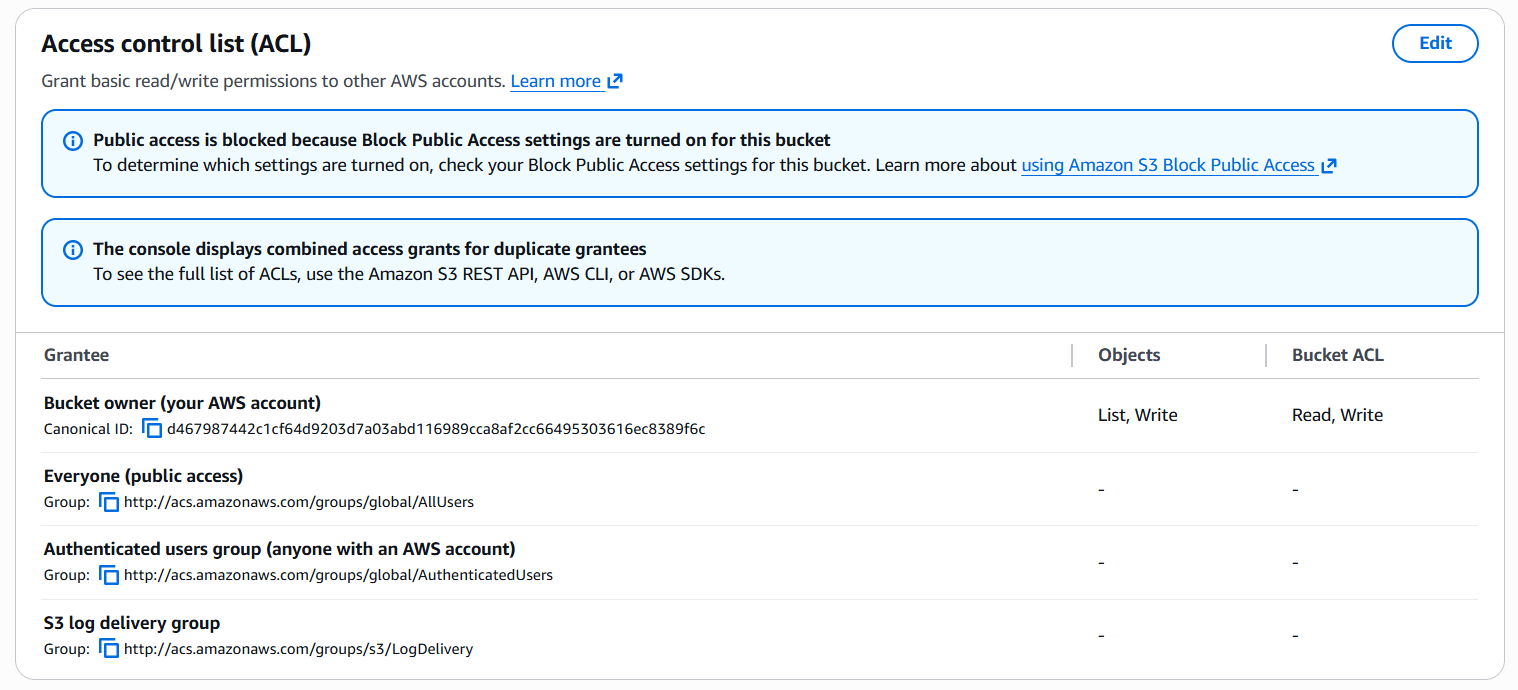
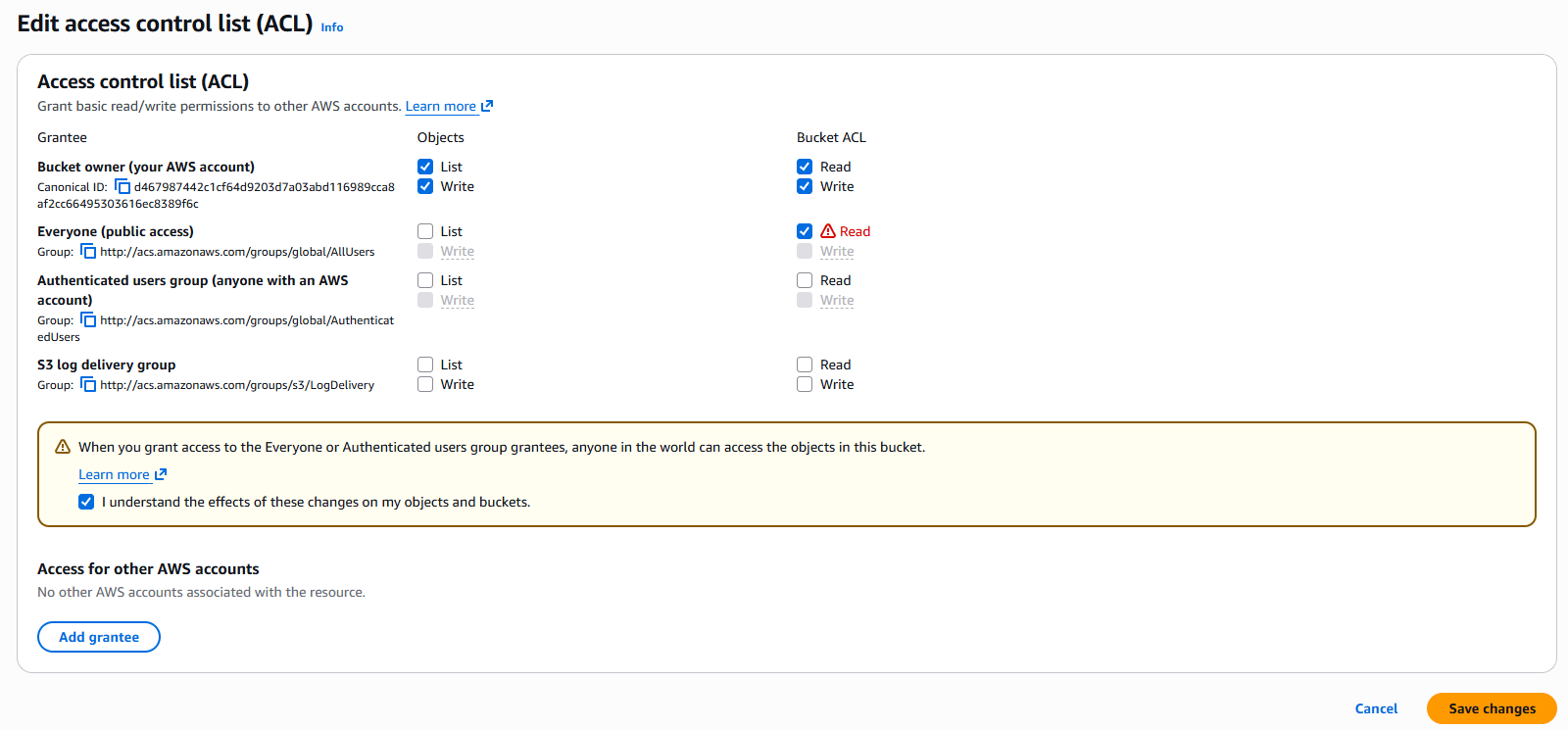
Block Public Access: Keep ON (recommended)
Click Create bucket
Inside the Concept
File is now stored as an object in S3.
Upload Files to the Bucket
Click Upload
Click Add files
Open the created bucket
Select any file (image / text / pdf)
Click Upload
Save changes
Now, every file update creates a new version
Enable Versioning
Versioning helps keep multiple versions of the same file.
Open the bucket
Go to Properties
Find Bucket Versioning
Click Edit
Enable Versioning
EC2 hosts web applications and generates data and logs
Static files, backups, and logs are stored in S3 for high durability, long-term storage, scalability, and disaster recovery support.
Inside the Concept
File is now stored as an object in S3.
Upload Files to the Bucket
Click Upload
Click Add files
Open the created bucket
Select any file (image / text / pdf)
Click Upload
How can you copy elements from an array without altering the original?
Syntax:
arr.slice(start, end)
let arr = ["a", "b", "c", "d"];
arr.slice(1, 3);

//includes start index
// omits end index
["b", "c"]
Note:
Returns new array
In Javascript, use the slice() method to copy part of an array without altering the original.
Core Concepts (Slide 7)
Core Concepts (.....Slide N-3)
Summary
5
Build strong branding
4
Use different marketing channels
3
Target the right audience
2
Create and communicate value
1
Understand customer needs
Choose cool, soft colors instead of vibrant colors
Max 5 Points for Summary & Min 2
Quiz
Which platform is mainly used for professional networking and B2B marketing ?
A. Facebook
B. Instagram
C. LinkedIn
D. Snapchat

Quiz-Answer
Which platform is mainly used for professional networking and B2B marketing ?
A. Facebook
B. Instagram
C. LinkedIn
D. Snapchat
