String Secrets


Creation, Storage, and Immutability

Learning Outcome
5
Apply common String methods and different ways to compare Strings.
4
Learn how Strings are stored in the String Pool and Heap memory.
3
Understand immutability and how String objects behave in memory.
2
Learn how to create Strings using literals and the new keyword.
1
Understand what a String is and its properties in Java.
Variables – to store text
Example: String name = "cake";
Data Types – especially String as a data type
Arrays – because String is like a character array
Example: "Cake" = C a k e
Methods – Strings use many methods like length(), toUpperCase(), charAt()
Objects & Classes – String is a class in Java
Example: String s = new String("Hello");

Before Starting ,Lets Recall

What is a String in Java?

In Java, a String can store a sequence of characters enclosed by double quotes, and every character is stored in 16 bits.
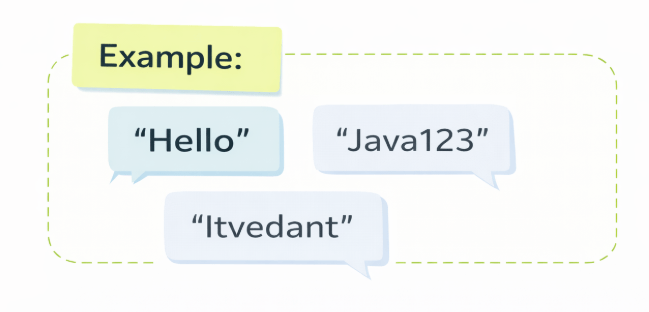
Strings are objects in Java, not just plain text.

They are immutable, which means once created, their content cannot be changed.
Creating Strings

There are two main ways:
Using double quotes is the most common approach:
This method stores strings efficiently in the String Pool.
String Literals
Using new Keyword
Explicitly creating a new object:
String name = "Itvedant";String name = "Itvedant";String city = new String("Mumbai");This creates a new object in heap memory every time.
Once a String is created, it cannot be modified. Any operation that appears to change a String actually creates a new one.
Understanding String Immutability

Output: Itvedant (unchanged)
Output: Itvedant Education


For Example: Original String Created
String name = "Itvedant";Attempt to Modify
name.concat(" Education");
System.out.println(name);
name = name.concat(" Educate");
System.out.println(name);Reassignment Required
How strings are saved in memory?
Java stores strings differently based on how they're created.

1) Using String Literal
A string literal is created by using double quotes.
JVM checks the String Pool before creating a string
Existing strings are reused; otherwise, a new one is added

String s1 = "Hello";2) Using “new” keyword
Using the new keyword always creates a new String object in heap memory
String str1 = new String("Hello");
JVM creates a new String object in heap memory
Objects are not reused, even if the value exists
String Pool


Heap Memory
String Pool - Shared immutable literals
Heap Memory - Separate object instances

Pool: Memory efficient, reused


Heap: Flexible but memory heavy

String s3=new String("Cat");
String s2="Cat";
String s1="Cat";
"Cat"
"Dog"
String pool
"Cat"
Java Heap
Methods
|
What it does |
length()
|
Returns number of characters |
|
charAt() |
|
Returns character at given position |
|
concat() |
Joins two strings
|
toUpperCase() |
Converts to uppercase
|
toLowerCase() |
Converts to lowercase
Common String Methods
Remember, these are just a few commonly used String methods.
Java provides many more methods to explore and use.

public class Main {
public static void main(String[] args) {
String s = "Hello";
System.out.println(s.length()); // 5
System.out.println(s.charAt(1)); // e
System.out.println(s.concat(" World")); // Hello World
System.out.println(s.toUpperCase()); // HELLO
System.out.println(s.toLowerCase()); // hello
}
}
Example
Ways to Compare Strings

.equals()
.equalsIgnoreCase()
.compareTo()
checks whether both references point to same object
== Operator
Compares actual content of two strings for equality only
Compares content while ignoring differences in letter case
Compares lexicographically and returns ordering based on Unicode
Example
public class Main {
public static void main(String[] args) {
String s1 = "Java";
String s2 = "Java";
String s3 = new String("Java");
String s4 = "java";
System.out.println(s1 == s2); // true
System.out.println(s1 == s3); // false
System.out.println(s1.equals(s3)); // true
System.out.println(s1.equalsIgnoreCase(s4)); // true
System.out.println(s1.compareTo(s4) == 0); // false
}
}
String Format Specifiers
Format specifiers allow you to create formatted strings with specific data types using String.format().
|
Specifier |
Data Type
|
%d |
Integer/Decimal
|
%s |
String
Float/Double
Character
Hexadecimal
Boolean
%f
%c
%x
%b
public class Example2 {
public static void main(String[] args) {
String str1 = String.format("%d", 101); // Integer value
String str2 = String.format("%s", "sajith dilshan"); // String value
String str3 = String.format("%f", 101.00); // Float value
String str4 = String.format("%x", 101); // Hexadecimal value
String str5 = String.format("%c", 'c'); // Char value
System.out.println(str1);
System.out.println(str2);
System.out.println(str3);
System.out.println(str4);
System.out.println(str5);
}
}
Example
Escape Sequences in Strings

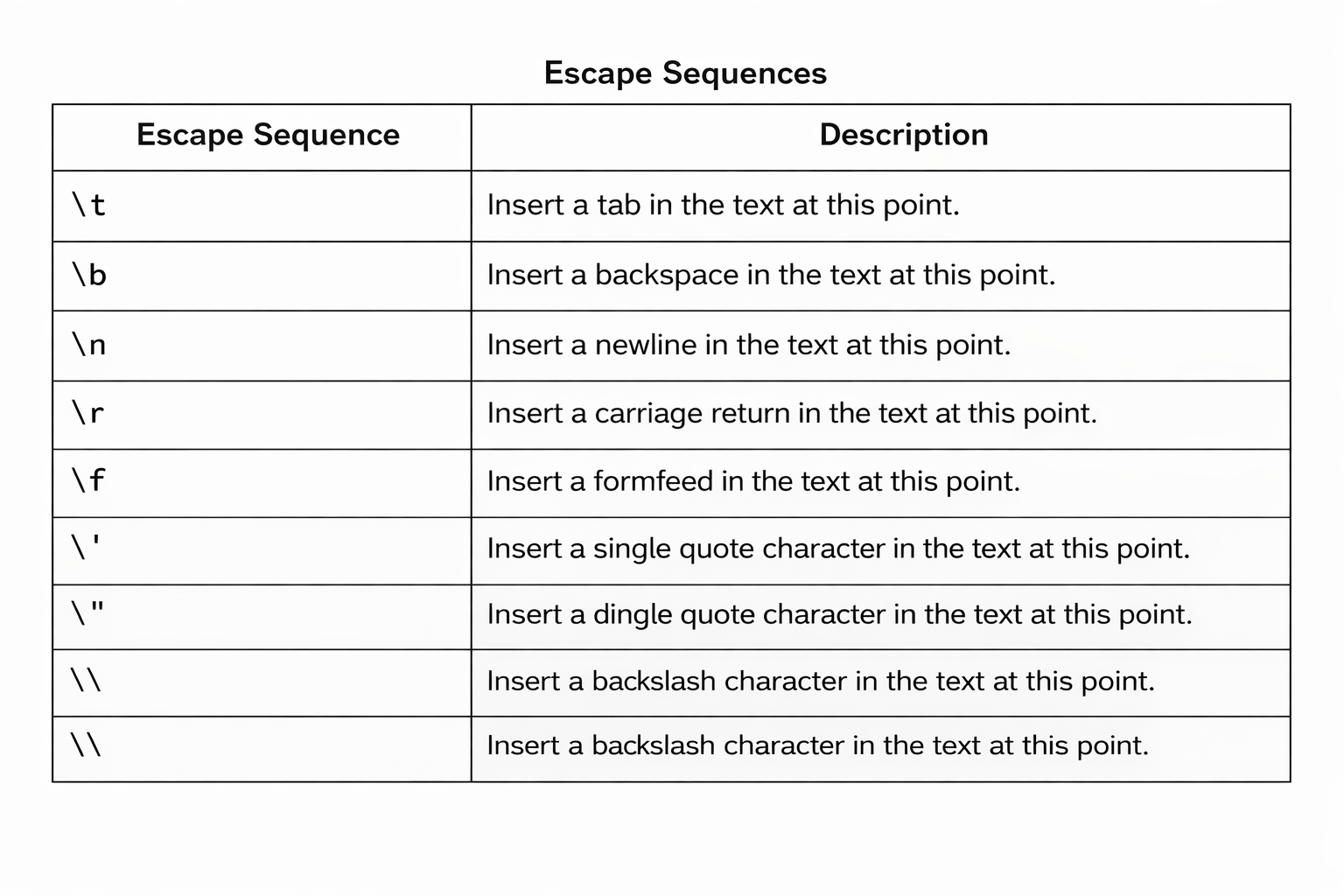
Escape sequences use a backslash (\) to represent special characters that cannot be typed directly.
public class Main {
public static void main(String[] args) {
System.out.println("Hello\tWorld"); // \t → tab
System.out.println("Hello\nWorld"); // \n → new line
System.out.println("Hello\bWorld"); // \b → backspace
System.out.println("Hello\rWorld"); // \r → carriage return
System.out.println("Hello\fWorld"); // \f → form feed
System.out.println("It\'s Java"); // \' → single quote
System.out.println("He said \"Hi\""); // \" → double quote
System.out.println("Path: C:\\Java"); // \\ → backslash
}
}
Example
Summary
5
Format specifiers and escape sequences supported
4
Multiple methods manipulate and compare strings
3
String pool optimizes memory usage
2
Strings are created using literalsor new keyword
1
String is a sequence of characters
Quiz
Which of the following is true about Java Strings?
A. Strings are mutable
B. Strings are immutable
C. Strings are primitive
D. Strings change automatically

Which of the following is true about Java Strings?
A. Strings are mutable
B. Strings are immutable
C. Strings are primitive
D. Strings change automatically

Quiz-Answer