PayFlow Project Initiation & DevOps Fundamentals

Business Scenario
Welcome to PayFlow. As a DevOps QA Engineer, your first step is to understand the Application before starting Testing or Automation.
In this lab, you will learn how Online Payment Transactions are processed and identify the key Validation Points. You will also explore the DevOps Lifecycle and understand the role of QA in each stage. Additionally, you will learn how Continuous Integration (CI) helps automate Build and Testing Processes.
By the end of this lab, you will have a clear understanding of the PayFlow Workflow and how DevOps enables Faster, Reliable, and High-Quality Software Delivery.

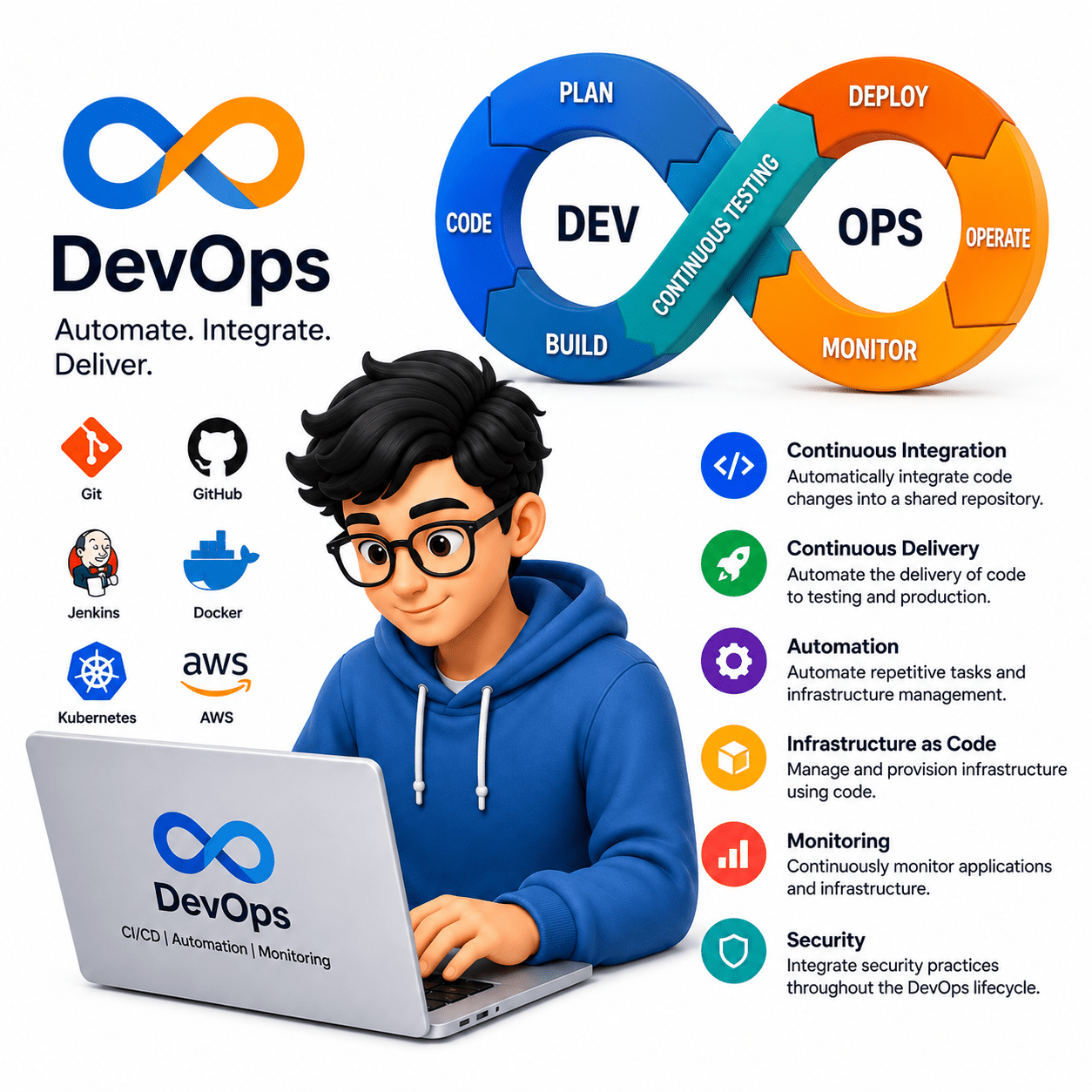
Pre-Lab Preparation
- DevOps for QA
- DevOps Lifecycle Overview
- CI/CD Role for QA
- Payment Gateway Basics
git pull origin branchName
Git Pull
Task 1 :Understand the PayFlow Payment Gateway Workflow
Understand What a Payment Gateway Is
1
What is a Payment Gateway?
A Payment Gateway is a secure system that processes online payments between the
customer, merchant, and bank. It verifies payment details, completes the transaction securely, and returns the payment status while protecting customer information.
Why is a Payment Gateway Required?
Without a payment gateway:
-
Customers cannot make online payments securely.
-
Merchants cannot receive online payments.
-
Banks cannot verify payment requests.
-
Transactions become vulnerable to fraud and data theft.
A payment gateway ensures that every payment is processed securely and efficiently.
Types of Payment Gateways
Payment gateways can be categorized into the following types:
1. Hosted Payment Gateway
-
Redirects users to a third-party payment page.
-
Example: PayPal Standard.
2. Self-Hosted Payment Gateway
- Customers enter payment details on the merchant's website.
- Payment data is securely transferred to the payment gateway.
3. API/Integrated Payment Gateway
-
Fully integrated into the application.
-
Customers never leave the website.
-
Commonly used in enterprise applications.
4. Local Bank Payment Gateway
-
Direct integration with banking systems for regional transactions.
How Does a Payment Gateway Work?
The payment gateway follows these steps:
-
Customer selects products or services.
-
Customer proceeds to checkout.
-
Customer enters payment details.
-
Payment request is securely encrypted.
-
The payment gateway validates the request.
-
The request is sent to the acquiring bank.
-
The issuing bank approves or rejects the payment.
-
The payment status is returned.
-
The customer receives a success or failure confirmation.
Real-Time Example
Imagine you purchase a laptop from an online shopping website.
-
You click Buy Now.
-
You enter your card details.
-
The payment gateway verifies the card.
-
The payment is approved.
-
Your order is successfully placed.
Understand the PayFlow Transaction Workflow
2
How Does the PayFlow Transaction Work?
The transaction follows this sequence:
Step 1: Customer logs into the PayFlow application.
Step 2: Customer selects products or services.
Step 3: Customer clicks Proceed to Payment.
Step 4: Customer enters payment details.
Step 5: PayFlow validates:
-
Card Number
-
CVV
-
Expiry Date
-
Billing Information
Step 6: Validation Service checks data format.
Step 7: Payment Gateway forwards the request to the bank.
Step 8: Bank validates
-
Available balance
-
Card status
-
Fraud detection
-
Transaction limit
Step 9: Bank sends approval or rejection.
Step 10: PayFlow displays the transaction status.
Example
Customer: Rahul
Product Price: ₹2,500
Payment Mode: Credit Card
Result:
-
Card validated
-
Bank approved payment
-
Transaction successful
-
Confirmation message displayed
Identify Validation Points in the Payment Process
3
Types of Validations
1. Card Number Validation
- Card number length
- Card format
- Luhn Algorithm check
The PayFlow application performs multiple validations:
2. CVV Validation
-
CVV must contain 3 or 4 digits.
-
Empty CVV should not be accepted.
3. Expiry Date Validation
-
Card should not be expired.
-
Date format should be valid.
4. Balance Validation
Performed by the bank.
-
Sufficient balance
-
Credit limit
-
Daily transaction limit
5. Fraud Validation
Checks:
-
Suspicious IP
-
Multiple failed attempts
-
High transaction amount
-
Blocked cards
How Validation Works
Whenever the customer submits payment:
Input → Validation Rules → Success/Failure → Next Step
Only valid requests are sent to the bank.
Example
Card Number:
1234567890123456
Result:
Invalid card format
Another Example:
4111111111111111
Result:
Valid card number
Task 2: Study DevOps Concepts and CI Basics
Understand DevOps
1
What is DevOps?
DevOps is a combination of Development (Dev) and Operations (Ops). It is a software development approach that promotes collaboration between developers, testers, and operations teams to deliver software faster, more reliably, and with better quality.
DevOps encourages continuous communication, automation, and monitoring throughout the software development lifecycle.
Why is DevOps Required?
Traditional software development often results in:
-
Slow software releases.
-
Delayed testing.
-
Communication gaps between teams.
-
Manual deployment errors.
-
Increased production issues.
DevOps addresses these challenges by promoting automation and collaboration, enabling faster and more reliable software delivery.
Key Principles of DevOps
The main principles of DevOps include:
-
Collaboration between Development, QA, and Operations.
-
Continuous Integration (CI).
-
Continuous Testing.
-
Continuous Delivery and Deployment.
-
Automation of repetitive tasks.
-
Continuous Monitoring and Feedback.
How Does DevOps Work?
The DevOps workflow typically follows these stages:
- Plan the project requirements.
- Develop the application.
- Build the application.
- Execute automated tests.
- Release the software.
- Deploy to different environments.
- Monitor application performance.
- Collect feedback for future improvements.
These activities repeat continuously to support frequent software releases.
Example
A developer fixes a payment validation bug in the PayFlow application.
Instead of waiting for the next release cycle:
- The code is committed to the repository.
- The application is automatically built.
- Automated tests are executed.
- QA verifies the results.
- If successful, the build is deployed for further testing.
Understand the DevOps Lifecycle
2
What is the DevOps Lifecycle?
The DevOps Lifecycle is a continuous process that describes how software moves from planning and development to deployment and monitoring.
Each stage contributes to delivering high-quality software efficiently.
Stages of the DevOps Lifecycle
The DevOps lifecycle consists of the following stages:
-
Plan
-
Develop
-
Build
-
Test
-
Release
-
Deploy
-
Operate
-
Monitor
How Does the DevOps Lifecycle Work?
Plan: Business requirements are gathered and analyzed.
Develop: Developers write the application code.
Build: Source code is compiled and packaged.
Test: Automated and manual tests are executed.
Release: The application is approved for deployment.
Deploy: The application is deployed to target environments.
Operate: Operations team manages the running application.
Monitor: Performance, logs, and issues are continuously monitored.
Example
For the PayFlow application:
-
Business team requests a new UPI payment feature.
-
Developers implement the feature.
-
Jenkins builds the application.
-
Selenium executes automated test cases.
-
QA validates the build.
-
The application is deployed to the staging environment.
-
Production performance is monitored.
QA Responsibilities in devops
| DevOps Stage | QA Responsibility |
|---|---|
| Plan | Review requirements |
| Develop | Prepare test scenarios |
| DevOps Stage | QA Responsibility |
|---|---|
| Build | Verify successful builds |
| Test | Execute functional and automation tests |
| Release | Perform regression testing |
| Deploy | Conduct smoke testing |
| Operate | Validate production issues |
| Monitor | Analyze logs and defects |
What is Continuous Integration (CI)?
Continuous Integration (CI) is a DevOps practice in which developers frequently merge their code into a shared repository. Every code change automatically triggers a build and a series of automated tests to verify that the application works correctly.
Understand Continuous Integration (CI)
3
Why is Continuous Integration Important?
Continuous Integration helps to:
-
Detect defects early.
-
Improve software quality.
-
Reduce manual testing effort.
-
Ensure every code change is validated.
-
Minimize integration issues.
How Does Continuous Integration Work?
The CI process follows these steps:
- Developer commits code to the Git repository.
- CI tool (such as Jenkins) detects the change.
- The application is automatically built.
- If any test fails, the build is marked as failed and developers fix the issue before proceeding.
- Automated test cases are executed.
- Test reports are generated.
- The team receives build status notifications.
Example
A developer modifies the login functionality.
After committing the code:
-
Jenkins automatically starts the build.
-
Maven compiles the project.
-
Selenium automation tests are executed.
-
Test results are generated.
-
QA reviews the reports.
-
If all tests pass, the build is approved
Understand Continuous Delivery (CD)
4
What is Continuous Delivery (CD)?
Continuous Delivery (CD) is a DevOps practice in which the application is automatically prepared for deployment after successfully passing the build and testing stages. It ensures that the software is always in a deployable state, allowing releases to be performed quickly and reliably.
Why is Continuous Delivery Important?
Continuous Delivery helps to:
-
Prepare software for deployment automatically.
-
Deliver new features faster.
-
Reduce deployment risks.
-
Improve software quality.
-
Enable quick and reliable releases.
How Does Continuous Delivery Work?
The CD process follows these steps:
-
The CI pipeline successfully completes the build and testing process.
-
The application is packaged into a deployable artifact.
-
The artifact is deployed to a testing or staging environment.
-
QA performs final validation of the application.
-
Once approved, the application is ready for production deployment.
Example
The PayFlow team develops a new Bill Payment feature.
After the CI process is completed successfully:
-
The application is packaged automatically.
-
It is deployed to the staging environment.
-
QA validates the feature.
-
Once testing is complete, the application is ready for production deployment.
Task 3: Identify Testing Stages in the CI/CD Pipeline
Understand the CI/CD Pipeline
1
What is a CI/CD Pipeline?
A CI/CD Pipeline is an automated workflow that moves software through various stages, including code integration, build creation, testing, deployment, and monitoring. It helps deliver software faster, reduces manual effort, and ensures that every code change is tested before deployment.
Why is a CI/CD Pipeline Required?
Without a CI/CD pipeline:
-
Testing is delayed.
-
Manual deployments increase errors.
-
Bugs are detected late.
-
Software releases take longer.
-
Team collaboration becomes difficult.
-
A CI/CD pipeline automates these activities, making software delivery faster and more reliable.
Stages of a CI/CD Pipeline
A typical CI/CD pipeline consists of:
-
Source Code Management
-
Build
-
Automated Testing
-
Release
-
Deployment
-
Monitoring
How Does a CI/CD Pipeline Work?
-
Developer commits code to the Git repository.
-
CI server detects the new code.
-
The application is automatically built.
-
Automated test cases are executed.
-
Test reports are generated.
-
If all tests pass, the application is deployed.
-
The deployed application is monitored for issues.
Example
A developer updates the payment confirmation feature in the PayFlow application.
-
Code is committed to Git.
-
Jenkins triggers the build.
-
Maven compiles the project.
-
Selenium executes automated tests.
-
Jenkins generates the test report.
-
The build is deployed to the staging environment.
Understand Different Testing Stages in the CI/CD Pipeline
2
What are Testing Stages?
Testing stages are checkpoints within the CI/CD pipeline where the application is validated to ensure it meets functional, performance, and security requirements before deployment.
Types of Testing in the CI/CD Pipeline
The common testing stages include:
-
Unit Testing
-
Integration Testing
-
Functional Testing
-
API Testing
-
Smoke Testing
-
Regression Testing
-
Performance Testing
-
Security Testing
-
User Acceptance Testing (UAT)
Map Testing Activities in the CI/CD Pipeline
3
What is Test Mapping?
Test mapping is the process of identifying where each testing activity occurs during the software delivery process.
Why is Test Mapping Important?
Test mapping helps:
-
Detect defects early.
-
Improve software quality.
-
Reduce deployment failures.
-
Ensure complete test coverage.
-
Improve collaboration among teams.
Testing Activity Mapping
| Pipeline Stage | Testing Activity |
|---|---|
| Code Commit | Static Code Analysis |
| Build | Build Verification Testing |
| Test | Unit Testing |
| Test | Integration Testing |
| Test | Functional Testing |
| Test | API Testing |
| Deploy to Staging | Smoke Testing |
| Pre-Production | Regression Testing |
| Production | Monitoring & Sanity Checks |
How Does Test Mapping Work?
When developers commit code:
-
Build verification begins.
-
Automated unit tests execute.
-
Functional and API tests validate application behavior.
-
Smoke tests verify deployment.
-
Regression tests ensure stability before release.
Example
A new UPI payment feature is developed.
The CI/CD pipeline executes:
-
Build Verification
-
Unit Testing
-
API Testing
-
Functional Testing
-
Smoke Testing
-
Regression Testing
Only after successful execution is the feature released.
Good Job!!
Congratulations! You have successfully completed the PayFlow Project Initiation & DevOps Fundamentals lab. In this lab, you learned the payment gateway workflow, DevOps fundamentals, the DevOps lifecycle, and the role of QA in Continuous Integration (CI). You also understood the testing stages in a CI/CD pipeline and the importance of collaboration, automation, and continuous testing in delivering high-quality software.
Checkpoint
Git Push
git push origin branchNameNext-Lab Preparation
- Create repository in GitHub
- Push sample test scripts
- Manage branches and commits
- Track changes