Perform port scanning and explore Kali Linux security tools

Business Scenario
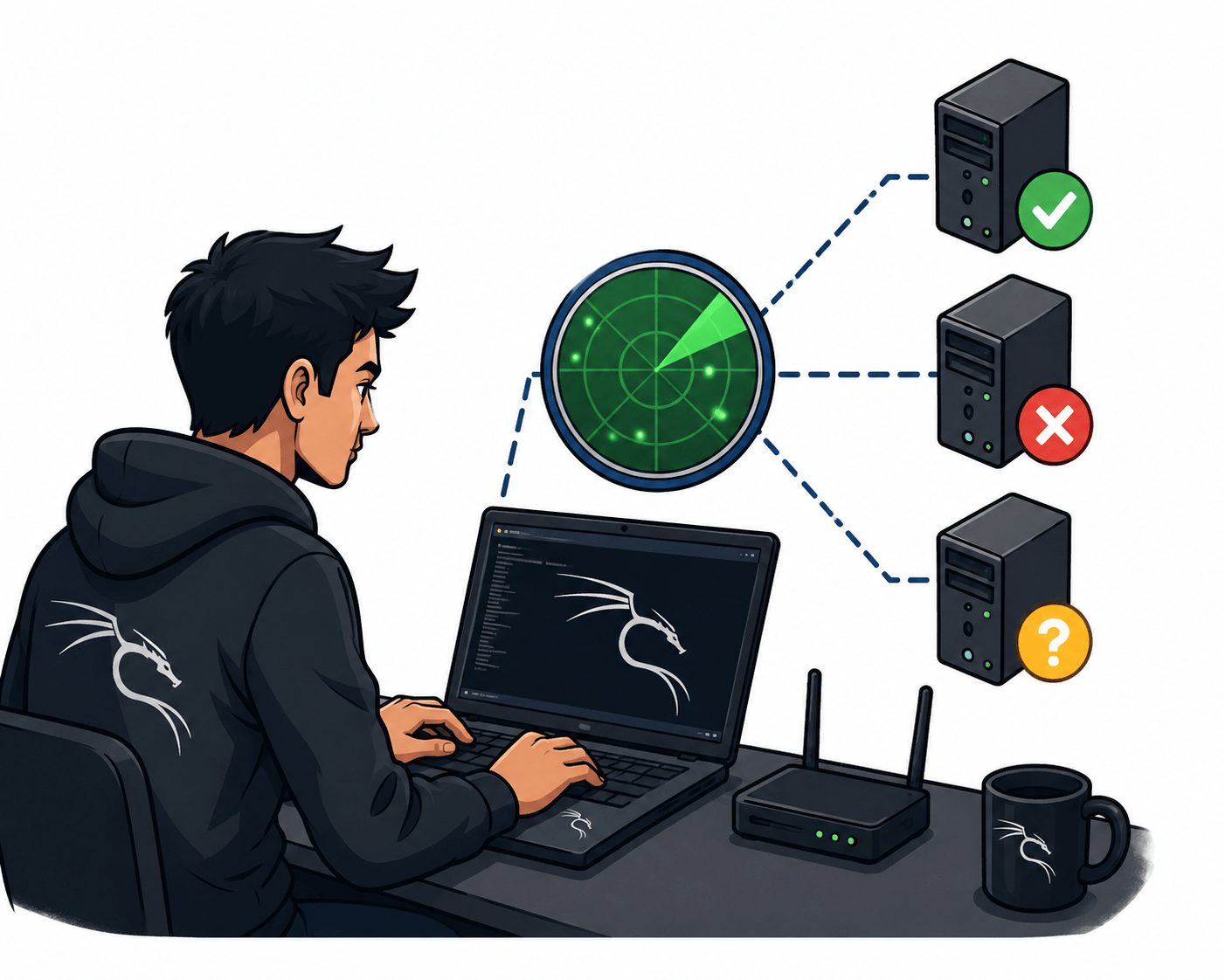
You are working as a Cyber Security Analyst at SecureXit. During a routine security assessment, the security team has requested an analysis of a target system to identify exposed network services and potential entry points. Before conducting any advanced security testing, you must perform port scanning and service enumeration to understand the target's network exposure.
Using Nmap and other basic Kali Linux tools, you will scan the target system to identify open, closed, and filtered ports.

Pre-Lab Preparation
You will also perform service and version detection to determine which applications are running on the discovered ports. The collected information will help the security team assess the target's attack surface and improve security monitoring.
Topic : Kali Linux and Security Tools
1) Network scanning using Nmap
2) Host discovery and port scanning
3) Using Kali Linux tools
Task 1: TCP SYN Scan (-sS)
1
Open the Kali Linux Terminal
Launch the Terminal application in Kali Linux.
2
Perform a SYN Scan
Execute the following command:
nmap -sS 192.168.0.1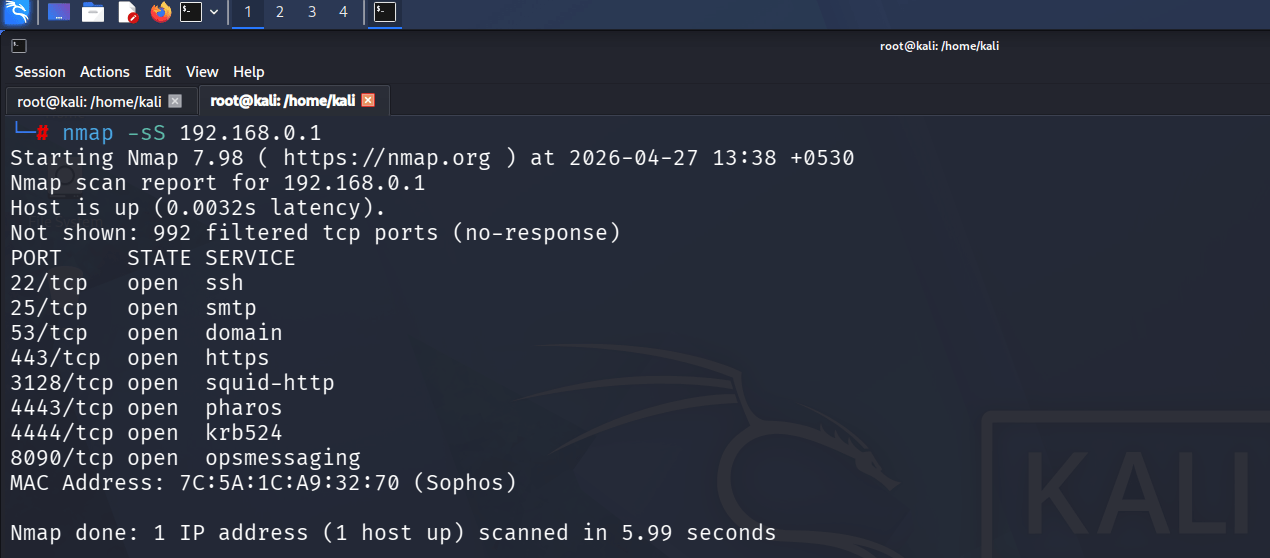
nmap -sS 192.168.0.13
Analyze the Results
Review the open ports identified by the SYN scan and document the findings.
1
Open the Kali Linux Terminal
Task 2: TCP Connect Scan (-sT)
Launch the Terminal application in Kali Linux.
2
Perform a TCP Connect Scan
Execute the following command:
nmap -sT 192.168.0.1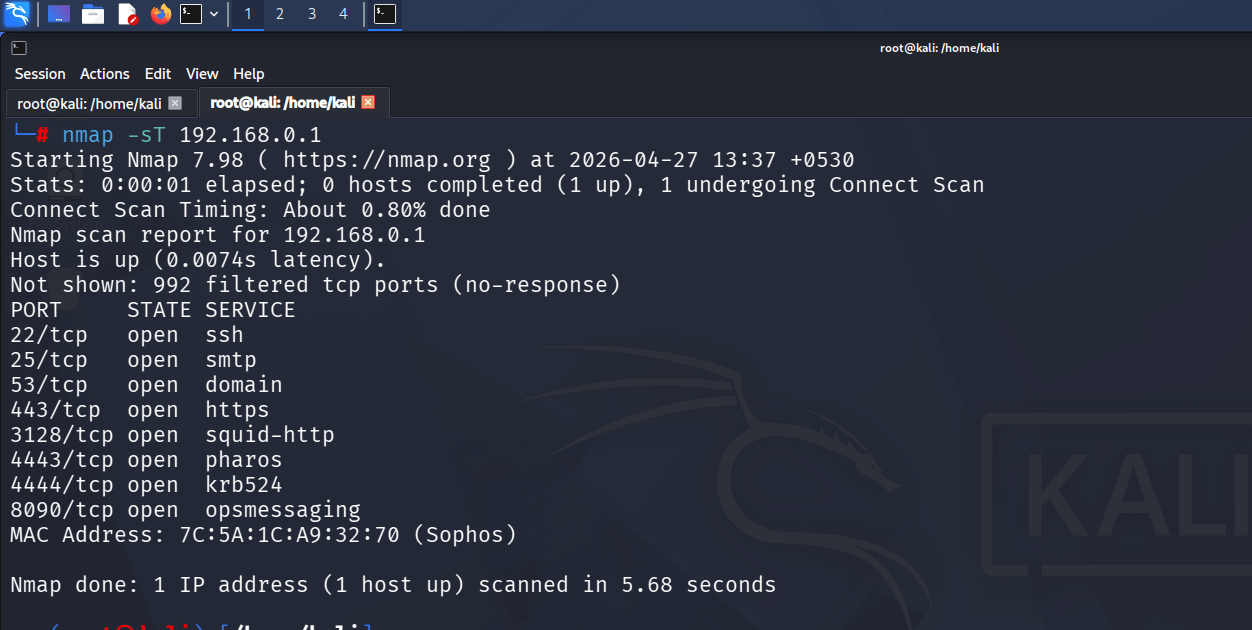
Analyze the Results
3
2
Observe the discovered ports and compare the results with the SYN scan.
Task 3: UDP Scan (-sU)
1
Open the Kali Linux Terminal
Launch the Terminal application in Kali Linux.
Perform a UDP Scan
Execute the following command:
nmap -sU 192.168.0.1Analyze the Results
3
Identify open, closed, or filtered UDP ports and document the findings.
nmap -sU 192.168.0.1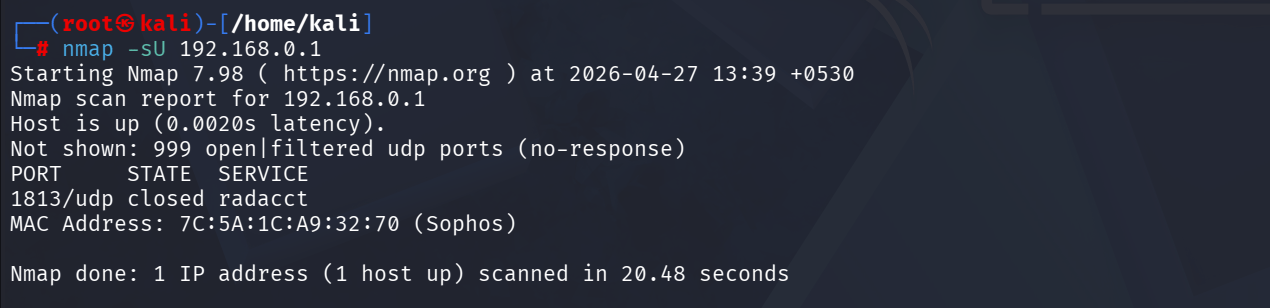
Task 4: TCP Window Scan (-sW)
1
Open the Kali Linux Terminal
Launch the Terminal application in Kali Linux.
Perform a TCP Window Scan
2
Execute the following command:
nmap -sW 192.168.0.1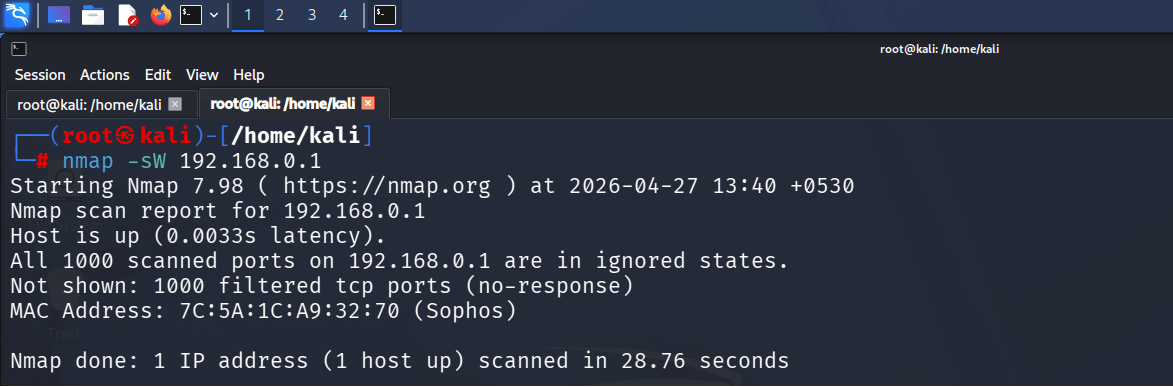
Analyze the Results
3
Review the scan output and identify any detected ports and their states.
Task 5: TCP ACK Scan (-sA)
1
Open the Kali Linux Terminal
Launch the Terminal application in Kali Linux.
Perform an ACK Scan
Execute the following command:
2
nmap -sA 192.168.0.1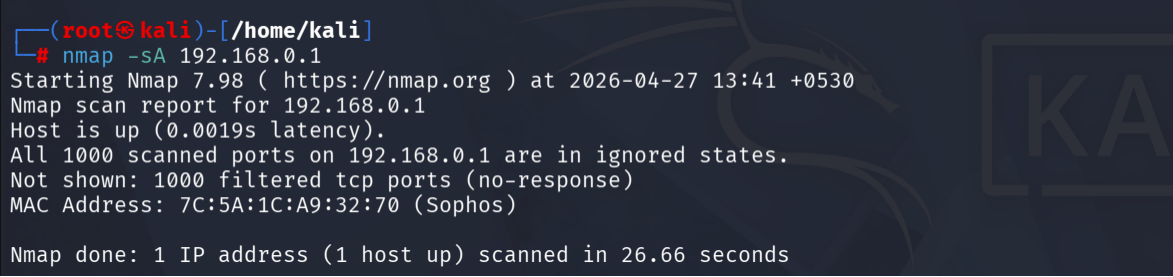
1
Open the Kali Linux Terminal
Task 6: ARP Ping Scan (-PR)
Launch the Terminal application in Kali Linux.
2
Perform an ARP Discovery Scan
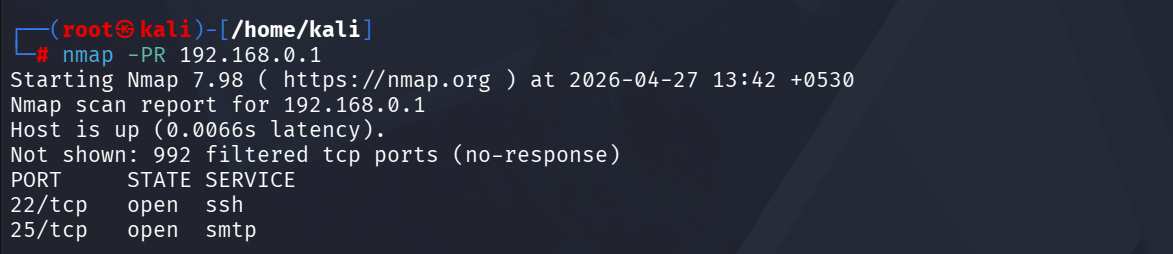
Execute the following command:
nmap -PR 192.168.0.1Analyze the Results
3
Review the output to determine firewall filtering rules and network accessibility.
1
Open the Kali Linux Terminal
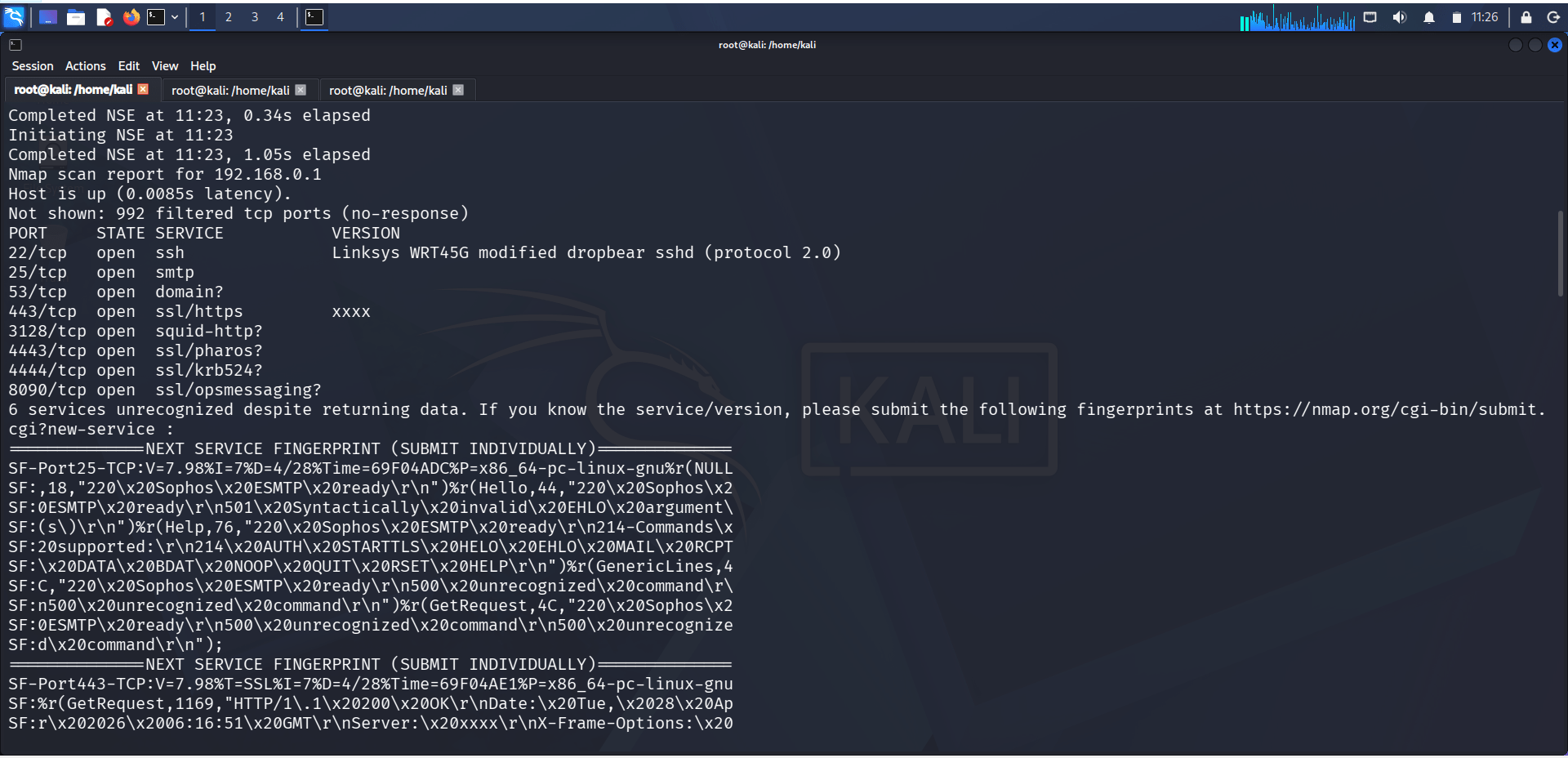
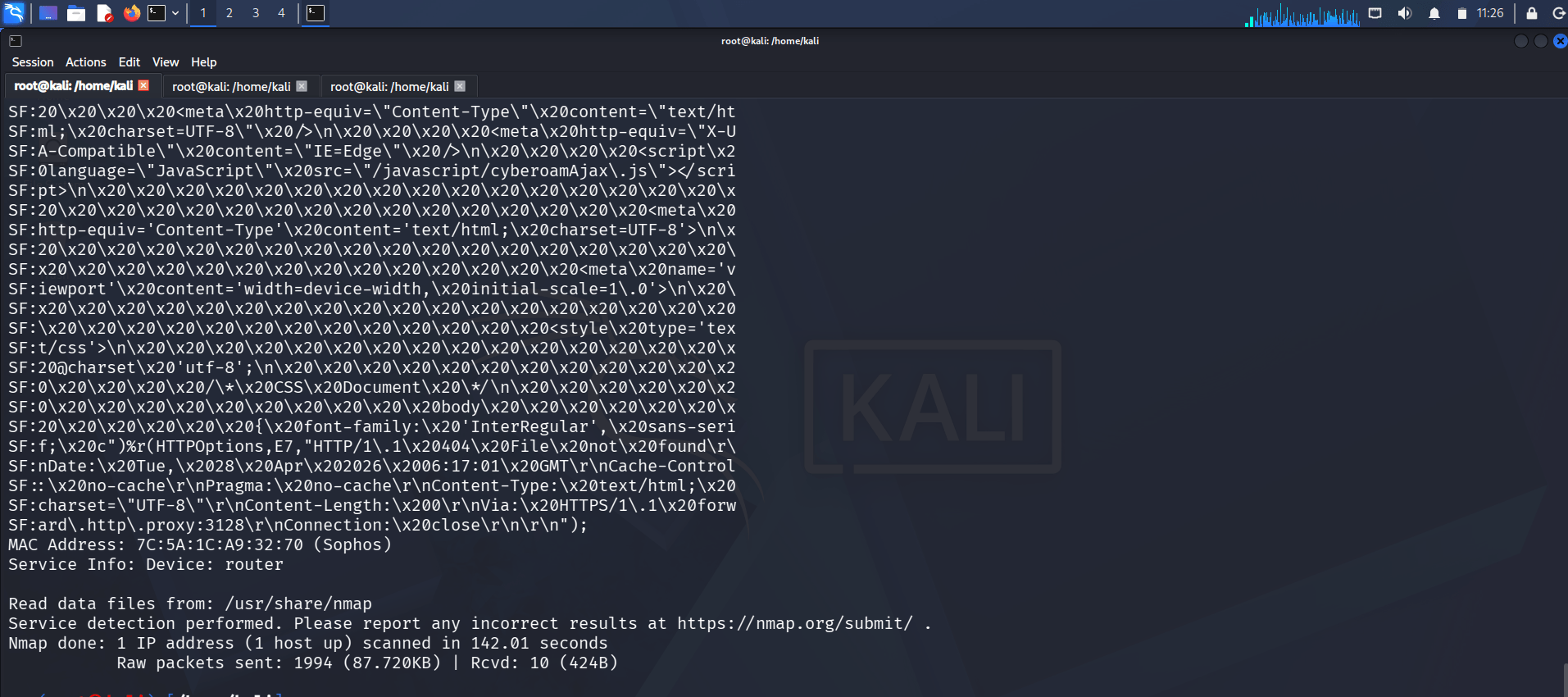
Task 7: Service and Version Detection (-sV -v)
Launch the Terminal application in Kali Linux.
2
Perform Service Enumeration
Execute the following command:
nmap -sV -v 192.168.0.1Analyze the Results
3
Identify whether the target host is active on the local network and document the findings.
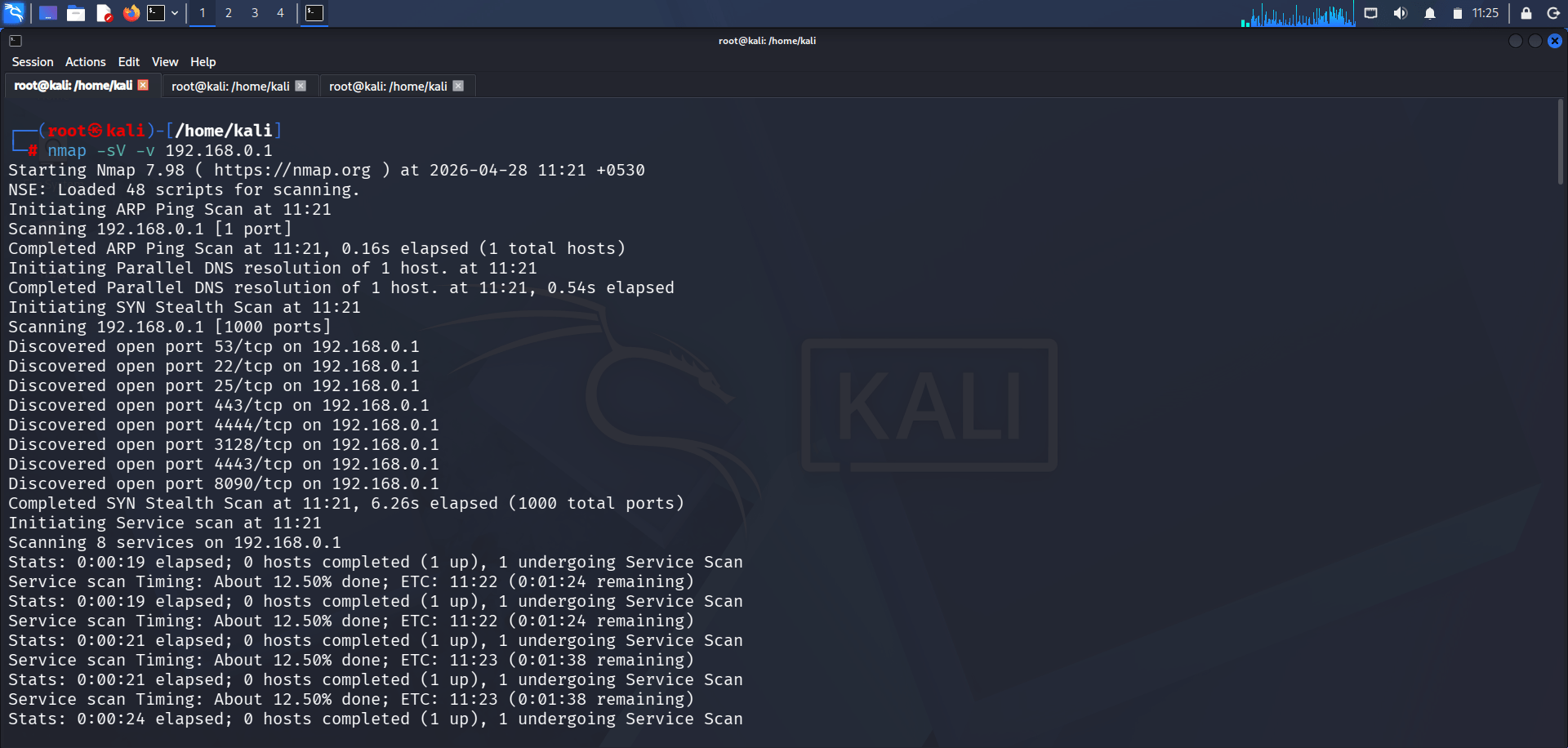
Analyze the Results
3
Review the discovered services, version numbers, and additional scan details provided by verbose mode.
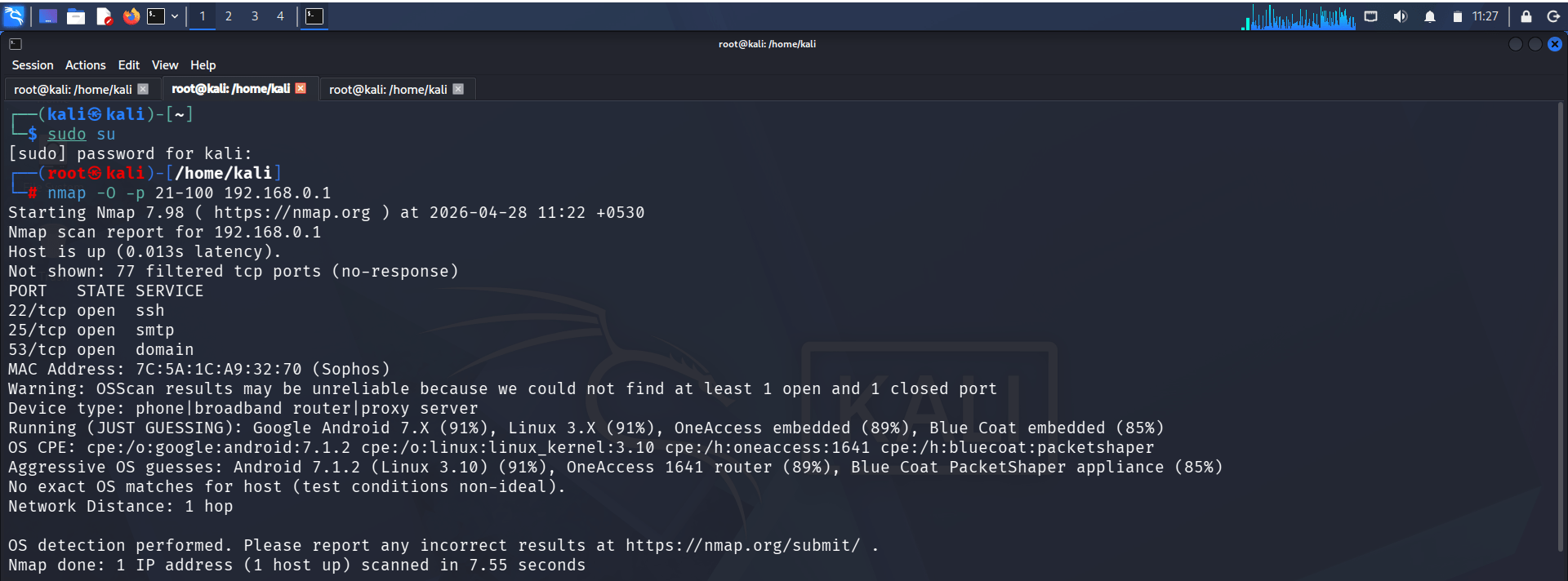
Task 8: Operating System Detection (-O -p 21-1000)
1
Open the Kali Linux Terminal
Launch the Terminal application in Kali Linux.
2
Perform OS Detection
Execute the following command:
nmap -O -p 21-1000 192.168.0.1
1
Open the Kali Linux Terminal
Task 9: Fragmented Packet Scan (-f)
Launch the Terminal application in Kali Linux.
Analyze the Results
3
Review the detected operating system information and open ports between 21 and 1000.
2
Perform a Fragmented Scan
Execute the following command:
nmap -f 192.168.0.1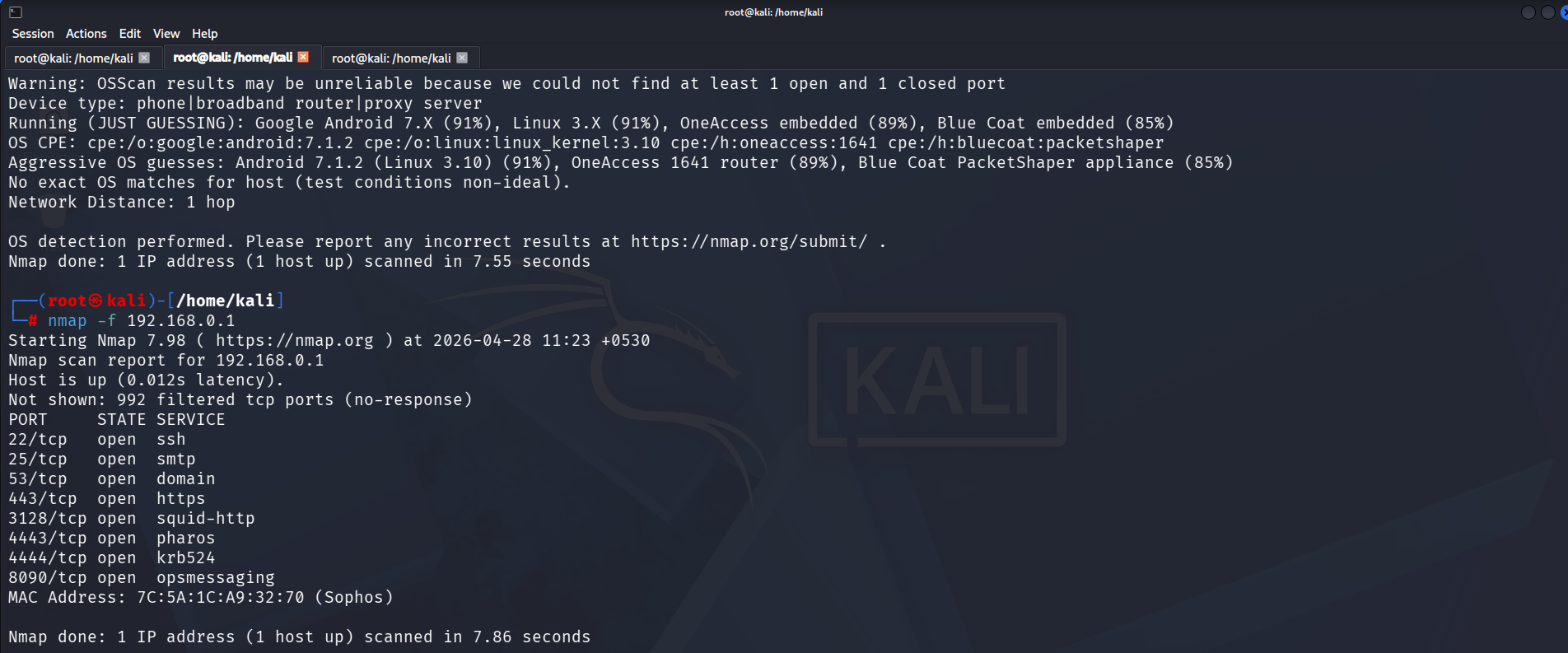
2
Scan the Targets
Execute the following command:
Analyze the Results
3
Observe the scan results and understand how packet fragmentation can affect network scanning.
1
Create a Target List
Task 10: Scan Multiple Targets from a File (-iL)
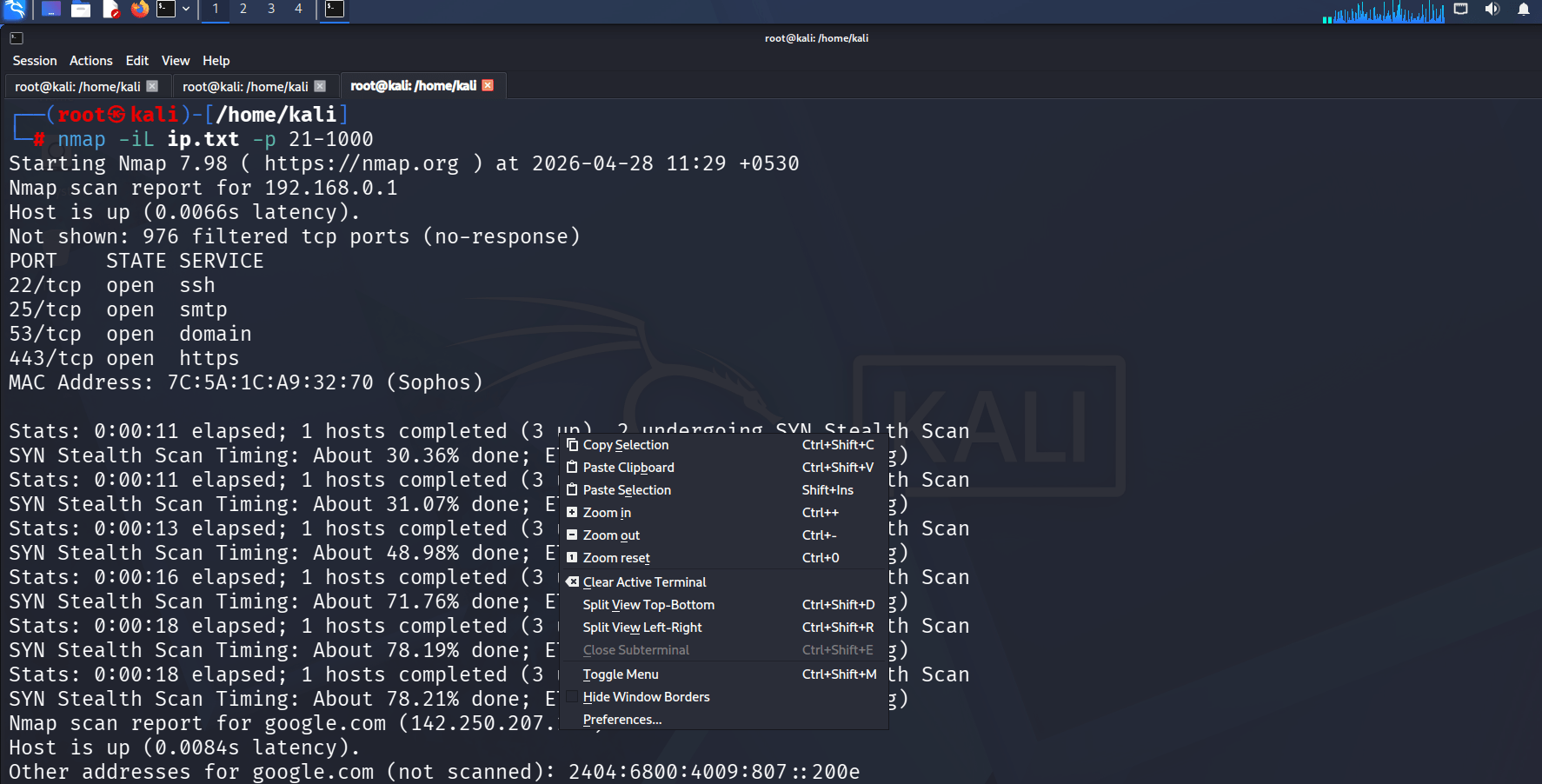
Create a file named ip.txt and add the target IP addresses, one per line.
Example:
192.168.0.1
192.168.0.2
192.168.0.3
nmap -iL ip.txt -p 21-1000nmap -iL ip.txt -p 21-1000Analyze the Results
3
2
Perform a Port Scan Using Masscan
Execute the following command:
1
Open the Kali Linux Terminal
Task 11:Port Scanning Using Masscan
Launch the Terminal application in Kali Linux.
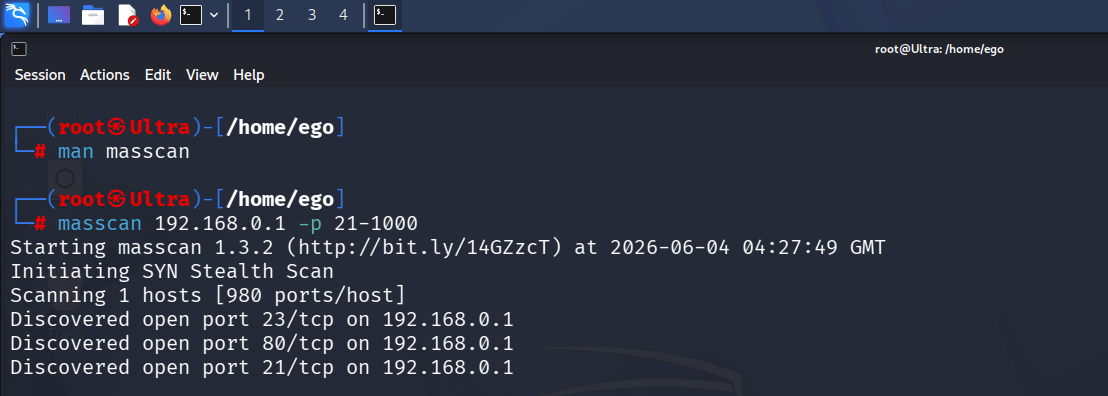
masscan 192.168.0.1 -p 21-1000This command scans ports 21 through 1000 on the target IP address to identify open ports.
Review the scan output for each target and document the discovered open ports and services within the specified port range.
Analyze the Results
3
Review the scan output and identify the open ports discovered on the target system. Compare the results with previous Nmap scans and document the findings in the lab report.
Task 12:Network Discovery Using Angry IP Scanner
1
Launch Angry IP Scanner
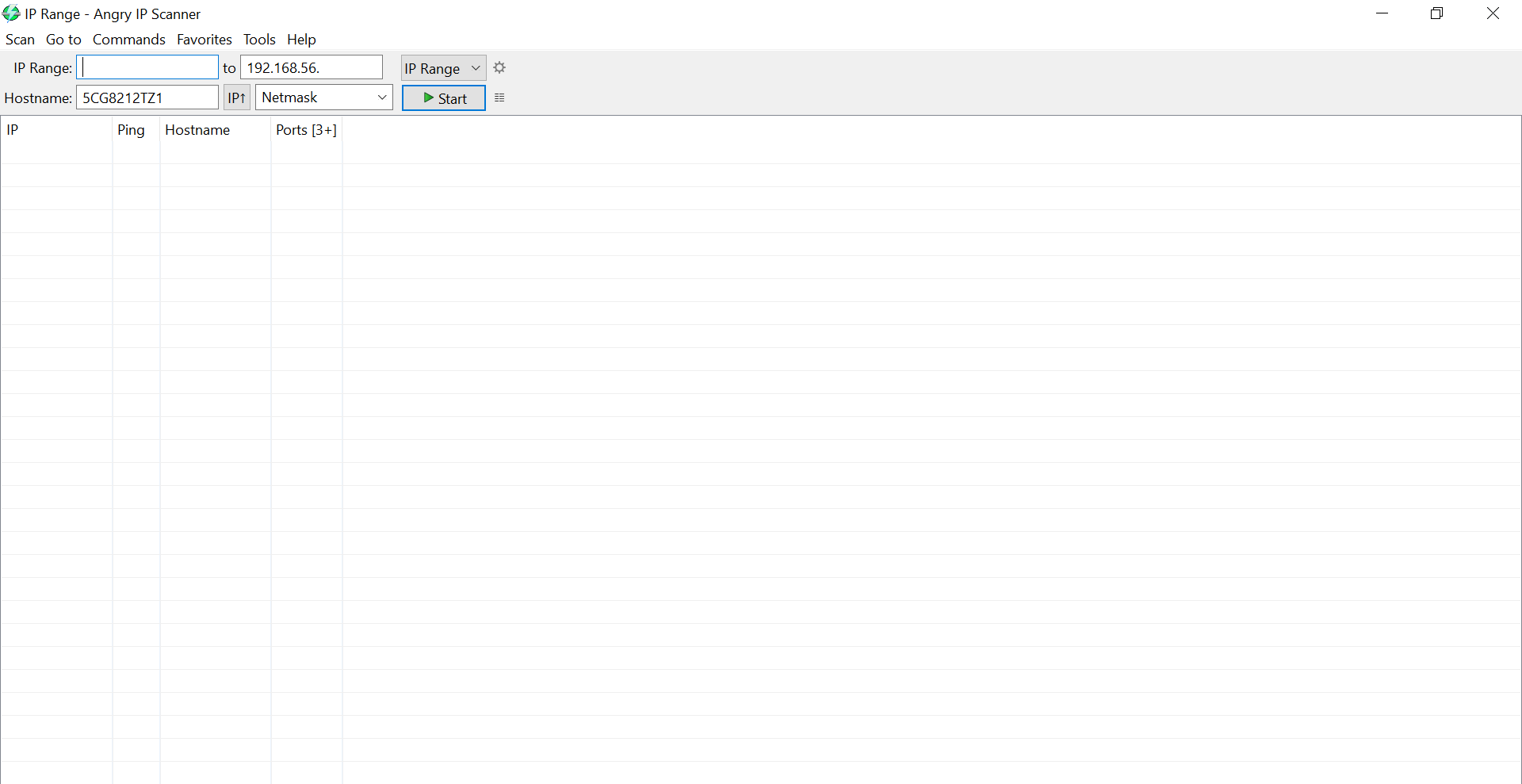
Open Angry IP Scanner from the Applications menu in Kali Linux or from your desktop shortcut.
2
Configure the IP Range
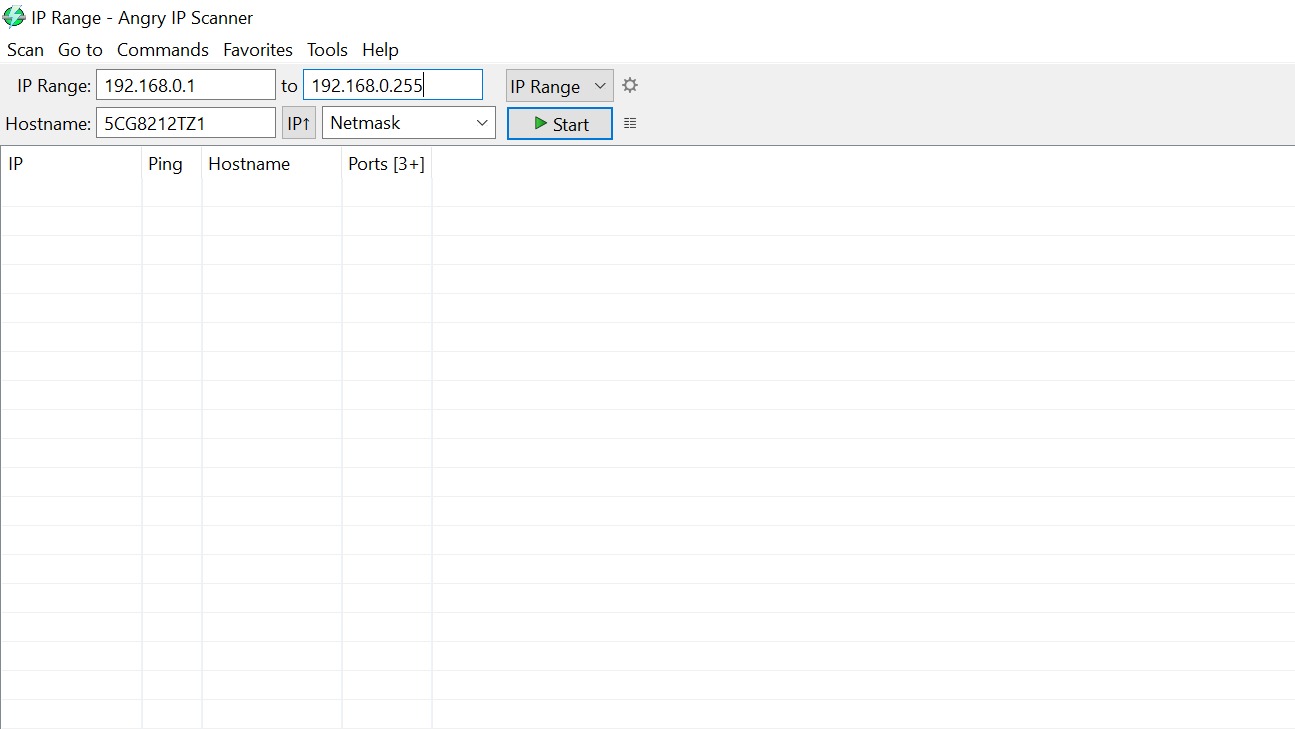
In the IP Range field, enter the following range:
192.168.0.1 - 192.168.0.255
This range will scan all hosts within the 192.168.0.0/24 network.
3
Start the Scan
Click the Start button to begin scanning the specified IP range. Angry IP Scanner will probe each IP address and identify active hosts.
4
Review the Results
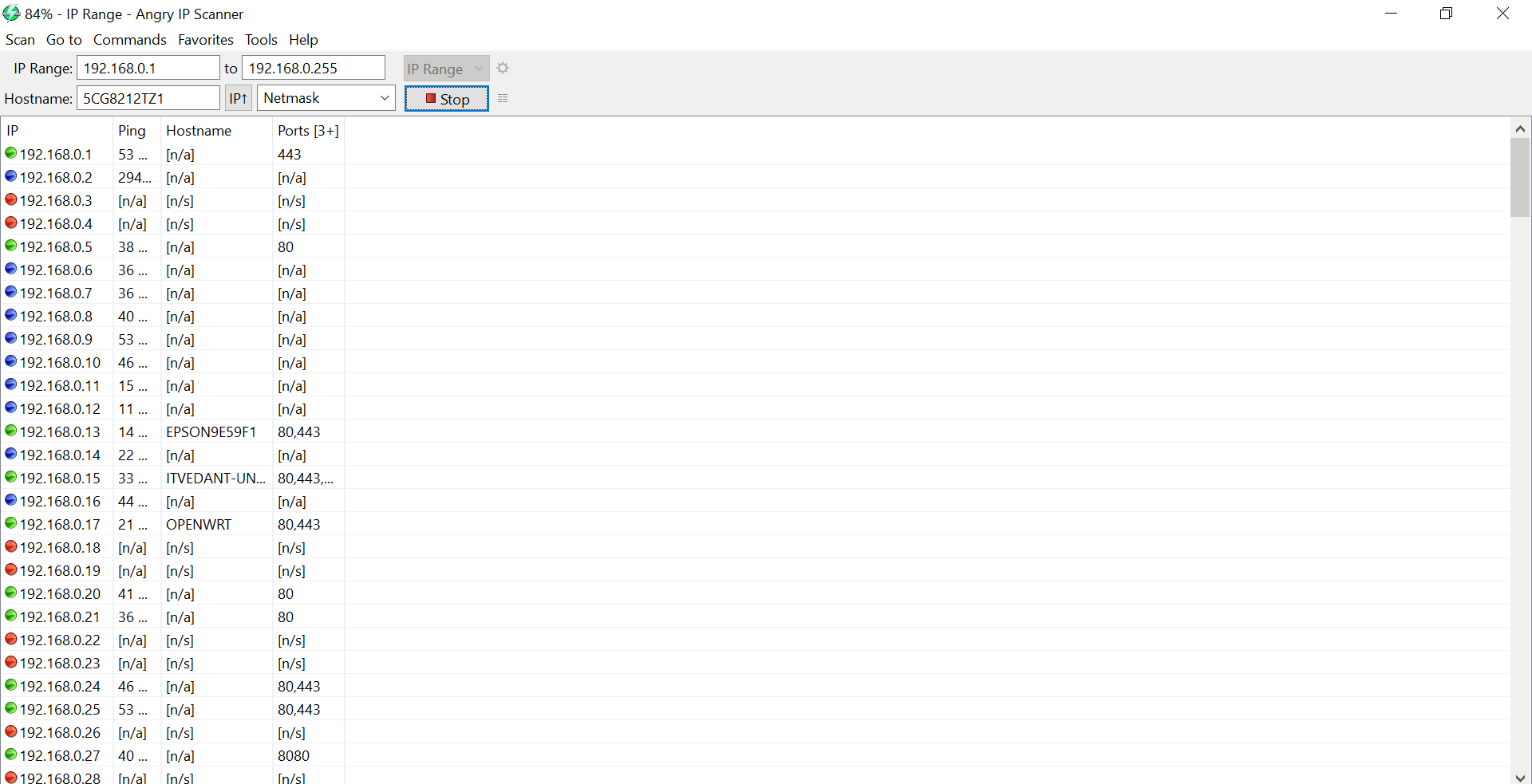
Analyze the scan results and identify:
-
Live Hosts
-
Hostnames (if available)
-
IP Addresses
-
Open Ports (if configured)
-
Response Time
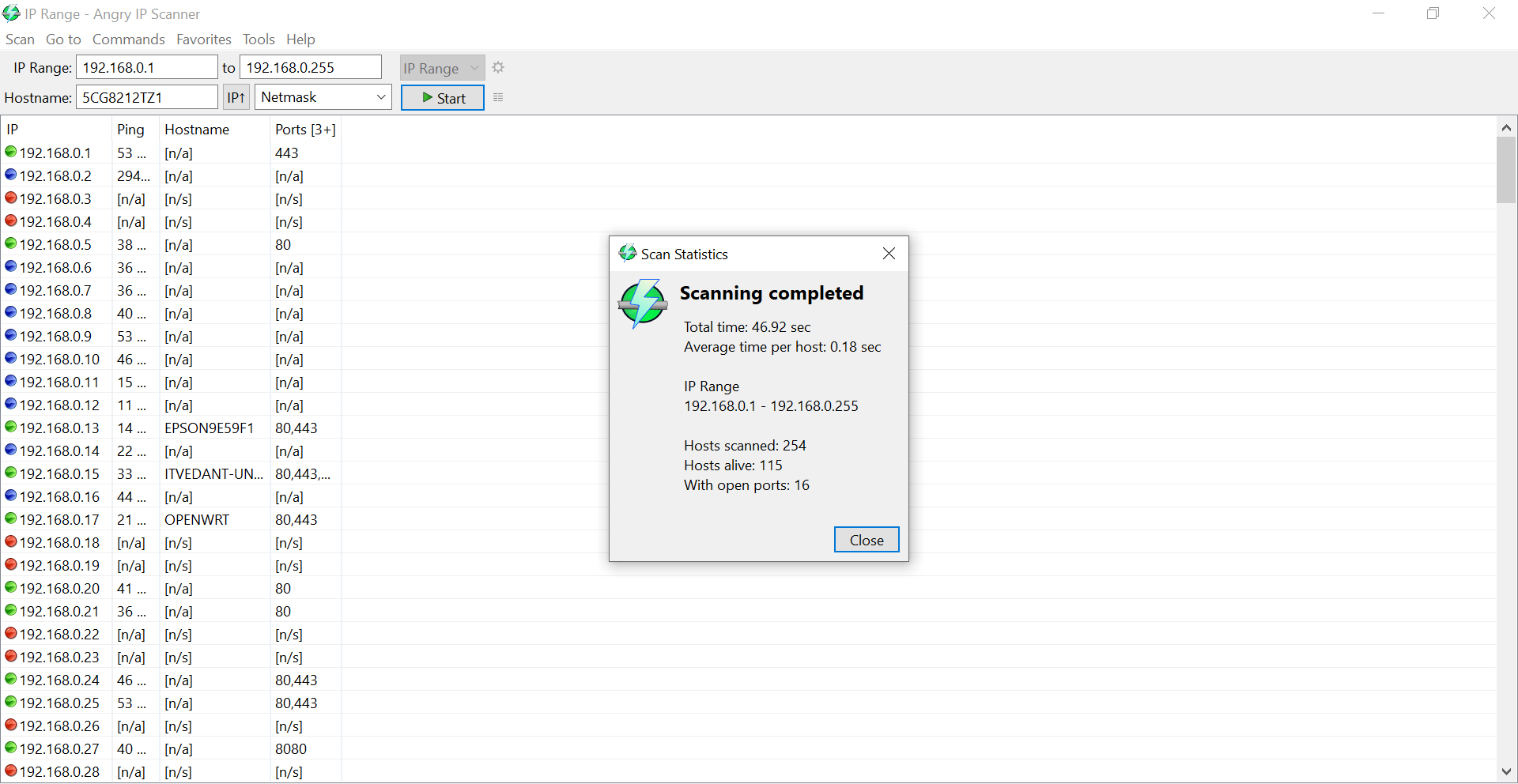
Great job!
You have successfully completed your lab on Network Scanning and Service Enumeration.
In this lab, you have: Performed host discovery, Identified open, closed, and filtered ports, Enumerated running services and versions, Used Nmap, Masscan, and Angry IP Scanner, Analyzed network infrastructure and attack surfaces
You are now ready to move to the next stage of cybersecurity reconnaissance and security assessment.
Checkpoint
Next-Lab Preparation
Topic : Enumeration and Vulnerability Assessment
1) Enumeration techniques
2) Identifying vulnerabilities