



Content ITV PRO
This is Itvedant Content department
Implement Advanced Functions
Business Scenario
Welcome!
Today is your twelfth day as a Junior Data Analyst at the Indian Railways Reservation Department.
Previously you created functions for the reservation system to perform multiple operations from reusable functions.
Today, your manager wants you to improve the system further by making the booking functions more flexible and automated. The department now requires the application to handle default booking values, process multiple passengers dynamically and automate repetitive reservation operations.
To complete this task successfully, you must use Python to:
Automate repetitive reservation tasks
Improve function reusability
Pre-Lab Preparation
git pull origin branchNameGit Pull
Topic: Implementing Advanced Functions
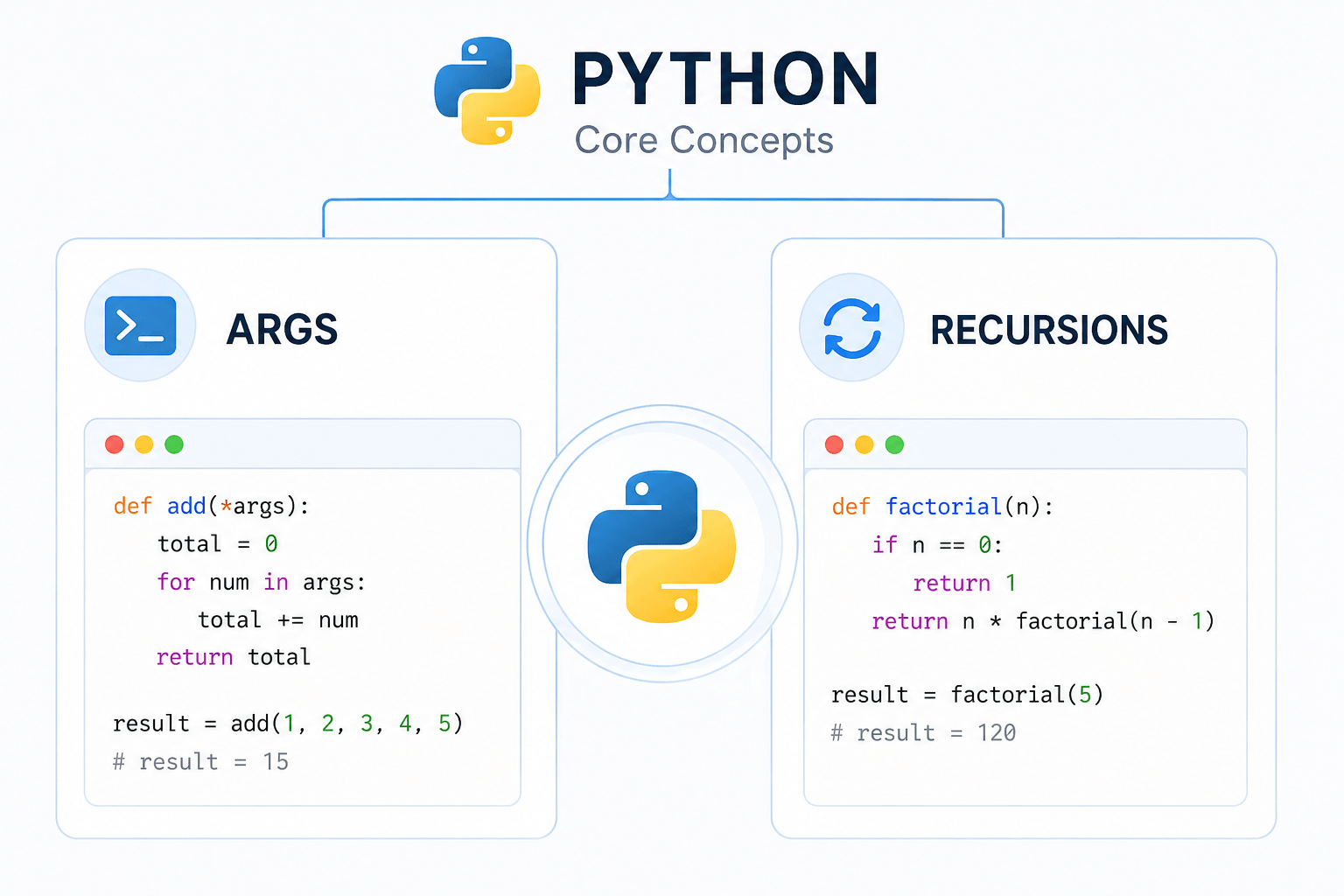
1) Use default arguments and variable length argumnets
2) Recursion
In Python, arguments are the values you pass into a function when you call it. They let you send data to the function so it can work with that data.
Example :
def greet(name):
    print("Hello,", name)
greet("Alice")
name → parameter (the variable in the function definition)"Alice" → argument (the actual value you pass)Types of arguments in Python :
1) Default Arguments
2) Variable - length arguments
a) *args → multiple positional arguments
b) **kwargs → multiple keyword arguments
1
Task 1: Create Function Using Default Arguments
Define a welcome function
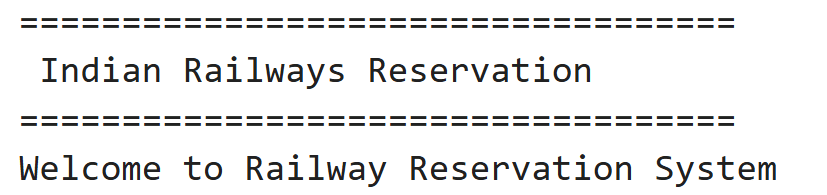
def welcome_message():
   print("===================================")
   print(" Indian Railways Reservation ")
   print("===================================")
   print("Welcome to Railway Reservation System")
Call the function
2
welcome_message()Output
3
1
Task 2: Create Passenger Booking Function
Define booking function with arguments
def book_ticket(passenger_name, train_name):
   print("Passenger Name :", passenger_name)
   print("Train Name :", train_name)
   print("Reservation Status : Confirmed")
Call the booking function
2
book_ticket(
   "Rahul Sharma",
   "Rajdhani Express")
Output
3
1
Task 3: Create Fare Calculation Function
Define fare calculation function
def calculate_fare(ticket_price, passengers):
   total_amount = ticket_price * passengers
   return total_amount
Call the function
2
final_fare = calculate_fare(2450, 2)
print("Final Fare :", final_fare)
Output
3
Task 4: Create Passenger Verification Function
Call the function
2
def verify_passenger(age):
   if age >= 18:
       return "Eligible for Reservation"
   else:
       return "Not Eligible"
result = verify_passenger(25)
print(result)Task 5: Build Ticket Generation Function
1
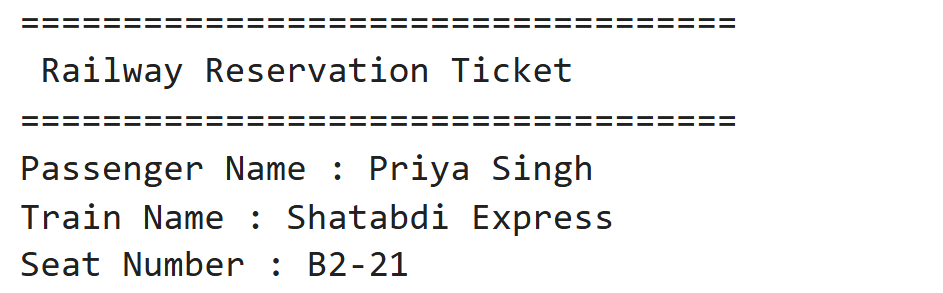
Create ticket generation function
Output
3
def generate_ticket(
   passenger_name,
   train_name,
   seat_number):
   print("===================================")
   print(" Railway Reservation Ticket ")
   print("===================================")
   print("Passenger Name :", passenger_name)
   print("Train Name :", train_name)
   print("Seat Number :", seat_number)
Output
3
Call the function
2
generate_ticket(
   "Priya Singh",
   "Shatabdi Express",
   "B2-21")
Task 6: Build Final Booking Function
1
Create final booking function
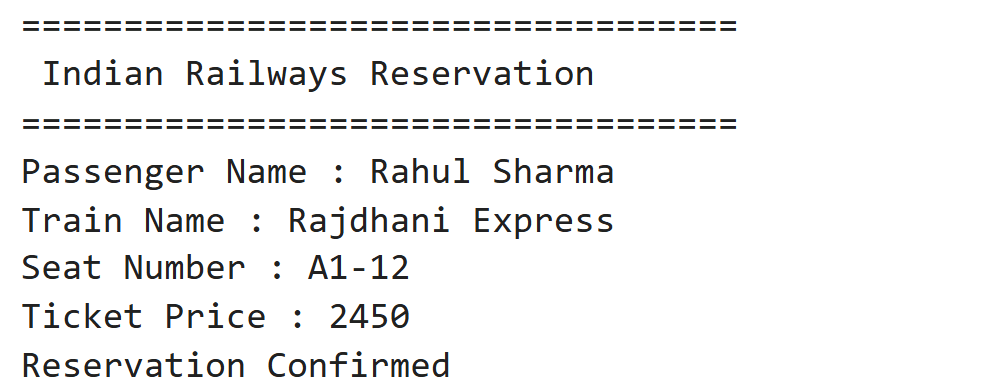
def final_booking_system():

   passenger_name = "Rahul Sharma"
   train_name = "Rajdhani Express"
   seat_number = "A1-12"
   ticket_price = 2450

   print("===================================")
   print(" Indian Railways Reservation ")
   print("===================================")
   print("Passenger Name :", passenger_name)
   print("Train Name :", train_name)
   print("Seat Number :", seat_number)
   print("Ticket Price :", ticket_price)
   print("Reservation Confirmed")
Call the function
2
final_booking_system()Output
3
Save File as : booking_functions.ipynb
4
Great job!
You have successfully learnt how to define and call functions and return statements for booking and fare calculations to build reusable ticket booking and reservation system
Checkpoint
Git Push
git push origin branchNameNext-Lab Preparation
Topic: Implement Advanced Function Techniques
1) Use default arguments
2) Variable length args
3) Recursion
By Content ITV