Functional Programming for Data Handling

Business Scenario
Welcome!

Today is your 14th day as a Junior Data Analyst at the Indian Railways Reservation Department. Previously you used functional programming to perform faster and cleaner data operations.
Today, your manager wants you to improve the system further by organizing railway operations using Object-Oriented Programming (OOP)
The department now requires the application to represent trains, passengers, tickets, and reservations as real-world objects for better system design and management.
To complete this task successfully, you must use Python to:
-
Organize railway data efficiently
-
Improve code structure and readability
-
Build scalable reservation modules
Pre-Lab Preparation
git pull origin branchName
Git Pull
Topic: Introduction to Object-Oriented Programming
1) Create class
2) Create objects
3) Define attributes/methods
Object-Oriented Programming :
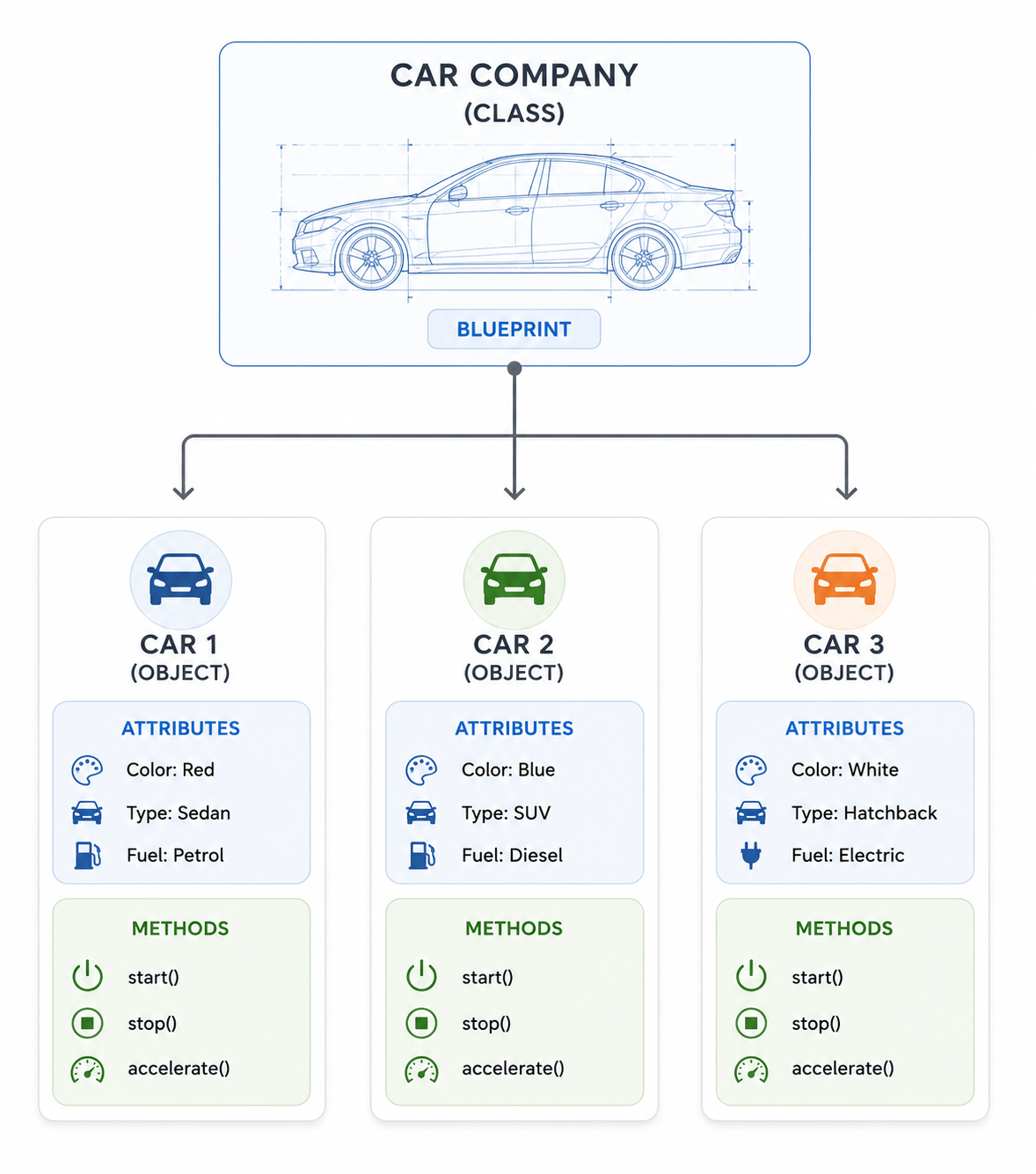
A programming style where code is organized using objects that combine data and behavior, making programs reusable, modular & scalable
Class
A blueprint for creating objects
Object
A real instance created from a class
Attributes
Data/values stored inside an object
Methods
Functions inside a class that define behavior
Class (Blueprint)
class Car:Car = Class
Object (Real thing)
car1 = Object
car1 = Car()Attributes (Data inside object)
color = Attribute
"Red" = Value of attribute
car1.color = "Red"Methods (Actions inside class)
start() = Method (action)
car1 = object calling method
car1.start()Combining all of these, an OOP function would look like :
# OOP Example

class Car:                      # Car = Class

    def __init__(self, color):
        self.color = color      # color = Attribute

    def start(self):            # start() = Method
        print("Car started")


car1 = Car("Red")               # car1 = Object

print(car1.color)               # Red = Value of attribute
car1.start()                    # Object calling method
1
Task 1: Create Basic Railway Class
Create lambda function
discount_fare = lambda fare: fare - 200Print Result
2
print("Discounted Fare :", discount_fare(2500))Output
3

Apply map() function
1
Task 2: Apply map() Function for Fare Calculation
updated_fares = list(

   map(
       lambda fare: fare + 100,
       ticket_fares))
Display updated fares
2
print(updated_fares)Output
3

Create reservation status list.
1
Task 3: Apply filter() Function for confirmed tickets
reservation_status = [
   "Confirmed",
   "Waiting",
   "Confirmed",
   "RAC"]
Apply filter() function
2
confirmed_tickets = list(
   filter(
       lambda status: status == "Confirmed",
       reservation_status))
Print Output
3
print(confirmed_tickets)
Task 4: Combine Passenger and Seat Data Using zip()
1
Create Lists
passengers = [
   "Rahul Sharma",
   "Priya Singh",
   "Amit Verma"]

seats = [
   "B1-21",
   "B1-22",
   "B1-23"]
Apply zip function
2
reservation_data = list(
   zip(passengers, seats))
Print Output
3
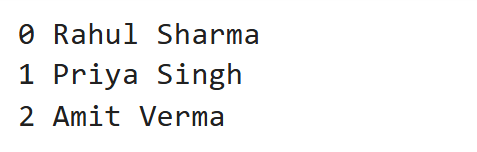
Task 5: Apply enumerate() Function
1
Create passenger list
passenger_list = [
   "Rahul Sharma",
   "Priya Singh",
   "Amit Verma"]
Apply enumerate() function
2
for index, passenger in enumerate(passenger_list):
   print(index, passenger)
print(reservation_data)Output
3
Task 6: Process Data Using map() and filter()
1
Create fare list
ticket_fares = [2500, 800, 3200, 600]Filter valid fares
2
valid_fares = list(
   filter(
       lambda fare: fare > 1000,
       ticket_fares))
Output
3
Task 6: Process Data Using map() and filter()
1
Create fare list
ticket_fares = [2500, 800, 3200, 600]Filter valid fares
2
valid_fares = list(
   filter(
       lambda fare: fare > 1000,
       ticket_fares))
Apply fare update
3
final_fares = list(
   map(
       lambda fare: fare + 100,
       valid_fares))
Print Output
4

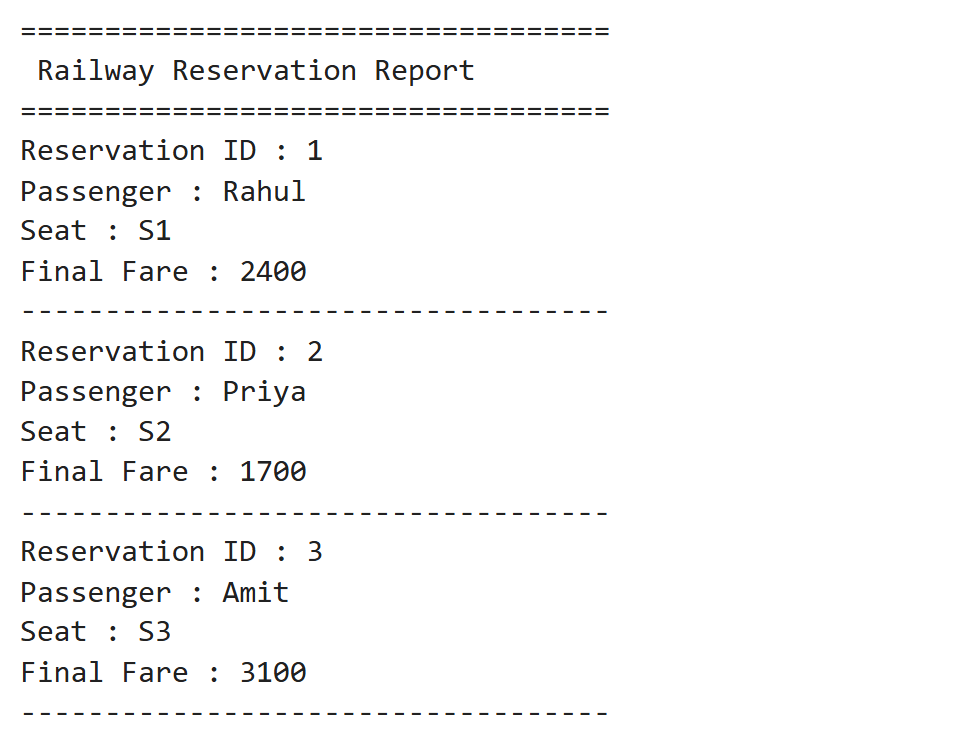
Task 7: Build Final Functional Reservation Module
1
Create reservation list
passengers = ["Rahul", "Priya", "Amit"]
seats = ["S1", "S2", "S3"]
fares = [2500, 1800, 3200]
Combine reservation data
2
Display Final Reservation Report
3
reservation_data = list(
   zip(passengers, seats, fares))
print("===================================")
print(" Railway Reservation Report ")
print("===================================")
for index, data in enumerate(reservation_data):
passenger, seat, fare = data
final_fare = (lambda x: x - 100)(fare)
print("Reservation ID :", index + 1)
print("Passenger :", passenger)
print("Seat :", seat)
print("Final Fare :", final_fare)
print("-----------------------------------")Output
4
Save File as : functional_programming.ipynb
5
Great job!
You have successfully learned how to use lambda, map, filter, zip, enumerate functions for automating reservation operations
Checkpoint
Git Push
git push origin branchNameNext-Lab Preparation
Topic: Design Railway System Using Classes and Objects
1) Create class
2) Define attributes/methods
3) Create objects