Medicare Prescription Management: Doctor Prescription Creation & Patient Prescription Viewing

Business Scenario
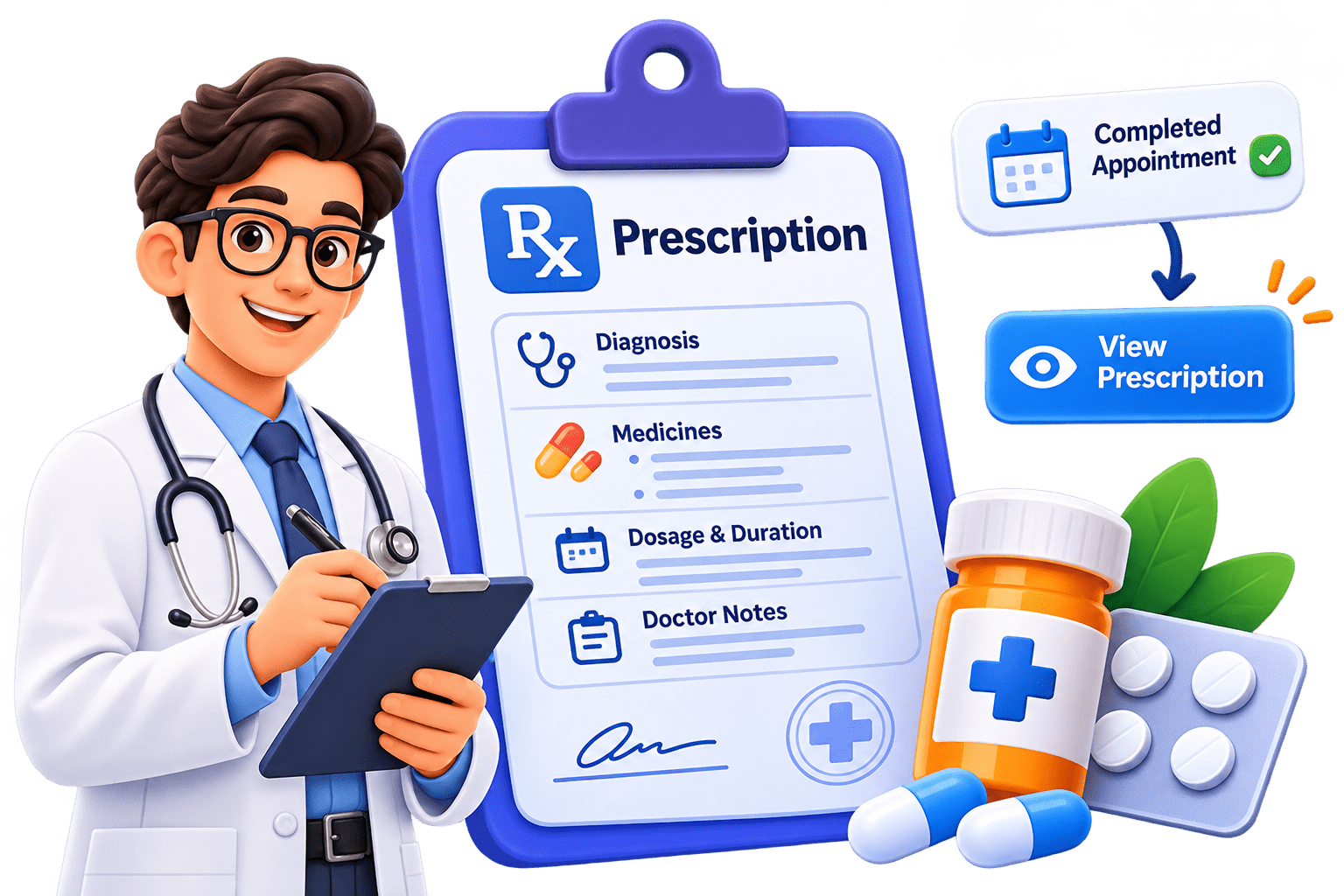
In this lab, you will enhance the Medicare application by implementing the Prescription Management feature, allowing doctors to create prescriptions for completed appointments and patients to view their prescriptions.

Pre-Lab Preparation
Module:
1) React Basics & Backend Integration (Spring Boot)
Phase 12I — Prescription UI
DOCTOR
Schedule
   ↓
COMPLETED Appointment
   ↓
- Now we connect the Phase 11 prescription backend to React.
- The completed flow becomes:
Prescription
   ↓
Diagnosis
Medicines
Doctor Notes
   ↓
POST /api/prescriptions

PATIENT
My Appointments
   ↓
COMPLETED
   ↓
View Prescription
   ↓
GET /api/prescriptions/appointment/{id}
   ↓
Bootstrap Modal
Create prescriptionService.js
1
- Create:
src/services/prescriptionService.js
import api, { getAuthConfig } from "../api/api";

const createPrescription = async (prescriptionData) => {
        const response = await api.post("/prescriptions",
            prescriptionData,getAuthConfig());
        return response.data;
    };

const getPrescriptionByAppointment =
    async (appointmentId) => {
        const response = await api.get(
                `/prescriptions/appointment/${appointmentId}`,
                getAuthConfig()
);
return response.data;
};
const prescriptionService = {
createPrescription,
getPrescriptionByAppointment
};
export default prescriptionService;- Only two methods are required right now.
Update Doctor Appointment Card
2
- Open : src/components/appointment/DoctorAppointmentCard.jsx
- Add:
import {Link} from "react-router";- Replace the disabled prescription button:
<button className="btn btn-primary w-100" disabled>
    Add Prescription — Coming Soon
</button>- with:
<Link to={`/doctor/appointments/${appointment.id}/prescription`}
    className="btn btn-primary w-100">
    Prescription
</Link>- Keep it inside:
{
    appointment.appointmentStatus === "COMPLETED"
    && (
<Link to={`/doctor/appointments/${appointment.id}/prescription`}
className="btn btn-primary w-100">
Prescription
</Link>
)
}- So only completed appointments get access to prescription functionality.
Create Doctor Prescription Page
3
- Create:
src/pages/doctor/DoctorPrescription.jsximport { useEffect, useState } from "react";
import { Link, useParams } from "react-router";
import prescriptionService from "../../services/prescriptionService";const emptyMedicine = {
medicineName: "",
dosage: "",
frequency: "",
duration: "",
};
function DoctorPrescription() {
const { appointmentId } = useParams();
const [diagnosis, setDiagnosis] = useState("");
const [doctorNotes, setDoctorNotes] = useState("");
const [medicines, setMedicines] = useState([{ ...emptyMedicine }]);
const [existingPrescription, setExistingPrescription] = useState(null);
const [checking, setChecking] = useState(true);
const [saving, setSaving] = useState(false);
const [error, setError] = useState("");
const [success, setSuccess] = useState("");
useEffect(() => {
checkExistingPrescription();
}, [appointmentId]);
const checkExistingPrescription = async () => {
try {
setChecking(true);
setError("");
const prescription =
await prescriptionService.getPrescriptionByAppointment(appointmentId); setExistingPrescription(prescription);
} catch (error) {
/*
* 404 simply means the doctor
* has not created one yet.
*/
if (error.response?.status === 404) {
setExistingPrescription(null);
return;
}
setError(error.response?.data?.message || "Unable to check prescription");
} finally {
setChecking(false);
}
};
const handleMedicineChange = (index, event) => {
const { name, value } = event.target;
setMedicines((previousMedicines) => {
const updatedMedicines = [...previousMedicines];
updatedMedicines[index] = {
...updatedMedicines[index],
[name]: value,
}; return updatedMedicines;
});
};
const addMedicine = () => {
setMedicines((previousMedicines) => [
...previousMedicines,
{ ...emptyMedicine },
]);
};
const removeMedicine = (index) => {
if (medicines.length === 1) {
return;
}
setMedicines((previousMedicines) =>
previousMedicines.filter(
(medicine, medicineIndex) => medicineIndex !== index,
),
);
};
const handleSubmit = async (event) => {
event.preventDefault();
setError("");
setSuccess(""); const prescriptionData = {
appointmentId: Number(appointmentId),
diagnosis: diagnosis.trim(),
doctorNotes: doctorNotes.trim(),
medicines,
};
try {
setSaving(true);
const response =
await prescriptionService.createPrescription(prescriptionData);
setExistingPrescription(response);
setSuccess("Prescription saved successfully.");
} catch (error) {
setError(error.response?.data?.message || "Unable to save prescription");
} finally {
setSaving(false);
}
};
if (checking) {
return (
<div className="container py-5 text-center">
<div className="spinner-border text-primary"></div>
<p className="text-secondary mt-3">Loading prescription...</p>
</div>
);
} return (
<div className="container py-5">
<div className="row justify-content-center">
<div className="col-lg-9">
<div className="mb-4">
<h2>Prescription</h2>
<p className="text-secondary">
Appointment ID: <strong>{appointmentId}</strong>
</p>
</div>
{success && <div className="alert alert-success">{success}</div>}
{error && <div className="alert alert-danger">{error}</div>}
{existingPrescription ? (
<ExistingPrescription prescription={existingPrescription} />
) : (
<form onSubmit={handleSubmit}>
<div className="card shadow-sm mb-4">
<div className="card-body p-4">
<h5 className="mb-3">Diagnosis</h5>
<textarea
className="form-control"
rows="4"
value={diagnosis}
onChange={(event) => setDiagnosis(event.target.value)}
required ></textarea>
</div>
</div>
<div className="card shadow-sm mb-4">
<div className="card-body p-4">
<div
className=" d-flex justify-content-between
align-items-center mb-4">
<h5 className="mb-0">Medicines</h5>
<button
type="button"
className="btn btn-outline-primary btn-sm"
onClick={addMedicine} >
+ Add Medicine
</button>
</div>
{medicines.map((medicine, index) => (
<div key={index} className="border rounded p-3 mb-3">
<div
className=" d-flex justify-content-between mb-3">
<strong>Medicine {index + 1}</strong>
{medicines.length > 1 && (
<button
type="button"
className="btn btn-outline-danger btn-sm"
onClick={() => removeMedicine(index)}> Remove
</button>
)}
</div>
<div className="row g-3">
<div className="col-md-6">
<label className="form-label">Medicine Name</label>
<input
type="text"
name="medicineName"
className="form-control"
value={medicine.medicineName}
onChange={(event) =>
handleMedicineChange(index, event)
}
required
/>
</div>
<div className="col-md-6">
<label className="form-label">Dosage</label>
<input
type="text"
name="dosage"
className="form-control"
placeholder="Example: 500 mg"
value={medicine.dosage} onChange={(event) =>
handleMedicineChange(index, event)
}
required
/>
</div>
<div className="col-md-6">
<label className="form-label">Frequency</label>
<input
type="text"
name="frequency"
className="form-control"
placeholder="Example: Twice daily"
value={medicine.frequency}
onChange={(event) =>
handleMedicineChange(index, event)
}
required
/>
</div>
<div className="col-md-6">
<label className="form-label">Duration</label>
<input
type="text"
name="duration"
className="form-control" placeholder="Example: 5 days"
value={medicine.duration}
onChange={(event) =>
handleMedicineChange(index, event)
}
required
/>
</div>
</div>
</div>
))}
</div>
</div>
<div className="card shadow-sm mb-4">
<div className="card-body p-4">
<h5 className="mb-3">Doctor Notes</h5>
<textarea
className="form-control"
rows="4"
value={doctorNotes}
onChange={(event) => setDoctorNotes(event.target.value)}
placeholder="Additional advice..."
></textarea>
</div>
</div>
<div className="d-flex gap-2">
<Link to="/doctor/schedule" className="btn btn-outline-secondary"
>
Back
</Link>
<button
type="submit"
className="btn btn-primary flex-grow-1"
disabled={saving}
>
{saving ? "Saving Prescription..." : "Save Prescription"}
</button>
</div>
</form>
)}
</div>
</div>
</div>
);
}
function ExistingPrescription({ prescription }) {
return (
<div className="card shadow-sm">
<div className="card-body p-4">
<div className="alert alert-info">
A prescription already exists for this appointment.
</div>
<h5>Patient</h5> <p>{prescription.patientName}</p>
<h5>Diagnosis</h5>
<p>{prescription.diagnosis}</p>
<h5 className="mt-4">Medicines</h5>
<div className="table-responsive">
<table className="table table-bordered">
<thead>
<tr>
<th>Medicine</th>
<th>Dosage</th>
<th>Frequency</th>
<th>Duration</th>
</tr>
</thead>
<tbody>
{prescription.medicines.map((medicine, index) => (
<tr key={index}>
<td>{medicine.medicineName}</td>
<td>{medicine.dosage}</td>
<td>{medicine.frequency}</td>
<td>{medicine.duration}</td>
</tr>
))}
</tbody>
</table> </div>
{prescription.doctorNotes && (
<>
<h5 className="mt-4">Doctor Notes</h5>
<p>{prescription.doctorNotes}</p>
</>
)}
<Link to="/doctor/schedule" className="btn btn-outline-primary mt-3">
Back to Schedule
</Link>
</div>
</div>
);
}
export default DoctorPrescription;
- You can download the above code file by clicking the link below.
Why Check Existing Prescription First?
- Our backend already enforces:
One Appointment
      ↓
Maximum One Prescription
- So when the page opens:
GET /prescriptions/appointment/{id}- If prescription exists:
200 --> Display it
- If not:
404
 ↓
Show Create Prescription form
- That prevents the doctor from repeatedly seeing a creation form for an already-prescribed appointment.
- The backend still protects duplicates with 409 CONFLICT.
Dynamic Medicine State
4
- We start with:
const [medicines, setMedicines] = useState([
{
medicineName: "",
dosage: "",
frequency: "",
duration: ""
}
]);- The doctor can then click:
+ Add Medicine
- and get:
Medicine 1
Medicine 2
Medicine 3
...
- This is exactly the kind of case where an array inside useState makes sense.
Payload Sent to Backend
5
- Suppose the doctor enters:
Diagnosis:
Viral fever
Paracetamol
500 mg
Twice daily
5 days
ORS
1 sachet
Twice daily
3 days
- React sends:
{
    "appointmentId": 8,
    "diagnosis": "Viral fever",
    "doctorNotes": "Drink plenty of fluids",
    "medicines": [
        {
            "medicineName": "Paracetamol",
            "dosage": "500 mg",
            "frequency": "Twice daily",
            "duration": "5 days"
        },
        {
            "medicineName": "ORS",
            "dosage": "1 sachet",
            "frequency": "Twice daily",
"duration": "3 days" } ] }
Add Doctor Prescription Route
6
- Open : src/routes/router.jsx
- Add:
- Then add:
{
    path: "doctor/appointments/:appointmentId/prescription",
    element: (
        <ProtectedRoute allowedRoles={["DOCTOR"]}>
            <DoctorPrescription />
        </ProtectedRoute>
)
},- Now:
Doctor Schedule
      ↓
Appointment 8
      ↓
/doctor/appointments/8/prescription
Test Doctor Prescription
7
- Doctor logs in.
- Go to: /doctor/schedule Find a:COMPLETE appointment.
- Click: Prescription
- Frontend sends:
POST /api/prescriptions
Authorization: Bearer <doctor-token>
- If there is no prescription: Create form appears Fill it and click: Save Prescription
- Expected: 201 CREATED
Test Invalid Cases
8
- Appointment isn't completed
- Backend: 400 BAD REQUEST
- with:
Prescription can only be created for a appointment
-
Wrong doctor ---- 403 FORBIDDEN
-
Duplicate prescription --- 409 CONFLICT
- So we continue relying on backend business rules.
Patient Side — View Prescription
- Now let's complete the other half.
- Create Folder :
src/components/prescription/
Test Invalid Cases
9
- Create :
PrescriptionModal.jsx
function PrescriptionModal({ show, prescription, loading, error, onClose }) {
  if (!show) {
    return null;
  }

  return (
    <>
      <div className="modal fade show d-block" tabIndex="-1" role="dialog">
        <div
          className="modal-dialog modal-lg modal-dialog-centered
           modal-dialog-scrollable">
          <div className="modal-content">
            <div className="modal-header">
              <h5 className="modal-title">Prescription</h5>

              <button
                type="button"
                className="btn-close"
                onClick={onClose}
></button>
</div>
<div className="modal-body">
{loading && (
<div className="text-center py-5">
<div className="spinner-border text-primary" > </div>
<p className="text-secondary mt-3">Loading prescription...</p>
</div>
)}
{!loading && error && (
<div className="alert alert-danger">{error}</div>
)}
{!loading && !error && prescription && (
<>
<div className="mb-4">
<small className="text-secondary">Doctor</small>
<h5>{prescription.doctorName}</h5>
</div>
<div className="mb-4">
<small className="text-secondary">Diagnosis</small>
<p className="mb-0">{prescription.diagnosis}</p>
</div>
                  <h6>Medicines</h6>

                  <div className="table-responsive">
                    <table className="table table-bordered">
                      <thead>
                        <tr>
                          <th>Medicine</th>
                          <th>Dosage</th>
                          <th>Frequency</th>
                          <th>Duration</th>
                        </tr>
                      </thead>

                      <tbody>
                        {prescription.medicines.map((medicine, index) => (
                          <tr key={index}>
                            <td>{medicine.medicineName}</td>

                            <td>{medicine.dosage}</td>

                            <td>{medicine.frequency}</td>

                            <td>{medicine.duration}</td>
                          </tr>
                        ))}
                      </tbody>
                    </table>
                  </div>
{prescription.doctorNotes && (
<div className="mt-4">
<small className="text-secondary">Doctor Notes</small>
<p>{prescription.doctorNotes}</p>
</div>
)}
</>
)}
</div>
<div className="modal-footer">
<button
type="button"
className="btn btn-secondary"
onClick={onClose}>
Close
</button>
</div>
</div>
</div>
</div>
<div className="modal-backdrop fade show"></div>
</>
);
}
export default PrescriptionModal;- Open : src/components/appointment/AppointmentCard.jsx
Update AppointmentCard
10
- Add another prop:
function AppointmentCard({
    appointment,
    onCancel,
    cancellingId,
    onViewPrescription
}) {- Find the completed appointment section:
<button className="btn btn-outline-primary w-100" disabled>
    View Prescription — Coming Soon
</button>- Add another prop:
<button className="btn btn-outline-primary w-100"
    onClick={
        () =>
            onViewPrescription(
                appointment.id
            )
    }>
    View Prescription
</button>- Now completed appointments have a real working button.
- Add imports :
Update MyAppointments.jsx
11
import prescriptionService
    from "../../services/prescriptionService";

import PrescriptionModal
    from "../../components/prescription/PrescriptionModal";
- Inside the component add:
const [showPrescription,setShowPrescription] = useState(false);

const [prescription,setPrescription] = useState(null);

const [prescriptionLoading,setPrescriptionLoading] = useState(false);

const [prescriptionError,setPrescriptionError] = useState("");- Add:
const handleViewPrescription =
    async (appointmentId) => {
        setShowPrescription(true);
setPrescription(null);
setPrescriptionError("");
setPrescriptionLoading(true);
try {
const data = await prescriptionService
.getPrescriptionByAppointment(
appointmentId
);
setPrescription(data);
} catch (error) {
if (error.response?.status === 404) {
setPrescriptionError("Prescription is not available yet.");
} else {
setPrescriptionError(error.response?.data?.message||
"Unable to load prescription"
);
}
} finally {
setPrescriptionLoading(false);
}
};- Add close function:
const closePrescription = () => {
    setShowPrescription(false);
    setPrescription(null);
    setPrescriptionError("");
};- Change:
Pass Function to AppointmentCard
12
<AppointmentCard appointment={appointment}
    onCancel={ handleCancel }
cancellingId={cancellingId} />- to :
<AppointmentCard
    appointment={appointment}
    onCancel={handleCancel}
    cancellingId={cancellingId}
    onViewPrescription={handleViewPrescription}
/>- Near the end of the returned JSX, before the final container closing tag or immediately after your appointment grid, add:
Add Modal to MyAppointments
13
<PrescriptionModal
    show={ showPrescription }
    prescription={ prescription }
    loading={ prescriptionLoading }
    error={ prescriptionError }
onClose={ closePrescription }
/>- Now:
COMPLETED appointment
        ↓
View Prescription
        ↓
GET prescription
        ↓
Modal opens
- Login as the patient who owns the completed appointment.
Patient Testing
14
- Go to : /patient/appointments
- React sends:
GET /api/prescriptions/appointment/8
Authorization: Bearer <patient-token>
- Expected: 200 OK
- Modal displays:
Prescription

Doctor
Dr. Ananya

Diagnosis
Viral fever
Medicines
----------------------------------------
Medicine   Dosage   Frequency   Duration
----------------------------------------
Paracetamol 500mg   Twice daily 5 days
ORS         1 sachet Twice daily 3 days

Doctor Notes
Drink plenty of fluids
- Suppose: Appointment = COMPLETED but doctor hasn't written a prescription.
Prescription Not Added Yet
15
- Patient clicks: View Prescription Backend: 404
- Modal displays:
Prescription is not available yet.
- Your patient dashboard currently has:
Update Patient Dashboard Prescription Card
16
Prescriptions
Coming Soon
- Since prescriptions are viewed through My Appointments, change the button to:
<Link to="/patient/appointments" className="btn btn-outline-primary">
    View Prescriptions
</Link>- Doctor prescriptions are tied to completed appointments.
Update Doctor Dashboard Prescription Card
17
Prescriptions
Coming Soon
- change it to:
<Link to="/doctor/schedule" className="btn btn-outline-primary">
    Manage Prescriptions
</Link>- So instead of keeping:
Schedule
   ↓
Completed Appointment
   ↓
Prescription
- Doctor follows:
- Which is much cleaner than creating a separate arbitrary prescription list.
We are done with this lab. The latest source code has been uploaded to GitHub. You can access the latest commit using the link below:
Great job!
You have successfully implemented the Prescription Management feature in the Medicare application.
Checkpoint

Git Push
git push origin branchNameNext-Lab Preparation
Module:
1) React Basics & Backend Integration (Spring Boot)