Medicare Frontend Cleanup & Final Integration

Business Scenario
In this lab, you will perform the final cleanup and integration of the Medicare React frontend by ensuring that all the features implemented in the previous phases work together correctly.

Pre-Lab Preparation
Module:
1) React Basics & Backend Integration (Spring Boot)
Phase 12J — Final Frontend Wiring
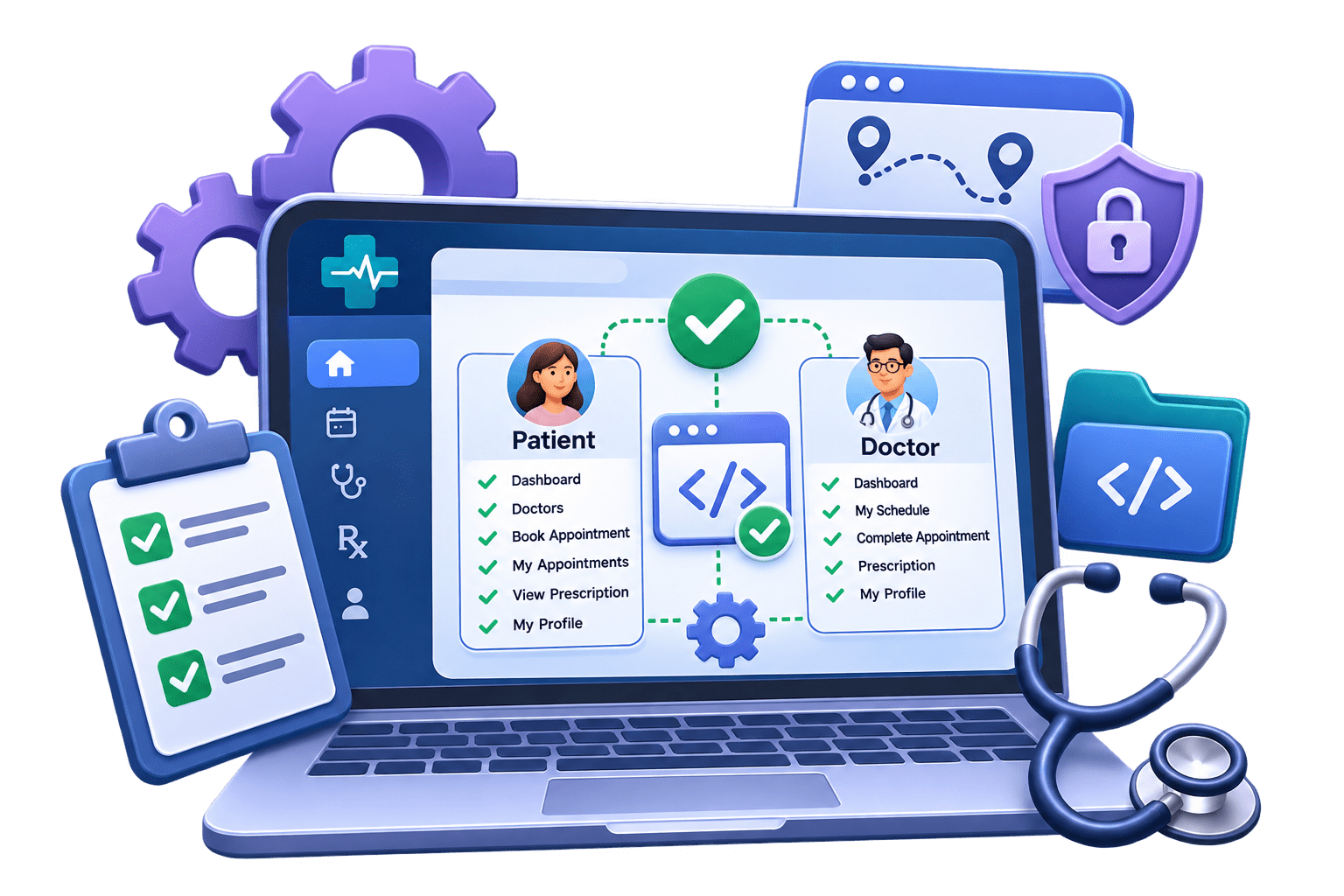
PATIENT
├── Dashboard
├── Doctors
├── Book Appointment
├── My Appointments
├── View Prescription
└── My Profile
- After this phase, these should all work:
DOCTOR
├── Dashboard
├── My Schedule
├── Complete Appointment
├── Prescription
└── My Profile
Final router.jsx
1
- Replace : src/routes/router.jsx with:
import { createBrowserRouter } from "react-router";
import MainLayout from "../components/layout/MainLayout";
import ProtectedRoute from "./ProtectedRoute";

// COMMON PAGES
import Home from "../pages/common/Home";
import Unauthorized from "../pages/common/Unauthorized";
import NotFound from "../pages/common/NotFound";
// AUTH PAGES
import Login from "../pages/auth/Login";
import Register from "../pages/auth/Register";
// PATIENT PAGES
import PatientDashboard from "../pages/patient/PatientDashboard";
import Doctors from "../pages/patient/Doctors";
import BookAppointment from "../pages/patient/BookAppointment";
import MyAppointments from "../pages/patient/MyAppointments";
import MyProfile from "../pages/patient/MyProfile";
// DOCTOR PAGES
import DoctorDashboard from "../pages/doctor/DoctorDashboard";
import DoctorSchedule from "../pages/doctor/DoctorSchedule";
import DoctorProfile from "../pages/doctor/DoctorProfile";
import DoctorPrescription from "../pages/doctor/DoctorPrescription";
const router = createBrowserRouter([
{
path: "/",
element: <MainLayout />,
children: [
// -----------------------------------
// PUBLIC ROUTES
// ----------------------------------- {
index: true,
element: <Home />,
},
{
path: "login",
element: <Login />,
},
{
path: "register",
element: <Register />,
},
// -----------------------------------
// PATIENT ROUTES
// -----------------------------------
{
path: "patient/dashboard",
element: (
<ProtectedRoute allowedRoles={["PATIENT"]}>
<PatientDashboard />
</ProtectedRoute>
),
},
{
path: "patient/doctors",
element: (
<ProtectedRoute allowedRoles={["PATIENT"]}>
<Doctors />
</ProtectedRoute> ),
},
{
path: "patient/doctors/:doctorId/book",
element: (
<ProtectedRoute allowedRoles={["PATIENT"]}>
<BookAppointment />
</ProtectedRoute>
),
},
{
path: "patient/appointments",
element: (
<ProtectedRoute allowedRoles={["PATIENT"]}>
<MyAppointments />
</ProtectedRoute>
),
},
{
path: "patient/profile",
element: (
<ProtectedRoute allowedRoles={["PATIENT"]}>
<MyProfile />
</ProtectedRoute>
),
},
// -----------------------------------
// DOCTOR ROUTES
// ----------------------------------- {
path: "doctor/dashboard",
element: (
<ProtectedRoute allowedRoles={["DOCTOR"]}>
<DoctorDashboard />
</ProtectedRoute>
),
},
{
path: "doctor/schedule",
element: (
<ProtectedRoute allowedRoles={["DOCTOR"]}>
<DoctorSchedule />
</ProtectedRoute>
),
},
{
path: "doctor/profile",
element: (
<ProtectedRoute allowedRoles={["DOCTOR"]}>
<DoctorProfile />
</ProtectedRoute>
),
},
{
path: "doctor/appointments/:appointmentId/prescription",
element: (
<ProtectedRoute allowedRoles={["DOCTOR"]}>
<DoctorPrescription />
</ProtectedRoute> ),
},
// -----------------------------------
// COMMON ROUTES
// -----------------------------------
{
path: "unauthorized",
element: <Unauthorized />,
},
{
path: "*",
element: <NotFound />,
},
],
},
]);
export default router;Final ProtectedRoute.jsx
2
- Verify src/routes/ProtectedRoute.jsx is:
import { Navigate } from "react-router";
import { useAuth } from "../context/AuthContext";

function ProtectedRoute({ children, allowedRoles = [] }) {

  const { user, isAuthenticated } = useAuth();

  // User is not logged in
  if (!isAuthenticated) {
    return <Navigate to="/login" replace />;
  }

  // User is logged in,
  // but doesn't have required role
  if (allowedRoles.length > 0 && !allowedRoles.includes(user?.role)) {
    return <Navigate to="/unauthorized" replace />;
  }

  return children;
}

export default ProtectedRoute;- The important concept remains:
ProtectedRoute
     ↓
Frontend UX protection

Spring Security
     ↓
Actual security
- Never depend only on React for authorization.
Final ProtectedRoute.jsx
3
- Verify : src/components/layout/MainLayout.jsx contains:
import { Outlet } from "react-router";

import Navbar from "../navbar/Navbar";

function MainLayout() {
  return (
    <>
      <Navbar />

      <main>
        <Outlet />
      </main>
    </>
  );
}

export default MainLayout;- Outlet renders whichever child route currently matches. That is exactly what React Router documents it for.
Improve Navbar with active links
4
- Now let's polish the Navbar slightly.
import { Link, NavLink, useNavigate } from "react-router";
import { useAuth } from "../../context/AuthContext";


function Navbar() {
    const navigate = useNavigate();
    const { user, isAuthenticated, logout } = useAuth();

    const handleLogout = () => {
        logout();
        navigate("/login");
    };

    const getNavClass = ({ isActive }) => {
        return isActive ? "nav-link active fw-semibold" : "nav-link";
    };

    return (
        <nav className="navbar navbar-expand-lg bg-white border-bottom shadow-sm">
            <div className="container">

{/* BRAND */}- Replace: src/components/navbar/Navbar.jsx with:
                <Link className="navbar-brand fw-bold text-primary" to="/">
                    Medicare
                </Link>

                {/* MOBILE BUTTON */}
                <button
                    className="navbar-toggler"
                    type="button"
                    data-bs-toggle="collapse"
                    data-bs-target="#mainNavbar"
                >
                    <span className="navbar-toggler-icon"></span>
                </button>

                <div className="collapse navbar-collapse" id="mainNavbar">
                    <ul className="navbar-nav ms-auto align-items-lg-center">

                        {/* LOGGED OUT */}
                        {!isAuthenticated && (
                            <>
                                <li className="nav-item">
                                    <NavLink className={getNavClass} to="/login">
                                        Login
                                    </NavLink>
                                </li>

                                <li className="nav-item">
                                    <Link className="btn btn-primary ms-lg-2"
                                     to="/register"> Register
                                    </Link>
</li>
</>
)}
{/* PATIENT */}
{isAuthenticated && user?.role === "PATIENT" && (
<>
<li className="nav-item">
<NavLink className={getNavClass}
to="/patient/dashboard"> Dashboard
</NavLink>
</li>
<li className="nav-item">
<NavLink className={getNavClass}
to="/patient/doctors"> Doctors
</NavLink>
</li>
<li className="nav-item">
<NavLink className={getNavClass}
to="/patient/appointments"> My Appointments
</NavLink>
</li>
<li className="nav-item">
<NavLink className={getNavClass}
to="/patient/profile"> My Profile
</NavLink>
</li> </>
)}
{/* DOCTOR */}
{isAuthenticated && user?.role === "DOCTOR" && (
<>
<li className="nav-item">
<NavLink className={getNavClass}
to="/doctor/dashboard"> Dashboard
</NavLink>
</li>
<li className="nav-item">
<NavLink className={getNavClass}
to="/doctor/schedule"> My Schedule
</NavLink>
</li>
<li className="nav-item">
<NavLink className={getNavClass}
to="/doctor/profile"> My Profile
</NavLink>
</li>
</>
)}
{/* LOGOUT */}
{isAuthenticated && (
<li className="nav-item ms-lg-3">
<button type="button" className="btn btn-outline-danger"
onClick={handleLogout} >
Logout
</button>
</li>
)}
</ul>
</div>
</div>
</nav>
);
}
export default Navbar;- NavLink is useful here because it provides active-route information, letting us visually highlight the current page. It remains supported in current React Router data-router mode.
Final Home.jsx
5
- Let's also clean the homepage so logged-in users don't unnecessarily see only Login/Register buttons.
import { Link } from "react-router";
import { useAuth } from "../../context/AuthContext";


function Home() {
    const { user, isAuthenticated } = useAuth();

    const getDashboardPath = () => {
        if (user?.role === "PATIENT") {
            return "/patient/dashboard";
        }

        if (user?.role === "DOCTOR") {
            return "/doctor/dashboard";
        }

        return "/";
    };

    return (
        <div className="container py-5">
<div className="row justify-content-center text-center py-5">- Replace: src/pages/common/Home.jsx with:
                <div className="col-lg-8">

                    <h1 className="display-5 fw-bold text-primary mb-3">
                        Medicare Healthcare
                    </h1>

                    <p className="lead text-secondary mb-4">
                        Find doctors, manage appointments and access
                        your prescriptions from one place.
                    </p>

                    {isAuthenticated ? (
                        <>
                            <p className="mb-3">
                                Welcome back, <strong>{user?.name}</strong>
                            </p>

                            <Link to={getDashboardPath()}
                            className="btn btn-primary btn-lg"> Go to Dashboard
                            </Link>
                        </>
                    ) : (
                        <div className="d-flex justify-content-center gap-3">
                            <Link to="/login" className="btn btn-primary btn-lg">
                                Login
                            </Link>

                            <Link to="/register"
                               className="btn btn-outline-primary btn-lg">
                                Register
</Link>
</div>
)}
</div>
</div>
</div>
);
}
export default Home;Verify main.jsx
6
- You probably already have this correct. It should be:
import React from "react";
import ReactDOM from "react-dom/client";
import { RouterProvider } from "react-router/dom";
import "bootstrap/dist/css/bootstrap.min.css";
import "bootstrap/dist/js/bootstrap.bundle.min.js";
import "./index.css";
import router from "./routes/router";
import { AuthProvider } from "./context/AuthContext";

ReactDOM.createRoot(document.getElementById("root")).render(
    <React.StrictMode>
        <AuthProvider>
            <RouterProvider router={router} />
        </AuthProvider>
    </React.StrictMode>
);
Final Patient Route Test
7
- Login as: PATIENT
- You should now be able to move through:
Login
 ↓
Patient Dashboard
 ↓
Doctors
 ↓
Search / Filter
 ↓
Book Appointment
 ↓
My Appointments
 ↓
Cancel Appointment

or

COMPLETED
 ↓
View Prescription and My Profile
- Try manually opening: /doctor/dashboar Expected : /unauthorized
Final Doctor Route Test
8
- Login as: DOCTOR Test:
Doctor Dashboard
       ↓
My Schedule
       ↓
Patient Appointment
       ↓
Mark Completed
       ↓
Prescription
       ↓
Diagnosis Medicines Notes
       ↓
Save Prescription
- Also:
Doctor Dashboard
       ↓
My Profile
       ↓
Create / Update Profile
- Try manually opening: /patient/dashboar Expected: /unauthorized
Final Auth Test
9
- Test logout:
Logged in
   ↓
Logout
   ↓
localStorage token removed
   ↓
localStorage user removed
   ↓
/login
- Then manually enter: /patient/dashboar or: /doctor/dashboard
- Expected: /login
We are done with this lab. The latest source code has been uploaded to GitHub. You can access the latest commit using the link below:
Great job!
You have successfully implemented the Prescription Management feature in the Medicare application.
Checkpoint

Git Push
git push origin branchNameNext-Lab Preparation
Module:
1) React Basics & Backend Integration (Spring Boot)