To Understand and Implement the Standard Digital Forensic Investigation Process

Business Scenario
Welcome!
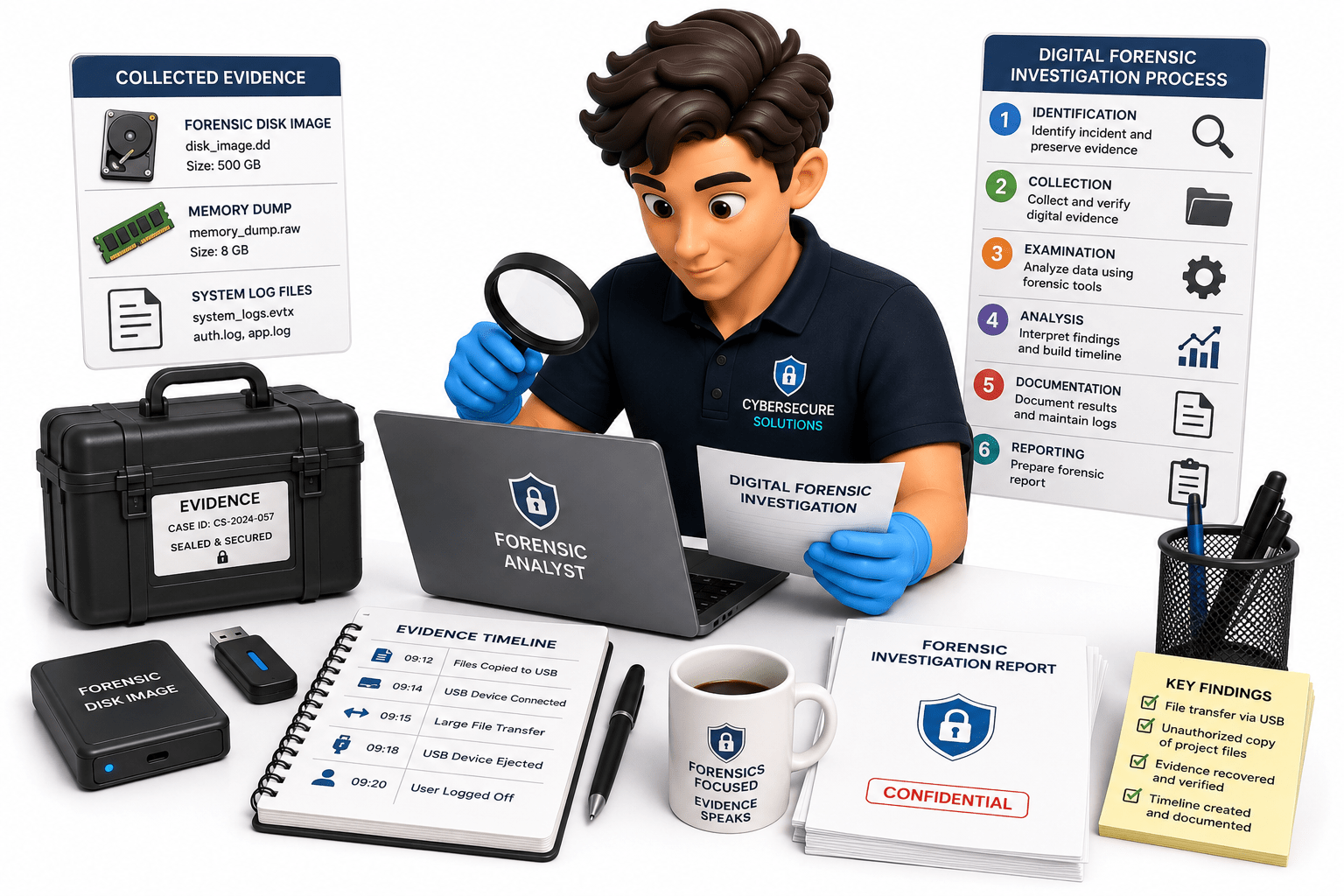
You are a Digital Forensics Investigator at CyberSecure Solutions. A company reports that confidential project files have been copied from an employee's computer without authorization. The incident response team has collected the required digital evidence, including a forensic disk image, memory dump, and system log files. Your task is to follow the standard digital forensic investigation process to examine the evidence,

Pre-Lab Preparation
document your findings, maintain an evidence timeline, and prepare a professional forensic investigation report for management and legal review.
Topic : Forensic Tools and Investigation Workflow
1) Adavance use of forensic tools
2) Basic forensic investigation workflow
Task 1: Review the Case Information
Understand the investigation requirements before starting the analysis.
Read the case scenario provided by the instructor
1
Identify:
2
Case Number
a
Incident Description
b
Task 2: Verify and Organize the Evidence
Ensure that all evidence is complete and ready for analysis.
Record the basic case details
3
Evidence Collected
c
Investigation Objectives
d
Expected Output :-
The case details are understood and documented.
Verify the forensic image using hash values (MD5/SHA1)
1
Confirm that the memory dump and log files are available
2
Organize all evidence into separate folders
3
Record the evidence IDs and descriptions
4
Task 3: Examine the Digital Evidence
Analyze the collected evidence using forensic tools
Expected Output :-
All evidence is verified, organized, and documented.
Open the forensic image using FTK Imager or Autopsy
1
Review:
2
Documents
a
Browser history
b
Deleted files
c
Email files
d
Log files
e
Task 4: Document the Findings
Record all important observations made during the investigation
Expected Output :-
Relevant digital evidence is identified and documented.
Create an investigation worksheet
1
Record:
2
File names
a
If a memory dump is provided, analyze it using Volatility
3
Record important findings
4
File locations
b
Metadata
c
Task 5: Create an Evidence Timeline
Reconstruct the sequence of events
Expected Output :-
Investigation findings are clearly documented.
Collect timestamps from:
1
Recovered files
d
Suspicious activities
e
Capture screenshots of important evidence
3
Save exported evidence in a secure folder
4
File metadata
a
Browser history
b
System logs
d
Memory analysis
e
Arrange the events in chronological order
2
Identify:
3
When the incident started
a
What actions occurred
b
When the incident ended
c
Create a timeline table.
4
Sample Timeline
| Date & Time | Activity | Evidence Source |
|---|---|---|
| 10:15 AM | User Login | Security Log |
| 10:30 AM | Confidential File Opened | File Metadata |
| 10:35 AM | USB Device Connected | System Log |
| 10:40 AM | File Copied | File System |
| 10:45 AM | User Logged Out | Security Log |
Expected Output :-
A complete evidence timeline is created.
Task 6: Prepare the Forensic Investigation Report
Create a professional investigation report
Prepare a report containing:
- Case Number
- Investigator Name
- Incident Description
- Evidence Collected
- Tools Used
- Investigation Process
- Findings
- Evidence Timeline
- Conclusion
- Recommendations
Prepare a report containing:
- Case Number
- Investigator Name
- Incident Description
- Evidence Collected
- Tools Used
- Investigation Process
- Findings
- Evidence Timeline
- Conclusion
- Recommendations
Expected Output :-
A complete forensic investigation report is prepared.
Task 7: Present the Investigation Results
Summarize the findings and explain the outcome.
Review the investigation report
1
Present:
2
Key evidence.
a
Timeline of events
b
Expected Output :-
The investigation findings are presented clearly and professionally.
Answer questions from the instructor
3
Final conclusion.
c
Great job!
You have successfully completed your lab on Digital Forensic Investigation and Reporting.
In this lab, you have: Followed the standard digital forensic investigation process, Examined forensic disk images, memory dumps, and system log files, Documented forensic findings, Maintained an evidence timeline, and Prepared a professional forensic investigation report for management and legal review.
You are now ready to move to the next stage of the digital forensic investigation.
Checkpoint