Selenium WebDriver Basics


WebElement Operations
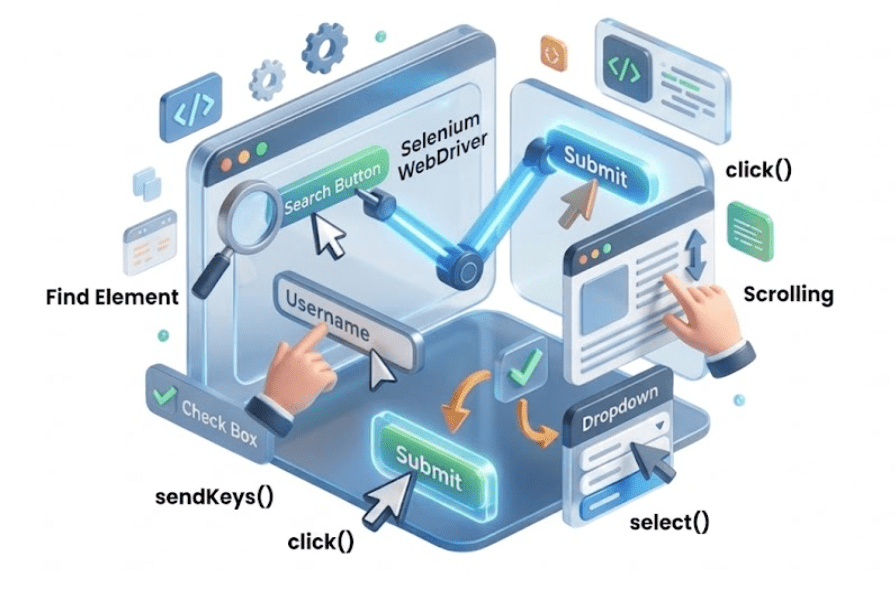

Learning Outcome
4
Retrieve text and attributes from elements.
3
Perform actions: click, type, clear, submit.
2
Locate elements using id, name, class, XPath, CSS.
1
Understand what WebElements are.
5
Check element states: displayed, enabled, selected.
Recall
Selenium WebDriver Basics
WebElements are representations of HTML elements on a web page.

In automation testing, we cannot interact with web elements manually. To automate actions, we must precisely locate each web element on the web page by using Selenium locators.
They allow us to identify and access elements so that automated scripts can perform actions like click, type, select, or read text reliably.
So that In Selenium WebDriver, all interactions with web elements are done through methods of the WebElement interface.

Scenario:
Performing Actions on Smart Home Devices
Imagine you have a smart home setup with devices like lights, thermostat, and security cameras.
Each device exists physically (like a WebElement on a web page) but does nothing on its own.
To control these devices, you use commands (methods) from your smartphone or voice assistant.


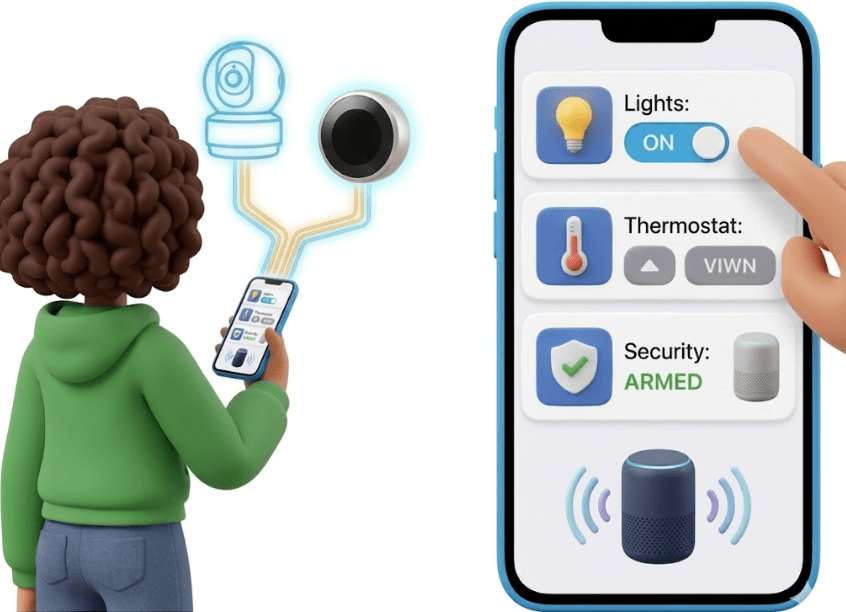

WebElement = Smart Home Devices
Selenium Methods are click() ,sendKeys(), clear(),getText() ,isDisplayed() / isEnabled()
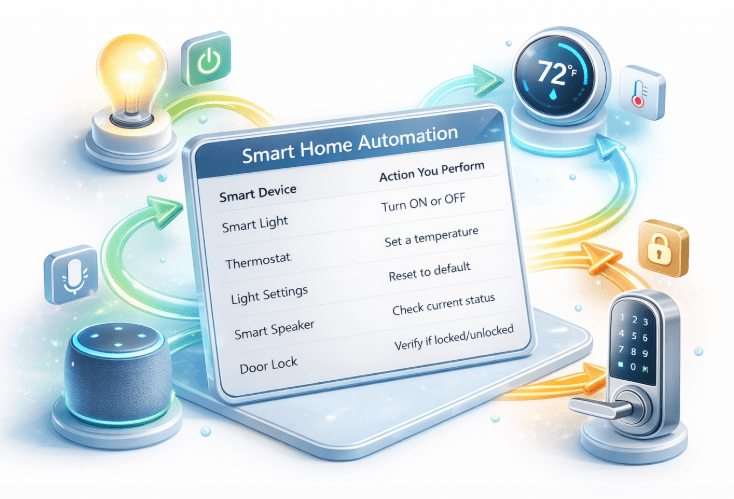
Selenium Methods

In Selenium WebDriver, WebElement methods are used to interact with web elements on a web page
You first locate the element and then perform an action using methods.
get()
method is used to open a web page in the browser
getTitle() Method
Get the title (text from the <title> tag) of the current page.
findElement()
Locate a web element using a specific locator strategy.
findElements()
Find all elements matching a specific locator on the page
sendKeys()
clear()
Types text into input fields or text areas
Clears the text from an input field
submit()
Submits a form element.
getText()
Retrieves visible text from an element
getAttribute(String attribute)
isDisplayed()
Gets the value of a specified attribute of an element.
Checks whether an element is visible on the page.
isEnabled()
Checks if an element is enabled and can be interacted with.
isSelected()
Checks if a checkbox, radio button, or option is selected
close()
quit()
Closes the current active browser window where the WebDriver is focused
Closes all browser windows opened by the WebDriver and ends the session.
In Selenium WebDriver, Navigation methods are used to control the browser’s navigation, like moving forward, backward,

refreshing the page, or opening a URL. These methods are part of the Navigation interface accessed via driver.navigate().
Selenium Navigation Methods


-
driver.navigate().to("URL")
Open a web page. Similar to driver.get().
2. driver.navigate().back()
Moves the browser back to the previous page in history.
-
Navigation methods are useful for multi-page testing.

3. driver.navigate().forward()
Moves the browser forward in history (after using back).
4. driver.navigate().refresh()
Refreshes or reloads the current page.
Key Points

-
They simulate browser buttons: Back, Forward, Refresh.
Summary
4
3
2
They allow automation scripts to interact with page elements
1
WebElements represent HTML elements on a web page in Selenium.
5
Check element states: displayed, enabled, selected.
Perform actions: click, type, clear, submit.
1
WebElements represent HTML elements on a web page in Selenium.
2
They allow automation scripts to interact with page elements.
3
Selenium provides methods to perform actions like click and type.
4
It also helps retrieve information from elements.
5
WebElements enable verification of element states for testing.
Quiz
Which method is used to enter text into an input field?
A.type()
B.write()
C.sendKeys()
D.inputText()

Quiz-Answer
Which method is used to enter text into an input field?
A.type()
B.write()
D.inputText()
C.sendKeys()
