Managing Configuration using Ansible Variables and Templates

Pre-Lab Preparation
-
Ansible is installed on the Control Node.
-
Managed Nodes are available.
-
Passwordless SSH is configured.
-
Inventory file is configured.
-
Nginx is installed on Managed Nodes.
-
Internet connectivity is available.

Task 1: Verify Connectivity
1
Navigate to the Ansible working directory.
cd ~/ansible-lab2
2
Verify connectivity with managed nodes
ansible all -i inventory -m pingTask 2: Create Variables File
1
Create a variables file.
vi vars.yml
Add the following variables
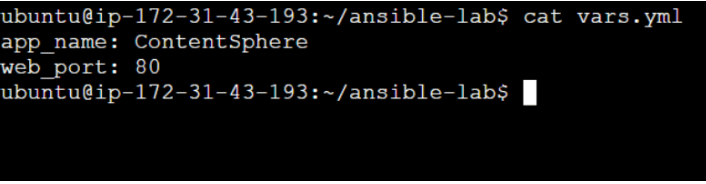
app_name: ContentSphere
web_port: 80
3
Verify the variables file
cat vars.yml
Task 3: Create Nginx Template
1
Create a template file.
vi nginx.conf.j2
2
Add the following content
server {
   listen {{ web_port }};

   location / {
       return 200 "Welcome to {{ app_name }}";
   }
}
3
Verify the template file
cat nginx.conf.j2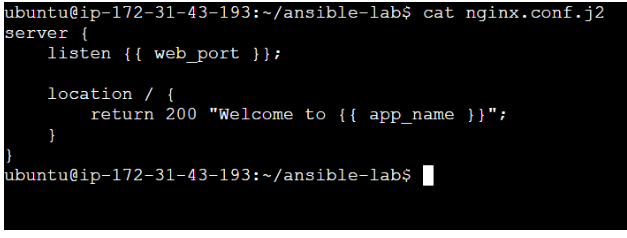
Task 4: Create Ansible Playbook
1
Create a playbook.
vi deploy-nginx.yml2
Add the following playbook.
- name: Configure Nginx using Variables and Templates
 hosts: all
 become: yes
vars_files:
- vars.yml
Task 5: Execute Playbook
1
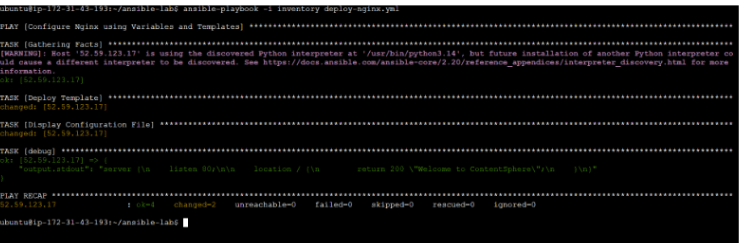
Run the playbook
ansible-playbook -i inventory deploy-nginx.yml
2
Verify successful execution.
Expected Output: PLAY RECAP
failed=0
Task 6: Verify Template Deployment
1
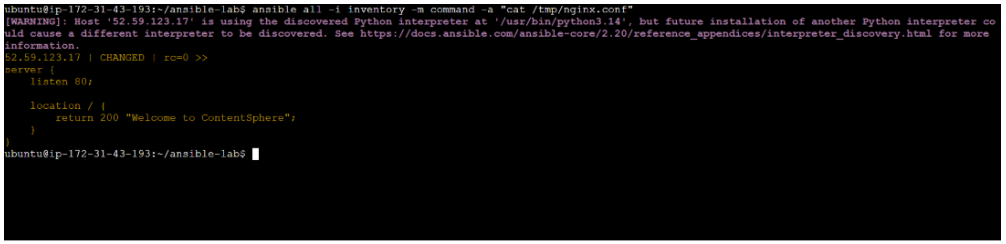
Verify generated configuration file
ansible all -i inventory -m command -a "cat /tmp/nginx.conf"
2
Expected Output
server {
   listen 80;

   location / {
       return 200 "Welcome to ContentSphere";
   }
}
Great job!
-
Created Variables.
-
Created a Jinja2 Template.
-
Used Variables inside Templates.
-
Deployed configuration files using Ansible.
-
Automated Nginx configuration management.
-
Verified dynamic configuration deployment across managed nodes.
Checkpoint