Automating Server Configuration using Ansible Playbooks

Business Scenario
Pre-Lab Preparation
- Ansible Control Node is installed and configured with an inventory file.
- Managed Nodes are available with passwordless SSH connectivity.
- AWS Security Group allows SSH (port 22) access to the managed nodes.

Task 1: Verify Inventory and Connectivity
1
1
2
Navigate to the Ansible working directory.
cd ~/ansible-lab
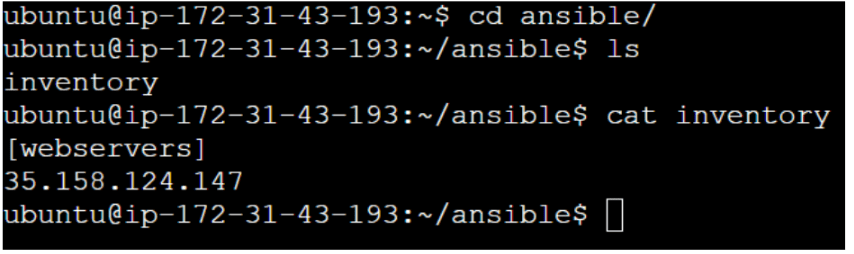
View the inventory file.
cat inventory
Expected Output:
[appservers]
<managed-node-ip-1>
<managed-node-ip-2>
3
Verify connectivity to all managed nodes.
ansible all -i inventory -m ping
Task 2: Create Ansible Playbook
2
1
Create a playbook file
vi install-nginx.yml
Add the following playbook.
- name: Install Nginx
hosts: web
become: yes
tasks:
- name: Wait for dpkg lock to be released
shell: while fuser /var/lib/dpkg/lock-frontend >/dev/null 2>&1; do sleep 5; done
- name: Install nginx
apt:
name: nginx
state: present
update_cache: yes
Save the file.
3
Verify the playbook contents.
cat install-nginx.yml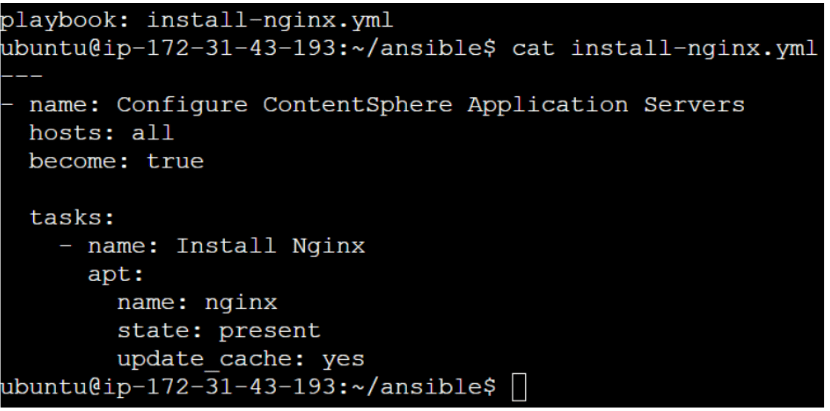
Task 3: Validate the Playbook
1
Perform syntax validation.
ansible-playbook install-nginx.yml --syntax-check
Expected Output:
playbook: install-nginx.yml

2
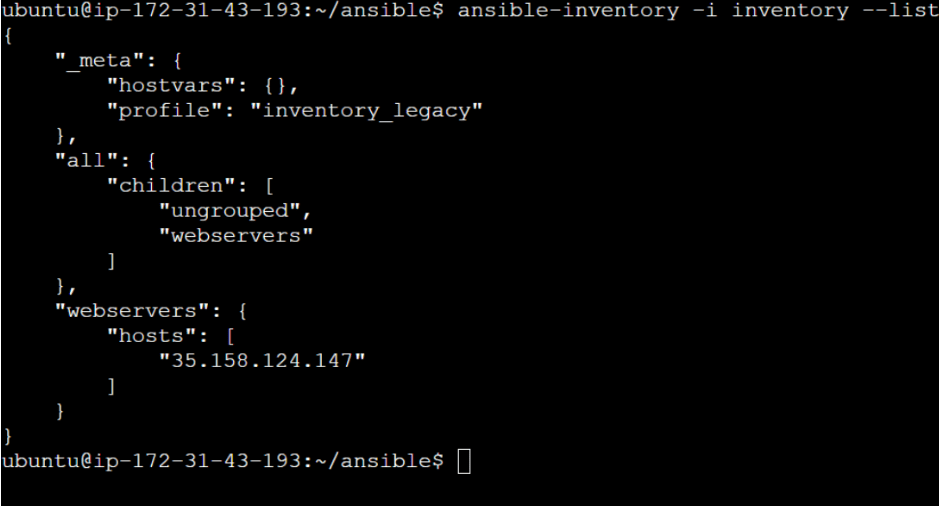
View the inventory hosts.
ansible-inventory -i inventory --list
Task 4: Execute the Playbook
1
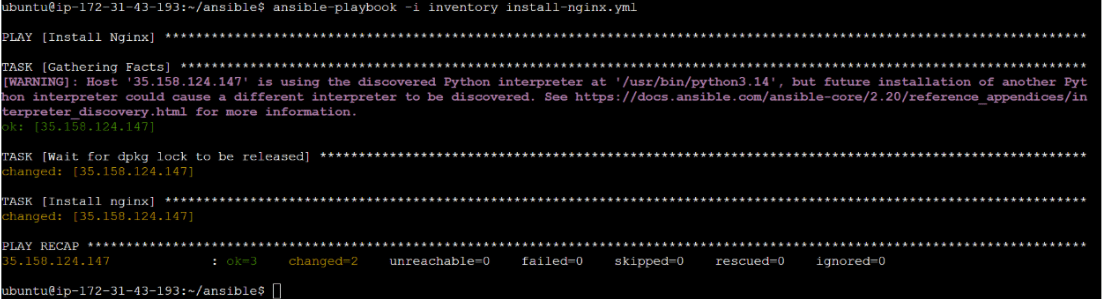
Run the playbook.
ansible-playbook -i inventory install-nginx.yml
2
Verify successful execution.
Expected Output:
PLAY RECAP
Example:
managed-node-ip
ok=2
changed=2
failed=0
Task 5: Verify Configuration on Managed Nodes
1
Verify Nginx installation
ansible all -i inventory -m command -a "nginx -v"Expected Output: nginx version

Great job!
-
Created an Ansible Playbook.
-
Automated Nginx installation.
-
Managed service configuration.
-
Executed Playbooks across multiple servers.
-
Verified server configurations.
-
Validated Playbook syntax.
-
Observed Ansible's idempotent behavior.
Checkpoint
Next-Lab Preparation
-
Introduction to Ansible Roles
-
Role Reusability and Best Practices
-
Variables in Ansible
-
Ansible on AWS Cloud
-
Configuring Ansible for AWS
-
Provisioning AWS Resources using Ansible