Website Technical SEO

Business Scenario
After optimizing the website content, the next step is ensuring that search engines can efficiently crawl, index, and access the website. Technical SEO focuses on improving website performance, usability, and search engine accessibility. In this activity, you will implement essential Technical SEO practices for the Spice Garden website.

Pre-Lab Preparation
Topic : Technical SEO
Task 1: Apply Technical SEO strategies on Spice Garden website
Objective:
To optimize the technical aspects of the Spice Garden website for better search engine visibility and user experience.
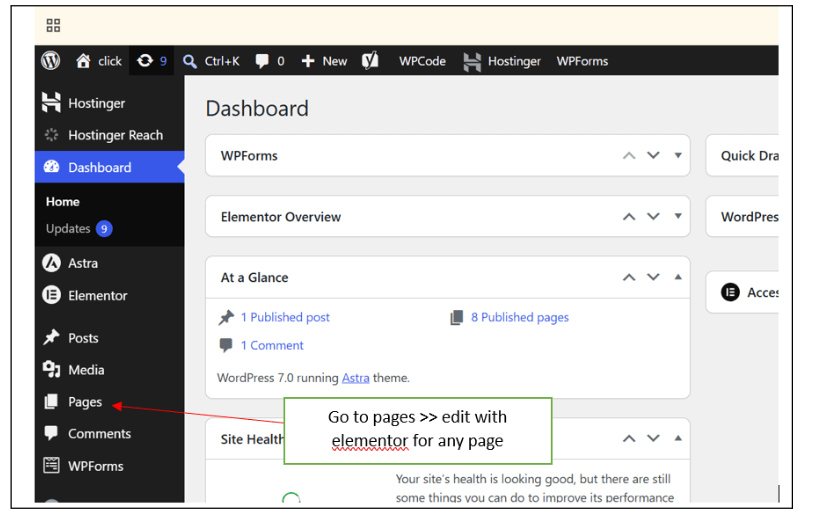
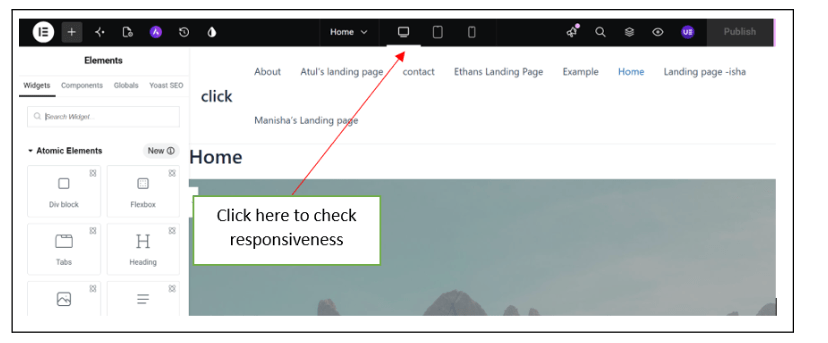
Check Website Mobile Friendliness
1
Open the Spice Garden website on:
-
Desktop
-
Tablet
-
Mobile Device
Verify:
-
Responsive Design
-
Proper Text Alignment
-
Mobile Navigation Menu
-
Button Accessibility
Record any issues found.
Improve Website Speed
2
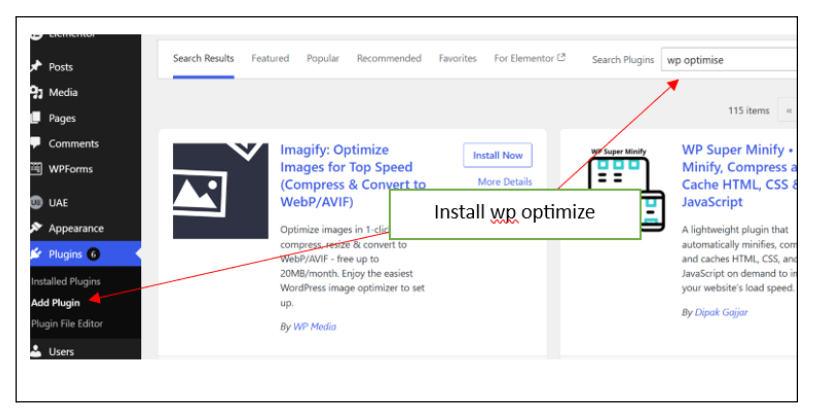
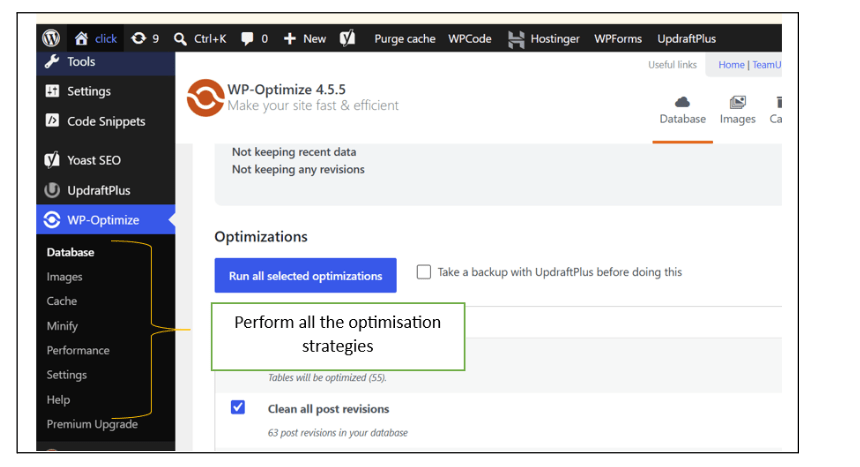
Install and configure a performance plugin.
Recommended Plugins:
-
LiteSpeed Cache
-
WP Rocket
-
W3 Total Cache
Perform the following:
-
Enable Page Caching
-
Minify CSS
-
Minify JavaScript
-
Optimize Loading Speed
Save the settings.
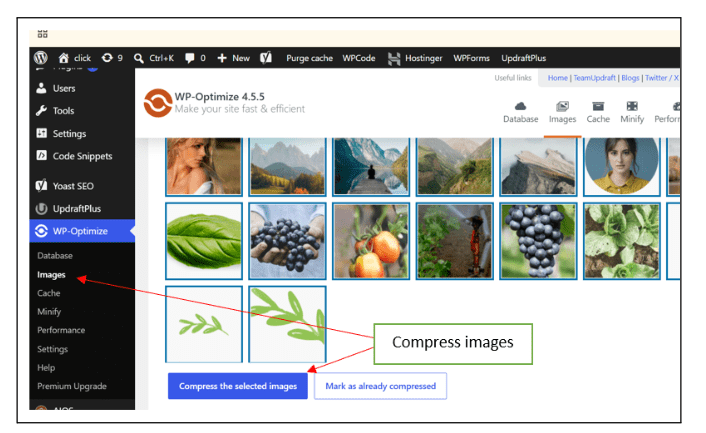
Optimize Website Images
3
Review all website images.
Perform the following:
-
Compress Images
-
Resize Large Images
-
Convert Images to WebP Format (if supported)
Recommended Plugins:
-
Smush
-
Imagify
-
EWWW Image Optimizer
Verify that image quality remains acceptable.
Generate XML Sitemap
4
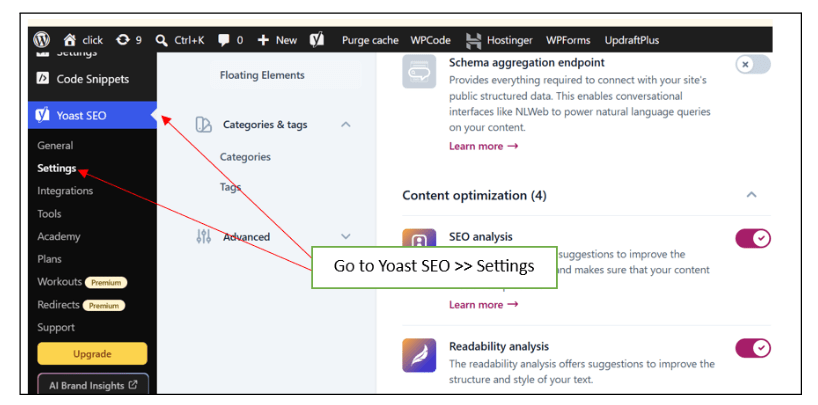
Install an SEO plugin if not already installed.
Using:
-
Rank Math
-
Yoast SEO
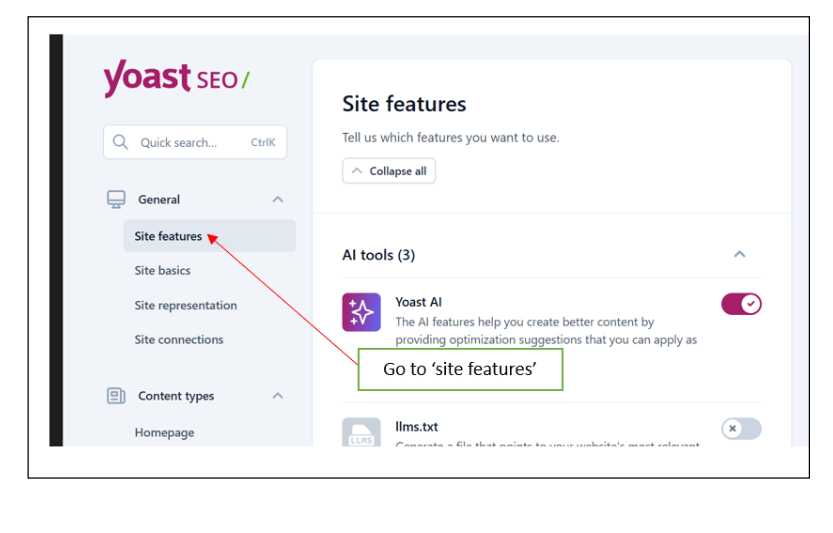
Generate the XML Sitemap.
Verify that the sitemap includes:
-
Homepage
-
About Us Page
-
Menu Page
-
Contact Page
-
Product Pages
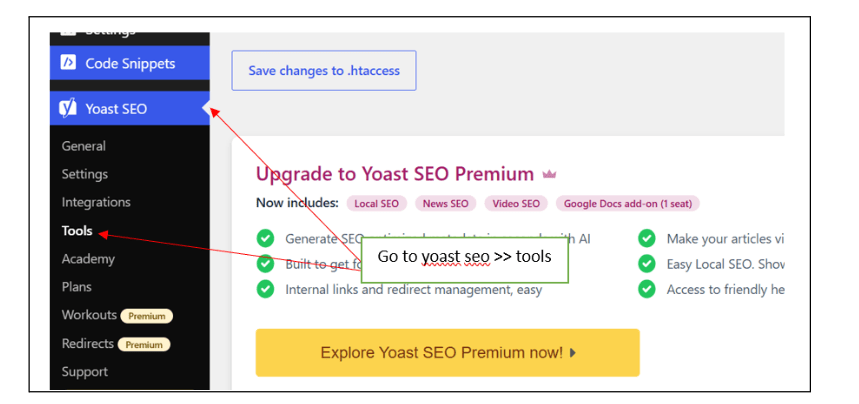
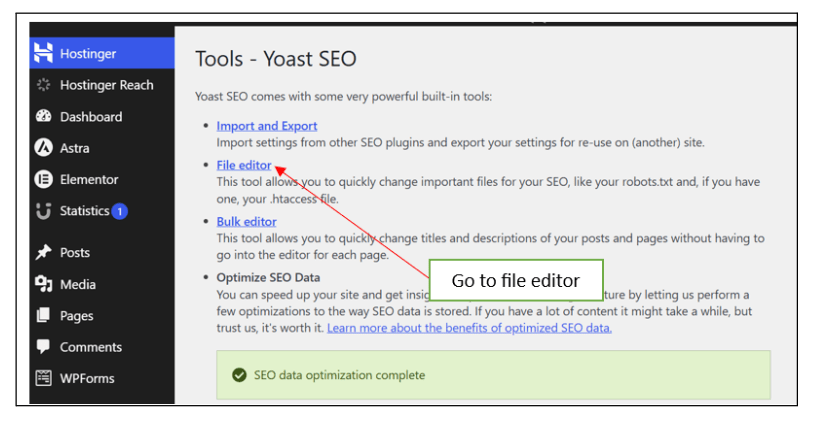
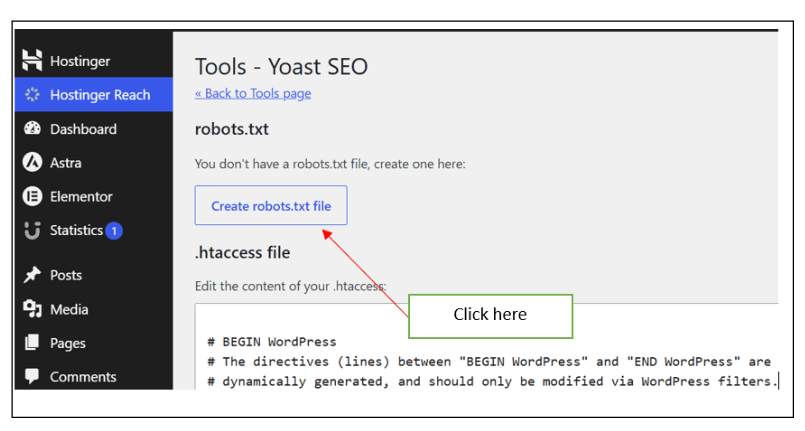
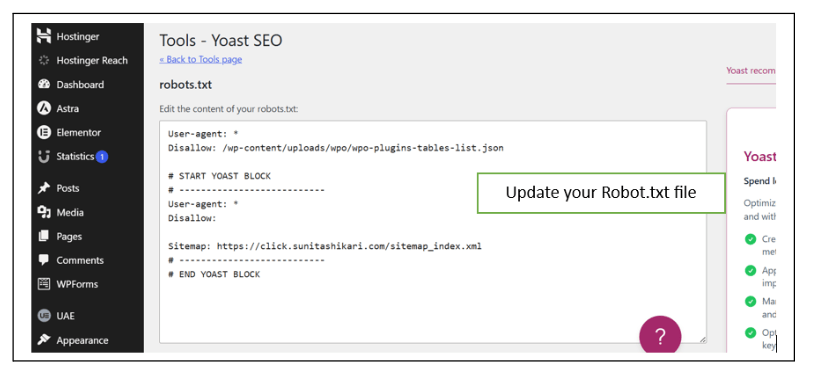
Review Robots.txt File
5
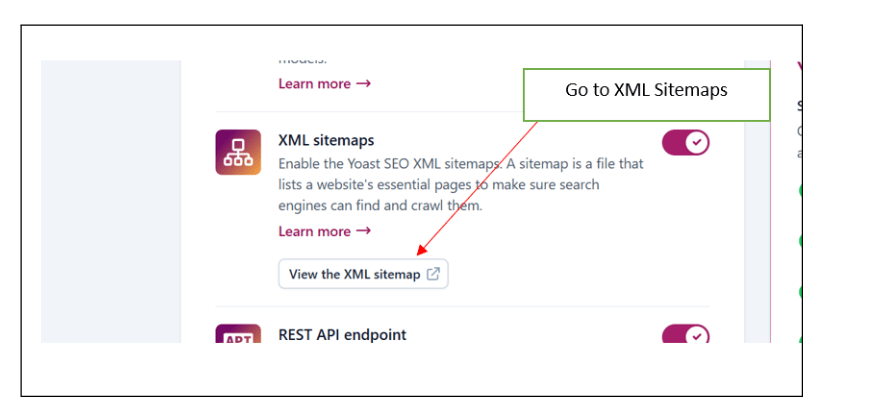
Submit your xml sitemap to google search console
Access the Robots.txt file.
Verify that:
-
Search engines are allowed to crawl important pages
-
Unnecessary pages are restricted if required
Review the file configuration.
Enable HTTPS Security
6
Verify that the website uses:
-
SSL Certificate
-
HTTPS Protocol
Check:
-
Secure Website URL
-
No Mixed Content Errors
Ensure all pages load securely
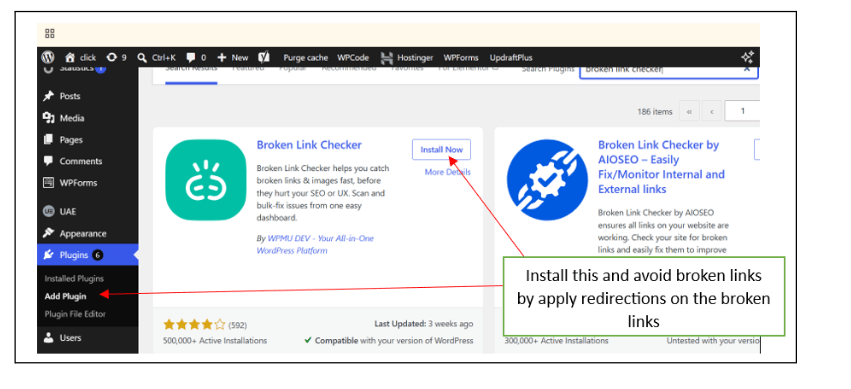
Fix Broken Links
7
Review internal and external links across the website.
Use tools such as:
-
Broken Link Checker Plugin
-
Online Broken Link Checker
Identify and fix:
-
Broken Links
-
Redirect Issues
-
Missing Pages
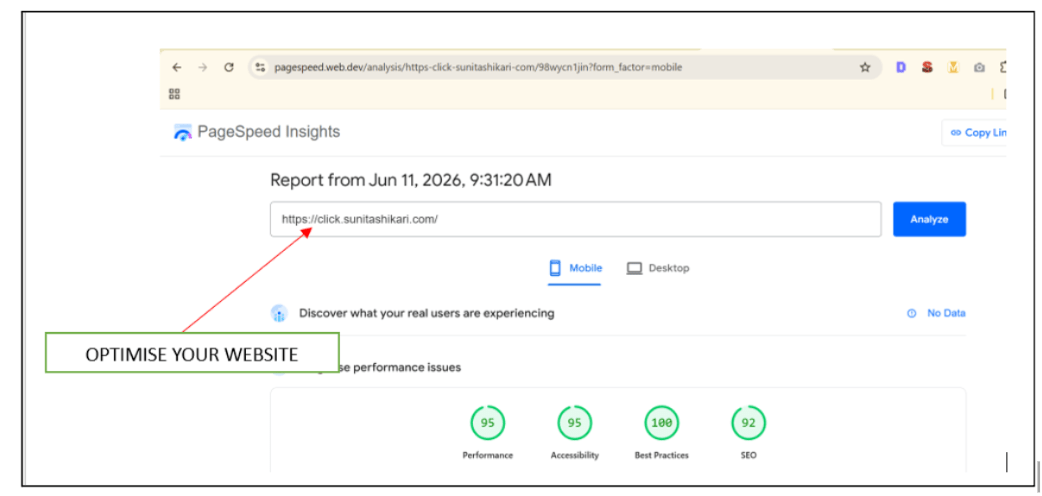
Analyze Website Performance
8
Use the following tools:
-
Google PageSpeed Insights
-
GTmetrix
Review:
-
Performance Score
-
Mobile Performance
-
Loading Time
-
Optimization Suggestions
Record the results.
Verify Technical SEO Health
9
Review the website and confirm:
-
Mobile Friendly Design
-
Fast Loading Speed
-
XML Sitemap Available
-
HTTPS Enabled
-
No Broken Links
Document all completed optimizations.
Activity
Now it’s your turn!
Perform a Technical SEO audit and optimization for the Spice Garden website.
You need to:
-
Check mobile responsiveness
-
Improve website speed
-
Optimize website images
-
Generate an XML sitemap
-
Review Robots.txt
-
Verify HTTPS security
-
Fix broken links
Great job!
You have successfully completed Website Technical SEO
What You Learned :
-
How to optimize an About Us page for SEO
-
How to structure content using heading tags
-
How to use keywords naturally within content
-
How internal linking improves SEO
-
How image optimization supports search rankings
-
How to improve content readability and user experience
Checkpoint
Next-Lab Preparation
Topic : Off Page SEO
1) Off-Page SEO
2) Domain Authority Score
3) Dofollow and Nofollow Website
4) Blacklink Management Sheet
5) White Hat, Black Hat & Grey Hat SEO