Create Lead Generation Campaign

Business Scenario
After driving traffic to the Spice Garden website, the next step is collecting potential customer information. A Lead Generation Campaign helps businesses capture details such as names, email addresses, and phone numbers directly through Meta Instant Forms. In this activity, you will create a Lead Generation Campaign to collect enquiries and table reservation requests for Spice Garden Restaurant

Pre-Lab Preparation
Topic : Inorganic Marketing (Paid Ads)
1) Ad Manager Overview & Ad Objectives
2) Auction & Bidding Strategies
3) Awareness Ad Setup on Meta
4) Traffic Ad Setup on Meta
5) Lead Generation Ad Setup on Meta
6) Engagement Ad Setup on Meta
7) AB Testing on Meta
8) Campaign Budget Optimizatin/ Advantage Campaign Budget
9) Commerce Manager | Catalogue Creation
10) Sales Ad Setup on Meta
11) Payment Setup on Meta and Automation Rules
12) Awarness Ad Setup on LinkedIn
13) Lead Generation Ad Setup on LinkedIn
Task : Setup Lead Geneartion Ad for Spice Garden Restaurant
Objective:
To create a Lead Generation Campaign on Meta and configure an Instant Form to collect customer leads for Spice Garden Restaurant.
Open Meta Ads Manager
1
- Log in to Meta Business Suite.
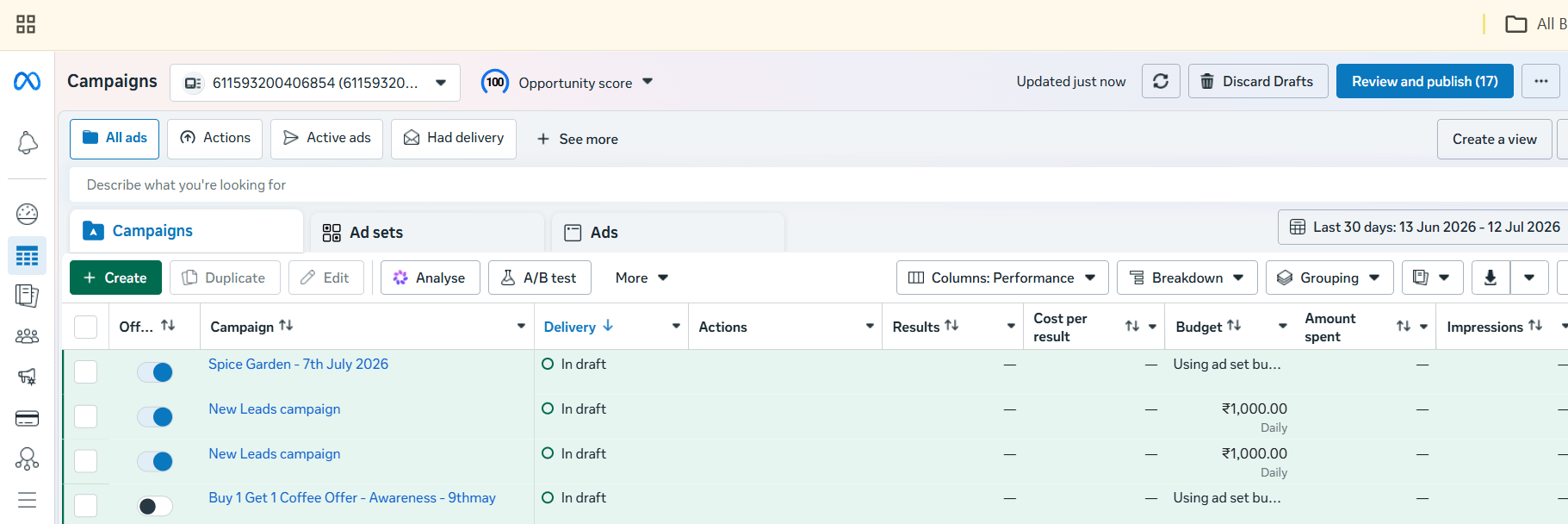
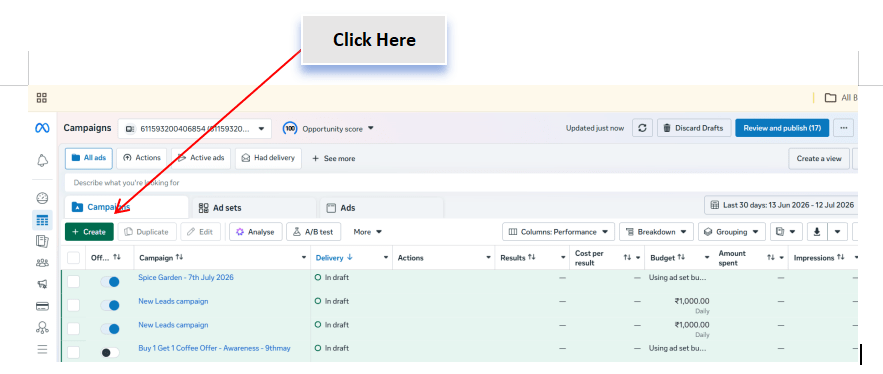
- Navigate to Ads Manager.
- Click Create to begin a new campaign.
Select the Campaign Objective
2
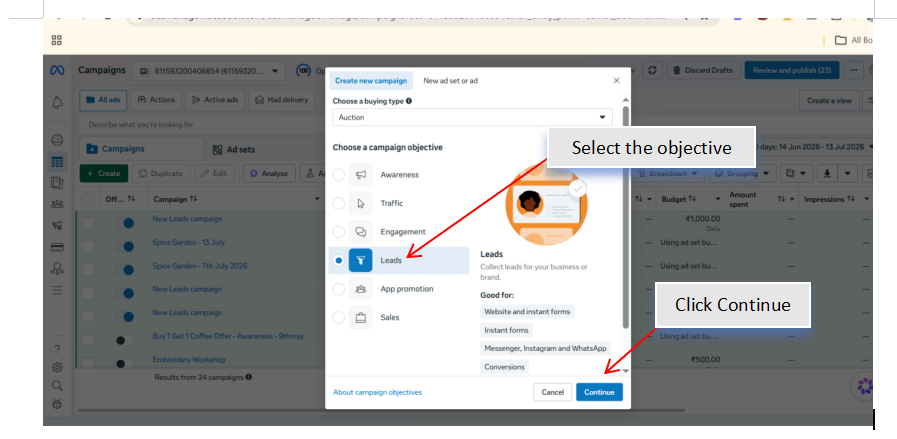
- Choose the Leads campaign objective.
- Click Continue.
- Review the campaign objective before proceeding.
Select the Campaign Objective
3
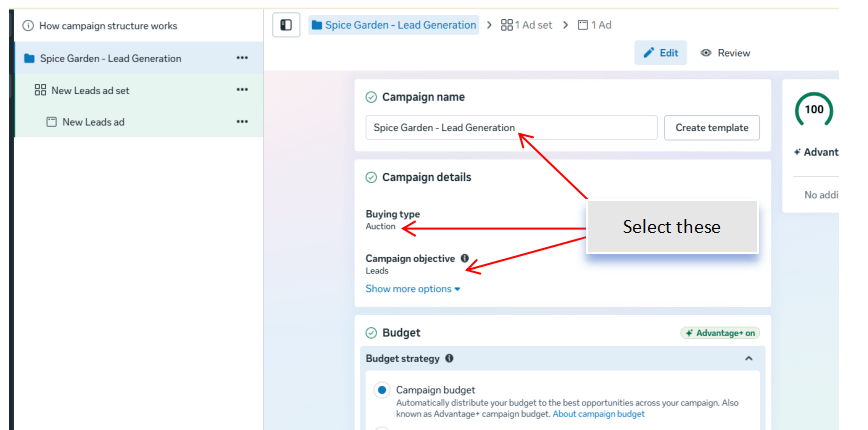
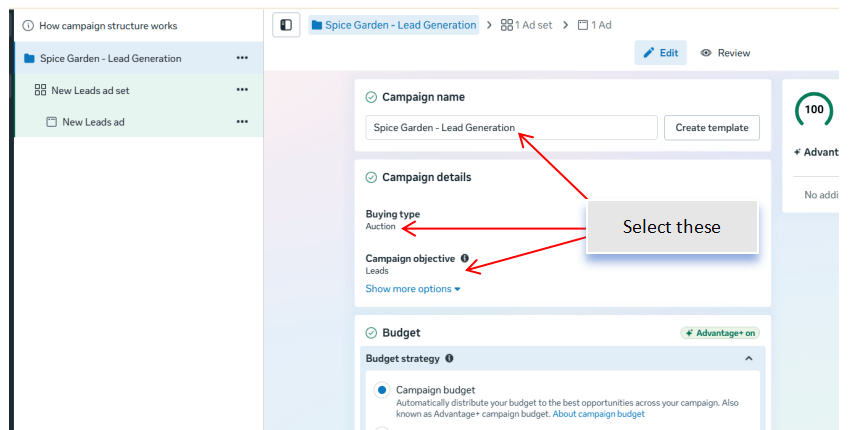
Enter the campaign details.
Configure:
-
Campaign Name
-
Buying Type (Auction)
-
Campaign Objective (Leads)
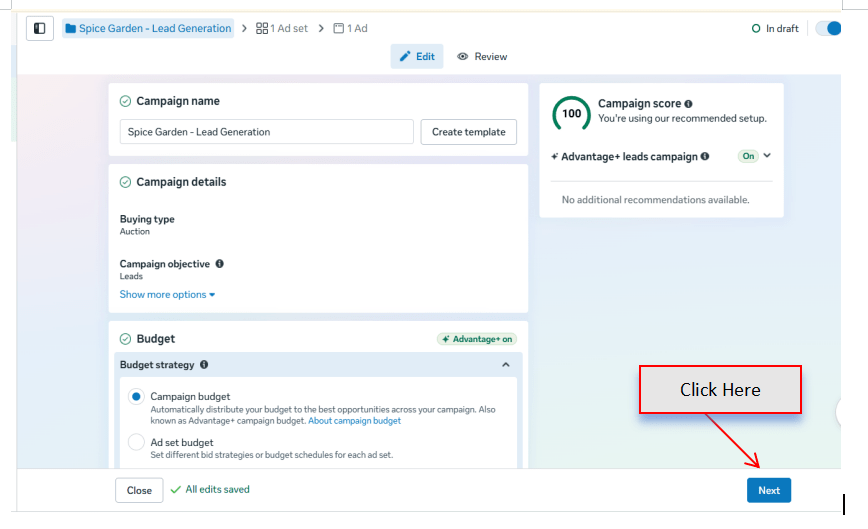
Enable Advantage Campaign Budget if required.
Set the campaign budget.
Select the Conversion Location
4
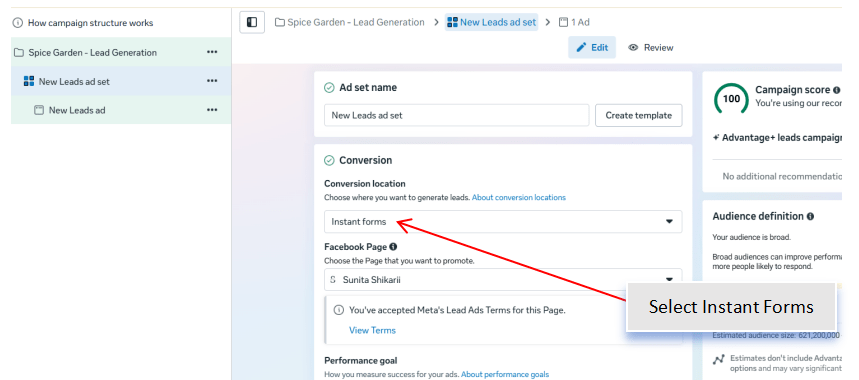
Choose where the leads will be collected.
Select:
-
Instant Forms
Review the available lead collection options.
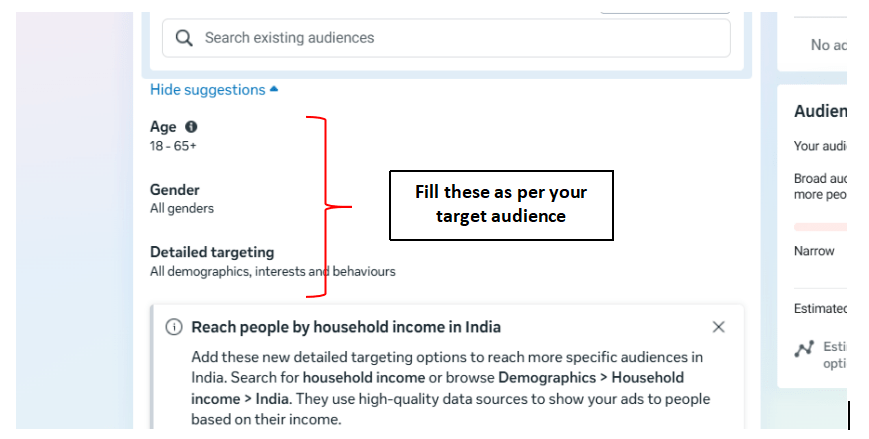
Define the Target Audience
5
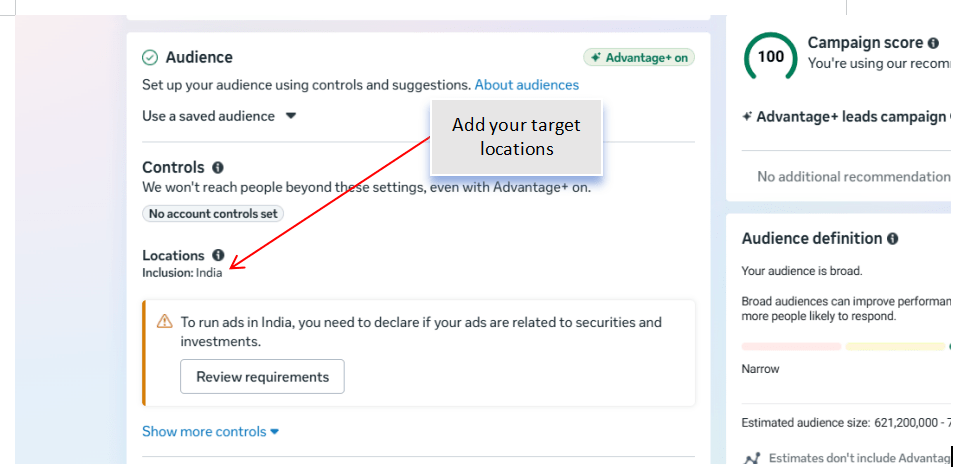
Configure the audience based on:
-
Location
-
Age Group
-
Gender
-
Language
-
Interests
Example interests:
-
Restaurants
-
Dining
-
Family Restaurants
-
Chinese Cuisine
-
Food Lovers
Review the estimated audience size.
Configure Ad Placements
6
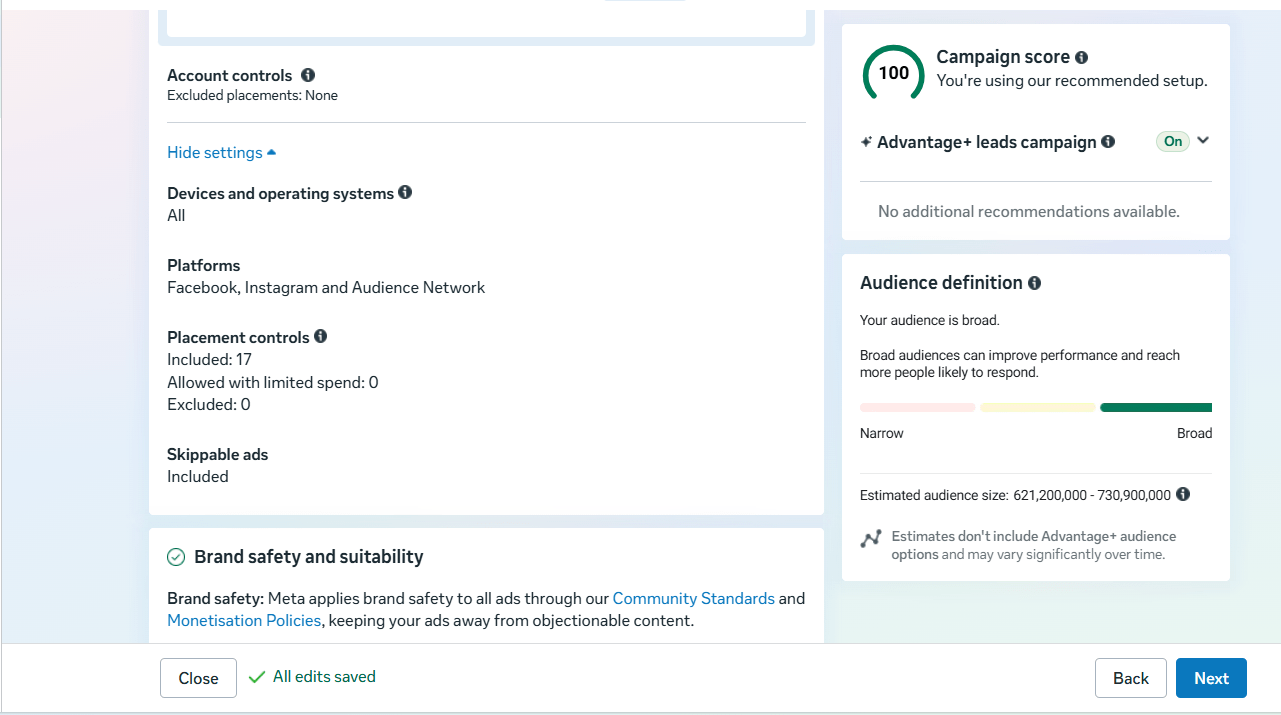
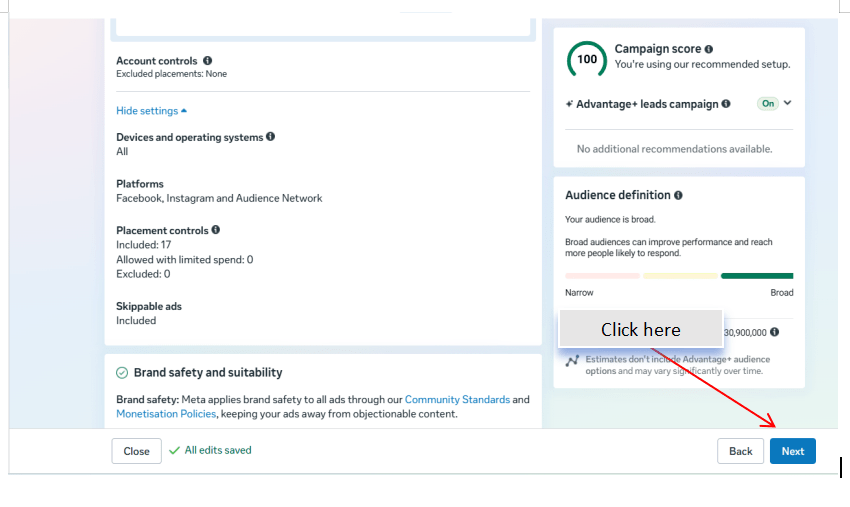
Select the placement option.
Choose:
-
Advantage+ Placements (Recommended) or
-
Manual Placements
Review the available placements.
Create the Advertisement
7
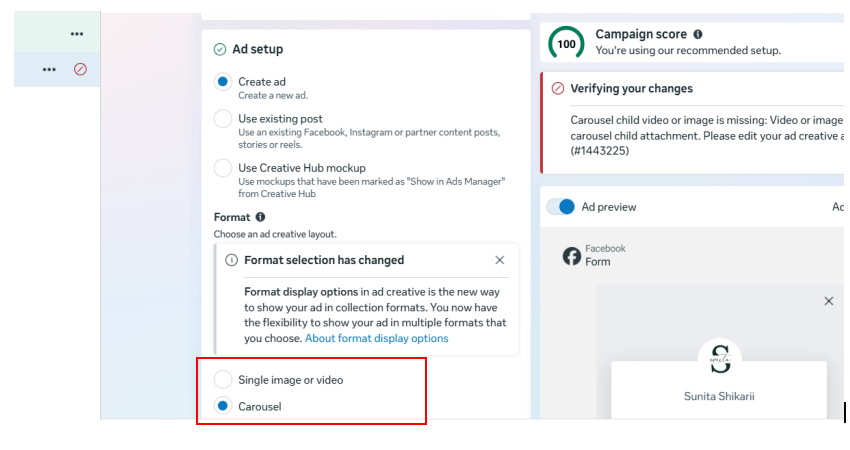
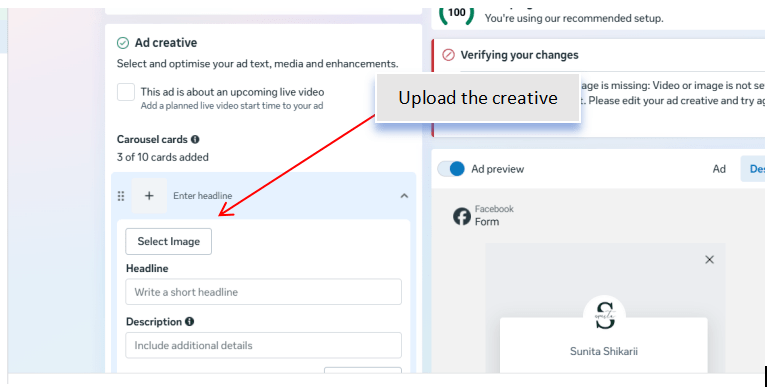
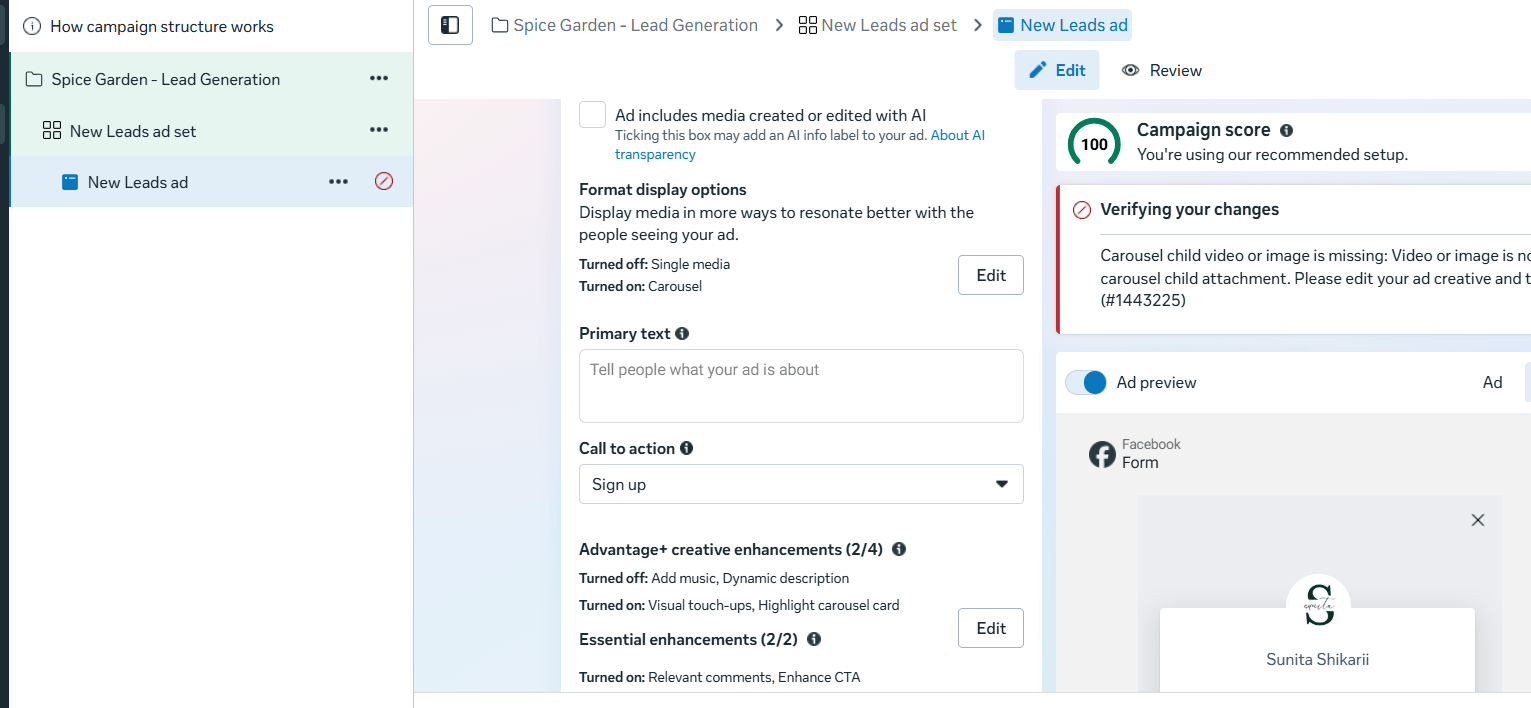
Upload the campaign creative.
Include:
-
Image or Video
-
Primary Text
-
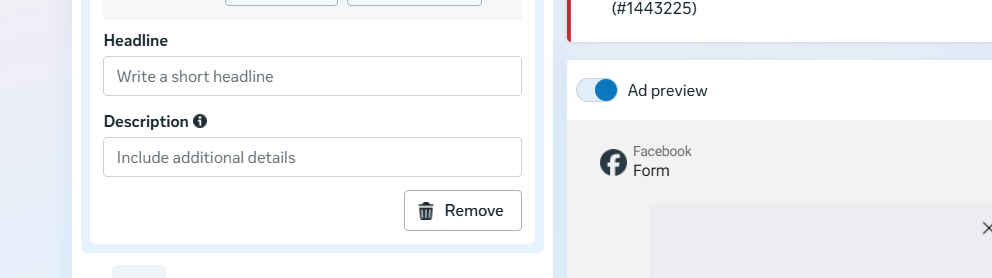
Headline
-
Description
-
Call-to-Action (CTA)
Examples of CTA:
-
Sign Up
-
Book Now
-
Learn More
Preview the advertisement.
Create an Instant Form
8
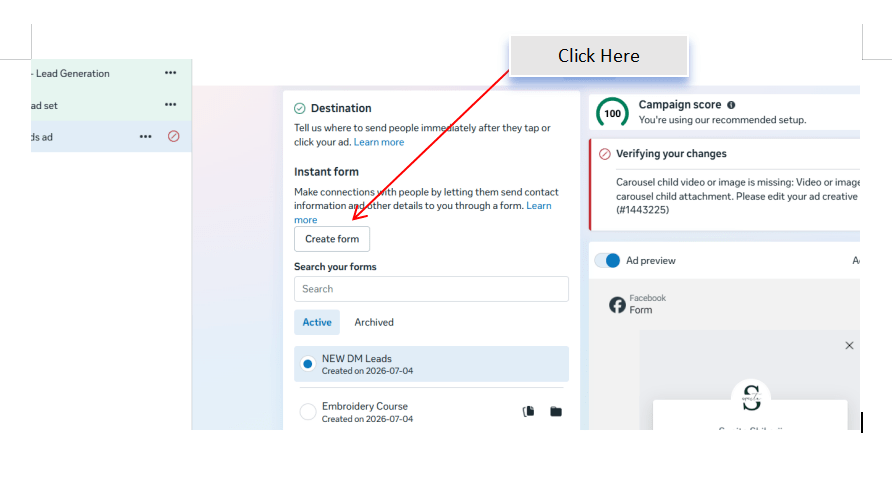
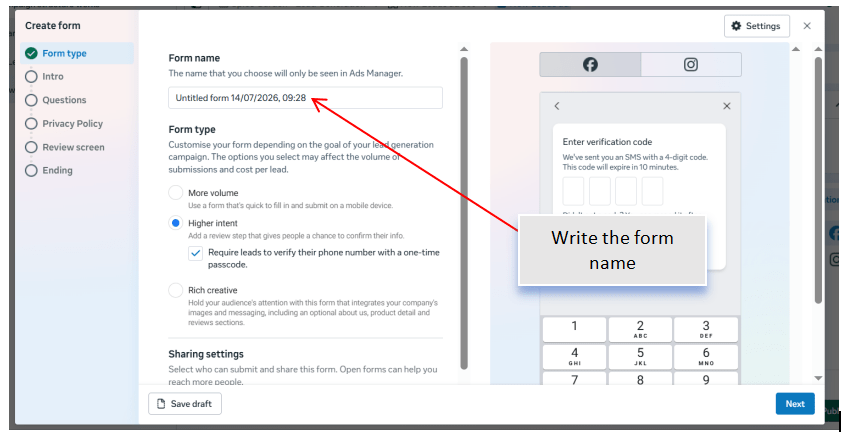
Create a new Instant Form.
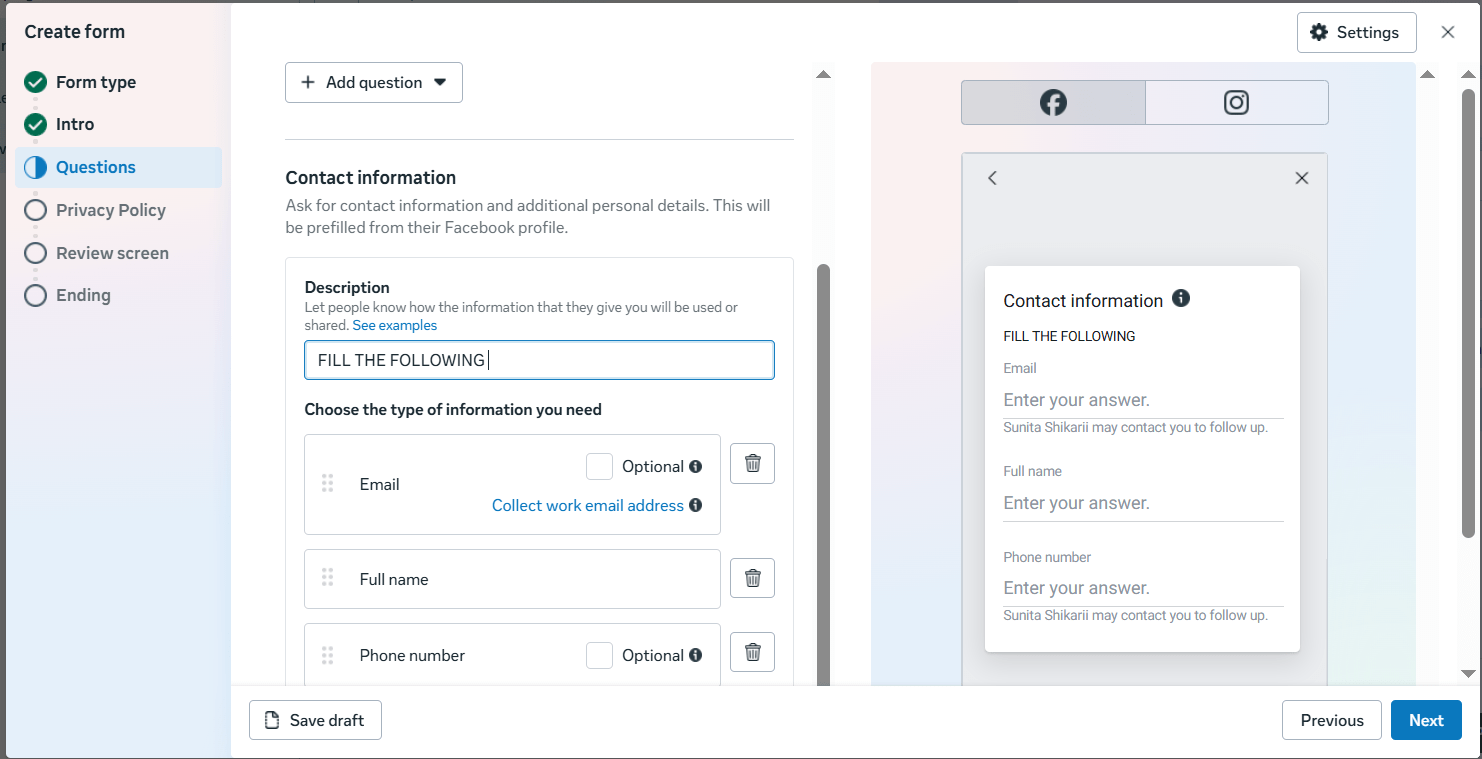
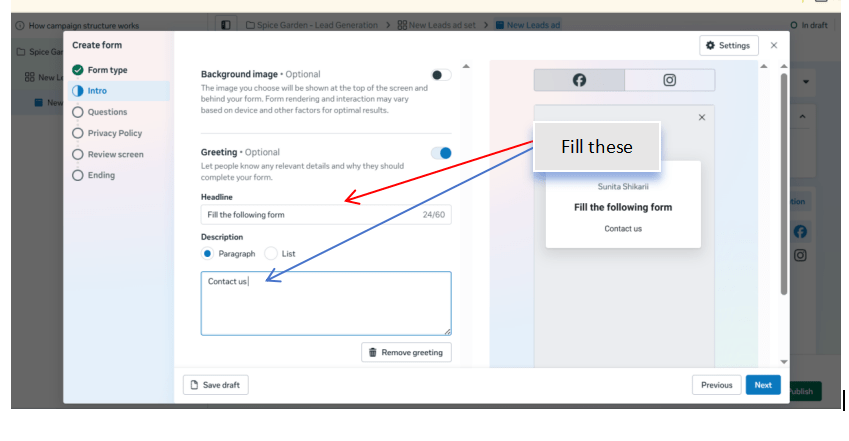
Configure the form by adding:
-
Form Name
-
Introduction
-
Customer Information Fields
Include fields such as:
-
Full Name
-
Email Address
-
Phone Number
Add a privacy policy link.
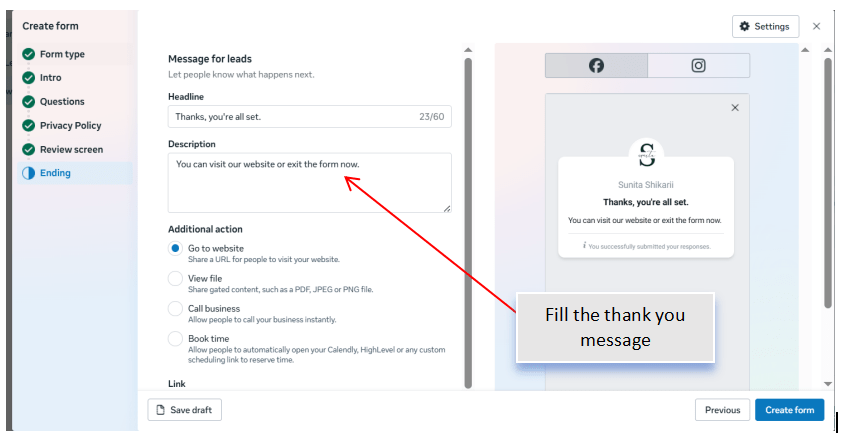
Create a thank-you screen with an appropriate message and action.
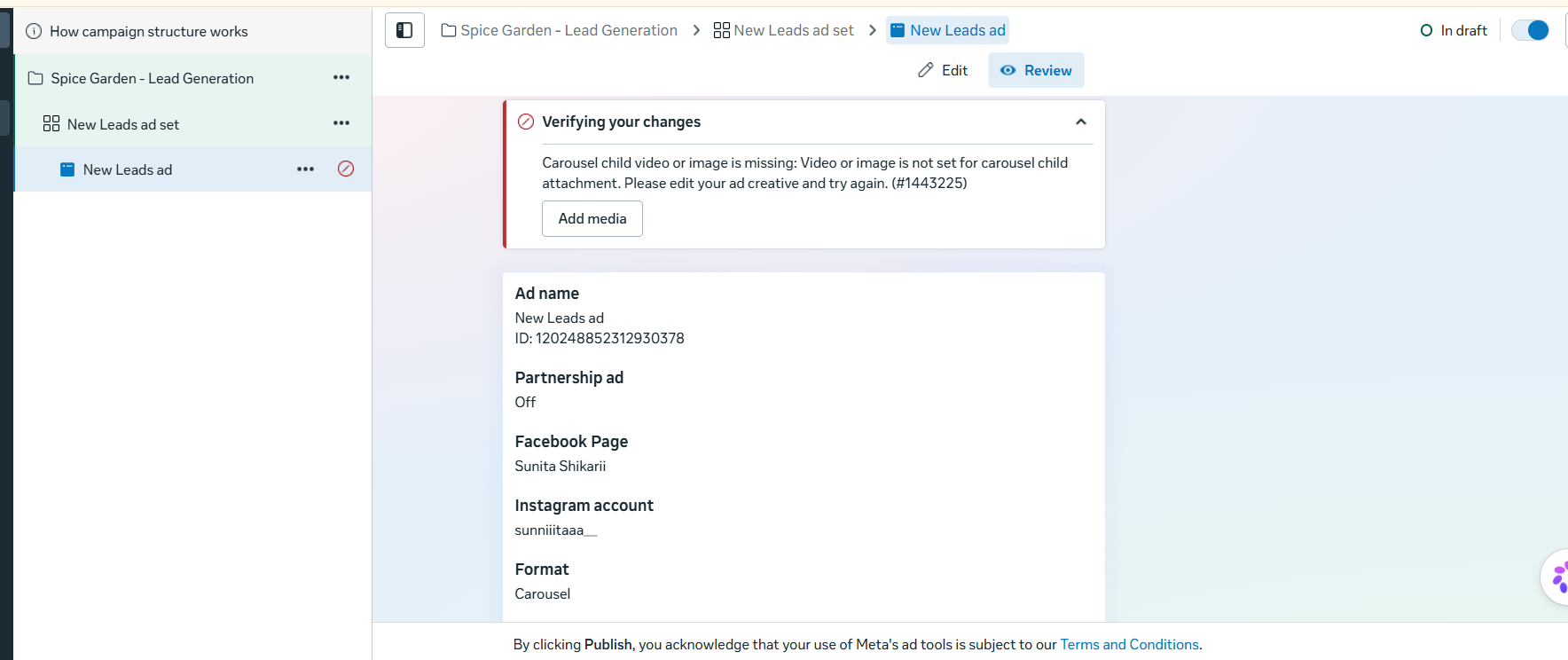
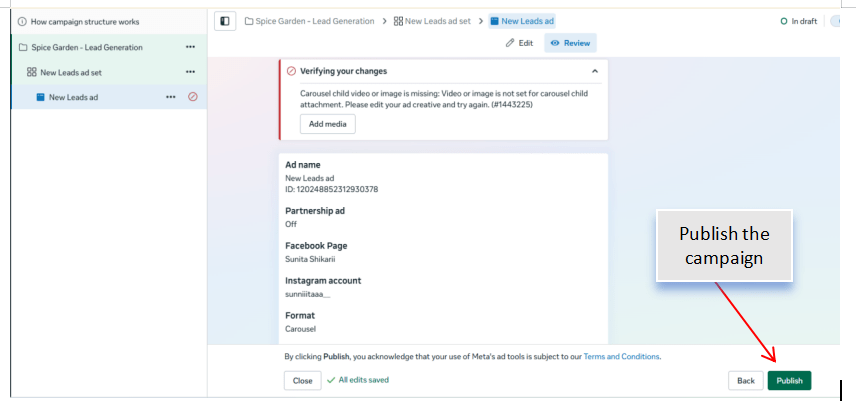
Review and Publish the Campaign
9
Verify the following:
-
Campaign Objective
-
Budget
-
Audience
-
Placements
-
Advertisement
-
Instant Form
Click Publish to launch the campaign.
Activity
Now it's your turn!
Create a Meta Lead Generation Campaign for Spice Garden Restaurant.
You need to
-
Create a new Leads campaign
-
Configure campaign settings
-
Select Instant Forms as the conversion location
-
Define the target audience
-
Select ad placements
-
Design the advertisement
-
Create an Instant Form
-
Review and publish the campaign
Congratulations!
You have successfully completed Create Lead Generation Campaign LAB for Spice Garden.
In this LAB, you learned how to:
-
How to create a Lead Generation Campaign in Meta Ads Manager
Checkpoint
-
How to configure the Leads campaign objective
-
How to use Meta Instant Forms
-
How to collect customer information through lead forms
-
How to define the target audience for lead generation
-
How to publish and manage a Lead Generation Campaign