Setup the Video Ad for Spice Garden

Business Scenario
You are working as a Digital Marketing Executive for Spice Garden Restaurant.
The restaurant owner wants to promote:
-
Restaurant ambience
-
Delicious food items
-
Family dining experience
-
Online food delivery

using video advertisements on YouTube and Google Video Network.
Your task is to create a promotional video advertisement and set up a Video Ads Campaign in Google Ads.
Pre-Lab Preparation
Topic : Video Ad
1) Types of Video Ad
2) Related Video for Ad
3) Audience Targeting
4) Topic & Placement Targeting
5) Ad Optimization
Task 1: Create a Youtube Video Ad
- Create a youtube video with different duration as per below ad types
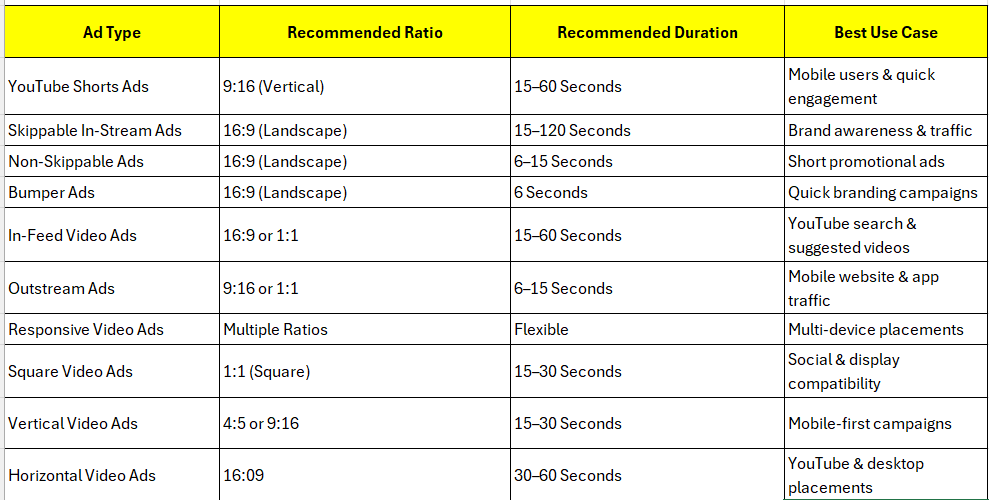
- While creating a video consider above ratios and their respective durations for different ad types.
Task 2: Upload Video to YouTube
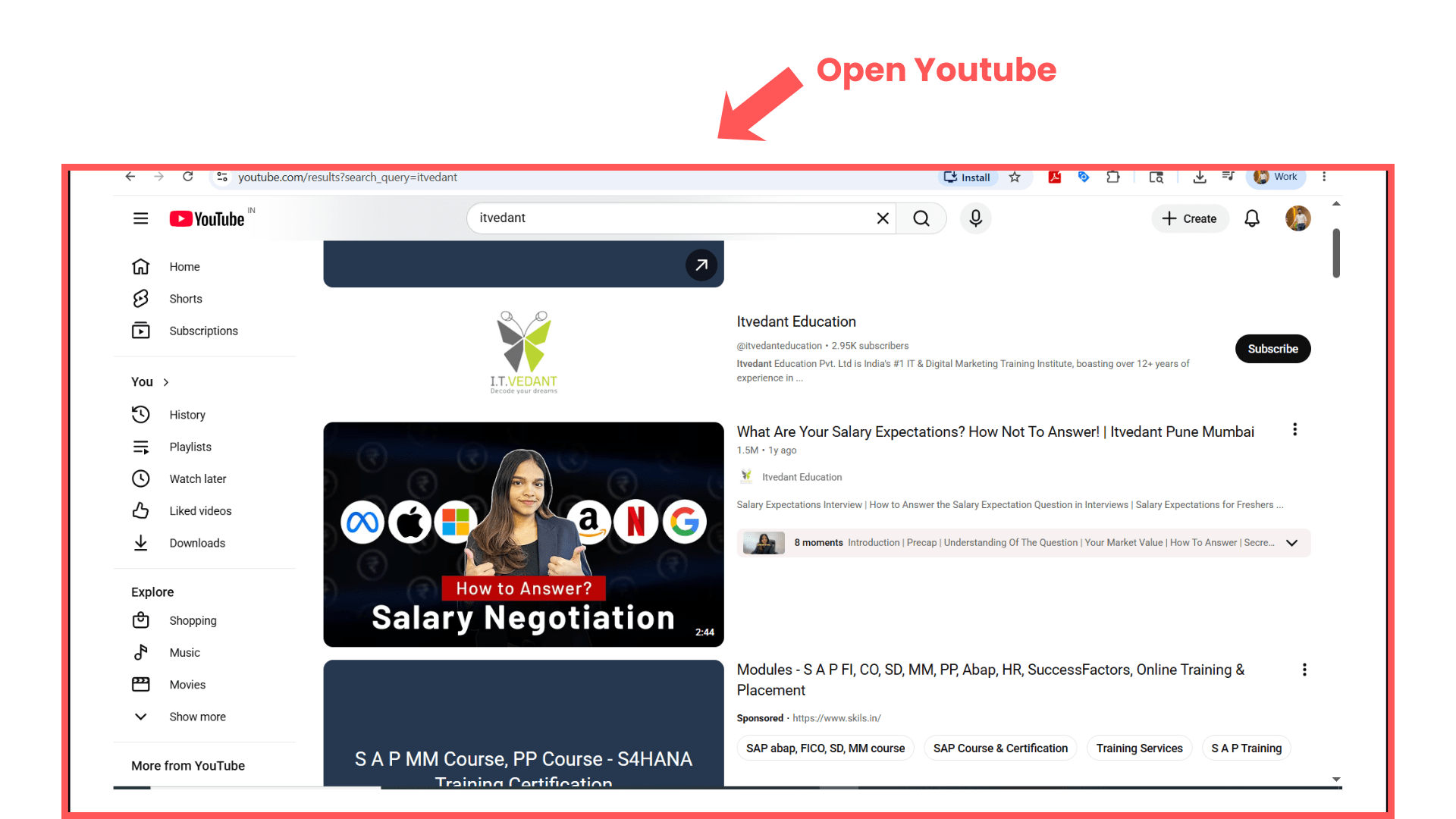
Open YouTube
1
-
Search:
YouTube -
Open YouTube website.
Upload Video
2
-
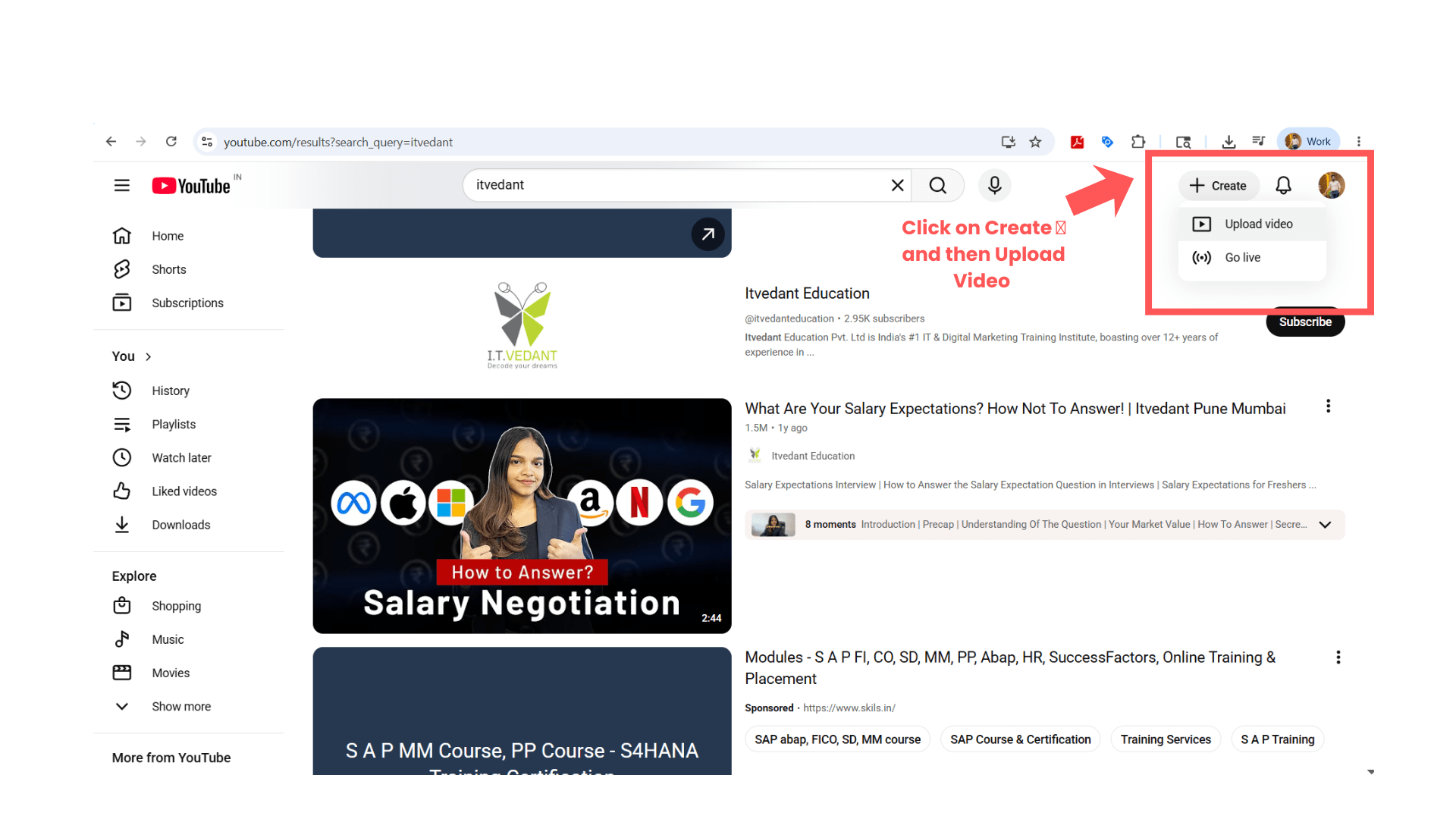
Click:
“Create” -
Select:
“Upload Video”
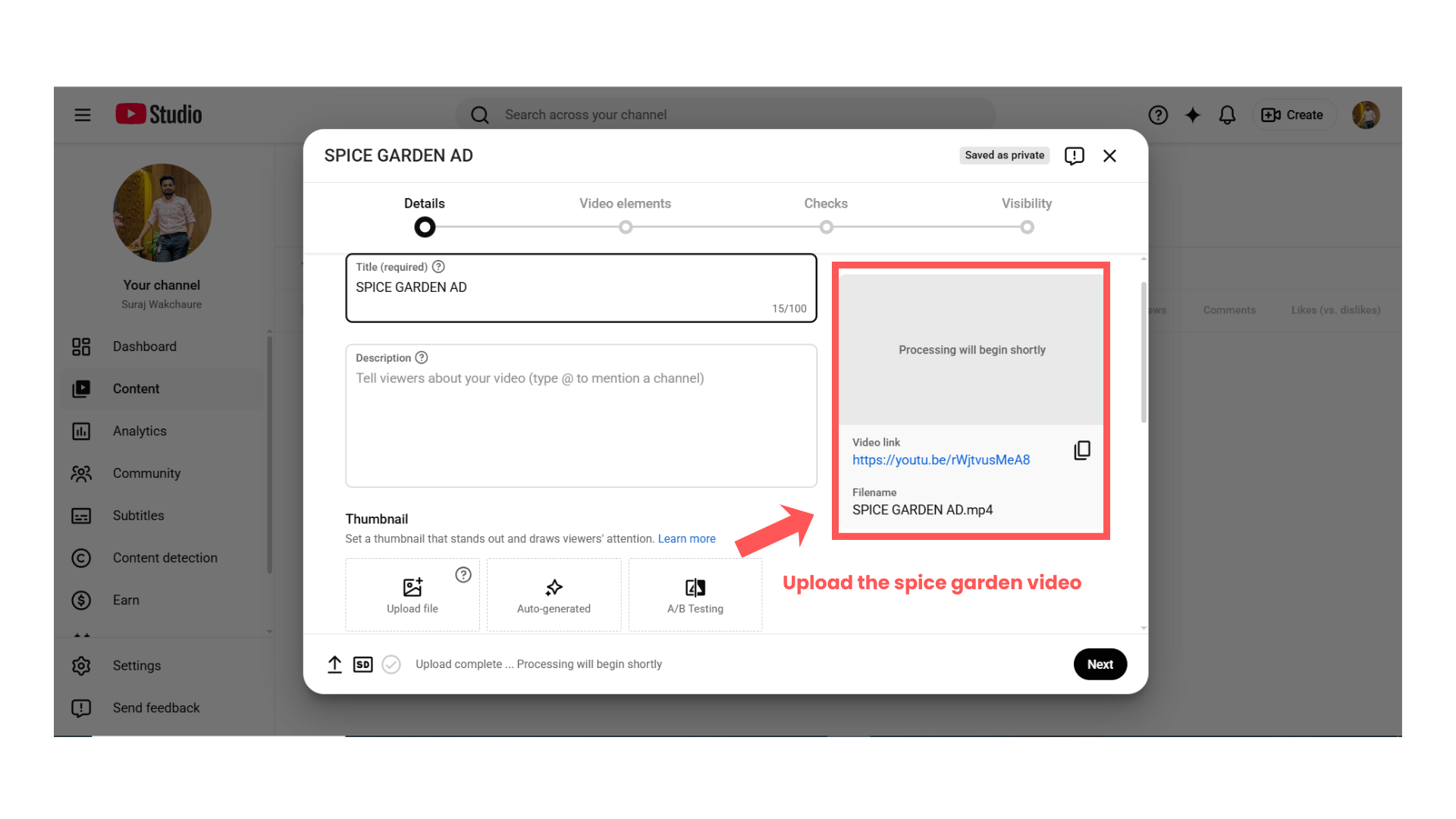
Select Video File
3
-
Upload downloaded Spice Garden video.
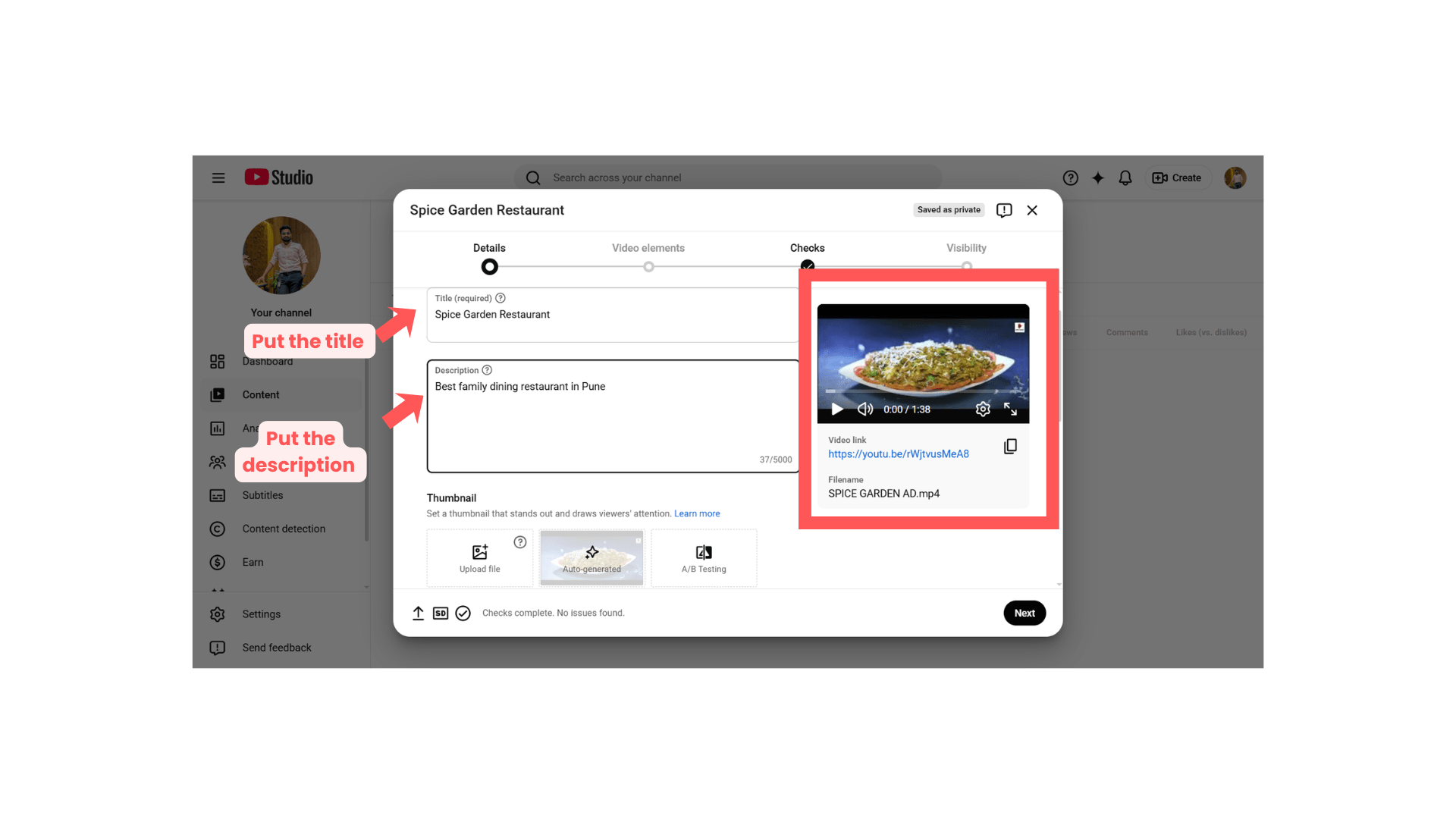
Enter Video Details
4
Fill details such as:
| Field | Sample Value |
|---|---|
| Title | Spice Garden Restaurant |
| Description | Best family dining restaurant in Pune |
| Audience | Not made for kids |
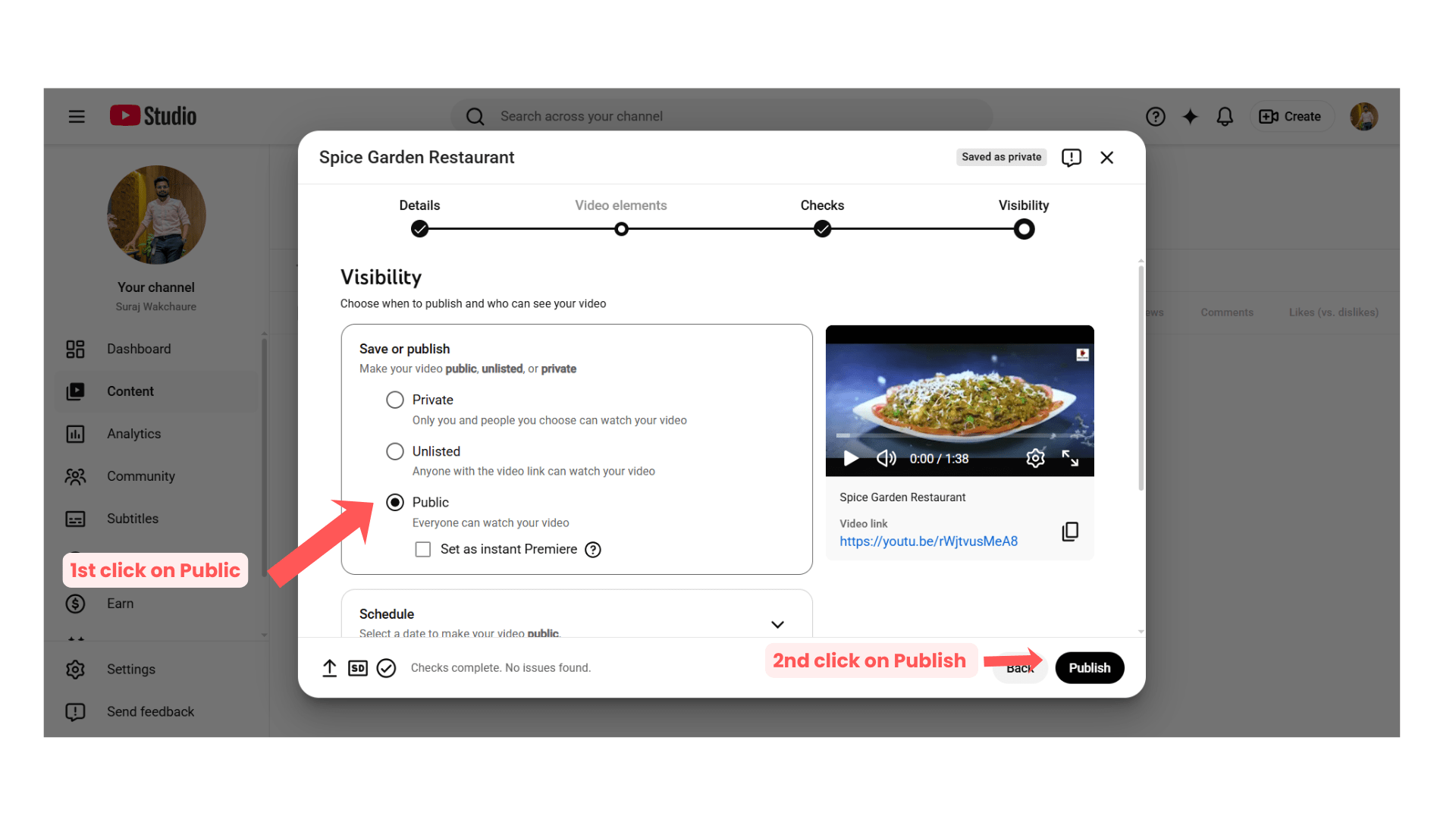
Publish Video
5
-
Set visibility:
“Public”
OR
“Unlisted” -
Click:
“Publish”
Task 3: Create Video Ads Campaign in Google Ads
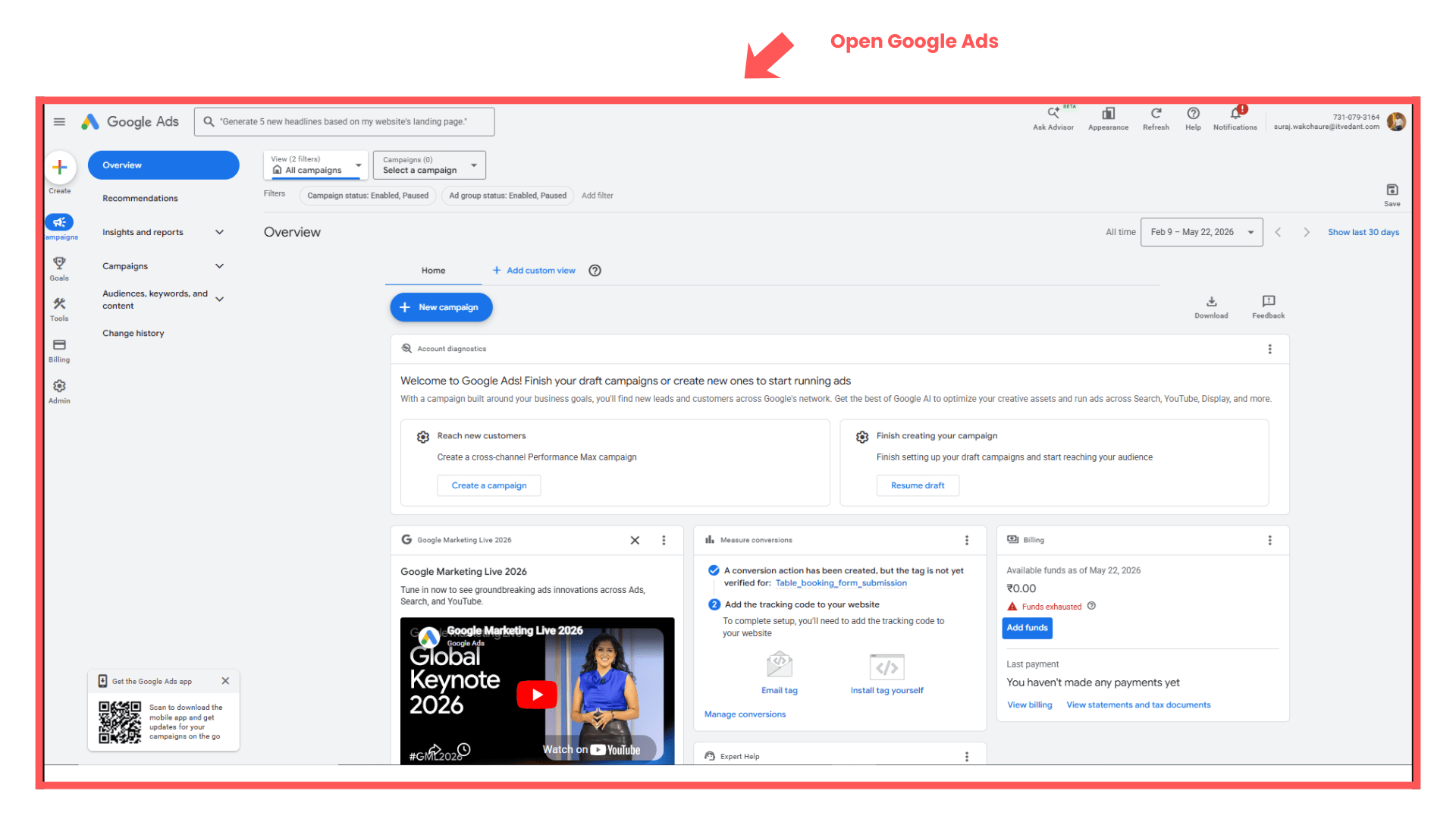
Open Google Ads Dashboard
1
-
Login to Google Ads account.
Create New Campaign
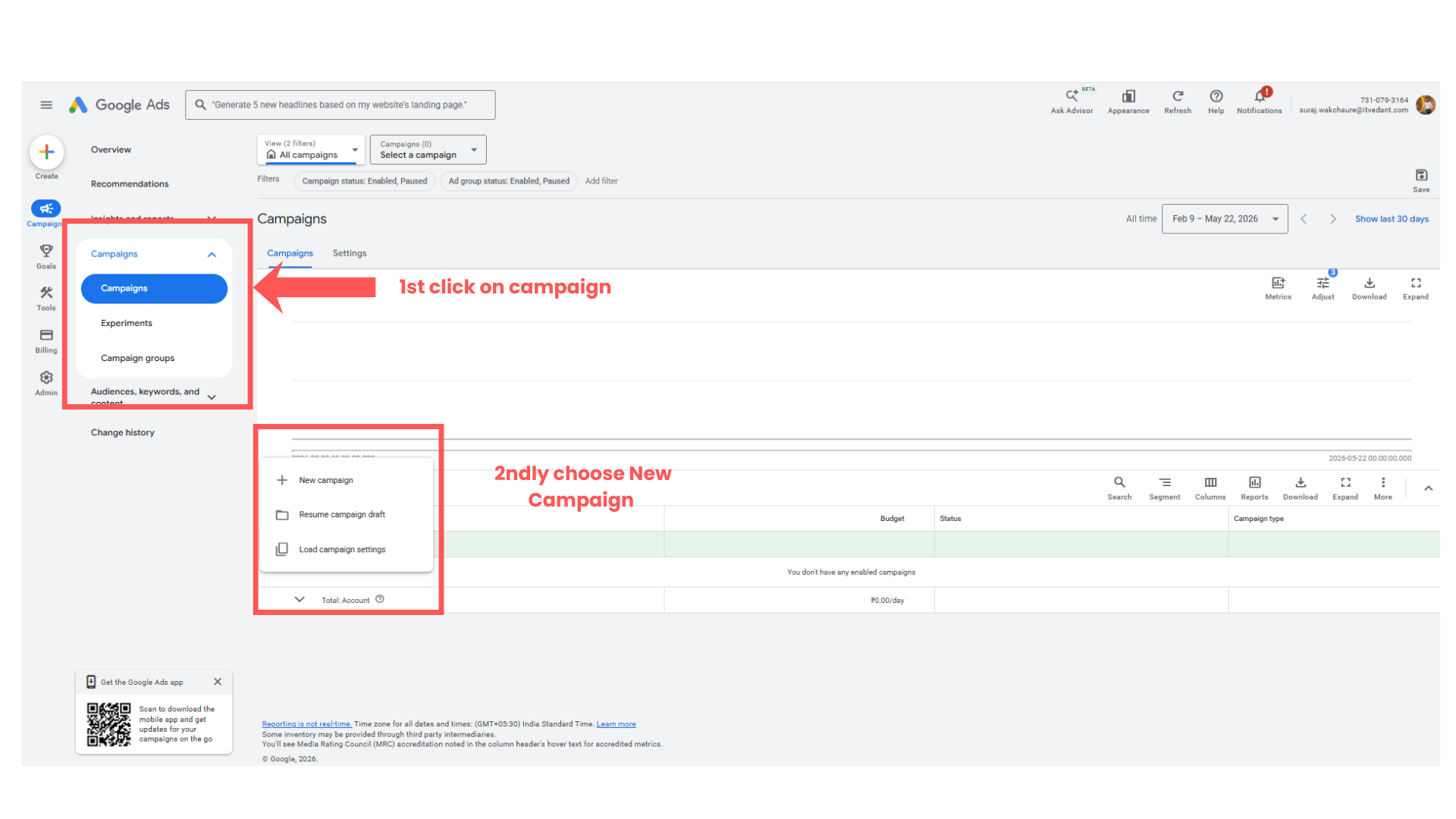
2
-
Click:
“Campaigns” -
Click blue “+” button.
-
Select:
“New Campaign”
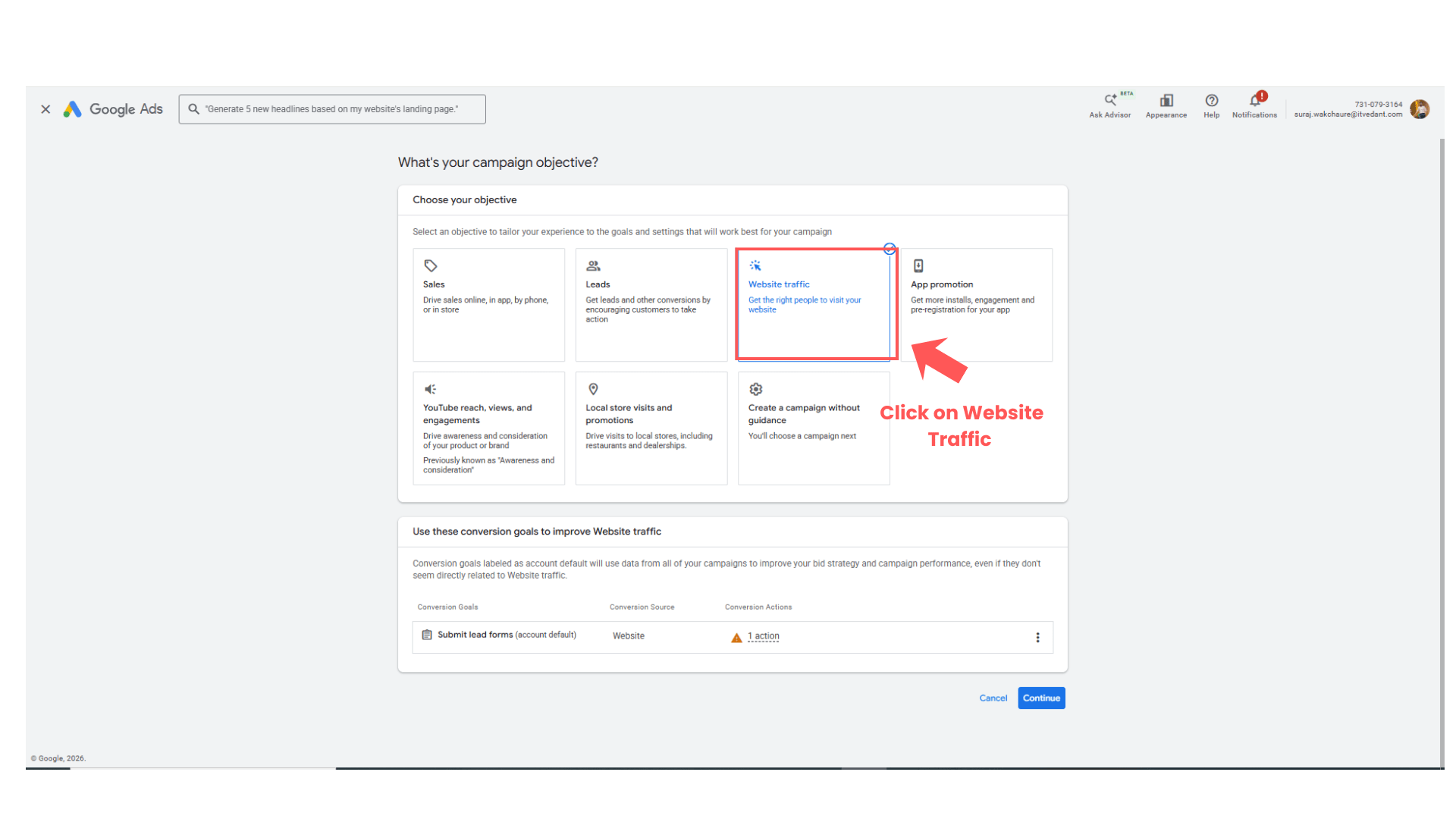
Select Campaign Objective
3
Choose:
-
Brand Awareness & Reach
OR -
Website Traffic
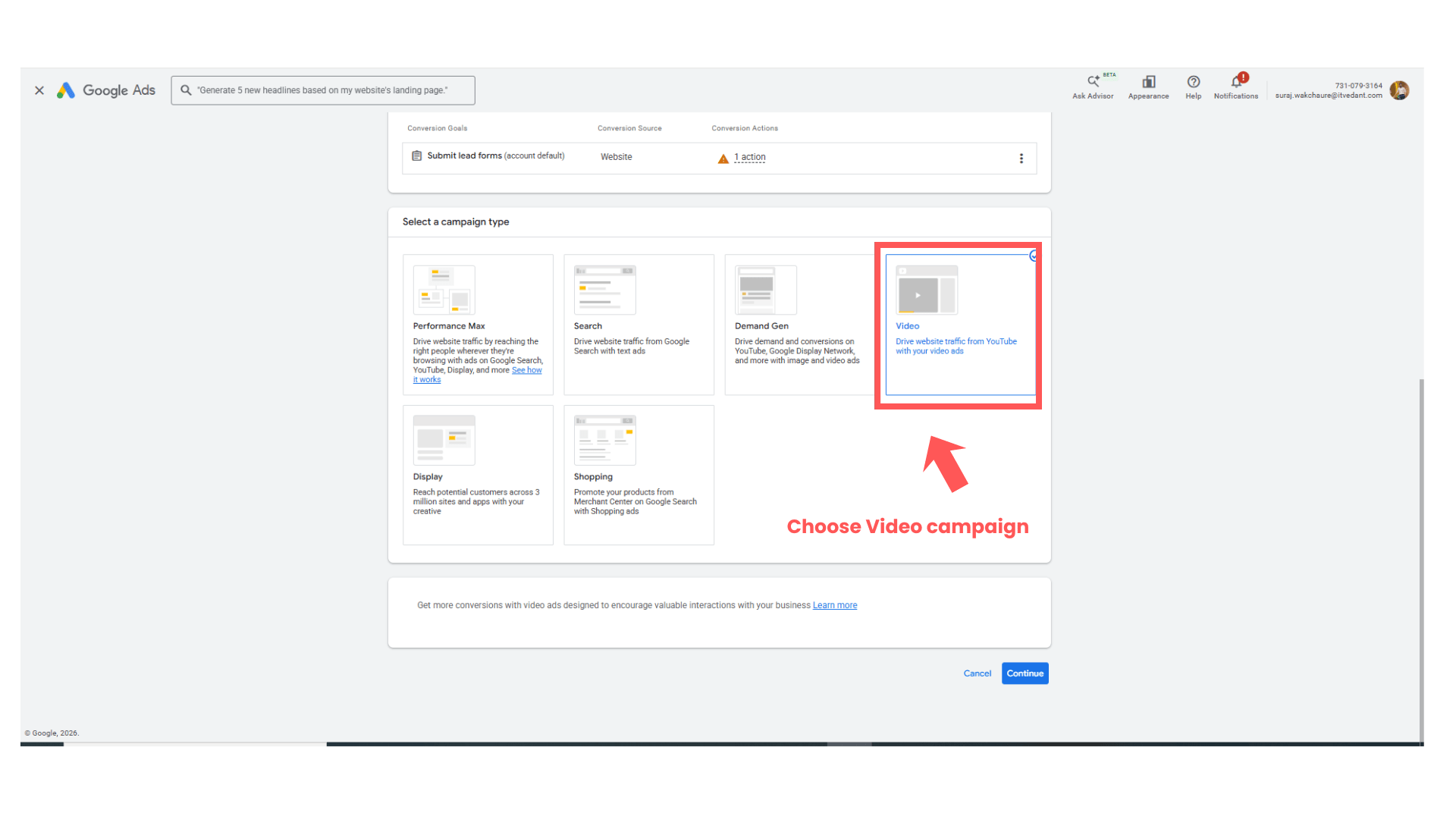
Select Video Campaign
4
-
Choose:
“Video” -
Click:
“Continue”
Task 4: Configure Video Campaign
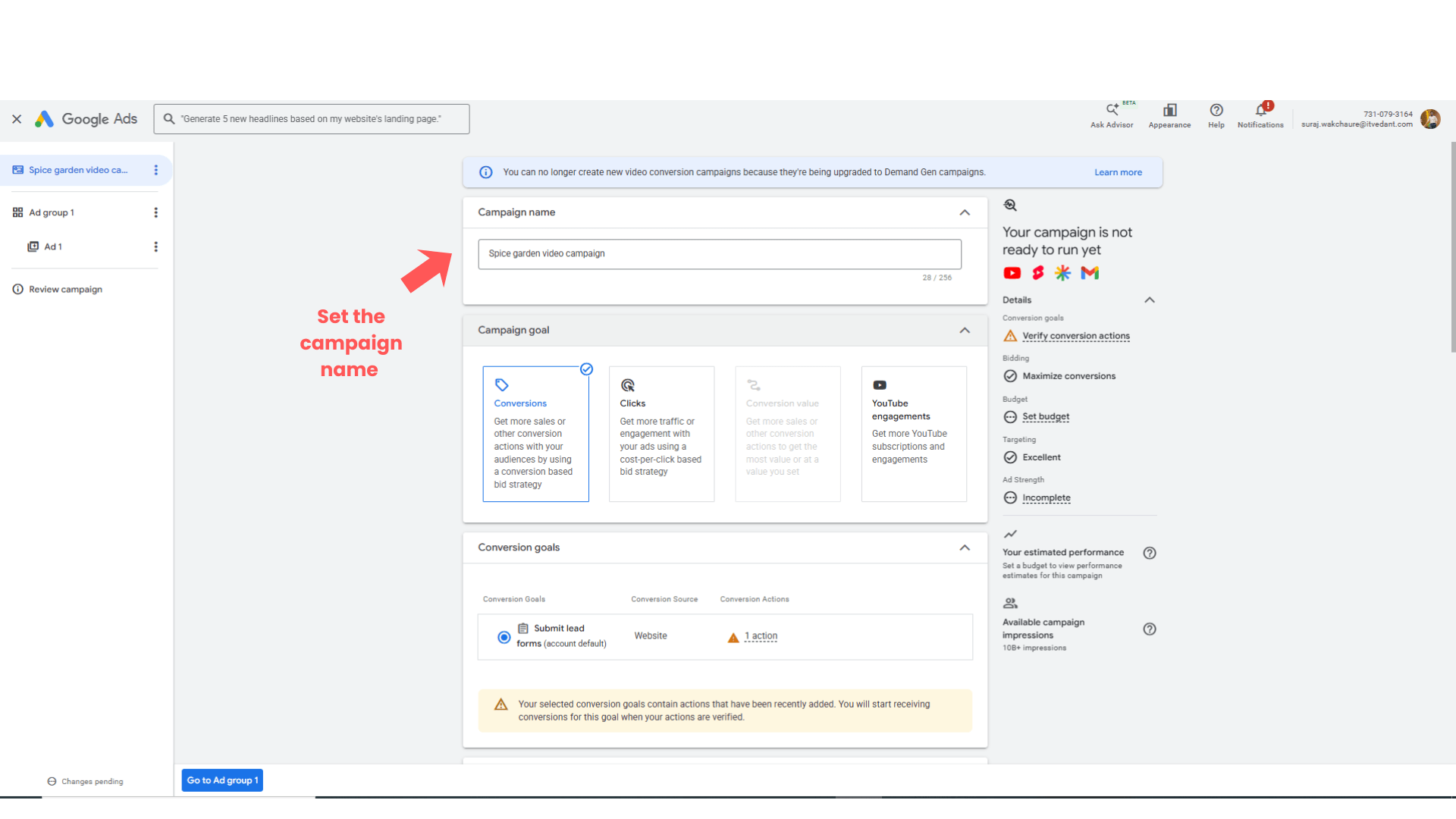
Enter Campaign Name
1
Enter:
Spice Garden Video Campaign
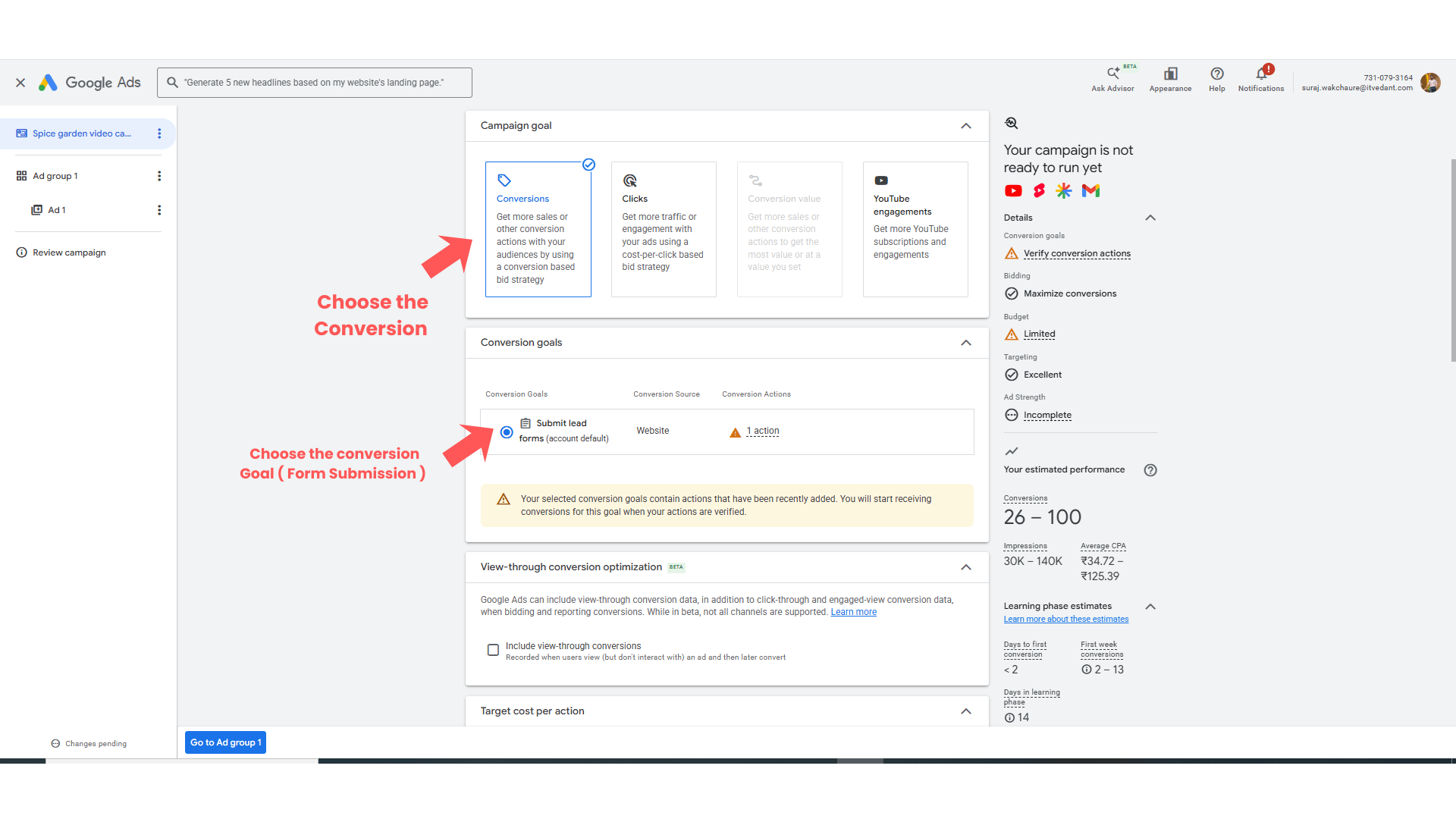
Select the conversion goal from the list
2
Target Cost Per Action setup
3
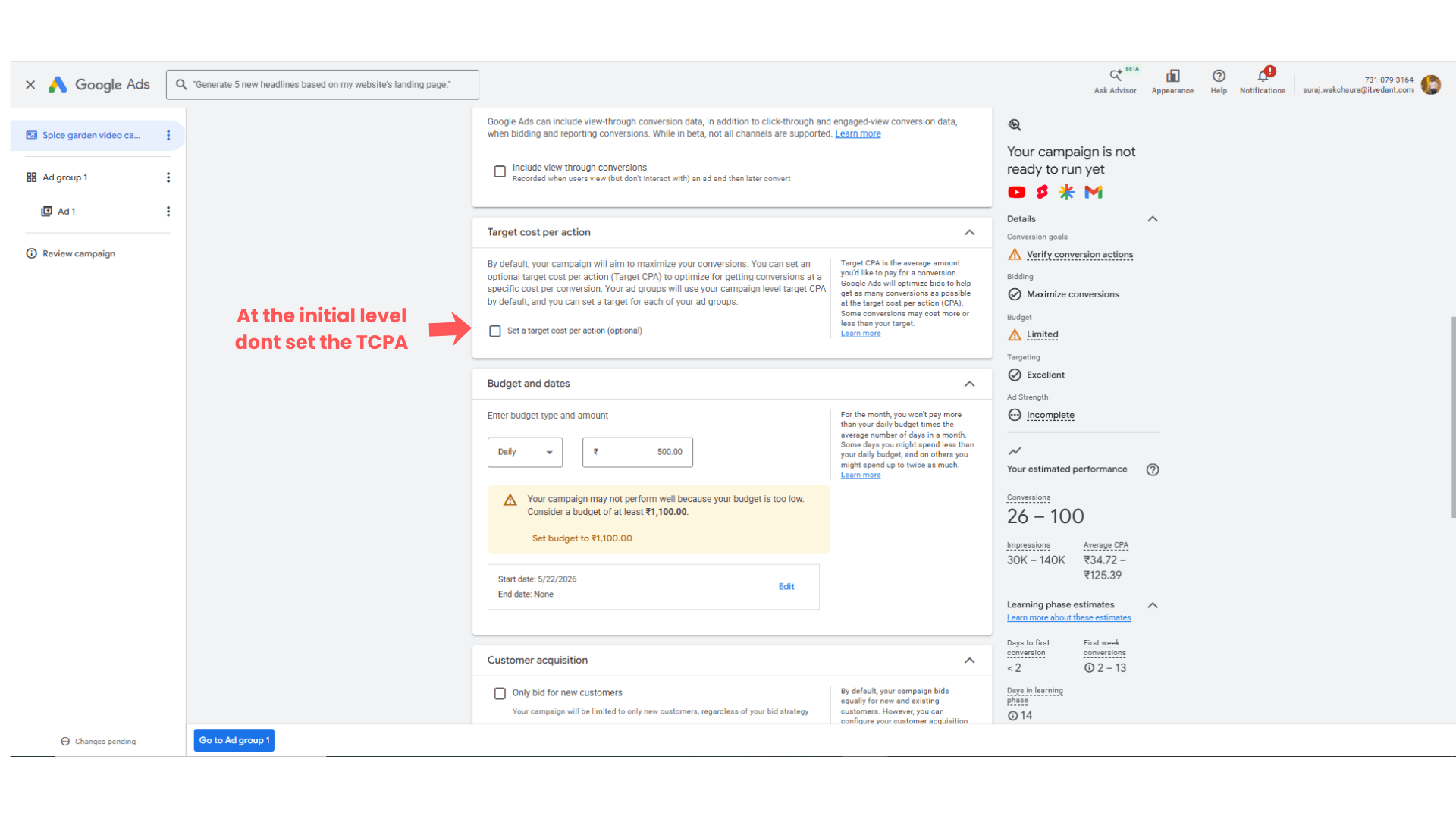
- Don’t select the Target Cost Per Action setting at the initial stage.
Keep it as it it.
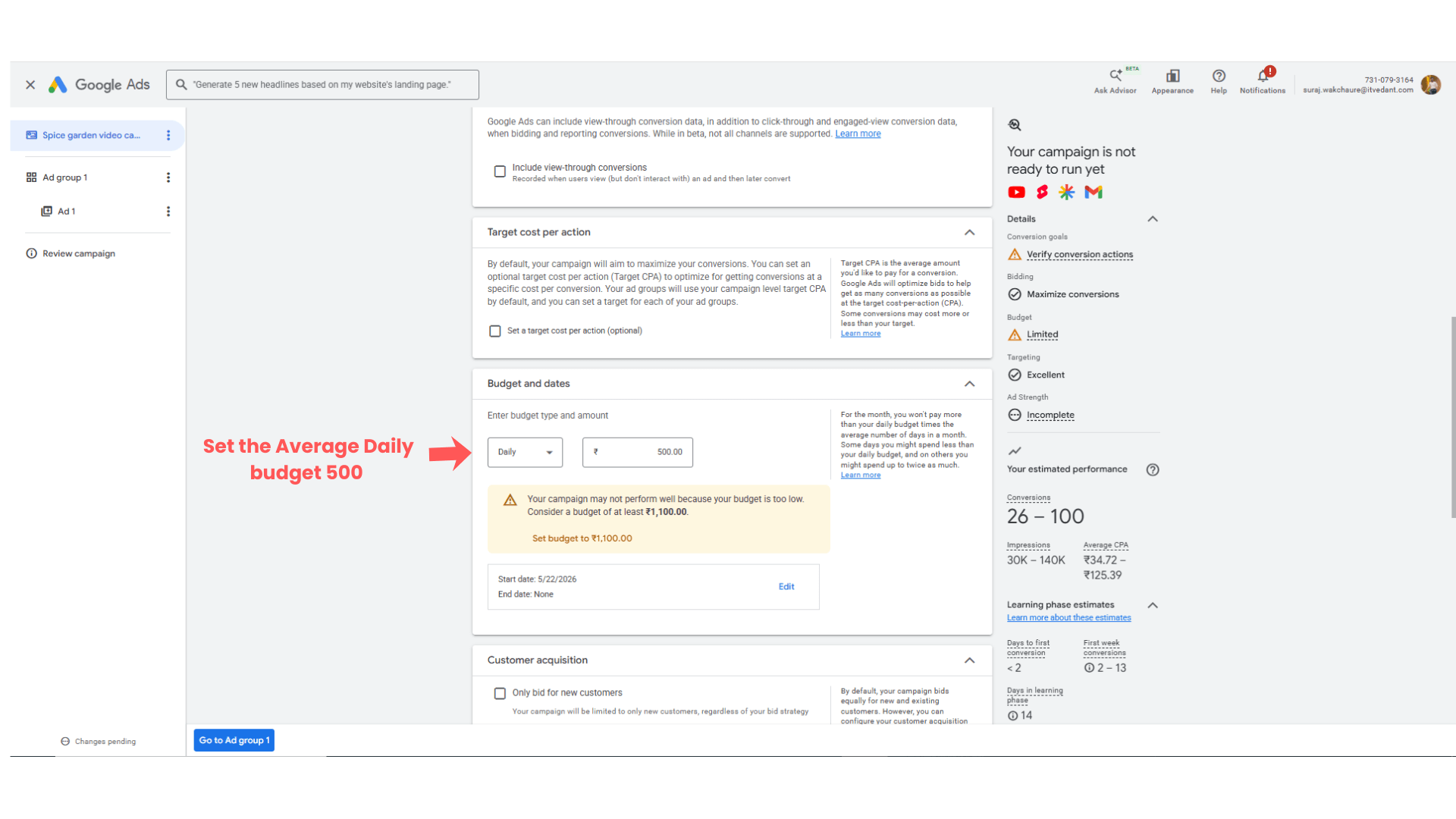
Select the budget and its duration
4
Set sample budget Rs 500
setup of customer acquisition cost option
5
At the campaign initial stage don’t setup the customer acquisition cost
-
Keep it as unchecked
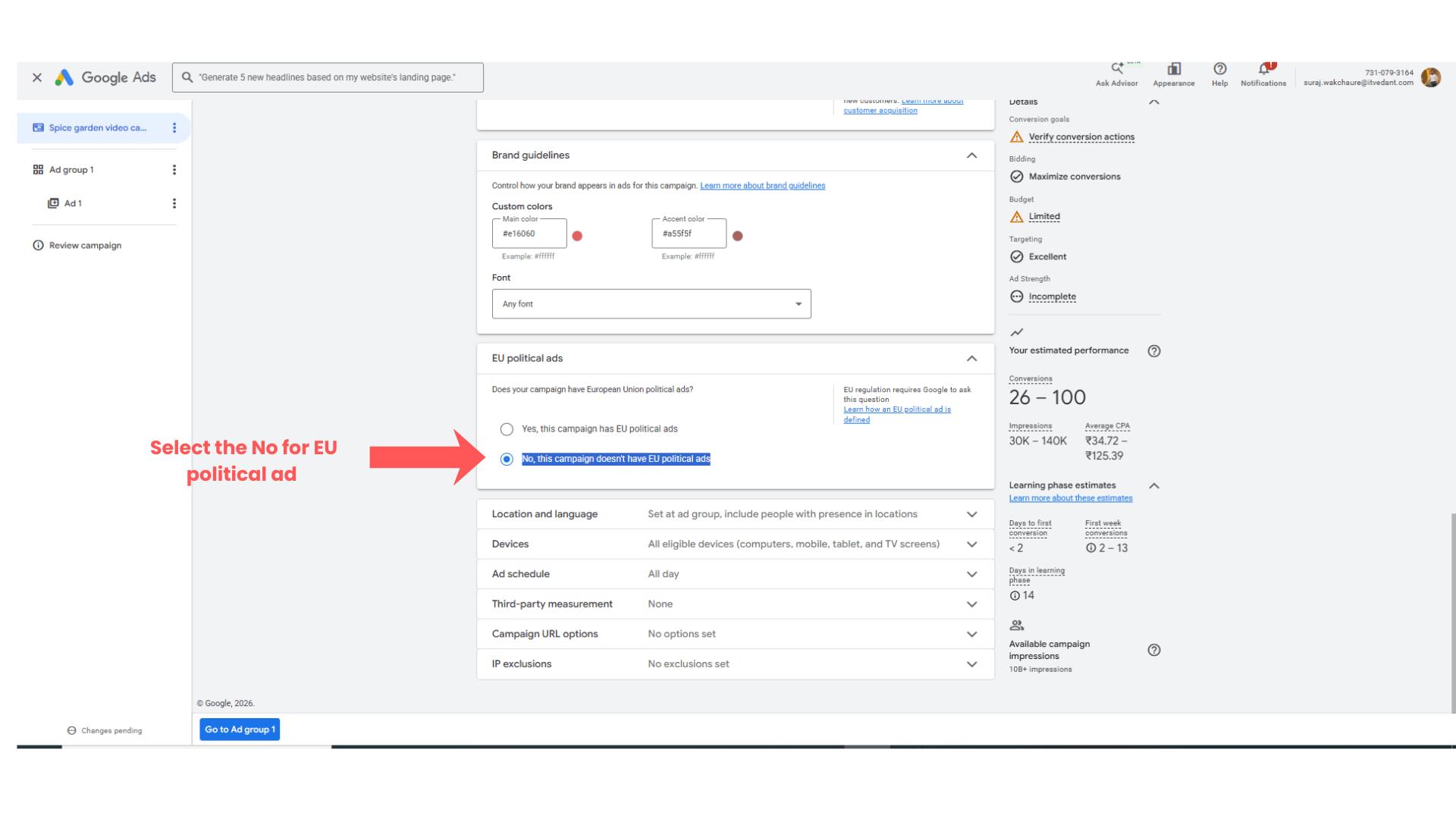
Setup of the EU political Ads CTA Examples:
6
Select the No, this campaign doesn't have EU political ads
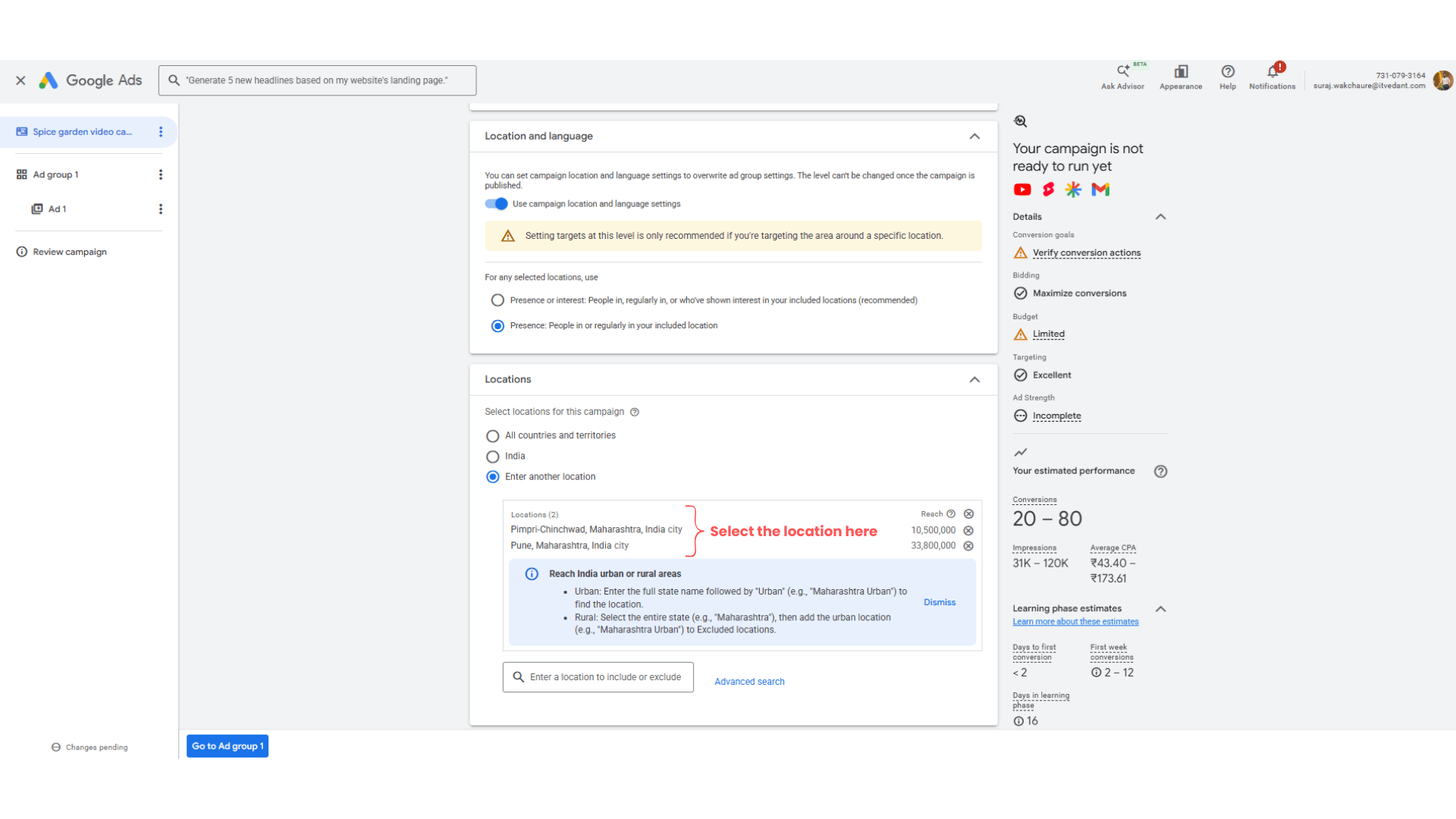
Setup of the Language and Location
7
-
Choose - Presence: People in or regularly in your included location
In the location select the required location as per your target audience.
- Ex - Pune, Pimpri Chinchwad etc
- Location - Hindi, Marathi, English
Other setting setup
8
Imp note - keep all the remaining stuff as it is as mentioned above
-
Language - Hindi, Marathi or keep as it is
-
Devices - All eligible devices
-
Ad schedule - All Day
-
Third Party Measurement - None
-
Campaign url option - None
-
IP exclusions - No exclusion set
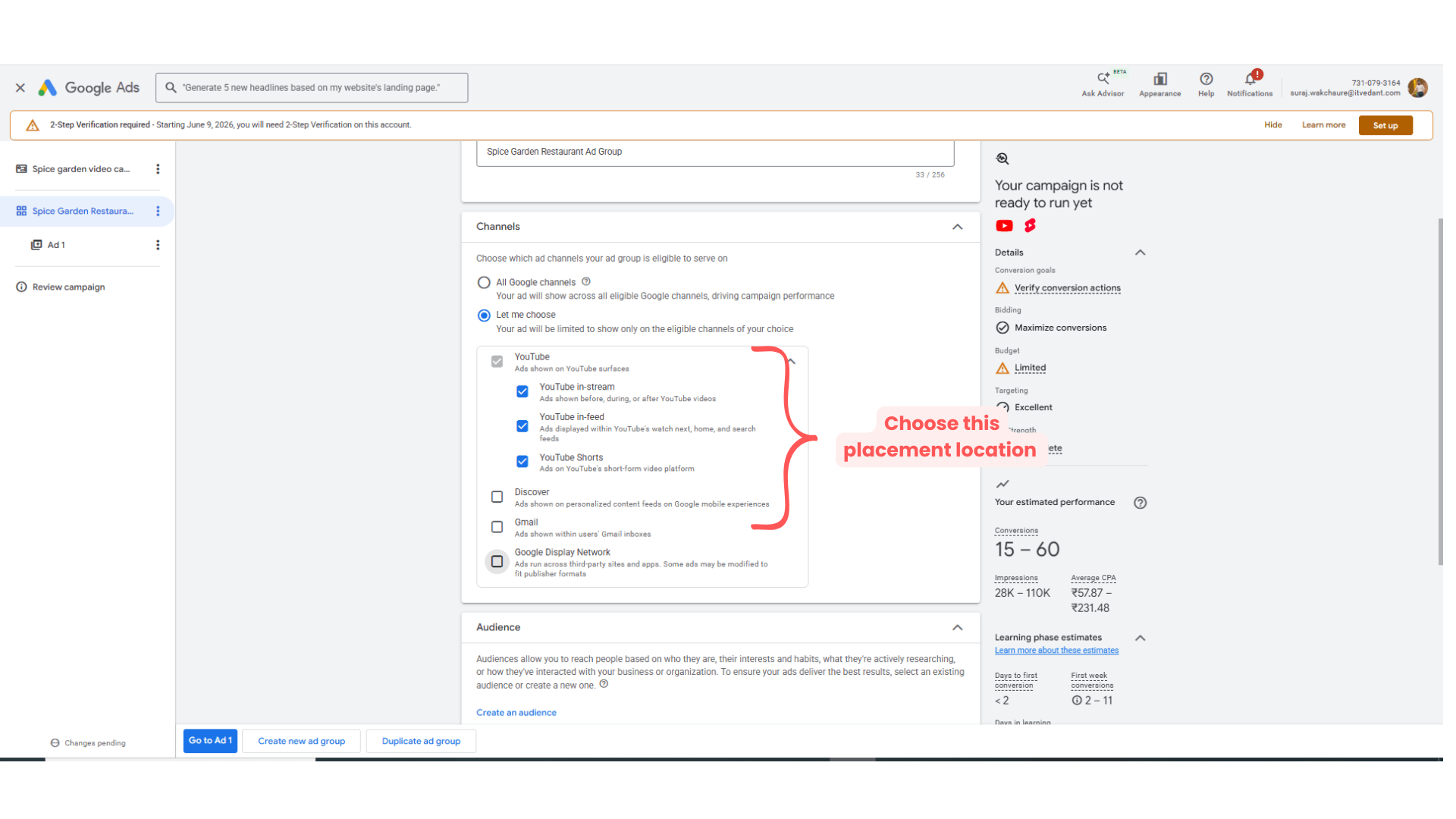
Click on → ‘Go to Ad Group’
Expected Outcome
After completing this LAB, learners will be able to:
-
Create promotional restaurant videos
-
Use Canva video editor
-
Upload videos to YouTube
-
Create Video Ads Campaigns
-
Configure audience targeting
Congratulations!
You have successfully completed the Campaign level setting for the Video Ad LAB for Spice Garden.
In this LAB, you learned how to:
-
Create promotional videos
-
Edit videos using Canva
-
Upload videos to YouTube
-
Configure Google Video Ads Campaigns
This knowledge will help you create engaging video marketing campaigns for businesses.
Checkpoint