Implementing User Login Authentication using React and Spring Boot

Business Scenario
Introduction
Authentication is one of the most important features of any web application. It ensures that only registered users can access the application.
In this lab, a Login page is created using React. User credentials are sent to the Spring Boot backend through Axios. If the credentials are valid, the backend returns the user information, which is stored in Local Storage. The application then redirects the user to the Home page.

Pre-Lab Preparation
-
Create a Login page using React.
-
Capture user input using useState.
-
Send POST requests using Axios.
-
Integrate React with Spring Boot Login API.
-
Store logged-in user information in Local Storage.
-
Navigate between pages using React Router.
-
Handle login success and failure responses.
1
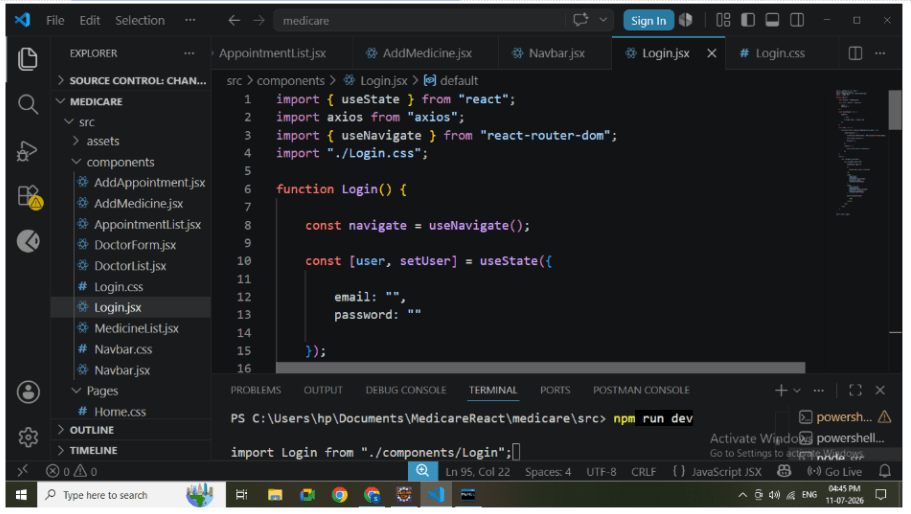
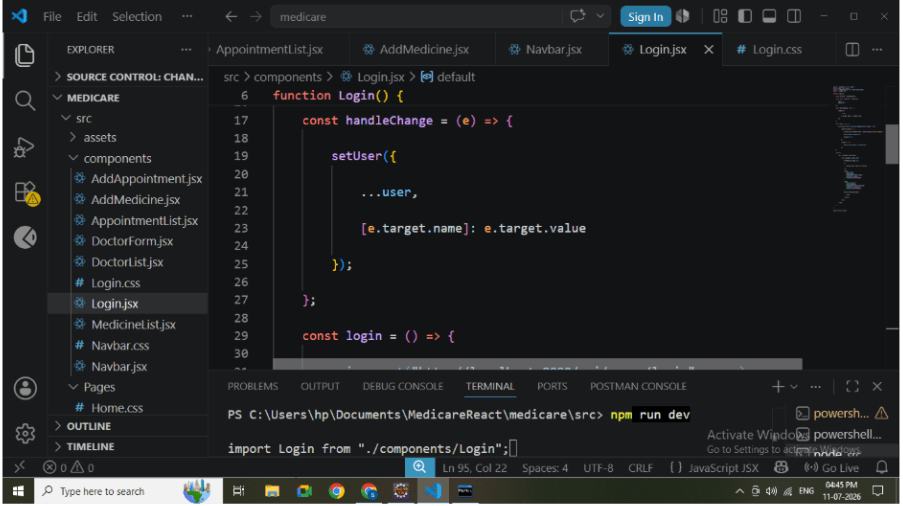
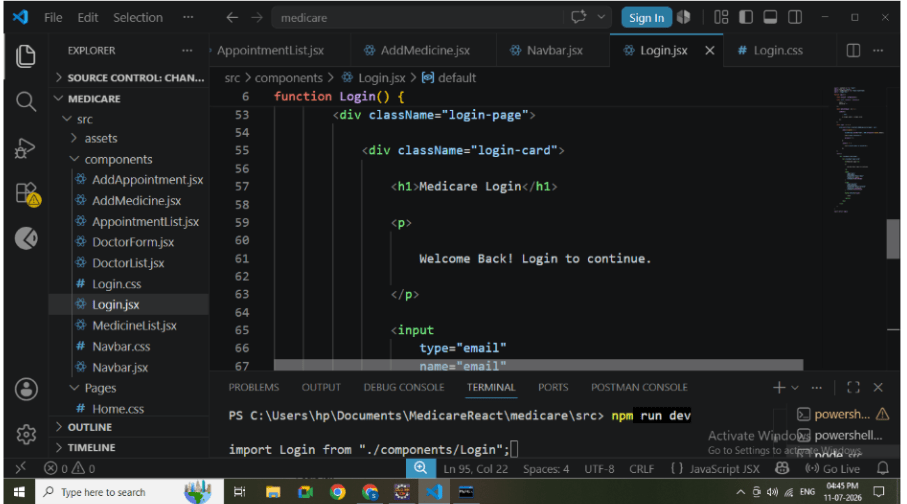
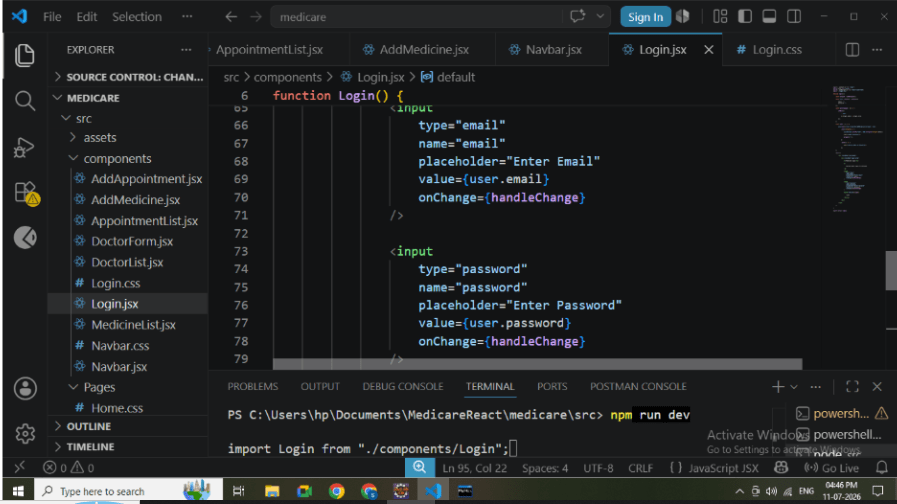
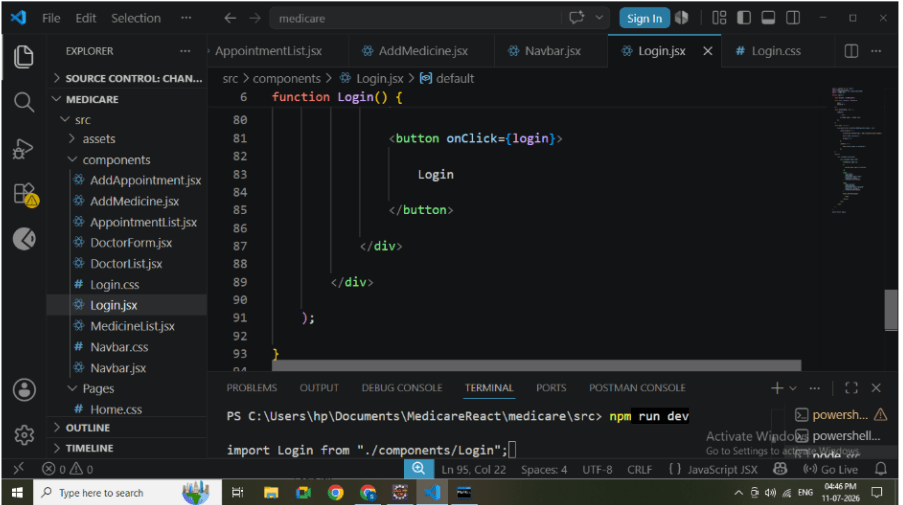
Create Login.jsx inside the components folder.
Responsibilities:
-
Display login form.
-
Accept email and password.
-
Store user input using useState.
-
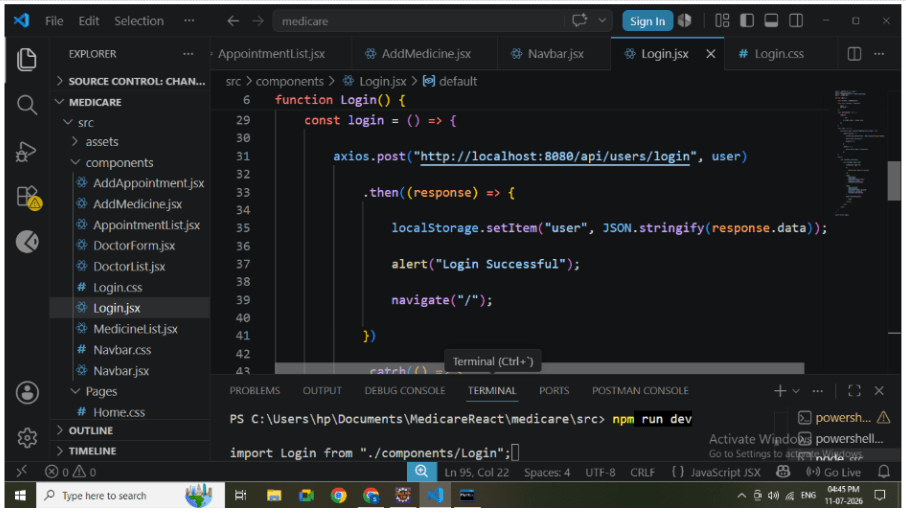
Call Login API..
-
Navigate to Home after successful login.
2
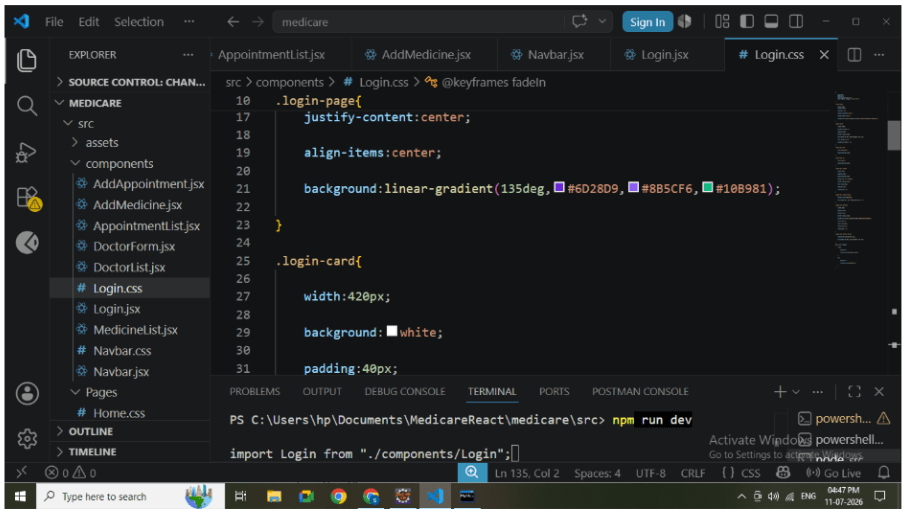
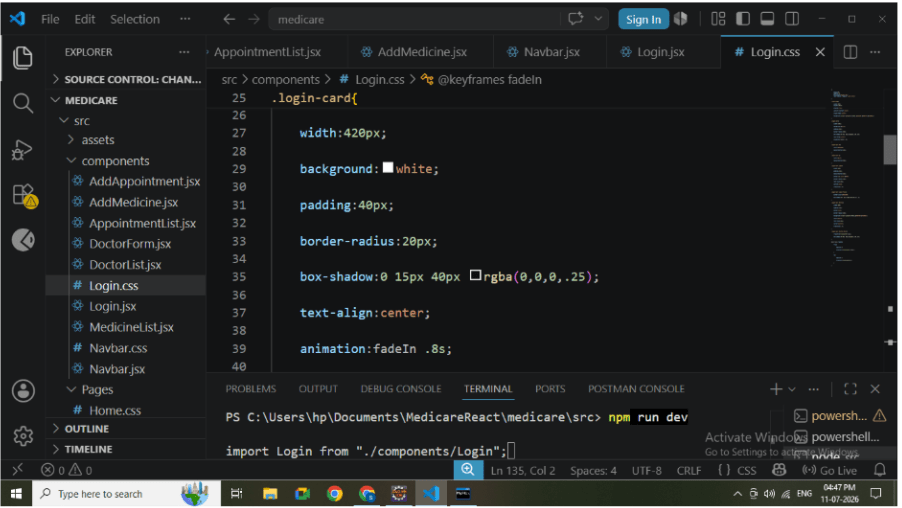
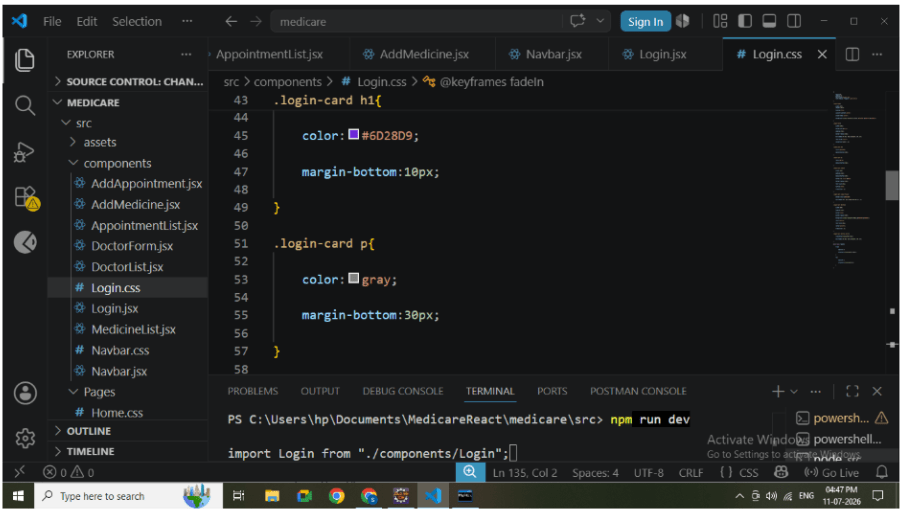
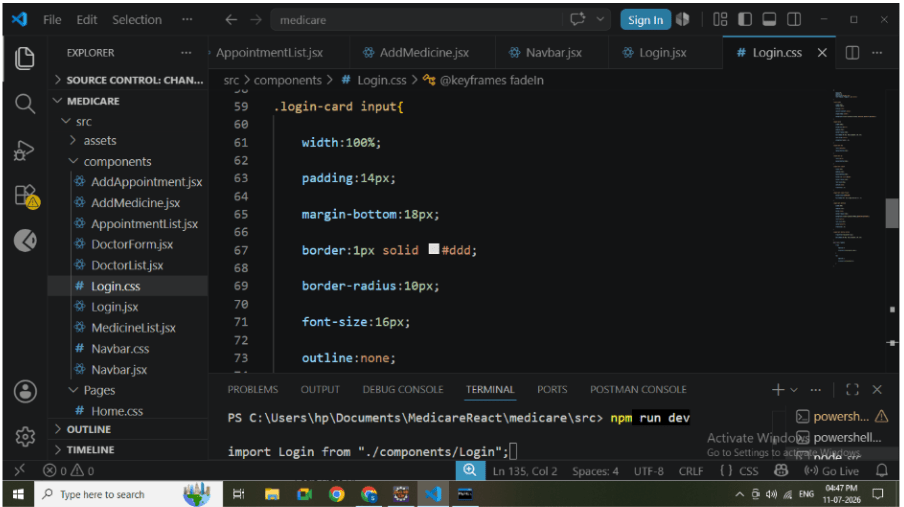
Design Login Page
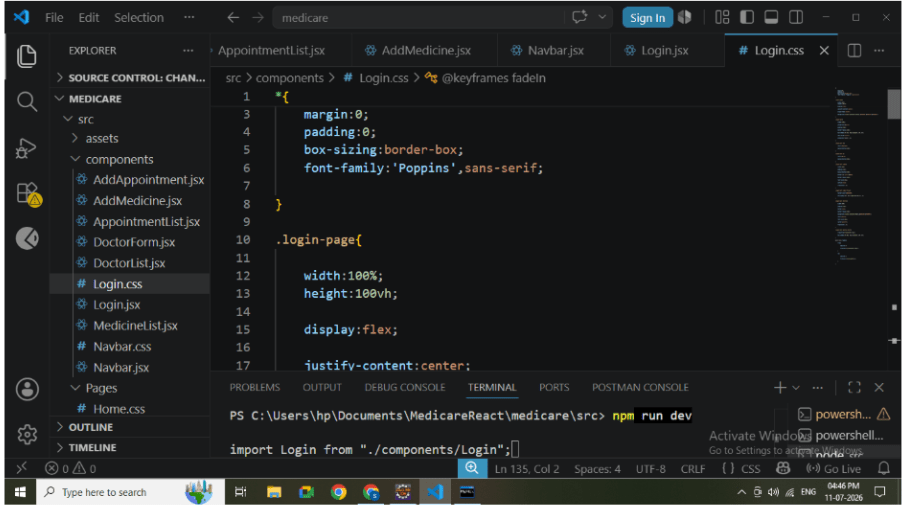
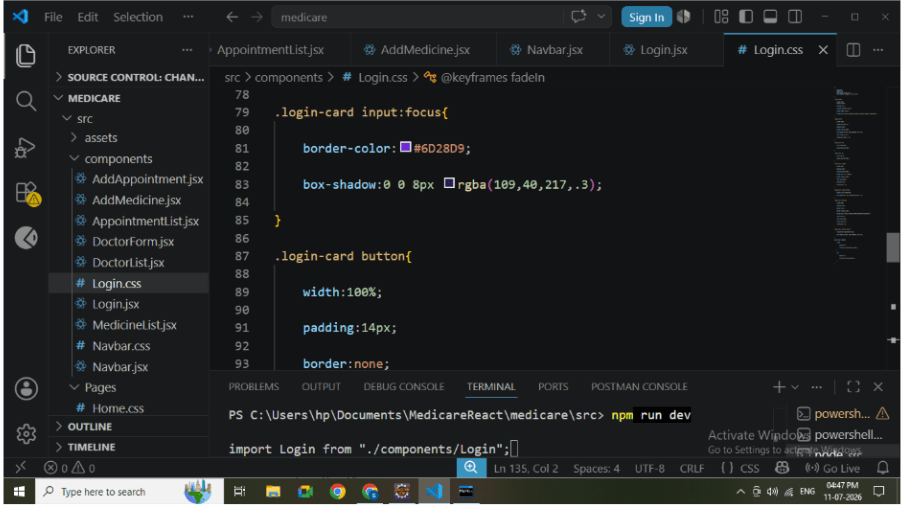
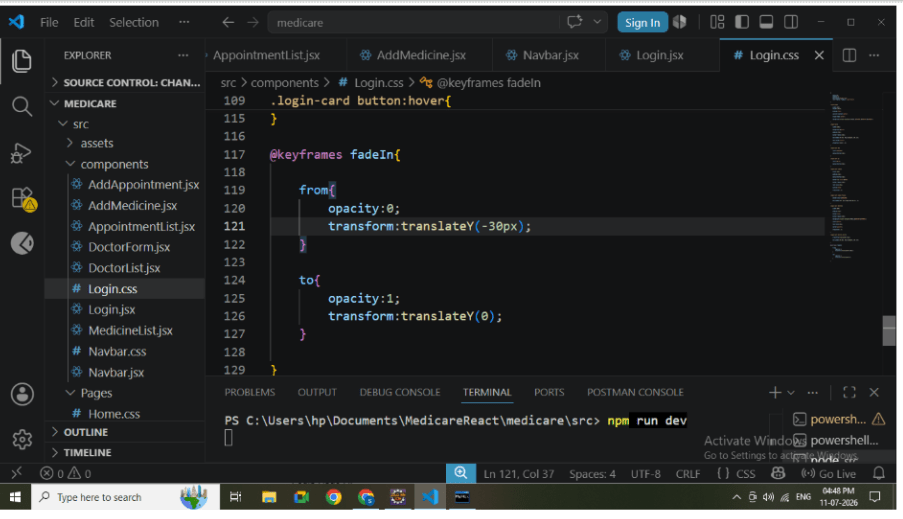
Create Login.css.
Apply styling for:
-
Gradient background
-
Login card
-
Input fields
-
Login button
-
Hover effects
-
Responsive design
-
Animation
This creates a professional and user-friendly login interface.
3
Configure Backend API
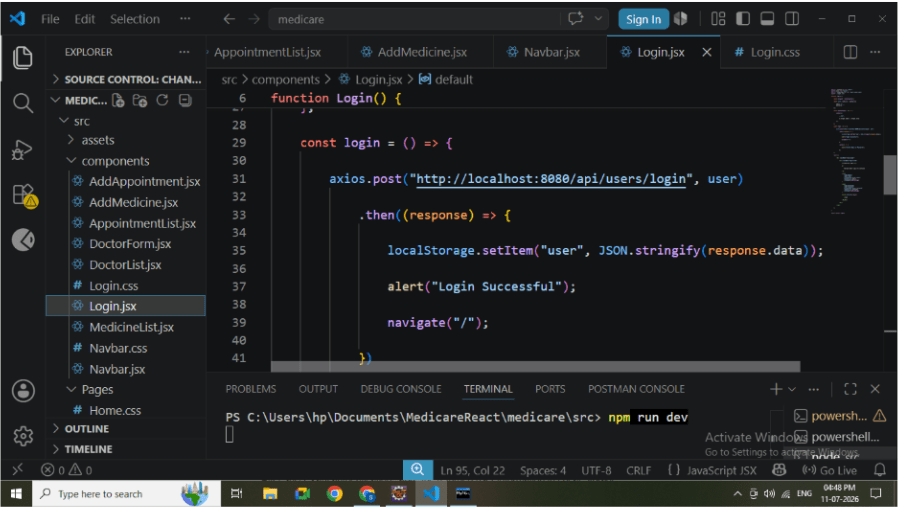
Connect the Login page with the Spring Boot backend using Axios.
Login API: POST
http://localhost:8080/api/users/login
{
    "email":"rahul@gmail.com",
    "password":"1234"
}
5
Store Logged-In User
After successful authentication, store the returned user information in Local Storage
localStorage.setItem("user", JSON.stringify(response.data));This allows the application to remember the logged-in user during the current browser session
6
4
Redirect User
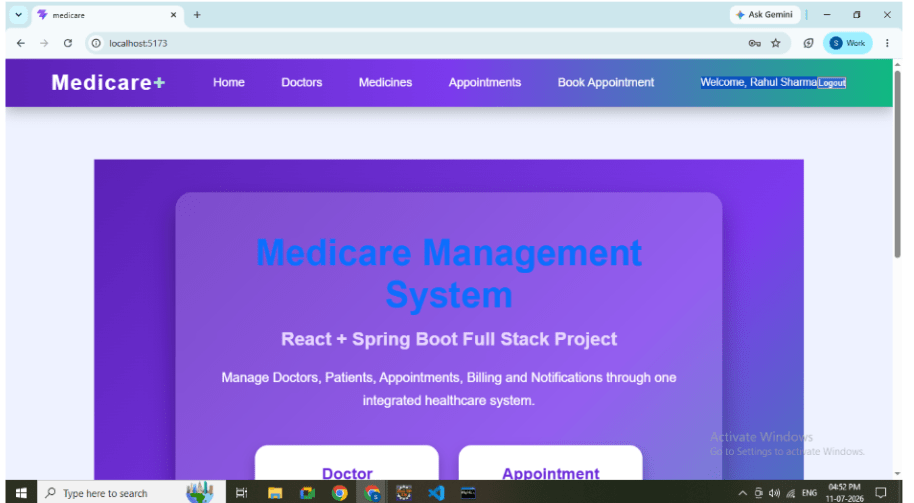
After storing the user information, navigate to the Home page using React Router
Example:
navigate("/");
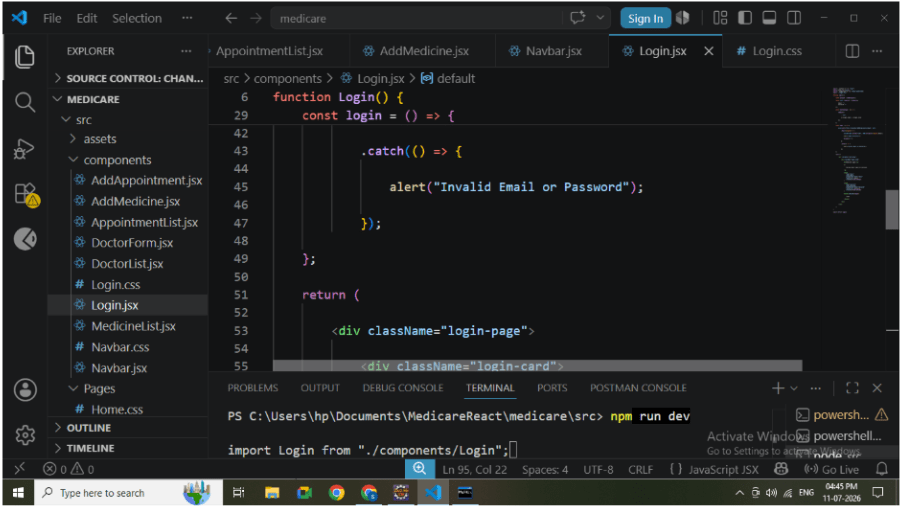
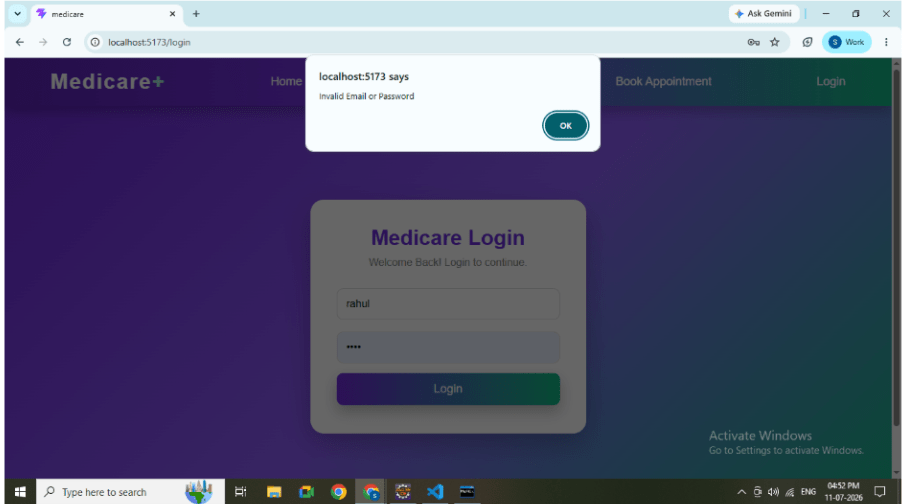
Handle Invalid Login
If the email or password is incorrect:
-
Display an error message.
-
Keep the user on the Login page.
-
Allow another login attempt.
Example Message:
"Invalid Email or Password"
7
Configure Routing
Add Login routing in App.jsx.
Routes:
/login
8
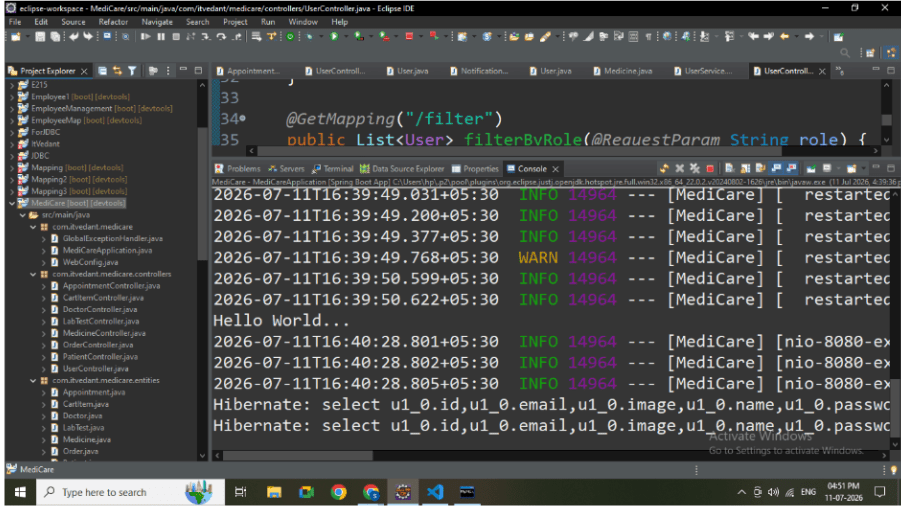
Run Backend
Start the Spring Boot application.
Verify:
-
Application starts successfully.
-
Login API is available.
-
Database connection is established.
9
Run React Application
Start the React application
npm run dev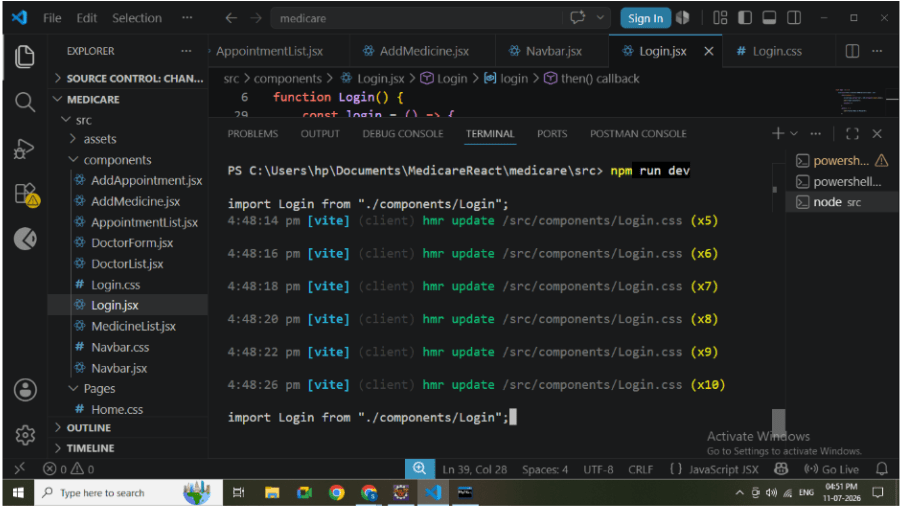
10
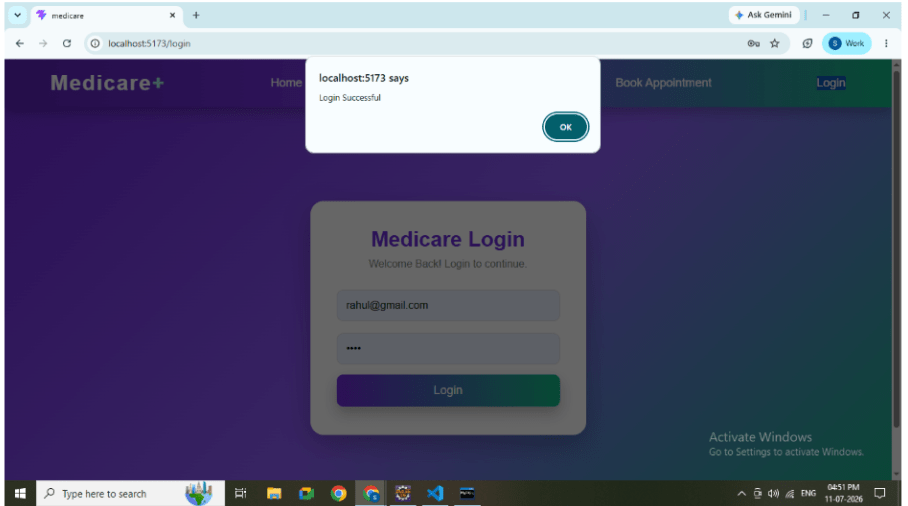
Test Login
Enter valid credentials.
Example:Email: rahul@gmail.com Password:1234
11
Verify Local Storage
Open Browser Developer Tools.
Navigate to: Application → Local Storage
Verify that the logged-in user information is stored successfully
Great job!
-
Secures application access.
-
Authenticates registered users.
-
Provides personalized user sessions.
-
Integrates React with Spring Boot.
-
Demonstrates real-world authentication flow.
-
Improves application security and user experience.
Checkpoint