Implementing Routing and Navigation in React using React Router DOM

Business Scenario
The objective of this lab is to implement client-side routing in a React application using React Router DOM. Students will create multiple pages, configure routes, develop a reusable navigation bar, and navigate between different modules without reloading the application.

Pre-Lab Preparation
-
Understand client-side routing.
-
Install and configure React Router DOM.
-
Create multiple React pages.
-
Configure BrowserRouter, Routes, and Route.
-
Implement navigation using Link.
-
Build a reusable Navbar component.
-
Create a professional multi-page React application.
1
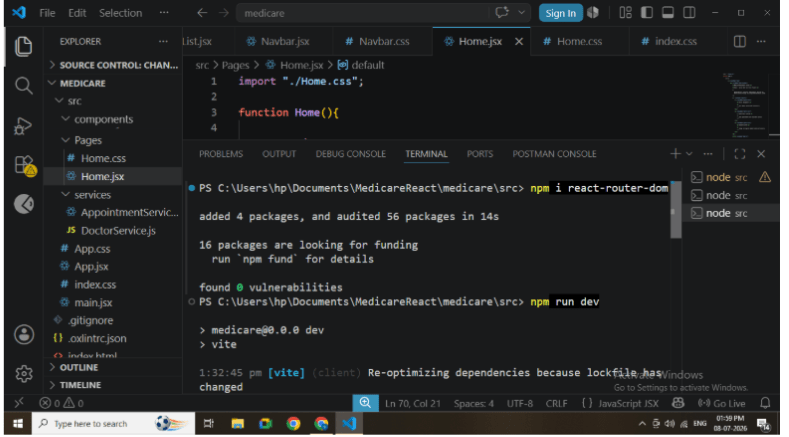
Install React Router DOM
Install the React Router library
npm install react-router-domThis package enables routing functionality in React.
2
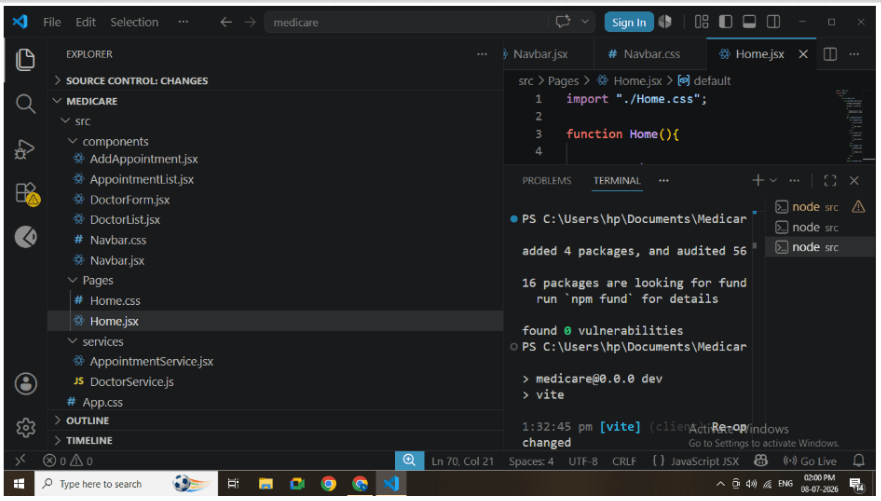
Create the following project structure.
src
│
├── components
│ ├── Navbar.jsx
│ ├── DoctorForm.jsx
│ ├── DoctorList.jsx
│ ├── AddAppointment.jsx
│ └── AppointmentList.jsx
├── pages
│ └── Home.jsx
├── services
│ ├── DoctorService.js
│ └── AppointmentService.js
├── App.jsx
├── Navbar.css
├── Home.css
└── App.css
3
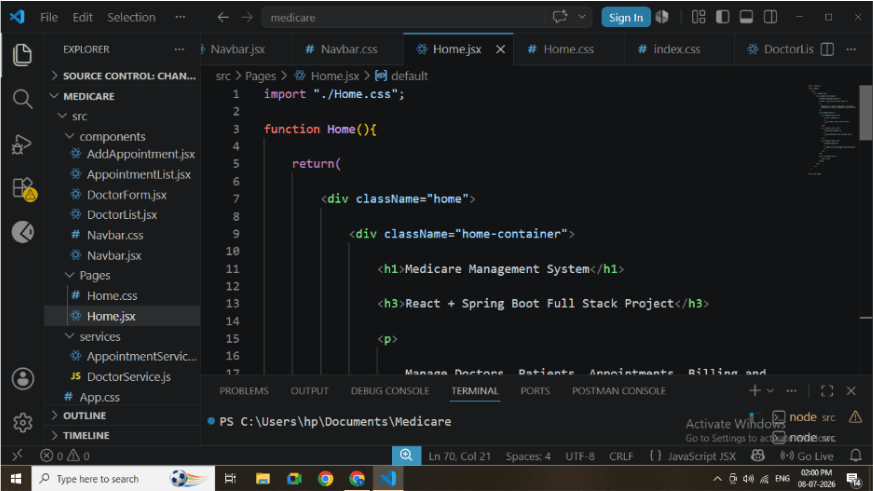
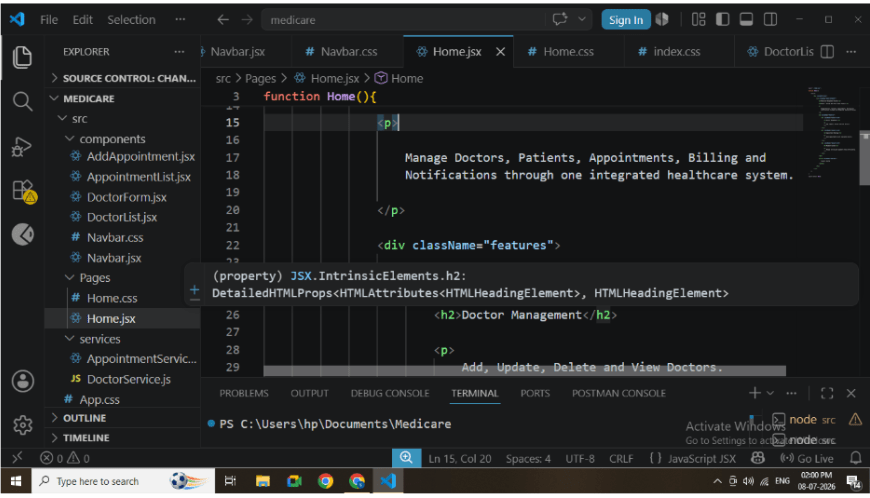
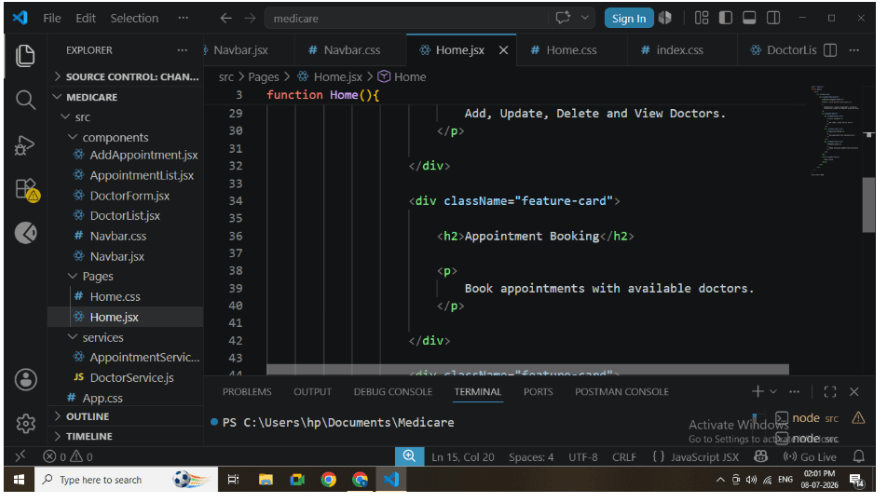
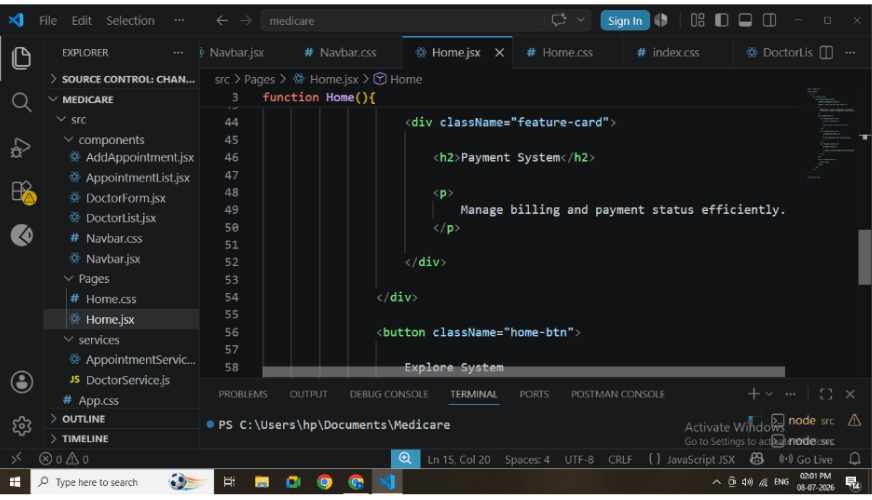
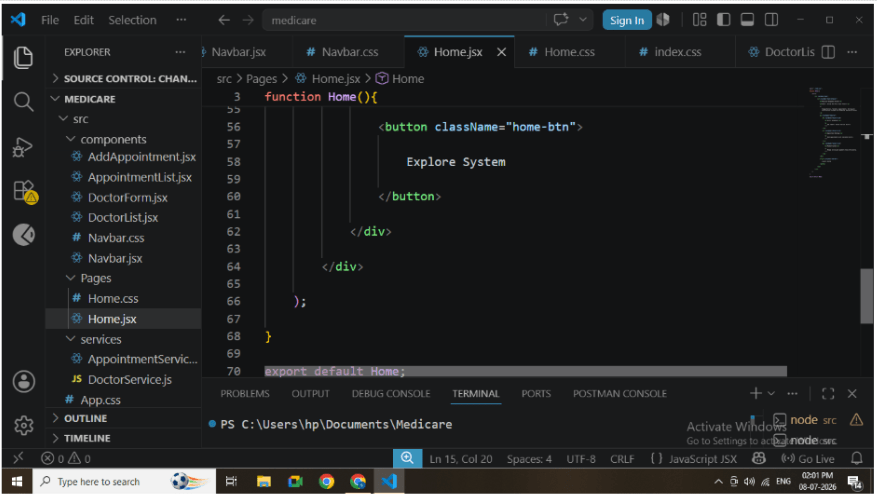
Create Home Page
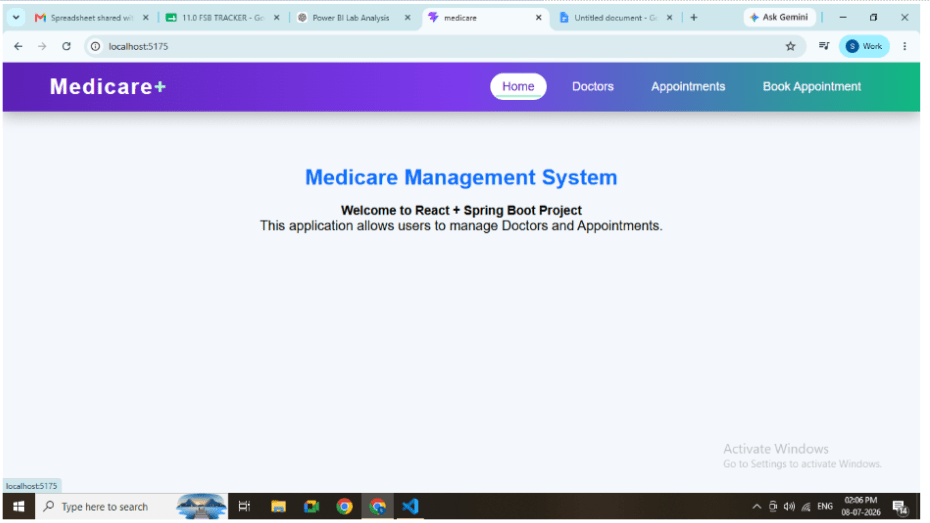
Develop Home.jsx.
Responsibilities:
-
Display application title.
-
Display welcome message.
-
Show application description.
-
Display feature cards.
-
Provide attractive landing page.
4
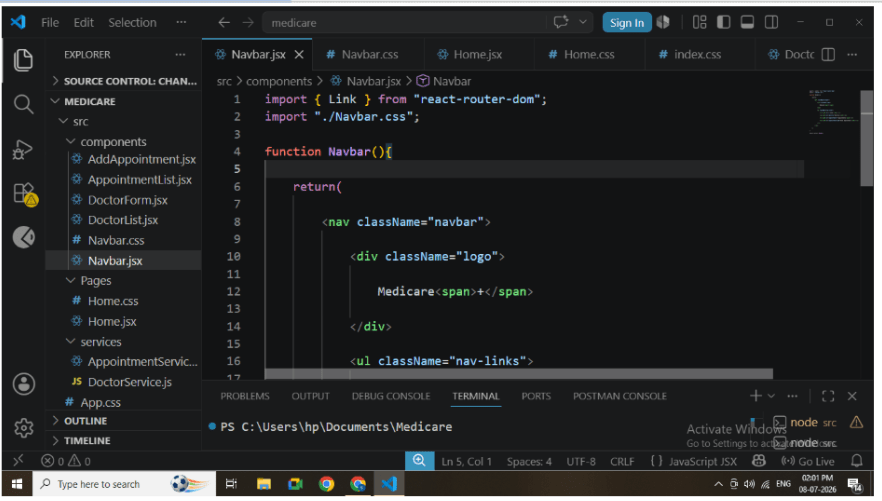
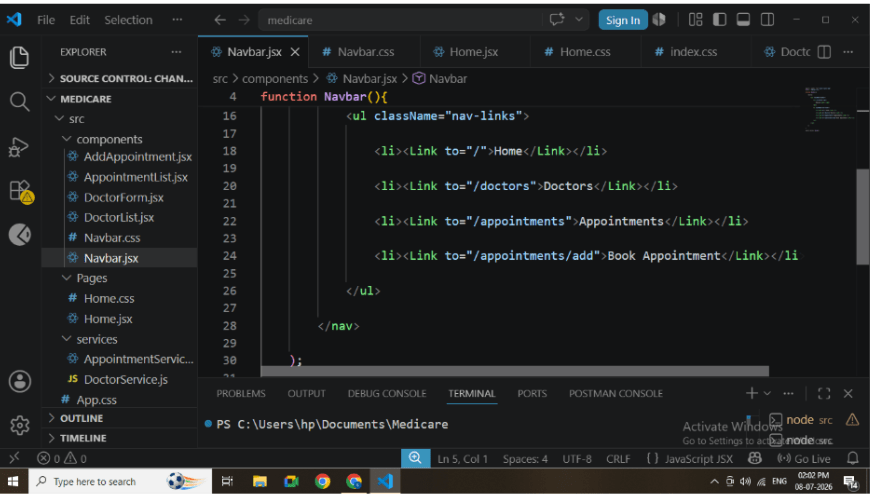
Create Navigation Bar
Develop Navbar.jsx.
Navigation Links:
-
Home
-
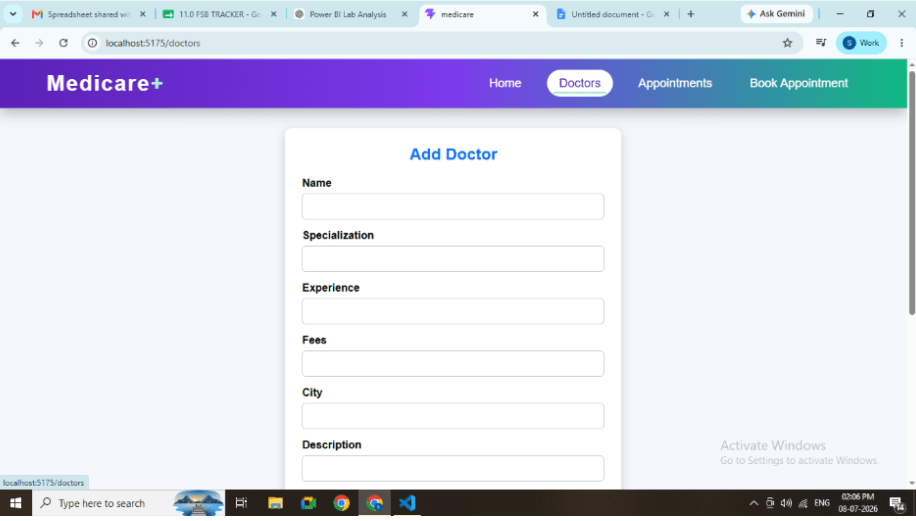
Doctors
-
Appointment List
-
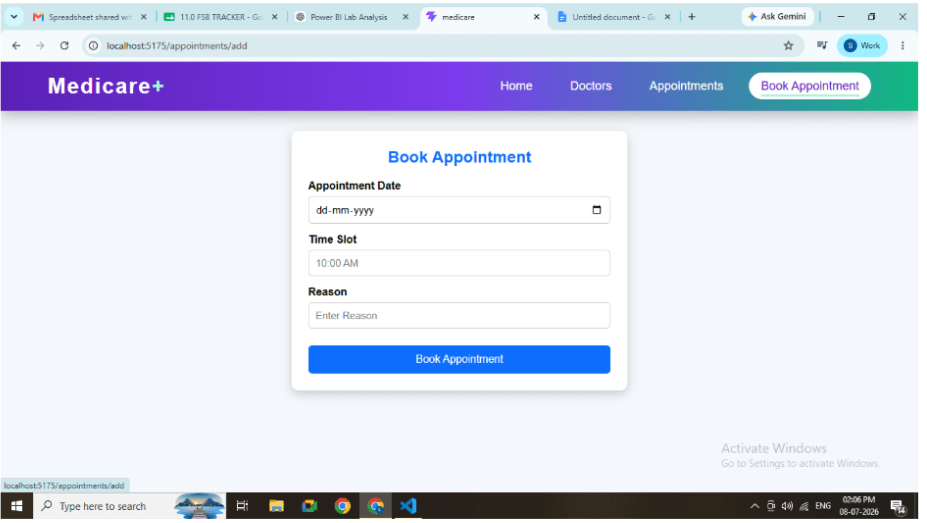
Book Appointment
Use Link component instead of anchor tags.
This prevents full page refresh.
5
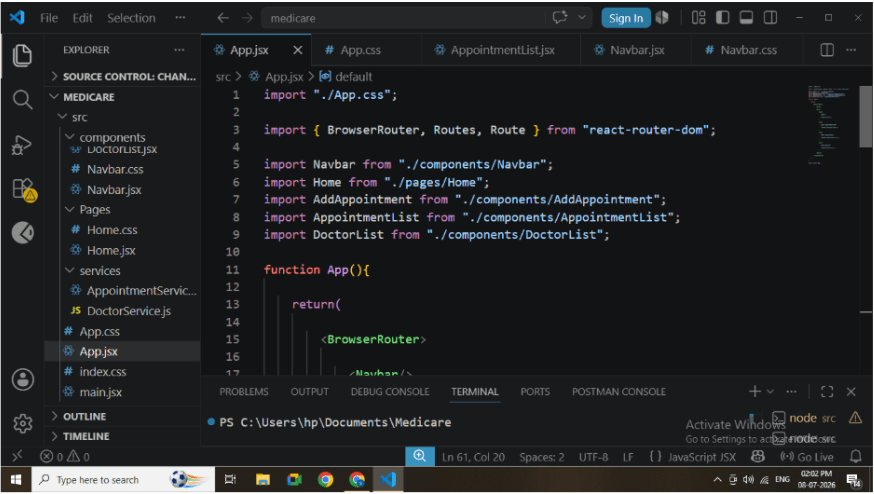
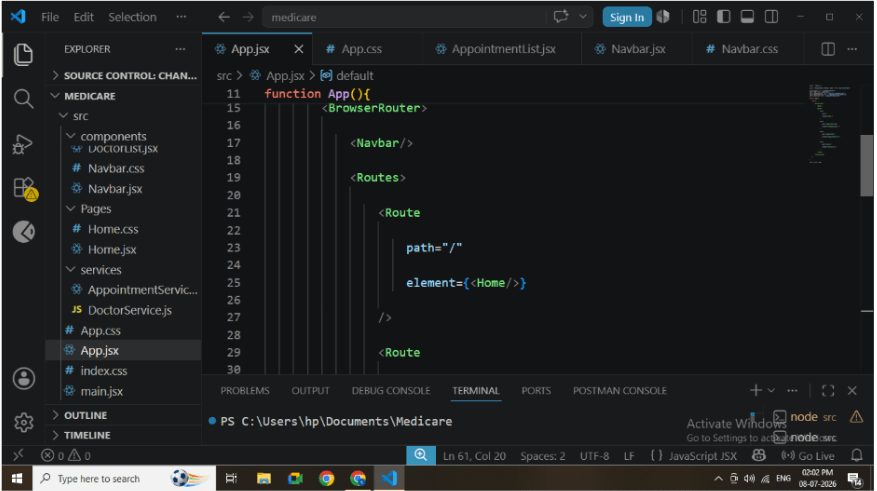
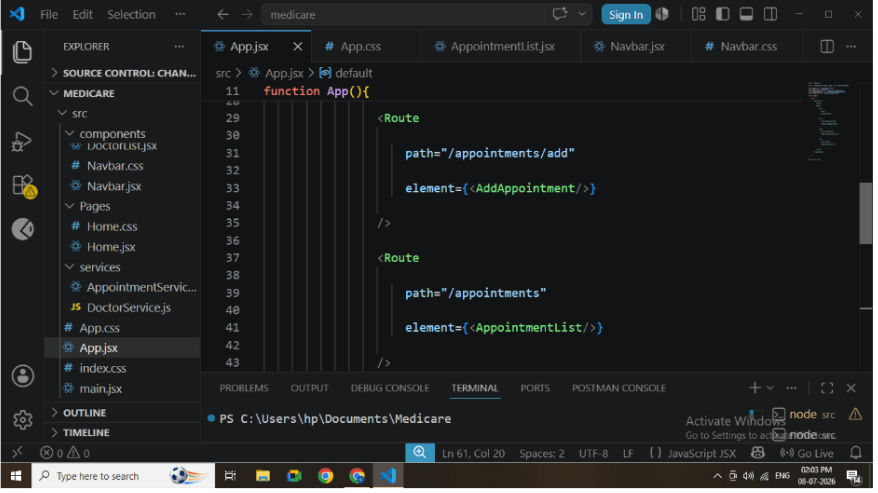
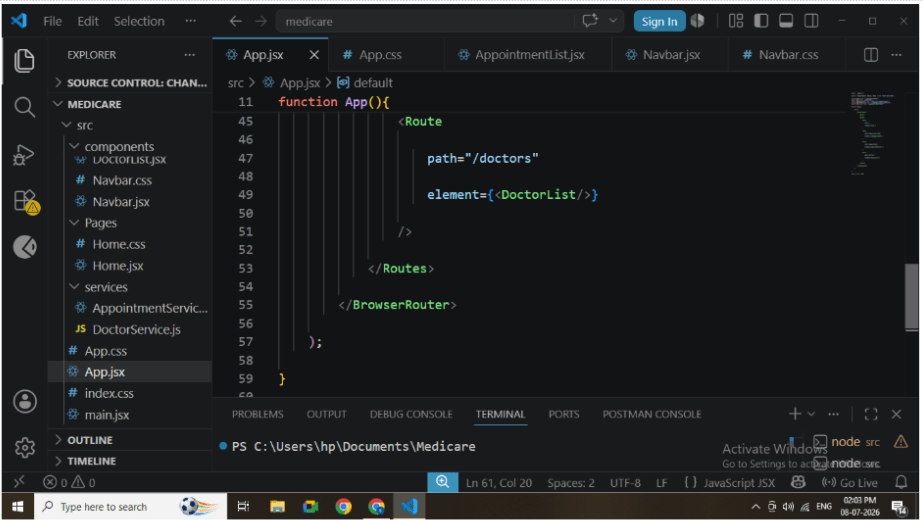
Configure Routes in App.jsx
Configure BrowserRouter.
Create Routes for every page.
Example Routes:
-
Home
-
Doctors
-
Appointment List
-
Book Appointment
React Router automatically renders the required component based on the URL.
6
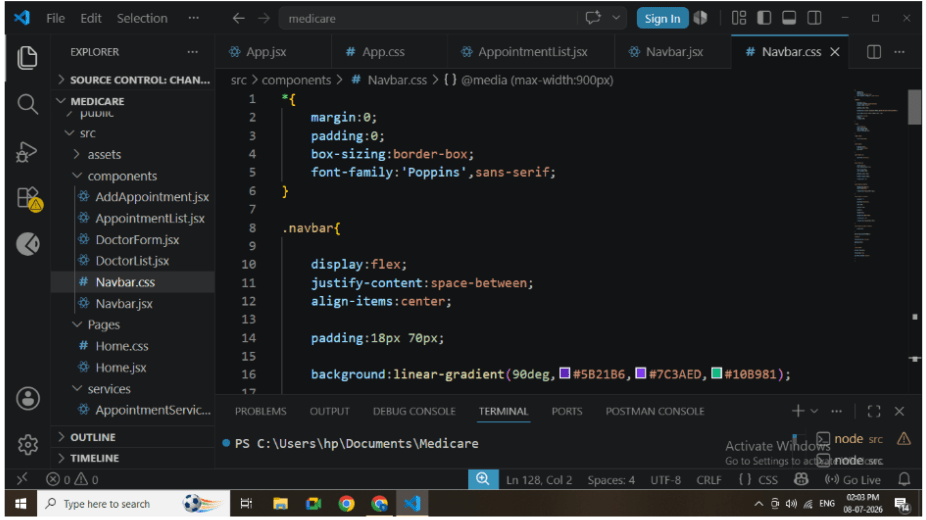
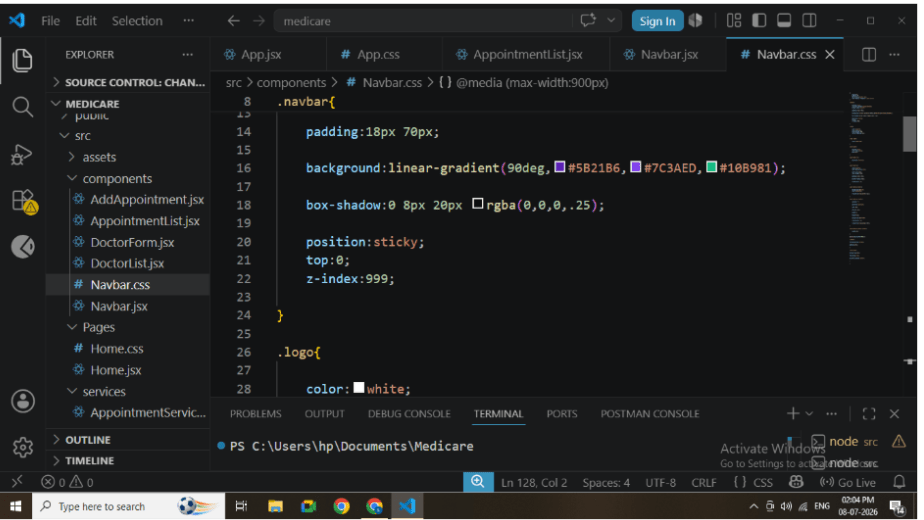
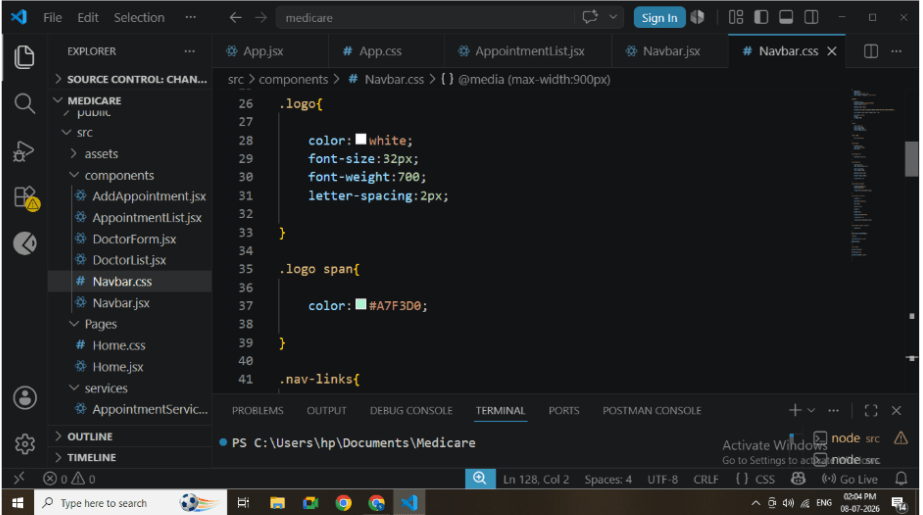
Apply Navbar Styling
Create Navbar.css.
Apply:
-
Gradient Background
-
Responsive Layout
-
Hover Effects
-
Sticky Navigation
-
Professional Colors
-
Rounded Links
This improves navigation and user experience.
7
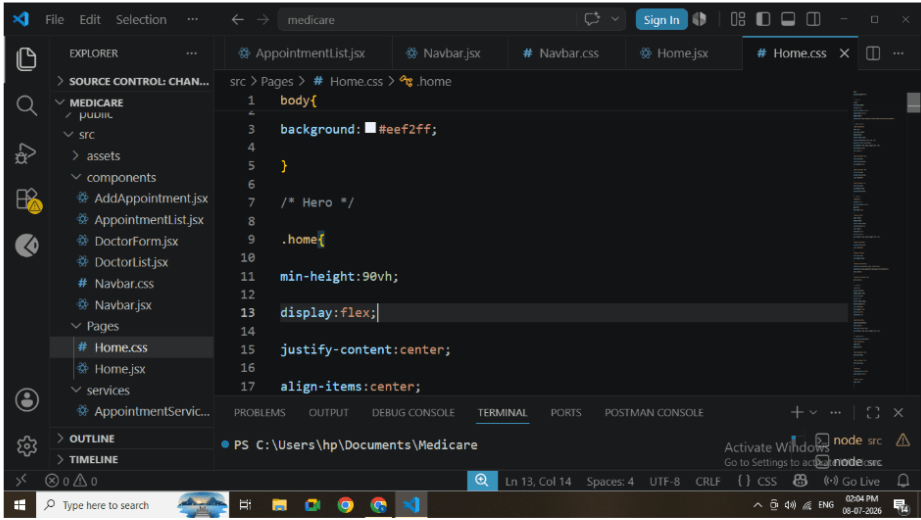
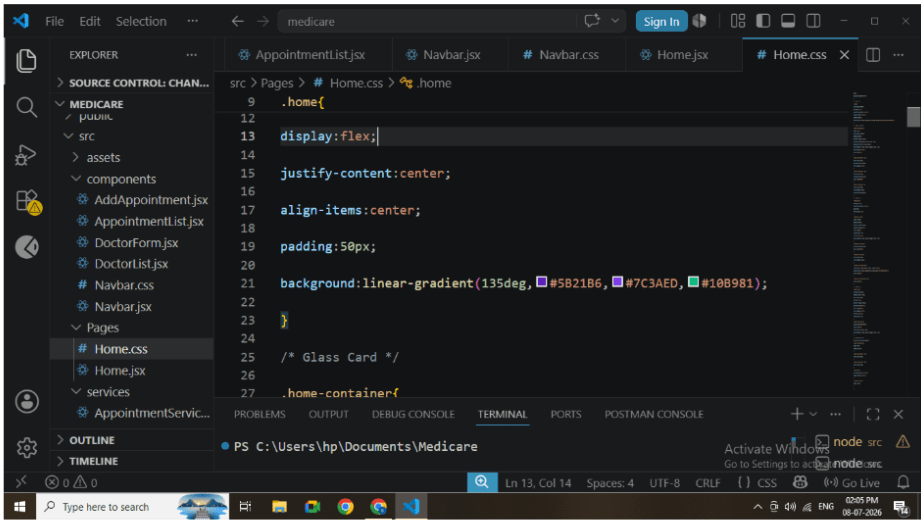
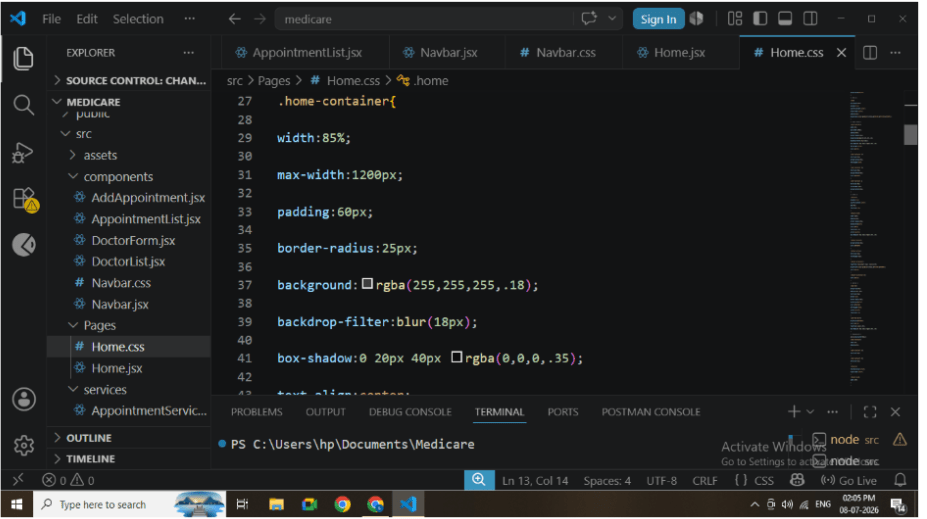
Design Home Page
Create Home.css.
Apply:
-
Gradient Background
-
Hero Section
-
Feature Cards
-
Glassmorphism Effects
-
Hover Animations
-
Responsive Design
This creates an attractive landing page.
8
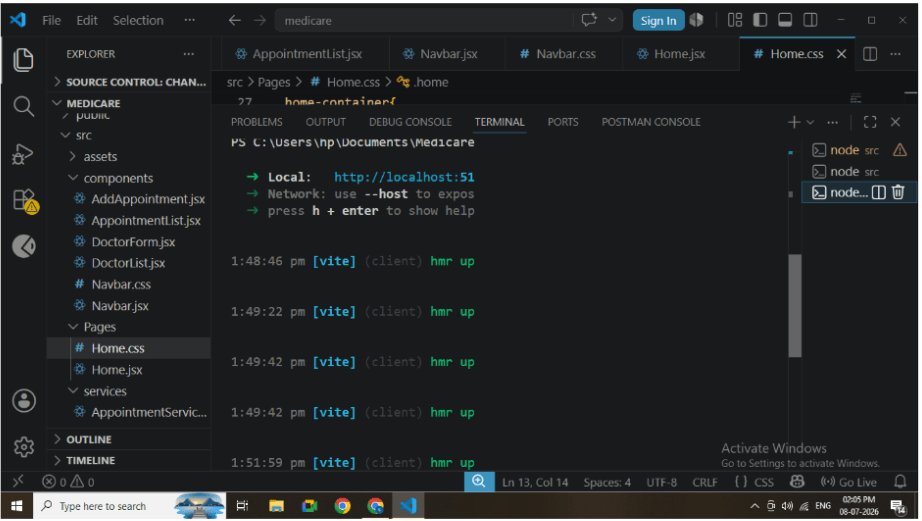
Run React Application
Execute the following command.
npm run devVerify:
-
React starts successfully.
-
Navbar appears.
-
Home page loads.
9
Test Navigation
Click every menu item.
Verify:
-
Home
-
Doctors
-
Appointment List
-
Book Appointment
The URL should change without refreshing the browser.
Great job!
In this lab, React Router DOM was successfully integrated into the Medicare Management System. Multiple pages were connected through a reusable navigation bar, allowing seamless client-side navigation. The implementation demonstrates modern React routing concepts, component-based architecture, and responsive user interface design, making the application more organized, scalable, and user-friendly.
Checkpoint