Implementation Details
LAB
BECM33MLE - Ing. David Pařil
Introduction + Agenda
Building End-2-End ML apps
Your projects are not just about the models. Today we will focus on implementation details, that may bring you a step further to production release.
Configuration
Secrets
Auth
Storage
Accessibility
UI/UX design
Observability
Performance tests
CI/CD
Privacy/GDPR
Resilience
LLM implementation
Configuration And Secrets
Do not hard-code configurations or secrets in your source code.
Externalize configs (e.g. use environment variables or config files) and load them at runtime.
This makes an application more portable and prevents leaking of sensitive data. Make sure to use versioning in your configs.
Separate config from code:
Never hard-code yours secrets!
Store sensitive credentials (API keys, DB passwords, etc.) in secure vaults or key management services instead of plain text files.
Use environment variables or secured config files separated between
dev/test/prod.
Secure secrets storage:
Limit who/what can access secrets.
Apply the principle of least privilege so components only see the secrets they absolutely need.
Implement different user roles and regularly review who has access.
Least privilege access:
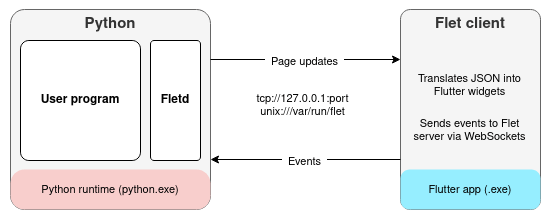
Huge advantage of Flet ->
Use tooling to scan and detect secrets in code and rotate any that leak.
Never commit secrets to version control
Rotate secrets
Change secrets periodically to reduce impact of leaks.
Implement secret rotation - ideally automated.
Log all secret access attempts for monitoring - detect outliers.
Authentication and authorization
Use well tested authentication frameworks (OAuth 2.0) instead of DIY.
Use standard protocols:
If managing passwords, always hash with a strong algorithm. (bcrypt)
Use salt to stop password crackers (John the Ripper).
Never store plaintext.
Enforce strong passwords and consider MFAs.
Prefer short-lived tokens for client-server auth.
Secure password handling:
Implement authorization checks on the server for every request.
- RBAC - permissions based on user roles (easy to implement)
- ABAC - permissions based on user attributes (more flexible, complex to build and maintain) - can utilize time, location, ...
Role-based access control:
Always use HTTPS to protect credentials in transit.
Validate all inputs to authentication flows (injection attacks).
Rate-limit authentication attempt detector (brute force).
Best practices:
Secure local storage
If your application stores sensitive data on the client (mobile device, browser, user's machine), use encryption.
Leverage OS-level keystores or encrypted databases so that data like tokens or personal info isn't just in plaintext on the device.
Encrypt data at rest:
Flet client storage:
Flet session storage:
Use platform best practices which often provide encryption and sandboxing by default.
- MacOs - Keychain
- Windows - Credential Manager / DPAPI
- Linux - Secret Service / GNOME Keyring / libsecret
- IOs - KeyChain
- Android - KeyStore
Platform specific secure storage:
Use envelope encryption:
Generate a random DEK (data-encryption key) per secret, encrypt the secret with DEK, then wrap (encrypt) the DEK with a KEK (key-encryption key) stored in the OS keychain.
Accessibility
Use sufficient color contrast for
text - aim for at least 4.5:1.
Support resizing of at least up-to 200% without breaking the layout.
Ensure text readability:
Keyboard navigation:
All functionality must be accessible via keyboard alone. Controls should be focusable with TAB.
Avoid seizures:
Do not auto-play video or audio without user consent. May trigger seizure.
Accessible controls:
Interactive controls should be large enough.
- 22px for pointer targets
- 44px for touch targets
Clear error messages:
When users make mistakes (i.e. form errors), provide helpful feedback.
UI/UX Design best practices
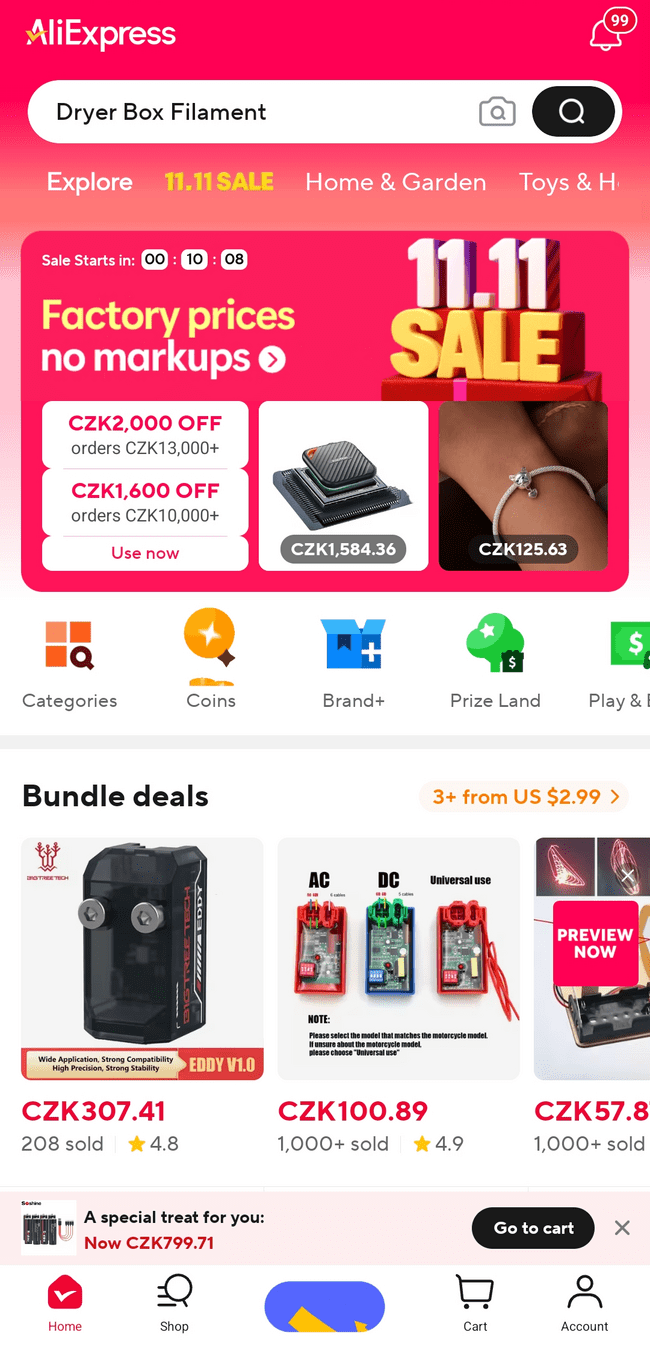
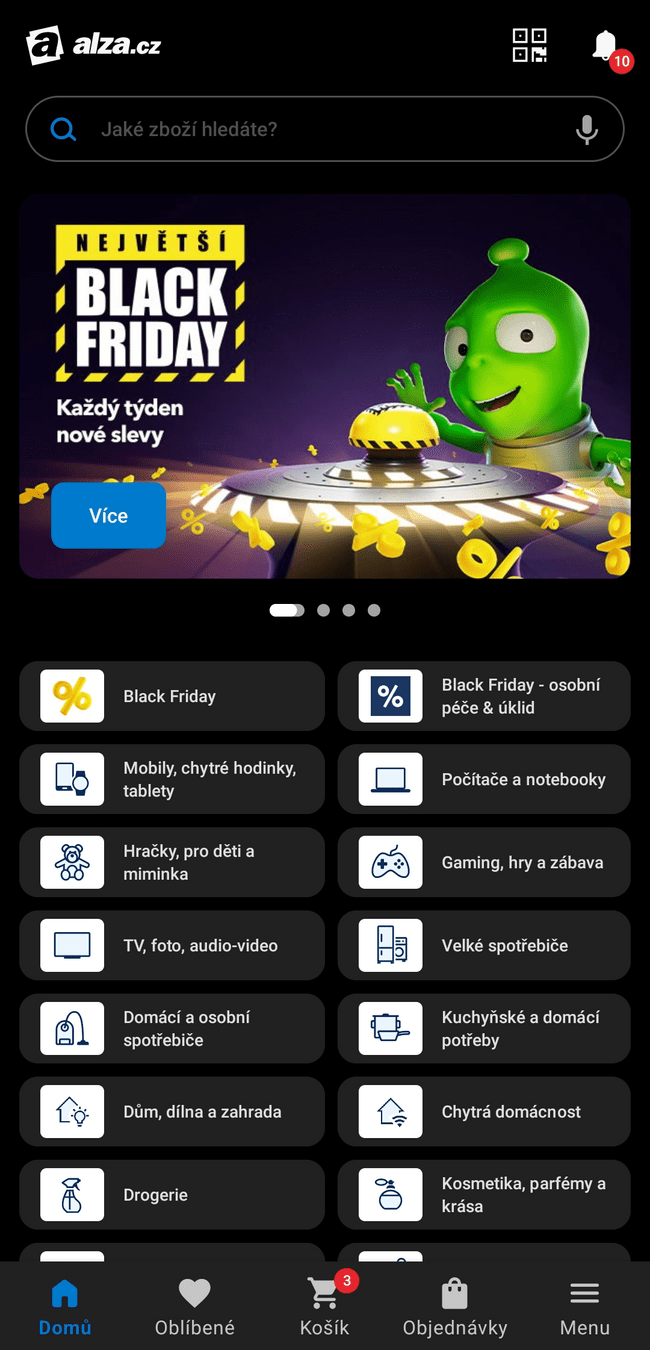
What is wrong with the first design?
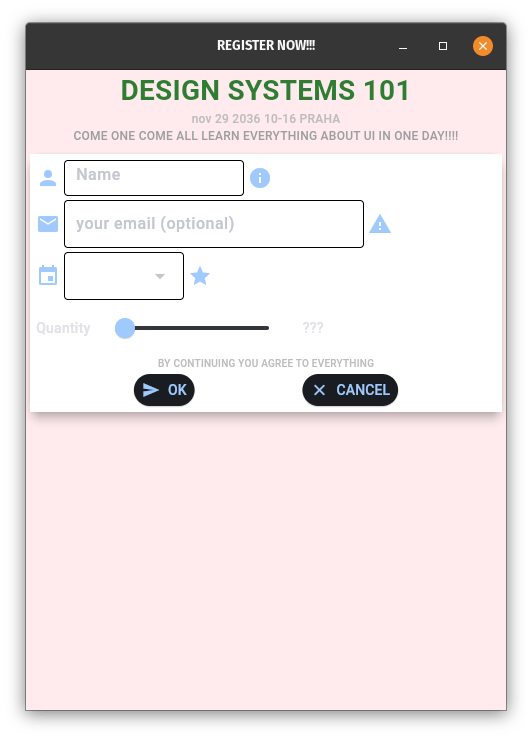
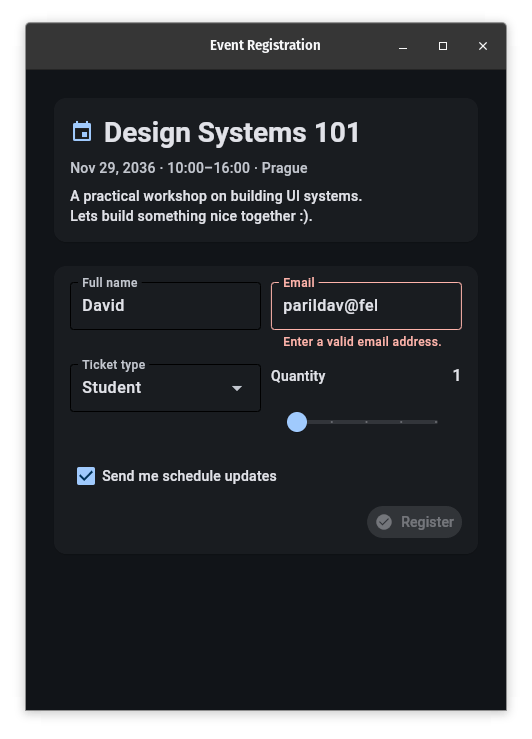
What is wrong with the first design?
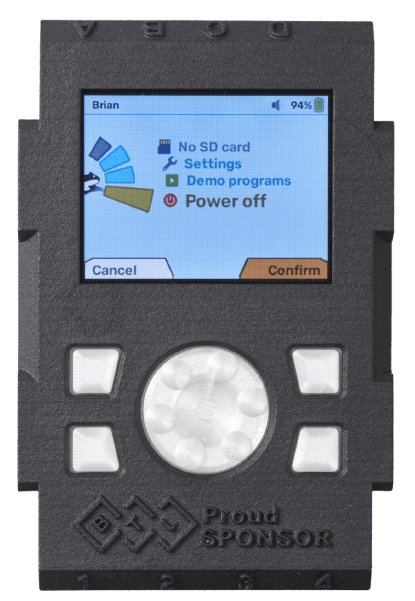
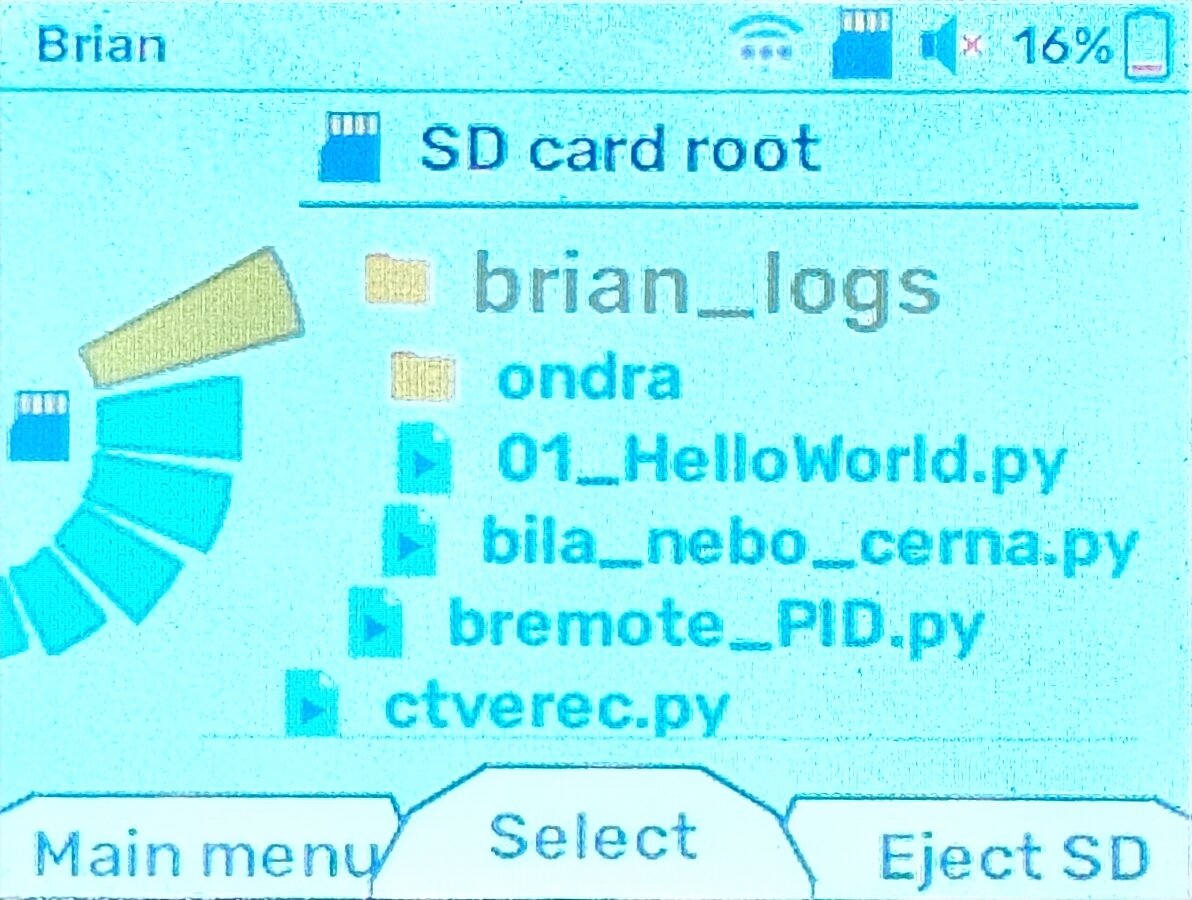
Try to achieve visual and functional consistency across your app.
Use familiar icons, terminology, and
layouts so user do not have to relearn
UI patterns on each screen.
Follow platform conventions.
Maintain consistency in navigation.
Consistency & Standards:
Always keep user informed of what is happening
- Loading spinner
- Confirmation message on success/failure
- Visible system status
- Progress bar
Never leave the user wondering if something is working.
Feedback and visibility:
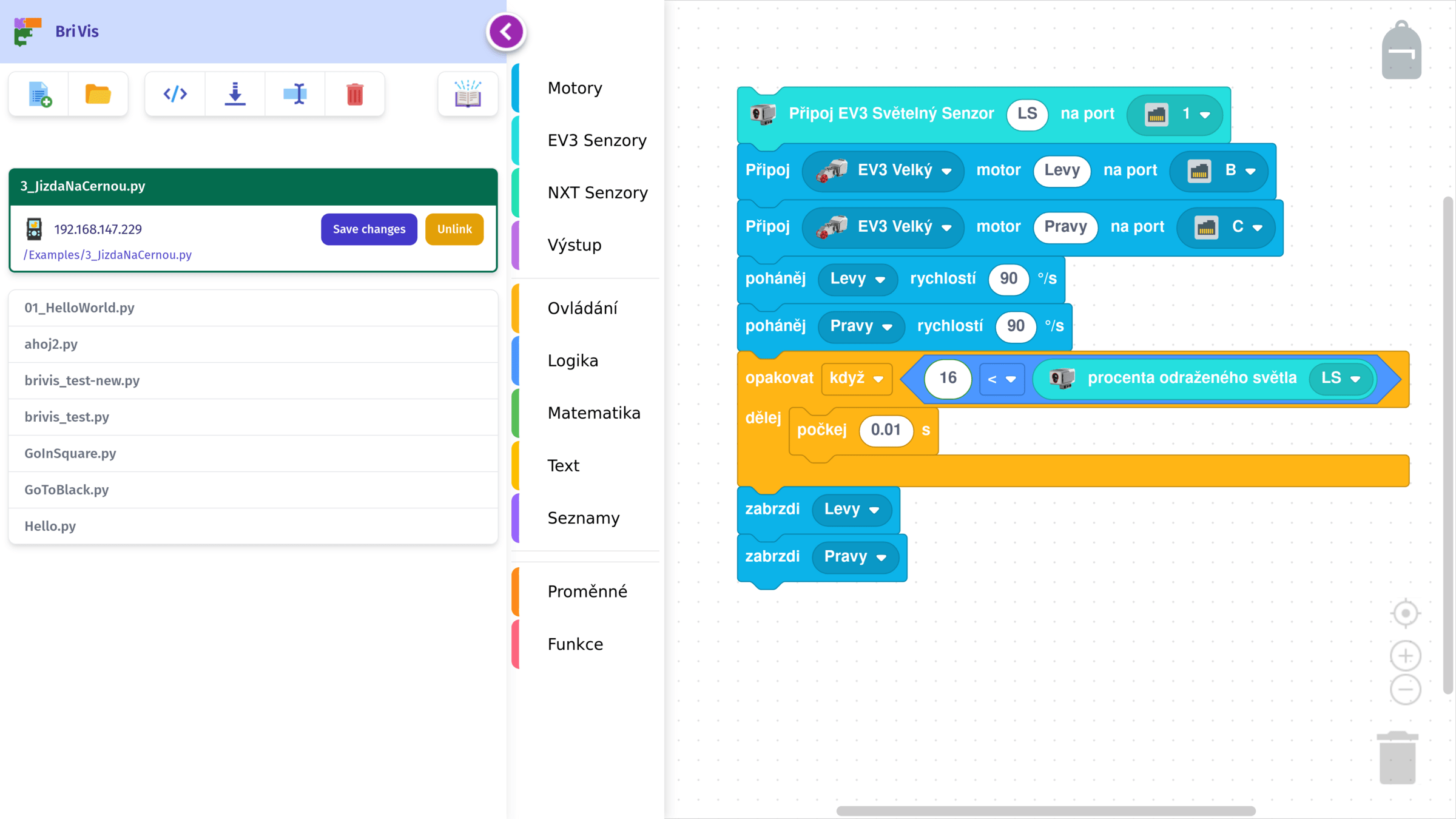
Simplify interfaces by removing unnecessary complexity.
Reduce cognitive load by using clear information hierarchy and focusing on one primary action per screen if possible.
Favor recognition over recall - use menus or prompts rather than expecting users to remember commands.
A clean, uncluttered UI with plenty of whitespace can help users focus on the task.
Simplicity and minimalism:
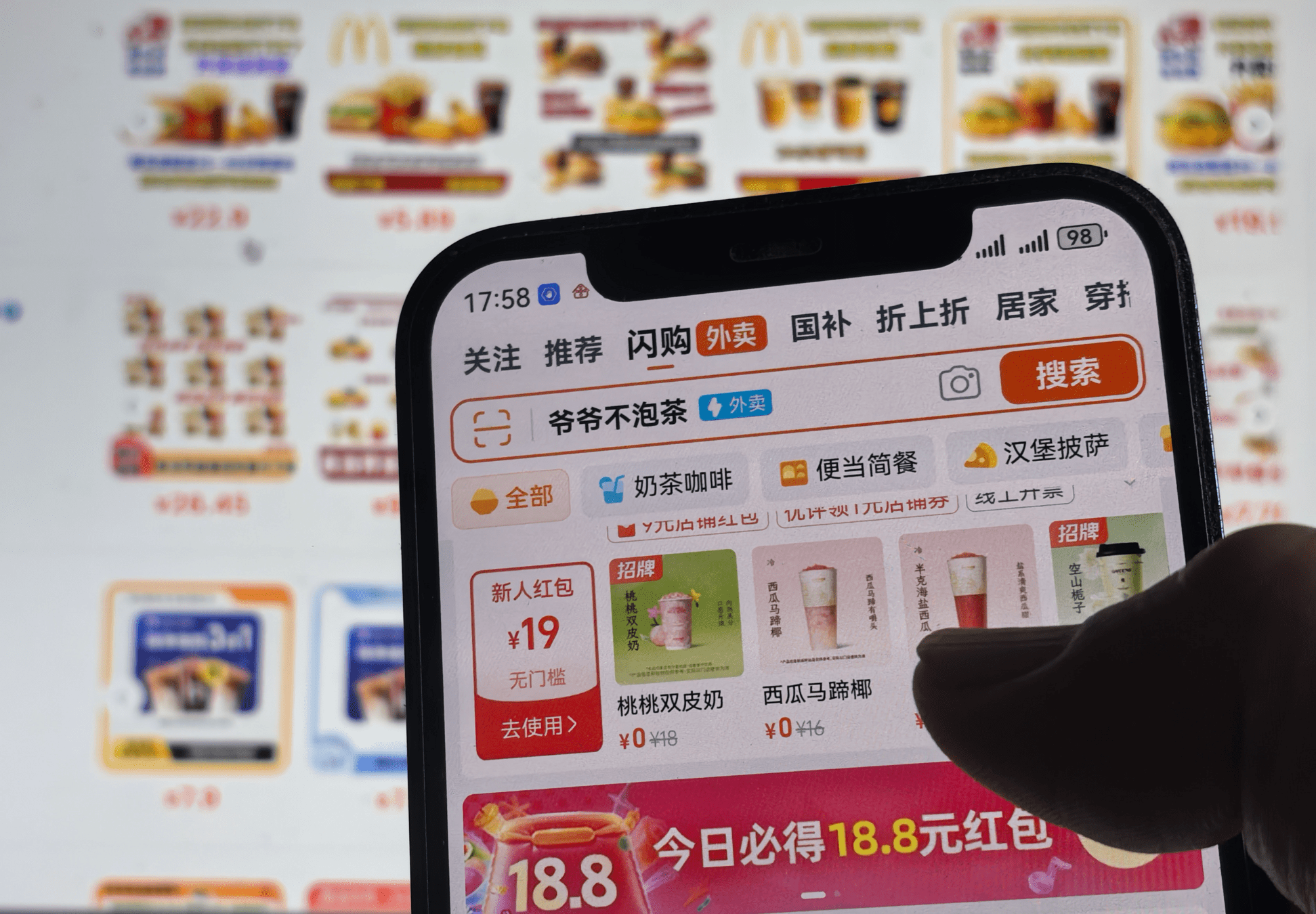
Not all cultures are the same :)
Image source: www.scmp.com
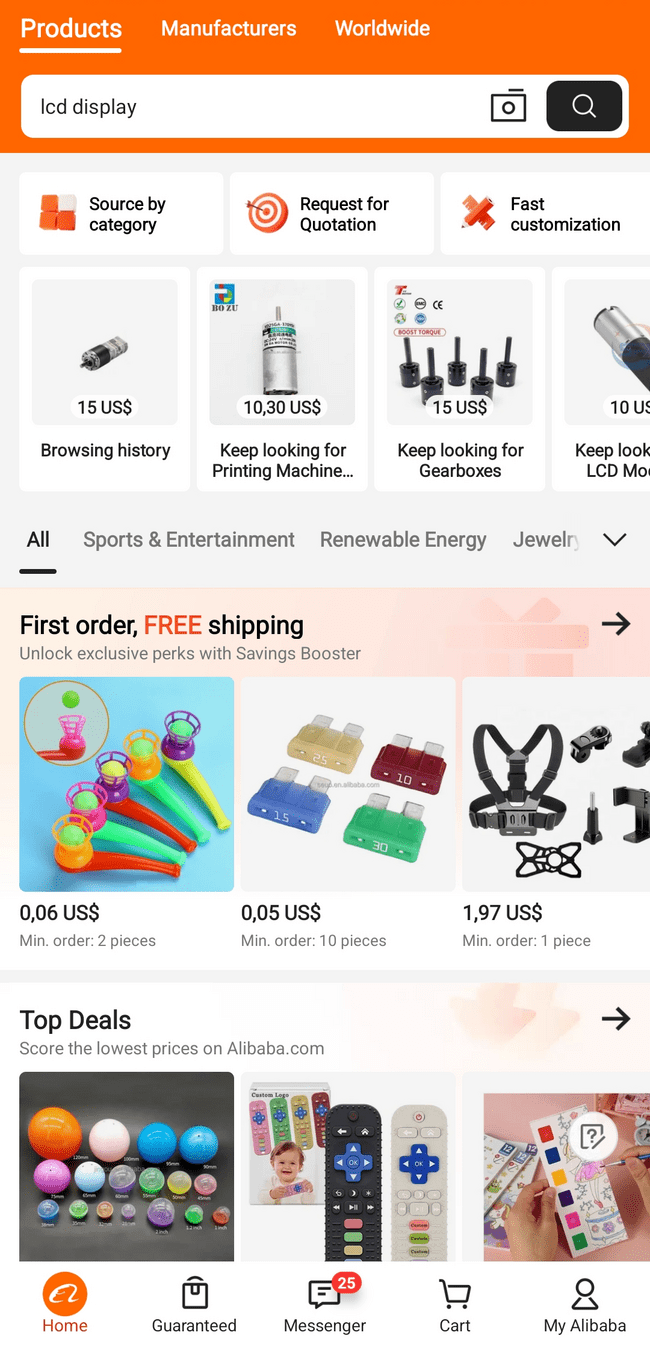
European Alibaba app
European Aliexpress app
Czech Alza store app
Allow users to easily correct mistakes of change their mind.
- Undo button or snackbar
- Always offer an exit or back
User control:
Before they happen: input validation
After they happen:
- Polite error message with guidance
- Never blame the user:
"Your password is too simple" vs "Password must contain a number"
Handle errors:
?
What are we still missing?
Observability
Collect Logs, Metrics, Traces:
Three pillars of observability:
- logs - record discrete events/errors
- metrics - numeric KPIs (Key Performance Indicator) (latency, CPU usage, # of users)
-
traces - end-to-end request flows
- timestamp
- payload
- input node
- output node
Centralized monitoring:
You can use a centralized observability platform stack (i.e. Prometheus, cloud monitoring service, ...) to aggregate data from all
components/instances.
Alert on key indicators:
Critical tresholds (ML model latency) -> alert
Testing for ML Applications
Test the Data:
Include tests for dataset quality to ensure that no garbage is fed into your model. The same tests can be used for inference.
- Inputs are within an expected range
- There are no NaNs or unexpected categories
- The file is correctly formatted (1/3/4 channel image, resolution, ...)
End-2-end tests:
Write tests that simulate a full flow with known input and verify the output.
Testing in production:
You can perform few user-based tests during deployment:
- Canary tests - deploy to small subset of users first
- A/B testing - compare new models to current ones

And of course unit tests :)
Python Performance and profiling
Test the Data:
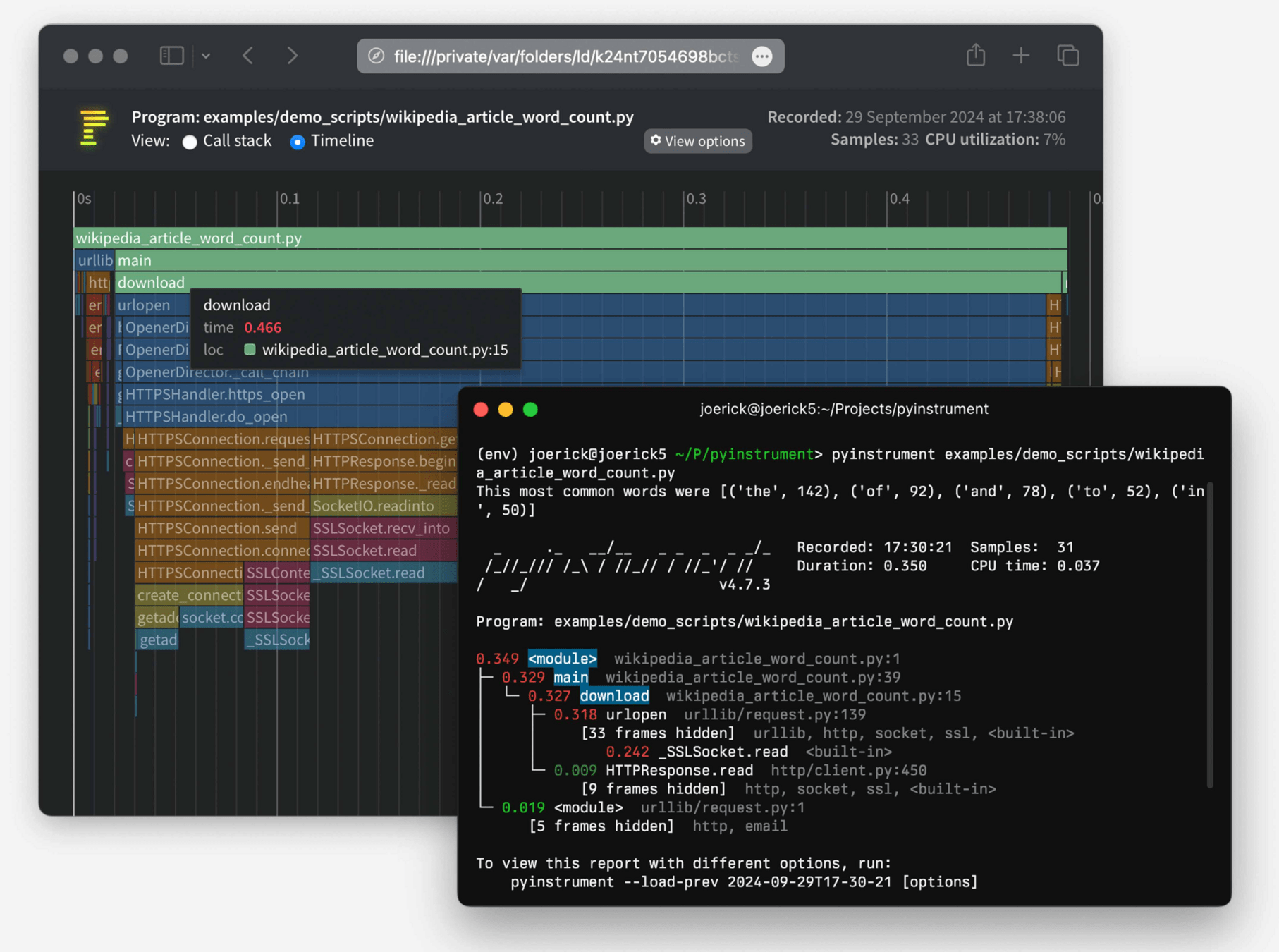
Use profiling tools to find bottlenecks in your Python code. Don’t guess! Built-in modules like:
- cProfile
- profile
or third-party profilers:
- pyinstrument (image source)
- py-spy
can show which functions are consuming the most time.
Vectorization and optimization:
Leverage optimized libraries: NumPy, SciPy, PyTorch, pandas, ...
Avoid repetitive Python-loops by using vectorized operations.
-> also consider offloading them to the GPU :).
Consider caching repetitive and expensive operations.
Understand python's GIL (Global Interpreter Lock) - CPU-bound python code will not speed up with threads. For heavy-duty tasks, use multiprocessing (or C/C++).
Background Jobs & Queues
Test the Data:
Use background job processing for tasks that are too slow or not suitable to handle during a user request.
Examples:
- training an ML model
- sending emails
- generating reports
- lengthy computations
You can use queue managers:
- Celery
- RQ
- ...
Reliability:
Make sure the queue messages are stored persistently until processed.
Ensure the queue is configured to not loose tasks even if workers restart or crash.
It is common to have separate worker processes that pull tasks from the queue and execute them.
Monitor and timeout background jobs.

CI/CD
Automate build and test:
- Continuous Integration (CI) so that whenever code is pushed, an automated pipeline runs your tests.
- Continuous Delivery (CD) automates deployment, runs final tests, recomputes hashes, updates urls, ...
Quality gates - define the criteria, that your app needs to meet:
"All tests pass, code coverage >= 80%, no critical issues in static analysis, model's AUC (ROC curve) is above 50%."
Privacy, GDPR
Data minimization principle:
Only collect and retain personal data that is truly necessary.
Under GDPR, this is a legal requirement - you shouldn't hoard data "just in case". For example if age/gender is not needed for your ML model or features, do not ask for it. Less data == less risk.
Deleting user data:
You should scan for unused data after X months. You are obliged to delete user data if they ask you to do so (under GDPR's right to be forgotten).
Their data (including logs) must be removed.
This induces a "fun" challenge of deleting data from databases, which were never designed to do so. :)
PS: Due to automated "Right to be forgotten" services, you may run into more requests, than you'd expect.
Be transparent:
Be clear with users about what data you collect and why.
Obtain explicit consent for sensitive data.
Allow user's to opt out of data collection, that isn't essential.
Under GDPR you need:
- consent
- contract
- legitimate interest
- etc...
Privacy by design:
Include privacy measures into your system architecture:
- Techniques include pseudonymizing or anonymizing data (i.e. use IDs instead of names)
- Apply least privilege to data access
- Consider using techniques like differential privacy (compute statistics on noisy data, thus protecting one's privacy)
Key GDPR principles:
- Right to access - users can request their data
- Right to rectification - users can correct data
- Right to deletion
You must ensure, that any third-party services you use also comply with these requirements.
Minimize ML Model Data Leakage:
If you train a ML model on personal data, be cautious about what the model could reveal. Services like OpenAI may use your prompts for training!
Internationalization
Externalize GUI text:
Design your app for translation by extracting all user-facing strings into a resource file.
Time zones / numerics
Internally used your local / global time. Be sure to translate values.
Resilience engineering
Isolate failures:
Architect your system so that a failure of one component has a limited blast radius.
Timeouts and Retries:
Graceful degradation:
Have fallbacks in case of partial failure. (i.e. fallback server)
Never wait indefinitely. Set timeouts. Handle failures, attempt limited retries, alert administrator.
Chaos engineering:
Test the system with injected failures to test your safeguards.
Model Optimization
Quantization:
Convert model weights from high precision (32-bit floats) to a lower precission (8-bit integers) to reduce model size.
Knowledge Distillation:
Prunning:
Remove unnecessary weights or neurons (near-zero importance).
Train a smaller "student" model to replicate the "teacher" model. Aim: similar accuracy, fewer parameters.
Optimize architecture:
Simplify model architecture for faster inference.
LLM Specifics
Prompt injection safeguards:
Concatenate user input into system prompts. User must be clearly separated. Validate user input (malicious directives).
Manage long context and cost:
Content filtering:
Guardrail input and output for toxicity/bias/banned content.
Implement strategies to manage costs, summarize prior conversation. Use context window wisely.
Hallucination handling:
You can use Retrieval-Augmented Generation (RAG)