XPath Intro
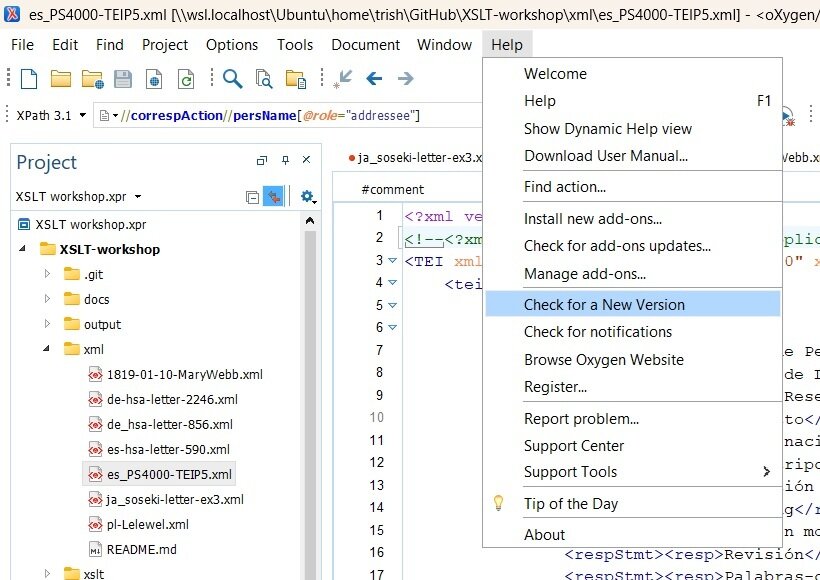
Oxygen Version
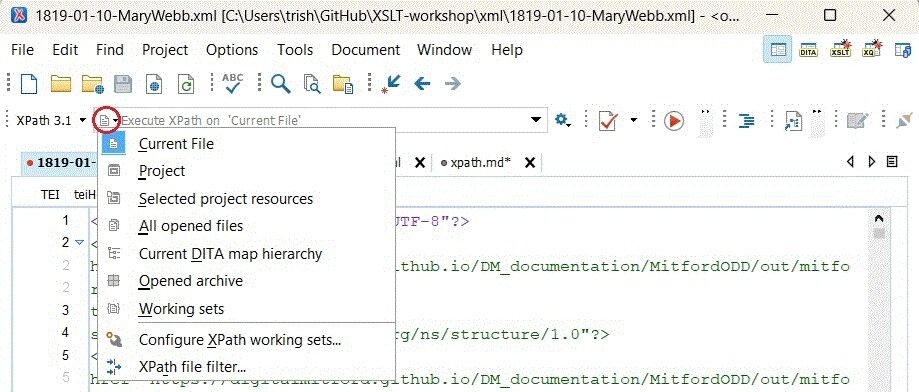
XPath Scope
XML Structure
An XML file starts from "the root", and branches out in complex ways to the "leaves".
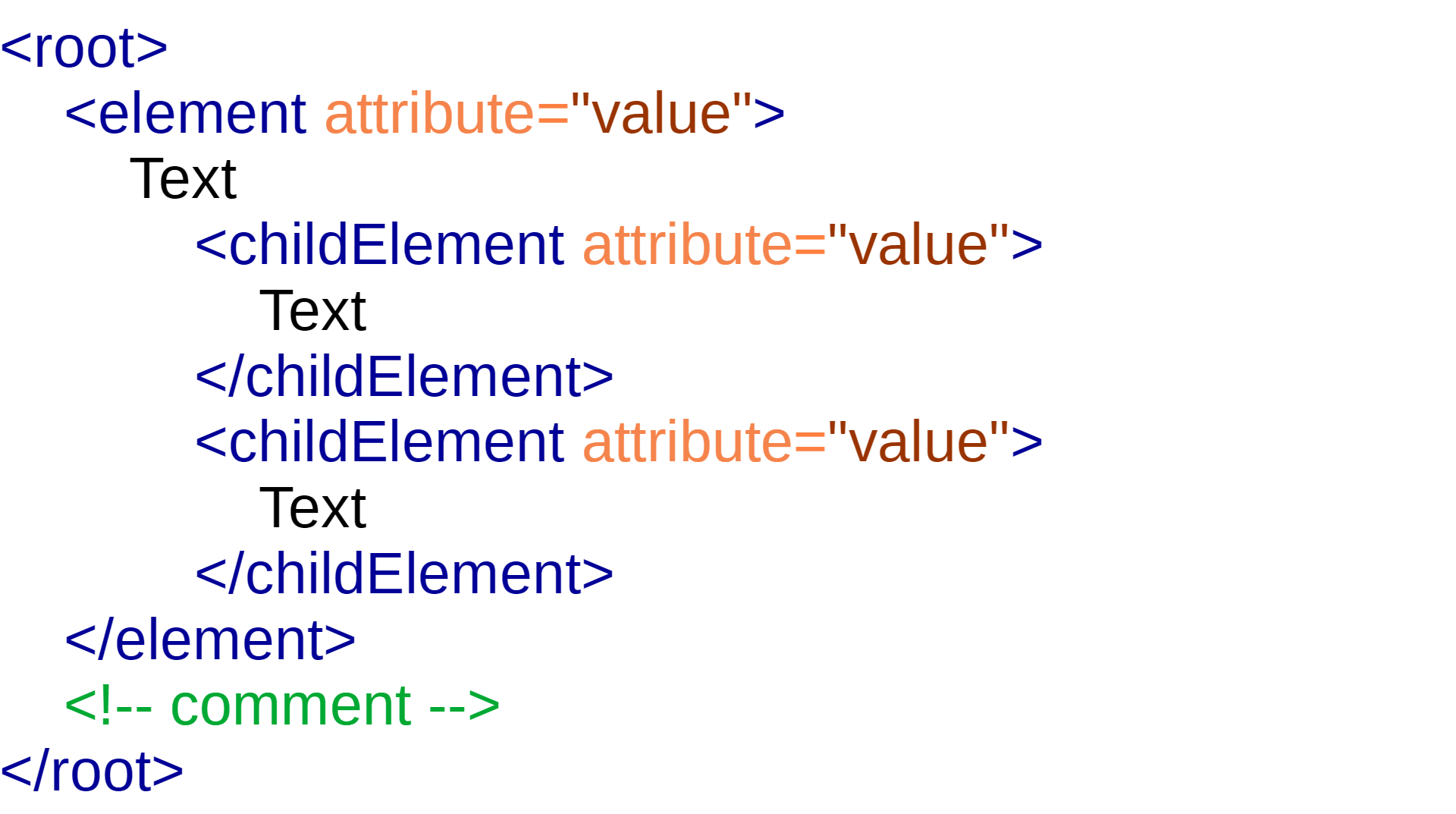
Parent
Siblings
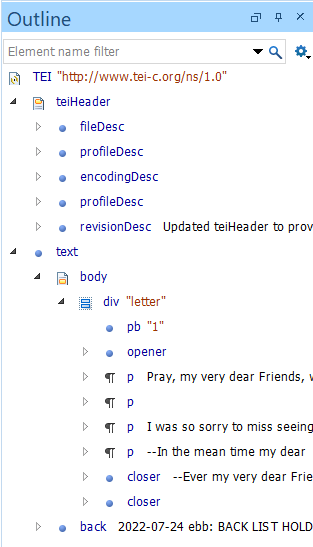
ancestor
immediate child of TEI
immediate child of TEI
5 children of teiHeader
child of text
child of text
child of body
children of div
What is XPath?
XPath is a syntax that we write to select parts (or nodes) of an XML document
An XPath expression enables a user to describe, find, and navigate to information inside an XML document
XML languages that employ XPath to find and manipulate information in XML documents:
XSLT (eXtensible Stylesheet Language Transformations)
XQuery (XML Query language)
XML (TEI encoded)
XSLT
XPath
Navigating
Transforming
XQuery
Querying
Constraining
ODD & Schematron
Nodes
A node is a piece of information in the XML tree, such as an element, an attribute, a string of text, or a comment.
text()
comment()
@
| Document Node | An implied root-level node. Contains everything, including the root node | |
| Root Node | The topmost element of a document. Contains all other parts of the document. | <TEI> <html> |
| Elements | The name for a structure to be encoded | <body> <div> <pb/> |
| Attributes | Information about an element | <div type="chapter"> <name xml:id="p002"> |
| Text Nodes | Textual data stored inside elements | <l>Lord, what fools these mortals be!</l> |
| Comments | Notes that are not processed when reading an XML document. | <!--Fix ref attributes throughout--> |
Kinds of Nodes
Let's Practice!
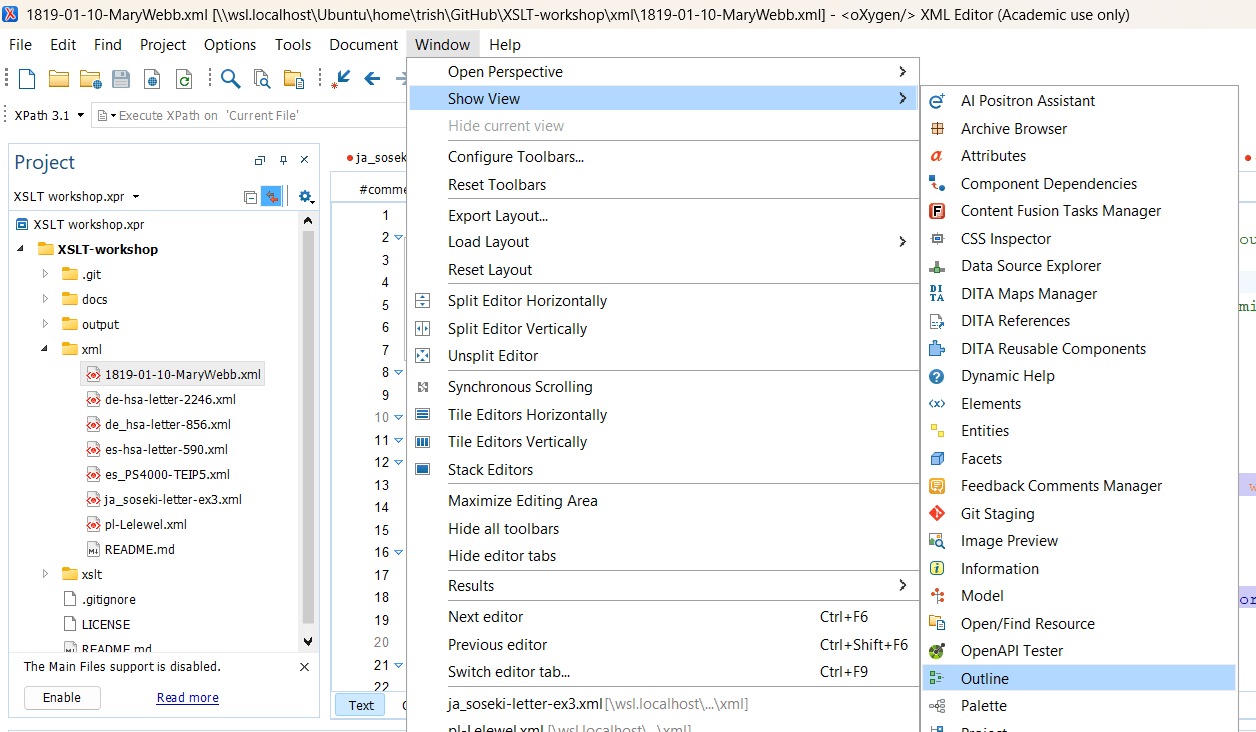
Open the 1819-01-10-MaryWebb.xml file
What happens when you enter comment()?
No luck?
Try adding two slashes before comment()
Enter //comment()
XPath syntax resembles a directory structure, use forward slashes ("/") to traverse through nodes.
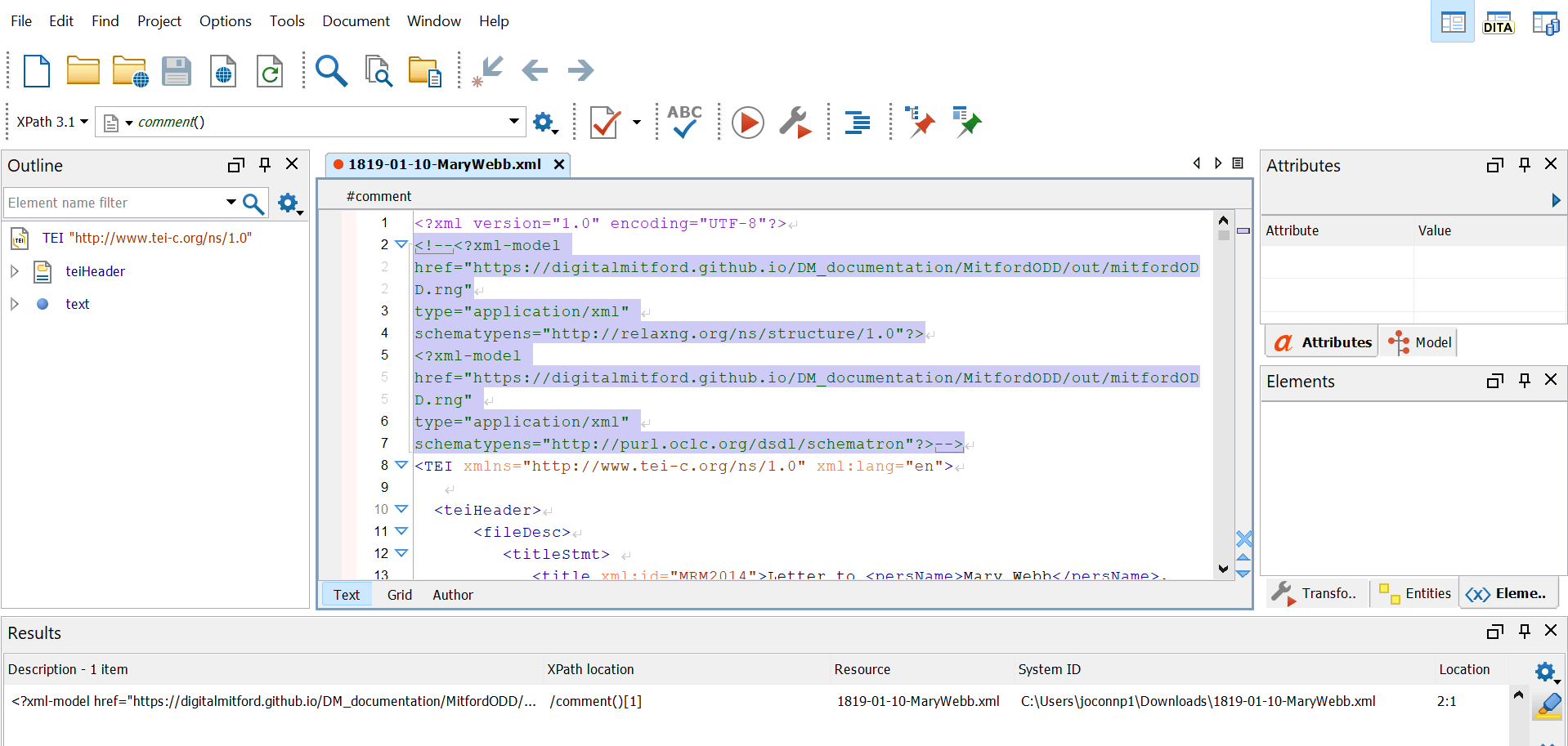
Answer
Let's Practice!
What happens when you enter //text() ?
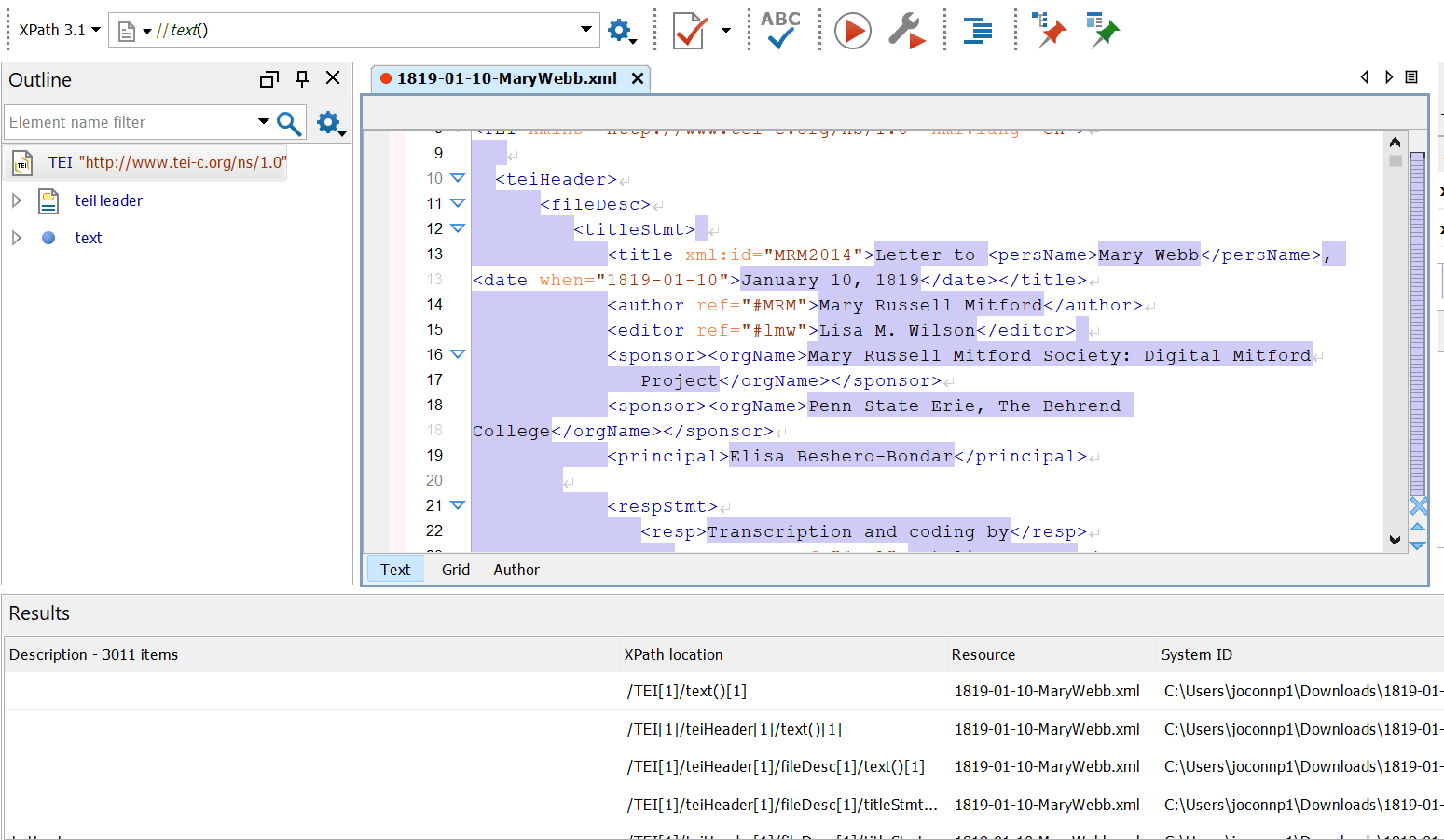
Node Tests
Used to target specific types of nodes in a given context
- text() matches text nodes
- element() matches element nodes
- attribute() matches attribute nodes
- comment() matches comment nodes
- node()matches all types of nodes
- Good for seeing what all of the direct children of your current context are
XPath Terminology
| Component | Purpose |
|---|---|
| path expression | Describe the location of some nodes in a tree. |
| axis | An axis is part of a path expression. Describe the direction in which one looks in the tree. |
| predicate | Filter the results of a path expression. |
| function | Do something with the information retrieved from the document instead of just returning it as received. |
Path Expressions
| Expression | Description |
|---|---|
| nodename | Selects all nodes with the name "nodename" |
| / | Selects from the root node |
| // | Selects nodes in the document from the current node that match the selection no matter where they are |
| . | Selects the current node |
| .. | Selects the parent of the current node |
| @ | Selects attributes |
| Describes the location of some nodes |
|
Walking the Path
Every XPath query walks through the full XML structure, even if we're using shorthand to express our starting point.
| Unabbreviated Syntax | Abbreviated Syntax |
|---|---|
| /child::TEI/child::text/child::body/child::div/child::p/child::persName/child::text | //p/persName/text() |
| Gives us the text included within any <name> elements that are the children of <p> (and so on, working up the tree) | // at the beginning of a query means "descendent-or-self" -- so, start with any node that is <p> or a descendant Each / following the first element name assumes you are searching for a child of the previous element |
Let's Practice
| Write a path expression for selecting attributes |
|
| Enter //@ |
|
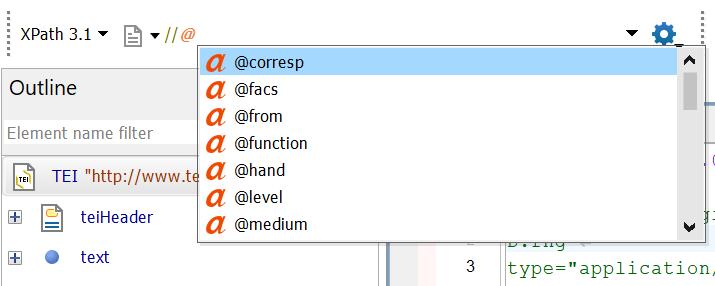
| What happens? |
|
Let's Practice
| Write a path expression to select the corresp attribute |
|
| Enter //@corresp |
|
| Scroll through the Results window, what do you notice? |
|
| Look at the XPath location column in the Results window |
|
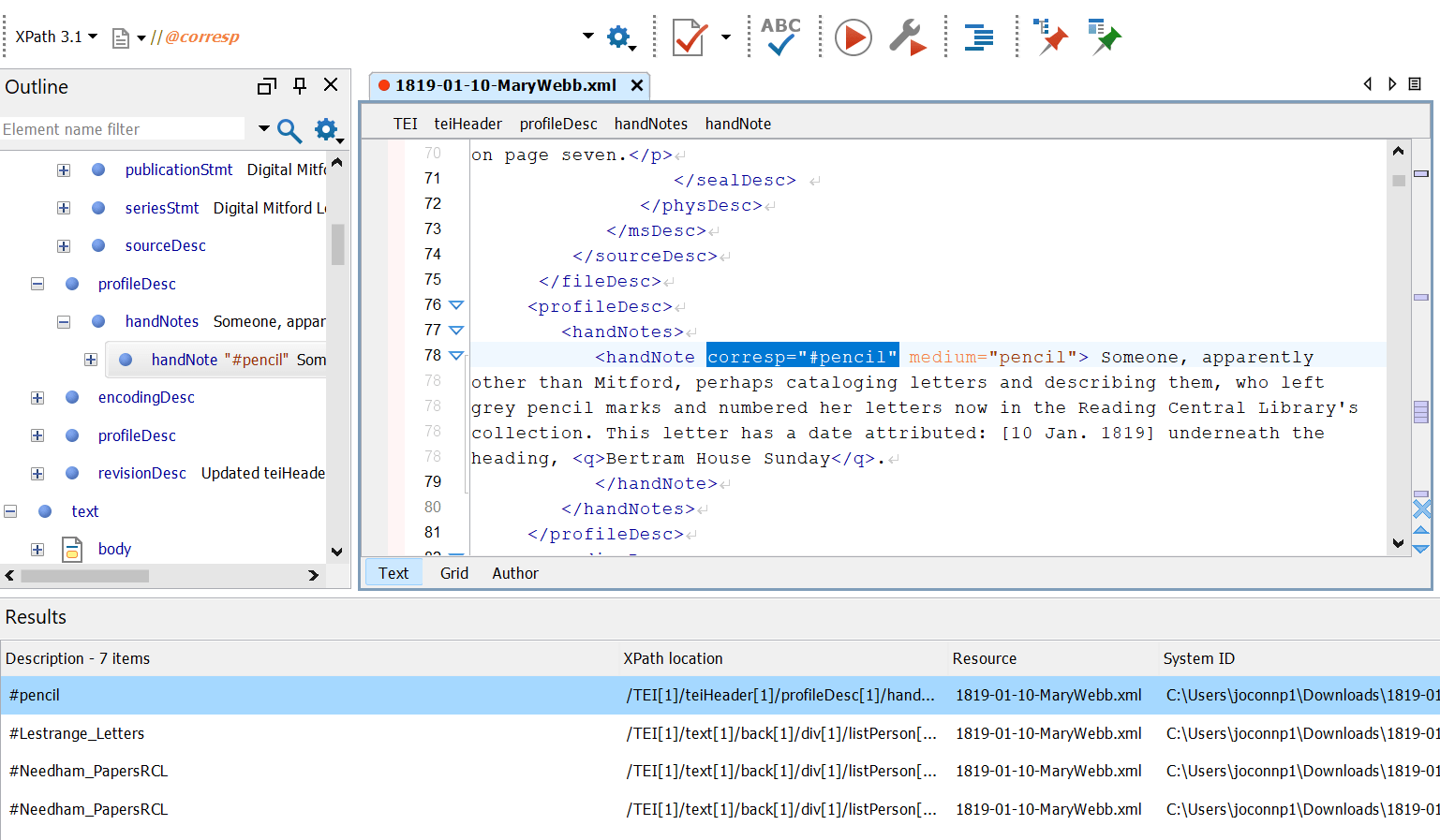
Answer
Choose your own attribute
| Write a path expression to select the attribute of your choosing |
| Enter //@ |
|
| Then choose from the list of available attributes |
|
| Look at the XPath location column in the Results window for the different attributes |
|
Choose all attributes
| Write a path expression to select all of the attributes |
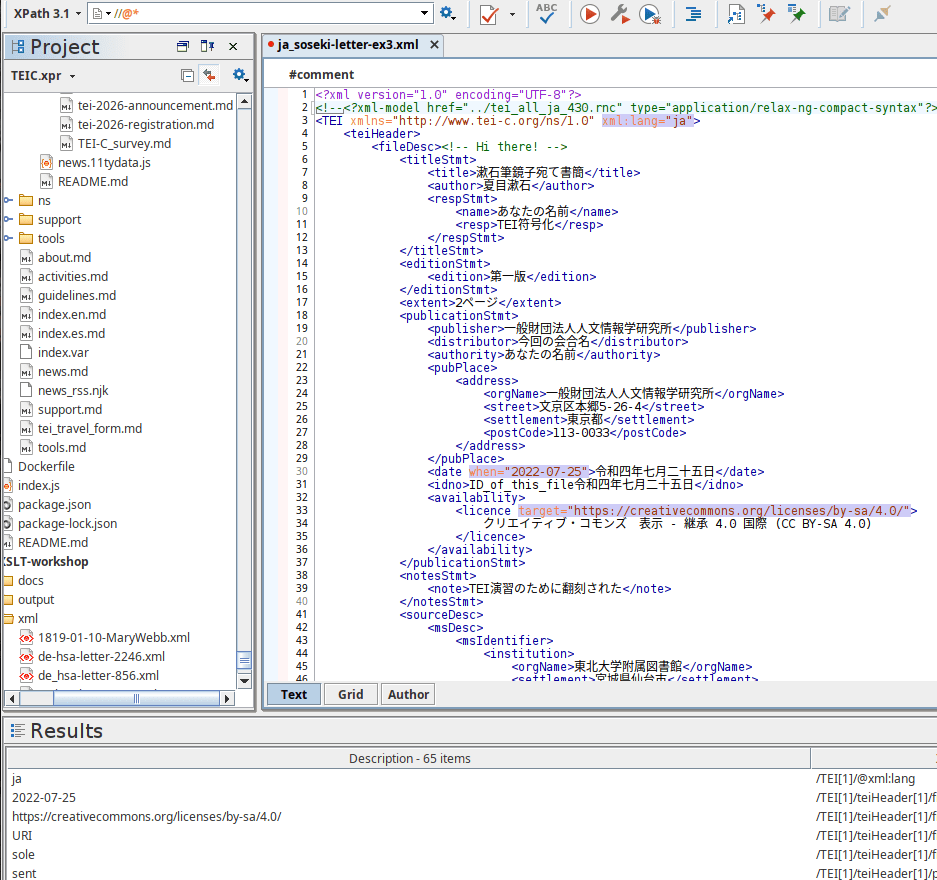
| Enter //@* |
|
Axes
| Expression | Description |
|---|---|
| ancestor:: | The ancestor axis sends you to parents and above, all the way up to the root node. |
| . or self:: |
The self axis designating the current context node and the current location in a path. |
| .. or parent:: | The parent axis sends you up a short distance, to the immediate parent of the context node |
| / or child:: | The child axis (the default) sends you down to the immediate child of the context node. |
| // or descendant:: | The descendant axis sends you down to the children and their children etc. |
| @ or attribute:: | The attribute (@) axis for locating attributes and attribute values |
Walking the Path
Predicates
Predicates are always embedded in [ ]
Filter the results of path expressions
Use predicates to find a specific node or a node that contains a specific value.
Predicates
Remember: Predicates are always embedded in square brackets
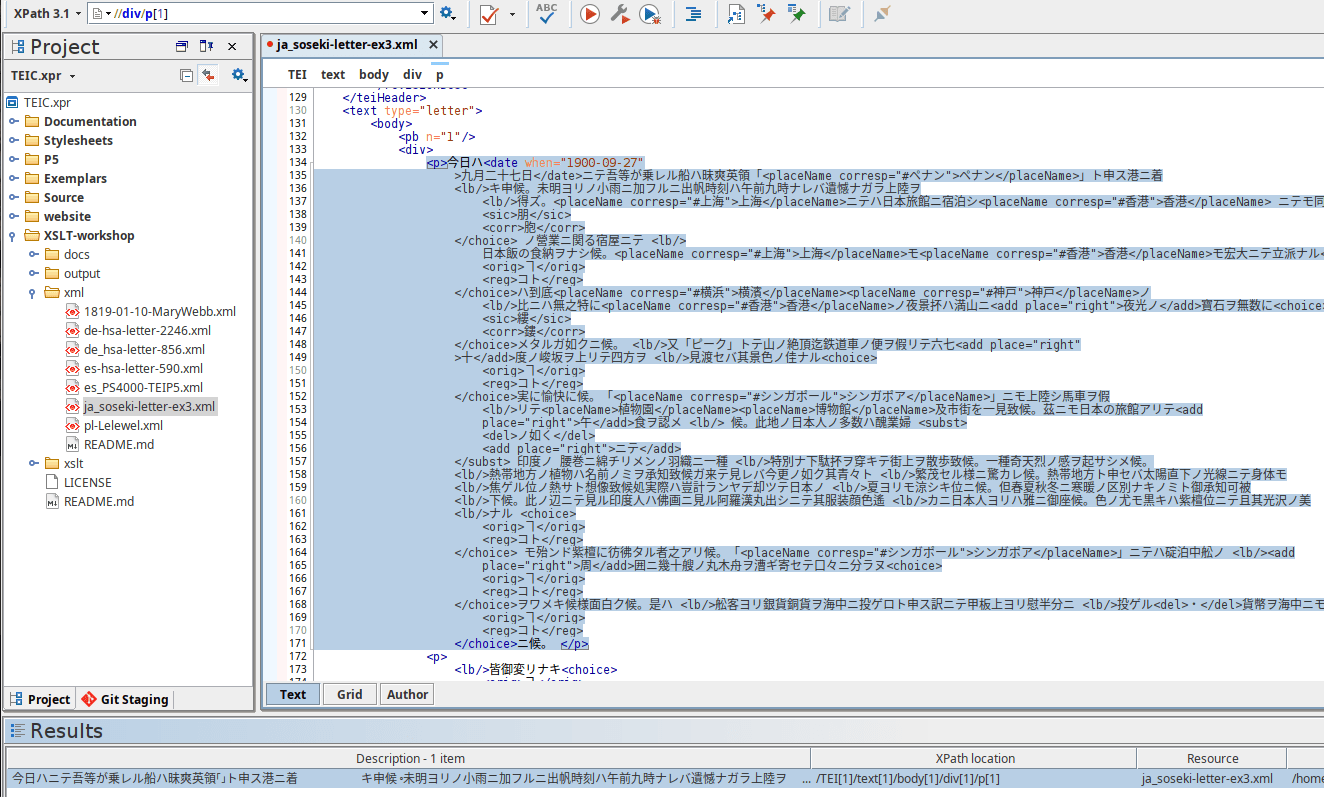
How do we find the first paragraph of a div?
Predicates are used to find a specific node or a node that contains a specific value.
//div/p[1]
//div/p
Predicates: Div Types
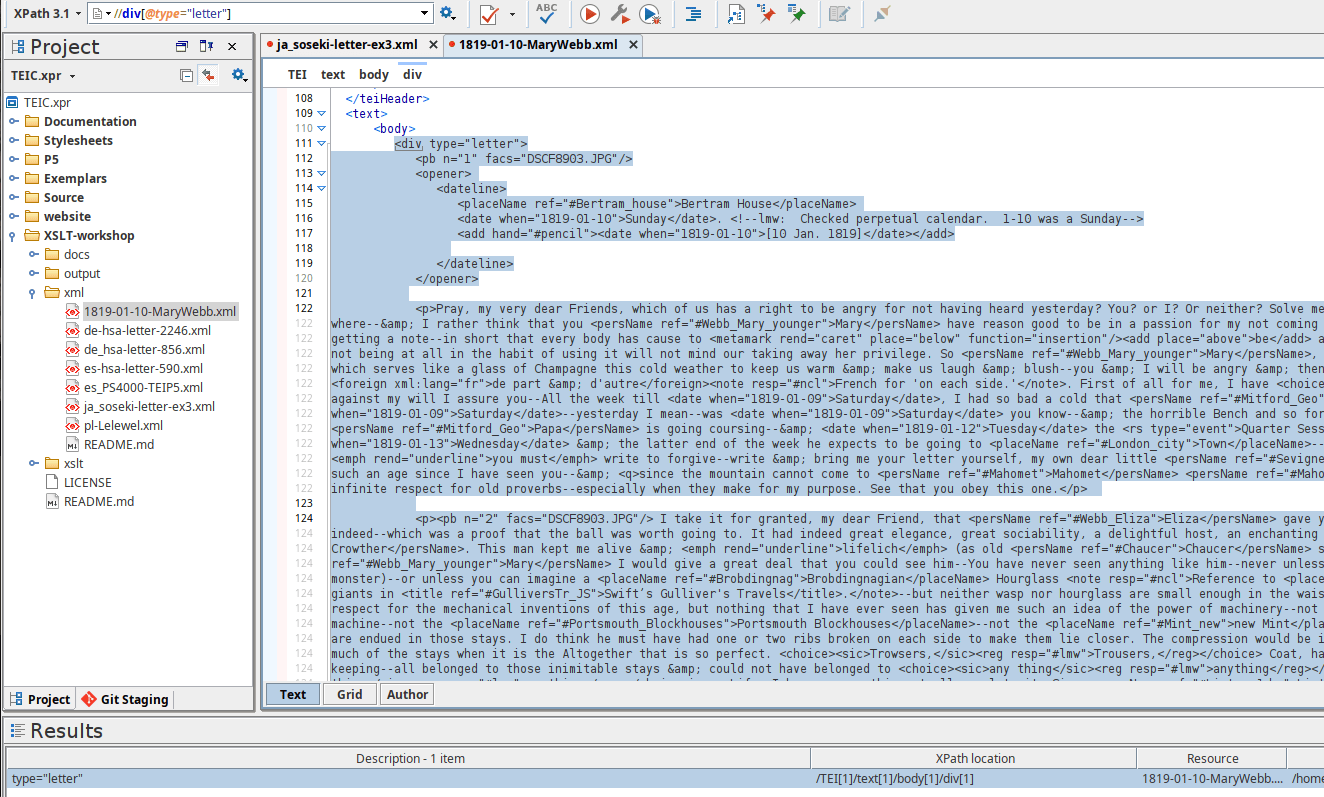
How do we find a div element node that has a type attribute?
//div[@]
//div[@type]
//div[ ]
Exercise: Mary Webb letter
Predicates
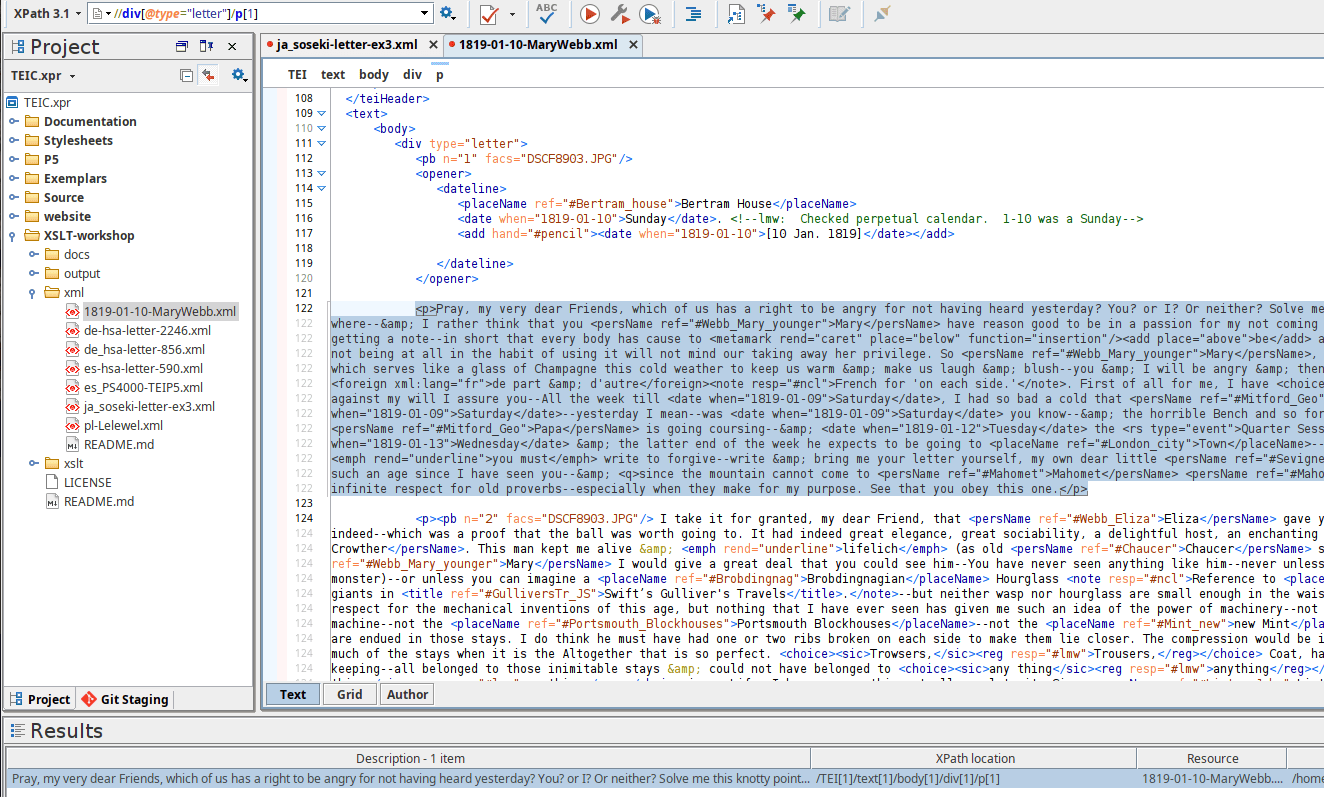
How do we find the first paragraph of a div with a type attribute?
//div[@type]
//div[@type]/p[ ]
//div[@type]/p
//div[@type]/p[1]
Predicates
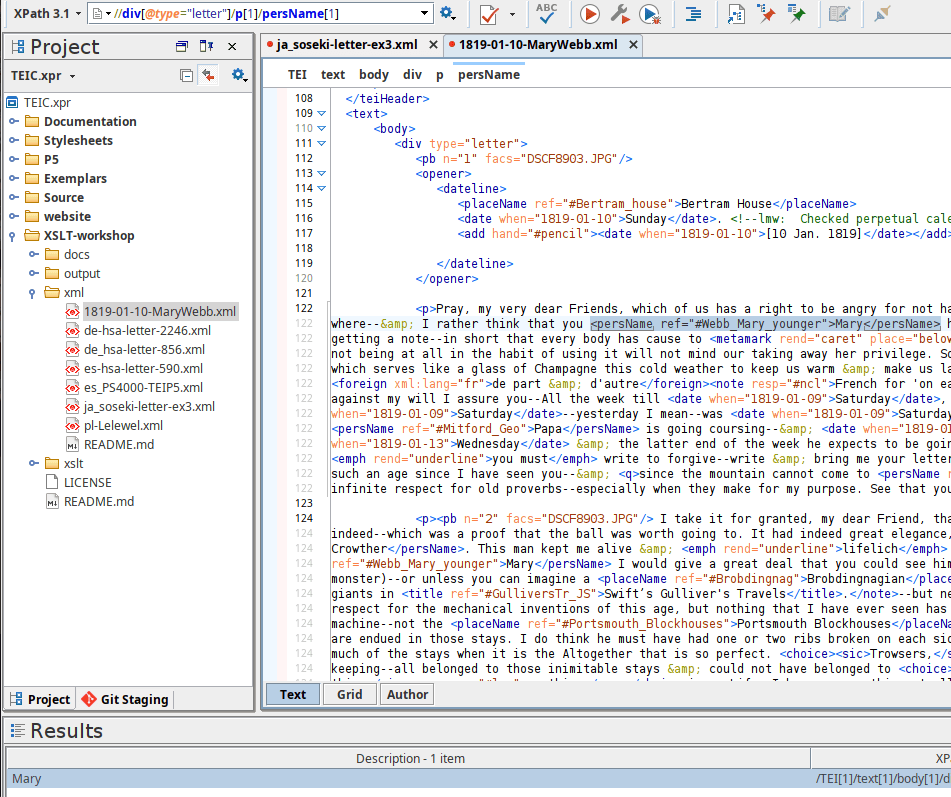
How do we find the first personal name mentioned in the first paragraph of a div with a type attribute?
//div[@type]/p[1]
//div[@type]/p[1]/persName
//div[@type]/p[1]/persName[ ]
//div[@type]/p[1]/persName[1]
Predicates
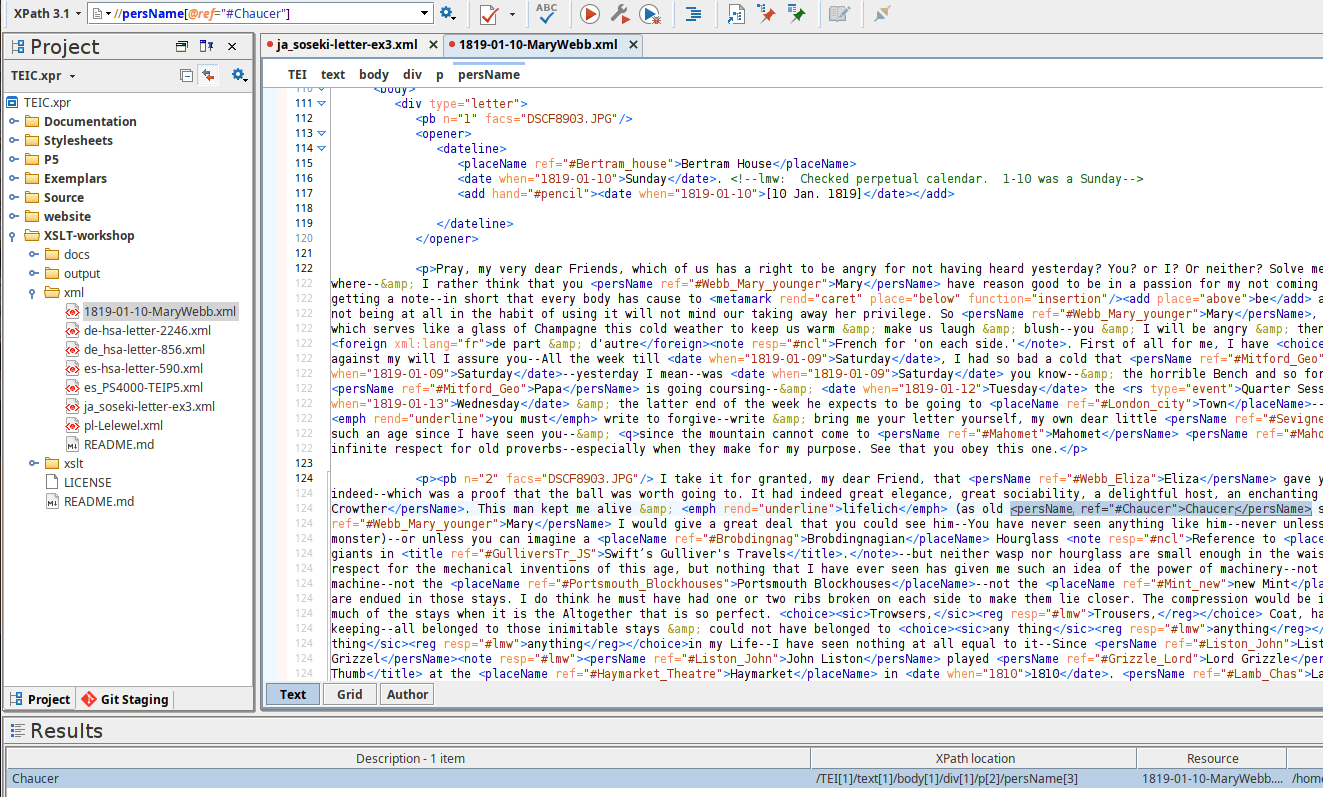
How do we find the personal name with a reference to Chaucer?
//persName[@ref]
We need to filter for ref attributes using @ref
//persName[@ref="#Chaucer"]
We need to specify the value of @ref
Parent Axis
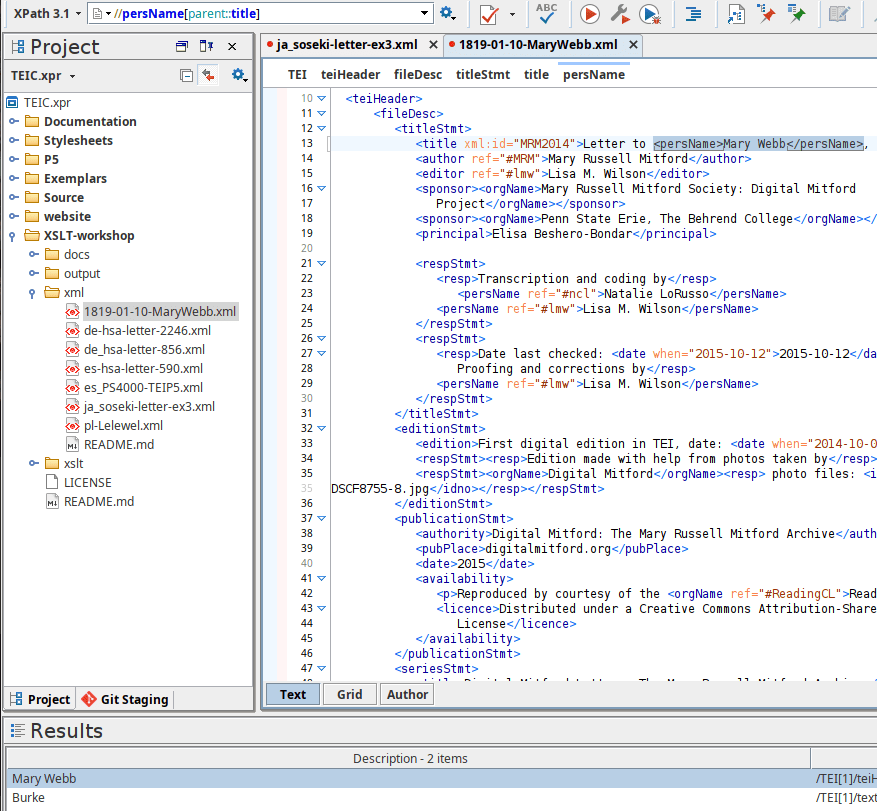
//persName
Find the persName elements with a parent title element
//persName[parent::]
//persName[parent::title]
//title/persName
Ancestor Axis
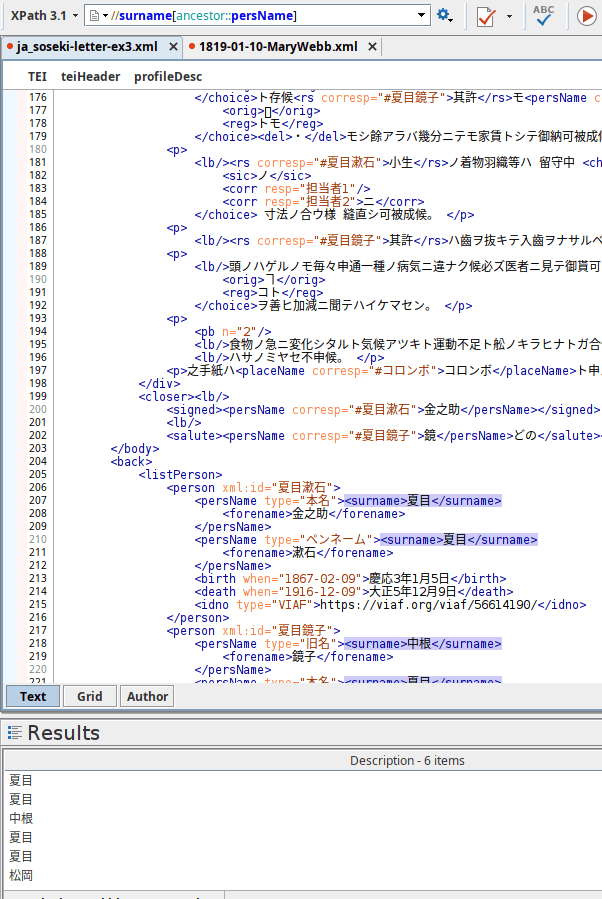
Find the surname elements with a persName ancestor
//surname[ ]
//surname[ancestor::]
//surname[ancestor::persName]
Descendant Axis
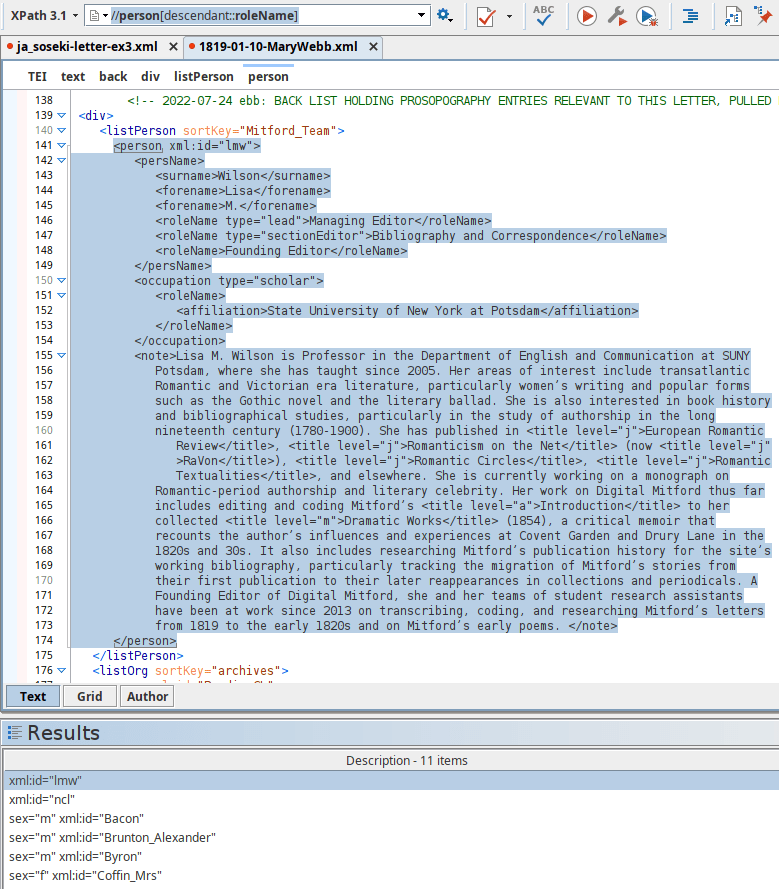
Find the person elements with a roleName descendant
//person[ ]
//person[descendant::]
//person[descendant::roleName]
Siblings
Nodes that have the same parent element are called siblings
Following-sibling axis
Preceding-sibling axis
Following-sibling
The following-sibling selects all sibling nodes after the current node at the same level.
following-sibling::
Following-sibling
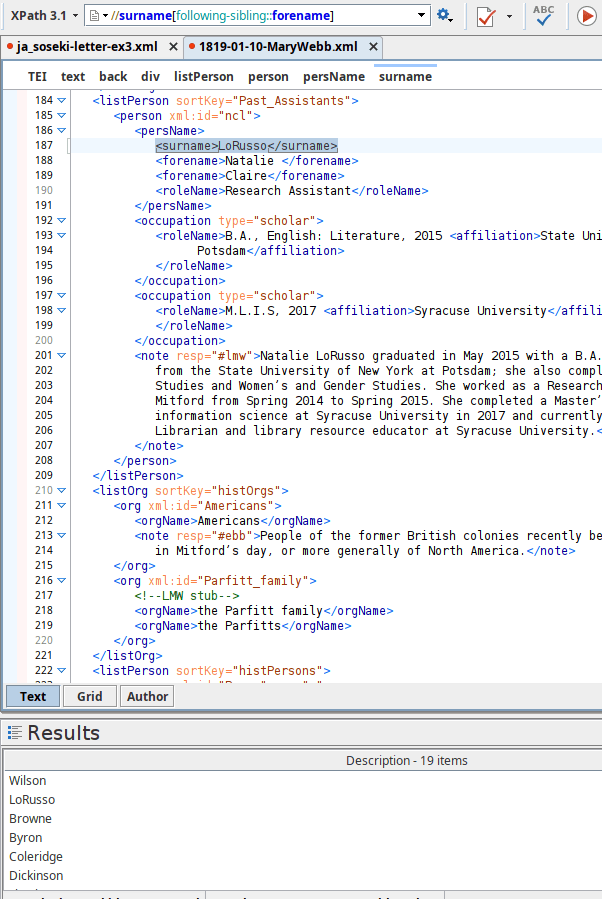
Find the surname elements with a following-sibling element forename
//surname[ ]
//surname[following-sibling::forename]
//surname[following-sibling::]
Preceding-sibling
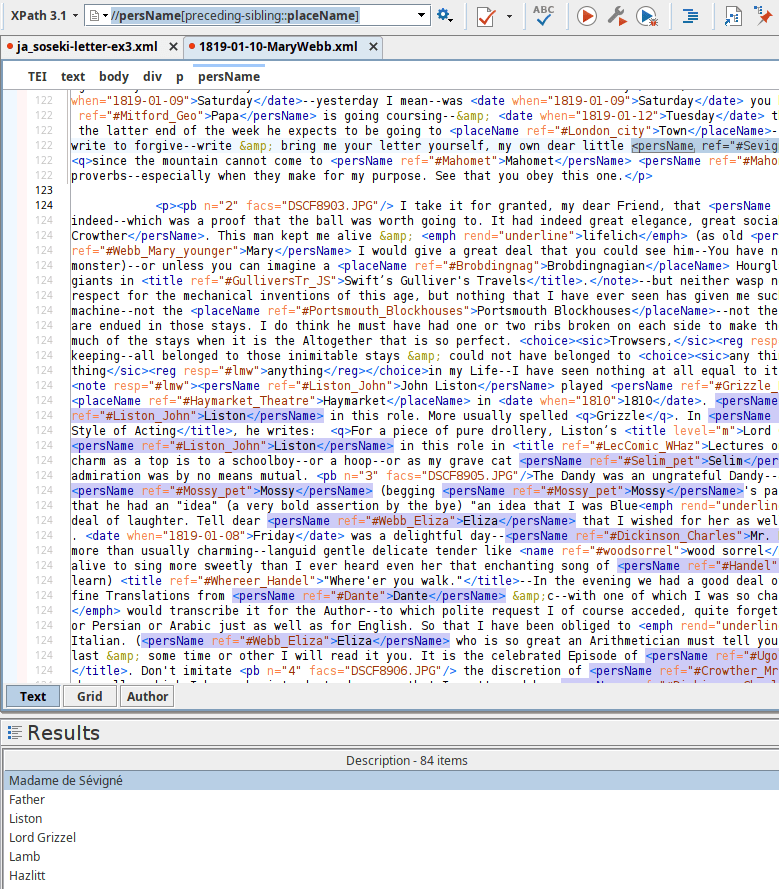
Find the persName elements with a preceding-sibling element placeName
//persName[ ]
//persName[preceding-sibling::placeName]
//persName[preceding-sibling::]
Unknown Nodes
| Wildcard | Description |
|---|---|
| * | Matches any element node |
| @* | Matches any attribute node |
| node() | Matches any node of any kind |
| XPath Expression | Description |
|---|---|
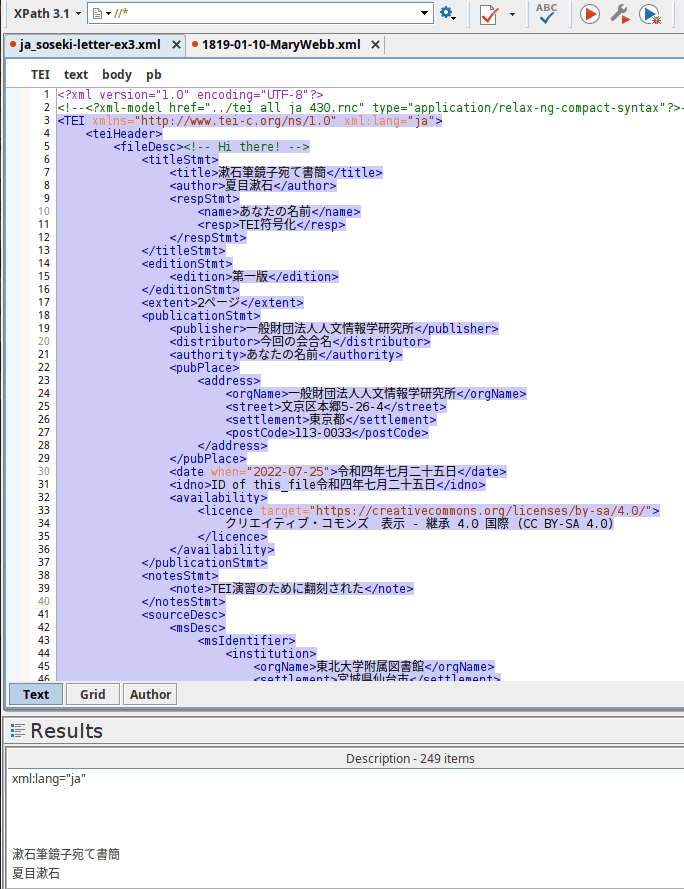
| //* | Selects all elements in the document |
| //title[@*] | Selects all title elements which have at least one attribute of any kind |
Let's Practice
Select all elements in the document
Enter //*
Let's Practice
Exercise: Mary Webb Letter
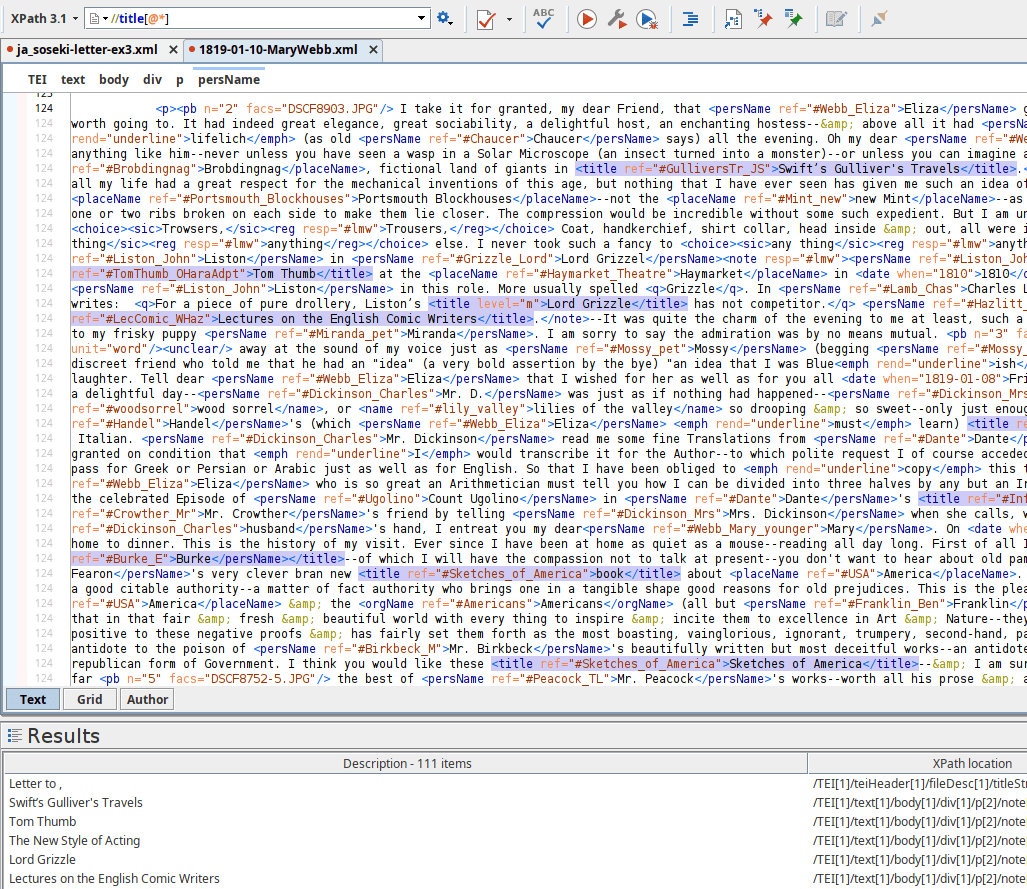
Enter //title[@*]
Select all title elements in the document with an attribute
Function
Do something with the information retrieved instead of just returning it as received.
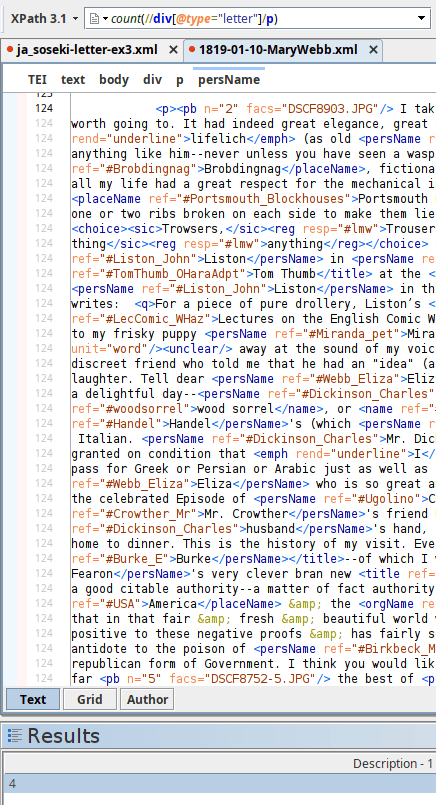
Retrieve all of the <paragraph> elements in a <div> element (that has a type attribute value of "letter") but instead of returning the actual elements, return just a count of how many there are. This uses the count() function.
count(//div[@type="letter"]/p)
//div[@type="letter"]/p => count()
Functions
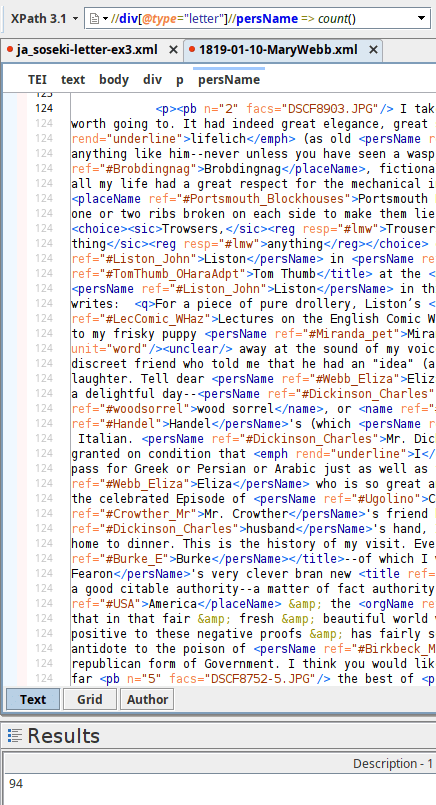
Retrieve all of the persName elements in a div element (that has a type attribute value of "letter") and return just a count of how many there are.
count(//div[@type="letter"]//persName)
//div[@type="letter"]//persName => count()
//div[@type="letter"]//persName
Functions
| Function | Description |
|---|---|
| distinct-values() | eliminate repetition in a list of results |
| last() | Returns the last |
|
lower-case() upper-case() |
Changes case of string |
| not() | Inverts the truth value of the argument. //p[not(q)] returns all <p> elements that do not have any <q> child element. |
| normalize-space() | normalize the white space (spaces, tabs, new lines, etc.) in text |
| string-length() | returns the length of text by counting characters. |
Even More Functions
W3 School's XPath/XSLT/XQuery Functions Library
And if you need yet more specific options, XQuery lets you define your own functions.
| Function | Description |
|---|---|
| sort() | eliminate repetition in a list of results |
| first() | Returns the first instance of a particular query |
| contains() | Returns true/false result depending on whether a string contains a specified sub-string |
| matches() | Returns true/false if a string (first argument) matches a pattern (second argument) |
Functions
//div[@type]//p[1]
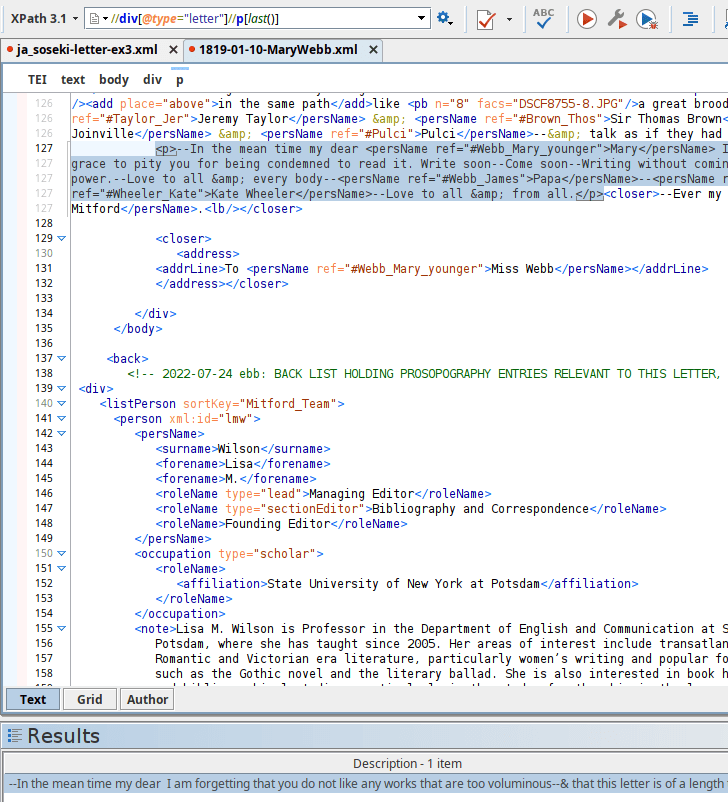
How do we find the last paragraph in the letter?
Remember: To find the first paragraph we used predicates [ ]
Functions
//div[@type="letter"]//p[ ]
To find the last paragraph in the letter
//div[@type="letter"]//p[last()]
Use the last() function
Functions
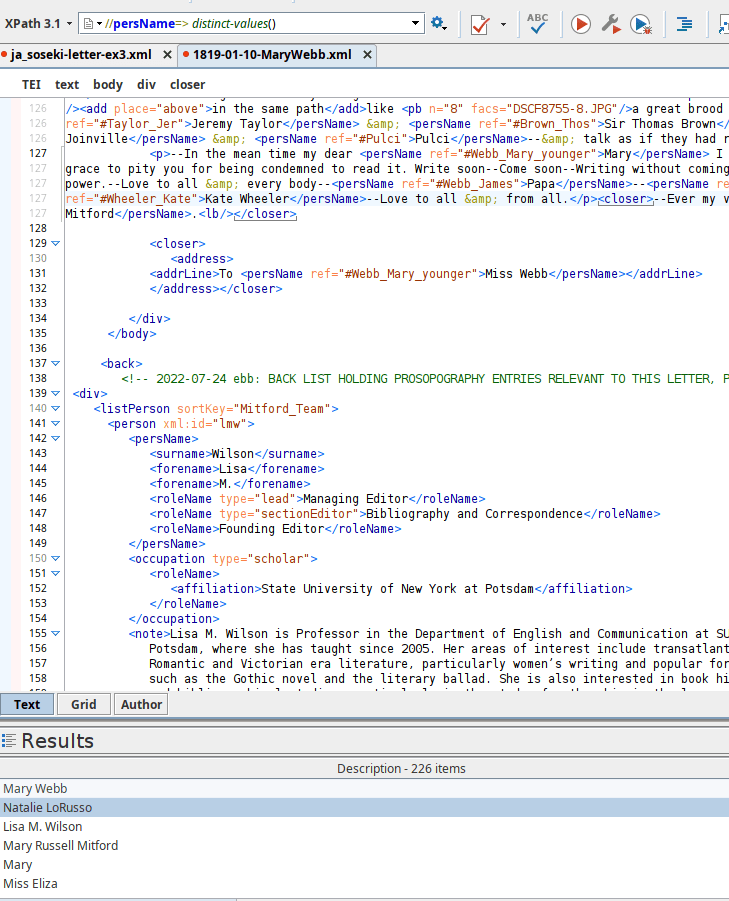
How do we remove repetition from the results for persName?
Use the distinct-values() function
//persName
distinct-values(//persName)
//persName=> distinct-values()
Functions
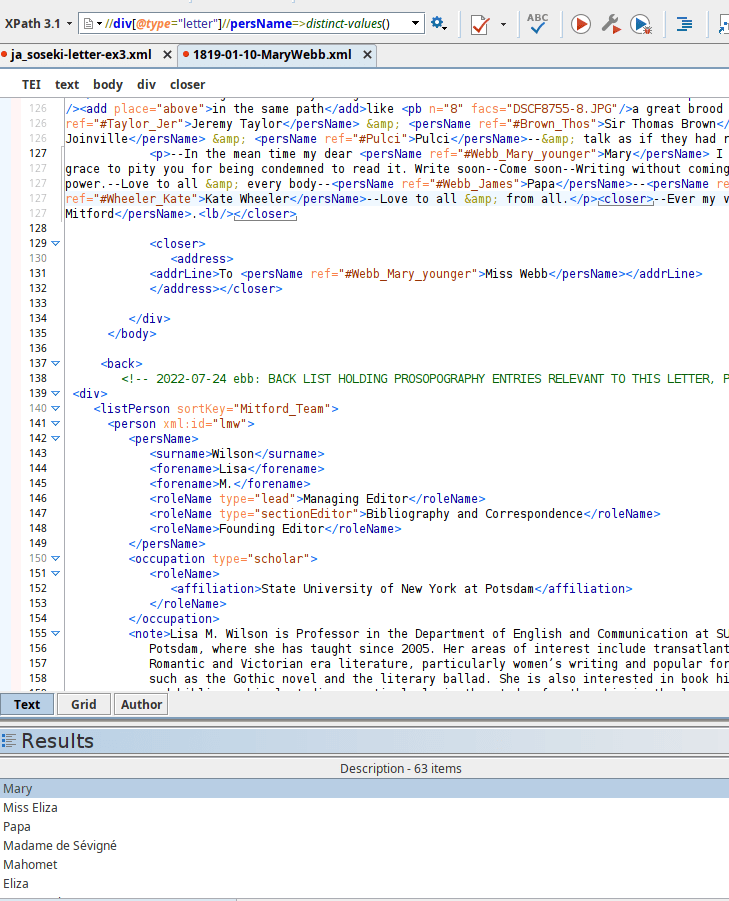
//div[@type]//persName=>distinct-values()
How do we remove repetition in the results of persName in the letter?
//div[@type]//persName
distinct-values(//div[@type]//persName)
Functions
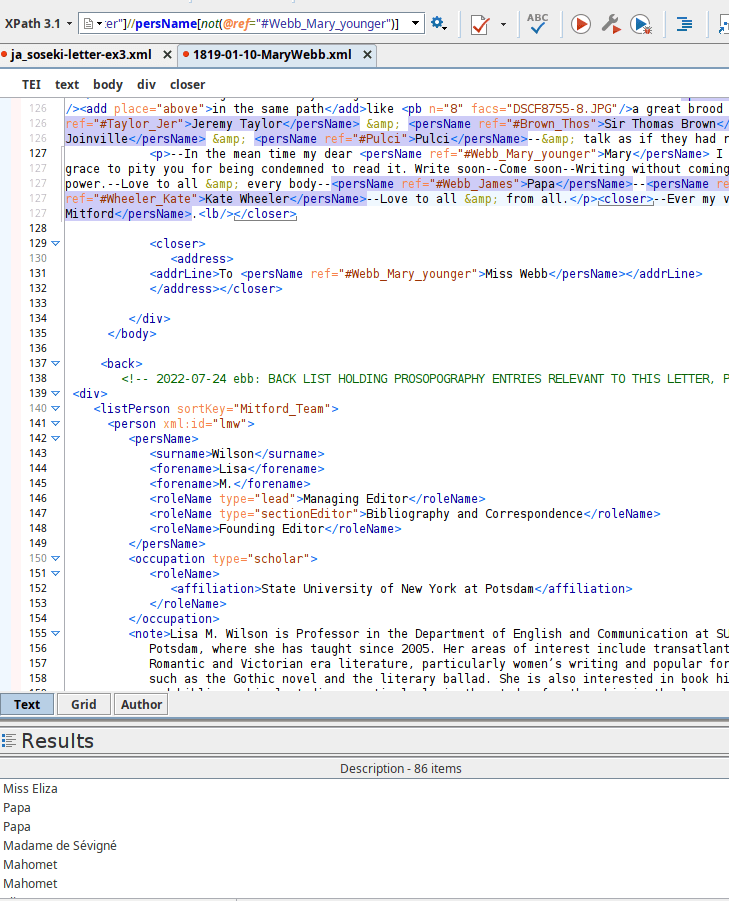
[not(@ref="#Webb_Mary_younger")]
//div[@type]//persName
//div[@type]//persName[not(@ref="#Webb_Mary_younger")]
The not() function
Simple Map & Arrow
| Operator | Description |
|---|---|
| ! | The simple map operator (!) means do the thing on the right once for each item on the left. |
| => | The arrow operator (=>) means apply the function on the right to the entire sequence (all at once) on the left. |
Simple Map & Arrow
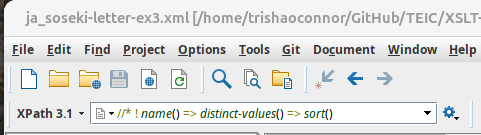
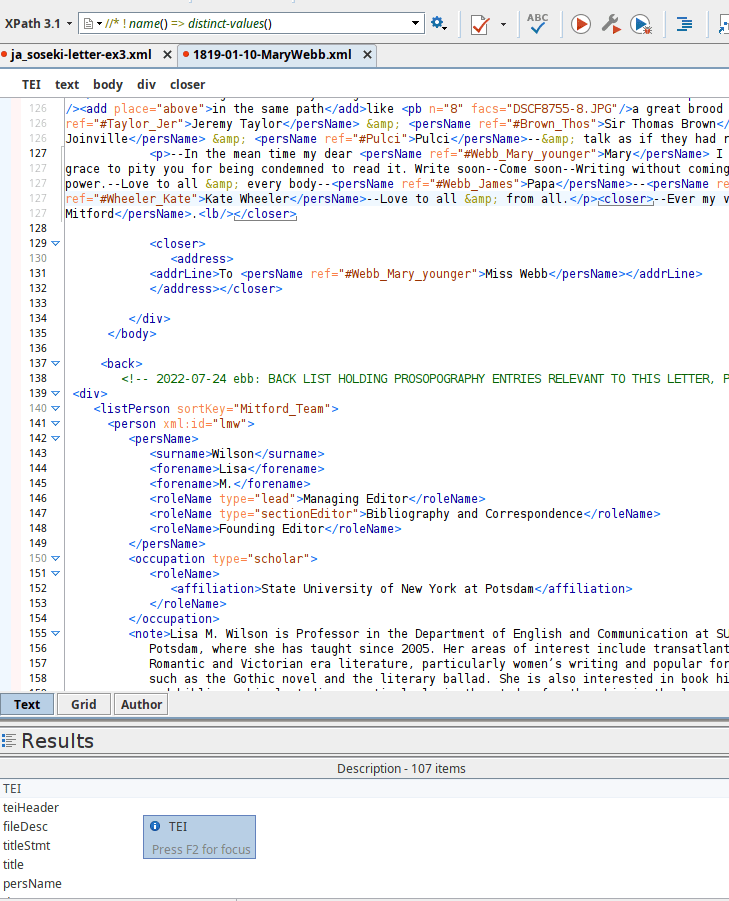
//* ! name() => distinct-values()
//* ! name()
The name() function returns a string representing the QName of the first node in a given node-set.
Comparison Operators
| Value | General | Description |
|---|---|---|
| eq | = | equal to |
| ne | != | not equal to |
| gt | > | > greater than (may also be written >) |
| ge | >= | greater than or equal to (not less than; may also be written >=) |
| lt | < | less than (may also be written <) |
| le | <= | less than or equal to (not greater than; may also be written <=) |
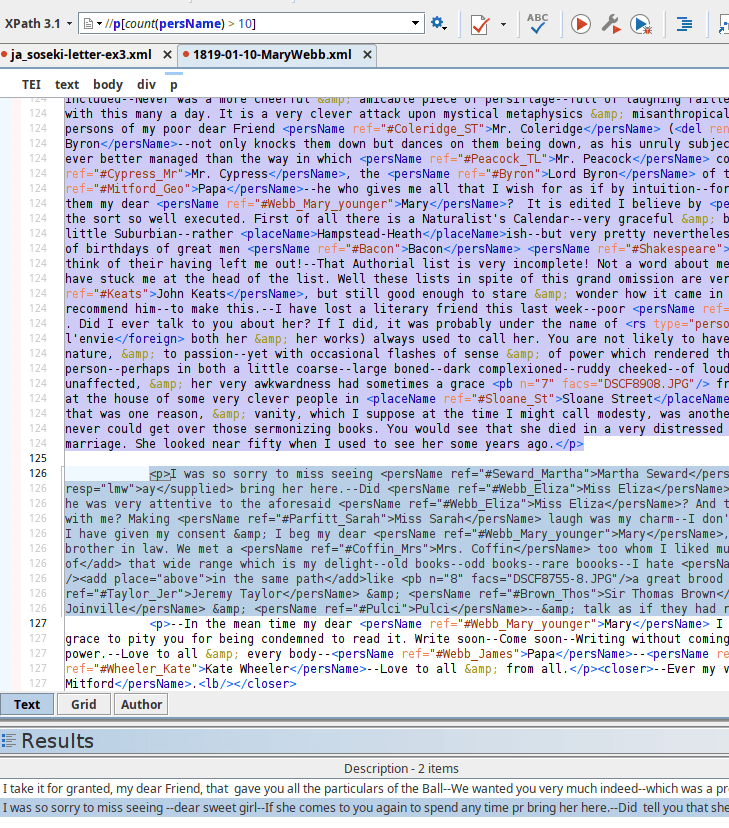
//p[count(persName) > 10]
Find paragraphs containing more than 10 personal names
//p/count(persName)
Let's Practice