Assignment 2
Tuesday 9/23
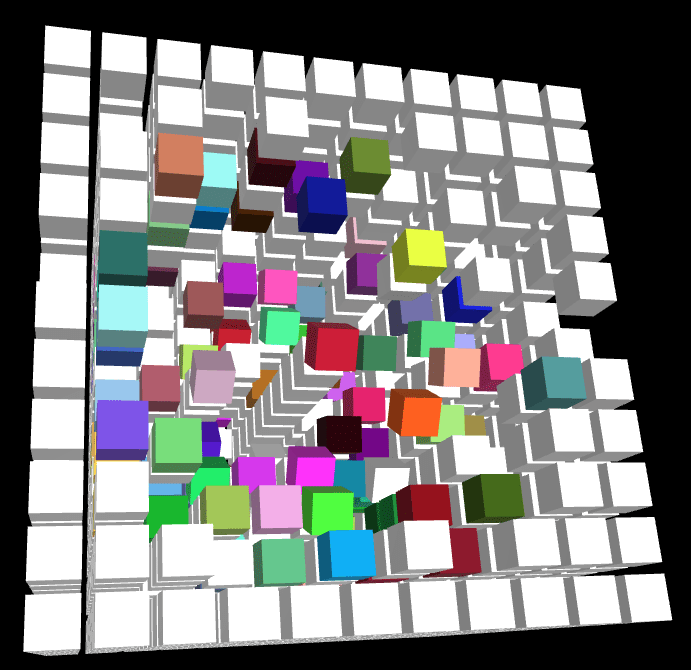
Wednesday 9/24

Field Trips


Manning College of Nursing
10/9
10/14
Thursday
Tuesday
by Tuesday 9/30!
CS460 Computer Graphics - University of Massachusetts Boston
Assignment 3
Due 10/2!


var geometry = new THREE.Geometry();
geometry.vertices.push(
	new THREE.Vector3(-10, 10, 0),
	new THREE.Vector3(-10, -10, 0),
	new THREE.Vector3(10, -10, 0)
);
geometry.faces.push( new THREE.Face3(0, 1, 2));

GPU
Vertex Shader
Fragment Shader
Viewport
From 3D..
..to 2D
vertex coordinates X Y Z
screenspace coordinates X Y
Vertices
Face
Rasterization
The Rendering Pipeline


it will be more clear later!!
From 3D to 2D
From 2D to 3D?
Unprojecting...


0, 0
width, height
renderer.domElement.onclick = function(e) {

  pixel_coords = new THREE.Vector2(e.clientX, e.clientY);

};
400, 200
400 , 200
Screen Space Coordinates
-1, -1
renderer.domElement.onclick = function(e) {

  pixel_coords = new THREE.Vector2( e.clientX, e.clientY );
  vp_coords = new THREE.Vector2(
    ( pixel_coords.x / window.innerWidth ) * 2 - 1, // X
    - ( pixel_coords.y / window.innerHeight ) * 2 + 1 ); // Y
};
-0.2, 0.3
-0.2
Viewport Coordinates
1, 1
0, 0
0.3
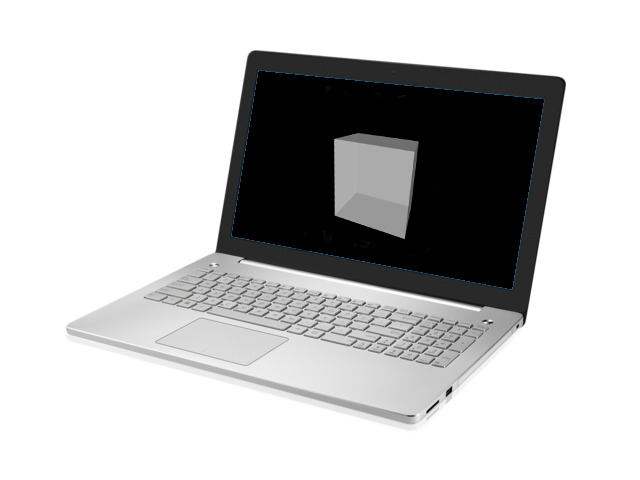
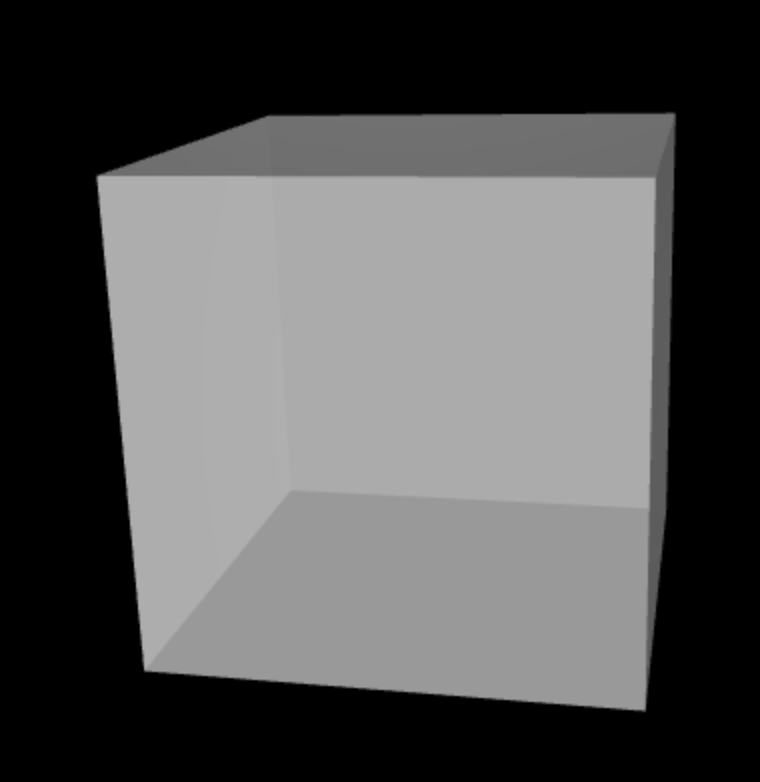
zNear
zFar
Ray
2D Click can be mapped to any
point on the 3D Ray
zNear
zFar
Ray
2D Click can be mapped to any
point on the 3D Ray
But we know the exact
position on zNear!
renderer.domElement.onclick = function(e) {

  pixel_coords = new THREE.Vector2( e.clientX, e.clientY );
  vp_coords = new THREE.Vector2(
    ( pixel_coords.x / window.innerWidth ) * 2 - 1, // X
    - ( pixel_coords.y / window.innerHeight ) * 2 + 1 ); // Y

  vp_coords_3d_near = new THREE.Vector3(vp_coords.x,
                                        vp_coords.y,
                                        0); // for zNear

};
Towards 3D Coordinates
This is not 3D yet!
THREE.Raycaster
zNear
zFar
Ray
Position (x,y,z)

needs 2 points to define Ray
raycaster = new THREE.Raycaster();
raycaster.setFromCamera(vp_coords_near, camera);
zNear
Ray
Position (x,y,z)
Invisible Plane
intersects = raycaster.intersectObject( );zNear
Ray
Position (x,y,z)
Invisible Plane
intersects = raycaster.intersectObject( );geometry = new THREE.PlaneBufferGeometry( 10000, 10000 );
material = new THREE.MeshBasicMaterial( {
visible: false
});
invisible_plane = new THREE.Mesh( geometry, material );
scene.add( invisible_plane );intersects = raycaster.intersectObject( invisible_plane );
console.log( intersects[0].point.x, intersects[0].point.y, intersects[0].point.z );( 0, 0, 0 )
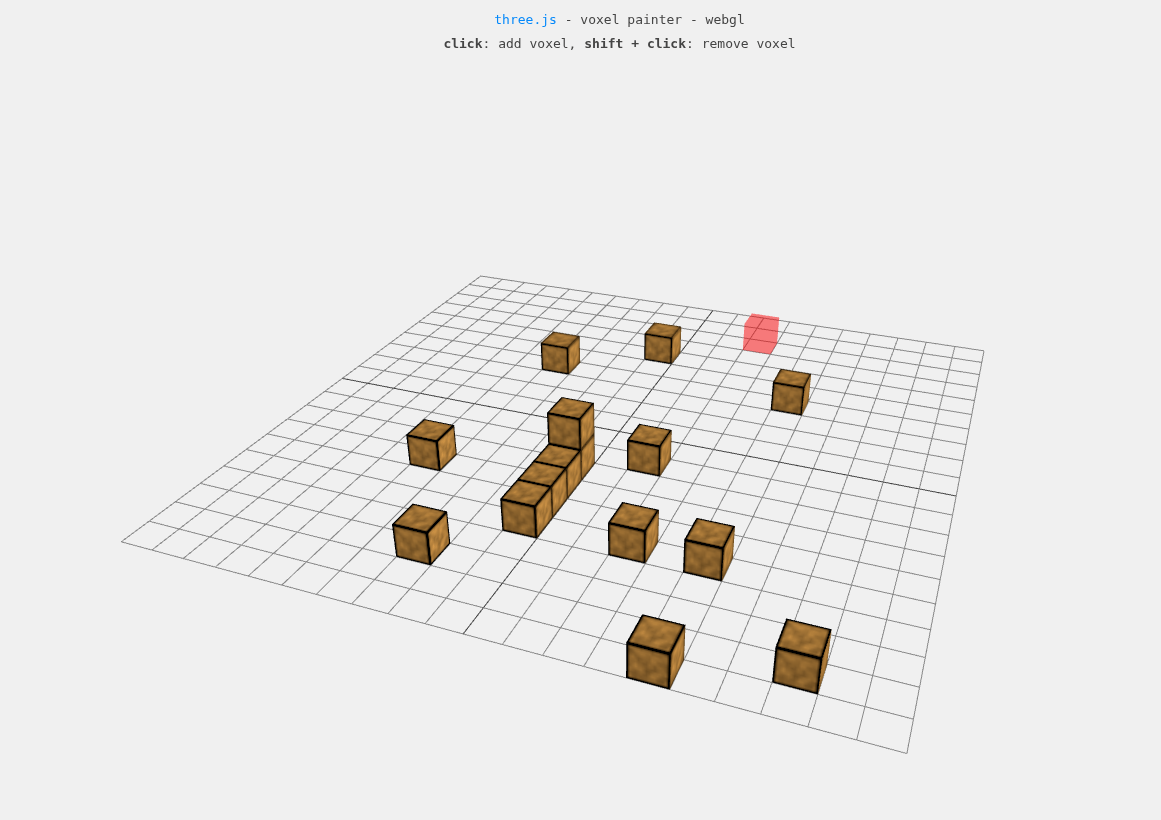
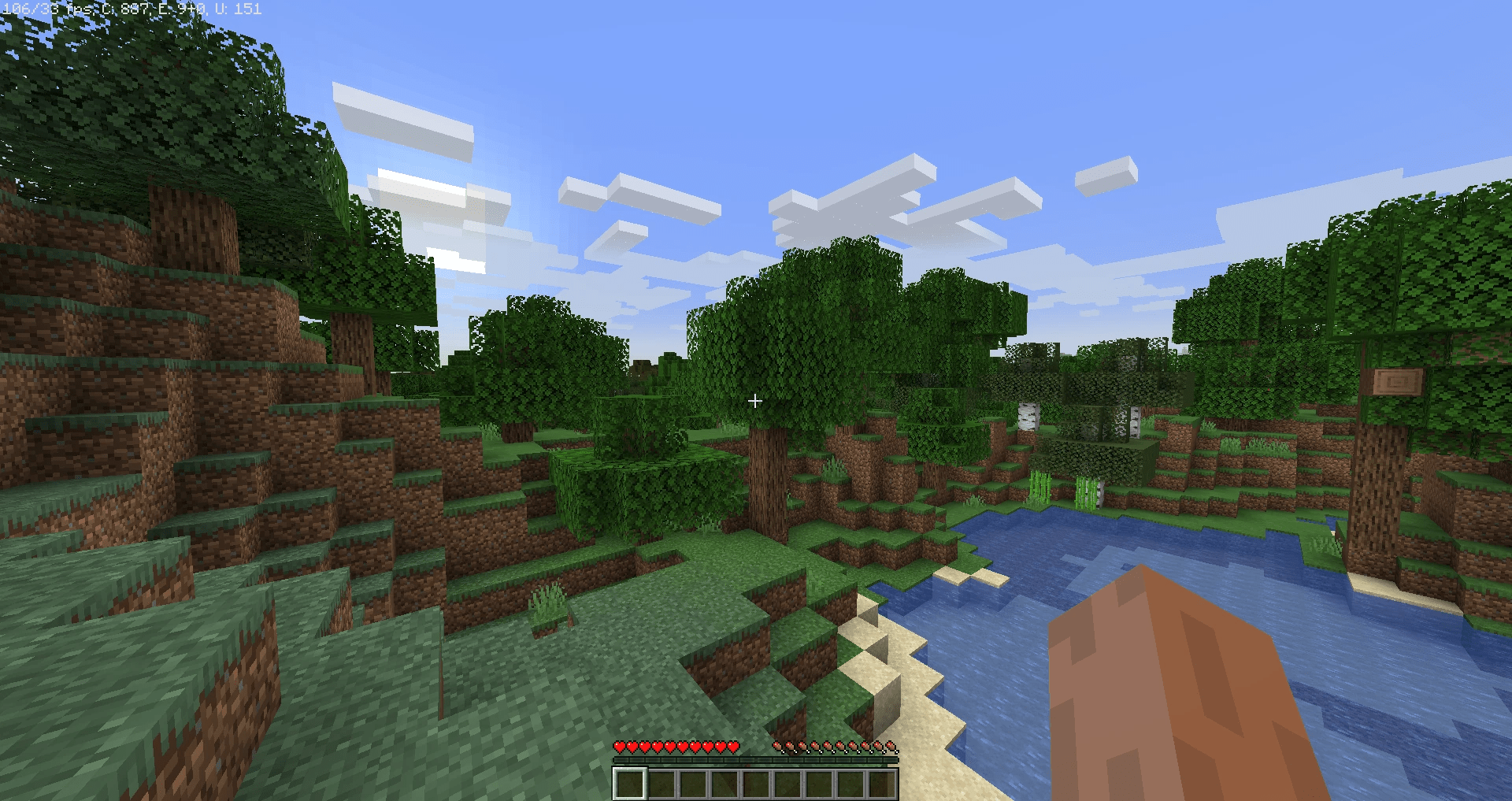
Ray + Object
<html>
  <head>
    <style>
      html, body {
        background-color:#000;
        margin: 0;
        padding: 0;
        height: 100%;
        overflow: hidden !important;
      }
    </style>

    <script async src="https://unpkg.com/es-module-shims@1.6.3/dist/es-module-shims.js"></script>

    <script type="importmap">
    {
      "imports": {
        "three": "https://unpkg.com/three@latest/build/three.module.js",
        "three/addons/": "https://unpkg.com/three@latest/examples/jsm/"
      }
    }
    </script>

    <script type="module">

      import * as THREE from 'three';
      import { OrbitControls } from 'three/addons/controls/OrbitControls.js';

      var renderer, controls, scene, camera;

      window.onload = function() {

        // Three.js code goes here
        scene = new THREE.Scene();

        // setup the camera
        var fov = 75;
        var ratio = window.innerWidth / window.innerHeight;
        var zNear = 1;
        var zFar = 10000;
        camera = new THREE.PerspectiveCamera( fov, ratio, zNear, zFar );
        camera.position.set(0, 0, 100);

        // create renderer and setup the canvas
        renderer = new THREE.WebGLRenderer({ antialias: true });
        renderer.setSize( window.innerWidth, window.innerHeight );
        document.body.appendChild( renderer.domElement );


        renderer.domElement.onclick = function( e ){

            console.log('Yay! We clicked!');

            var pixel_coords = new THREE.Vector2( e.clientX, e.clientY );

            console.log('Pixel coords', pixel_coords);

            var vp_coords = new THREE.Vector2(
                        ( pixel_coords.x / window.innerWidth ) * 2 - 1,  //X
                        -( pixel_coords.y / window.innerHeight ) * 2 + 1) // Y

            console.log('Viewport coords', vp_coords);

            var vp_coords_near = new THREE.Vector3( vp_coords.x, vp_coords.y, 0);


            var raycaster = new THREE.Raycaster();
            raycaster.setFromCamera(vp_coords_near, camera);
            var intersects = raycaster.intersectObject(invisible_plane);

            console.log('Ray to Invisible Plane', intersects[0].point);

            // update cube position
            cube.position.set(intersects[0].point.x, intersects[0].point.y, intersects[0].point.z);

          };


        // setup lights
        var ambientLight = new THREE.AmbientLight();
        scene.add( ambientLight );

        var light = new THREE.DirectionalLight( 0xffffff, 5.0 );
        light.position.set( 10, 100, 10 );
        scene.add( light );

        // configure cube
        var geometry = new THREE.BoxGeometry( 20, 20, 20 );
        var material = new THREE.MeshStandardMaterial({ color: 0xffffff, wireframe: true });

        var cube = new THREE.Mesh( geometry, material );

        scene.add( cube );


        //
        // The invisible plane
        //
        geometry = new THREE.PlaneGeometry( 10000, 10000 );
        material = new THREE.MeshBasicMaterial( {
          visible: false
        });

        var invisible_plane = new THREE.Mesh( geometry, material );

        scene.add( invisible_plane );
        //
        //
        //


        // interaction
        controls = new OrbitControls( camera, renderer.domElement );

        // call animation/rendering loop
        animate();

      };

      function animate() {

        requestAnimationFrame( animate );

        // and here..
        controls.update();
        renderer.render( scene, camera );

      };
    </script>
  </head>
  <body></body>
</html>
This is also Assignment 03 starter code!
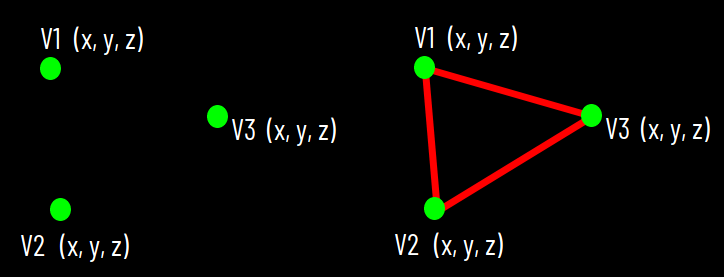
V1
V2
(x, y, z)
(x, y, z)
V3
(x, y, z)
V1
V2
(x, y, z)
(x, y, z)
V3
(x, y, z)
var geometry = new THREE.Geometry();
geometry.vertices.push(
	new THREE.Vector3(-10, 10, 0),
	new THREE.Vector3(-10, -10, 0),
	new THREE.Vector3(10, -10, 0)
);
geometry.faces.push( new THREE.Face3(0, 1, 2));
Graphics Processing Unit (GPU)
Vertex Shader
3D World
Shape Assembly
Perspective Projection
V1
V2
V3
var geometry = new THREE.Geometry();
geometry.vertices.push(
	new THREE.Vector3(-10, 10, 0),
	new THREE.Vector3(-10, -10, 0),
	new THREE.Vector3(10, -10, 0)
);
geometry.faces.push( new THREE.Face3(0, 1, 2));
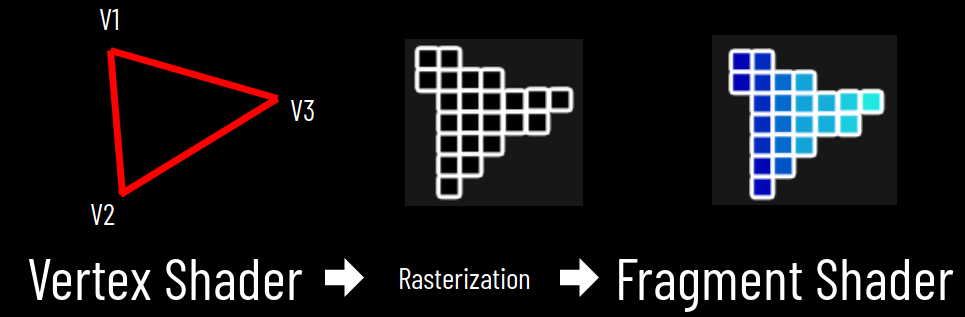
Graphics Processing Unit (GPU)
Vertex Shader
Fragment Shader

3D World
2D Space
Rasterization

Colorization

Blending
Frame Buffer / Viewport
var geometry = new THREE.Geometry();
geometry.vertices.push(
	new THREE.Vector3(-10, 10, 0),
	new THREE.Vector3(-10, -10, 0),
	new THREE.Vector3(10, -10, 0)
);
geometry.faces.push( new THREE.Face3(0, 1, 2));
GPU
Vertex Shader
Fragment Shader
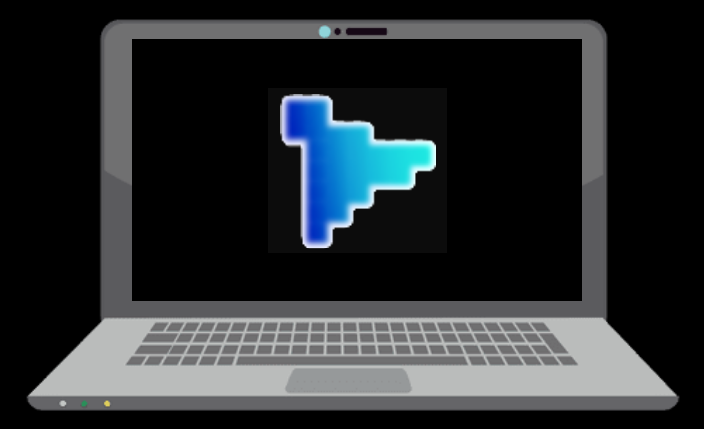
Viewport
From 3D..
..to 2D
vertex coordinates X Y Z
screenspace coordinates X Y
Shaders
GLSL

A rather complex example of shaders:
Vertex Shader
Fragment Shader
Vertex Shader
attribute vec4 a_position;

void main() {
  gl_Position = a_position;
}
This shader does nothing besides passing through positions.
Vertex Shader
attribute vec4 a_position;

void main() {
  gl_Position = a_position;
}
This shader does nothing besides passing through positions.
data is different for each vertex!
(x, y, z, w)
(x, y, z, 1.)
name
Vertex Shader
attribute vec4 a_position;

void main() {
  gl_Position = a_position;
}
This shader does nothing besides passing through positions.
gl_Position is the output of any vertex shader
Fragment Shader
precision mediump float;

void main() {
  gl_FragColor = vec4(1., 1., 1., 1.);
}
This shader colors every fragment (pixel) white.
Fragment Shader
precision mediump float;

void main() {
  gl_FragColor = vec4(1., 1., 1., 1.);
}
This shader colors every fragment (pixel) white.
defines the number of decimals for every value
Fragment Shader
precision mediump float;

void main() {
  gl_FragColor = vec4(1., 1., 1., 1.);
}
This shader colors every fragment (pixel) white.
every fragment shader outputs a color for
the current fragment / pixel.
Fragment Shader
Vertex Shader
gl_Position
gl_FragColor
for every vertex
for every pixel
gl_PointSize
Shader Input Types
attribute: changes per vertex
uniform: changes per draw call
varying: transfer info to fragment shader
Fragment Shader
Shader Art



easy
hard
XTK
Three.js
WebGL
limited
freedom
Complexity
Functionality
XTK
X.renderer3D
X.cube
Three.js
THREE.WebGLRenderer
THREE.Scene
THREE.TrackballControls
THREE.PerspectiveCamera
THREE.AmbientLight
THREE.DirectionalLight
WebGL
gl.viewport
gl.createShader
gl.shaderSource
gl.compileShader
gl.getShaderInfoLog
gl.createProgram
gl.attachShader
gl.linkProgram
gl.useProgram
gl.createBuffer
gl.bindBuffer
gl.BufferData
gl.getAttribLocation
gl.vertexAttribPointer
gl.enableVertexAttribArray
gl.clearColor
gl.clear
gl.drawArrays
THREE.Geometry
THREE.Material
THREE.Mesh
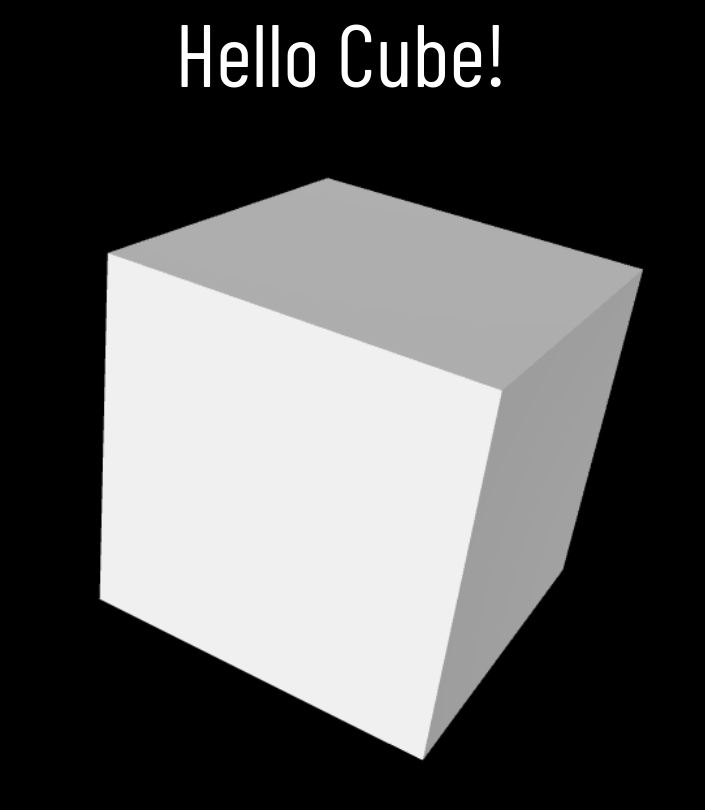

1. Initialize WebGL
2. Shaders
3. Create Geometry
4. Connect Shader with Geometry
5. Draw!
1. Initialize WebGL
setup Canvas
setup GL Context
gl = c.getContext( 'webgl' );c = document.getElementById( 'c' ); // setup canvas
c.width = window.innerWidth;
c.height = window.innerHeight;
gl = c.getContext( 'webgl' ); // setup GL context
gl.viewport(0, 0, c.width, c.height );1. Initialize WebGL
2. Shaders
setup Canvas
setup GL Context
compile vertex shader
compile fragment shader
attach and link shaders
<script id="vertexshader" type="glsl">
attribute vec3 position;
void main(void) {
gl_Position = vec4( position, 1.);
}
</script> <script id="fragmentshader" type="glsl">
precision mediump float;
void main(void) {
gl_FragColor = vec4(1., 1., 1., 1.);
}
</script>1. Initialize WebGL
2. Shaders
setup Canvas
setup GL Context
compile vertex shader
compile fragment shader
attach and link shaders
v_shader = gl.createShader( gl.VERTEX_SHADER );
f_shader = gl.createShader( gl.FRAGMENT_SHADER );
// compile vertex shader
gl.shaderSource( v_shader, document.getElementById( 'vertexshader' ).innerText );
gl.compileShader( v_shader );
if (!gl.getShaderParameter( v_shader, gl.COMPILE_STATUS)) {
console.log(gl.getShaderInfoLog( v_shader ));
}
1. Initialize WebGL
2. Shaders
setup Canvas
setup GL Context
compile vertex shader
compile fragment shader
attach and link shaders
v_shader = gl.createShader( gl.VERTEX_SHADER );
f_shader = gl.createShader( gl.FRAGMENT_SHADER );
// compile vertex shader
gl.shaderSource( v_shader, document.getElementById( 'vertexshader' ).innerText );
gl.compileShader( v_shader );
if (!gl.getShaderParameter( v_shader, gl.COMPILE_STATUS)) {
console.log(gl.getShaderInfoLog( v_shader ));
}
// compile fragment shader
gl.shaderSource( f_shader, document.getElementById( 'fragmentshader' ).innerText );
gl.compileShader( f_shader );
if (!gl.getShaderParameter( f_shader, gl.COMPILE_STATUS)) {
console.log(gl.getShaderInfoLog( f_shader ));
}
1. Initialize WebGL
2. Shaders
setup Canvas
setup GL Context
compile vertex shader
compile fragment shader
attach and link shaders
// attach and link the shaders
shaderprogram = gl.createProgram();
gl.attachShader( shaderprogram, v_shader );
gl.attachShader( shaderprogram, f_shader );
gl.linkProgram( shaderprogram );
gl.useProgram( shaderprogram );1. Initialize WebGL
2. Shaders
setup Canvas
setup GL Context
compile vertex shader
compile fragment shader
attach and link shaders
v_shader = gl.createShader( gl.VERTEX_SHADER );
f_shader = gl.createShader( gl.FRAGMENT_SHADER );
// compile vertex shader
gl.shaderSource( v_shader, document.getElementById( 'vertexshader' ).innerText );
gl.compileShader( v_shader );
if (!gl.getShaderParameter( v_shader, gl.COMPILE_STATUS)) {
console.log(gl.getShaderInfoLog( v_shader ));
}
// compile fragment shader
gl.shaderSource( f_shader, document.getElementById( 'fragmentshader' ).innerText );
gl.compileShader( f_shader );
if (!gl.getShaderParameter( f_shader, gl.COMPILE_STATUS)) {
console.log(gl.getShaderInfoLog( f_shader ));
}
// attach and link the shaders
shaderprogram = gl.createProgram();
gl.attachShader( shaderprogram, v_shader );
gl.attachShader( shaderprogram, f_shader );
gl.linkProgram( shaderprogram );
gl.useProgram( shaderprogram );1. Initialize WebGL
2. Shaders
3. Create Geometry
setup Canvas
setup GL Context
compile vertex shader
compile fragment shader
attach and link shaders
create vertices
create and bind buffer
put data in
unbind buffer
V0
V1
V2
V0
V1
V2
V0
V1
V2
V3
V4
V5
V0
V1
V2
V3
V4
V5
Viewport Coordinates
-1, -1
1, 1
-0.5, -0.5
-0.5, 0.5
0.5, 0.5
0.5, -0.5
vertices = new Float32Array( [
-0.5, 0.5, 0.0, // V0
-0.5, -0.5, 0.0, // V1
0.5, 0.5, 0.0, // V2
0.5, 0.5, 0.0, // V3
-0.5, -0.5, 0.0, // V4
0.5, -0.5, 0.0 // V5
] );V0
V1
V2
V3
V4
V5
vertices = new Float32Array( [
-0.5, 0.5, 0.0, // V0
-0.5, -0.5, 0.0, // V1
0.5, 0.5, 0.0, // V2
0.5, 0.5, 0.0, // V3
-0.5, -0.5, 0.0, // V4
0.5, -0.5, 0.0 // V5
] ); vertices = new Float32Array( [
-0.5, 0.5, 0.0, // V0
-0.5, -0.5, 0.0, // V1, V4
0.5, 0.5, 0.0, // V2, V3
0.5, -0.5, 0.0 // V5
] );18 * 32 bit == 18 * 4 bytes == 72 bytes
12 * 32 bit == 12 * 4 bytes == 48 bytes
V0
V1
V2
V3
V4
V5
vertices = new Float32Array( [
-0.5, 0.5, 0.0, // V0 // 0
-0.5, -0.5, 0.0, // V1, V4 // 1
0.5, 0.5, 0.0, // V2, V3 // 2
0.5, -0.5, 0.0 // V5 // 3
] );var indices = new Uint8Array( [ 0, 1, 2, // Triangle 1
2, 1, 3 ] ); // Triangle 20
1
2
3
Indexed Geometry
48 bytes
6 * 8 bit == 6 bytes
we now use 48 + 6 == 54 bytes instead of 72 bytes!
1. Initialize WebGL
2. Shaders
3. Create Geometry
setup Canvas
setup GL Context
compile vertex shader
compile fragment shader
attach and link shaders
create vertices
create and bind buffer
put data in
unbind buffer
v_buffer = gl.createBuffer(); // create
gl.bindBuffer( gl.ARRAY_BUFFER, v_buffer ); // bind
gl.bufferData( gl.ARRAY_BUFFER, vertices, gl.STATIC_DRAW ); // put data in
gl.bindBuffer( gl.ARRAY_BUFFER, null ); // unbind1. Initialize WebGL
2. Shaders
3. Create Geometry
4. Connect Shader with Geometry
setup Canvas
setup GL Context
compile vertex shader
compile fragment shader
attach and link shaders
create vertices
create and bind buffer
put data in
unbind buffer
bind buffer
find vertex attribute in shader source
configure vertex attribute
enable vertex attribute array
gl.bindBuffer( gl.ARRAY_BUFFER, v_buffer );
// find the attribute in the shader source
var a_position = gl.getAttribLocation( shaderprogram, 'position' );
gl.vertexAttribPointer( a_position, 3, gl.FLOAT, false, 0, 0 );
gl.enableVertexAttribArray ( a_position );1. Initialize WebGL
2. Shaders
3. Create Geometry
4. Connect Shader with Geometry
5. Draw!
setup Canvas
setup GL Context
compile vertex shader
compile fragment shader
attach and link shaders
create vertices
create and bind buffer
put data in
unbind buffer
bind buffer
find vertex attribute in shader source
configure vertex attribute
enable vertex attribute array
clear viewport
clear color buffer
draw vertex arrays
gl.clearColor( 0., 0., 0., 0.)
gl.clear( gl.COLOR_BUFFER_BIT );
gl.drawArrays( gl.TRIANGLES, 0, 6 );1. Initialize WebGL
2. Shaders
3. Create Geometry
4. Connect Shader with Geometry
5. Draw!
setup Canvas
setup GL Context
compile vertex shader
compile fragment shader
attach and link shaders
create vertices
create and bind buffer
put data in
unbind buffer
bind buffer
find vertex attribute in shader source
configure vertex attribute
enable vertex attribute array
clear viewport
clear color buffer
draw vertex arrays

What the...
but don't worry!
you will understand it when you work on assignment 4!
<html>
<head>
<meta content="text/html;charset=utf-8" http-equiv="Content-Type">
<meta content="utf-8" http-equiv="encoding">
<title>Default WebGL!</title>
<style>
html, body {
background-color:#000;
margin: 0;
padding: 0;
height: 100%;
overflow: hidden !important;
}
#c {
width: 100%;
height: 100%;
}
</style>
</head>
<script id="vertexshader" type="glsl">
attribute vec3 position;
void main(void) {
gl_Position = vec4( position, 1.);
}
</script>
<script id="fragmentshader" type="glsl">
precision mediump float;
void main(void) {
gl_FragColor = vec4(1., 1., 1., 1.);
}
</script>
<script>
var c, gl;
var v_shader, f_shader, shaderprogram;
var vertices, v_buffer;
window.onload = function() {
//************************************************************//
//
// INITIALIZE WEBGL
//
c = document.getElementById( 'c' ); // setup canvas
c.width = window.innerWidth;
c.height = window.innerHeight;

gl = c.getContext( 'webgl' ); // setup GL context
gl.viewport(0, 0, c.width, c.height );
//************************************************************//
//
// SHADERS
//
v_shader = gl.createShader( gl.VERTEX_SHADER );
f_shader = gl.createShader( gl.FRAGMENT_SHADER );

// compile vertex shader
gl.shaderSource( v_shader, document.getElementById( 'vertexshader' ).innerText );
gl.compileShader( v_shader );

if (!gl.getShaderParameter( v_shader, gl.COMPILE_STATUS)) {
  console.log(gl.getShaderInfoLog( v_shader ));
}
// compile fragment shader
gl.shaderSource( f_shader, document.getElementById( 'fragmentshader' ).innerText );
gl.compileShader( f_shader );

if (!gl.getShaderParameter( f_shader, gl.COMPILE_STATUS)) {
  console.log(gl.getShaderInfoLog( f_shader ));
}
// attach and link the shaders
shaderprogram = gl.createProgram();
gl.attachShader( shaderprogram, v_shader );
gl.attachShader( shaderprogram, f_shader );

gl.linkProgram( shaderprogram );

gl.useProgram( shaderprogram );
//************************************************************//
//
// CREATE GEOMETRY
//
      vertices = new Float32Array( [
                                     -0.5,  0.5, 0.0, // V0
                                     -0.5, -0.5, 0.0, // V1
                                      0.5,  0.5, 0.0, // V2

                                      0.5,  0.5, 0.0, // V3
                                     -0.5, -0.5, 0.0, // V4
                                      0.5, -0.5, 0.0  // V5
                                    ] );
v_buffer = gl.createBuffer(); // create
gl.bindBuffer( gl.ARRAY_BUFFER, v_buffer ); // bind
gl.bufferData( gl.ARRAY_BUFFER, vertices, gl.STATIC_DRAW ); // put data in
gl.bindBuffer( gl.ARRAY_BUFFER, null ); // unbind
//************************************************************//
//
// CONNECT SHADER WITH GEOMETRY
//
gl.bindBuffer( gl.ARRAY_BUFFER, v_buffer );

// find the attribute in the shader source
var a_position = gl.getAttribLocation( shaderprogram, 'position' );

gl.vertexAttribPointer( a_position, 3, gl.FLOAT, false, 0, 0 );

gl.enableVertexAttribArray ( a_position );
//************************************************************//
//
// DRAW!
//
gl.clearColor( 0., 0., 0., 0.)
gl.clear( gl.COLOR_BUFFER_BIT );

gl.drawArrays( gl.TRIANGLES, 0, 6 );
};
</script>
<body>
<canvas id="c"></canvas>
</body>
</html>

Uniforms
createRectangle()
Rendering Loop
And, they move!
Quiz 4 due today!!
submit your music!