Responsive CSS
Joel Ross
Autumn 2022
View of the Day
-
Project Draft 1 overview
-
Q&A
-
CSS Class Naming ("lecture")
-
Flexbox/etc Review (code together!)
-
Media Queries Demo (code together!)
Project Draft 1
The complete HTML & CSS. A static "screenshot" of what your app will look like.
- Include all of your "pages"!
- Can include just a single example of a "details" page
- May need to copy/paste shared elements (navbars) for now
- Include all sections and components (forms, etc)
- Skip user login forms; we'll provide that through a library
- Be clear what the user will "do" with your app -- where do instructions/etc go?
Project Draft 1
Code requirements:
- Well-written, semantic HTML
-
Significant CSS & styling
- Must include a flexbox or grid (Bootstrap is okay)
-
Accessible
- Check your alts and headings!
-
Responsive
- Must include a meaningful media query!
Project Draft 1
Working as a group:
- All group members are responsive for all aspects of the project. Projects are graded as a single piece of work.
- It's okay to divide up work by "pages", but everyone needs to check everything.
- Do not divide up work by language -- everyone needs to contribute to both HTML and CSS
- Must use git to code collaboratively. We will be checking for commits from all group members.
- Each individual needs to demonstrate understanding of the material.
Q&A
CSS Class Names
There are only two hard problems in computer science: cache invalidation and naming things - Phil Karlton
CSS Class Names
Goals when naming classes (or anything):
-
Understandability: explain what kind of styling is being applied
-
Modifiability: make it easier to change styling later
Semantic Class Names
Name CSS classes based on the semantic meaning (purpose) of the element they are styling.
<div class="forum-post">...</div>

<nav class="side-nav">...</div>

<img class="avatar-icon">...</div>

<article class="breaking-news">...</article>/* can use descendant selectors for more detail */
.forum-post img { ... }
.side-nav ul a { ... }Modular Class Names
Name CSS classes based on the (single) styling they apply. Combine multiple classes to style elements.
<div class="font-large text-red bg-secondary">...</div>

<img class="small rounded shadow">...</div>
.font-large {
font-size: 2em;
line-height: 1.4em;
}
.bg-secondary { background: #bbb; }
img.small { width: 140px; }
.rounded { border-radius: 50%; }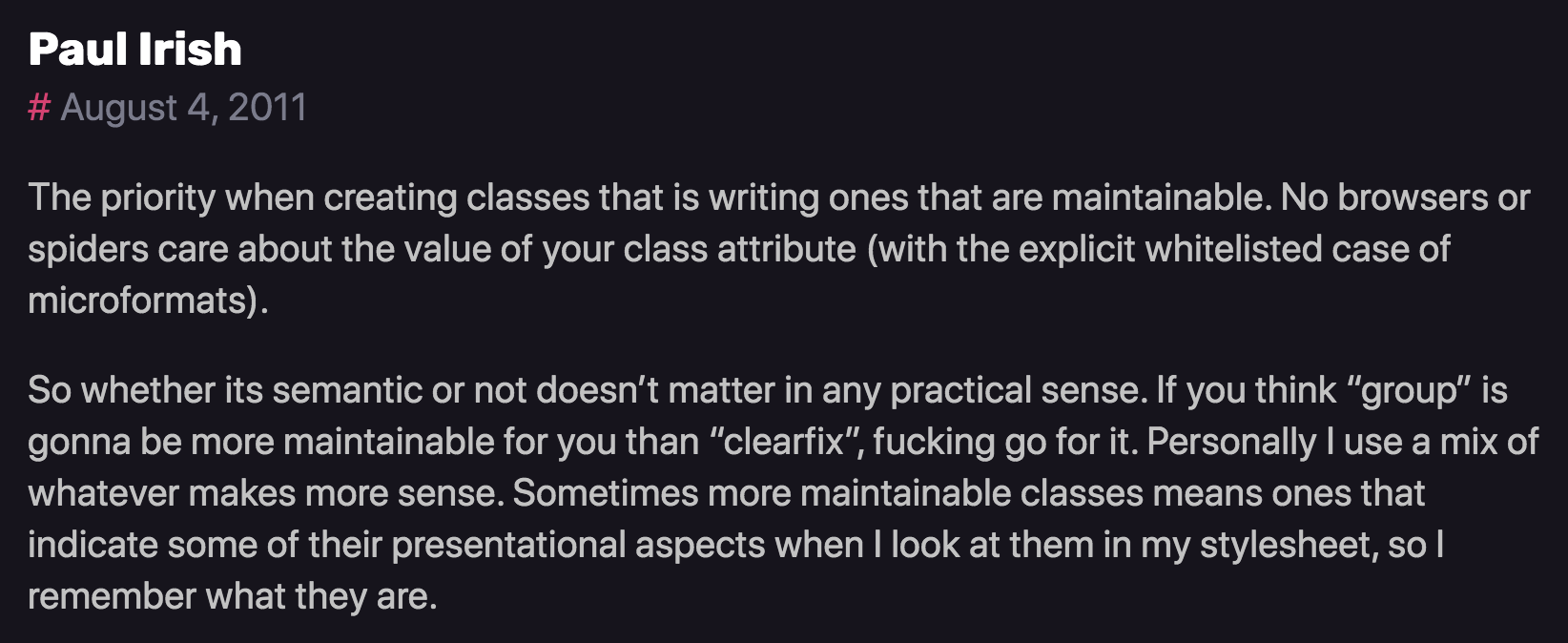
A Naming Schema: BEM
<div class="block__element--modifier"><form class="form form--theme-xmas form--simple">
<input class="form__input" type="text">
<input
class="form__submit form__submit--disabled"
type="submit" />
</form>The "part" of the page
navbar
An element in that block
tab
Flags or types; differentiators
selected
<div class="navbar">
  <div class="navbar__tab">A tab</div>
  <div class="navbar__tab--selected">Selected Tab</div>
</div>Updating Lecture Code
# switch to main branch to get new starter code
git checkout main

# download new starter code
git pull --no-edit

# switch back to section branch for coding
# (section-a or section-b)
git checkout section-X

# merge in new starter code
git merge main --no-edit

# code and enjoy!
Do all your work on the "section" branch, using the main branch only for starter code.
Any cleanup we should do to this page
(as review)?

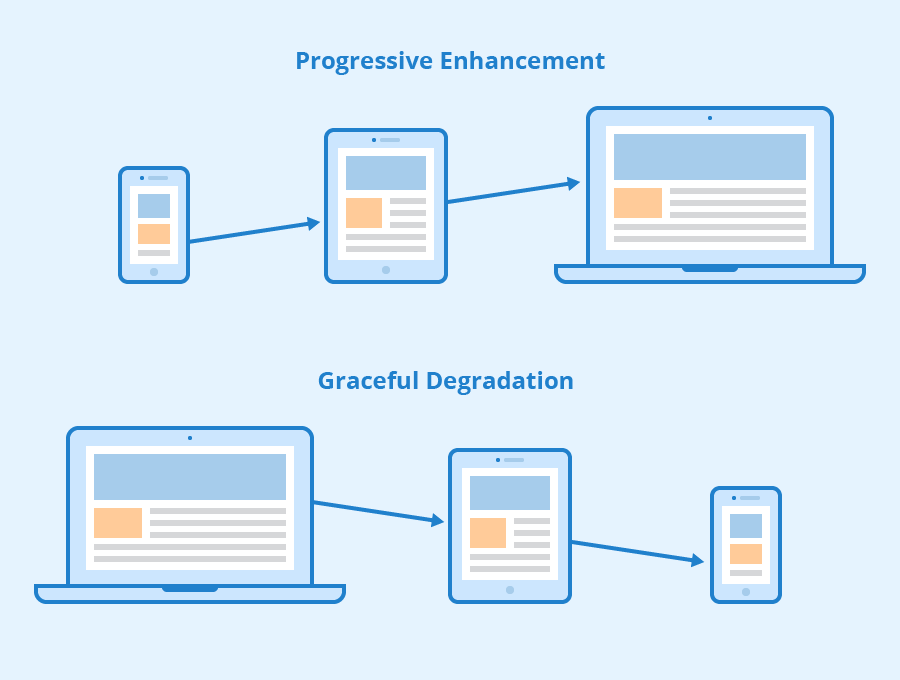
Viewport <meta>
Include the viewport meta element to allow your code to control responsive appearances (rather than the browser).
<head>
  <meta charset="utf-8"> <!-- always need this -->
  <meta name="viewport" content="width=device-width, initial-scale=1, shrink-to-fit=no">

  <!-- more head elements, including <link> ... -->
</head>
Media Queries
/* A Media Query */
@media (min-width: 768px) {
   /* these rules apply ONLY on screens 768px and wider */

   /* a normal CSS rule */
   body {
      font-size: 1.5em;
      background-color: beige;
   }

   /* another CSS rule */
   .mobile-call-icon {
      display: none; /* don't show on large displays */
   }
}
Action Items!
-
Read: through Chapter 9
-
Problem Set 03 due Friday
-
Problem Set 04 due next week
Next: CSS Frameworks (Bootstrap)