PrestaShop Blog Manager:
Publish SEO-Ready Blogs with AI, Directly in Your Store

-
Many stores host their blog on WordPress, separate from their products.
-
SEO value and internal links are split across two systems.
-
Meta tags, ALT text, excerpts, and translations are written by hand.
-
No easy way to link posts to products for cross-selling.
-
Readers leave the store and rarely return to buy.
The Problem with Off-Store Blogging

A full PrestaShop Blog Module inside your Back Office. Publish articles, guides, and news in your store and link them to your products.
What Is PrestaShop Blog Manager?
AI Writing
Runs as a PrestaShop AI Blog Module with ChatGPT (OpenAI) or Google Gemini, using your own API key.
Multistore & Multilanguage
Configure every setting per shop and per language.
Quick Migration
Bulk import from WordPress and RSS or Atom feeds.
Central Dashboard
Manage posts, categories, tags, authors, comments, sliders, and banners in one place.
PrestaShop AI Content Addon: Write, Optimise, Translate
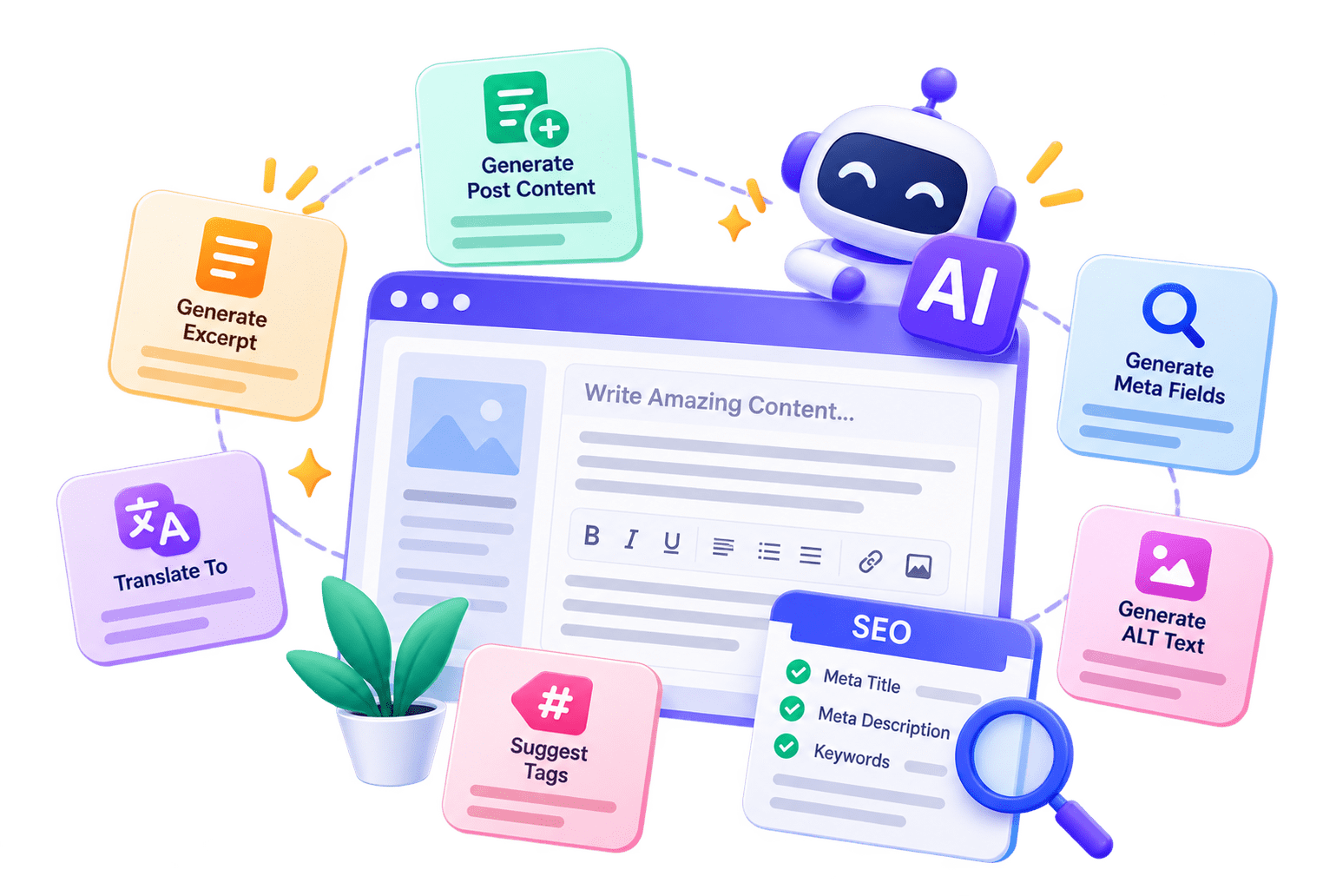
AI buttons appear in the post editor once AI is enabled and an API key is saved.
- Generate Post Content: Full post from title and excerpt
- Generate Excerpt: Summary from existing content
- Translate To: Content in another language
- Suggest Tags: Tags based on post content
- Generate Meta Fields: Meta title, description, and keywords
- Generate ALT Text: ALT text for the featured image
Models: GPT-4o Mini, GPT-4o, GPT-4.1 Mini, GPT-4.1, Gemini 2.5 Flash, Gemini 2.5 Pro, Gemini Flash Lite. Temperature 0–2, up to 8192 max tokens. Usage is logged; prompts and keys are not stored.
PrestaShop Blog Manager helps build a returning readership.
Reader Engagement: Comments, Reactions, Bookmarks
Comment Moderation
- Native, Disqus, or Facebook comments
- Guest comments without login
- Auto-approve or moderation queue
- Single-level threaded replies
- 1–5 star comment ratings
- Google reCAPTCHA v2 spam protection
- Admin email alert on new comments
Reactions & Sharing
- Like button, optional hover-only display
- Emoji reactions: Love, Haha, Wow, Sad, Angry
- Bookmarks to save posts for later
- Share to Facebook, X/Twitter, LinkedIn, WhatsApp, Email
- Post rating, view count, reading time
SEO Controls in the PrestaShop Blog Module
-
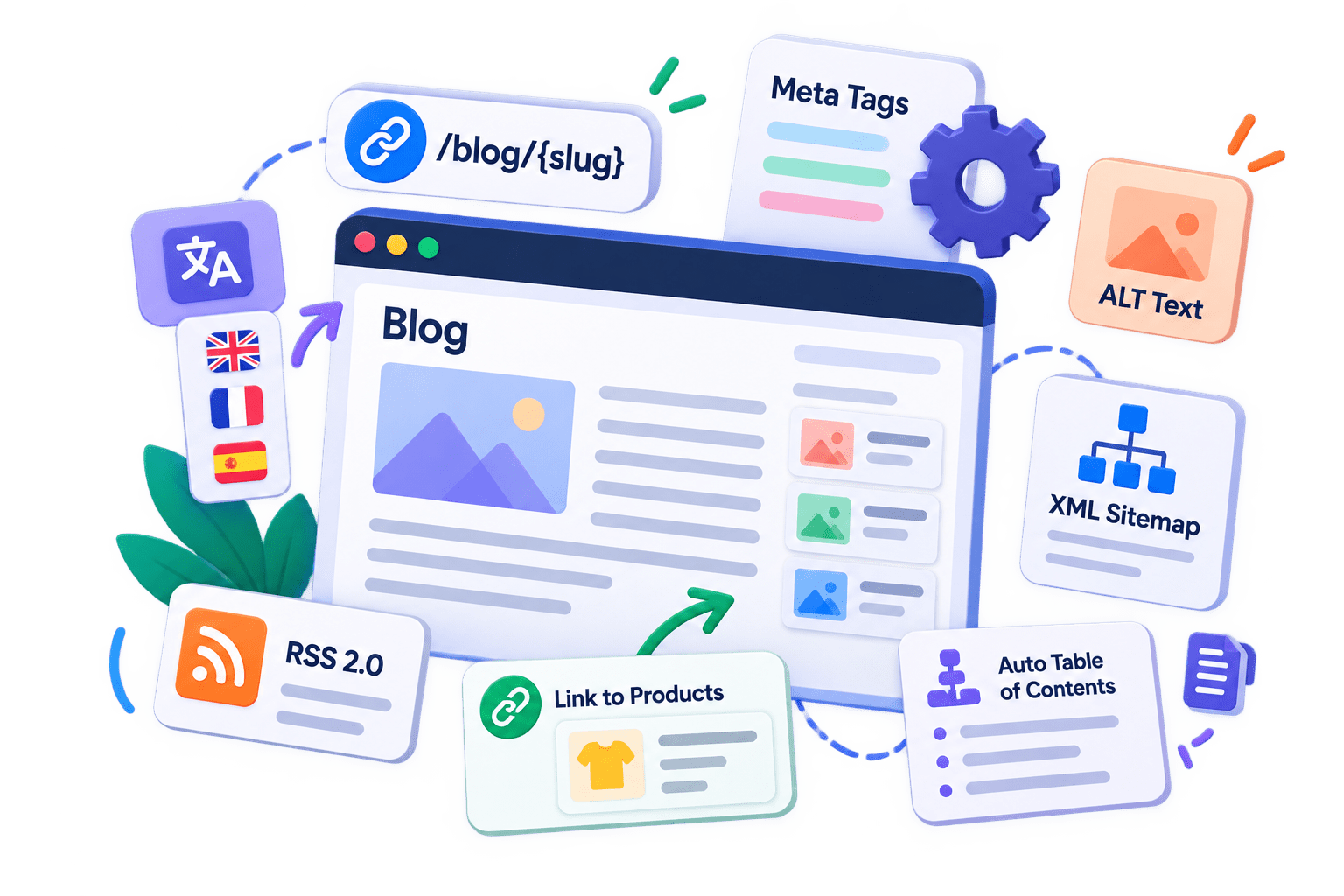
Friendly URLs: /blog/{slug}, /blog/{category}/{slug}, or /blog/{year}/{month}/{slug}, optional .html suffix.
-
Per-language meta title, description, and keywords for posts, categories, tags, and authors.
-
The PrestaShop AI Content Addon generates meta tags and image ALT text in one click.
-
XML sitemap for posts, categories, tags, authors, and archives, with frequency and priority.
-
RSS 2.0 feed per language and a Ping Bing button (Google via Search Console).
-
Auto Table of Contents from H2/H3 headings, plus related posts by category and tag.
-
Linked blog posts on product pages for stronger internal linking.
Content Organisation and Store Marketing
Post Options
- Standard, Video, Audio, and Gallery posts
- Draft, Published, or Scheduled status
- Featured and Sticky posts
- Named post series
- Comment control per post
Content Structure
- Nested categories with group access
- Flat tag taxonomy
- Grid, List, or Masonry layouts
- Classic, Magazine, Minimal, Full-width themes
- Dark mode and custom CSS
Sales Tools
- Related products on any post
- Home-page slider from posts or categories
- Promotional banners in 5 zones
- Start and end dates for promotions
Author Profiles and Content Migration
Author Profiles
PrestaShop Blog Manager offers author profiles that add credibility and support SEO.
- Name, rich-text bio, and avatar (up to 2 MB)
- Facebook, X, Instagram, LinkedIn, and website links
- Author meta title, description, and keywords
- Four name display formats
Content Import
- WordPress WXR .xml import (up to 20 MB)
- Duplicates skipped automatically
- Cron-based RSS or Atom import: hourly, daily, weekly
- 1–100 items per run, with Run Now and Test Feed
- Custom field mapping and a 100-entry import log
Getting Started
-
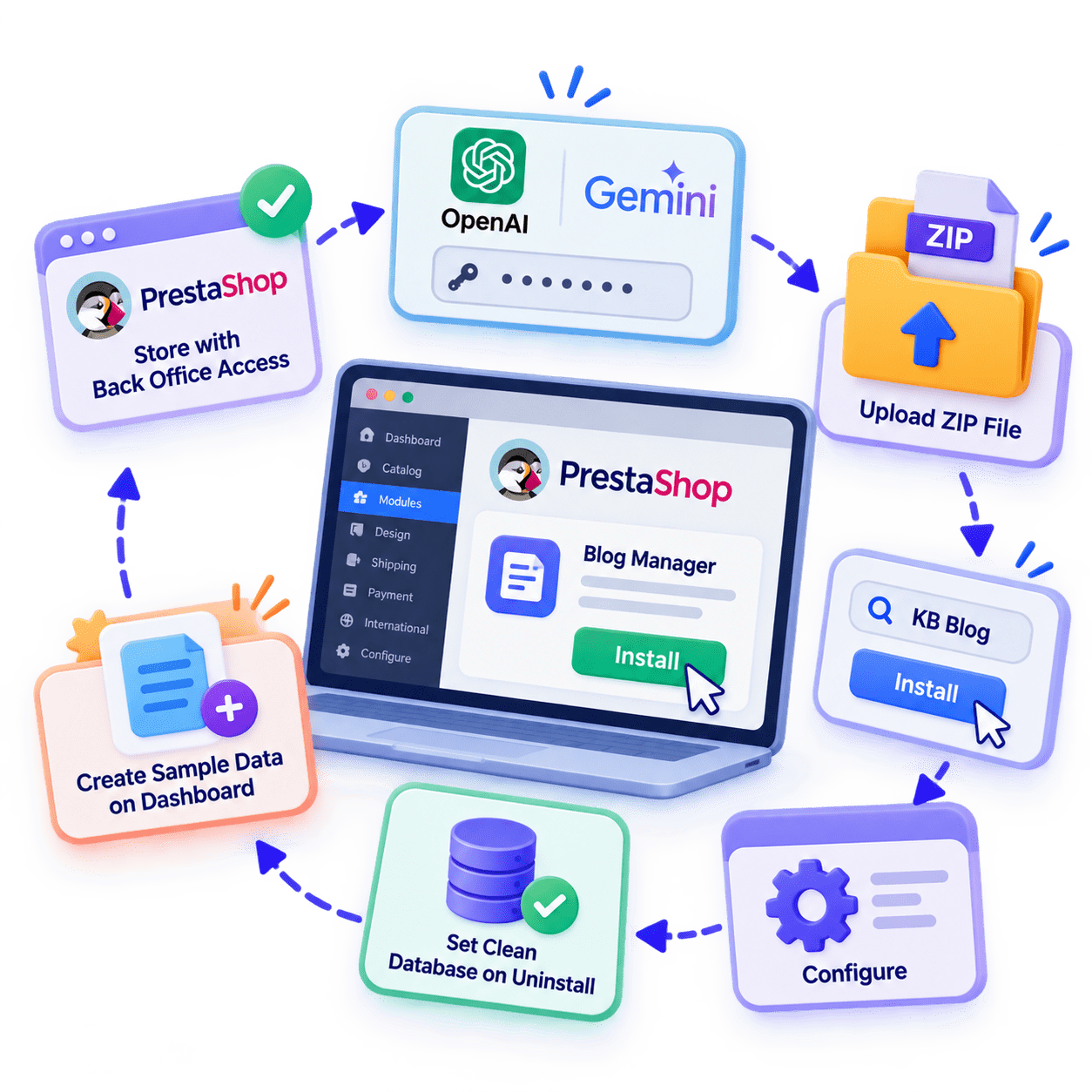
PrestaShop store with Back Office access.
-
OpenAI (ChatGPT) or Google Gemini API key for PrestaShop AI Blog Module features.
-
Modules > Module Manager > upload ZIP > search "KB Blog" > Install > Configure.
-
Use Create Sample Data on the Dashboard to test before publishing.
-
Set Clean Database on Uninstall to No to keep your content.
For details, see the PrestaShop Blog Manager product page and the complete user manual on Knowband's official site.
Knowband is a specialist eCommerce plugin and marketplace integration company, building extensions for PrestaShop, OpenCart, Magento, and WooCommerce.
With hundreds of modules across multiple platforms, Knowband helps online stores grow faster, sell smarter, and reach mobile audiences, without the need for custom development.
About Knowband
Phone
+91-7827529926
support@knowband.com