도커로
고스트 블로그 플랫폼
5분만에
빠르게
설치하기

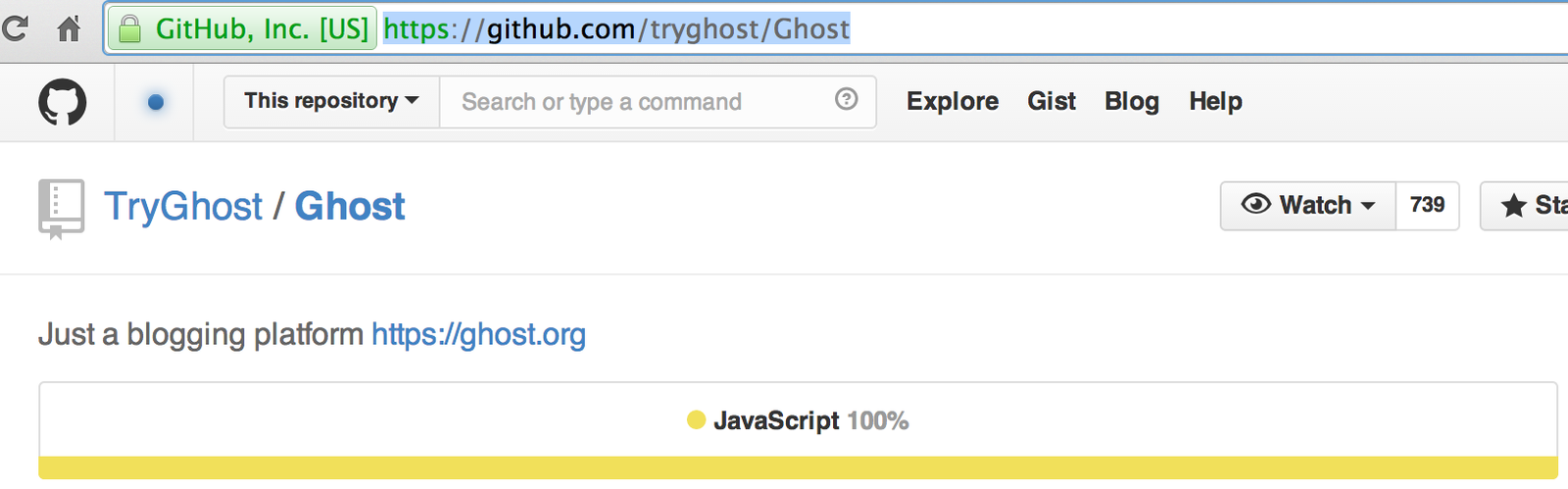
ghost
- 오로지 블로깅을 목적으로 둔 플랫폼
- 킥스타터에서 25,000파운드를 목표로 시작된 프로젝트
- 최종적으로 196,362파운드(약 3억원)가 모였음. 부럽ㅠㅠ
- Node.js
- Markdown
구성



mariadb
FROM meoooh/ubuntu14.04
MAINTAINER hgk617@naver.com
RUN apt-get install -qq -y software-properties-common pwgen
RUN apt-key adv --recv-keys --keyserver hkp://keyserver.ubuntu.com:80 0xcbcb082a1bb943db
RUN add-apt-repository -y 'deb http://ftp.kaist.ac.kr/mariadb/repo/10.0/ubuntu trusty main'
RUN apt-get install -qq -y mariadb-server
RUN sed -i 's/^\(bind-address\s.*\)/# \1/' /etc/mysql/my.cnf CMD /usr/bin/mysqld_safe
EXPOSE ["3306"]MARIADB
- 고민 1: mysql root 비밀번호 설정은 어디서?
- 물론 Dockfile에 기록하면 되지만
- 범용적으로 만들고 싶었음.

mariadb
PASS=${MARIADB_PASS:-$(pwgen -s 12 1)}
mysql -uroot -e "CREATE USER 'admin'@'%' IDENTIFIED BY '$PASS'"
mysql -uroot -e "GRANT ALL PRIVILEGES ON *.* TO 'admin'@'%' WITH GRANT OPTION"
MARIADB
- 드디어 `-e` 옵션을 어찌저찌해서 알게됨.
- docker run 할때 -e 를 사용하면 환경변수로 들어감.
#!/bin/bash
/usr/bin/mysqld_safe &
ID=${MARIADB_ID:-admin}
PASS=${MARIADB_PASS:-$(pwgen -n 70)}
mysql -uroot -e "CREATE USER '$ID'@'%' IDENTIFIED BY '$PASS'"
mysql -uroot -e "GRANT ALL PRIVILEGES ON *.* TO '$ID'@'%' WITH GRANT OPTION"
mariadb
- 고민2: 다 설치하고 마지막 시점에 해야되는게 두개.
- /usr/bin/mysqld_safe -> 이렇게 해야 컨테이너가 죽지 않음
- 계정을 만드는 sh파일 실행.
- 그런데 나에게 주어진 `CMD`는 하나!!!

mariadb
- 첫번째 삽질
- docker run 할때 [COMMAND] 부분에서 sh파일을 실행시키고,
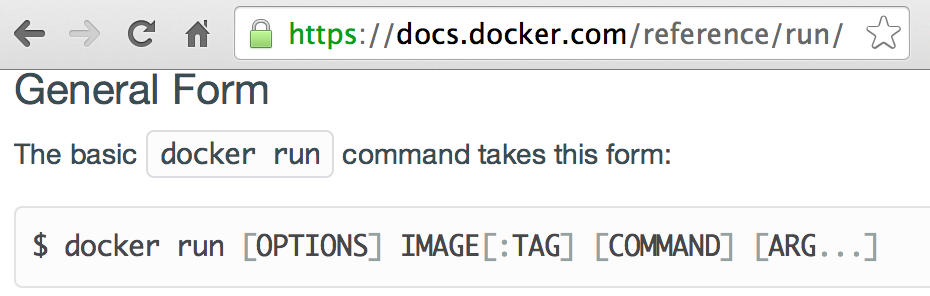
- /usr/bin/mysqld_safe는 Dockfile의 `CMD`로 실행시켜야겠다.
Mariadb
- 그러면 sh파일을 실행시킬때의 컨테이너는 mysql 계정을 만들자 마자 죽을꺼고,
- 그다음엔 `docker start`로 다시 살리면 Dockerfile의 `CMD`가 실행되면서 설치가 끝나겠구나~

mariadb
$ docker run -it db /create_account.sh ======================================================================== You can now connect to this MariaDB Server using: mysql -uadmin -pod0oong7meis -h<host>-P<port> Please remember to change the above password as soon as possible! MariaDB user 'root' has no password but only allows local connections ======================================================================== $ docker ps -a
CONTAINER ID IMAGE COMMAND CREATED STATUS PORTS STATUS PORTS NAMES
5ee7f86cf454 db:latest /create_account.sh 2 minutes ago Exited (0) 2 minutes ago goofy_brown Exited (0) 2 minutes ago goofy_brown
mariadb
$ docker start 5ee7f86cf454
5ee7f86cf454
$ docker ps -a
CONTAINER ID        IMAGE               COMMAND                NAEED        CREATED             STATUS                     PORTS                 NAMES
5ee7f86cf454 db:latest /create_account.sh gof_rw 5 minutes ago Exited (0) 3 seconds ago goofy_brown실패
mariadb
- 돌파해야되는 문제
- mysql root를 생성하고,
- mysqld_safe도 foregrand에서 실행 시켜야함.
- 해결책
- sh파일에서 myql root 만들자마자
- mysqld_safe 실행하면 됨...
- create_account.sh
mariadb
- 컨테이너 실행
- $ sudo docker run -d <image tag>
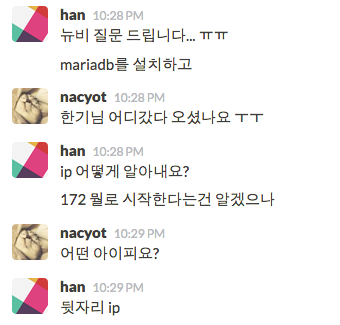
- 컨테이너의 IP 주소 알아내기
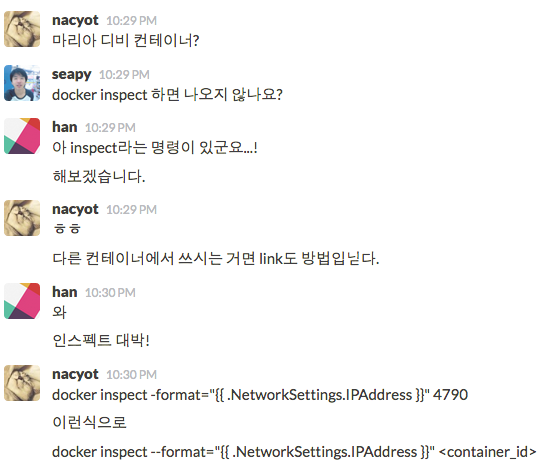
- $ sudo docker inspect <container id>
- 비밀번호를 자동으로 생성하게 했다면,
- $ sudo docker logs <container id>
mariadb
Mariadb
Ghost
- 설치하기위해서 필요한 것들
- npm
- nodejs
Ghost
- nvm을 통한 node, npm 한방 설치 시도
- nvm 설치는 매우 매우 간단
$ curl https://raw.githubusercontent.com/creationix/nvm/v0.12.2/install.sh | bash
GHOST
  % Total    % Received % Xferd  Average Speed   Time    Time     Time  Current
                                 Dload  Upload   Total   Spent    Left  Speed
100  3442  100  3442    0     0   3532      0 --:--:-- --:--:-- --:--:--  3530
=> Downloading nvm as script to '//.nvm'
=> Profile not found. Tried ~/.bash_profile, ~/.zshrc, and ~/.profile.
=> Create one of them and run this script again
   OR
=> Append the following lines to the correct file yourself:
export NVM_DIR="//.nvm"
[ -s "$NVM_DIR/nvm.sh" ] && . "$NVM_DIR/nvm.sh"  # This loads nvm
=> Close and reopen your terminal to start using nvm
Ghost
- ubuntu base image에 환경변수 HOME가 제대로 잡혀 있지 않음.
- 배포할때 알면 좋은 Tip 에서 언급된 내용.
- Dockerfile에서 ENV 또는 docker run 할때 -e 옵션 사용
GHOST
$ source ~/.bashrcStep 4 : RUN source ~/.profile
---> Running in 8f8136481619
/bin/sh: 1: source: not found Ghost
- /bin/sh 에선 `source` 를 사용 할 수없고,
- Dockerfile의 RUN instruction에서는
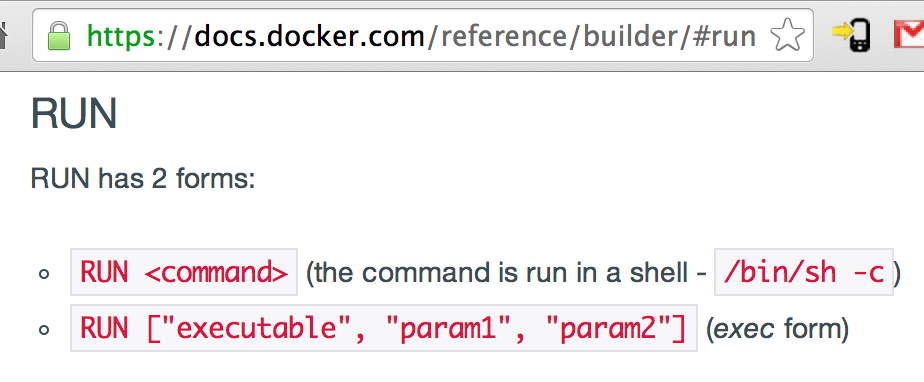
Ghost
- /bin/bash 로 실행
Step 4 : RUN /bin/bash -c ". ~/.profile"
 ---> Running in eecb294ab27f
stdin: is not a tty
 ---> d50002e9385d
Removing intermediate container eecb294ab27f Step 5 : RUN nvm install 0.10
---> Running in 6779083f257e
/bin/sh: 1: nvm: not found
2014/08/02 03:10:12 The command [/bin/sh -c nvm install 0.10] returned a non-zero code: 127 Ghost
- 아니 뭐 설치하고나서 `source` 명령어 써야하는 도구가 얼마나 많은데 도커에서 그게 안될리가 없어...
- 하면서 이것저것 알아보다가 -l 옵션 알게됨...
Step 4 : RUN /bin/bash -l -c "nvm install 0.10"
 ---> Running in 162b22b9db84
stdin: is not a tty
######################################################################## 100.0%
/root/.nvm/nvm.sh: line 581: manpath: command not found
Now using node v0.10.30
 ---> 8bd3d35b5823
Removing intermediate container 162b22b9db84 Ghost
Step 5 : RUN node -v
 ---> Running in a4e5e77958c7
/bin/sh: 1: node: not found
2014/08/02 03:44:08 The command [/bin/sh -c node -v] returned a non-zero code: 127 Ghost
Step 5 : RUN /root/.nvm/current/bin/node -v
 ---> Running in 67d9cf01440c
v0.10.30
 ---> 61c97cbb4515
Removing intermediate container 67d9cf01440c
Step 6 : RUN /root/.nvm/current/bin/npm -v
 ---> Running in 39669dfb8e62
1.4.21
 ---> fb6f86173a12
Removing intermediate container 39669dfb8e62 Ghost
https://ghost.org/zip/ghost-0.4.2.zip
무난하게
curl을 사용하여 받기로...
Ghost
Step 8 : RUN curl https://ghost.org/zip/ghost-0.4.2.zip -o /ghost.zip
 ---> Running in fde017abcc2a
  % Total    % Received % Xferd  Average Speed   Time    Time     Time  Current
                                 Dload  Upload   Total   Spent    Left  Speed
100   127    0   127    0     0    210      0 --:--:-- --:--:-- --:--:--   210
 ---> 7b3857a87817
Removing intermediate container fde017abcc2a
Step 9 : RUN unzip -uo ghost.zip -d ghost
 ---> Running in c81c99c6b7cc
Archive:  ghost.zip
  End-of-central-directory signature not found.  Either this file is not
  a zipfile, or it constitutes one disk of a multi-part archive.  In the
  latter case the central directory and zipfile comment will be found on
  the last disk(s) of this archive.
unzip:  cannot find zipfile directory in one of ghost.zip or
        ghost.zip.zip, and cannot find ghost.zip.ZIP, period.
2014/08/02 04:00:21 The command [/bin/sh -c unzip -uo ghost.zip -d ghost] returned a non-zero code: 9 Ghost
# cat ghost.zip
<html><body>You are being <a href="http://d36u7lo2kegj1p.cloudfront.net/archives/ghost-0.4.2.zip">redirected</a>.</body></html>
RUN curl -L https://ghost.org/zip/ghost-0.4.2.zip -o /ghost.zip WORKDIR /ghost
CMD /bin/bash -c "npm start --production" Tip
- .dockerignore
- 컨테이너 생성과 상관 없는 파일 또는 디렉터리 기록
- build 처음에 관련 파일들을 docker daemon에 보내는 작업 시간 단축됨.
- 여기에 포함되어있으면 ADD 안됨
- .git 같은 디렉터리를 포함시켜 주면 좋음
- 인터넷에 연결해서 하는건 왠만하면 Dockerfile의 상단에 몰아주자.
- 그래야 캐쉬를 먹고, 작업속도가 빨라진다.
- apt-get 꼭 한 줄에 할 필요는 없다
- npm install 할때도 인터넷을 사용하니까 상단에 위치시키자
Tip
- 도커 컨테이너 안으로 파일을 어떻게 넣을 것인가?
- 미리 host os에 받아놓고 ADD 하는 방법
- url을 Dockerfile에 적어놓고, build나 run시에 직접 받는 방법
- Dockerfile의 ADD instruction
- ADD <scr> <dst>
- <src>자리에 url이 올 수 있음.
ADD https://ghost.org/zip/ghost-0.4.2.zip /ghost.zip - RUN instrunction을 통해서 curl이나 wget 사용
- 최대한 도커 의존적이게 설치하는게 좋다
- 그래야 host os 의 상황과 관계없이 최대한 Dockerfile 만들 당시의 환경을 만들 수 있다!