Java 2
Week 3
Software Development Life Cycle, Steps 4-6
Fraction Project
Update Parameterized Constructor
-
Update the parameterized constructor to call the setter methods to validate the input, rather than potentially assigning invalid values to the attributes.
public Fraction(int numerator, int denominator) {
    setNumerator(numerator);
    setDenominator(denominator);
}
Test Static Methods
- In the gcd test method, call the static gcd method from the Fraction class.
-
The following assertions seem logical, but they don't fully test it.
-
To correctly test the greatest common denominator of two integers, we must test for positive and negative values.
-
Call assertTrue by passing a single boolean expression.
@Test
void gcdWithNegatives() {
    // Act
    int result1 = Fraction.gcd(5, 7);
    int result2 = Fraction.gcd(-5, 7);
    int result3 = Fraction.gcd(5, -7);
    int result4 = Fraction.gcd(-5, -7);
    // Assert
    assertTrue(result1 == result2 && result2 == result3 && result3 == result4);
}
@Test
void gcd() {
// Act and assert
assertEquals(15, Fraction.gcd(75, 45));
assertEquals(2, Fraction.gcd(2, 4));
assertEquals(1, Fraction.gcd(5, 7));
}Write Code to Pass Tests
- The greatest common divisor of two numbers is the largest positive integer number that divides both the numbers without leaving any remainder. For example, the greatest common divisor of 30 and 45 is 15
-
We will use this solution.
-
If you run the unit test now, it will fail.
-
Update the Fraction class gcd method to return Math.abs(a).
public static int gcd(int a, int b) {
    if (b == 0) {
        return Math.abs(a);
    }
    return gcd(b,a % b);
}
5. Testing
-
Continued from Week 2
-
We ended day 4 talking about the lcm() method.
Test Static Methods
-
To test the
lcmmethod, we should consider several cases:-
Two standard positive integers.
-
Two prime numbers.
-
Cases where one number is a multiple of the other.
-
Cases involving the number
1. -
Edge cases, such as involving the number
0.
-
-
We can break each case into a separate @Test method.
-
We can add a @DisplayName annotation to explain its purpose.
-
The fundamental rule of unit testing is "one test tests one thing." In the previous examples, if the first
assertEqualsfails, the second test never runs, potentially hiding another bug.
Test Static Methods
@Test
@DisplayName("Test LCM with two positive integers")
void testLcmWithPositiveIntegers() {
    assertEquals(24, Fraction.lcm(6, 8));
}

@Test
@DisplayName("Test LCM where one number is a multiple of the other")
void testLcmWithMultiple() {
    assertEquals(12, Fraction.lcm(4, 12));
}

@Test
@DisplayName("Test LCM with two prime numbers")
void testLcmWithPrimes() {
    // The lcm of two prime numbers is their product.
    assertEquals(77, Fraction.lcm(7, 11));
}

@Test
@DisplayName("Test LCM with the number 1")
void testLcmWithOne() {
    assertEquals(9, Fraction.lcm(1, 9));
    assertEquals(9, Fraction.lcm(9, 1));
}

@Test
@DisplayName("Test LCM with identical numbers")
void testLcmWithIdenticalNumbers() {
    assertEquals(5, Fraction.lcm(5, 5));
}

@Test
@DisplayName("Test LCM where one of the inputs is zero")
void testLcmWithZero() {
    assertEquals(0, Fraction.lcm(10, 0));
    assertEquals(0, Fraction.lcm(0, 10));
    assertEquals(0, Fraction.lcm(0, 0));
}
Write Code to Pass Tests
-
We will use this solution.
-
The best approach is reduction by the GCD.
-
Add a simple if statement to get the test where one of the inputs is zero to pass.
-
Without it, the test will encounter an ArithmeticException because it cannot divide by 0.
-
public static int lcm(int a, int b) {
    if (a == 0 || b == 0) {
        return 0;
    }
    return a * (b / gcd(a, b));
}
Test add Method
- The fundamental rule of unit testing is "one test tests one thing."
- Each test should be completely independent and set up its own objects.
- Explicitly check if the result is simplified. For example, adding 1/4 + 1/4 should result in 1/2, not 2/8.
@Test
@DisplayName("Test 1/1 + 2/3 = 5/3")
void addWholeNumberToFraction() {
    // Act
    Fraction result = f1.add(f2);
    // Assert
    assertEquals(5, result.getNumerator());
    assertEquals(3, result.getDenominator());
}

@Test
@DisplayName("Test -1/4 + 2/3 = 5/12")
void addNegativeFractionToPositive() {
    // Arrange
    f1 = new Fraction(25, -100); // Represents -1/4
    f2 = new Fraction(-10, -15); // Represents 2/3
    // Act
    Fraction result = f1.add(f2);
    // Assert
    assertEquals(5, result.getNumerator());
    assertEquals(12, result.getDenominator());
}

@Test
@DisplayName("Test 1/4 + 1/4 = 1/2")
void addFractionsThatNeedSimplification() {
    // Arrange
    f1 = new Fraction(1, 4);
    f2 = new Fraction(1, 4);
    // Act
    Fraction result = f1.add(f2);
    // Assert
    assertEquals(1, result.getNumerator());
    assertEquals(2, result.getDenominator());
}
Test subtract Method
- The fundamental rule of unit testing is "one test tests one thing."
- Each test should be completely independent and set up its own objects.
- Explicitly check if the result is simplified. For example, adding 1/4 + 1/4 should result in 1/2, not 2/8.
@Test
@DisplayName("Test 1/1 - 2/3 = 1/3")
void subtractWholeNumberToFraction() {
    // Act
    Fraction result = f1.subtract(f2);
    // Assert
    assertEquals(1, result.getNumerator());
    assertEquals(3, result.getDenominator());
}

@Test
@DisplayName("Test -1/4 - 2/3 = -11/12")
void subtractNegativeFractionToPositive() {
    // Arrange
    f1 = new Fraction(25, -100); // Represents -1/4
    f2 = new Fraction(-10, -15); // Represents 2/3
    // Act
    Fraction result = f1.subtract(f2);
    // Assert
    assertEquals(-11, result.getNumerator());
    assertEquals(12, result.getDenominator());
}

@Test
@DisplayName("Test 1/4 - 1/4 = 0/1")
void subtractFractionsThatNeedSimplification() {
    // Arrange
    f1 = new Fraction(1, 4);
    f2 = new Fraction(1, 4);
    // Act
    Fraction result = f1.subtract(f2);
    // Assert
    assertEquals(0, result.getNumerator());
    assertEquals(1, result.getDenominator());
}
Write Code to Pass Tests
- Calculate the new numerator and denominator using the cross-multiplication formula.
- Create a new fraction with the result of the addition.
- Simplify the new fraction before returning it.
public Fraction add(Fraction other) {
    int newNumerator = this.numerator * other.denominator + this.denominator * other.numerator;
    int newDenominator = this.denominator * other.denominator;
    Fraction result = new Fraction(newNumerator, newDenominator);
    result.simplify();
    return result;
}

public Fraction subtract(Fraction other) {
    int newNumerator = this.numerator * other.denominator - this.denominator * other.numerator;
    int newDenominator = this.denominator * other.denominator;
    Fraction result = new Fraction(newNumerator, newDenominator);
    result.simplify();
    return result;
}
flowchart TD
A@{ shape: circle, label: "Start" } --> B@{ shape: lean-r, label: "Input Fraction 1 (n1/d1)<br>Input Fraction 2 (n2/d2)" };
B --> C@{ shape: rect, label: "Set new numerator by cross multiplying<br>(n1 * d2 + d1 * n2)" };
C --> D@{ shape: rect, label: "Set new denominator<br>(d1 * d2)" };
D --> E@{ shape: rect, label: "Display result as a simplified mixed number" };
E --> F@{ shape: circle, label: "End" };
In-Class Group Activity
- In groups of 2 to 3 students, write unit tests and implement the methods.
- simplify() :: void
- toMixedNumberString() :: String
- multiply(Fraction other) :: Fraction
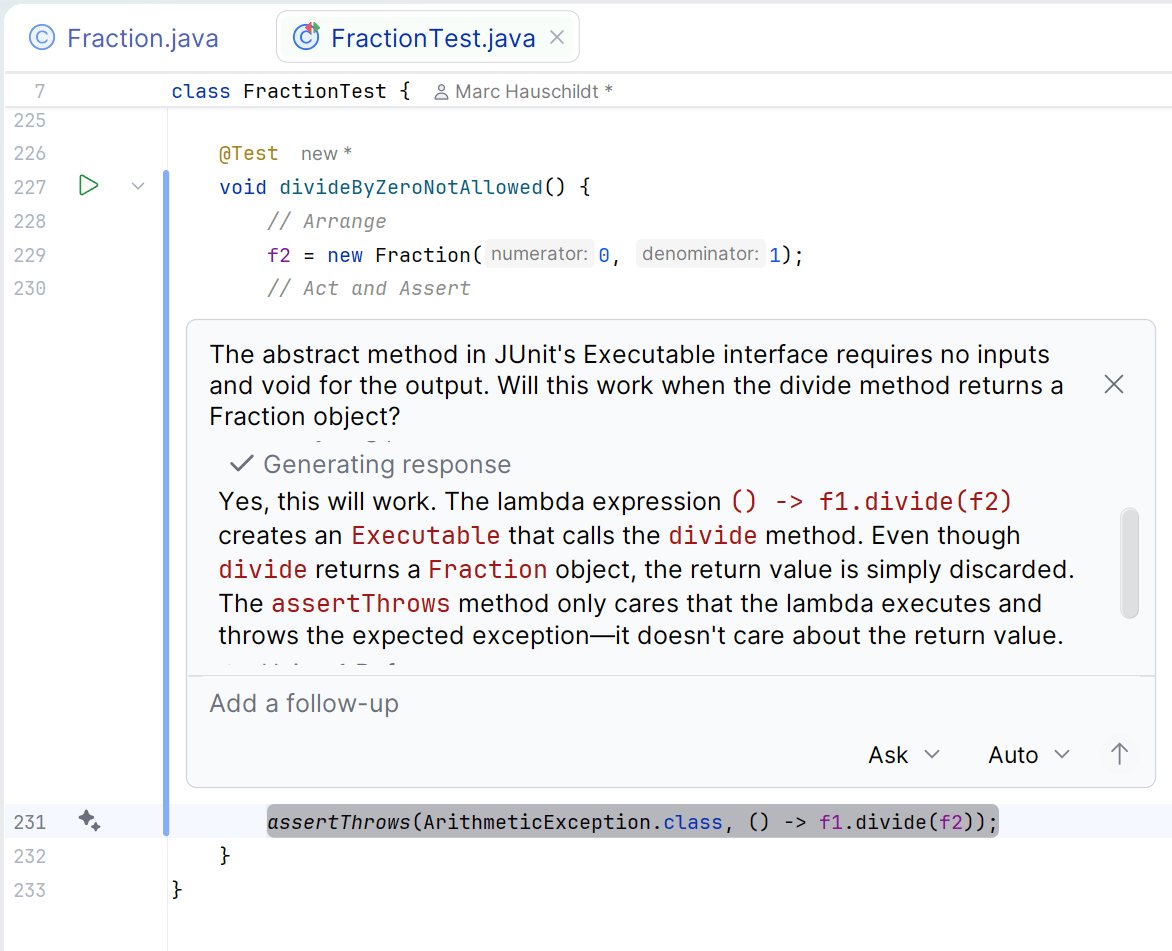
- divide(Fraction other) :: Fraction
Test simplify Method
- Set the numerator to 75 and denominator to 45.
- Call the simplify method to return a new Fraction object.
- The value returned should be "5/3".
- Set the numerator to 2 and denominator to 4.
- Call the simplify method to return a new Fraction object.
- The value returned should be "1/2".
- Set the numerator to 5 and denominator to 7.
- Call the simplify method to return a new Fraction object.
- The value returned should be "5/7".
@Test
void simplifyNumeratorGreaterThanDenominator() {
    f1.setNumerator(75);
    f1.setDenominator(45);
    f1.simplify();
    assertEquals("5/3",f1.toString());
}

@Test
void simplifyNumeratorLessThanDenominator() {
    f1.setNumerator(2);
    f1.setDenominator(4);
    f1.simplify();
    assertEquals("1/2",f1.toString());
}

@Test
void simplifyPrimeNumbers() {
    f1.setNumerator(5);
    f1.setDenominator(7);
    f1.simplify();
    assertEquals("5/7",f1.toString());
}
Test simplify Method
- Set the numerator to -2 and denominator to 4.
- Call the simplify method to return a new Fraction object.
- The value returned should be "-1/2".
- Set the numerator to 2 and denominator to -4.
- Call the simplify method to return a new Fraction object.
- The value returned should be "-1/2".
- Set the numerator to -2 and denominator to -4.
- Call the simplify method to return a new Fraction object.
- The value returned should be "1/2".
@Test
void simplifyNegativeNumerator() {
    f1.setNumerator(-2);
    f1.setDenominator(4);
    f1.simplify();
    assertEquals("-1/2",f1.toString());
}

@Test
void simplifyNegativeDenominator() {
    f1.setNumerator(2);
    f1.setDenominator(-4);
    f1.simplify();
    assertEquals("-1/2",f1.toString());
}

@Test
void simplifyNegativeNumeratorAndDenominator() {
    f1.setNumerator(-2);
    f1.setDenominator(-4);
    f1.simplify();
    assertEquals("1/2",f1.toString());
}
Write Code to Pass Tests
-
Find the greatest common divisor of the Fraction object's numerator and denominator.
-
Update the numerator to be the current numerator divided by the greatest common divisor
-
Update the denominator to be the current denominator divided by the greatest common divisor.
public void simplify() {
    int gcd = gcd(numerator, denominator);
    numerator /= gcd;
    denominator /= gcd;
}
Test toMixedNumber Method
-
Below is a set of assertions to test the toMixedNumber method.
@Test
void toMixedNumber1Over1() {
    assertEquals("1", f1.toMixedNumber(), "1/1 should be 1");
}

@Test
void toMixedNumber0Over1() {
    f1.setNumerator(0);
    assertEquals("0", f1.toMixedNumber(), "0/1 should be 0");
}

@Test
void toMixedNumberNotImproper() {
    assertEquals("2/3", f2.toMixedNumber(), "2/3 should be 2/3");
}

@Test
void toMixedNumberIsImproper() {
    f1.setNumerator(7);
    f1.setDenominator(4);
    assertEquals("1 3/4", f1.toMixedNumber(), "7/4 should be 1 3/4");
}

@Test
void toMixedNumberIsImproperNegative() {
    f1.setNumerator(-7);
    assertEquals("-1 3/4", f1.toMixedNumber(), "-7/4 should be -1 3/4");
}
Test toMixedNumber Method
- Inside this method, call the simplify method.
- If the simplified fraction's denominator is 1, return the simplified fraction's numerator, converted to a String.
- For example, if the Fraction is 2/1, return "2".
- Otherwise, return the simplified fraction as a String by calling the toString() method.
public String toMixedNumber() {
    simplify();
    if(denominator == 1) {
        return numerator + "";
    } else {
        return toString();
    }
}
Test toMixedNumber Method
- If the simplified fraction's numerator is 0, return "0".
- For example, if the Fraction is 0/1, return "0"
- If the simplified fraction's numerator is greater than the denominator, return the fraction as a mixed number.
- For example, 13/5 is 2 3/5.
- 13 / 5 is 2 (the whole number)
- 13 % 5 is 3 (the remainder)
- For example, 13/5 is 2 3/5.
- The ternary operator is used If the simplified fraction's numerator is less than 0, return the fraction as a negative mixed number.
public String toMixedNumber() {
    simplify();
    if(denominator == 1) {
        return numerator + "";
    } else if(Math.abs(numerator) > denominator) {
        int wholeNumber = Math.abs(numerator) / denominator;
        int remainder = Math.abs(numerator) % denominator;
        return (numerator < 0 ? "-" : "") + wholeNumber + " " + remainder + "/" + denominator;
    } else if(numerator == 0) {
        return "0";
    } else {
        return toString();
    }
}
Test toMixedNumber Method
-
Below is a possible implementation of the toMixedNumber method.
public String toMixedNumber() {
    simplify();
    if(denominator == 1) {
        return numerator + "";
    } else if(Math.abs(numerator) > denominator) {
        int wholeNumber = Math.abs(numerator) / denominator;
        int remainder = Math.abs(numerator) % denominator;
        return (numerator < 0 ? "-" : "") + wholeNumber + " " + remainder + "/" + denominator;
    } else if(numerator == 0) {
        return "0";
    } else {
        return toString();
    }
}
Test compareTo Method
- If object 1 is greater than object 2, the compareTo method will return a positive number.
- If object 1 is less than object 2, the compareTo method will return a negative number.
- If object 1 is equal to object 2, the compareTo method will return zero.
@Test
void compareToEqual() {
    f2 = new Fraction();
    assertEquals(0, f1.compareTo(f2), "1/1 == 1/1");
    f2 = new Fraction(2, 2);
    assertEquals(0, f1.compareTo(f2), "1/1 == 2/2");
}

@Test
void compareToGreaterThan() {
    f2 = new Fraction(1,2);
    assertTrue(f1.compareTo(f2) > 0, "1/1 > 1/2");
    f2 = new Fraction(2,4);
    assertTrue(f1.compareTo(f2) > 0, "1/1 > 2/4");
}

@Test
void compareToLessThan() {
    f2 = new Fraction(1,2);
    assertTrue(f2.compareTo(f1) < 0, "1/2 < 1/1");
    f2 = new Fraction(2,4);
    assertTrue(f2.compareTo(f1) < 0, "2/4 < 1/1");
}

@Test
@DisplayName("Test comparison with negative fractions (-1/2 vs 1/4)")
void compareToWithNegativeFractions() {
    Fraction f1 = new Fraction(-1, 2);
    Fraction f2 = new Fraction(1, 4);
    Fraction f3 = new Fraction(-3, 4);
    assertTrue(f1.compareTo(f2) < 0, "-1/2 is less than 1/4");
    assertTrue(f2.compareTo(f1) > 0, "1/4 is greater than -1/2");
    assertTrue(f3.compareTo(f1) < 0, "-3/4 is less than -1/2");
}
Write Code to Pass Tests
- The most reliable way to compare two fractions (
n1/d1andn2/d2) is to use cross-multiplication. - The products of the numerators and denominators could potentially exceed the maximum value of an int. By casting to a long before multiplication, we prevent this integer overflow.
- The comparison
n1/d1vsn2/d2is equivalent to comparing the integer results ofn1 * d2vsn2 * d1. - Using Long.compare(a, b) is the standard way to compare two long values. It simply returns -1, 0, or 1 based on the comparison.
@Override
public int compareTo(Fraction o) {
    long thisNumerator = (long)this.numerator;
    long thisDenominator = (long)this.denominator;
    long otherNumerator = (long)o.numerator;
    long otherDenominator = (long)o.denominator;

    long a = thisNumerator * otherDenominator;
    long b = otherNumerator * thisDenominator;

    return Long.compare(a, b);
}
equals Method
- Use IntelliJ's generate tool to generate an equals method.
- The code will return false if either the current object or incoming object are null.
- The code will return false is either the current object or incoming object are not Fraction objects.
- The code will return true if the attributes are the same.
@Override
public boolean equals(Object other)
{
    boolean isEqual = false;
    if (this != null && other != null)
    {
        if (this instanceof Fraction && other instanceof Fraction)
        {
            isEqual = ((this.getNumerator() == ((Fraction) other).getNumerator()) &&
                    (this.getDenominator() == ((Fraction) other).getDenominator()));
        }
    }
    return isEqual;
}
Write Code to Pass Tests
- Write tests methods to assert that two Fraction objects are equal.
- The second test will fail.
@Test
void equals() {
    f2 = new Fraction();
    assertTrue(f1.equals(f2), "1/1 == 1/1");
}

@Test
void equalsNotSimplified() {
    f2 = new Fraction(2, 2);
    assertTrue(f1.equals(f2), "1/1 == 2/2");
}
Write Code to Pass Tests
- Update the equals method to also call the simplify method.
- This code requires you to cast the other object as a Fraction before simplifying. The current object does not need to be casted.
@Override
public boolean equals(Object other)
{
    boolean isEqual = false;
    if (this != null && other != null)
    {
        if (this instanceof Fraction && other instanceof Fraction)
        {
            this.simplify();
            ((Fraction)other).simplify();
            isEqual = ((this.getNumerator() == ((Fraction) other).getNumerator()) &&
                    (this.getDenominator() == ((Fraction) other).getDenominator()));
        }
    }
    return isEqual;
}
Testing with Maven
- From the terminal, run all the unit test classes.
mvn test -
Run a single test class.
mvn -Dtest=FractionTest test -
Run multiple test classes.
mvn -Dtest=FractionTest, HelpersTest test -
Run a single test method from a test class.
mvn -Dtest=FractionTest#gcd test -
Run all test methods that match pattern gcd*' from a test class.
mvn -Dtest=FractionTest#gcd* test -
Run all test methods match pattern 'add*', 'subtract*', etc .
mvn -Dtest=FractionTest#add*+subtract*+multiply*+divide* test
4. Development (Coding)
Create a new package: "edu.kirkwood.view".
In the "view" package, create three classes that were used in the Java 1 project: "UserInput", "UIUtility", and "Helpers".
UserInput
-
The UserInput class contains overloaded methods to get integers, Strings, booleans, doubles, and dates from the user via keyboard input.
-
The code below will implement the getInt overloaded methods.
-
Method overloading is used to set parameter default values.
-
package edu.kirkwood.view;

import java.time.LocalDate;
import java.time.format.DateTimeFormatter;
import java.time.format.DateTimeParseException;
import java.util.Scanner;

import static edu.kirkwood.view.Helpers.isValidString;
import static edu.kirkwood.view.UIUtility.displayError;


public class UserInput {

    private static Scanner scanner = new Scanner(System.in);

    /**
     * Prompts the user for a required integer without range restrictions.
     *
     * @param prompt text displayed before accepting input
     * @return the entered integer
     */
    public static Integer getInt(String prompt) {
        return getInt(prompt, true, Integer.MIN_VALUE, Integer.MAX_VALUE);
    }

    /**
     * Prompts the user for an integer without range restrictions.
     *
     * @param prompt text displayed before accepting input
     * @param required whether an integer must be supplied
     * @return the entered integer, or {@link Integer#MIN_VALUE} when optional input is invalid
     */
    public static Integer getInt(String prompt, boolean required) {
        return getInt(prompt, required, Integer.MIN_VALUE, Integer.MAX_VALUE);
    }

    /**
     * Prompts the user for an integer that meets a minimum value.
     *
     * @param prompt text displayed before accepting input
     * @param required whether an integer must be supplied
     * @param min smallest accepted integer
     * @return the entered integer, or {@link Integer#MIN_VALUE} when optional input is invalid
     */
    public static Integer getInt(String prompt, boolean required, int min) {
        return getInt(prompt, required, min, Integer.MAX_VALUE);
    }

    /**
     * Prompts the user for an integer within an inclusive range.
     *
     * @param prompt text displayed before accepting input
     * @param required whether an integer must be supplied
     * @param min smallest accepted integer
     * @param max largest accepted integer
     * @return the entered integer, or {@link Integer#MIN_VALUE} when optional input is invalid
     */
    public static int getInt(String prompt, boolean required, int min, int max) {
        int value = 0;

        String minMax = "";
        // if min is set and max is not set
        if(min != Integer.MIN_VALUE && max == Integer.MAX_VALUE) {
            minMax = String.format(" [minimum %d]", min);
        }
        // if min and max are both set
        if(min != Integer.MIN_VALUE && max != Integer.MAX_VALUE) {
            minMax = String.format(" [between %d and %d]", min, max);
        }

        while(true) {
            System.out.print(prompt + minMax + (required ? " (*)" : "") + ": ");
            String valueStr = scanner.nextLine();
            try {
                value = Integer.parseInt(valueStr);
            } catch (NumberFormatException e) {
                if(!required) {
                    return Integer.MIN_VALUE;
                } else {
                    displayError("Invalid integer");
                    continue;
                }
            }

            if(value < min) {
                displayError("Value too low");
            } else if(value > max) {
                displayError("Value too high");
            } else {
                break;
            }
        }
        return value;
    }


}
UIUtility
-
The UIUtility class contains methods to display messages, warnings, print menus, prompt the user to press enter to continue, etc.
package edu.kirkwood.view;

public class UIUtility {

    public static void displayMessage(String message) {
        displayMessage(message, "");
    }

    public static void displayMessage(String message, String type) {
        System.out.printf("*** %s%s ***\n", (!type.equals("") ? type.toUpperCase() + " - " : ""), message);
    }

    public static void displayError(String message) {
        displayMessage(message, "error");
    }

    public static void displayWarning(String message) {
        displayMessage(message, "warning");
    }

    public static void displaySuccess(String message) {
        displayMessage(message, "success");
    }

    public static void pressEnterToContinue() {
        UserInput.getString("Press enter to continue", false);
    }

    public static void printLine() {
        printLine(40);
    }

    public static void printLine(int length) {
        for (int i = 0; i < length; i++) {
            System.out.print("-");
        }
        System.out.println();
    }

    public static void printMenu(String title, String[] menuItems) {
        System.out.println();
        printLine();
        displayMessage(title);
        for (int i = 0; i < menuItems.length; i++) {
            System.out.println((i + 1) + ") " + menuItems[i]);
        }
        printLine();
    }

    public static String separator(int[] columnWidths) {
        StringBuilder sb = new StringBuilder();
        for (int width : columnWidths) {
            sb.append("+ ");
            for (int i = 0; i < width; i++) {
                sb.append('-');
            }
            sb.append(' ');
        }
        sb.append("+");
        return sb.toString();
    }
}
Helpers
-
The Helpers class contains methods to perform a variety of tasks.
-
The only method we technically need for this project is "isValidString" to check that input is neither null or an empty string.
package edu.kirkwood.view;

import java.text.NumberFormat;
import java.time.LocalDate;
import java.time.format.DateTimeFormatter;
import java.time.format.FormatStyle;

import java.math.BigDecimal;
import java.math.RoundingMode;

public class Helpers {
    public static boolean isValidString(String str) {
        return str != null && !str.equals("");
    }

    public static String round(double number, int numDecPlaces) {
        BigDecimal bigDecimal = new BigDecimal(Double.toString(number));
        bigDecimal = bigDecimal.setScale(numDecPlaces, RoundingMode.HALF_UP).stripTrailingZeros();
        return bigDecimal.toString();
    }

    public static String toCurrency(double amt) {
        NumberFormat formatter = NumberFormat.getCurrencyInstance();
        return formatter.format(amt);
    }

    public static String formatDateLong(LocalDate date) {
        DateTimeFormatter dateFormatOutput = DateTimeFormatter.ofLocalizedDate(FormatStyle.LONG);
        return dateFormatOutput.format(date);
    }

    public static String formatDateShort(LocalDate date) {
        DateTimeFormatter dateFormatOutput = DateTimeFormatter.ofPattern("M/d/yyyy");
        return dateFormatOutput.format(date);
    }

    public static boolean isDateInThePast(LocalDate date) {
        if (date == null) {
            throw new IllegalArgumentException("Date cannot be null");
        }
        return date.isBefore(LocalDate.now()); // Check if the date is before today
    }

    public static boolean isDateInRange(LocalDate date, LocalDate startDate, LocalDate endDate) {
        if (date == null || startDate == null || endDate == null) {
            throw new IllegalArgumentException("None of the dates can be null");
        }

        return (date.isEqual(startDate) || date.isAfter(startDate)) &&
                (date.isEqual(endDate) || date.isBefore(endDate));
    }
}
Messages
-
Inside the "view" package, create a class called "Messages".
-
Use this class to write messages to greet and say goodbye to the user.
package edu.kirkwood.view;

import static edu.kirkwood.view.UIUtility.displayMessage;

public class Messages {

    public static void hello() {
        displayMessage("Welcome to the Kirkwood Calculators Application");
    }

    public static void goodbye() {
        displayMessage("Goodbye");
    }

    public static void fractionGreet() {
        displayMessage("Welcome to Marc's Fraction Calculator");
        System.out.println("Enter calculations in the format: [fraction] [operator] [fraction]");
        System.out.println("Example: 1 1/2 + 3/4\n");
    }

    public static void fractionGoodbye() {
        displayMessage("Thank you for using Marc's Fraction Calculator");
    }
}
Menu
-
Inside the "view" package, create a class called MainMenu.
-
Add a show method with the following implementation.
-
In Java 1, we implemented a Menu interface, we won't do that in this example since we will have only one Menu.
package edu.kirkwood.view;

import edu.kirkwood.controller.FractionCalculator;

import static edu.kirkwood.view.UIUtility.printMenu;
import static edu.kirkwood.view.UserInput.getInt;

public class MainMenu {

    public static void show() {
        String[] menuItems = {"Marc's Fraction Calculator", "Student's Math Calculator", "Quit"};
        while(true) {
            printMenu("Main Menu", menuItems);
            int choice = getInt("Choose an option", false,1, menuItems.length);
            switch(choice) {
                case 1:
                    break;
                case 2:
                    break;
                default:
                    return;
            } // end switch
        } // end loop
    } // end show method
}
Calculator App
-
Inside the "edu.kirkwood" package, create a class called CalculatorApp.
-
This class will contain the main method that starts our program.
-
You can run the program to test its functionality.
package edu.kirkwood;

import edu.kirkwood.view.MainMenu;

import static edu.kirkwood.view.Messages.*;

public class CalculatorApp {
    public static void main(String[] args) {
        hello();
        MainMenu.show();
        goodbye();
    }
}
FractionCalculator
-
Create a new package: "edu.kirkwood.controller".
-
In the "controller" package, create a class called "FractionCalculator".
-
Add a static start() method.
package edu.kirkwood.controller;

import static edu.kirkwood.view.Messages.*;
import static edu.kirkwood.view.UIUtility.pressEnterToContinue;

public class FractionCalculator {

    public static void start() {
        fractionGreet();

        fractionGoodbye();
        pressEnterToContinue();
    }
}-
Call the start method in the Main Menu class.
case 1:
    FractionCalculator.start();
    break;
FractionCalculator
-
Add an infinite loop between the greet and goodbye method.
-
Prompt the user for input. Give them a way to exit the loop.
package edu.kirkwood.controller;

import static edu.kirkwood.view.Messages.*;
import static edu.kirkwood.view.UIUtility.pressEnterToContinue;
import static edu.kirkwood.view.UserInput.getString;

public class FractionCalculator {

    public static void start() {
        fractionGreet();
		while(true) {
            String value = getString("Enter your equation (or 'q' to quit): ");
            if(value.equalsIgnoreCase("q") || value.equalsIgnoreCase("quit")) {
                break;
            }
            // Todo: Validate the input
            // Todo: Perform mathematical operation
            // Todo: Display output
        }
        fractionGoodbye();
        pressEnterToContinue();
    }
}