Fanis Prodromou
Code. Teach. Community. Angular.
https://blog.profanis.me

/prodromouf

@prodromouf
What is a state?
explain in short that a state has several categories:
- ui state
- application state
- url state
- etc (check comments)
How can we handle the state?
- we can use NGXS/NGRX/AKITA
- we can use SignalStore
- or any other 3rd party library that manages local-state
Do we really need a Global State Management solution?
- depends on what we want to achieve
- use global when you want to share data application wide...elaborate more
- use local when you want to use the state as closer to your component as it could be
If not Global, then what? Should we go to Local?
Or should we go with God Component?
The God Component
- explain what this is
Let's see an example - a problem to solve
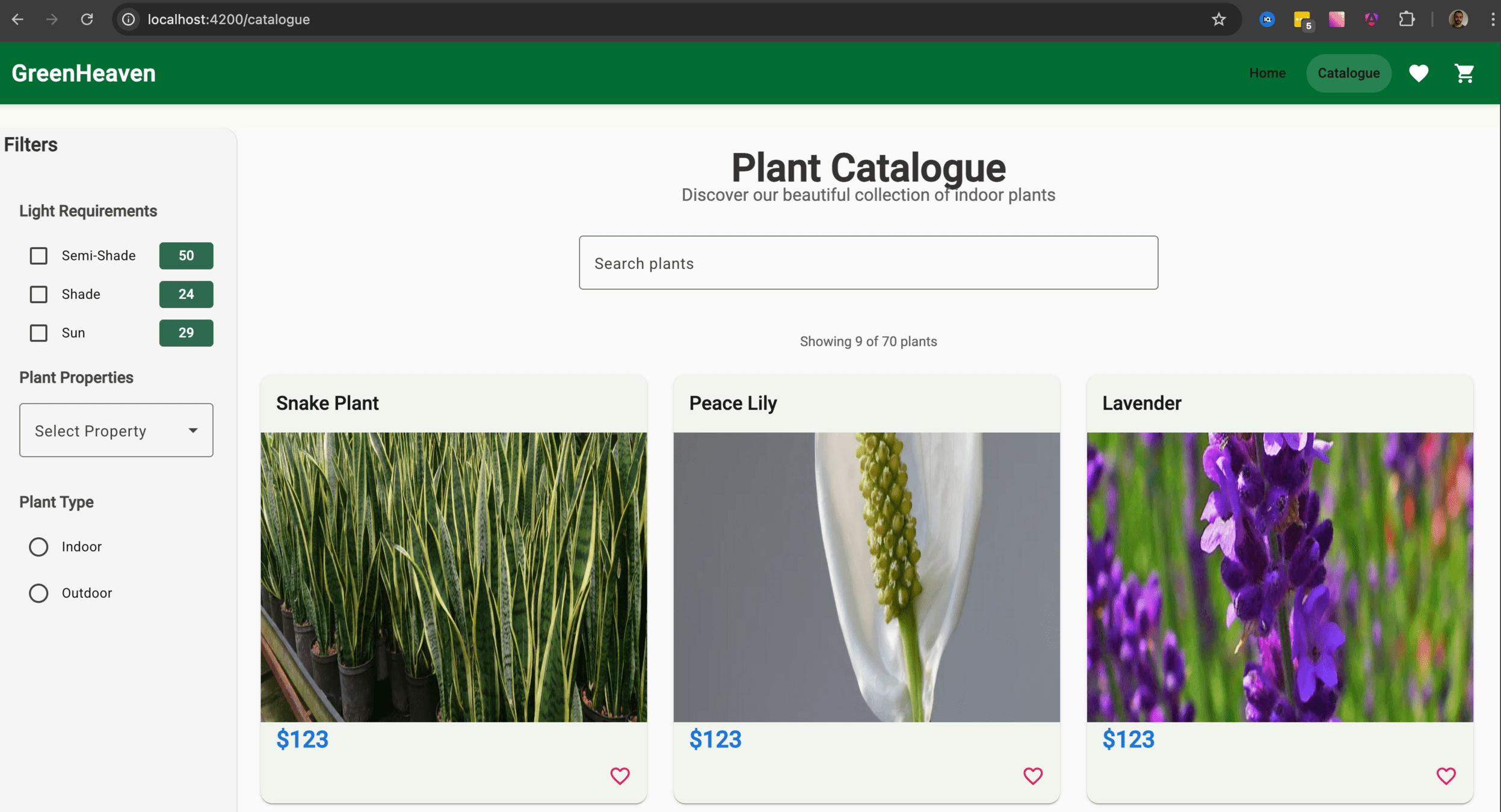
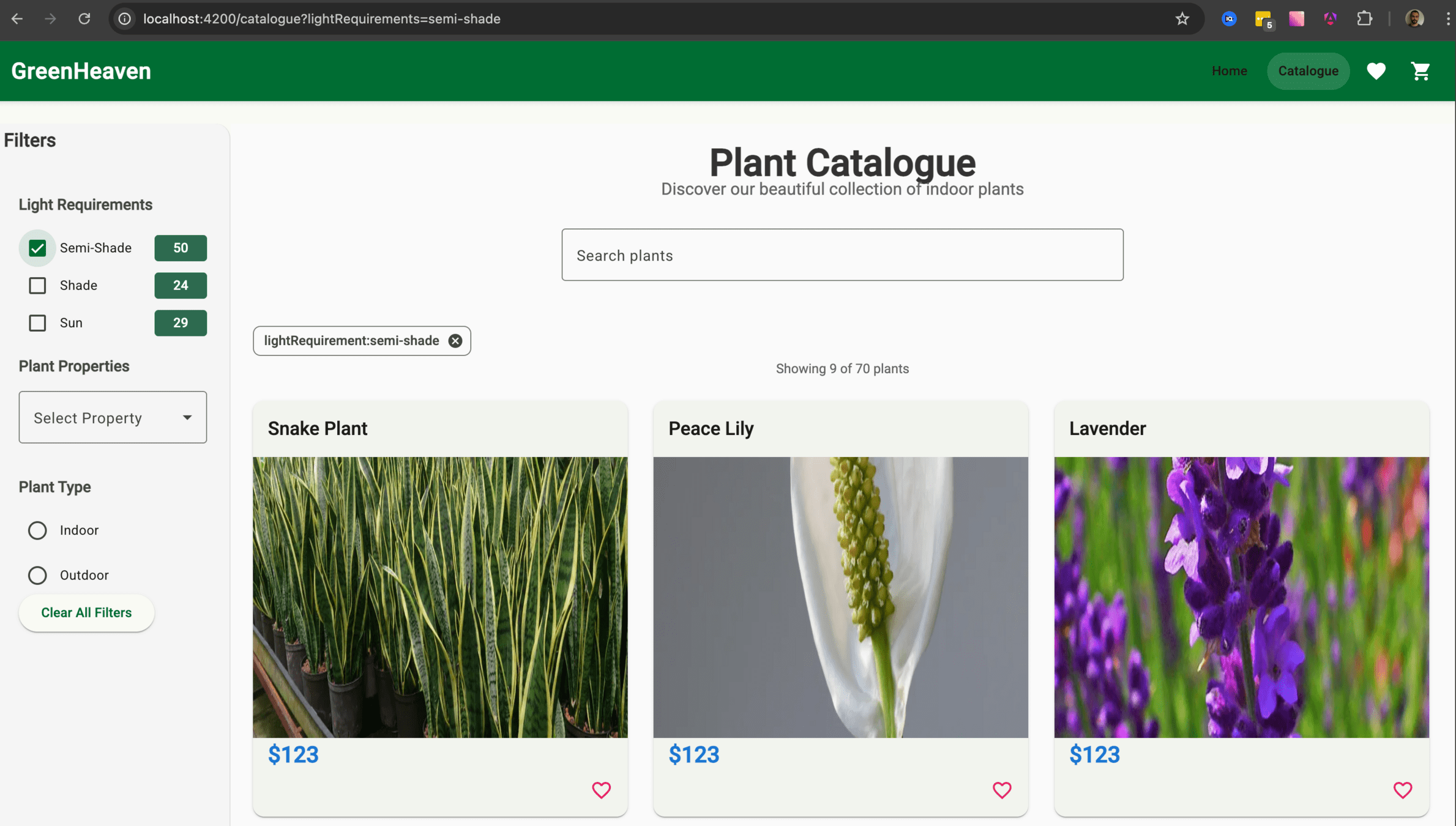
- Display a page where on the left will have a filters bar and on the main panel will have a grid with results.
- We want to select a filter from the left side and provide that in the main panel
(see comments)
check the comments
Reusing code between a Customer App and an Admin App is difficult.
Hard to Share
Compiles one project at a time
Project Centric
Features accidentally depend on each other
Tight Coupling
Dump everything into src/app
src/
└── app/
├── core/
│ ├── guards/
│ │ ├── auth.guard.ts
│ │ └── auth.guard.spec.ts
│ ├── header/
│ │ ├── header.component.ts
│ │ ├── header.component.html
│ │ └── header.component.scss
│ ├── core.service.ts
│ └── core.service.spec.ts
├── features/
│ ├── feature-1/
│ │ ├── feature-1.component.ts
│ │ ├── feature-1.component.html
│ │ ├── feature-1.routes.ts
│ │ └── feature-1.service.ts
│ └── feature-2/
│ ├── feature-2.component.ts
│ ├── feature-2.component.html
│ ├── feature-2.routes.ts
│ └── feature-2.service.ts
├── shared/
│ ├── components/
│ │ ├── button/
│ │ │ ├── button.component.ts
│ │ │ ├── button.component.html
│ │ │ └── button.component.scss
│ │ └── input/
│ │ ├── input.component.ts
│ │ ├── input.component.html
│ │ └── input.component.scss
│ ├── guards/
│ │ ├── can-leave.guard.ts
│ │ └── can-leave.guard.spec.ts
│ └── pipes/
│ ├── format-date.pipe.ts
│ └── format-date.pipe.spec.ts
├── app.component.ts
├── app.component.html
├── app.routes.ts
├── app.config.ts
└── main.tsdump everything into src/app
src/
└── app/
├── core/
│ ├── guards/
│ │ ├── auth.guard.ts
│ │ └── auth.guard.spec.ts
│ ├── header/
│ │ ├── header.component.ts
│ │ ├── header.component.html
│ │ └── header.component.scss
│ ├── core.service.ts
│ └── core.service.spec.ts
├── features/
│ ├── feature-1/
│ │ ├── components/
│ │ │ ├── component-a.ts
│ │ │ └── component-b.ts
│ │ ├── services/
│ │ │ ├── service-a.ts
│ │ │ └── service-b.ts
│ │ ├── pipes/
│ │ │ ├── pipe-a.ts
│ │ │ └── pipe-b.ts
│ │ ├── feature-1.component.ts
│ │ ├── feature-1.component.html
│ │ ├── feature-1.routes.ts
│ │ └── feature-1.service.ts
│ └── feature-2/
│ ├── feature-2.component.ts
│ ├── feature-2.component.html
│ ├── feature-2.routes.ts
│ └── feature-2.service.ts
├── app.component.ts
├── app.component.html
├── app.routes.ts
├── app.config.ts
└── main.tsdump everything into src/app
Features accidentally depend on each other
Tight Coupling
// src/app/core/logger.service.ts
import { FeatureAServiceService }
from '../features/feature-a.service'; // <-- Oops
@Injectable({ providedIn: 'root' })
export class LoggerService {
private featureService = inject(FeatureAService)
}// src/app/feature-1.service.ts
import { Feature2Service }
from '../feature-2.service'; // Dependency A -> B
@Injectable()
export class Feature1Service {
}
// src/app/feature-2.service.ts
import { Feature1Service }
from '../feature-1.service'; // Dependency B -> A
export class Feature2Service {
}Compiles one project at a time
Project Centric
Reusing code between a Customer App and an Admin App is difficult.
Hard to Share
A smart build system (like Angular CLI on steroids)
Modern Tooling
Architectural Guardrails
Smart Rebuilds ("Affected")
Computation Caching
A smart build system (like Angular CLI on steroids)
Computation Caching
A smart build system (like Angular CLI on steroids)
Smart Rebuilds ("Affected")
A smart build system (like Angular CLI on steroids)
Architectural Guardrails
A smart build system (like Angular CLI on steroids)
Modern Tooling
You don't need 50 apps to use Nx
Concept
- We build a Single Application (Monolith deployment)
- We structure it like Microservices (Modular development)
You don't need 50 apps to use Nx
Strategy
- Treat your libs folder like internal npm packages
- Strict boundaries between features
- Clear public APIs
You don't need 50 apps to use Nx
Why
Lack of organization slows down engineers
/apps
- The shell
- Entry point that wires everything up
/libs
- business logic
- components
- UI components
📂 workspace-root/
├── 📂 apps/
│ ├── 📂 customer-portal/ <-- App Shell
└── 📂 libs/
├── 📂 data-access/ <-- Shared Logic
├── 📂 ui-components/ <-- Shared UI
└── 📂 feature-orders/ <-- Feature Logic/apps
/libs
📂 workspace-root/
├── 📂 apps/
│ ├── 📂 customer-portal/ <-- App Shell
└── 📂 libs/
├── 📂 data-access/ <-- Shared Logic
├── 📂 ui-components/ <-- Shared UI
└── 📂 feature-orders/ <-- Feature LogicUtility
- Like Date Formatters
Data-Access
- Like our Product API Service
UI
- Like our Product Card
The structure is the solution
Feature
- Like our Catalogue Page
Only Export What You Mean To Share
The Problem
- developers can import any file deep within another library
import { InternalHelper }
from 'libs/data-access/src/lib/internal-folder/helper.service'Only Export What You Mean To Share
The Solution
- Every Nx library has a barrel file, typically located at libs/my-lib/src/index.ts
- Anything you don't export from this file is considered "private" to that library.
Only Export What You Mean To Share
Example
📂 libs/data-access/
├── 📂 src/lib/
│ ├── internal-helper.service.ts <-- Private file
│ └── public-product.service.ts <-- Public file
└── index.ts <-- Public API// index.ts content:
export * from './src/lib/public-product.service';
// We do NOT export internal-helper.service.ts here!NX Tooling
Powerful CLI
# Create a feature library
npx nx g @nx/angular:library --name=feature-home
--directory=libs/feature-home
# Create a UI library
npx nx g @nx/angular:library --name=ui-header
--directory=libs/shared/ui/headerCreate a workspace
> npx create-nx-workspace@latest
Create a Library
> nx generate @nx/angular:library [name]
Generate a Component
> nx generate @nx/angular:component [name] --project=[project-name]
CLI
more: https://nx.dev/docs/technologies/angular/guides/nx-and-angular
NX Tooling
NX Console
- Create the Nx Workspace
- Install the Nx Console plugin in VS Code/WebStorm.
- Generate the feature-catalogue using NX CLI
- Generate the feature-home using the NX Console
- Setup the router
Create the NX Workspace
npx create-nx-workspace@latest --preset angular-monorepoHint
✔ Where would you like to create your workspace? · greenHeaven
✔ Application name · greenHeaven
✔ Which bundler would you like to use? · esbuild
✔ Default stylesheet format · scss
✔ Do you want to enable Server-Side Rendering (SSR) and Static Site Generation (SSG/Prerendering)? · No
✔ Which unit test runner would you like to use? · jest
✔ Test runner to use for end to end (E2E) tests · none
✔ Which CI provider would you like to use? · skip
✔ Would you like remote caching to make your build faster? · skip
Create the NX Workspace
Install the Nx Console plugin in VS Code
Setup & Exploration
Explore the file system
and identify the:
- apps/greenHeaven/project.json
- nx.json
Create the Products-List Feature using the NX CLI
npx nx g @nx/angular:library --name=feature-catalogue
--directory=libs/feature-catalogueHint
Create the Home Feature using the NX Console
Hint
Verify the barrel files and the project.json
- Open the index.ts of both libraries and verify the components are exported.
- Open the project.json of each library and identify the name of the library and the projectType
Create the Routing
// apps/greenHeaven/src/app/app.routes.ts
export const appRoutes: Route[] = [
{
path: '',
loadComponent: () =>
import('@green-heaven/feature-home').then((m) => m.FeatureHome),
pathMatch: 'full',
},
{
path: 'catalogue',
loadComponent: () =>
import('@green-heaven/feature-catalogue').then((m) => m.FeatureCatalogue),
},
];Create the Routing
- Update app.html to include a simple navbar (just text links for now)
- npx nx serve greenHeaven
- Navigate between "Home" and "Catalogue"
Create the Routing
Ensure the Feature is Rendered
Types, Scopes, and the Shell Pattern
State (Signals), NGXS/NGRX, HTTP Services
Data-Access (type:data-access)
Dumb components. Pure presentation
UI (type:ui)
Pure functions, helpers, validators
Utility (type:util)
The building blocks
The "Smart" logic and routing.
Feature (type:feature)
type:feature
The role
Smart components that orchestrate the UI components.
Contains
Rules
It’s the only library type allowed to have routes.
Page Layouts
Services / Facades
Domain-specific logic
GreenHeaven example
feature-catalogue
What it does
Orchestrates the entire page
type:ui
The role
"Dumb" components focused on pure presentation.
Contains
GreenHeaven example
ui-product-card
Rules
It just receives input(s) and emits output(s)
What it does
A UI unit of the entire application
Cards
Business UI Components
Buttons
type:data-access
The role
Managing State and API communication.
Contains
HTTP Services
NGXS/NGRX
Angular Signals/State
GreenHeaven example
catalogue-data-access
What it does
Communicates with the HTTP API
Rules
It has no UI components
type:util
The role
Low-level, pure helper functions
Contains
What it does
Increases the reusability
Rules
Has zero dependencies on other library types.
Date formatters
Math helpers
Custom validators
GreenHeaven example
-
Organizing by Domain
As the app grows, a flat libs/ folder with 100+ libraries becomes hard to find code and hard to see ownership
The problem
Group libraries by Scope (Domain)
The solution
App
Util
Data
UI
Feat
UI
UI
Feat
Data
UI
UI
Util
UI
Util
Feat
Feat
Feat
Feat
Feat
App
Util
Data
UI
Feat
UI
UI
Feat
Data
UI
UI
Util
UI
Util
Feat
Feat
Feat
Feat
Feat
Scope A
Scope B
Scope C
App
Util
Data
UI
Feat
UI
UI
Feat
Data
UI
UI
Util
UI
Util
Feat
Feat
Feat
Feat
Feat
Scope A
Scope B
Scope C
The Entry Point for a domain
If the App knows about "List" and "Details", the App is too smart
The problem
The App knows the Shell.
The Shell sets up the child routes for the domain
The solution
App
Util
Data
UI
Feat
UI
UI
Feat
Data
UI
UI
Util
UI
Util
Feat
Feat
Feat
Feat
Feat
Scope A
Scope B
Scope C
App
Util
Data
UI
Feat
UI
UI
Feat
Data
UI
UI
Util
UI
Util
Feat
Feat
Feat
Feat
Feat
Scope A
Scope B
Scope C
Shell
Shell
Shell
App
Util
Data
UI
Feat
UI
UI
Feat
Data
UI
UI
Util
UI
Util
Feat
Feat
Feat
Feat
Feat
Scope A
Scope B
Scope C
Shell
Shell
Shell
App
Util
Data
UI
Feat
UI
UI
Feat
Data
UI
UI
Util
UI
Util
Feat
Feat
Feat
Feat
Feat
Scope A
Scope B
Scope C
Shell
Shell
Shell
It orchestrates how the work is started and displayed.
A specific sidebar, header, or footer that only appears within this feature module
Wrapper Layouts
Provides NGXS/NgRx state slices for the entire domain.
State Bootstrapping
Handle the auth guards and route resolvers
Guards and Resolvers
Defines the top-level routes that the main app loads.
Routing & Lazy Loading
App
Util
Data
UI
Feat
UI
UI
Feat
Data
UI
UI
Util
UI
Util
Feat
Feat
Feat
Feat
Feat
Scope A
Scope B
Scope C
Shell
Shell
Shell
The Entry Point for a domain
// src/app/routes.ts
export const appRoutes: Route[] = [
{ path: '', pathMatch: 'full', redirectTo: 'home' },
{
path: 'catalogue',
loadComponent: () =>
import('@workshop/catalogue-feature-catalogue-list').then(
(m) => m.CatalogueComponent
),
},
{
path: 'catalogue/:id',
loadComponent: () =>
import('@workshop/catalogue-feature-catalogue-details').then(
(m) => m.CatalogueDetailsComponent
),
},
{ path: '**', redirectTo: '' },
];The Entry Point for a domain
// src/app/routes.ts
export const appRoutes: Route[] = [
{ path: '', pathMatch: 'full', redirectTo: 'home' },
{
path: 'catalogue',
loadChildren: () =>
import('@workshop/catalogue-feature-shell').then(
(m) => m.catalogueRoutes
),
},
{ path: '**', redirectTo: '' },
];App
Scope A
Scope B
Scope C
Feat
UI
Data
Util
UI
Feat
Util
Util
Feat
UI
Data
App
UI
Data
Util
Feat
Feat
UI
Util
Util
UI
Data
Feat
Scope A
Scope B
Scope C
How does Nx know that feature-list is a "Feature"? We tell it.
tag: segregates the technical responsibility
scope: segregates the functional responsibility
How does Nx know that feature-list is a "Feature"? We tell it.
// project.json
{
"name": "catalogue-feature-catalogue-details",
"$schema": "../../../node_modules/nx/schemas/project-schema.json",
"sourceRoot": "libs/catalogue/feature-catalogue-details/src",
"prefix": "lib",
"projectType": "library",
"tags": ["scope:catalogue", "type:feature"],
"targets": {
"test": { ... },
"lint": { ... }
}
}
Scope A
Util
Feat
UI
Data
How does Nx know that feature-list is a "Feature"? We tell it.
// eslint.config.mjs
{
"sourceTag": "type:feature",
"onlyDependOnLibsWithTags": [
"type:ui",
"type:util",
"type:feature",
"type:data-access"
]
},
{
"sourceTag": "type:ui",
"onlyDependOnLibsWithTags": [
"type:util",
"type:ui",
]
}How does Nx know that feature-list is a "Feature"? We tell it.
scope: catalogue
scope: shared
UI
Data
Util
How does Nx know that feature-list is a "Feature"? We tell it.
Feat
Util
Util
UI
Util
Util
UI
Organizing by Domain
Within a single domain, we apply our Taxonomy to keep the internal structure clean
libs/
└── catalogue/ <-- The Domain Boundary
├── data-access/ 🧠 State & API
├── feature-catalogue-details/ 📄 Catalogue Details Page
├── feature-catalogue-list/ 📄 Catalogue List Page
├── feature-shell/ 🐚 Entry Point & Internal Routing
└── types/ 🐚 Domain specific types
// project.json
{
"name": "catalogue-feature-catalogue-details",
"$schema": "../../../node_modules/nx/schemas/project-schema.json",
"sourceRoot": "libs/catalogue/feature-catalogue-details/src",
"prefix": "lib",
"projectType": "library",
"tags": ["scope:catalogue", "type:feature"],
"targets": {
"test": { ... },
"lint": { ... }
}
}
Naming consistency is key for tools and humans
Data
Util
UI
scope: users
Data
Util
UI
scope: catalogue
product-list
product-list
Naming consistency is key for tools and humans
Data
Util
UI
scope: users
Data
Util
UI
scope: catalogue
product-list
product-list
product-list
product-list
scope-type-identifier*
catalogue
shared
auth
feature
ui
data-access
catalogue-list
header
users*
scope-type-identifier*
catalogue-feature-catalogue-list
shared-ui-header
auth-data-access-users
scope-type-identifier*
catalogue-feature-catalogue-list
shared-ui-header
auth-data-access-users
// project.json
{
"name": "catalogue-feature-catalogue-list",
"$schema": "../../../node_modules/nx/schemas/project-schema.json",
"sourceRoot": "libs/catalogue/feature-catalogue-list/src",
"prefix": "lib",
"projectType": "library",
....
}
scope-type-identifier*
catalogue-feature-catalogue-list
shared-ui-header
auth-data-access-users
@org/catalogue-feature-catalogue-list
@org/shared-ui-header
@org/auth-data-access-users
scope-type-identifier*
catalogue-feature-catalogue-list
shared-ui-header
auth-data-access-users
@org/catalogue-feature-catalogue-list
@org/shared-ui-header
@org/auth-data-access-users
// tsconfig.base.json
{
"compilerOptions": {
"paths": {
"@org/catalogue-feature-catalogue-list": [
"libs/catalogue/feature-catalogue-list/src/index.ts"
],
"@org/shared-ui-header": [
"libs/shared/ui/ui-header/src/index.ts"
],
"@org/auth-data-access-users": [
"libs/auth/data-access/src/index.ts"
]
}
}
}
Visualize your architecture
Defines the top-level routes that the main app loads.
nx graphVisualize only the affected by your changes projects
nx graph --affectedVisualize only the affected by your changes projects - CI
nx affected -t build --base=origin/main~1 --head=origin/mainVisualize if your architecture is messy > nx graph
Visualize if your architecture is messy > nx graph --affected
Visualize if your architecture is messy > detect an error
- Create a "shell" library for the Catalogue
- Create a "shell" library for the Home
- Create a catalogue data-access library
- Create a ui product-card library
- Identify and solve the problem with the product.ts
Stash your changes
Preparation
git stash push -u -m "my changes: lab one"Checkout
git checkout lab/oneLet me guide you through...
Create a "shell" library for the Catalogue
Hint
- Update the app/app.routes.ts
{
path: 'catalogue',
loadChildren: () =>
import('PATH TO FEATURE SHELL').then(
(m) => m.ROUTES
),
},- Use the NX console and give the correct project name
Create a "shell" library for the Home
Hint
- Update the app/app.routes.ts
{
path: 'home',
loadChildren: () =>
import('PATH TO FEATURE SHELL').then(
(m) => m.ROUTES
),
}- Use the NX console and give the correct project name
Create a catalogue data-access library
- Move the file from
libs/catalogue/feature-catalogue-list/src/lib/services/products.api.ts
to data-access library
Create a ui library for the product-card
- Move the file from
libs/catalogue/feature-catalogue-list/src/lib/components/product-card.component.ts
to ui-product-card
lint all - problem
npx nx run-many -t lintRun the command
it will throw...
...
Linting "home-feature-home"...
/libs/home/feature-home/src/lib/home-page.component.ts
2:1 error A project tagged with "type:feature" can only depend on libs tagged with
"type:ui", "type:util", "type:model", "type:feature", "type:data-access"
@nx/enforce-module-boundarieslint all - solution
Identify the project.json of the libraries:
Add the tag -> "type:ui"
npx nx run-many -t lintRun the command again:
Identify the module boundaries in the eslint.config.mjs
Identify and solve the problem with the product card
Hint
nx graphIdentify and solve the problem with the product card -> solution
Hint
nx graphΒridge the Structure (Nx) and State (Signals)
- smart variables that notify anyone who's interested when their value changes.
What are Signals?
- Traditional change detection checks everything. Signals allow tracks specific values
- Traditional Change Detection can be slow on complex applications
Why Signals?
- zone.js is great but triggers the CD multiple times
Zone.js
User Interaction
dom event (click)
zone.js
(Angular Zone)
Change Detection
UI Update
Angular checks the entire component tree when the micro-task queue is empty
Default + Observable
OnPush + Observable
OnPush + Signals
OnPush + Observable
OnPush + Signals
OnPush + Signals
Observers
Subject
Consumers
Producers
Template
counter
Consumers
Producers
counter = signal<number>(0);
Producer
counter = signal<number>(0);
Returns a WritableSignal
Producer
counter = signal<number>(0);
Define the type
Producer
counter = signal<number>(0);
Default value
Producer
<div>
{{ counter() }}
</div>Consumer
Template Context
Consumer
const evenOrOdd =
computed(() => counter() % 2 === 0 ? 'even' : 'odd');
Consumer & Producer
Producer
Consumer
computed
const derivedState =
computed(() => mySignalArray().length);- The derivedState is getting updated when the source signal has a change
* source signal = mySignalArray()
effect
constructor() {
effect(() => {
console.log(mySignalArray().length)
})
}- The effect runs synchronously
- The effect registers the referenced signals as dependencies.
- Logging
- DOM Manipulation
- Storage handling (e.g. localStorage)
- Update other signals
Use for
equality
mySignalArray = signal([], { equal: _.isEqual })
constructor() {
effect(() => {
console.log(mySignalArray().length)
})
}- by default signals use the Object.is() comparison
- optionally provide an equality function
signal
inputs
@Component({...})
export class MyComponent {
@Input() isChecked = false;
}@Component({...})
export class MyComponent {
isChecked = input(false);
}read-only signal
export interface UserModel {
name: string;
age: number;
/*Social*/
address: string;
twitter: string;
linkedin: string;
github: string;
instagram: string;
facebook: string;
website: string;
email: string;
}@Component({...})
export class MyComponent implements OnChanges {
@Input({ required: true }) user!: UserModel;
userSocials: string[] = [];
ngOnChanges(changes: SimpleChanges): void {
if (changes.user) {
const { name, age, ...userSocials } = this.user;
this.userSocials = Object.values(userSocials);
}
}
}@Component({...})
export class MyComponent {
user = input.required<UserModel>();
userSocials = computed(() => {
const { name, age, ...userSocials } = this.user();
return Object.values(userSocials);
});
}model input
@Component({...})
export class ChildComponent {
@Input({ required: true }) name!: string;
@Output() nameChange = new EventEmitter<string>();
}@Component({
selector: 'app-parent',
standalone: true,
imports: [ChildComponent],
template: `
<app-child [name]="username"
(nameChange)="changeHandler($event)" />
`,
})
export class ParentComponent {
username = 'profanis';
}@Component({
selector: 'app-parent',
standalone: true,
imports: [ChildComponent],
template: `
<app-child [name]="username"
(nameChange)="changeHandler($event)" />
`,
})
export class ParentComponent {
username = 'profanis';
}@Component({
selector: 'app-parent',
standalone: true,
imports: [ChildComponent],
template: ` <app-child [(name)]="username" /> `,
})
export class ParentComponent {
username = 'profanis';
}@Component({...})
export class ChildComponent {
// @Input({ required: true }) name!: string;
// @Output() nameChange = new EventEmitter<string>();
name = model<string>();
}@Component({...})
export class ChildComponent {
// @Input({ required: true }) name!: string;
// @Output() nameChange = new EventEmitter<string>();
name = model.required<string>();
}@Component({...})
export class ChildComponent {
name = model<string>(); // writable signal
addTitle() {
this.name.update((name) => `Mr. ${name}`);
}
}@Component({...})
export class ChildComponent {
name = model<string>(); // writable signal
titleExists = computed(() => this.name().startsWith('Mr.'));
}@Component({
selector: 'app-parent',
standalone: true,
imports: [ChildComponent],
template: ` <app-child [(name)]="username" /> `,
})
export class ParentComponent {
username = 'profanis';
}new output
@Component({...})
export class ChildComponent {
name = input.required<string>();
@Output() nameChange = new EventEmitter<string>();
}@Component({...})
export class ChildComponent {
name = input.required<string>();
nameChange = output<string>()
}@Component({...})
export class ChildComponent {
@Output() formIsValid = this.form.statusChanges.pipe(
map((status) => status === 'VALID'),
);
}import { outputFromObservable } from '@angular/core/rxjs-interop';
@Component({...})
export class ChildComponent {
formIsValid = outputFromObservable(
this.form.statusChanges.pipe(
map((status) => status === 'VALID'))
);
}import { outputToObservable } from '@angular/core/rxjs-interop';
@Component({...})
export class ChildComponent {
name = input.required<string>();
nameChange = output<string>()
nameChange$ = outputToObservable(nameChange)
}- Stop calling a function in the template. Use computed
- Create a filter component and use signal input/output
- Manage Favorite Products
Stash your changes
Preparation
git stash push -u -m "my changes: lab two"Checkout
git checkout lab/twoLet me guide you through...
Stop calling a function in the template. Use computed
1. Locate the product-details.component.ts
2. The getStarArray function is currently called in the template. This is inefficient. Refactor it to use a computed signal
3. Create a computed signal called commentsView that derives the comments with stars from the existing data.
4. Update the template
Create a filter component and use signal input/output
1. Locate the plant-filter.component.ts
2. Define a searchTerm input (searchTerm = input<string>())
3. Define an output for when the user types.
4. Update the catalogue.component.html and replace the plain input with this component
Manage Favorite Products 1/2
1. Locate the favorites.state.ts
2. Define a private writable signal to hold the list of favorite product IDs
3. Expose a computed signal count that returns the number of favorites
4. Expose a method isFavorite(id: string) that returns boolean for a specific ID
5. Implement toggleFavorite(id: string) to update the state
Manage Favorite Products 2/2
6. Inject the FavoritesState in the catalogue.component.ts and create a computed property that returns the products and the correct isFavorite boolean value
7. Inject the FavoritesState in the app.ts and use the favoriteCount as badge
Resources, I/O & Forms
data fetching
signal<string>
signal<string>
signal<string>
cancel
cancel
How about effect?
time - 0
time - 1
request
request
100ms
500ms
time - 0
time - 1
request
request
100ms
500ms
time - 0
time - 1
request
request
100ms
500ms
time - 0
time - 1
request
request
100ms
500ms
Sync
Async
At some point we will have the data
We will always have data
http
isLoading
error
data
http
isLoading()
error()
data()
httpResource
httpResource makes a reactive HTTP request and exposes the request status and response value
httpResource(
?,
?
)httpResource(
string | object | function ,
?
)httpResource(
string | object | function ,
options
)// String
httpResource(`https://api.com/${signalValue()}`)dependency
// Object
httpResource(
{
url: `https://api.com/${signalValue()}`,
method: 'GET',
params: { type: `${queryParamSignalValue()}` }
}
)dependency
// Object
httpResource(
{
url: `https://api.com/${signalValue()}`,
method: 'GET',
params: { type: `${queryParamSignalValue()}` }
}
)dependency
// Object
httpResource(
{
url: `https://api.com/${signalValue()}`,
method: 'GET',
params: { type: `${queryParamSignalValue()}` }
}
)Http verb
// Function
httpResource(() => `https://api.com/${signalValue()}`)// Function
httpResource(() =>
signalValue() ?
`https://api.com/${signalValue()}` :
undefined
)// String with Options
httpResource(`https://api.com/${signalValue()}`, {
defaultValue: {},
parse: (response) => zodSchema.parse(response),
})// String
resource = httpResource(`https://api.com/${signalValue()}`)@if (resource.isLoading()) {
<div>Loading...</div>
}
@if (resource.error()) {
<div>Oops...</div>
}
@if (resource.value()) {
<div>{{ resource.value() }}</div>
}// String
resource = httpResource(`https://api.com/${signalValue()}`)derivedState = computed(
() => resource.value().map(it => it.title)
)resource = rxResource({
params: () => ({
paramName: this.paramNameAsSignal(),
}),
stream: ({ params }) => this.serviceApi.get(params.paramName),
});Dependency
Service to call
- explain the reload
- explain the debounce
- explain the rxResource
linkedSignal
listOfItems = signal(['item1', 'item2', 'item3']);
countOfItems = linkedSignal(() => this.listOfItems().length);
countOfItems.set(0)
listOfItems = signal(['item1', 'item2', 'item3']);
countOfItems = computed(() => this.listOfItems().length);
countOfItems.set(0)
listOfItems = signal(['item1', 'item2', 'item3']);
countOfItems = linkedSignal(() => this.listOfItems().length);
countOfItems.set(0)
listOfItems = signal(['item1', 'item2', 'item3']);
countOfItems = linkedSignal({
source: this.listOfItems,
computation: (items) => items.length,
});
countOfItems.set(0)
listOfItems = signal(['item1', 'item2', 'item3']);
countOfItems = linkedSignal({
source: this.listOfItems,
computation: (items) => items.length, // 3
});
countOfItems.set(0)
listOfItems = signal(['item1', 'item2', 'item3', 'item4']);
countOfItems = linkedSignal({
source: this.listOfItems,
computation: (items) => items.length, // 4
});
countOfItems.set(0)
listOfItems = signal([
{ name: 'item 1' },
{ name: 'item 2' },
{ name: 'item 3' }
]);
// keeps the selected item
selectedItem = listOfItems[0];listOfItems = signal([
{ name: 'item 1' },
{ name: 'item 2' },
{ name: 'item 3' }
]);
// an HTTP call is happening
http.get().subscribe(data =>
this.listOfItems.set([...data])
)listOfItems = signal([
{ name: 'item 1' },
{ name: 'item 2' },
{ name: 'item 3' }
]);
selectedItem = signal<Item | null>(null);listOfItems = signal([
{ name: 'item 1' },
{ name: 'item 2' },
{ name: 'item 3' }
]);
selectedItem = linkedSignal({
source: this.listOfItems,
computation: (items, previous) =>
items.find((item) => item.name === previous?.value.name),
});const counter = signal(0);const counter = signal(0);<div> {{ counter() }} </div><div> {{ counter() }} </div><div> {{ counter() }} </div><div> {{ counter() }} </div>const evenOrOdd =
computed(() => counter() % 2 === 0 ? 'even' : 'odd');<div> {{ counter() }} </div>const evenOrOdd =
computed(() => counter() % 2 === 0 ? 'even' : 'odd');"Since Angular knows how the data flows, can have a more fine-grained change detection"
const isValid = signal(true);
const username = signal('profanis');
effect(() => {
if (isValid() === true) {
console.log(username());
}
});
// Update signal values
isValid.set(false);
username.set('profanis2');effect(() => {
if (isValid() === true) {
console.log(username());
}
});
// Update signal values
isValid.set(false);
username.set('profanis2');Consumers
Producers
isValid
effect
username
Push (notification)
effect(() => {
if (isValid() === true) {
console.log(username());
}
});
// Update signal values
isValid.set(false);
username.set('profanis2');Consumers
Producers
isValid
username
Push (notification)
effect
effect(() => {
if (isValid() === true) {
console.log(username());
}
});
// Update signal values
isValid.set(false);
username.set('profanis2');Consumers
Producers
isValid
username
Pull (value)
effect
effect(() => {
console.log(`${isValid()} - ${username()}`);
});
isValid.set(false);
username.set('profanis2');Consumers
Producers
isValid
username
Push (notification)
effect
Consumers
Producers
isValid
username
Push (notification)
effect(() => {
console.log(`${isValid()} - ${username()}`);
});
isValid.set(false);
username.set('profanis2');effect
Consumers
Producers
isValid
username
Pull (value)
Pull (value)
effect(() => {
console.log(`${isValid()} - ${username()}`);
});
isValid.set(false);
username.set('profanis2');effect
effect
isValid
username
- Fetch data using the rxResource
- Filter data in a computed function
- Load more products using a LinkedSignal
Stash your changes
Preparation
git stash push -u -m "my changes: lab one"Checkout
git checkout lab/oneLet me guide you through...
Fetch data using the rxResource
- Fetch data using rxResource
- Apply a pagination
Stash your changes
Preparation
git stash push -u -m "my changes: lab three"Checkout
git checkout lab/threeLet me guide you through...
Fetch data using rxResource
- In the catalogue.state.ts use an rxResource to get products on every page change
Apply a pagination
- In the catalogue.component.html invoke the onLoadMore
- Use a LinkedSignal