


LEXI DATA DETAILS
Created by:
Ramiz A Qudsi @ Boston University
Last updated on: 2025-07-08 @ 18:24 UTC
The LEXI data pipeline flow
LEXI Data Flow Diagram
Binary to Decimal
time, V1-V4 (sci)
(variable length)
HK values (hk)
(variable length)
time, x, y,
pulse height
(detector coordinate)
Download to
ground station
Raw
Binary
File
Linearly
Corrected
time, x, y,
pulse height (sci)
(1-Hr long, fixed time length)
(detector coordinate)
time, HK data
(1-Hr long, fixed time length)
A new file is generated from the spacecraft
Legend
Level 0
Level 1a
Level 1b
File details:
hk
L0: The raw binary files. Either 5 minutes long or have a maximum size of 1 MB (whichever is smaller).
L1a: Derived from raw files. Have the same temporal length as raw file and contains the following parameters:
- Date: The time of recording in UTC
- TimeStamp: Seconds since LEXI was powered on or a reset command was sent
- HK_id: The housekeeping ID to discern what variable does the value refer to.
- PinPullerTemp: Temperature of Pin Puller (in degree celsius)
- OpticsTemp: LEXI optics temperature (in degree celsius)
- LEXIbaseTemp: LEXI base temperature (in degree celsius)
Continued on next slide
File details:
hk, L1a
7. HVsupplyTemp: Temperature of Pin Puller (in degree celsius)
8. +5.2V_Imon: Current corresponding to the HV Supply (5.2V, in mA)
9. +10V_Imon: Current corresponding to the HV Supply (10V, in mA)
10. +3.3V_Imon: Current corresponding to the HV Supply (3.3V, in mA)
11. +28V_Imon: Current corresponding to the HV Supply (28V, in mA)
12. AnodeVoltMon: Anode voltage monitor (this is also a proxy for the applied voltage to LEXI. Approximate conversion factor is 599)
13. ADC_Ground:
14. Cmd_count: Number of command sent since last reset
15. Pinouller_Armed: Whether pin puller was armed or not
16. HVmcpAuto:
17. HVmcpMan:
18. DeltaEvntCount: Number of observed event counts in 1 second
19. DeltaDroppedCount: Number of dropped event counts
20. DeltaLostEvntCount: Number of lost event counts
File details:
hk
L1b: Derived from L1a files. All the files have a maximum temporal length of 1-hour, though that does not mean that each file have data for the whole hour. These files contain the same parameters as L1a files.
File details:
sci
L0: The raw binary files. Either 5 minutes long or have a maximum size of 1 MB (whichever is smaller).
L1a: Derived from raw files. Have the same temporal length as raw file and contains the following parameters:
- Date: The time of observation of each photons in UTC
- TimeStamp: Seconds since LEXI was powered on or a reset command was sent
- IsCommanded: Whether a given data point was software generated or not. For any scientific study, only take the rows where the "IsCommanded" is False.
- Channelx: The voltage recorded by channel x where varies x from 1 to 4.
L1b: See next slide
File details:
sci
L1b: Derived from L1a files. All the files have a maximum temporal length of 1-hour, though that does not mean that each file have data for the whole hour. These files contain the following parameters:
- Epoch: The time of observation of each photon in UTC. This is same as Date in file L1a
- TimeStamp: Seconds since LEXI was powered on or a reset command was sent
- IsCommanded: Whether a given data point was software generated or not. For any scientific study, only take the rows where the "IsCommanded" is False.
- Channelx: The voltage recorrded by channel x where varies x from 1 to 4.
Continued on next slide
File details:
sci, L1b
5. Channelx_shifted: The shifted voltage value of channel x corrected for the initial bias.
6. x_volt: The value of the x-axis in volts. This is a dimensionless quantity computed by dividing the value of shifted channel3 voltage by the sum of shifted channel3 and channel1 voltages.
7. y_volt: The value of the y-axis in volts. This is a dimensionless quantity computed by dividing the value of shifted channel2 voltage by the sum of shifted channel2 and channel4 voltages.
8. x_volt_lin: The value of the x-axis in volts after linear correction has been applied. This is a dimensionless quantity computed by applying the linear correction to the x_volt value.
Continued on next slide
File details:
sci, L1b
9. y_volt_lin: The value of the y-axis in volts after linear correction has been applied. This is a dimensionless quantity computed by applying the linear correction to the y_volt value.
10. x_mcp: The value of the x-axis in mcp coordinates. This is computed using the x_volt_lin by scaling it to the range of the mcp coordinates.
11. y_mcp: The value of the y-axis in mcp coordinates. This is computed using the y_volt_lin by scaling it to the range of the mcp coordinates.
File details:
sci
L1c: Derived from L1b files. All the files have a maximum temporal length of 1-hour, though that does not mean that each file have data for the whole hour. These files contain the following parameters:
- Epoch: The time of observation of each photon in UTC.
- Epoch_unix: The time of observation of each photon in unix time (seconds since 1970-01-01 00:00:00)
- photon_x_mcp: The x-coordinate of each photon in mcp coordinates. Unit is "cm". This is same as x_mcp in L1b files
- photon_y_mcp: The y-coordinate of each photon in mcp coordinates. Unit is "cm". This is same as y_mcp in L1b files
File details:
sci, L1c
5. photon_az: The azimuthal angle of each photon in the local topocentric frame of reference. North is the zero degree and the angle is measured in clockwise direction. Unit is "degrees".
6. photon_el: The elevation angle from the lunar surface of each photon in the local topocentric frame of reference. Zero degrees points parallel to the local surface and 90 points towards the zenith. Unit is "degrees".
File details:
sci, L1c
7. photon_RA: The Right Ascension of each photon in J2000 celestial coordinate system. Unit is "degrees".
8. photon_Dec: The Declination of each photon in J2000 celestial coordinate system. Unit is "degrees".
NOTE: As of now (2025-07-08), the L1c files are fully updated and can be used for scientific analysis. If you have any questions, please feel free to reach out to me.
Accessing Data from FTP server
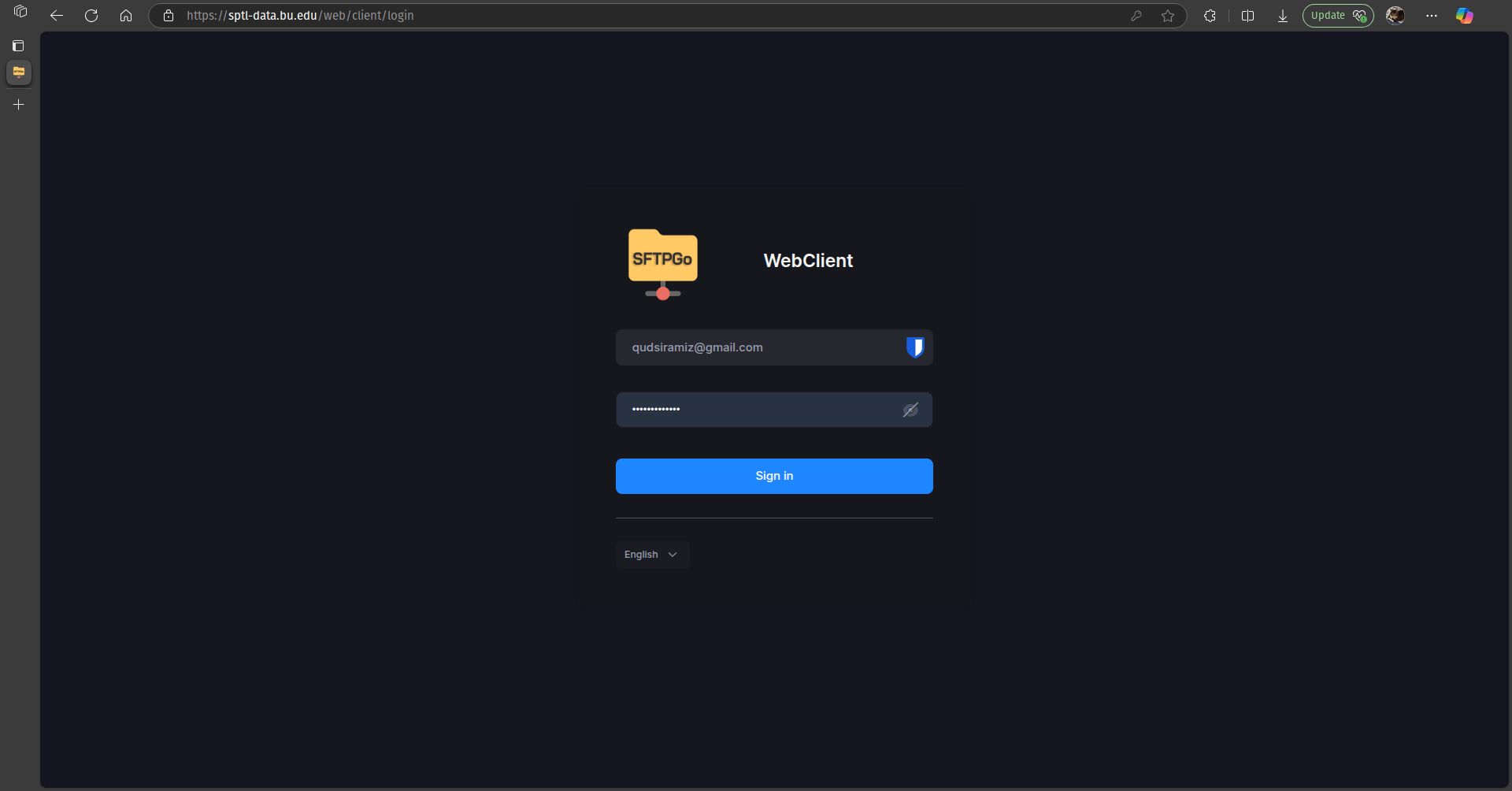
1. In any web browser, go to this link: https://sptl-data.bu.edu/web/client
The page will look like as shown below.
2. Username is your email address and password is same as what I sent to you in email.
3. Once you are logged in, you will see a folder "sptl-data".. Navigate to the lexi_data folder where you will see a bunch of different folders. Refer to next slide to find out what each of the folders contain.
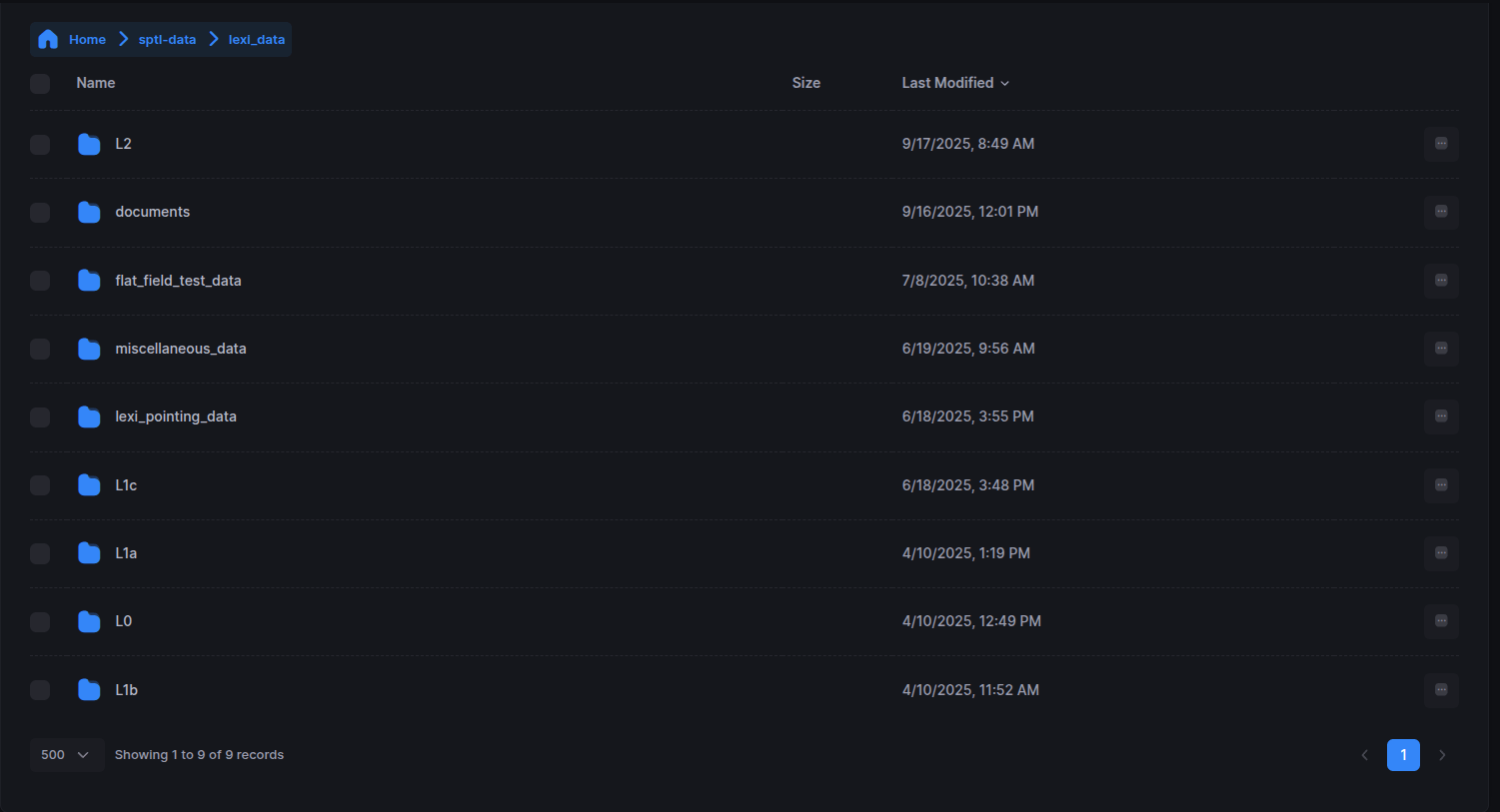
flat_field_test_data: This folder contains the L1a, L1b, and L1c files from the week-long high-voltage testing done at Boston University from 2024-05-23 to 2024-05-30. We have been using this data for normalizing the after sun-set data against ground data. The data format is exactly same as other LEXI data files.
L0, L1a, L1b, L1c: Already defined in previous slides.
lexi_pointing_data: Data related to LEXI pointing. Both predicted and those downloaded from FileFly Grafana dashboard.
miscellaneous_data: Contains some miscellaneous data files, for example, lexi_hk_data_2025-01-16_00-00-00_to_2025-03-17_00-00-00_v0.0.csv, which is all the housekeeping data for the entire mission.
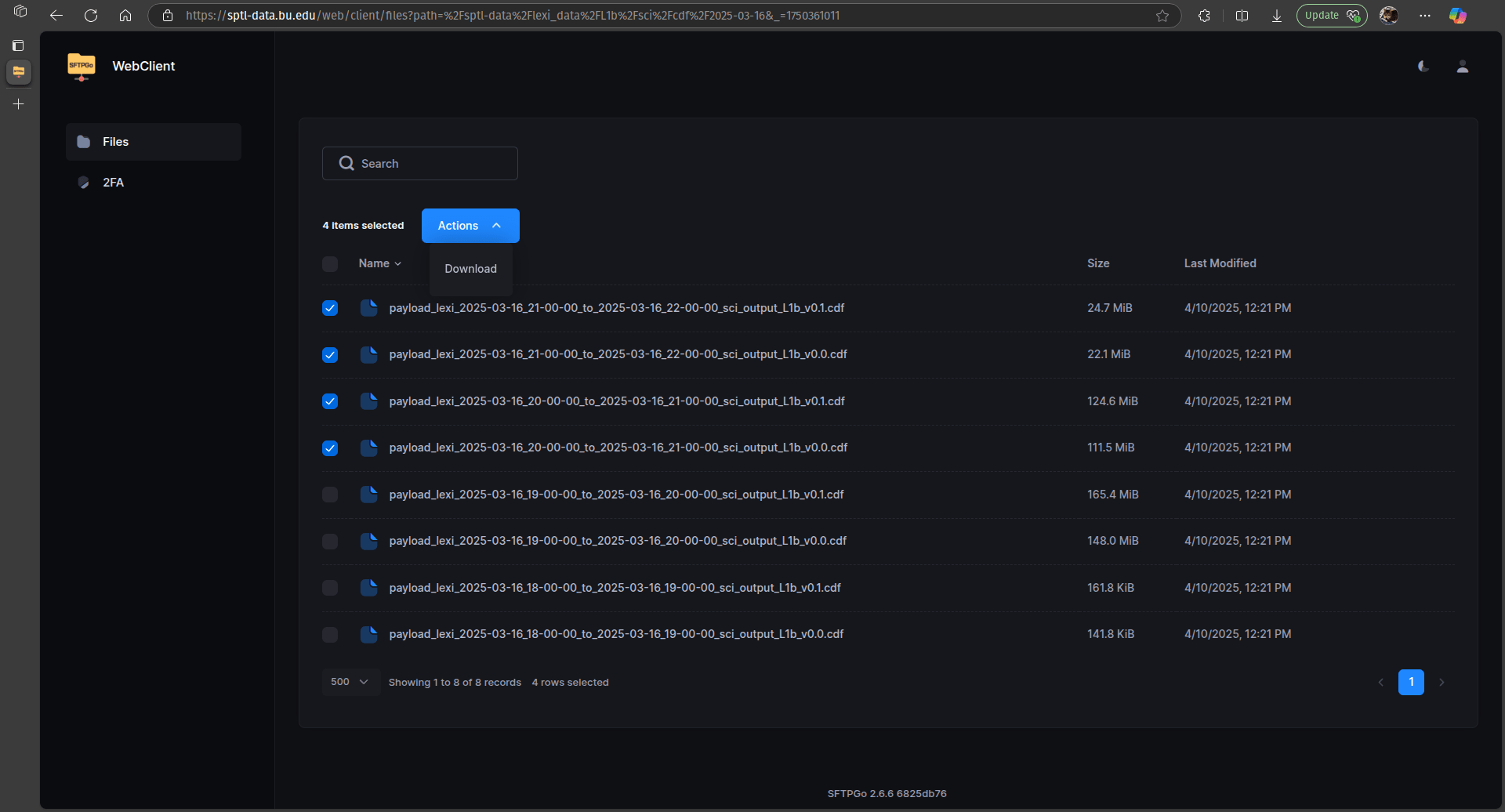
4. In order to download the data, simply select the files or folders that you want to download and under the Action button, click on Download.
You should be able to download the data in command line using ftp libraries as well. That functionality however has not been fully implemented yet. Once it is implemented, I will send another email with details of how to download data from there.
Accessing LEXI Data from FTP server
(browser mode)
1. In any web browser, go to this link: https://sptl-data.bu.edu/web/client
The page will look like as shown below.
2. Username is your email address and password is "Lexidata@2025"
3. Once you are logged in, you will see a folder "sptl-data".. Navigate to the lexi_data folder where you will see a list of different folders.
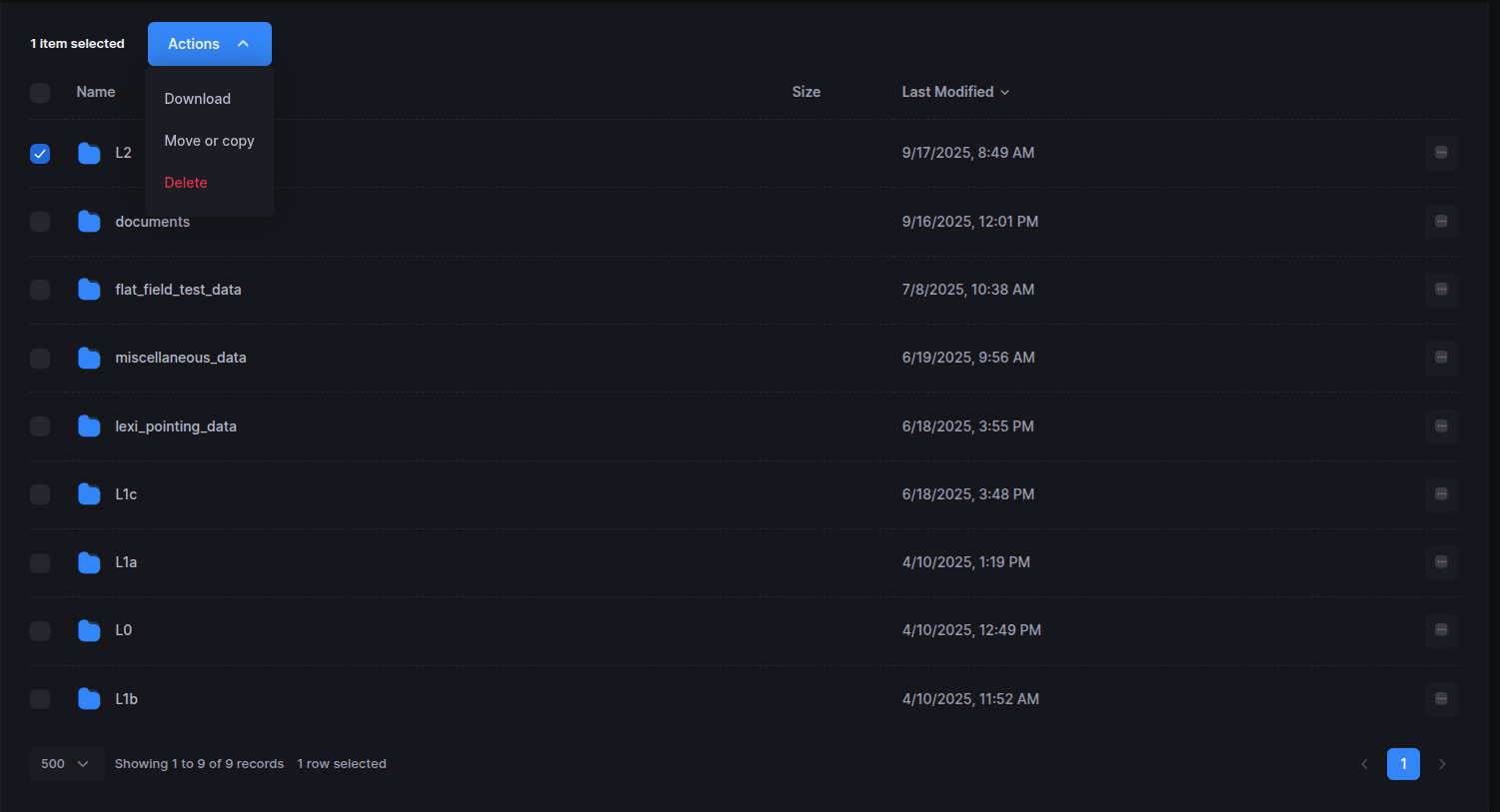
The most pertinent ones are L0, L1c and L2 (highlighted below)
4. In order to download the data, simply select the files or folders that you want to download and under the Action button, click on Download.
You should be able to download the data in command line using ftp libraries as well. That functionality however has not been fully implemented yet.
5. Direct links: