No Frameworks For Old Devs
The 90's
1993 - HTML
1994 - CSS
1995 - JavaScript
Old Man Yells
at Cloud
Perfection is achieved, not when there is nothing more to add, but when there is nothing left to take away.
Antoine de Saint-Exupéry
Modern
Web
Apps
Responsive
Interactive
Reactive
Libraries
vs
Frameworks
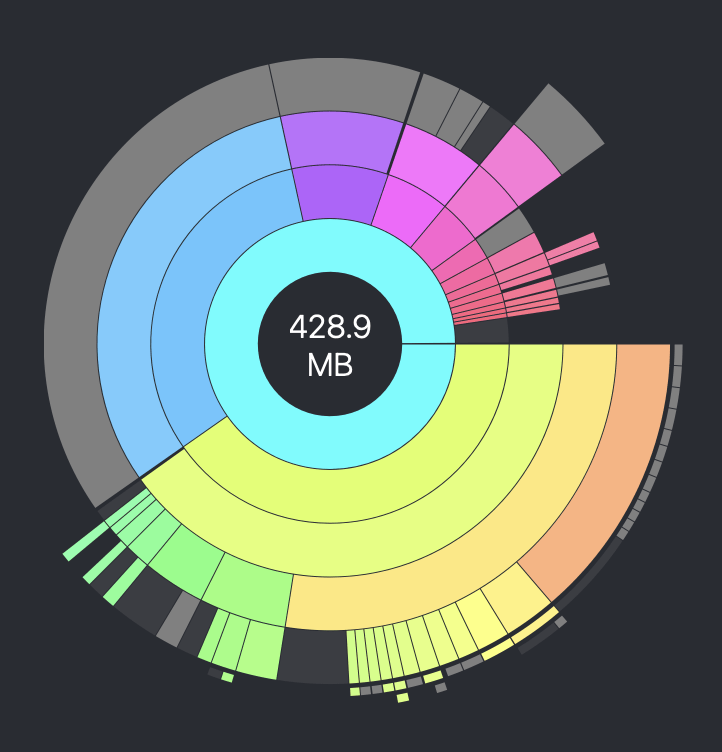
npx create-next-app@latestOpted Into
- Component System - React
- Type Safety - TypeScript
- CSS Framework - TailwindCSS
- Build System - TurboPack



touch index.html
Semantic HTML
<body>
  <header>
    <!-- logo, search, etc. -->
  </header>
  <nav>
    <!-- navigation links -->
  </nav>
  <main>
    <!-- main content -->
  </main>
  <aside>
    <!-- bonus content -->
  </aside>
  <footer>
    <!-- copywrite, etc. -->
  </footer>
</body>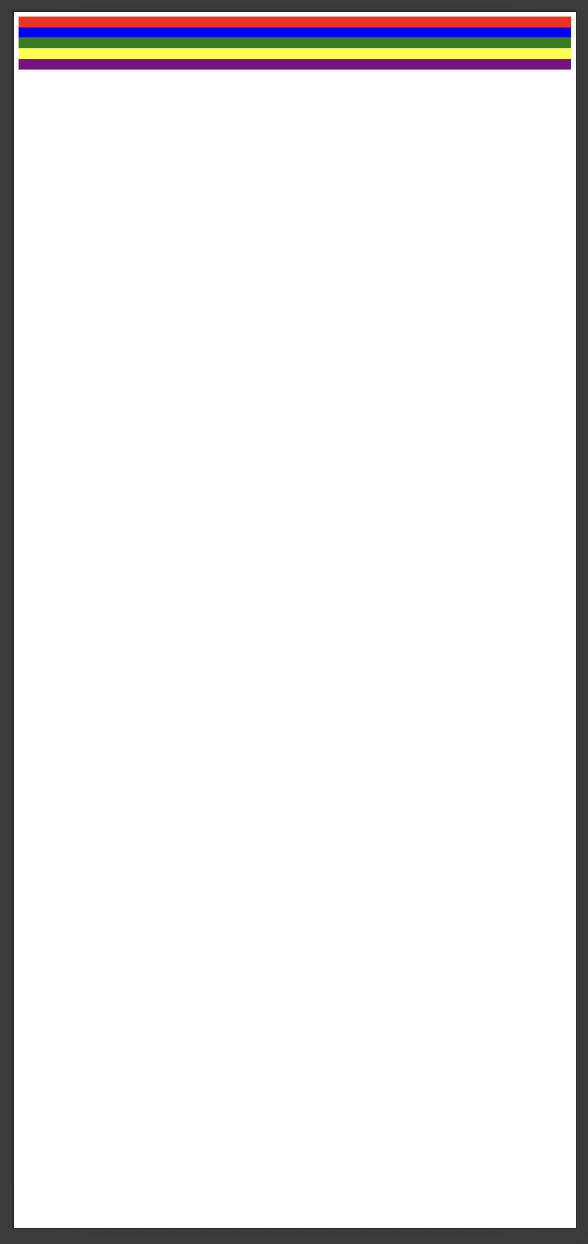
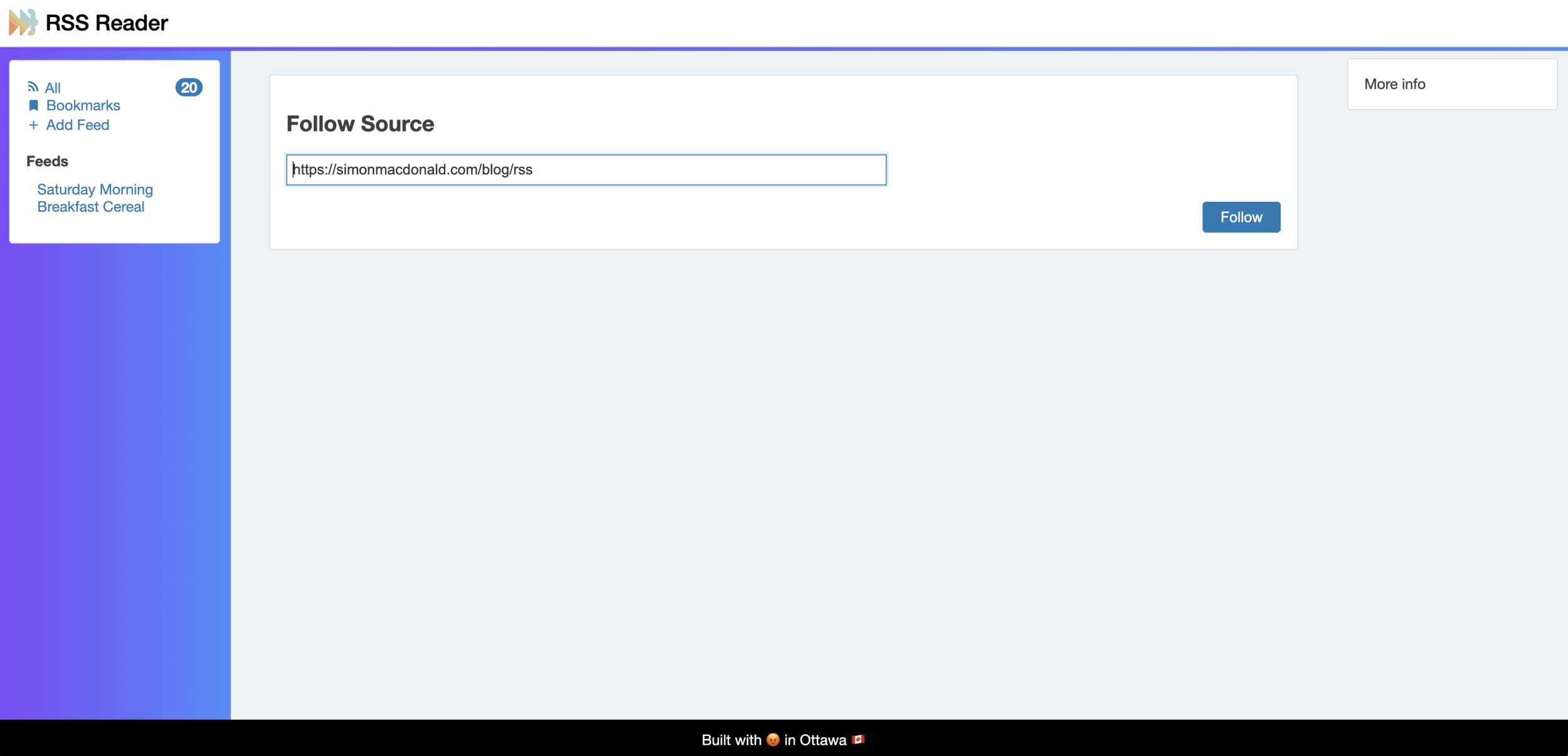
Reponsiveness
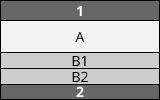
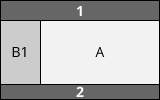
Mobile
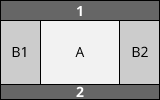
Tablet
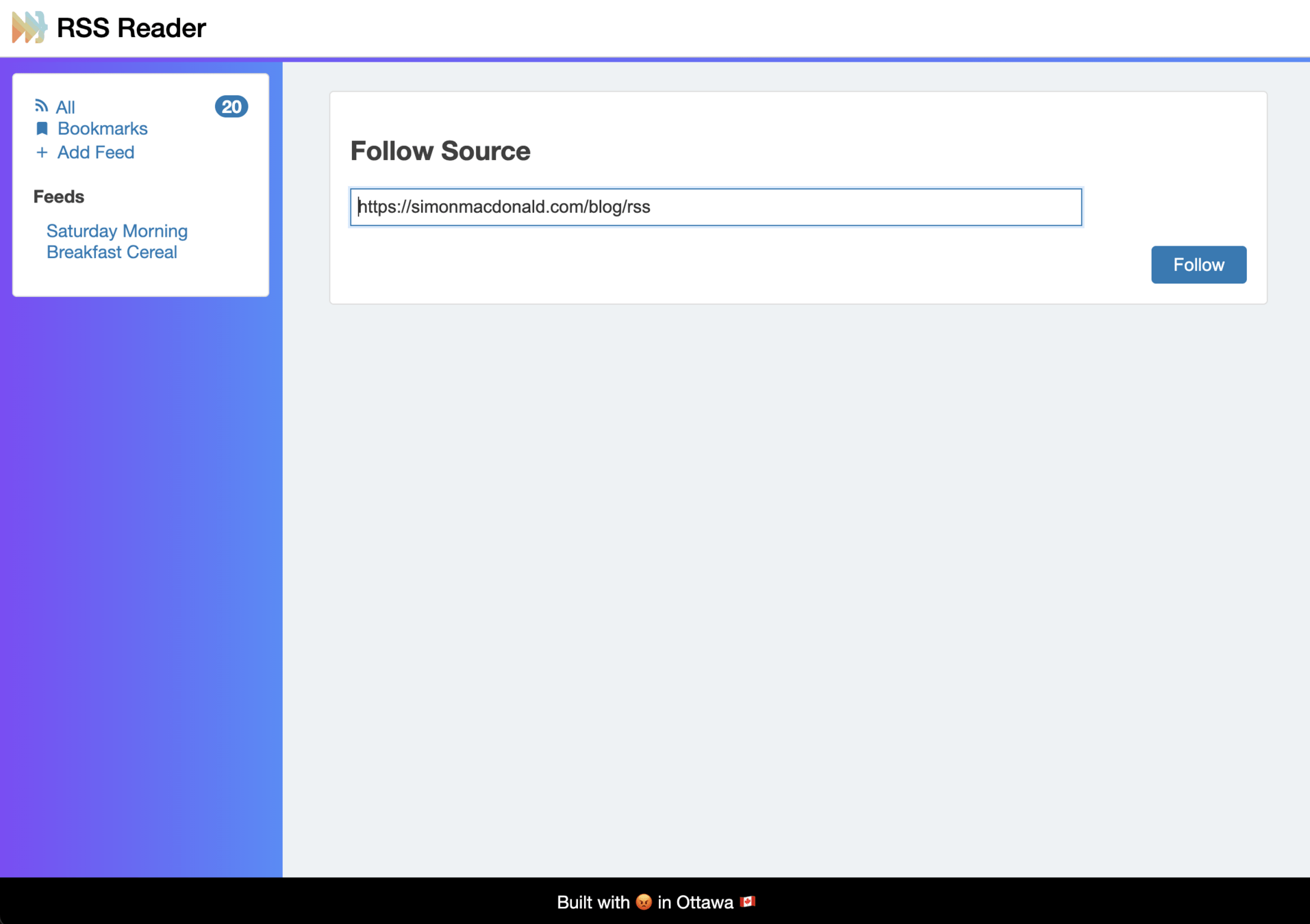
Desktop
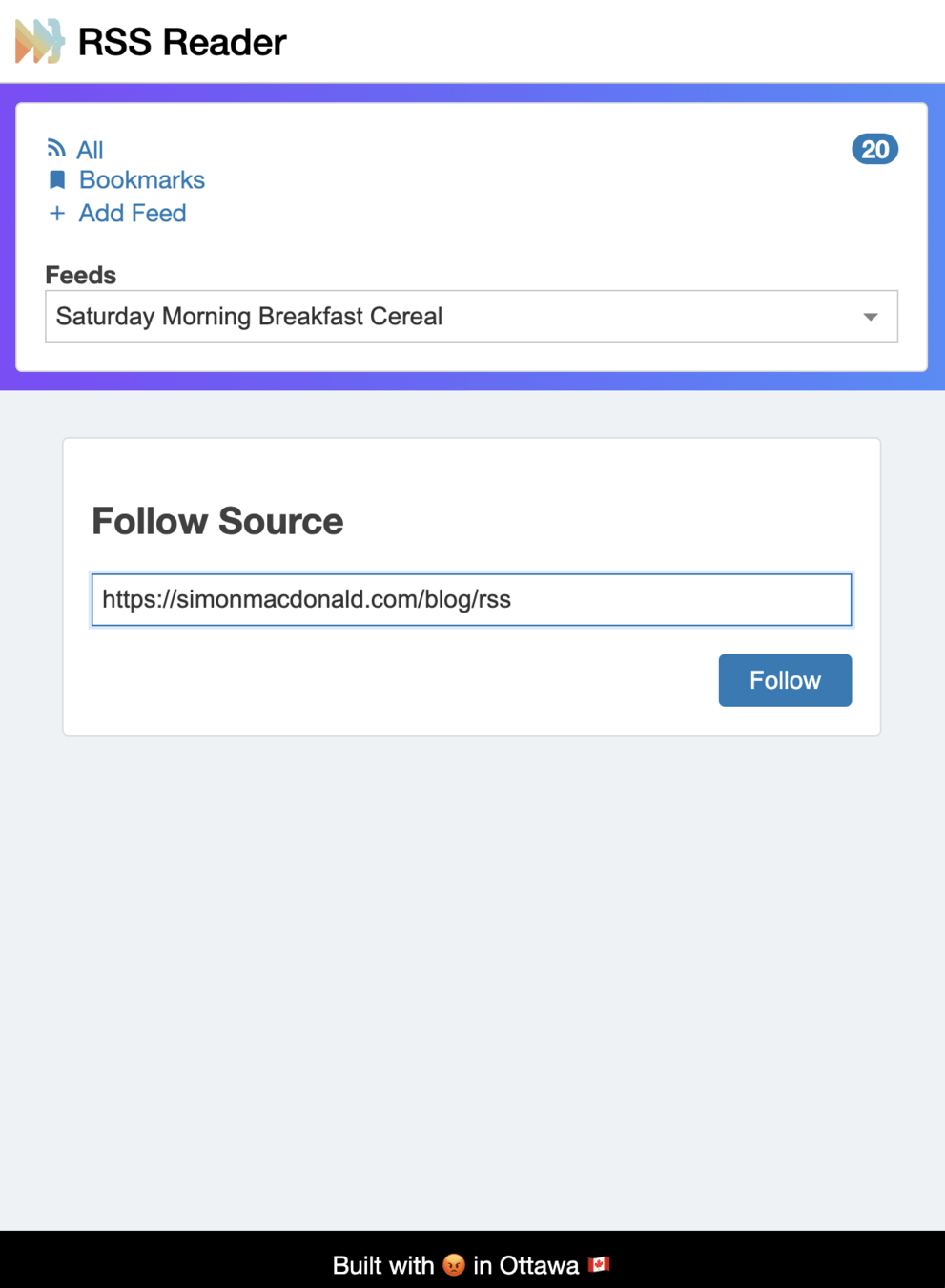
Mobile
body {
    min-height: 100vh;
    display: grid;
    grid-template-areas:
        'header'
        'left-sidebar'
        'main'
        'footer';
    grid-template-rows: min-content min-content 1fr min-content;
}
header {
    grid-area: header;
}
nav {
    grid-area: left-sidebar;
}
main {
    grid-area: main;
}
aside {
    grid-area: right-sidebar;
    display: none;
}
footer {
    grid-area: footer;
}
Tablet
…

@media (min-width: 40rem) {
    body {
        grid-template:
        'header             header' min-content
        'left-sidebar       main  ' 1fr
        'footer             footer' min-content
        / minmax(auto, var(--layout-max-sidebar-width, 16rem))
          minmax(var(--layout-min-content-width, 16rem), 1fr);
    }
}
Desktop
…

@media (min-width: 40rem) {
    body {
        grid-template:
        'header             header' min-content
        'left-sidebar       main  ' 1fr
        'footer             footer' min-content
        / minmax(auto, var(--layout-max-sidebar-width, 16rem))
          minmax(var(--layout-min-content-width, 16rem), 1fr);
    }
}
@media (min-width: 80rem) {
    body {
        grid-template:
        'header             header             header' min-content
        'left-sidebar       main               right-sidebar' 1fr
        'footer             footer             footer' min-content
        / minmax(auto, var(--layout-max-sidebar-width, 16rem))
          minmax(var(--layout-min-content-width, 16rem), 1fr)
          minmax(auto, var(--layout-max-sidebar-width, 16rem));
    }
    aside {
        display: block;
    }
}
I didn't have time to write a short letter, so I wrote a long one instead.
Mark Twain
View Transistions
View Transistions
- Build a single page app (SPA)
- Use react-router
- Adds 3.8mb to your bundle
- Uses the view transistions API under the hood.
- Build a multi page app (MPA)
- Use the view transitions API directly
- Add 3 lines of CSS
OR
@view-transition {
  navigation: auto;
}
Animations
Animations
- Commit to CSS-in-JS
- Use Framer Motion
- Adds 400 kb to your node_modules
- Just use CSS
OR
app-header::after {
 animation: grow-progress linear;
 animation-timeline: scroll();
}

@keyframes grow-progress {
 from { transform: scaleX(0); }
 to { transform: scaleX(1); }
}
Interactivity - slide out menu
- Use a popular package like: @radix-ui/react-dialog
- Adds 100 kb to your node_modules
- Use the platform
OR
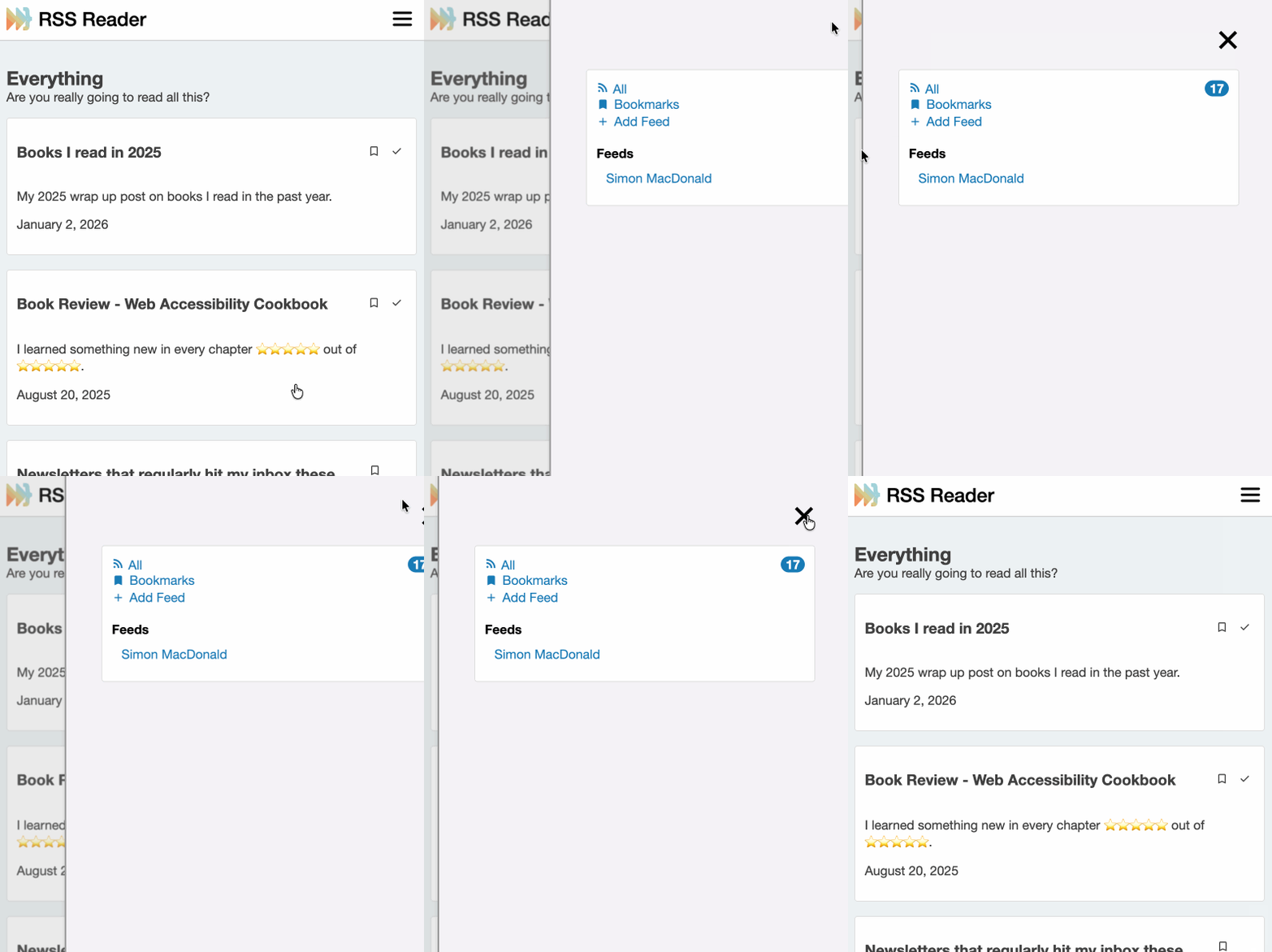
Slide Out Menu
Use a Dialog
<dialog id="menu" closedby="any">
  <div>
    <h2 class="hidden">Menu</h2>
    <div class="flex justify-content-end">
        <button type="button" commandfor="menu" command="close">
            <svg width="40" height="40" viewbox="0 0 40 40"><path d="M 10,10 L 30,30 M 30,10 L 10,30" stroke="black" stroke-width="4" /></svg>
        </button>
    </div>
    <app-nav></app-nav>
  </div>
</dialog>
Slide Out Menu
Style your Dialog
/* We can use [open] DOM state to animate-in the sidebar using CSS keyframes. */
app-nav-dialog dialog[ open ] {
    animation-duration: 200ms;
    animation-fill-mode: forwards;
    animation-iteration-count: 1;
    animation-name: dialogEnter;
    animation-timing-function: ease-out;
}
@keyframes dialogEnter {
    from {
        translate: 100%;
    }
    to {
        translate: 0%;
    }
}
Slide Out Menu
Trigger the menu
<button type="button" commandfor="menu" command="show-modal">
	<span class="line"></span>
	<span class="line"></span>
	<span class="line"></span>
</button>
Simple can be harder than complex: you have to work hard to get your thinking clean to make it simple.
Steve Jobs
Components
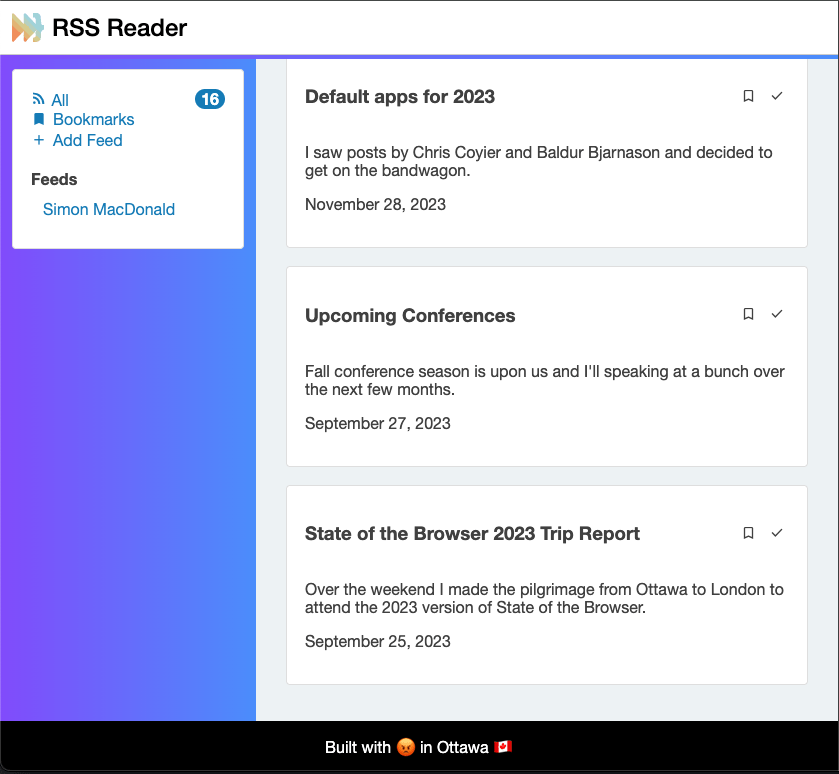
Components
- Framework Dependent
- Non-standard dialect
- CSS-in-JS rears it's ugly head again
- Just use the platform because web components are great
OR
HTML Web Components
Write HTML
<input autofocus=""
       type="text"
       placeholder="Enter RSS Feed URL"
       size="80"
       name="url"
>
<div class="dropdown hidden"></div>
HTML Web Components
Wrap it in a custom element
<feed-lookup>
  <input autofocus=""
       type="text"
       placeholder="Enter RSS Feed URL"
       size="80"
       name="url"
  >
  <div class="dropdown hidden"></div>
</feed-lookup>
HTML Web Components
Style using CSS
feed-lookup {
    display: inline-block;
    position: relative;
}
feed-lookup .dropdown {
    position: absolute;
    left: 0;
    right: 0;
    background: #fff;
    border: 1px solid #ccc;
    border-radius: 6px;
    margin-top: 4px;
    box-shadow: 0 2px 4px rgba(0,0,0,0.1);
    cursor: pointer;
    padding: 0.5rem;
    font-size: 0.9rem;
}
feed-lookup .dropdown:hover {
    background: #f0f0f0;
}
HTML Web Components
Style using "modern" CSS
@scope (feed-lookup) {
  :scope {
    display: inline-block;
    position: relative;
  }
  div {
    position: absolute;
    left: 0;
    right: 0;
    background: #fff;
    border: 1px solid #ccc;
    border-radius: 6px;
    margin-top: 4px;
    box-shadow: 0 2px 4px rgba(0,0,0,0.1);
    cursor: pointer;
    padding: 0.5rem;
    font-size: 0.9rem;
  }
  div:hover {
    background: #f0f0f0;
  }
}
HTML Web Components
Extend the functionality with JS
import apiConstructor from '../api/index.js'

const api = apiConstructor()

export class FeedLookup extends HTMLElement {
  static tag = "feed-lookup"
  static {
    customElements.define(FeedLookup.tag, FeedLookup)
  }
  constructor() {
    super()
    this.api = api
    this.input = this.querySelector('input')
    this.dropdown = this.querySelector('div')

    // Abort controller for cancelling fetch
    this.abortController = null
    // Debounce timer
    this.debounceTimer = null

    this.input.addEventListener('input', () => {
      clearTimeout(this.debounceTimer)
      this.debounceTimer = setTimeout(() => this.handleInput(), 200)
    })
  }

  isValidUrl(value) {
    try {
      new URL(value)
      return true
    } catch {
      return false
    }
  }

  async handleInput() {
    const value = this.input.value.trim()

    if (!this.isValidUrl(value)) {
      if (this.abortController) this.abortController.abort()
      return
    }

    // Cancel previous fetch
    if (this.abortController) {
      this.abortController.abort()
    }
    this.abortController = new AbortController()

    try {
      const res = await fetch('/confirm', {
        method: 'POST',
        headers: {
          'Content-Type': 'application/json',
          'Accept': 'application/json'
        },
        body: JSON.stringify({url: value}),
        signal: this.abortController.signal
      })
      if (!res.ok) throw new Error('Network error')
      const data = await res.json()

      if (data.title) {
        this.showDropdown(data.title, value)
      }
    } catch (err) {
      if (err.name !== 'AbortError') {
        console.error('Fetch error:', err)
      }
    }
  }

  showDropdown(title, url) {
    this.dropdown.textContent = title
    this.dropdown.classList.remove('hidden')

    this.dropdown.onclick = async () => {
      this.dropdown.classList.add('hidden')
      try {
        await this.api.addFeed(url)
        this.dropdown.textContent = ''
        this.dropdown.classList.add('hidden')
        this.input.value = ''
      } catch (err) {
        console.error('Selection error:', err)
      }
    }
  }
}
Build Step
/* index.css */
@import "./app-footer.css";
@import "./app-header.css";
@import "./article-grid.css";
@import "./everything-view.css";
@import "./feed-list.css";
@import "./feed-lookup.css";
@import "./feed-view.css";
@import "./item-actions.css";
@import "./responsive-grid.css";
/* index.js */
import { BookmarkButton }
  from "./components/bookmark-button.js"
import { FeedList }
  from "./components/feed-list.js"
import { FeedLookup }
  from "./components/feed-lookup.js"
import { MarkAsReadButton }
  from "./components/mark-as-read-button.js"
import { UnreadCount }
 from "./components/unread-count.js"
CSS
JavaScript
- Nope!
Build Step
- Nope!
import apiConstructor from '../api/index.js'

const api = apiConstructor()

export class FeedLookup extends HTMLElement {
  static tag = "feed-lookup"
  static {
    customElements.define(FeedLookup.tag, FeedLookup)
  }
  constructor() {
    super()
    this.api = api
    this.input = this.querySelector('input')
    this.dropdown = this.querySelector('div')

    // Abort controller for cancelling fetch
    this.abortController = null
    // Debounce timer
    this.debounceTimer = null

    this.input.addEventListener('input', () => {
      clearTimeout(this.debounceTimer)
      this.debounceTimer = setTimeout(() => this.handleInput(), 200)
    })
  }

  isValidUrl(value) {
    try {
      new URL(value)
      return true
    } catch {
      return false
    }
  }

  async handleInput() {
    const value = this.input.value.trim()

    if (!this.isValidUrl(value)) {
      if (this.abortController) this.abortController.abort()
      return
    }

    // Cancel previous fetch
    if (this.abortController) {
      this.abortController.abort()
    }
    this.abortController = new AbortController()

    try {
      const res = await fetch('/confirm', {
        method: 'POST',
        headers: {
          'Content-Type': 'application/json',
          'Accept': 'application/json'
        },
        body: JSON.stringify({url: value}),
        signal: this.abortController.signal
      })
      if (!res.ok) throw new Error('Network error')
      const data = await res.json()

      if (data.title) {
        this.showDropdown(data.title, value)
      }
    } catch (err) {
      if (err.name !== 'AbortError') {
        console.error('Fetch error:', err)
      }
    }
  }

  showDropdown(title, url) {
    this.dropdown.textContent = title
    this.dropdown.classList.remove('hidden')

    this.dropdown.onclick = async () => {
      this.dropdown.classList.add('hidden')
      try {
        await this.api.addFeed(url)
        this.dropdown.textContent = ''
        this.dropdown.classList.add('hidden')
        this.input.value = ''
      } catch (err) {
        console.error('Selection error:', err)
      }
    }
  }
}
Build Step
- Still Nope!
/**
 * Simple example
 */
import test1 from './test.js'
import test2 from './test.js' // no extra download

console.log(test1 === test2) // true, it's the same object
Build Step
/* index.css */
@import "./app-footer.css";
@import "./app-header.css";
@import "./article-grid.css";
@import "./everything-view.css";
@import "./feed-list.css";
@import "./feed-lookup.css";
@import "./feed-view.css";
@import "./item-actions.css";
@import "./responsive-grid.css";
/* index.js */
import { BookmarkButton }
  from "./components/bookmark-button.js"
import { FeedList }
  from "./components/feed-list.js"
import { FeedLookup }
  from "./components/feed-lookup.js"
import { MarkAsReadButton }
  from "./components/mark-as-read-button.js"
import { UnreadCount }
 from "./components/unread-count.js"
CSS
JavaScript
<link rel="stylesheet" href="/_public/index.css">
<script type="module" src="/_public/index.js"></script>
HTML
- Still Nope!
Performance
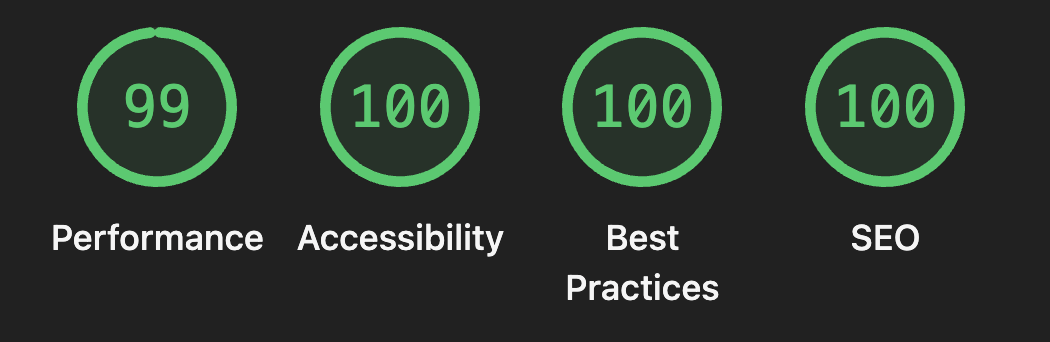
Performance
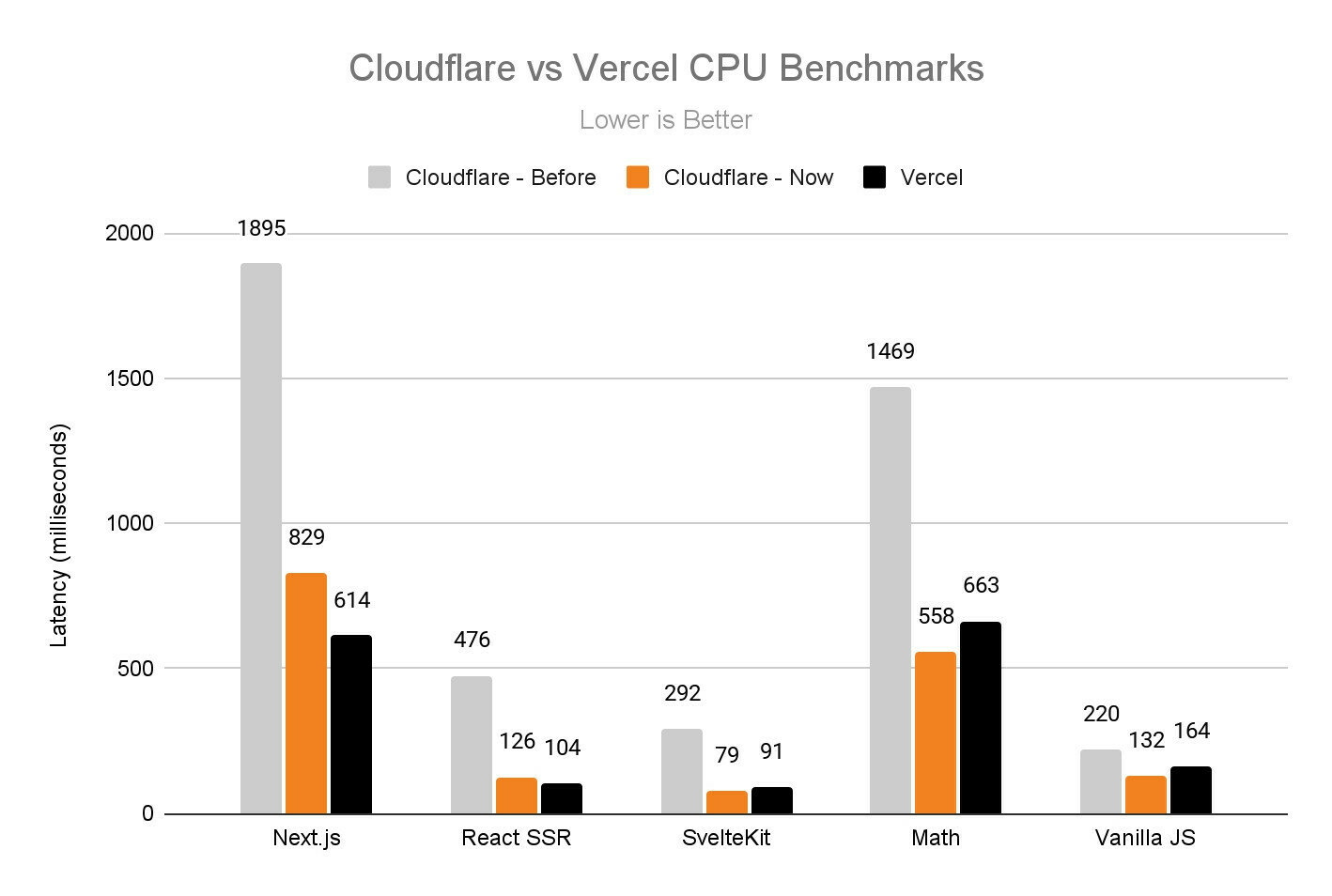
It’s not the daily increase but daily decrease. Hack away at the unessential.
Bruce Lee
Reactivity
Reactivity
- Commit to heavy weight framework
- useState
- signals
- Write it yourself using a proxy object
OR
Reactivity - Store
function createStore(initialState = {}) {
  const listeners = new Set()
  const store = new Proxy(initialState, {
    set(target, prop, value) {
      const oldValue = target[prop]
      if (oldValue !== value) {
        target[prop] = value
        listeners
          .filter(l => l.props.includes(prop))
          .forEach(l => l(prop, value, oldValue))
      }
      return true
    }
  })
  return {
    get store() {
      return store
    },
    subscribe(listener, props) {
      listeners.add({listener, props})
      return () => listeners.delete(listener)
    }
  }
}
Reactivity - In Use
import createStore from '../api/index.js'
const api = createStore()

export class UnreadCount extends HTMLElement {
  static tag = "unread-count"
  static {
    customElements.define(UnreadCount.tag, UnreadCount)
  }
  constructor() {
    super()
    this.api = api
    this.badge = this.querySelector('m-badge')
  }
  connectedCallback() {
    this.api.subscribe(this.updateCount, ['unread'])
    this.api.store.unread = this.badge.getAttribute('count')
  }
  disconnectedCallback() {
    this.api.unsubscribe(this.updateCount)
  }
  updateCount = ({unread}) => {
    this.badge.setAttribute('count', unread)
  }
}
Opted Into
- Writing HTML, CSS and JS
- Leveraging the platform
- Avoiding build steps
AI
Main Takeaways
- Who is serving who?
- Try building an app without a framework!
Simon MacDonald
Staff Software Engineer
sanity.io
@macdonst@mastodon.online