Model Context Protocol
A year later
Tomasz Godzik VirtusLab

Who am I

Team leader of Scala Open Source Team
Coordinator and VirtusLab representative in Scala Core Team

Open source




Metals
You probably heard of Metals, right?
Metals is a language server protocol server.




Metals is a model context protocol server.



Why do it in Metals?
Metals has the exact data to serve both purposes and makes it easier for people who already use it.
Model View Protocol
Model Context Protocol is very similar to Language Server Protocol, but instead of people it's for agents.
Host with MCP Client
MCP protocol
MCP protocol
MCP protocol
MCP Server 1
MCP Server 2
MCP Server 2
Local Data Source 1
Local Data Source 2
Web API
Why do we even need Model Context Protocol?
AI can sometimes go bonkers

Hallucinations are a problem, we want to reduce the amount of non-determinism in your tools
MCP provides information to your AI coding agent that it can use to verify and enrich its responses
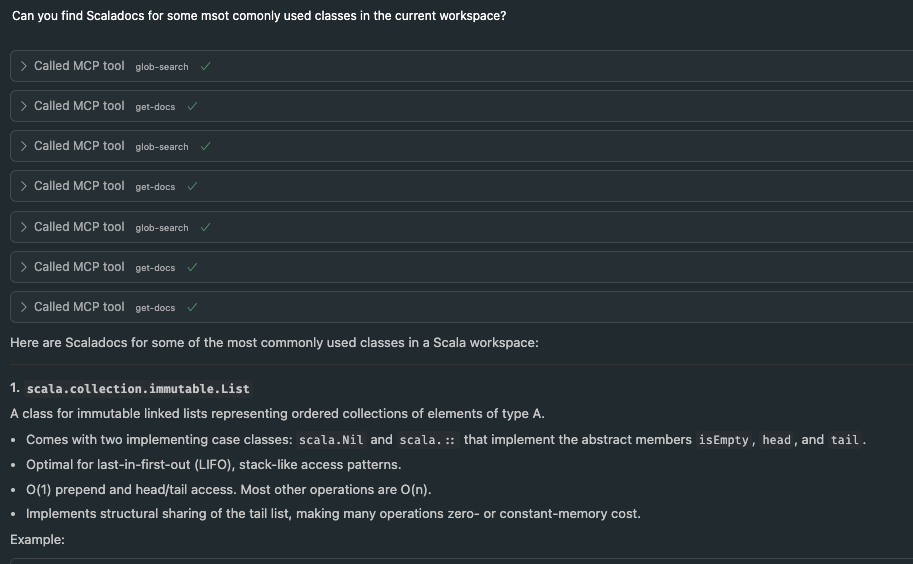
But it's also a way to better query your information
Core MCP Concepts
MCP uses Json RPC, so each possible request and definition is represented by json schema
Core MCP Concepts

Resources
Tools
Prompts

Agents can ask the server for static content (resources) that might be useful for the current context
resources/list - list all available resource
resources/read - read specific resource
Resources
{
  uri: string;           // Unique identifier for the resource
  name: string;          // Human-readable name
  description?: string;  // Optional description
  mimeType?: string;     // Optional MIME type
}
Resources
Example
{
  uri: "file:///logs/app.log",
  name: "Application Logs",
  mimeType: "text/plain"
}
Agents interact with external systems, perform computations, and take actions in the real world.
tools/list - list all the tools available on the server
tools/call - invoke the tool
Tools
{
  name: string;          // Unique identifier for the tool
  description?: string;  // Human-readable description
  inputSchema: {         // JSON Schema for the tool's parameters
    type: "object",
    properties: { ... }  // Tool-specific parameters
  },
  annotations?: {}       // Optional hints about tool behavior
}
Tools
Example
{
  "name" : "compile-file",
  "description": "Compile a chosen Scala file",
  "schema" : {
    "type": "object",
    "properties": {
      "fileInFocus": {
         "type": "string",
         "description": "The file to compile..."
      }
    }
  }
}
- reusable prompt templates and workflows
- standardize and share common LLM interactions
- prompts/list and prompts/get requests
Prompts
{
  name: string;              // Unique identifier for the prompt
  description?: string;      // Human-readable description
  arguments?: [              // Optional list of arguments
    {
      name: string;          // Argument identifier
      description?: string;  // Argument description
      required?: boolean;    // Whether argument is required
    }
  ]
}
Prompts
Example
{
  name: "explain-code",
  description: "Explain how code works",
    arguments: [
      {
        name: "code",
        description: "Code to explain",
        required: true
      },
      {
        name: "language",
        description: "Programming language",
        required: false
      }
    ]
}
Who uses MCP?
- Vs Code with Copilot
- Cursor
- Windsurf
- probably more!
How does it look currently?

To minimize amount of dependencies we use the default Java SDK - https://github.com/modelcontextprotocol/java-sdk
We start an additional HTTP server within Metals
compile-full: Compile the entire Scala project.
Metals Tools
{
  "name" : "compile-full",
  "description": "Compile the whole Scala project",
  "schema" : { "type": "object", "properties": {} }
}
compile-file: Compile a specific file.
Metals Tools
{
  "name" : "compile-file",
  "description": "Compile a chosen Scala file",
  "schema" : {
    "type": "object",
    "properties": {
      "fileInFocus": {
         "type": "string",
         "description": "The file to compile..."
      }
    }
  }
}
test: Run a Scala test suite.
Metals Tools
{
  "name" : "test",
  "description": "Run Scala test suite",
  "schema" : {
    "type": "object",
    "properties": {
      "testFile": {
        "type": "string",
        "description": "The file containing the test suite, if empty we will try to detect it"
      },
      "testClass": {
        "type": "string",
        "description": "Fully qualified name of the test class to run"
      },
      "verbose": {
        "type": "boolean",
        "description": "Print all output from the test suite, otherwise prints only errors and summary",
        "default": false
      }
    },
    "required": ["testClass"]
  }
}
glob-search: Search for symbols using a glob pattern.
Metals Tools
{
  "name" : "glob-search",
  "description": "Search for symbols using glob pattern",
  "schema" : {
    "type": "object",
    "properties": {
      "query": {
        "type": "string",
        "description": "Substring of the symbol to search for"
      },
      "fileInFocus": {
        "type": "string",
        "description": "The current file in focus for context..."
      }
    },
    "required": ["query"]
  }
}
typed-glob-search: Search for symbols by type.
Metals Tools
{
  "name" : "typed-glob-search",
  "description": "Search for symbols by type using glob pattern",
  "schema" : {
    "type": "object",
    "properties": {
      "query": {
        "type": "string",
        "description": "Substring of the symbol to search for"
      },
      "symbolType": {
        "type": "array",
        "items": {
          "type": "string",
          "enum": ["package", "class", "object", "function", "method", "trait"]
        },
        "description": "The type of symbol to search for"
      },
      "fileInFocus": {
        "type": "string",
        "description": "The current file in focus for context..."
      }
    },
    "required": ["query", "symbolType"]
  }
}
inspect: Inspect a symbol for members, signatures...
Metals Tools
{
  "name" : "inspect",
  "description": "Inspect a chosen Scala symbol.",
  "schema" : {
    "type": "object",
    "properties": {
      "fqcn": {
        "type": "string",
        "description": "Fully qualified name of the symbol to inspect"
      },
      "fileInFocus": {
        "type": "string",
        "description": "The current file in focus for context..."
      }
    },
    "required": ["fqcn"]
  }
}
get-docs: Retrieve documentation for a symbol.
Metals Tools
{
  "name" : "get-docs",
  "description": "Get documentation for a chosen Scala symbol",
  "schema" : {
    "type": "object",
    "properties": {
      "fqcn": {
        "type": "string",
        "description": "Fully qualified name of the symbol to get documentation for"
      }
    },
    "required": ["fqcn"]
  }
}
get-usages: Find usages of a symbol.
Metals Tools
{
  "name" : "get-usages",
  "description": "Get usages for a chosen Scala symbol.",
  "schema" : {
    "type": "object",
    "properties": {
      "fqcn": {
        "type": "string",
        "description": "Fully qualified name of the symbol to get usages for"
      },
      "fileInFocus": {
        "type": "string",
        "description": "The current file in focus for context..."
      }
    },
    "required": ["fqcn"]
  }
}
import-build: Trigger a build import in the IDE.
Metals Tools
{
  "name" : "import-build",
  "description": "Import the build to IDE",
  "schema" : {"type": "object", "properties": {} }
}
We can add more! This is just the base idea.
Metals Tools
How can you use it?

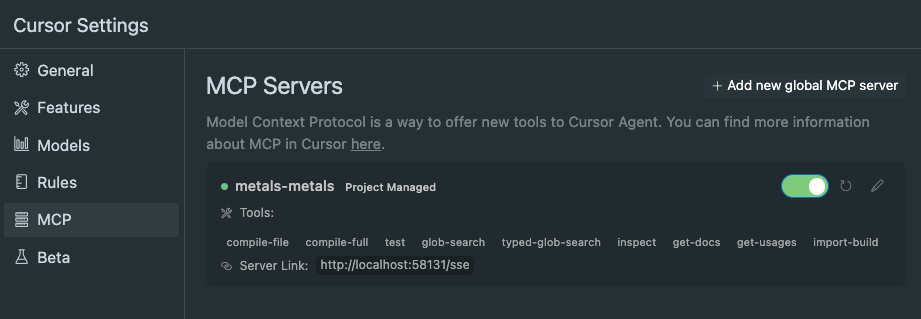
Make sure you use newest Metals and enable the proper setting
Cursor and VS Code settings will be automatically set up for you
Editor settings
{
  "metals.startMcpServer" : true
}
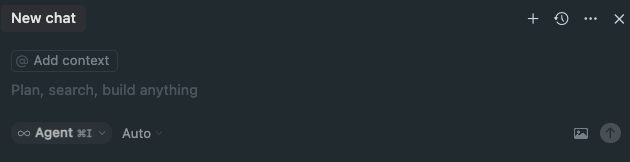
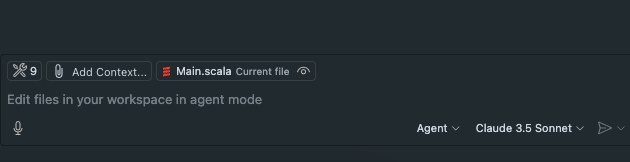
Make sure that you use the Agent chat, this is the default in Cursor but not in VS Code
And you might sometimes need to force the agent to use MCP
Editor settings
Cursor
Cursor
VS Code Copilot

Demo!
In case I forget to show you the inspector
MCP inspector!

Future Ideas

Future Ideas
This is still new so there is a lot of possible improvements
Their aim is to increase your productiveness
Suggest better prompts

Resources allow us to support certain scenarios like different libraries
When suggesting code take into account cats documentation as primary inspiration:

Concepts
Cats Effect introduces a large number of concepts which,
while very general and individually simple, can seem
foreign and intimidating if you're new to the space.
This also brings along with it a set of terminology
for describing concepts and scenarios which can be
significantly different from that which is used in
other asynchronous frameworks (such as Akka or Vert.x).
This page is an attempt todescribe the Cats Effect
runtime at a high level, introducing the concepts and terminology which is
often assumed in discussions about the various details.
....
find-dep: Coursier dependency resolution
More Tools
{
  "name" : "find-dep",
  "description": "Use coursier to find a dependency",
  "schema" : {
    "type": "object",
    "properties": {
      "organization": {
        "type": "string",
        "description": "Organization to search for or its prefix"
      },
      "name": {
        "type": "string",
        "description": "Dependency name to search for or its prefix"
      },
      "version": {
        "type": "string",
        "description": "Version to search for or its prefix"
      }
    }
  }
}
run-diagnostics: Run diagnostics and debug metals
More Tools
{
  "name" : "run-diagnostics",
  "description": "Access information about the current state of metals...",
  "schema" : {"type": "object", "properties": {} }
}
More Tools
{
  "name" : "buildTarget/sources",
  "description": "Build target sources...",
  "schema" : {
    "type": "array",
    "items": {
      "type": "string",
    }
}
Automatically provide LSP / BSP methods as possible MCP tools.
Everything that you ask and LLM guesses wrong, we might be able to provide a tool to minimize those cases
More Tools
You can write your own server!
There are some Scala MCP SDKs, you can use the to write things (or help out developing them)
There is even a prompt to help out https://modelcontextprotocol.io/llms-full.txt and copy the full documentation text
More Tools
More Tools
There is probably a lot to improve, though now when we improve metals we improve your mcp experience as well
It's quite experimental, try it out!
More Tools
Other MCP Servers
Presentation