Hacking the archive
GLAM Labs workshop, 24 June 2026
play along!
transforms the effectivities of socio-technical systems, making them work, or un-work, often in new and unexpected ways
hack (noun):
— Mark Olson (2013), "Hacking the humanities: Twenty-first-century literacies and the ‘becoming other' of the humanities".
Hacking the systems that construct and control access to our cultural collections is at the core of humanities practice in the early 21st century. As online collections continue to expand, we need to carve out spaces that resist the weight of scale and foster alternative perspectives. As interfaces grow in sophistication and complexity, we need to stage playful and pointed interventions that reveal their limits and empower critique. We do not all have to be coders, but we do have to take code seriously. We have to take what we are given by collection databases and change it.
me:
GLAM hacking 101...
- learn to read urls
- look beneath the hood to see how things work
- experiment (change things and see what happens)
reading urls
- play with parameters
- relationship between interface and urls
- empty searches and hacking URLs
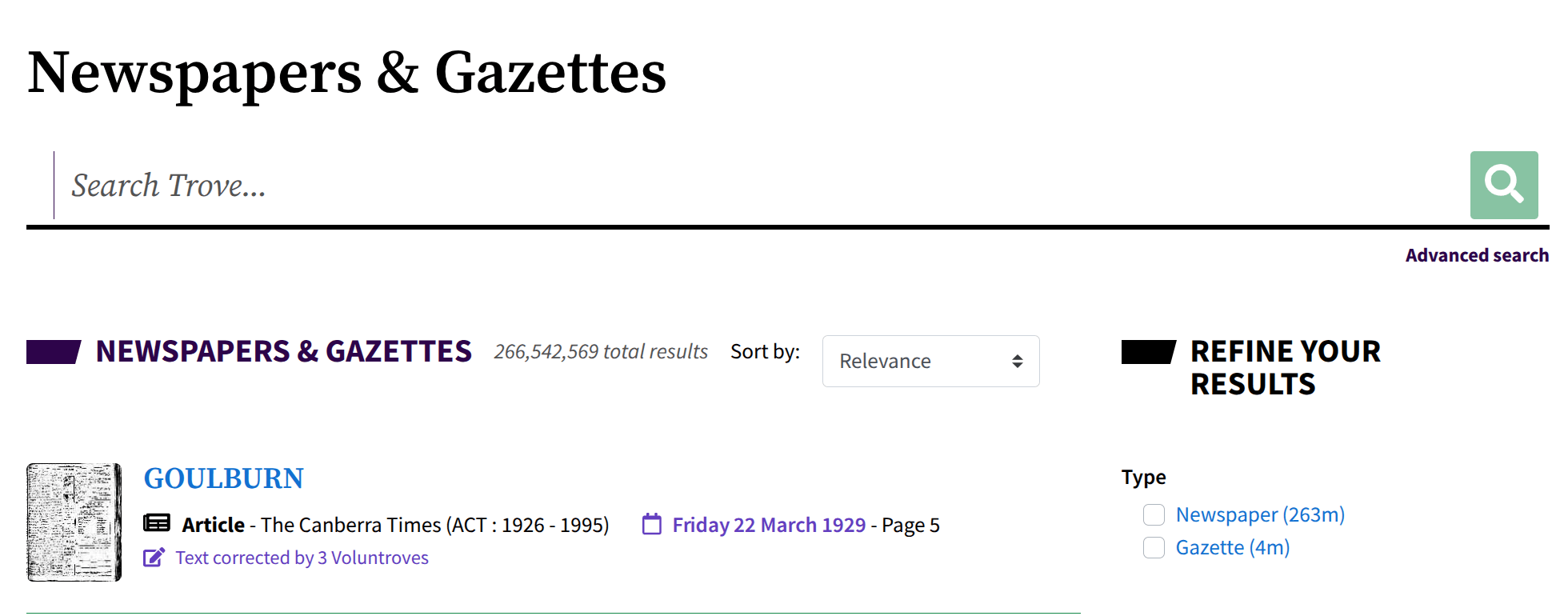
How many newspaper articles are in Trove?
- go to Trove's newspapers
- search for anything
- delete your search term from the url
- hit enter
web pages are never published
- servers provide the blueprints, but your browser builds the page
- you can inspect the blueprints to see how they work
- you can intervene in the building process to change things
looking beneath the hood
- View Page Source: the basic framework which might be overridden as resources load and scripts run
- Developer Tools: live view of the current state of the page
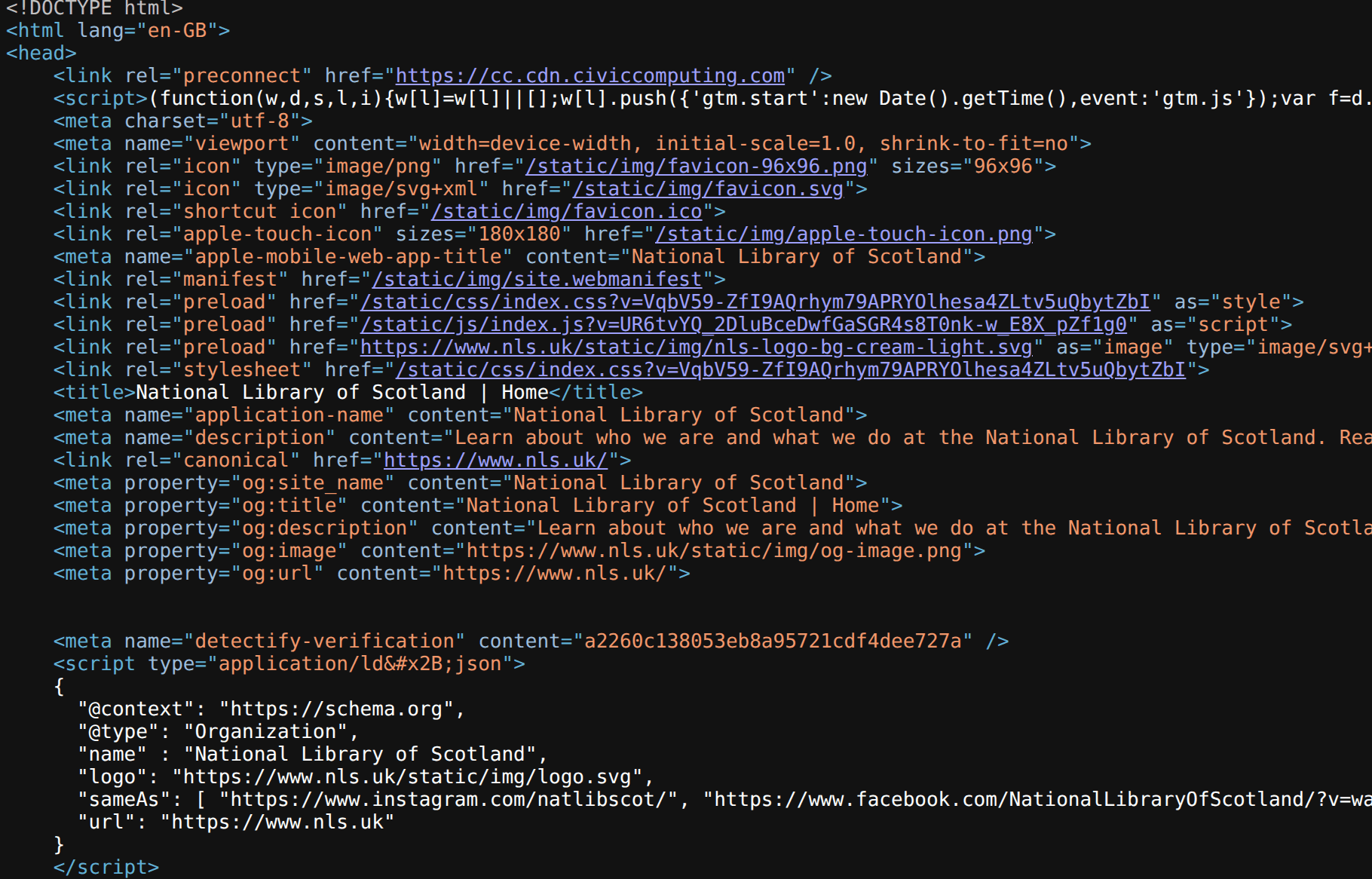
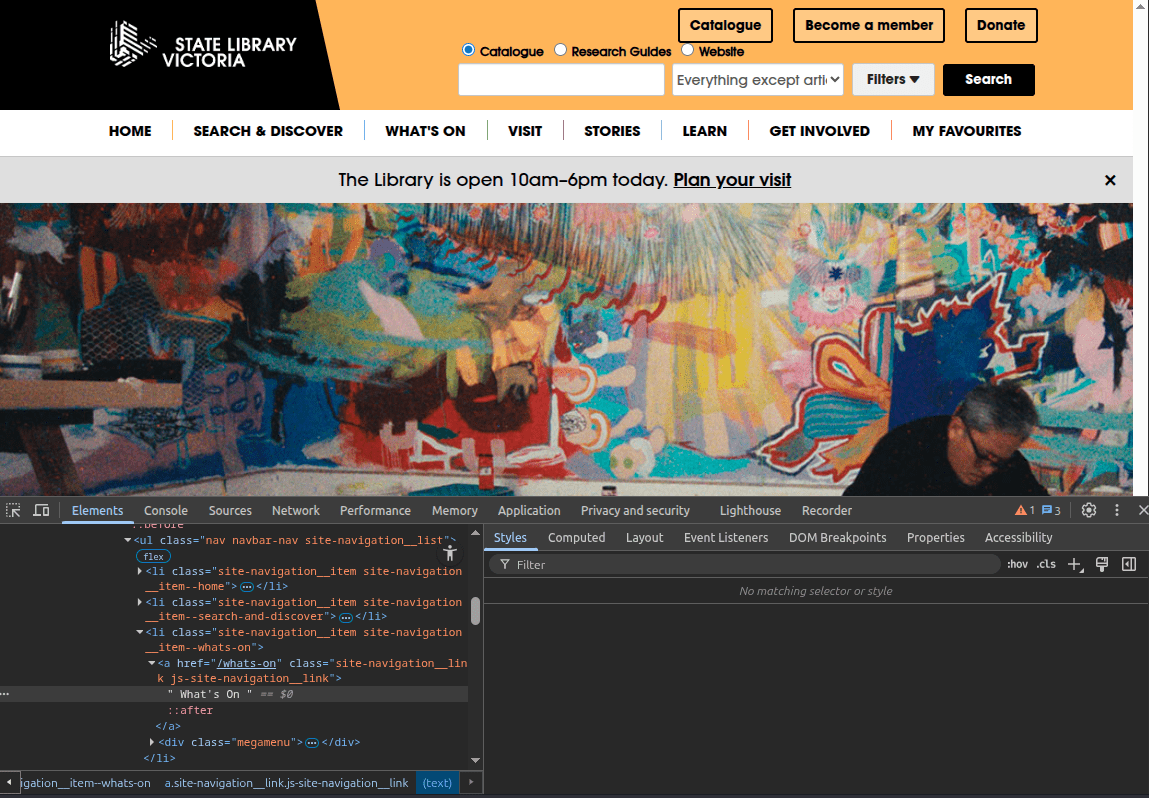
- right click on page
- select Developer Tools > View Page Source
- right click on page
- select Developer Tools > Inspect
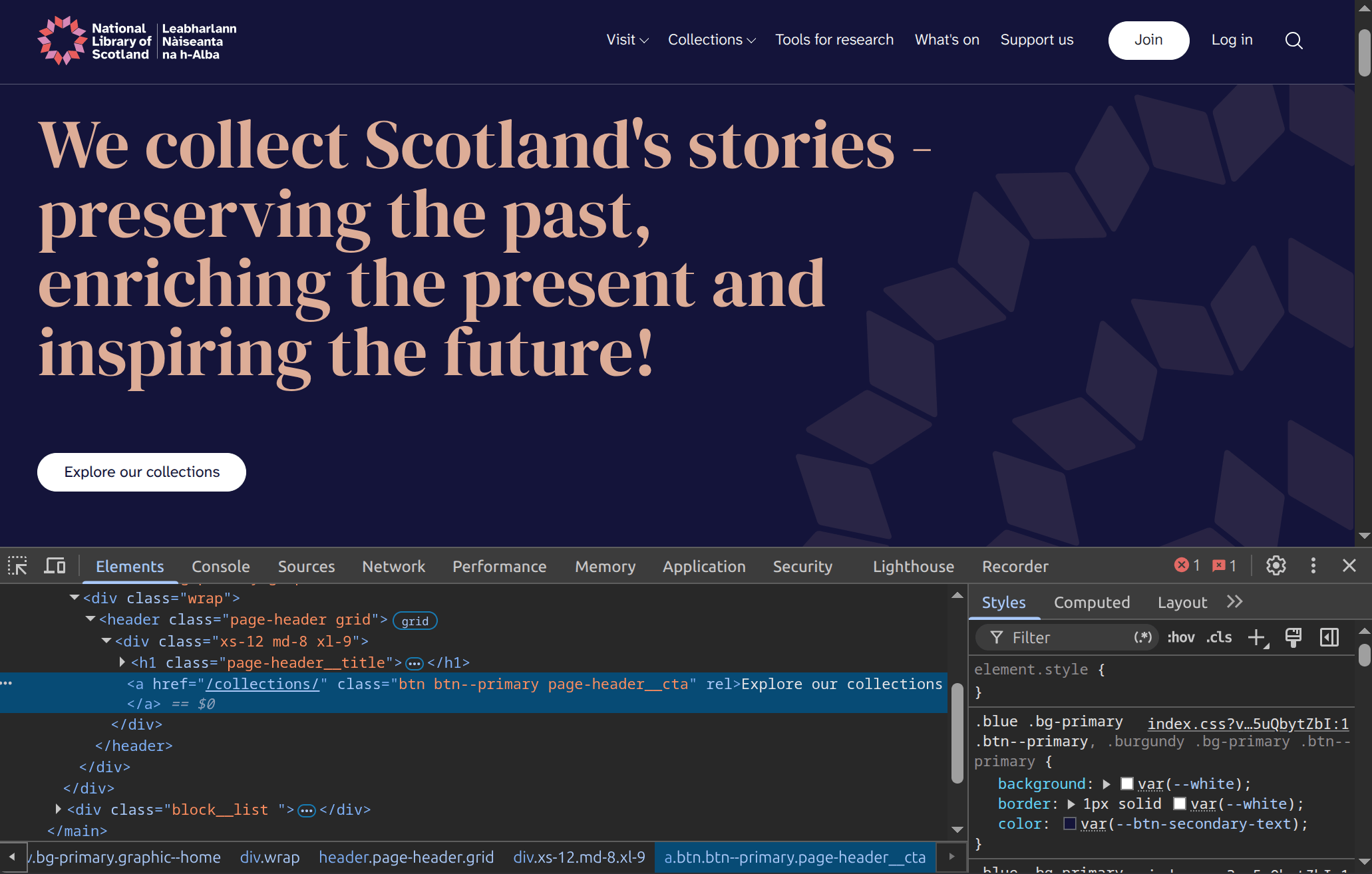
examine HTML code
check for errors
track what gets loaded
view styles
- change some text
- change some colours
- swap an image
things to try
select an element to change
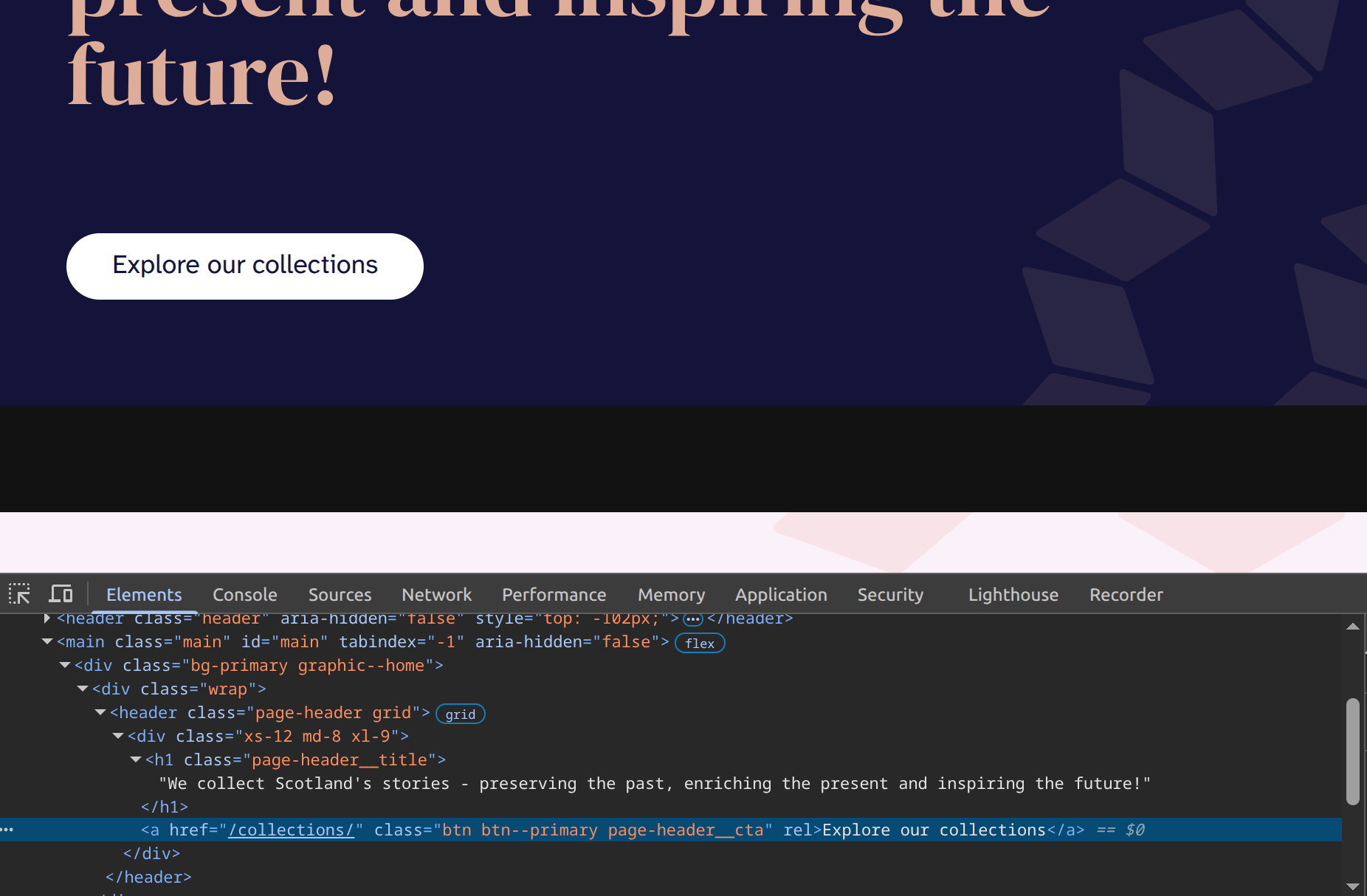
- right click on the page element
- select 'Developer tools > Inspect' to highlight the code
- expand if necessary (click arrow)


change text
- double click on the text to select it
- edit the text
- hit enter to update the page
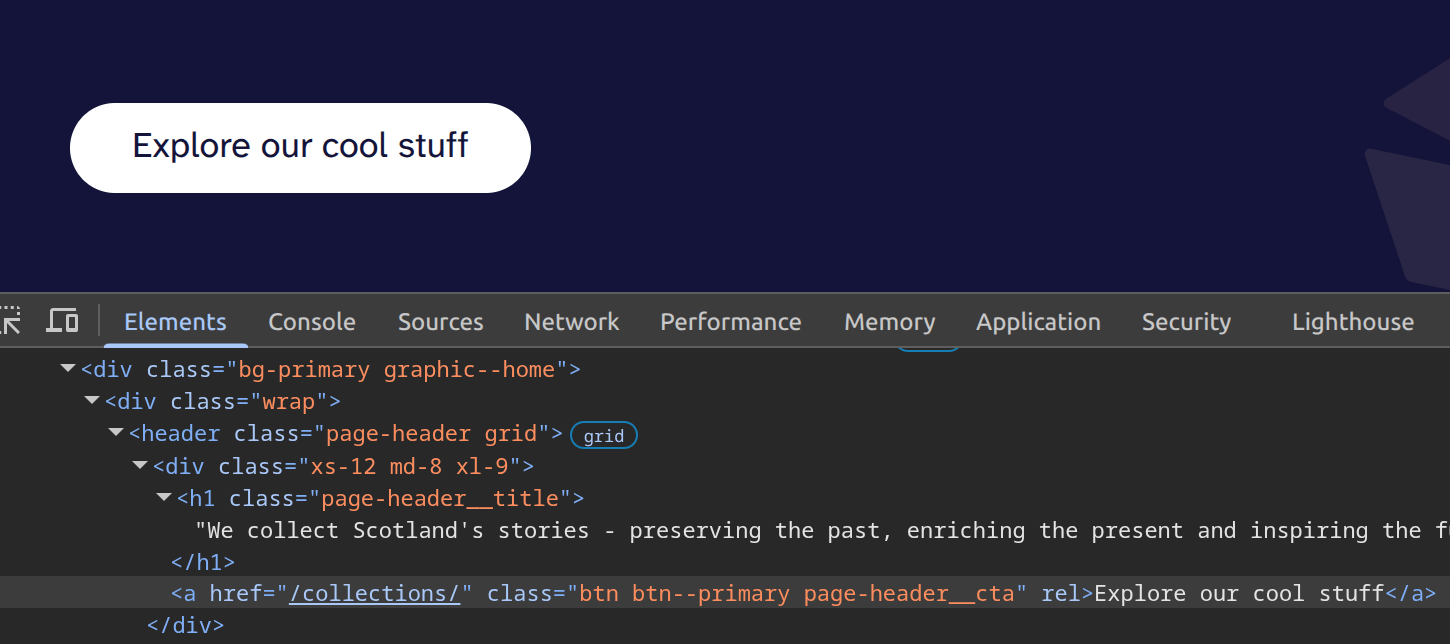
much better!
change colors
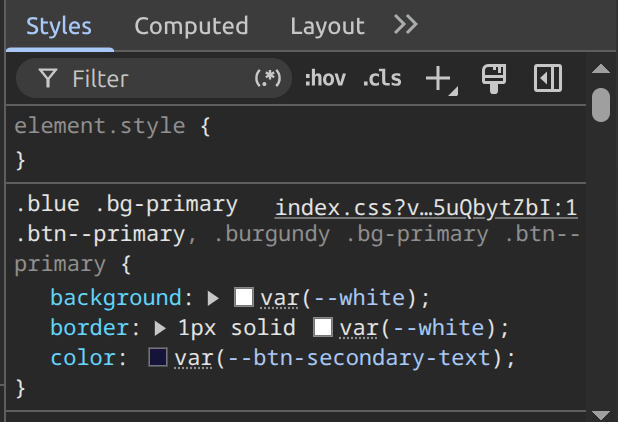
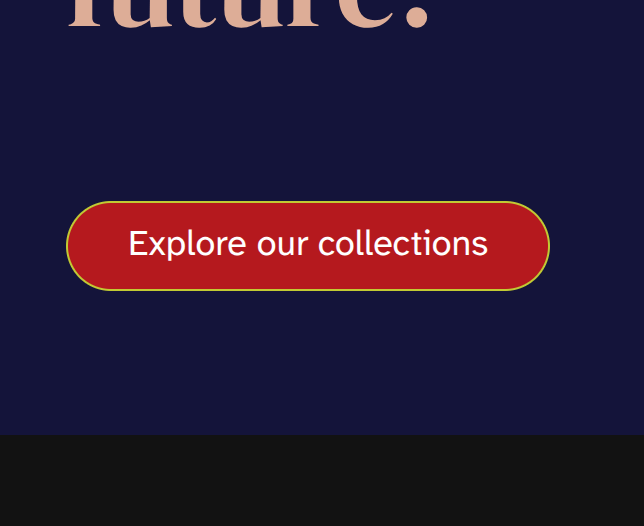
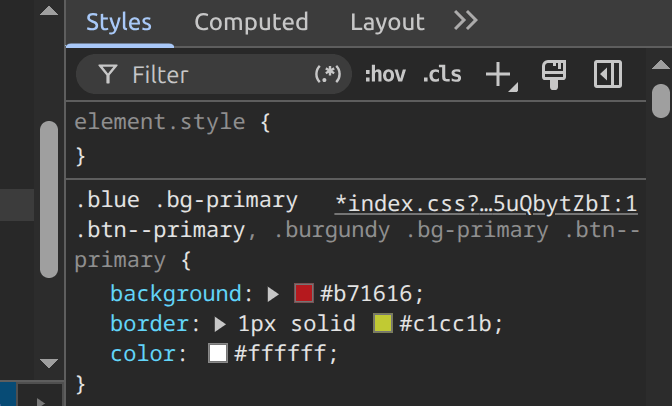
- select element
- look for colours in the 'Styles' panel
- click on the coloured squares to open colour picker
- select a new colour
finding the source of page data
- open the developer console
- select the 'Network' tab
- reload the page
- look for data files
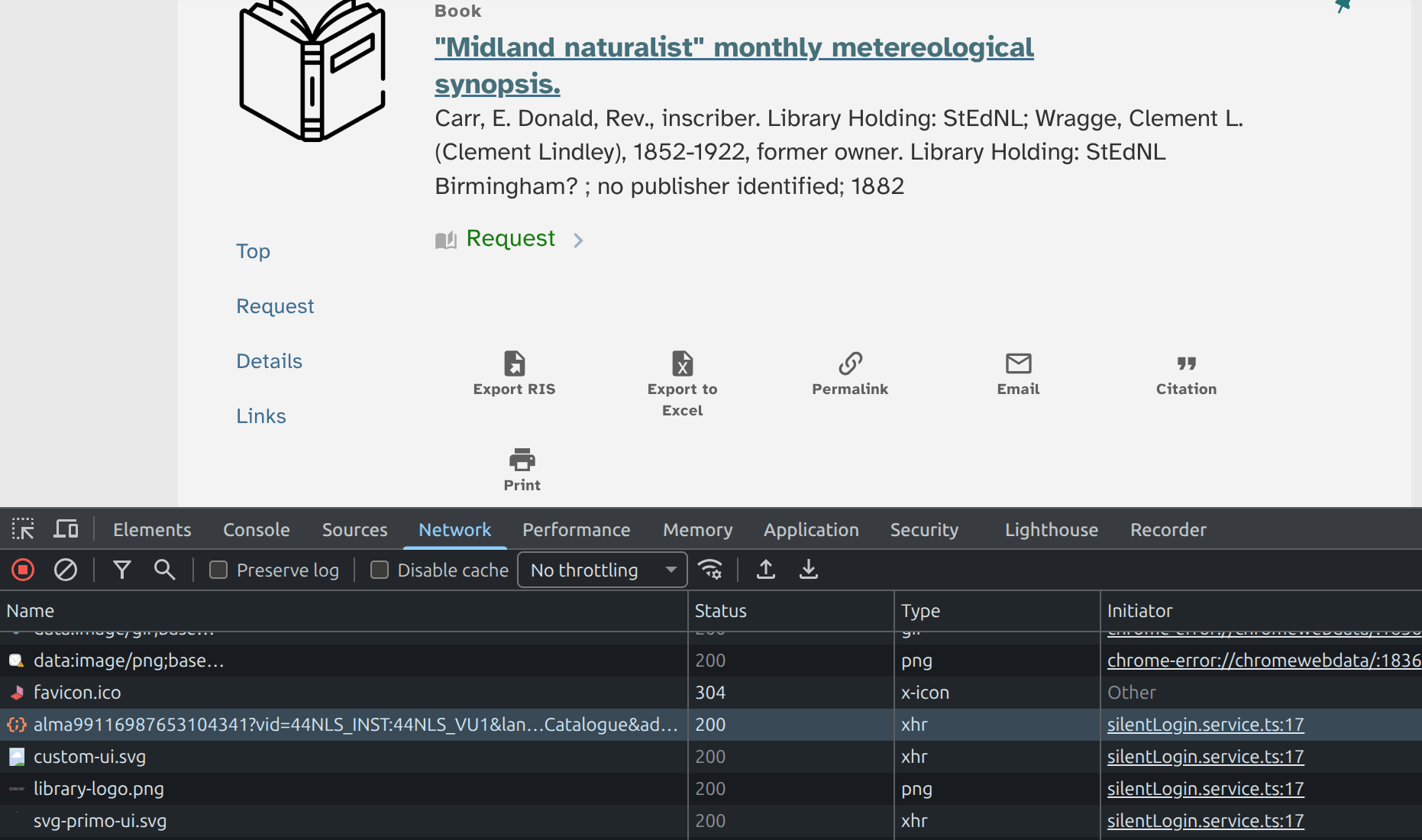


- select a file to view details
- click 'Response' to view contents
looks like metadata!
file url
look for data files
{"beaconO22":"531",
  "context" : "L",
  "@id" : "https://eu01.alma.exlibrisgroup.com/primaws/rest/pub/pnxs/L/99116987653104341",
  "adaptor" : "Local Search Engine",
  "pnx" : {
    "display" : {
      "source" : [ "Alma" ],
      "type" : [ "book" ],
      "language" : [ "eng" ],
      "title" : [ "\"Midland naturalist\" monthly metereological synopsis." ],
      "format" : [ "1 sheet ([2] pages) ; 39 x 24 cm ; folded 24 x 20 cm" ],
      "creationdate" : [ "1882" ],
      "publisher" : [ "no publisher identified" ],
      "mms" : [ "99116987653104341" ],
      "contributor" : [ "Carr, E. Donald, Rev., inscriber. Library Holding: StEdNL$$QCarr, E. Donald", "Wragge, Clement L. (Clement Lindley), 1852-1922, former owner. Library Holding: StEdNL$$QWragge, Clement L." ],
      "genre" : [ "Observations", "Sources" ],
      "place" : [ "Birmingham? :" ],
      "version" : [ "0" ],
      "lds01" : [ "A pre-printed record, folio, folding so as to form a letter with the printed addressee details of “Clement L. Wragge ... Ben Nevis Observatory, Fort William, N.B.”  The document was printed for completion by weather watchers from other parts of Britain, who provided meteorological observations for publication in \"The Midland Naturalist: The Journal of the Associated Natural History, Philosophical and Archaeology Societies and Field Clubs of the Midland Counties,\" which was published from 1878 to 1893. Wragge was a regular contributor to the journal.", "Clement Lindley Wragge (1852-1922), a British-born meteorologist, began his meteorological career in North Staffordshire. His work drew the attention of the Scottish Meteorological Society, which selected him to climb almost daily up to the summit of Ben Nevis to take meteorological observations. He won the Society’s Gold Medal for the continuous series of readings he made between 1 June and 14 October 1881. His wife, Leonora, made comparative observations at sea level at Fort William. In 1882 he had two assistants, William M. Whyte and Angus Rankin, who made the readings without him in 1883. During 1883 a special purpose-built observatory was constructed on the summit. The building was staffed full-time until 1904, when it was forced to close due to a lack of Government funding." ],
      "lds02" : [ "The printed folio has been completed in ink by the Rev. E. Donald Carr, Woolstaston (Wolstaston), Shropshire, for March 1882, and posted to Clement Wragge, with Shrewsbury and Fort Willliam postmarks. The Rev. Carr has recorded details from the local meteorological station including rainfall, temperature, notes, and remarks about changes in equipment (“as before”). <br>Library Holding: StEdNL" ],
      "lds18" : [ "Birmingham? " ],
      "subject" : [ "Meteorology -- History -- 19th century$$QMeteorology -- History -- 19th century -- Observations Sources" ]
    },
    "control" : {
      "sourcerecordid" : [ "99116987653104341" ],
      "recordid" : [ "alma99116987653104341" ],
      "sourceid" : "alma",
      "originalsourceid" : [ "99116987653104341" ],
      "sourcesystem" : [ "44NLS_INST" ],
      "sourceformat" : [ "MARC21" ],
      "score" : [ "1.0" ],
      "isDedup" : false
    },
    "addata" : {
      "originatingSystemIDContributor" : [ "no2002003249" ],
      "aulast" : [ "Carr", "Wragge" ],
      "aufirst" : [ "E. Donald", "Clement L." ],
      "auinit" : [ "E", "C" ],
      "addau" : [ "Carr, E. Donald", "Wragge, Clement L." ],
      "contributorfull" : [ "$$NCarr, E. Donald$$LCarr$$FE. Donald$$Rcontributor", "$$NWragge, Clement L.$$Rcontributor" ],
      "date" : [ "1882" ],
      "cop" : [ "Birmingham?" ],
      "pub" : [ "no publisher identified" ],
      "format" : [ "book" ],
      "genre" : [ "book" ],
      "ristype" : [ "BOOK" ],
      "btitle" : [ "\"Midland naturalist\" monthly metereological synopsis." ]
    },
    "sort" : {
      "title" : [ "Midland naturalist\" monthly metereological synopsis." ],
      "author" : [ "Carr, E. Donald, Rev., inscriber." ],
      "creationdate" : [ "1882" ]
    },
    "facets" : {
      "frbrtype" : [ "6" ]
    }
  },
  "delivery" : {
    "bestlocation" : {
      "isValidUser" : true,
      "organization" : "44NLS_INST",
      "libraryCode" : "SCRR",
      "availabilityStatus" : "available",
      "subLocation" : "Special Collections Reading Room, Edinburgh (request to consult)",
      "subLocationCode" : "GB06SC",
      "mainLocation" : "Special Collections Reading Room",
      "callNumber" : "AP.3.224.10",
      "callNumberType" : "8",
      "holdingURL" : "OVP",
      "adaptorid" : "ALMA_01",
      "ilsApiId" : "99116987653104341",
      "holdId" : "22712530560004341",
      "holKey" : "HoldingResultKey [mid=22712530560004341, libraryId=202601380004341, locationCode=GB06SC, callNumber=AP.3.224.10]",
      "matchForHoldings" : [ {
        "matchOn" : "MainLocation",
        "holdingRecord" : "852##b"
      } ],
      "stackMapUrl" : "",
      "relatedTitle" : null,
      "translateRelatedTitle" : null,
      "yearFilter" : null,
      "volumeFilter" : null,
      "singleUnavailableItemProcessType" : null,
      "boundWith" : false,
      "@id" : "_:0"
    },
    "holding" : [ {
      "isValidUser" : true,
      "organization" : "44NLS_INST",
      "libraryCode" : "SCRR",
      "availabilityStatus" : "available",
      "subLocation" : "Special Collections Reading Room, Edinburgh (request to consult)",
      "subLocationCode" : "GB06SC",
      "mainLocation" : "Special Collections Reading Room",
      "callNumber" : "AP.3.224.10",
      "callNumberType" : "8",
      "holdingURL" : "OVP",
      "adaptorid" : "ALMA_01",
      "ilsApiId" : "99116987653104341",
      "holdId" : "22712530560004341",
      "holKey" : "HoldingResultKey [mid=22712530560004341, libraryId=202601380004341, locationCode=GB06SC, callNumber=AP.3.224.10]",
      "matchForHoldings" : [ {
        "matchOn" : "MainLocation",
        "holdingRecord" : "852##b"
      } ],
      "stackMapUrl" : "",
      "relatedTitle" : null,
      "translateRelatedTitle" : null,
      "yearFilter" : null,
      "volumeFilter" : null,
      "singleUnavailableItemProcessType" : null,
      "boundWith" : false,
      "@id" : "_:0"
    } ],
    "electronicServices" : null,
    "additionalElectronicServices" : null,
    "filteredByGroupServices" : null,
    "quickAccessService" : null,
    "deliveryCategory" : [ "Alma-P" ],
    "serviceMode" : [ "ovp" ],
    "availability" : [ "available_in_library" ],
    "availabilityLinks" : [ "detailsgetit1" ],
    "availabilityLinksUrl" : [ ],
    "displayedAvailability" : null,
    "displayLocation" : true,
    "additionalLocations" : false,
    "titleRequestableAtItemLevel" : true,
    "physicalItemTextCodes" : null,
    "feDisplayOtherLocations" : false,
    "almaInstitutionsList" : [ ],
    "recordInstitutionCode" : null,
    "recordOwner" : "44NLS_INST",
    "hasFilteredServices" : null,
    "digitalAuxiliaryMode" : false,
    "digitalAuxiliaryThumbnail" : false,
    "hideResourceSharing" : false,
    "sharedDigitalCandidates" : null,
    "consolidatedCoverage" : null,
    "electronicContextObjectId" : null,
    "almaOpenurl" : null,
    "GetIt1" : [ {
      "category" : "Alma-P",
      "links" : [ {
        "isLinktoOnline" : false,
        "getItTabText" : "service_getit",
        "adaptorid" : "ALMA_01",
        "ilsApiId" : "99116987653104341",
        "link" : "OVP",
        "inst4opac" : "44NLS_INST",
        "displayText" : null,
        "@id" : "_:0"
      } ]
    } ],
    "physicalServiceId" : null,
    "link" : [ ],
    "hasD" : null
  },
  "enrichment" : {
    "virtualBrowseObject" : {
      "isVirtualBrowseEnabled" : true,
      "callNumber" : "AP.3.224.10",
      "callNumberBrowseField" : "8"
    }
  }
}- try opening urls
- look for patterns in the url (eg identifiers)
https://search.nls.uk/primaws/rest/pub/pnxs/L/alma99116987653104341?vid=44NLS_INST:44NLS_VU1&lang=en&search_scope=MainCatalogue&adaptor=Local%20Search%20Engine&lang=enitem id
if you know the item id you can get data!
-
bookmarklets
-
userscripts (& userstyles)
-
extensions
changing websites
all ways of running javascript in your browser to change the content or behaviour of websites
bookmarklets
- good for modifying urls
- nothing to install
- need to be initiated
- Primo bookmarklets
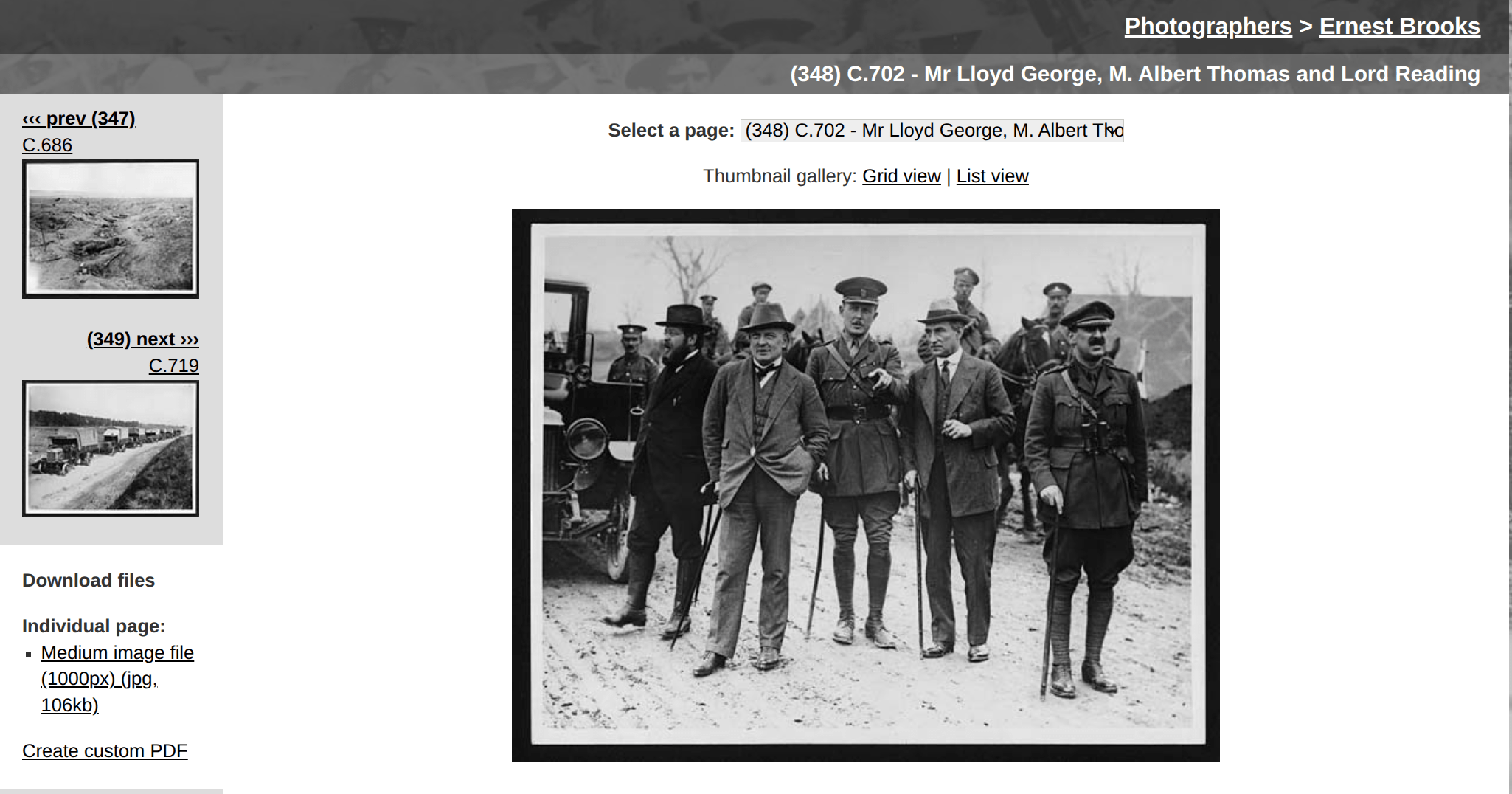
is this image in Wikimedia Commons?
javascript:const nlsLinks=document.evaluate("//td[contains(., 'digital.nls.uk')]",document,null,XPathResult.ANY_TYPE,null),nlsLink=nlsLinks.iterateNext();window.open("https://commons.wikimedia.org/w/index.php?title=Special:LinkSearch&target="+nlsLink.textContent.replace("https://",""));// Get digital item identifier
const nlsLinks = document.evaluate("//td[contains(., 'digital.nls.uk')]", document, null, XPathResult.ANY_TYPE, null);
const nlsLink = nlsLinks.iterateNext();
// Construct a search url, then open it
window.open("https://commons.wikimedia.org/w/index.php?title=Special:LinkSearch&target=" + nlsLink.textContent.replace("https://", ""));create a bookmarklet to check
spaces and linebreaks removed or replaced
tells the browser to run this as code
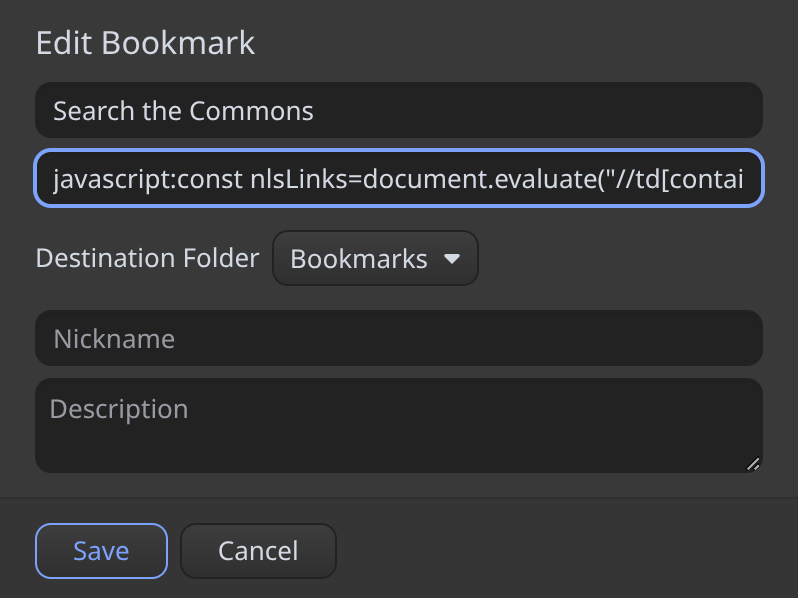
javascript:const nlsLinks=document.evaluate("//td[contains(., 'digital.nls.uk')]",document,null,XPathResult.ANY_TYPE,null),nlsLink=nlsLinks.iterateNext();window.open("https://commons.wikimedia.org/w/index.php?title=Special:LinkSearch&target="+nlsLink.textContent.replace("https://",""));add the bookmarklet to your browser
- right click on Bookmarks bar, select 'Add bookmark'
- give it a name
- copy and paste the code into the url field
- go here and click the bookmarklet to run it!
// Get digital item identifier
const nlsLinks = document.evaluate("//td[contains(., 'digital.nls.uk')]", document, null, XPathResult.ANY_TYPE, null);
const nlsLink = nlsLinks.iterateNext();
a common bookmarklet pattern
// Construct a search url, then open it
window.open("https://commons.wikimedia.org/w/index.php?title=Special:LinkSearch&target=" + nlsLink.textContent.replace("https://", ""));- extract a value from the page (eg an idenitifer)
- construct a new url using the value and open it
userscripts
- can change many aspects of a web page
- need a userscript manager such as Tampermonkey
- create/change userscripts using the built-in editor
- install userscripts from sources such as GitHub
- share your userscripts!
- be aware of security risks
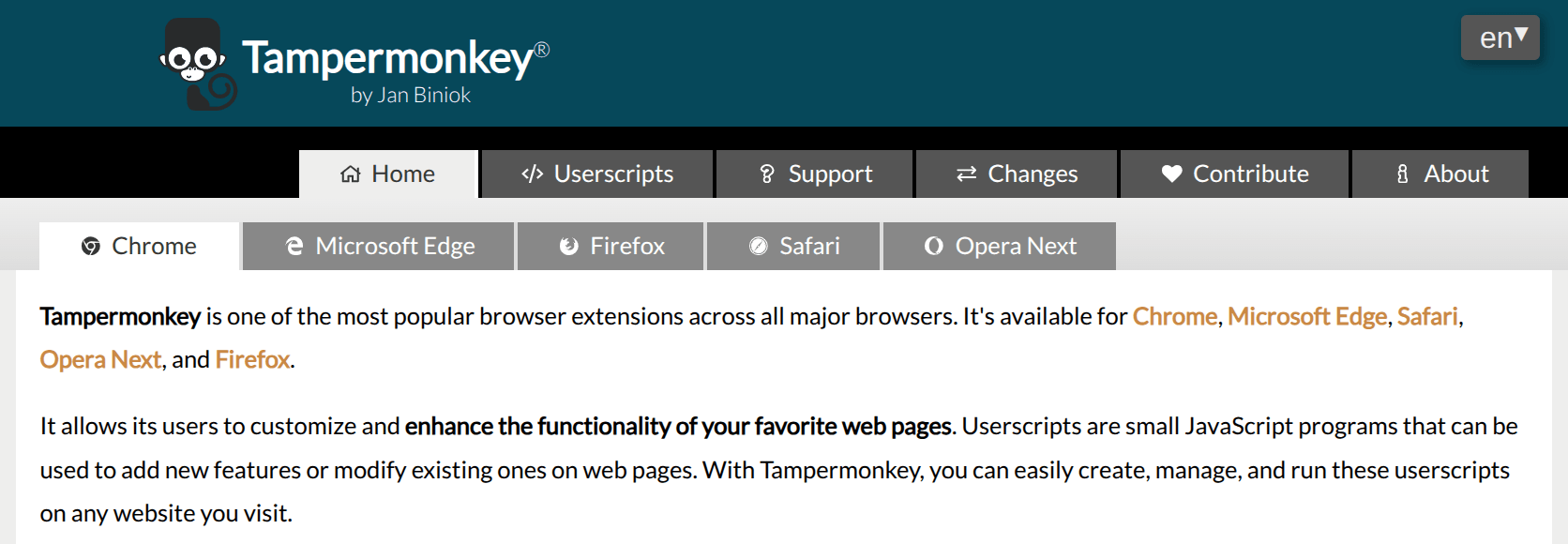
Tampermonkey is available as an extension or add on for most browsers, to install it:
- go to the Tampermonkey home page
- select your browser (Chrome / Firefox / Safari / Edge)
- follow the link to your browser's app store
- click on the button to install Tampermonkey
Note that if you're using Tampermonkey with Chrome-based browsers (including Edge and Vivaldi), you have to explicitly give it permission to run userscripts after installation.
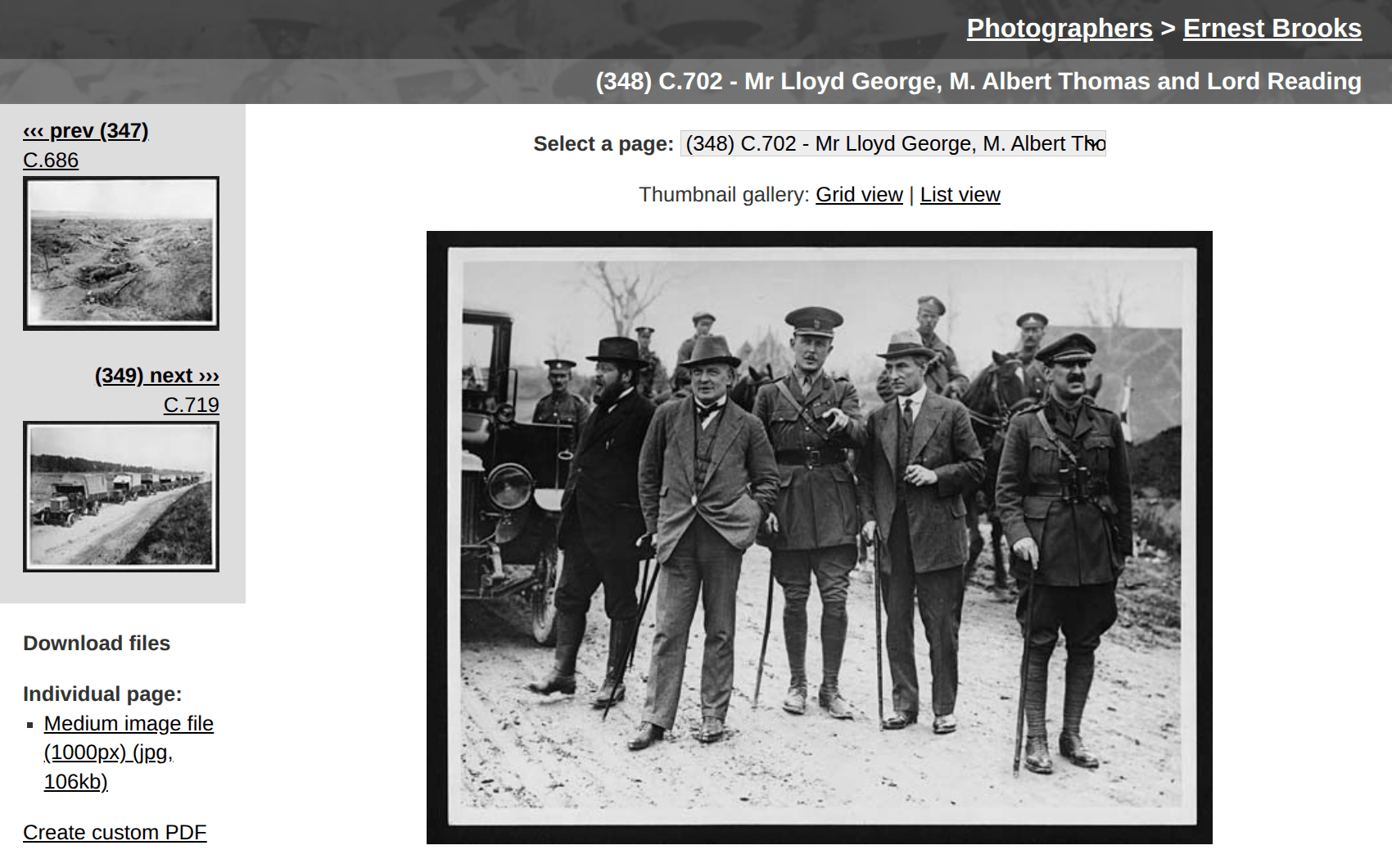
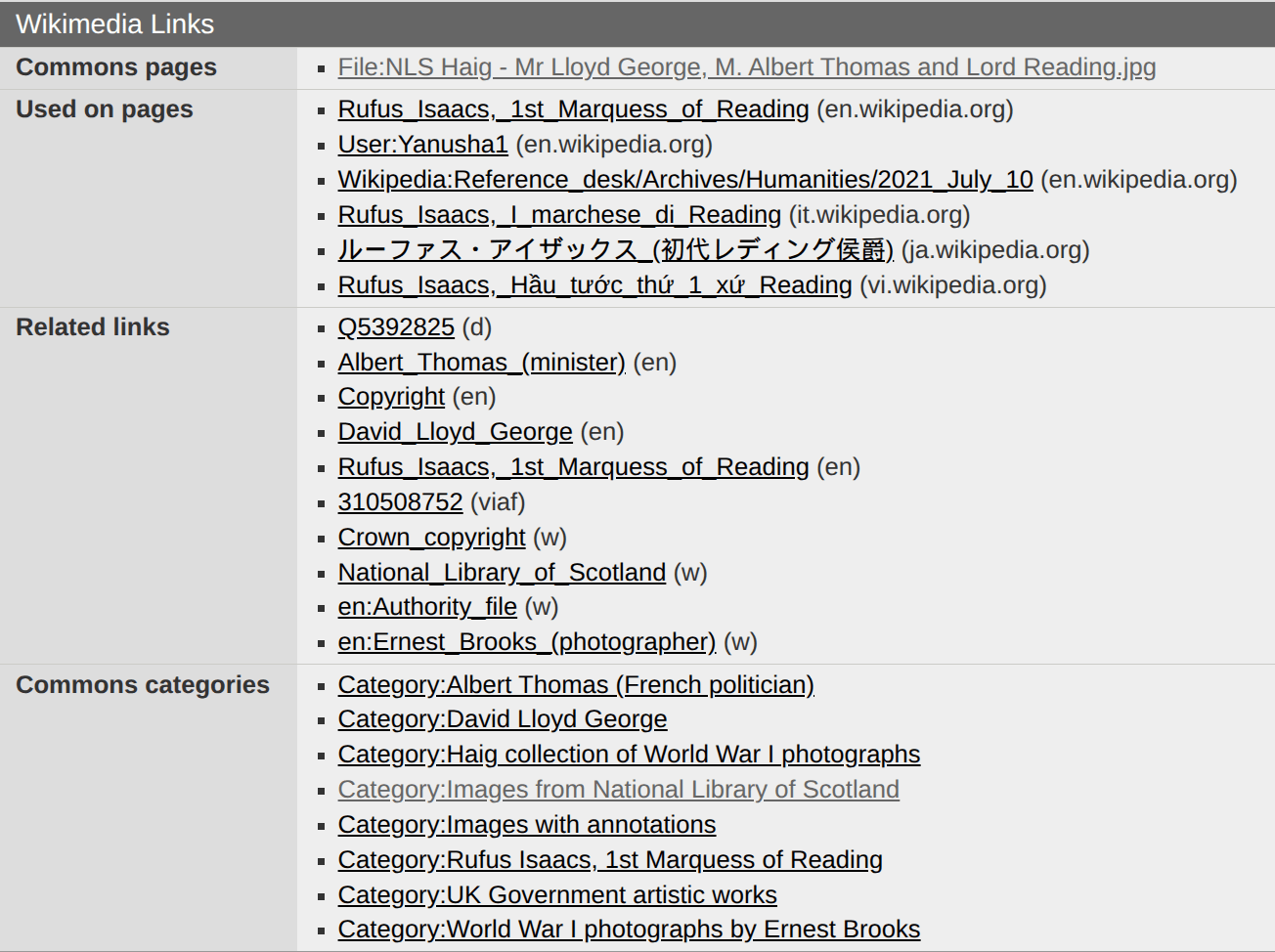
is this image in Wikimedia Commons?
added by a userscript
insert Wikimedia links
// ==UserScript==
// @name        NLS add Wikimedia links
// @namespace   wraggelabs.com/nls-wiki-links
// @match       *://digital.nls.uk/*
// @connect     commons.wikimedia.org
// @grant       GM_xmlhttpRequest
// @version     1.0
// @author      Tim Sherratt (timsherratt.au)
// @description 23/06/2026, 10:37:18
// ==/UserScript==
(function() {
    'use strict';
    // Make a new row for the metadata table and insert the list of links
    function makeRow(label, list) {
        let tr = document.createElement("tr");
        let th = document.createElement("th");
        th.textContent = label;
        let td = document.createElement("td");
        td.appendChild(list);
        tr.appendChild(th);
        tr.appendChild(td);
        return tr;
    }
    // Get the digital identifier
    const nlsLinks = document.evaluate("//td[contains(., 'digital.nls.uk')]", document, null, XPathResult.ANY_TYPE, null);
    const nlsLink = nlsLinks.iterateNext();
    // Only proceed if there is a digital id on this page
    if (nlsLink) {
        console.log(nlsLink.textContent);
        // Create a url to search for the pages with the id in Wikimedia Commons
        const searchUrl = "https://commons.wikimedia.org/w/api.php?action=query&format=json&list=exturlusage&euquery=" + nlsLink.textContent.replace("https://", "");
        const headers = {"User-Agent": "Userscript/NLS add Wikimedia Commons links (tim@timsherratt.au)"}
        // Query the Wikimedia API for JSON results
        GM_xmlhttpRequest({
            method: "GET",
            url: searchUrl,
            responseType: "json",
            headers: headers,
            onload: function(response) {
                console.log(response);
                // Extract page ids from the results (if any)
                let pageIds = [];
                for (let page of response.response["query"]["exturlusage"]) {
                    pageIds.push(page["pageid"]);
                }
                // If there are results, we'll get more info using the page ids
                if (pageIds.length > 0) {
                    // Create a url using the page ids to get more info
                    let infoUrl = "https://commons.wikimedia.org/w/api.php?action=query&pageids=" + pageIds.join("|") + "&prop=info|globalusage|iwlinks|categories&inprop=url&format=json";
                    console.log(infoUrl);
                    GM_xmlhttpRequest({
                        method: "GET",
                        url: infoUrl,
                        responseType: "json",
                        headers: headers,
                        onload: function(response) {
                            // The results contain info on Commons pages, other WM pages that
                            // use the image, links from the Commons page, and categories that
                            // the image is part of.
                            // We'll loop through each of these sets, creating arrays of HTML links.
                            let commonsList = document.createElement("ul");
                            let usageList = document.createElement("ul");
                            let linkList = document.createElement("ul");
                            let catList = document.createElement("ul");
                            // Commons pages
                            for (const [key, value] of Object.entries(response.response.query.pages)) {
                                let listItem = document.createElement("li");
                                listItem.innerHTML = "<a href='" + value.canonicalurl + "'>" + value.title + "</a>";
                                commonsList.appendChild(listItem);
                                // Usage on WP pages
                                for (let usage of value.globalusage) {
                                    let usageItem = document.createElement("li");
                                    usageItem.innerHTML = "<a href='" + usage.url + "'>" + usage.title + "</a> (" + usage.wiki + ")";
                                    usageList.append(usageItem);
                                }
                                // Links from Commons page
                                for (let link of value.iwlinks) {
                                    let linkItem = document.createElement("li");
                                    linkItem.innerHTML = "<a href='" + link.url + "'>" + link["*"] + "</a> (" + link.prefix + ")";
                                    linkList.append(linkItem);
                                }
                                // Commons categories
                                for (let cat of value.categories) {
                                    let catItem = document.createElement("li");
                                    catItem.innerHTML = "<a href='https://commons.wikimedia.org/wiki/" + cat.title + "'>" + cat.title + "</a>";
                                    catList.append(catItem);
                                }
                            }
                            // Create a new table
                            let table = document.createElement("table");
                            table.className = "metadata";
                            let caption = document.createElement("caption");
                            caption.textContent = "Wikimedia Links";
                            table.appendChild(caption);
                            let tbody = document.createElement("tbody");
                            // Add new rows for each of the link lists
                            let commonsRow = makeRow("Commons pages", commonsList);
                            tbody.appendChild(commonsRow);
                            let usageRow = makeRow("Used on pages", usageList);
                            tbody.appendChild(usageRow);
                            let linkRow = makeRow("Related links", linkList);
                            tbody.appendChild(linkRow);
                            let catRow = makeRow("Commons categories", catList);
                            tbody.appendChild(catRow);
                            table.appendChild(tbody);
                            // Get the metdata section of the page
                            let metadataList = document.querySelector("div#maincontent");
                            // Add the new table to the end of the metadata section of the page
                            metadataList.appendChild(table);
                        }
                    });
                }
            }
        });
    }
})();
To install:
- go to the userscript in GitHub
- click on Raw button
- click 'install' in the userscript manager
- go to one of these images to see the results
a common userscript pattern
- extract information from the current page
- use this information to query an API
- insert data from the API results in the page
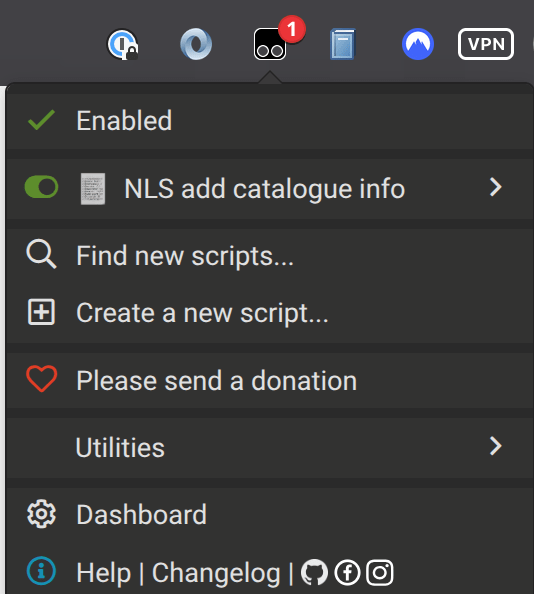
click icon to open options
toggle userscript on/off
open dashboard
managing userscripts
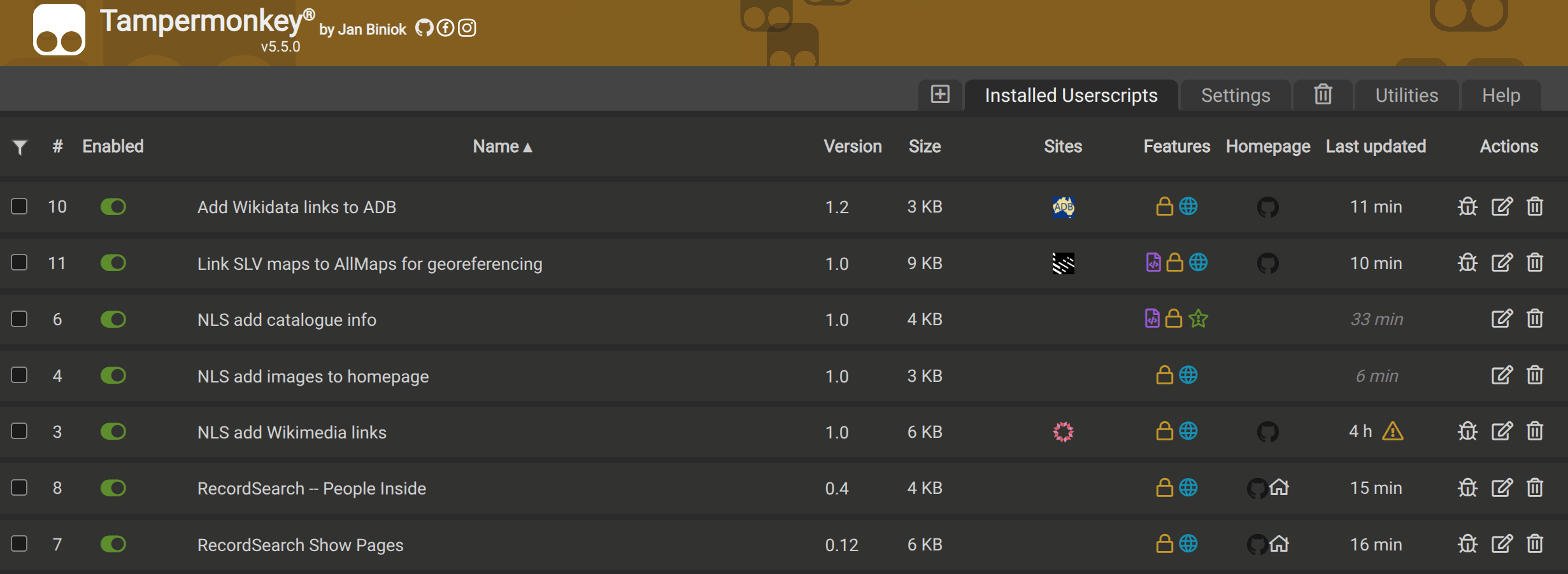
Tampermonkey dashboard
click on a script to edit it
create a basic userscript
- open the Tampermonkey dashboard
- click on the '+' tab to create a new script
- delete the template code
- copy and paste the code here into the empty script
- use Ctrl-S to save the script
- open the NLS home page
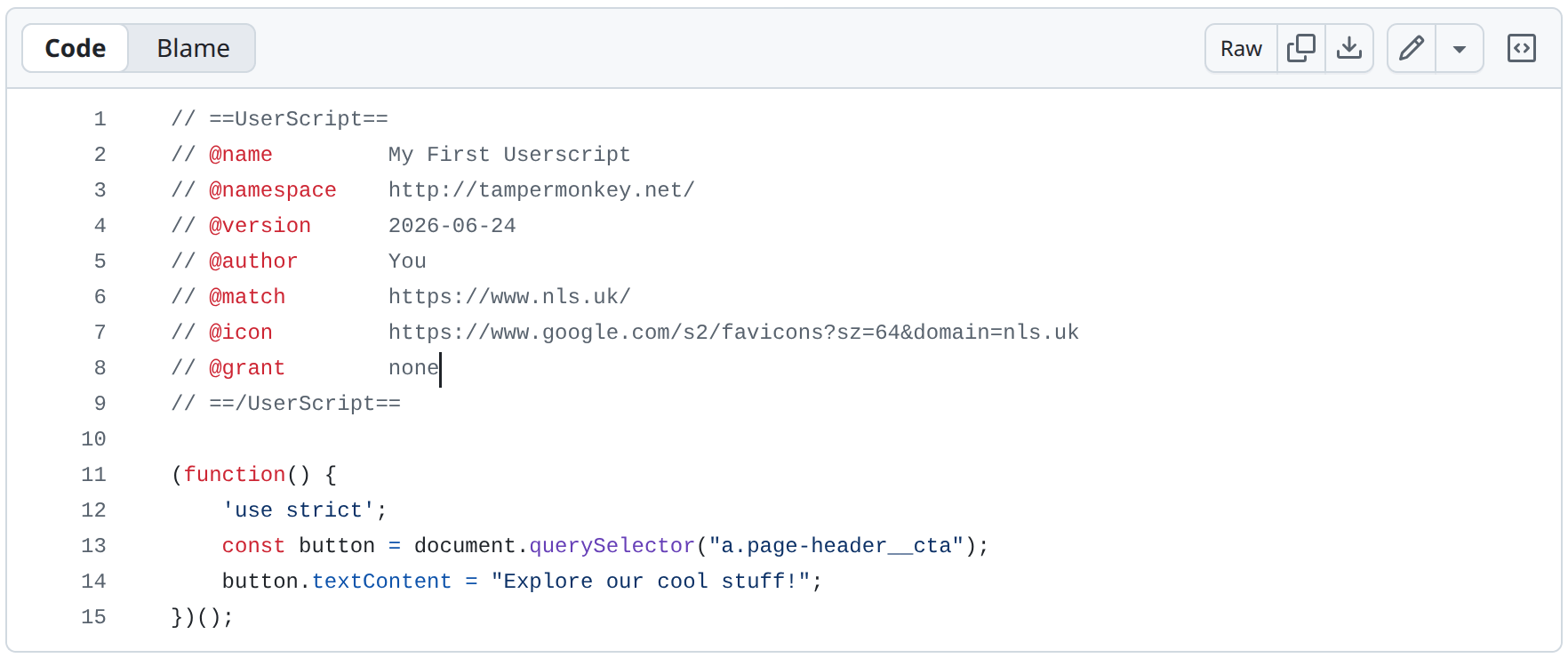
// ==UserScript==
// @name         My First Userscript
// @namespace    http://tampermonkey.net/
// @version      2026-06-24
// @author       You
// @match        https://www.nls.uk/
// @icon         https://www.google.com/s2/favicons?sz=64&domain=nls.uk
// @grant        none
// ==/UserScript==

(function() {
    'use strict';
    const button = document.querySelector("a.page-header__cta");
    button.textContent = "Explore our cool stuff!";
})();
metadata
code
more userscripts
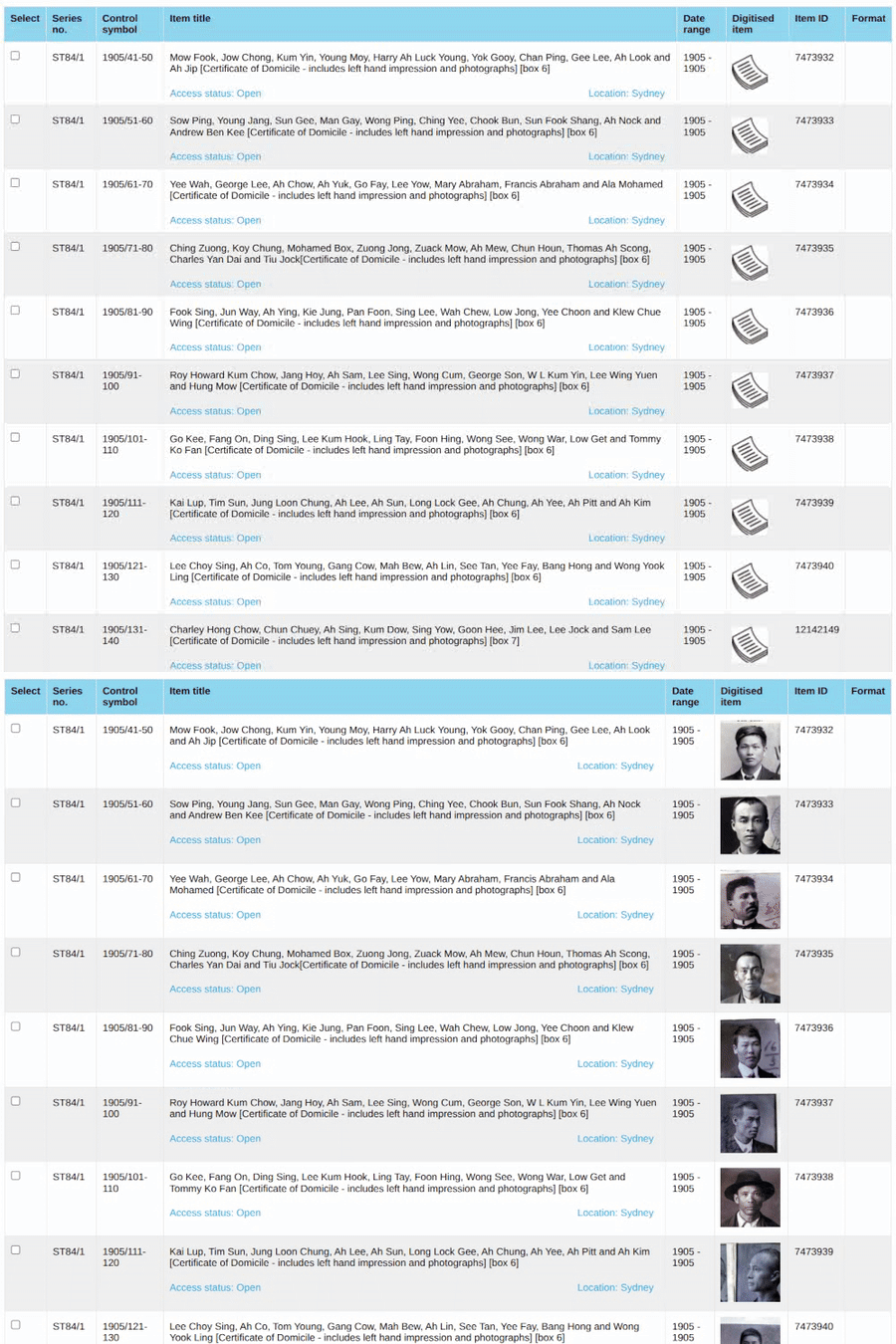
seeing people in the archives
more examples
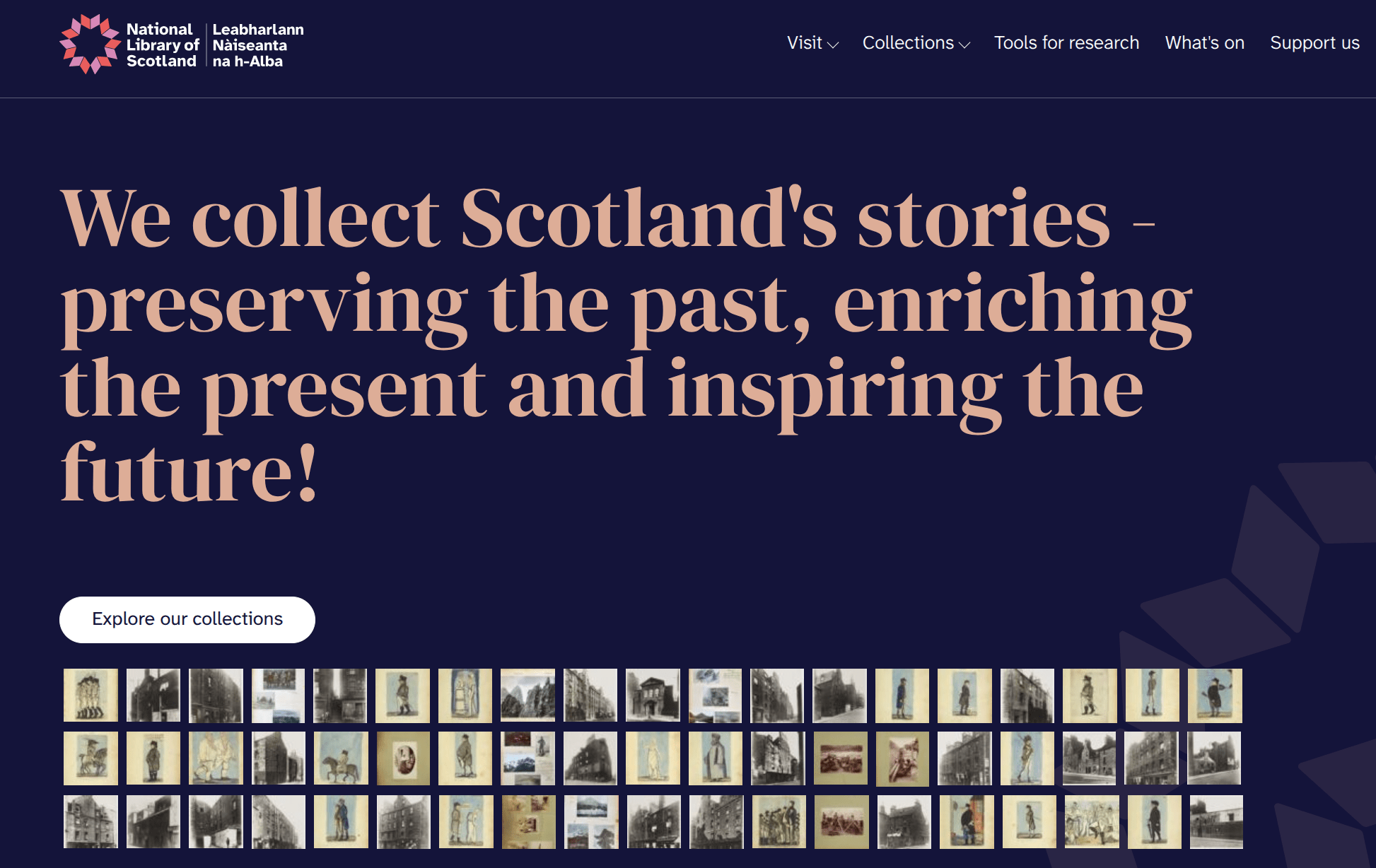
browse collection images!
You can customise by
- adding IIIF manifest urls
- setting the thumbnail size
- setting the number of images to display
// ==UserScript==
// @name         NLS add images to homepage
// @namespace    wraggelabs.com/nls-home-thumbnails
// @version      2026-06-23
// @description  Adds a random selection of thumbnail images to the NLS home page
// @author       Tim Sherratt (timsherratt.au)
// @match        https://www.nls.uk/
// @icon         https://www.google.com/s2/favicons?sz=64&domain=nls.uk
// @grant        GM_xmlhttpRequest
// @grant        GM_addElement
// ==/UserScript==

(function() {
    'use strict';
    // CONFIGURATION SECTION
    // Add/remove manifest urls
    const manifests = [
        "https://view.nls.uk/manifest/2438/7517/243875173/manifest.json",
        "https://view.nls.uk/manifest/1897/4224/189742241/manifest.json",
        "https://view.nls.uk/manifest/7549/75496599/manifest.json",
        "https://view.nls.uk/manifest/7445/74457611/manifest.json"
    ];
    // Max number of images to display
    const numImages = 57;
    // Size of thumbnails
    const thumbSize = 50;
    // END CONFIG SECTION

    const header = document.querySelector("header.page-header > div");
    const imageDiv = document.createElement("div");
    imageDiv.style.display = "flex";
    imageDiv.style.marginTop = "20px";
    imageDiv.style.width = "100%";
    imageDiv.style.flexWrap = "wrap";
    const allImages = [];
    var manifestsProcessed = 0;

    function shuffleArray(array) {
        for (let i = array.length - 1; i > 0; i--) {
            const j = Math.floor(Math.random() * (i + 1));
            [array[i], array[j]] = [array[j], array[i]];
        }
    }
    for (let manifestUrl of manifests) {
        GM_xmlhttpRequest({
            method: "GET",
            url: manifestUrl,
            responseType: "json",
            onload: function(response) {
                var link, title;
                const manifest = response.response;

                for (let md of manifest.metadata) {
                    if (md.value.includes("digital.nls.uk")) {
                        link = md.value.match(/(https?:\/\/digital.nls.uk\/\d+)/)[0];
                    } else if (md.label == "Title") {
                        title = md.value;
                    }
                }
                for (let canvas of manifest.sequences[0].canvases) {
                    for (let img of canvas.images) {
                        let imageId = img.resource.service["@id"];
                        allImages.push({"src": `${imageId}/square/${thumbSize},/0/default.jpg`, "link": link, "title": title});
                    }
                }
                manifestsProcessed++;
                displayImages();
            }
        });
    }
    function displayImages() {
        if (manifests.length == manifestsProcessed) {
            shuffleArray(allImages);
            for (let image of allImages.slice(0, numImages)) {
                let imageLink = document.createElement("a");
                imageLink.href = image.link;
                GM_addElement(imageLink, 'img', {
                    src: image.src,
                    title: image.title,
                    style: "margin: 4px"
                });
                imageDiv.appendChild(imageLink);
            }
            header.appendChild(imageDiv);
        }
    }
})();- install this userscript
- open it for editing in the userscript manager
const manifests = [
        "https://view.nls.uk/manifest/2438/7517/243875173/manifest.json",
        "https://view.nls.uk/manifest/1897/4224/189742241/manifest.json",
        "https://view.nls.uk/manifest/7549/75496599/manifest.json",
        "https://view.nls.uk/manifest/7445/74457611/manifest.json"
];
add your own manifests
watch out for commas and quotes!
finding manifest urls
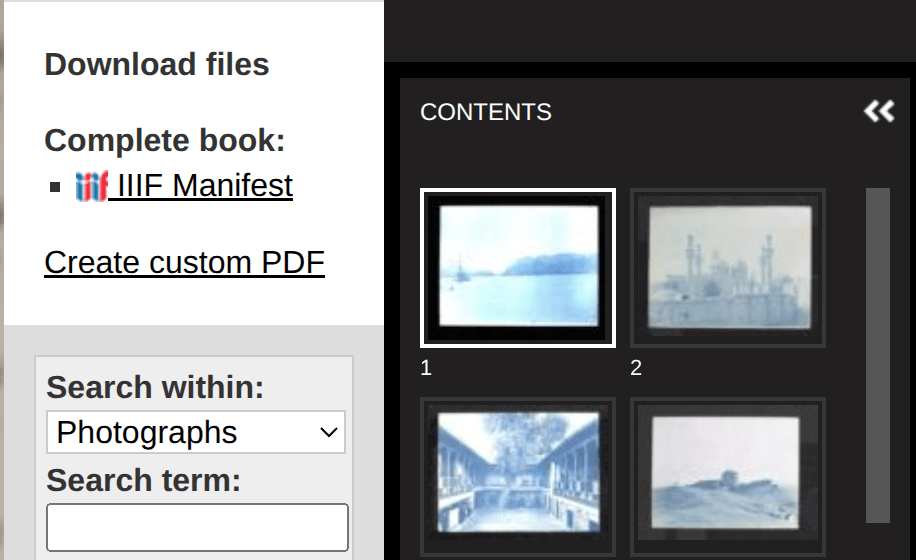
- start in the digital gallery
- click through to images
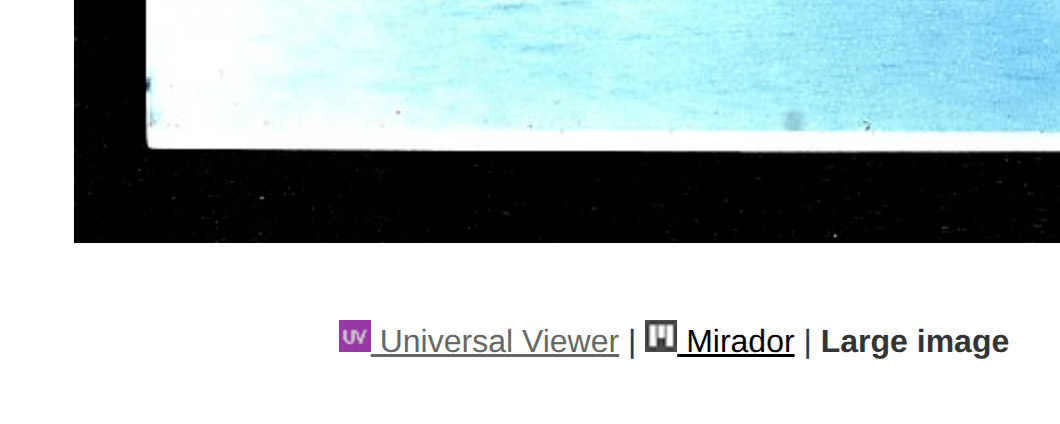
- look for a IIIF Manifest link
- if there's no manifest link look for a Universal Viewer link and open that
- copy IIIF Manifest url
- a userscript to add info to the Primo display
add info to Primo catalogue
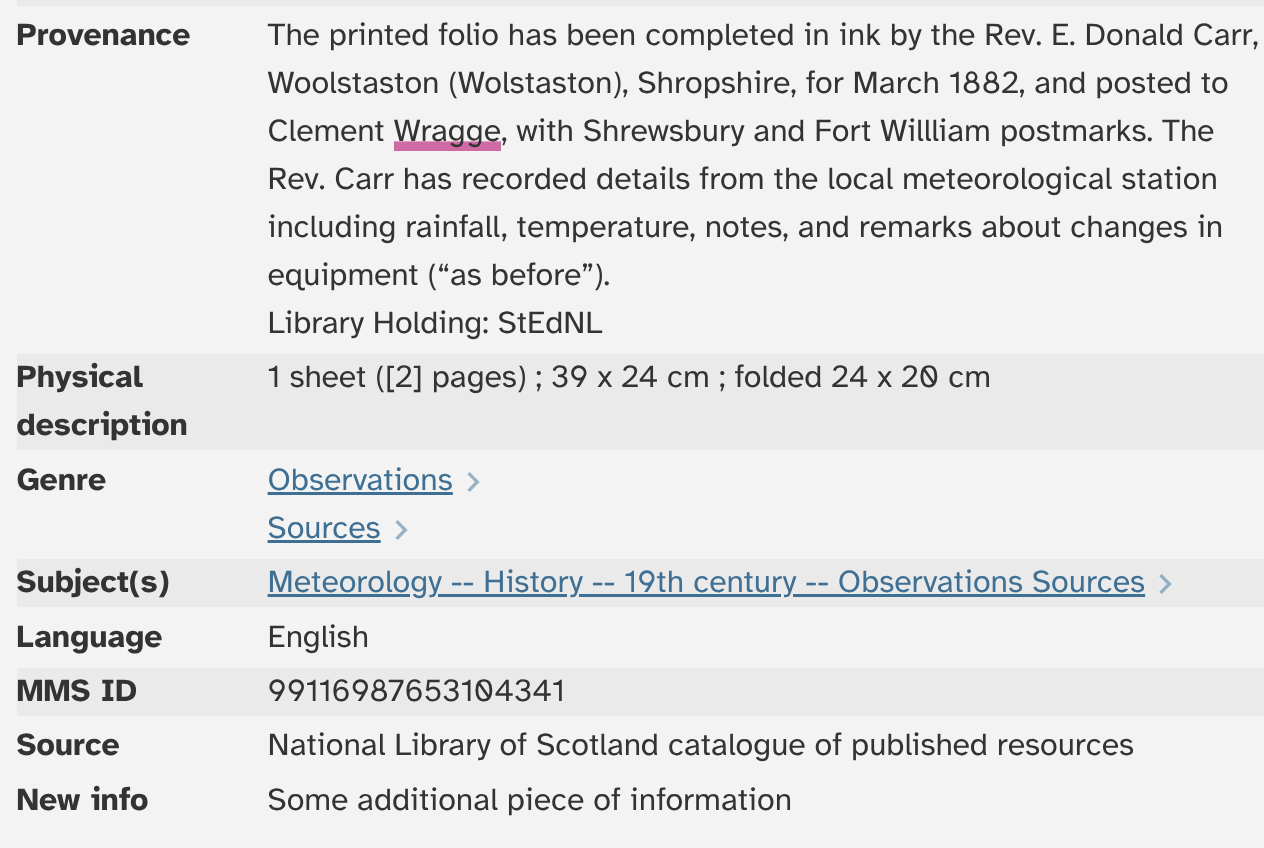
// ==UserScript==
// @name        NLS add catalogue info
// @namespace   wraggelabs.com/nls-add-catalogue-info
// @match       *://search.nls.uk/discovery*
// @grant       none
// @version     1.0
// @author      -
// @description 23/06/2026, 14:41:35
// @require https://cdn.jsdelivr.net/gh/CoeJoder/waitForKeyElements.js@v1.3/waitForKeyElements.js
// ==/UserScript==


function changeDisplay() {
  if (document.location.href.includes("fulldisplay")) {
    waitForKeyElements("#full-view-container", (container) => {
      let details = document.querySelector("#item-details div.spaced-rows");

      let newRow = document.createElement("div");

      newRow.className="layout-block-xs layout-xs-column layout-row";
      let newLabel = document.createElement("div");
      newLabel.className = "flex-gt-xs-25 flex-gt-sm-20 flex bold-text";
      newLabel.innerHTML = "New info";
      let newValue = document.createElement("div");
      newValue.className = "flex";
      newValue.innerHTML = "Some additional piece of information";
      newRow.appendChild(newLabel);
      newRow.appendChild(newValue);
      details.appendChild(newRow);
    });
  }
}

// This function looks for clicks in search results that show full item details in an overlay.
// These clicks don't actually open a new page, even though the url changes.
function watchHistoryEvents() {
    const { pushState, replaceState } = window.history;

    window.history.pushState = function (...args) {
        pushState.apply(window.history, args);
        window.dispatchEvent(new Event('pushState'));
    };
    window.addEventListener('pushState', changeDisplay);
}

watchHistoryEvents();

changeDisplay();- waits until specific parts of the page are loaded
- works with full display in overlay or new window
your ideas!
- what would you like to fix, improve, add?
- plan with pseudo-code
- share and maybe build