組合語言實習
期末專題
隊友
-
B033040010 李仕柏
-
B033040014 蘇盈安
-
B033040015 陳彥瑋
系統資源監控器
緣起
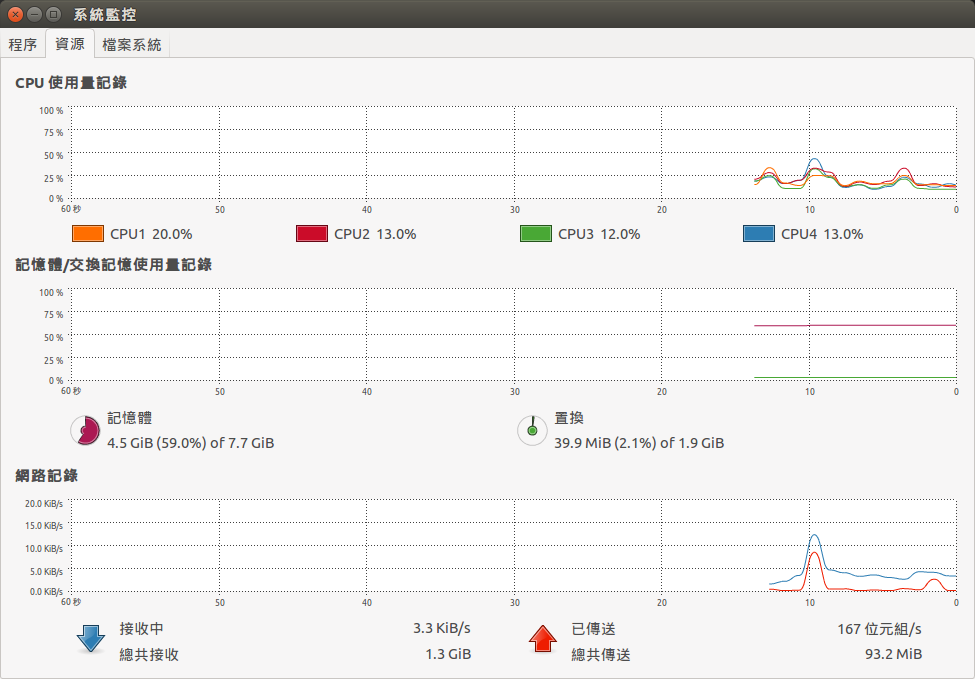
- windows / ubuntu等作業系統都有專門監視系統資源的程式
- Zedboard等開發板沒有圖形化桌面甚至有時候不會接上螢幕
- 觀看系統現在運作情形只能用遠端SSH連線開top或htop
- 因此想到利用板子上面的元件led燈號來顯示系統的資源
- 直觀 / 方便
技術
前置作業
- Linux系統安裝
- 指令操作(設定網路等......)
- 文字介面的適應(ˊ_>`) ~ 萬惡的 vim
- 保持自信~告訴自己最後一週再開始做也做的完
sysfs & GPIO
-
自己寫driver操作 led / button / switch ( X )
-
-
Sysfs 是 Linux 2.6 開始所提供的一種虛擬檔案系統 , 透過它管理裝置跟驅動(GPIO)
-
- 將led / button / switch當成檔案操作
基本使用方法
#首先將 GPIO69 設定成可以用 sysfs 控制
$echo 69 > /sys/class/gpio/export

#設定 GPIO69 為輸入腳
$echo in > /sys/class/gpio/gpio69/direction

#獲取 GPIO69 輸入值 (0: 斷開, 1: 接通)
$cat  /sys/class/gpio/gpio69/value
1
#表示switch 0是接通的狀態- led (61-68)
- switch (69-76)
- button (77-81)
/proc
-
/proc是核心模擬出來的檔案系統
-
系統核心對於外界的資訊窗口
-
顯示系統的資訊
-
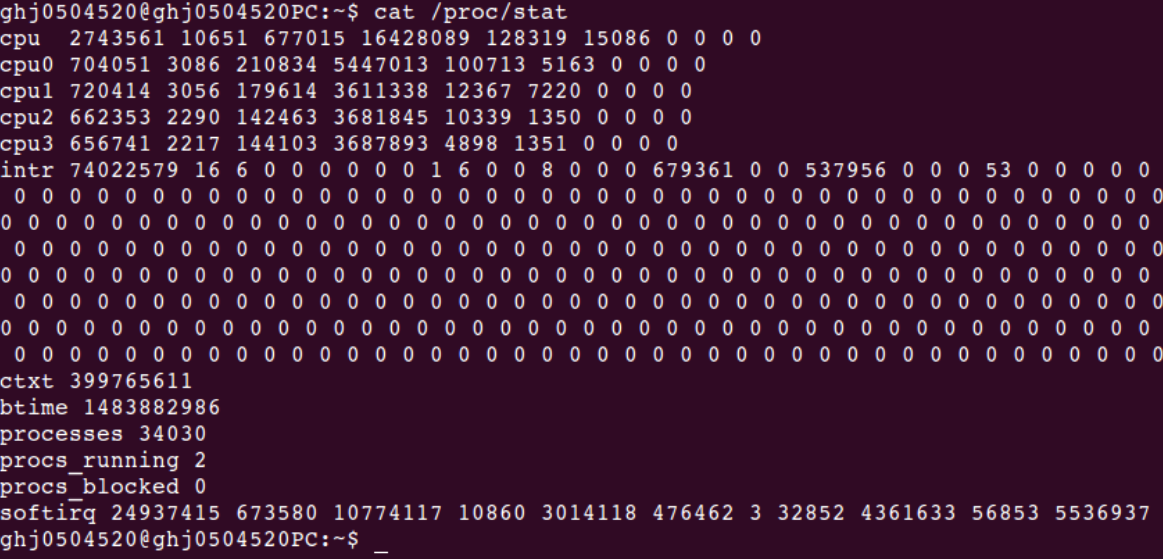
/proc/stat ( CPU )
-
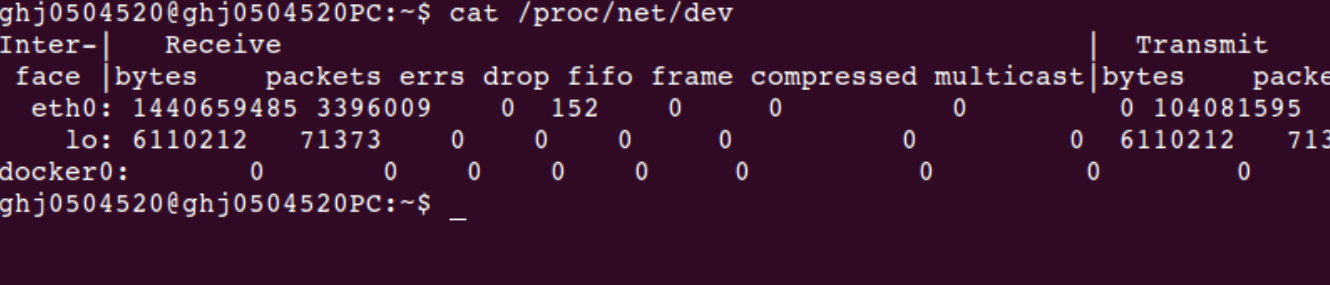
/proc/net/dev ( network )
-
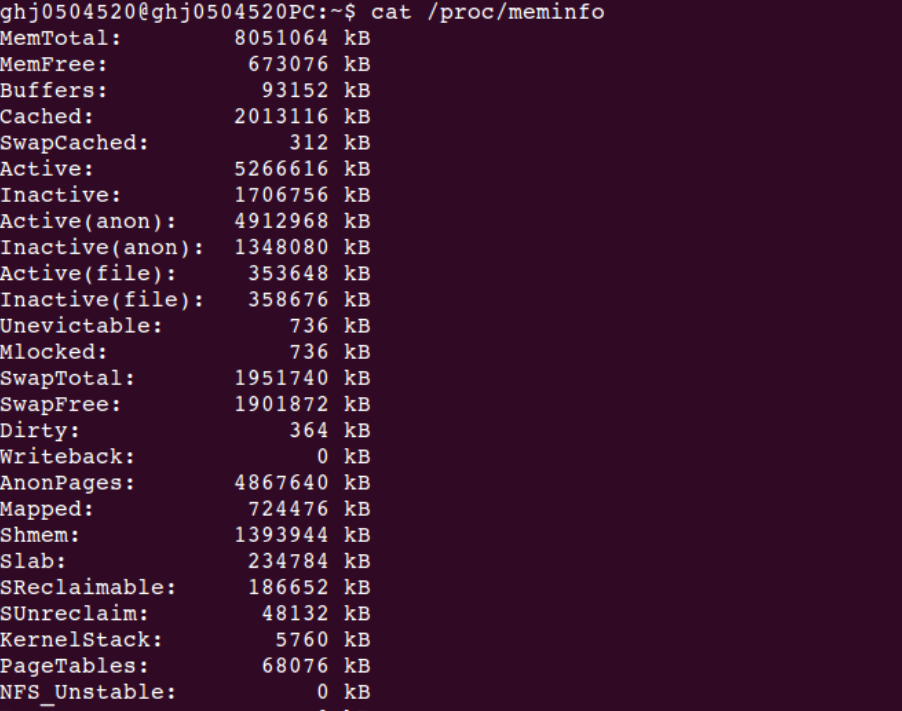
/proc/meminfo ( memory usage )
歡樂C語言
int open_switch( int n )
{
	char export[ 15 + 8 ] =  "/sys/class/gpio/export";
	int gpio_export = open(export, O_WRONLY);

	/*export target gpio*/
	char num[4];
	sprintf(num, "%d", 69 + n);
	write(gpio_export, num, strlen(num) + 1);
	close(gpio_export);

	/*set direction*/
	char direct[ 15 + 20 ];
	sprintf(direct, "/sys/class/gpio/gpio%d/direction", 69 + n);
	int gpio_direction = open(direct, O_WRONLY);
	write(gpio_direction, "in" , 3);
	close(gpio_direction);

	/*catch value*/
	sprintf(gpioSwPath[n], "/sys/class/gpio/gpio%d/value", 69 + n);
	return open(gpioSwPath[n], O_RDONLY);	    /*figure out*/
}
DEMO ~ 初始化switch
歡樂C語言
        FILE *fd = fopen("/proc/meminfo","r");

	char str1[1024];
	char delim[] = " ";
	char *token;
	int mem_total;
	int mem_free;

	fgets(str1,sizeof(str1),fd);


	token = strtok(str1,delim);
	token = strtok(NULL,delim);/*Get second column content.*/

	mem_total = atoi(token);

	fgets(str1,sizeof(str1),fd);

	token= strtok(str1,delim);
	token = strtok(NULL,delim);/*Get second column content.*/

	mem_free = atoi(token);

	int i, useMem=(mem_total-mem_free);
	printf("  The use of memory : %d kB\n",useMem);
DEMO ~ 抓取memory usage
使用方式
- led燈號顯示
- 按鈕操控
-
開關操控
- 0/2/4開啟-cpu模式
- 1/3/5開啟-network模式
- 5/6/7開啟-memory模式
實際操作
參考來源
-
http://coldnew.github.io/blog/2013/06-27_1aced/
-
-
http://blog.163.com/thinki_cao/blog/static/839448752014380463208/