Testcafe
Testcafe
- It's a Node.js tool that allows you to automate end-to-end web testing by writing tests in JS or TS.
- The tests run directly in the browser.
- Supports macOS, Windows, Linux, and mobile browsers either locally or on the cloud.
- Open Source.
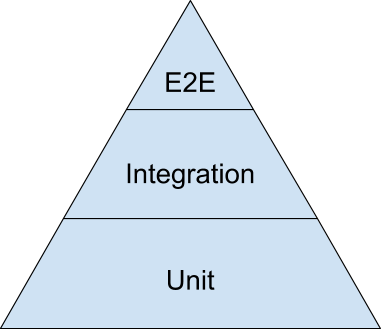
End-to-end testing
- Methodology that tests whether the flow of an application is performing as expected from start to finish.
- The entire application is tested on real
world scenarios.
Installing Testcafe
yarn global add testcafetestcafe <target-browser> <test-file-path>Running Testcafe
testcafe chrome tests/test.jsExample
Writing Tests
Fixtures
- Usually what sits at the top of every testcafe test file.
- Is the parent of a group of tests.
- Tests inside the same fixture share a common website, metadata and cleanup code.
fixture `Getting Started`
    .page `http://devexpress.github.io/testcafe/example`;
Test functions
- After you have defined your fixture, you are ready to write the tests themselves using 'test functions'.
test('My first test', async t => {
    // Test code
});
Test Actions
- Methods that simulate user interaction.
- Can be called in chain.
- List of actions available by default:
- click
- right click
- double click
- drag
- hover
- press key
- select text
- type text
- navigate
- resize window
- ... and more
Example Test Action
test('My first test', async t => {
    await t
        .typeText('#developer-name', 'John Smith')
        .click('#submit-button');
});
Observing Page State
- After performing actions you'll most likely want to see the effect they had on your website.
- For this purpose testcafe provides the "Selector" and "ClientFunction" methods.
- Selector: A regular JS query selector with added utility methods and properties.
- ClientFunction: Allows you to obtain data from the client with ease (E.g. URL).
Selector & ClientFunction
Example Selector
import { Selector } from 'testcafe';

const article = Selector('.article-content');
Note: The result of a Selector can be an individual node or a list. For lists you can use testcafe helper methods to further search and filter.
Selector Filter Methods
- nth
- withText
- withExactText
- withAttribute
- filterVisible
- filterHidden
- filter
Example Selector Filter
Selector('label').withText('foo');

Selector('li').filter('.someClass');

Selector('ul').filter((node, idx) => {
    // node === a <ul> node
    // idx === index of the current <ul> node
});
Example Client Function
import { ClientFunction } from 'testcafe';

const getWindowLocation = ClientFunction(() => window.location);

fixture `My fixture`
    .page `http://www.example.com/`;

test('My Test', async t => {
    const location = await getWindowLocation();
});
Example Scenario
import { Selector } from 'testcafe';

fixture `Getting Started`
    .page `http://devexpress.github.io/testcafe/example`;

test('My first test', async t => {
    await t
        .typeText('#developer-name', 'John Smith')
        .click('#submit-button');

    const articleHeader = await Selector('.result-content').find('h1');

    // Obtain the text of the article header
    let headerText = await articleHeader.innerText;
});
A site should display a "Thank you" header after submit.
Assertions
- They are used to verify that the expected state of the website matches the actual state.
- List of available assertions:
- (Not) Deep Equal
- (Not) OK
- (Not) Contains
- (Not) Type of
- Greater than
- Greater than or equal to
- Less than
- Less than or equal to
- (Not) Within
- (Not) Match
Example Assertion
import { Selector } from 'testcafe';

fixture `My fixture`;

test('My test', async t => {
    await t.expect(Selector('.className').count).eql(3);
});
Example Assertion #2
import { Selector } from 'testcafe';


fixture `Example page`
   .page `http://devexpress.github.io/testcafe/example/`;


test('Check property of element', async t => {
   const developerNameInput = Selector('#developer-name');

   await t
       .expect(developerNameInput.value).eql('', 'input is empty')
       .typeText(developerNameInput, 'Peter Parker')
       .expect(developerNameInput.value).contains('Peter', 'input contains text "Peter"');
});
Running the test
testcafe chrome test1.jstestcafe all test1.jstestcafe -c 3 chrome tests/test.jstestcafe -c 4 safari,firefox tests/test.jsTestcafe and Vue
Vue Selectors
Testcafe Vue Selectors
- It's a package that simply replaces regular Selectors with VueSelectors, which allow you to query for component names.
import VueSelector from 'testcafe-vue-selectors';

const todoInput = VueSelector('todo-input');
const todoItem = VueSelector('todo-list todo-item');
Testcafe Vue Selectors
- You can still use filter methods which work as expected.
var itemsCount = VueSelector().find('.items-count span');Testcafe on the Cloud
Testcafe on the Cloud
- When using testcafe, you have the option to use either Browserstack or Saucelabs as a remote-browser service.
- When setting these up you have to make sure to include your credentials as environment variables.
- Testcafe provides a script to get a list of available browsers for either of these providers.
- Afterwards you run the same commands, but the name of the service prepended.
Testcafe on the Cloud
testcafe -b browserstack

testcafe browserstack:ie@11.0:Windows 10 test/e2e/*.test.js -S -s screenshots